Top 20 VPS control panel options tested (2026)
Mar 10, 2026
/
Ariffud M.
/
18 min Read
The best VPS control panels are cPanel, Plesk, DirectAdmin, CyberPanel, and HestiaCP, depending on your budget, technical experience, and server requirements. A VPS control panel is a web-based interface that lets you manage websites, databases, email accounts, backups, firewalls, and server resources without relying entirely on command-line commands.
In this article, we explore the 20 best VPS control panels, each catering to different needs—from budget-friendly, open-source options to premium, feature-rich solutions. These control panels offer various functionalities, including website management, email hosting, server monitoring, and more. Let’s dive into the best options to help you find the ideal control panel for your VPS.
- cPanel – Best for users looking for an easy-to-use yet feature-rich control panel for managing websites, emails, and databases.
- Plesk – Ideal for small businesses and web developers seeking a versatile control panel that supports both Linux and Windows environments.
- Coolify – Great for developers who need an open-source control panel with support for automation, CI/CD pipelines, and team collaboration.
- Webmin – Best for advanced users and system administrators seeking a customizable, open-source control panel for managing Unix-based servers.
- CyberPanel – Perfect for users who need high performance with OpenLiteSpeed integration, ideal for developers and WordPress management.
- aaPanel – Best for developers and small businesses looking for a user-friendly interface to manage Linux servers without needing command-line experience.
- DirectAdmin – Great for resource-conscious users who need a lightweight, easy-to-use VPS control panel with efficient resource management.
- CloudPanel – Ideal for users managing cloud-based environments, providing a simple, lightweight interface for managing websites and applications.
- Cloudron – Perfect for small to medium-sized businesses needing a portable, containerized application management platform with easy deployment options.
- Dokploy – Best for developers working with Docker, offering a clean, minimal interface to manage containerized applications efficiently.
- ISPConfig – Ideal for advanced users needing multi-server management and powerful control over server environments.
- HestiaCP – Perfect for beginners and users who want an intuitive control panel with modern features and expandability options.
- VestaCP – Best for users needing a lightweight, open-source control panel with minimal resource requirements and basic web hosting features.
- Virtualmin – Ideal for system administrators who need a flexible and customizable control panel for managing virtual servers and web applications.
- Easypanel – Great for developers who need a control panel integrated with Docker, allowing easy deployment of applications across various platforms.
- FASTPANEL – Best for individuals and startups seeking a straightforward control panel with easy backups, cron tasks, and integrated website statistics.
- Webuzo – Ideal for resellers and website owners who need an easy-to-use control panel with a built-in Softaculous auto-installer and multi-server support.
- InterWorx – Perfect for website owners and administrators managing multiple servers, with customizable templates and advanced logging features.
- Control Web Panel (CWP) – Great for system administrators and businesses seeking a comprehensive VPS control panel with robust email management features.
- ISPmanager – Best for users who want a simple, powerful VPS control panel with DDoS protection, site-building tools, and CMS support.
1. cPanel
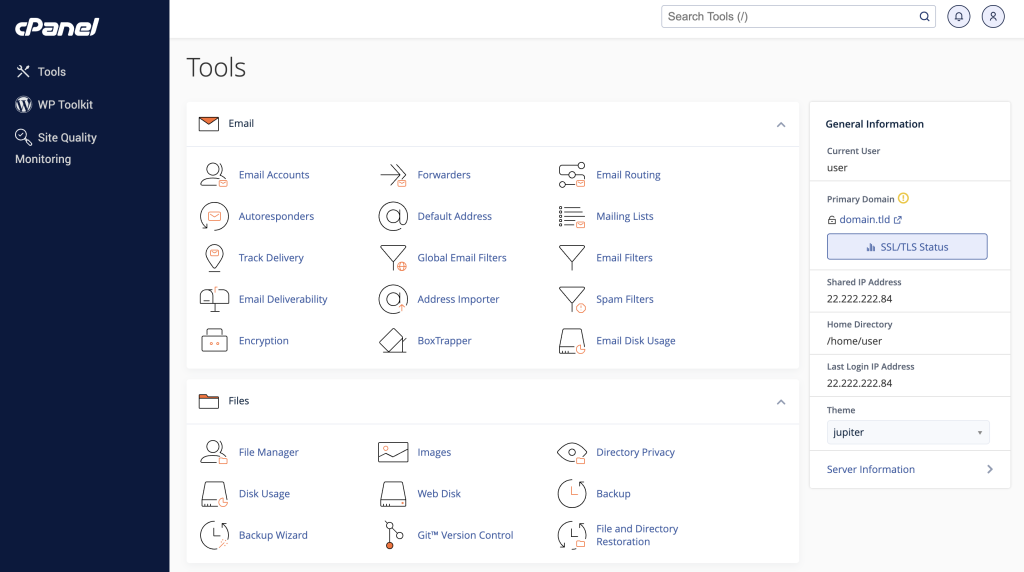
cPanel is a premium VPS control panel designed for users who want an easy-to-use yet feature-rich interface for managing websites, emails, and databases. It is widely used by hosting providers, agencies, and businesses that need a stable and industry-standard server management solution.
With cPanel, you can deploy websites using popular content management systems (CMSs), manage domains and subdomains, create professional email accounts, configure MySQL and MariaDB databases, and install SSL certificates. It also integrates seamlessly with tools like Softaculous, LiteSpeed, and Imunify360, making it suitable for production environments and client hosting setups.
Available as a Hostinger VPS template: Yes. Explore available cPanel VPS hosting plans for more information.

Key features:
- Easy-to-navigate dashboard for managing websites, domains, emails, and databases.
- Automated incremental backup support, ensuring data safety and quick restoration.
- cPHulk security tool to protect the VPS against brute force attacks.
- Seamless integration with third-party extensions like Softaculous, LiteSpeed, and Imunify360.
Price: The price of a complete cPanel package (license + hosting) ranges from $17.49 to $60.99 per month, which is approximately ₹1,450 to ₹5,050 per month, depending on the plan and number of accounts.
If you install cPanel on a Hostinger VPS, you can purchase a separate cPanel license by contacting the support team. License-only pricing typically starts from around ₹1,300–₹1,600 per month, depending on the account tier.
2. Plesk

Plesk is a versatile VPS control panel that supports both Linux and Windows servers, making it ideal for developers, agencies, and businesses managing diverse hosting environments. It provides centralized control over websites, domains, email accounts, databases, and server security from a single interface.
In addition to core server management features, Plesk includes built-in tools like WP Toolkit for advanced WordPress management and Sitejet Builder for drag-and-drop website creation. Its Docker integration makes it suitable for VPS users deploying containerized applications or development environments.
Available as a Hostinger VPS template: Yes. Visit the Plesk VPS hosting page to learn more.
Key features:
- Integrated security features such as SSL management, firewall settings, and server monitoring.
- WP Toolkit to simplify WordPress site management, including installation, updates, and cloning.
- Docker integration to run containerized applications directly from the panel.
- Multi-server management to manage multiple virtual servers from a single interface.
Price:
- Web Admin Edition (up to 10 domains) starts around ₹1,150–₹1,300 per month.
- Higher-tier editions suitable for agencies or resellers can exceed ₹4,500 per month.
3. Coolify
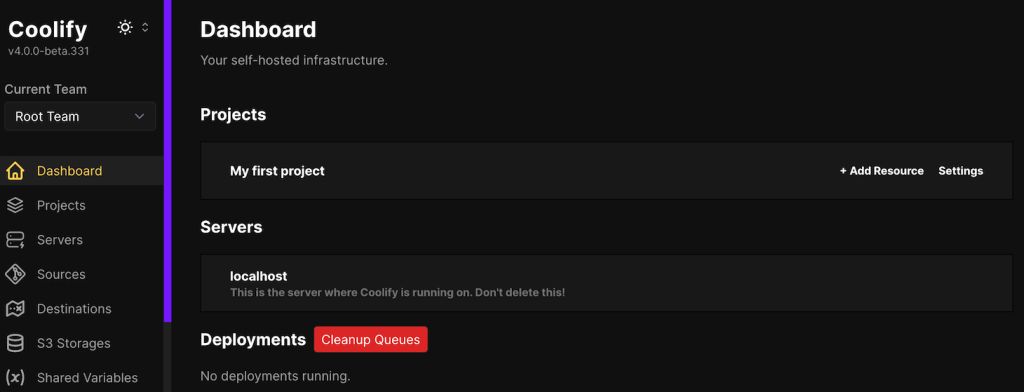
Coolify is an open-source VPS control panel built for developers who want to deploy and manage applications using Docker and modern DevOps workflows. It supports multiple programming languages and integrates with container orchestration tools like Docker Swarm, making it suitable for SaaS projects, MVPs, and production-ready applications.
Coolify integrates with CI/CD pipelines, Git repositories, and APIs, allowing automated deployments directly from GitHub, GitLab, or other version control systems. It also includes built-in team collaboration features, making it practical for startups and Indian development teams managing shared VPS environments.
Available as a Hostinger VPS template: Yes. Check out our Coollify VPS plans to learn more.
Key features:
- Automatic setup handles control panel installation tasks, allowing you to focus on the application deployment.
- Free SSL certificate comes pre-installed with automatic renewal, ensuring optimal server security.
- Built-in monitoring enables you to easily check server status and get notified of issues through multiple platforms, including Discord.
- The robust backup feature supports any S3-compliant provider, ensuring data security and simplifying the restoration process.
Price:
- If you host Coolify on your own VPS, this control panel is free.
- For users who prefer managed infrastructure, Coolify offers a paid Cloud plan starting at $4 per server per month, which equals approximately ₹330 per month.
4. Webmin
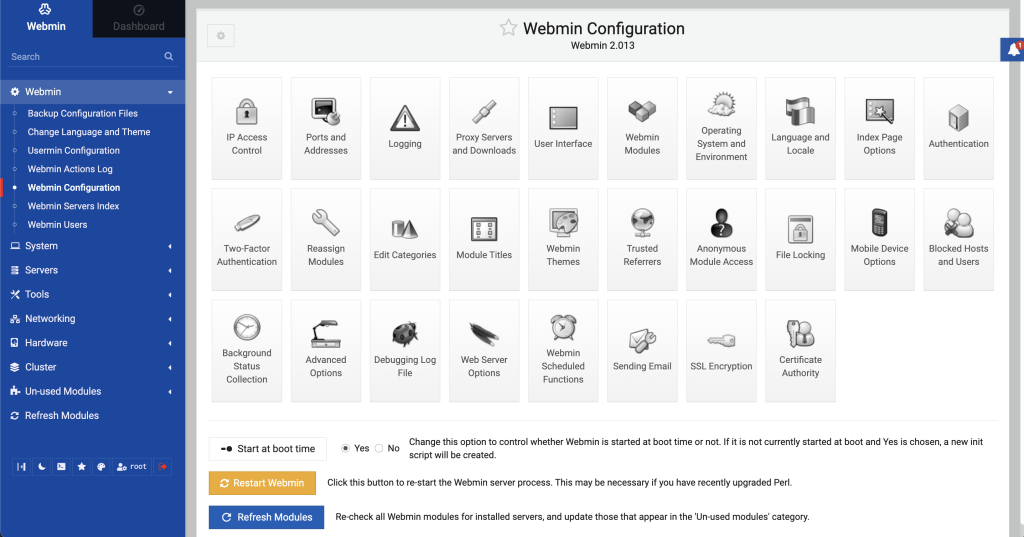
Webmin is a free, open-source VPS control panel designed for managing Unix-based servers through a web interface. It is best suited for system administrators and technically experienced users who prefer deep server-level control instead of beginner-focused dashboards.
Unlike commercial control panels, Webmin allows you to configure operating system components directly, including user accounts, disk quotas, services, firewall rules, and server configuration files. This makes it suitable for developers and IT professionals running custom VPS setups for SaaS applications, internal tools, or client infrastructure.
Available as a Hostinger VPS template: Yes.
Key features:
- Mobile-friendly interface with responsive design and customizable themes.
- Dashboard-ready database management supporting MySQL and PostgreSQL.
- Email server compatibility with Exim, Dovecot, Postfix, and qmail, along with SpamAssassin for spam filtering.
- Graphical file management interface to edit, upload, download, and configure file permissions.
Price: Webmin is entirely free, making it a great option for users with limited budgets.
For Indian VPS users running budget Linux VPS plans starting from around ₹400–₹800 per month, Webmin is a cost-effective solution because it does not require a paid license. However, it requires technical knowledge, as most configurations still rely on understanding Linux server environments.
5. CyberPanel
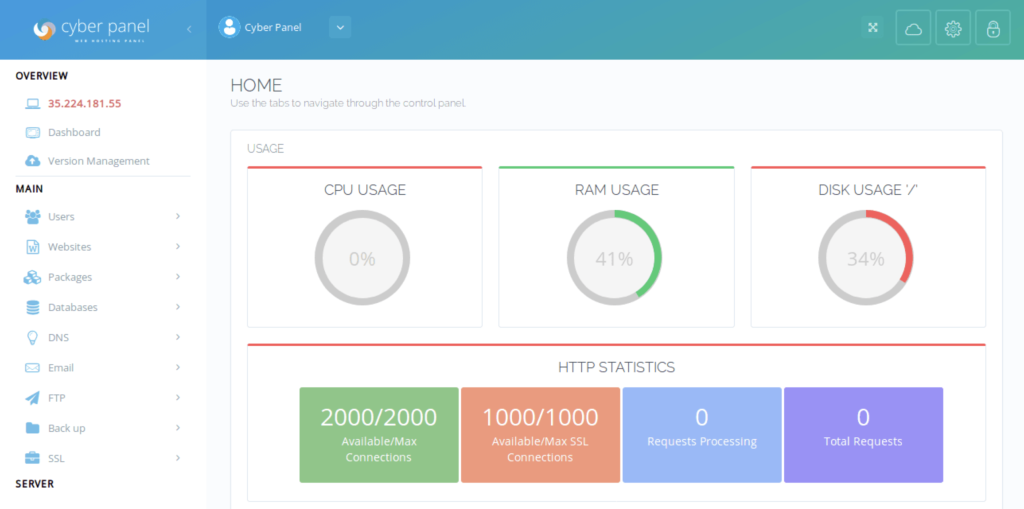
CyberPanel is a high-performance VPS control panel powered by the OpenLiteSpeed web server. It is designed for developers, agencies, and businesses that want faster website performance without paying premium licensing fees.
Because it runs on OpenLiteSpeed, CyberPanel delivers strong performance for WordPress, WooCommerce, and PHP-based applications. This makes it suitable for Indian eCommerce stores, digital agencies managing multiple client sites, and startups hosting traffic-heavy projects on VPS plans.
Its core features, including website creation and WordPress management, are available for free. Advanced features are offered through paid add-ons.
Available as a Hostinger VPS template: Yes. Check CyberPanel VPS plans for more information.
Key features:
- OpenLiteSpeed integration to deliver high performance and accelerate dynamic content.
- Automatic installation and renewal of SSL certificates via Let’s Encrypt.
- Direct deployment support from GitHub and GitLab repositories.
- Dedicated environment to create and manage WordPress stagings.
Price: CyberPanel is free to use with OpenLiteSpeed.
For users who require additional enterprise features (such as Apache reverse proxy and root file manager), the full add-on package costs $139 (one-time payment), which equals approximately ₹11,500–₹11,800.
A paid version with LiteSpeed Enterprise is also available through selected hosting partners, with pricing varying depending on the server configuration.
For Indian VPS users looking for strong performance on VPS plans in the ₹600–₹2,000 per month range, the free OpenLiteSpeed version offers a cost-efficient performance-focused solution.
6. aaPanel

aaPanel is a web-based control panel for managing Linux VPS servers without relying on command-line operations. It is suitable for developers, small businesses, and first-time VPS users who want a simplified server management interface.
aaPanel allows users to create websites, manage databases, configure reverse proxies, install software stacks, and monitor server performance directly from a graphical dashboard. This makes it practical for Indian freelancers, agencies, and small eCommerce businesses running VPS plans who want more control than shared hosting without deep Linux expertise.
Available as a Hostinger VPS template: No.
Key features:
- Single-click installation of LNMP/LAMP environments and various software packages.
- A security package consists of Fail2ban, NGINX, and Apache WAF, as well as a one-click risk inspection tool.
- Real-time monitoring of server resources, including CPU, memory, and disk usage.
- Dedicated app store to install system tools and third-party plugins.
Price: aaPanel offers a free version with core server management features.
The premium version, which includes advanced security modules and professional plugins, costs:
- $288 per year, approximately ₹23,800–₹24,500 per year, or
- $699 lifetime license, approximately ₹58,000–₹60,000 one-time payment.
For Indian VPS users running entry-level servers (₹500–₹1,500 per month), the free version is typically sufficient. The paid version is better suited for agencies managing multiple client servers or for production-level environments requiring hardened security.
7. DirectAdmin
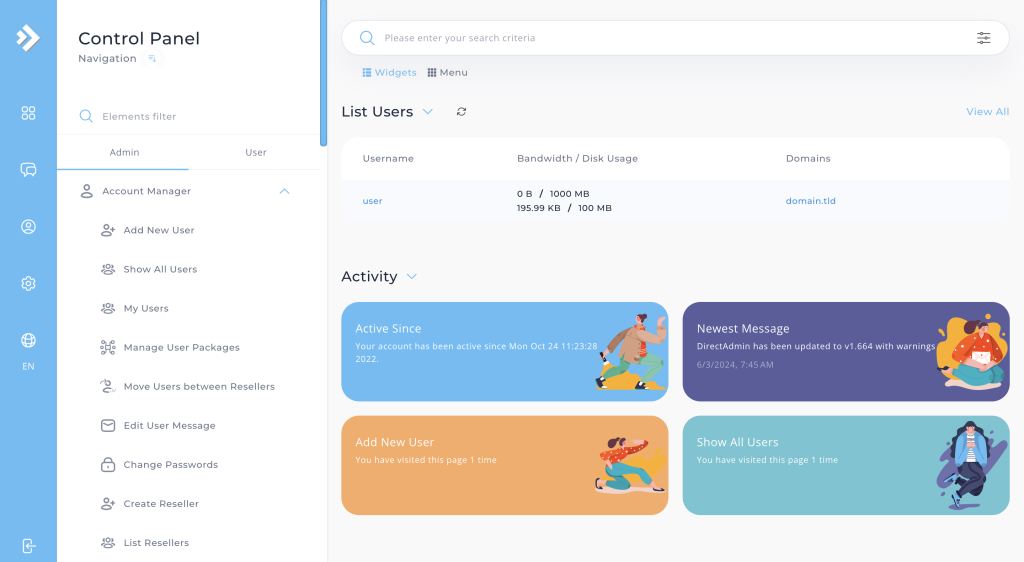
DirectAdmin is a lightweight and cost-effective VPS control panel designed for users who want a simpler alternative to cPanel without sacrificing essential hosting features. It is suitable for agencies, VPS resellers, and small businesses that need efficient server management with lower resource consumption.
DirectAdmin supports multiple Linux distributions, including AlmaLinux, Rocky Linux, Debian, Ubuntu, and CloudLinux. Its optimized architecture ensures lower RAM and CPU usage, which makes it ideal for VPS plans with limited resources.
Available as a Hostinger VPS template: Yes. View DirectAdmin VPS plans for additional details.
Key features:
- Efficient resource usage with lower consumption, leaving more available for hosting websites.
- API support to implement task automation, system integration, and custom scripts.
- Three access levels for flexible management: admin, reseller, and user.
- Customizable control panel skins to match users’ branding and aesthetics.
Price: DirectAdmin licenses typically range from $5 to $29 per month, depending on the account type and server usage. This equals approximately ₹415 to ₹2,400 per month.
Compared to cPanel, DirectAdmin offers similar core functionality at a lower monthly cost, making it a strong option for budget-conscious VPS users.
8. CloudPanel
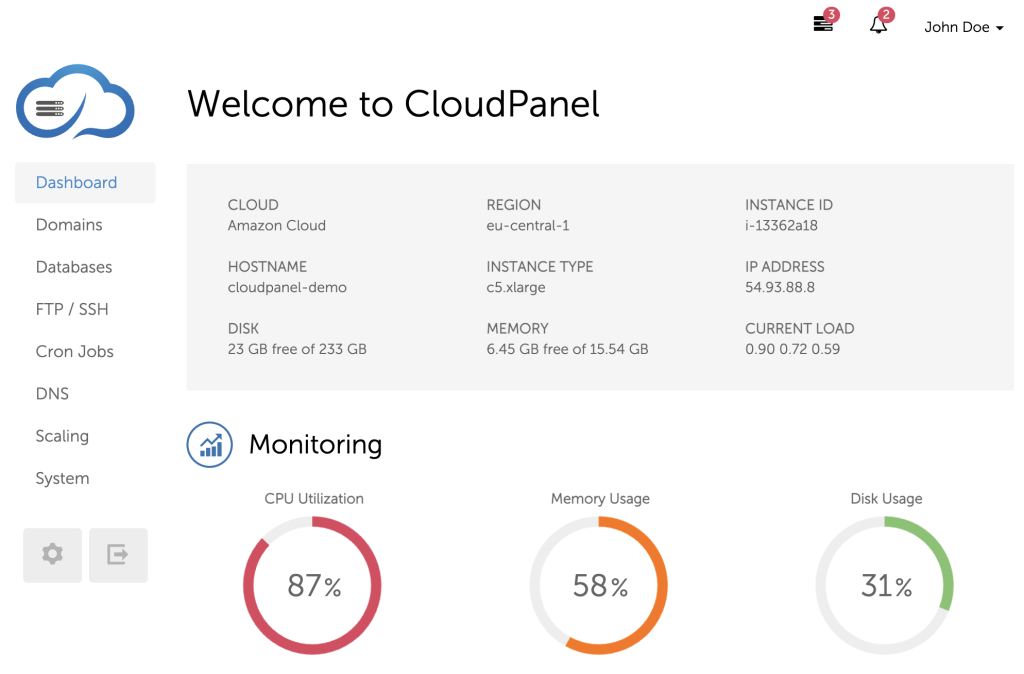
CloudPanel is a free VPS control panel designed specifically for cloud and high-performance VPS environments. It focuses on simplicity, speed, and minimal resource usage, making it suitable for developers and businesses running production websites on optimized server stacks.
CloudPanel uses a lightweight software stack based on NGINX, PHP-FPM, and Redis. It supports multiple PHP versions on the same server, which is useful for agencies and developers managing different applications with varying requirements.
Available as a Hostinger VPS template: Yes. Learn more by checking out our CloudPanel VPS plans.
Key features:
- Multiple PHP version support available on the same server, useful for running various applications with different requirements.
- System-level site isolation, preventing any vulnerabilities from affecting other websites on the server.
- Ultra-lightweight components, including NGINX, PHP-FPM, Redis, and Node.js, ensuring fast and reliable server performance.
- UFW configuration tool to create and modify firewall rules.
Price: CloudPanel is completely free to use on your self-managed VPS or cloud server.
CloudPanel is particularly suitable for developers, startups, and agencies that want performance-focused server management without recurring panel costs.
9. Cloudron
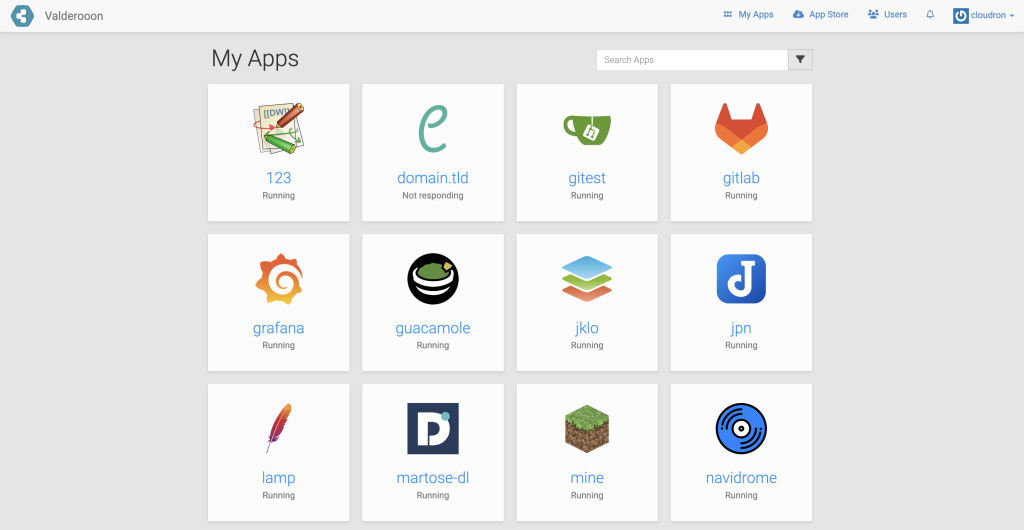
Cloudron is a VPS control panel designed for deploying and managing self-hosted applications using containerized environments. It simplifies app installation, updates, backups, and security, making it suitable for startups, SaaS founders, and small businesses running multiple web applications on a single VPS.
Cloudron focuses on portability and centralized management. You can move your entire server setup, including apps, users, and configurations, to another VPS provider with minimal downtime. This makes it practical for Indian businesses that may switch infrastructure providers as they scale.
Available as a Hostinger VPS template: Yes.
Key features:
- Production-ready apps from the Cloudron App Store, including WordPress, Nextcloud, and GitLab.
- Centralized user management with configurable access control to different applications.
- Supports automatic, encrypted backups to external storage providers, like Amazon S3 and Google Cloud Storage.
- DNS management to automatically update records for integrated domains.
Price:
Cloudron offers:
- A free tier with limited app installations.
- A paid plan starting at $15 per month, approximately ₹1,250 per month.
- An annual business plan priced at €960 (approximately ₹86,000–₹88,000), suitable for larger teams or enterprises.
For Indian VPS users running servers in the ₹800–₹2,500 per month range, Cloudron’s paid plan adds a predictable management layer but increases overall monthly infrastructure costs. It is best suited for businesses managing multiple self-hosted applications rather than single-site deployments.
10. Dokploy
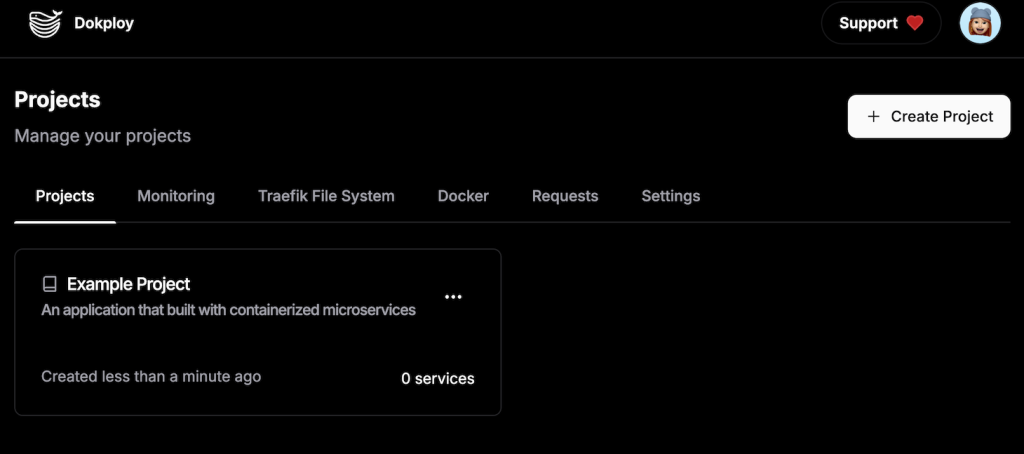
Dokploy is a Docker-focused VPS control panel designed for deploying and managing containerized applications using Docker Swarm and Docker Compose. It is best suited for developers, SaaS founders, and technical teams running microservices or modern web applications on VPS infrastructure.
Dokploy provides a clean and minimal interface that centralizes container management. This allows users to deploy open-source Docker templates such as Plausible, Cal.com, or PocketBase directly from the dashboard. Because it relies heavily on containerization, Dokploy requires more server resources than traditional control panels.
Available as a Hostinger VPS template: Yes. Learn all about it on our Dokploy VPS hosting page.
Key features:
- Traefik integration automatically sets up an HTTP reverse proxy for middleware, load-balancing, or security enhancements.
- A centralized command-line interface for all containers allows developers to manage multiple services directly from one dashboard.
- Comprehensive user control enables administrators to fine-tune each account’s permissions and access for improved security.
- Extensive database support, including PostgreSQL, MySQL, MariaDB, and MongoDB.
Price: Dokploy is free and self-hosted.
It supports installation on Debian 10–12, CentOS 8–9, Ubuntu 18.04–24.04 LTS, and Fedora 40.
However, due to Docker requirements, Dokploy needs at least:
- 2 GB RAM
- 30 GB storage
For Indian VPS users, this typically means a VPS plan starting from approximately ₹900–₹1,800 per month, depending on the provider and server configuration.
Dokploy is best suited for technical users who prefer containerized infrastructure over traditional shared hosting-style control panels.
11. ISPConfig
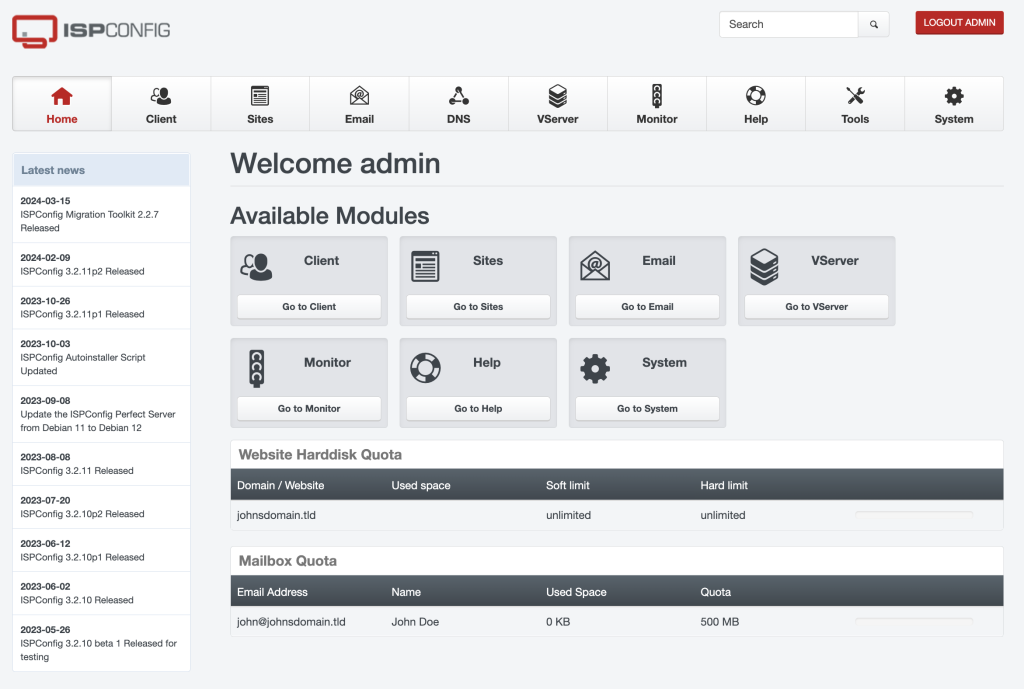
ISPConfig is an open-source VPS control panel designed to manage single or multiple Linux servers from a centralized interface. It is best suited for system administrators, hosting providers, and advanced users who need multi-server control and deeper infrastructure management.
ISPConfig supports Debian, Ubuntu, and CentOS distributions and allows you to manage websites, email servers, DNS records, FTP accounts, and databases across multiple VPS instances. This makes it practical for agencies or businesses in India managing client hosting environments from a unified dashboard.
Available as a Hostinger VPS template: No.
Key features:
- Multi-server management to control instances from a single control panel.
- Mail server support with Postfix and Dovecot for spam and antivirus filtering.
- Virtualization support with the ability to create OpenVZ containers.
- Extensive documentation and community support, helping users with setup and troubleshooting.
Price: ISPConfig is completely free to install and use.
For Indian VPS users running entry-level Linux VPS plans starting from ₹500–₹1,500 per month, ISPConfig provides a no-license-cost alternative to premium control panels. However, it requires technical knowledge for setup and maintenance.
12. HestiaCP
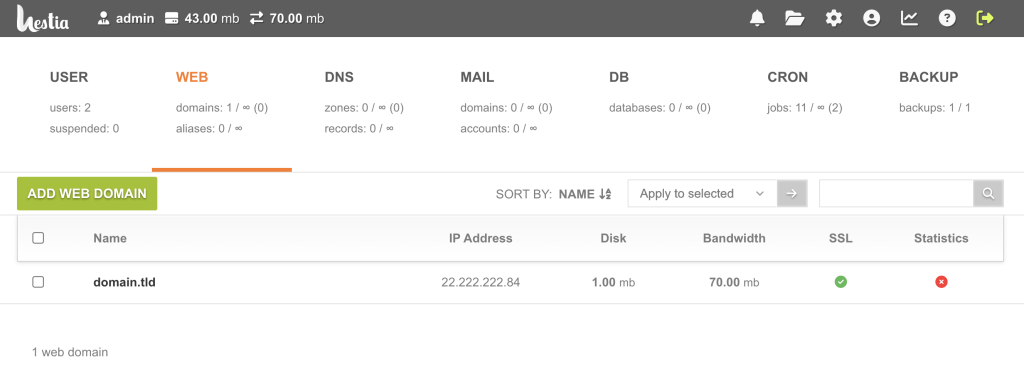
HestiaCP is a free and beginner-friendly VPS control panel designed for managing Linux servers through a modern and intuitive interface. It is a fork of VestaCP and improves on stability, security, and usability while maintaining low resource requirements.
HestiaCP allows you to manage websites, email accounts, DNS records, databases, and backups from a clean dashboard. This makes it suitable for freelancers, small businesses, and developers in India who want a no-cost control panel for VPS hosting without having to deal with the command line too much.
Available as a Hostinger VPS template: Yes.
Key features:
- Modern, clean, and mobile-friendly design that simplifies server management tasks.
- Binds DNS server with the capability to manage DNS clusters.
- Two-factor authentication (2FA) support to secure the admin panel.
- Extensive backup options via Rclone to various cloud storage providers, such as Dropbox, Google Drive, and Microsoft OneDrive.
Price: HestiaCP is completely free to use.
For Indian VPS users running Linux VPS plans starting from approximately ₹500–₹1,500 per month, HestiaCP provides a zero-license-cost solution with essential hosting features. It is ideal for managing personal websites, small business projects, or low-to-medium traffic WordPress installations.
13. VestaCP

VestaCP is a lightweight, open-source VPS control panel designed for managing Linux-based web hosting environments with minimal system requirements. It is suitable for developers, startups, and small businesses that need a simple control panel for low-resource VPS servers.
VestaCP supports Apache and NGINX web servers and allows users to manage websites, email accounts, DNS settings, databases, and scheduled backups from a clean web interface. Because of its low hardware requirements, it performs well on entry-level VPS plans.
Available as a Hostinger VPS template: No.
Key features:
- Compatibility with Apache and NGINX web servers, allowing users to choose their preferred web server.
- Scheduled backups for websites, databases, and server configurations.
- Server monitoring and site logging to see resource usage and analyze site errors.
- CLI support for users who prefer executing commands.
Price: VestaCP is free to install and use.
It can run on VPS servers with as little as:
- 512 MB RAM
- 20 GB storage
- 1 GHz CPU
For Indian VPS users, this means it can operate on budget VPS plans starting from approximately ₹400–₹800 per month, depending on the provider.
VestaCP is best suited for small projects, personal websites, and lightweight WordPress installations where low resource usage is a priority.
14. Virtualmin

Virtualmin is a flexible VPS control panel built on top of Webmin, designed for managing virtual servers and web applications on Linux systems. It is best suited for system administrators, developers, and agencies that require advanced customization and multi-domain management.
Virtualmin supports Debian, Ubuntu, Rocky Linux, and AlmaLinux. It enables users to manage domains, databases, email services, DNS records, and SSL certificates from a web interface while still allowing deep server-level configuration through Webmin.
Available as a Hostinger VPS template: Yes.
Key features:
- Comprehensive domain management for users to develop websites and connect domain addresses.
- Modular architecture to build new modules and themes, as well as implement custom scripts for the panel.
- Robust email features with anti-spam protection, auto-responders, and email aliases.
- Automated backups and restores, integrated with services such as Dropbox, Google Drive, and Amazon S3.
Price: Virtualmin offers both a free open-source version and a paid Professional version.
The paid plan starts at $7.50 per month, which equals approximately ₹620–₹650 per month.
For Indian VPS users running servers in the ₹700–₹2,000 per month range, the free version is suitable for technical setups. The paid version is more appropriate for agencies or businesses managing multiple client accounts that require premium support and additional automation features.
15. Easypanel
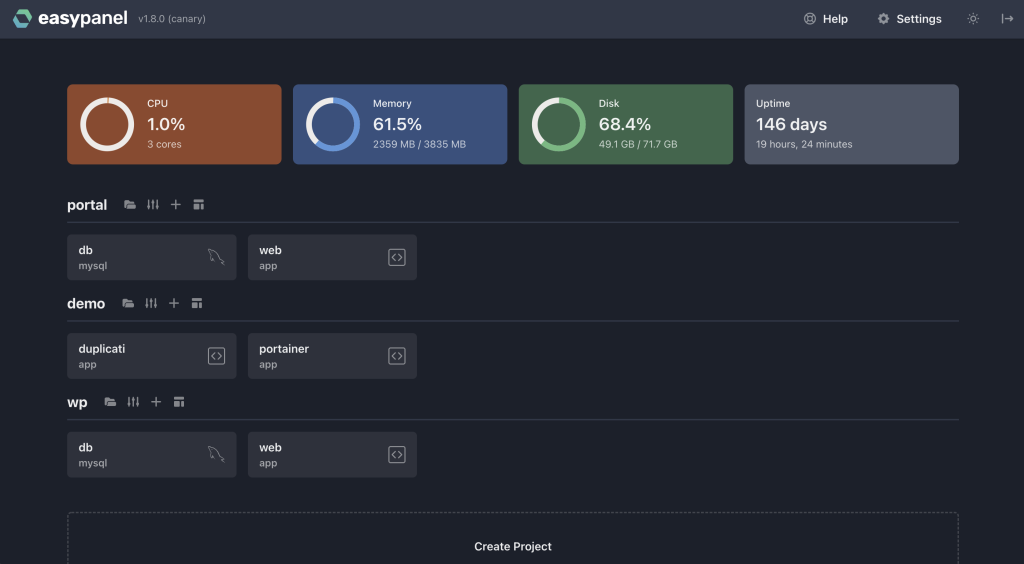
Easypanel is a modern VPS control panel designed for developers who want to deploy and manage applications using Docker without complex manual configuration. It simplifies container-based deployments and is suitable for SaaS founders, startups, and development teams running production apps on VPS infrastructure.
Easypanel uses Docker and Cloud Native Buildpacks to deploy applications without requiring custom Dockerfiles in most cases. It supports zero-downtime deployments, which makes it practical for Indian SaaS products, internal tools, and growing web applications that require continuous updates.
Available as a Hostinger VPS template: Yes.
Key features:
- Has Docker integration to run applications as Docker images and supports Heroku Buildpacks for Node.js, Ruby, Python, PHP, Go, and Java.
- One-click apps to deploy popular applications like WordPress without downtime.
- In-browser terminal to run shell commands and check logs without leaving the browser.
- Effective support for several database systems like MySQL, PostgreSQL, MongoDB, and Redis.
Price: Easypanel offers a free version that includes essential deployment and container management features, making it suitable for small projects and MVPs, with VPS plans starting at ₹800–₹1,500 per month. For users who need advanced scaling, multiple projects, or team collaboration features, paid plans range from $9.90 to $23.90 per month, which equals approximately ₹820 to ₹1,980 per month.
For Indian startups and SaaS founders, the paid tier increases overall monthly infrastructure costs but provides structured Docker management and zero-downtime deployments, which are valuable for production applications.
16. FASTPANEL
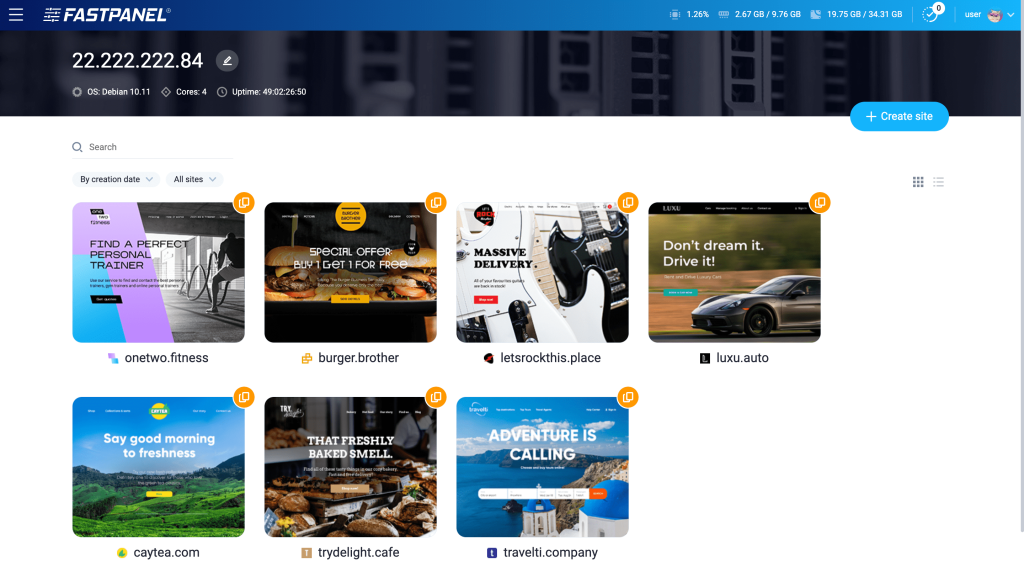
FASTPANEL is a simplified VPS control panel designed for individuals, startups, and small businesses managing Linux servers. It focuses on ease of use while still offering essential tools for website, email, and server management.
With FASTPANEL, users can create websites, manage domains, configure email accounts, schedule backups, and monitor server activity from a clean dashboard. It also includes a built-in web-based SSH terminal, allowing technical users to execute commands without leaving the browser. This makes it suitable for Indian freelancers, agencies, and small business owners running multiple client projects on a VPS.
Available as a Hostinger VPS template: Yes.
Key features:
- Periodic backup support, with each backup stored locally or on Dropbox.
- Cron task wizard to automate cron-based tasks, such as distributing emails, uploading data, and scanning for viruses.
- AWStats integration to access website statistics based on server logs.
- IMAP-based Roundcube email client for managing emails with an in-app experience.
Price: FASTPANEL is free when you sign up for an account on its website. Alternatively, purchase a VPS plan from Hostinger and install it using a premade template.
17. Webuzo
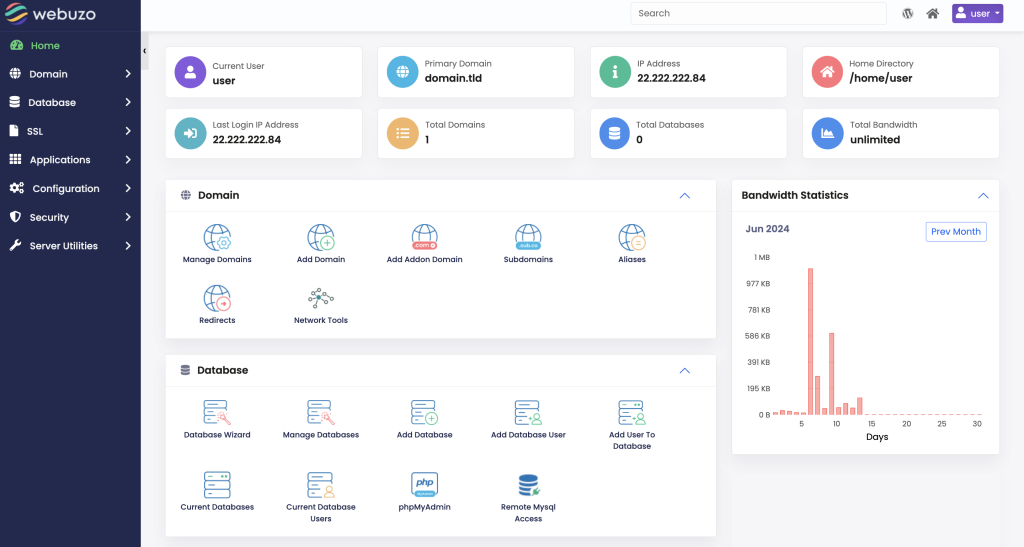
Webuzo is a multi-user VPS control panel designed for managing multiple websites and domains from a single interface. It supports AlmaLinux, Ubuntu, and CentOS, making it suitable for website owners, resellers, and small hosting providers.
One of Webuzo’s key advantages is its built-in Softaculous auto-installer, which allows users to deploy popular applications such as WordPress, Joomla, and Drupal with minimal configuration. It also includes import tools that help migrate websites, databases, and configurations from other control panels.
Available as a Hostinger VPS template: Yes.
Key features:
- Comprehensive application stack, including various server software like Apache, NGINX, PHP, MySQL, and MariaDB by default.
- Built-in Softaculous auto-installer for easy installation of popular applications like WordPress, Joomla, and Drupal.
- Advanced DNS management to manage DNS records and MX entries with a simple interface.
- Webuzo Cloud Launcher installs this control panel on different environments, such as dedicated servers, virtual machines, and managed cloud services.
Price: Webuzo offers paid plans ranging from $2.50 to $25 per month, depending on the server type and license tier. This equals approximately ₹210 to ₹2,070 per month.
18. InterWorx
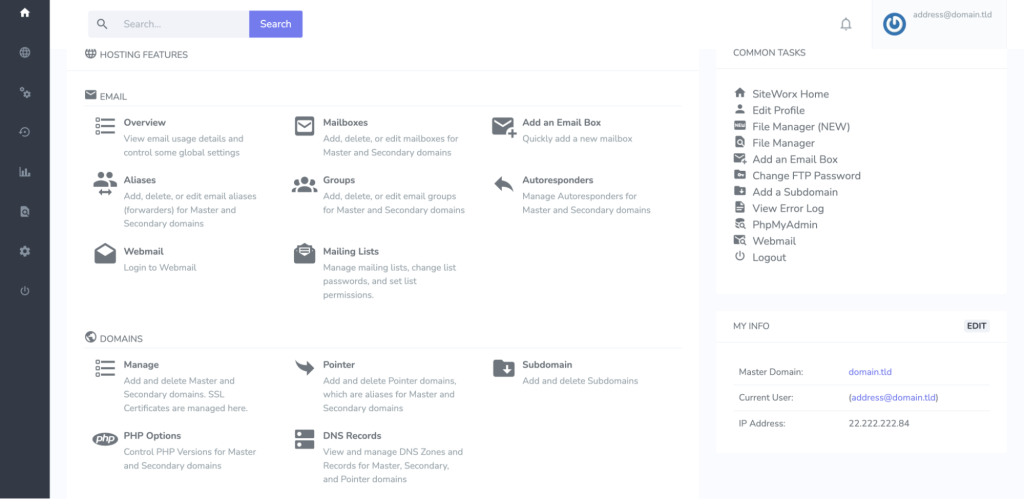
InterWorx is a comprehensive VPS control panel designed for managing multiple servers and hosting environments. It is suitable for system administrators, resellers, and businesses that require clustering and detailed infrastructure control.
InterWorx includes two main modules: NodeWorx for server-level administration and clustering management, and SiteWorx for managing individual websites, backups, and statistics. This separation allows structured management across multiple VPS instances.
Available as a Hostinger VPS template: No.
Key features:
- Clustering support to manage multiple servers from a unified dashboard.
- Customizable templates to streamline repetitive tasks.
- Extensive logging and monitoring of server performance and service status.
- User and reseller management to create multiple admin and reseller accounts with specific permissions.
Price: InterWorx offers two subscription plans: $7.50 per month for a single VPS license and $20 per month for a dedicated server license. This equals approximately ₹620 per month for VPS and ₹1,650 per month for dedicated servers. Bulk licensing options are available through direct consultation with the InterWorx team.
19. Control Web Panel
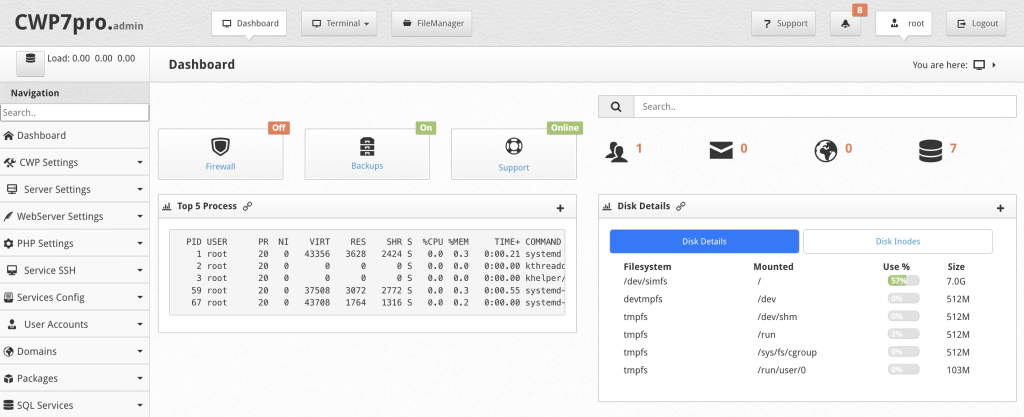
Control Web Panel (CWP), formerly known as CentOS Web Panel, is a VPS control panel designed for system administrators and businesses that need comprehensive server management tools. It supports RHEL-based distributions such as CentOS, Rocky Linux, AlmaLinux, and Oracle Linux.
CWP includes built-in security enhancements, including its Secure Kernel, which helps protect servers from common vulnerabilities. It allows users to manage websites, email services, DNS zones, databases, and firewall configurations from a centralized interface.
Available as a Hostinger VPS template: No.
Key features:
- Robust security measures powered by ModSecurity and ConfigServer Security & Firewall (CSF).
- Automated backup options for websites, databases, and configurations with easy restoration processes.
- Advanced email features, including spam filtering, DKIM, SPF, and user-friendly email management tools.
- Resource viewer to monitor server resources and performance metrics in real time.
Price: CWP is free to use with core functionality. Users who need additional features and premium support can upgrade to CWPpro, with plans ranging from $1.49 to $12.99 per month, which equals approximately ₹125 to ₹1,080 per month.
20. ISPmanager
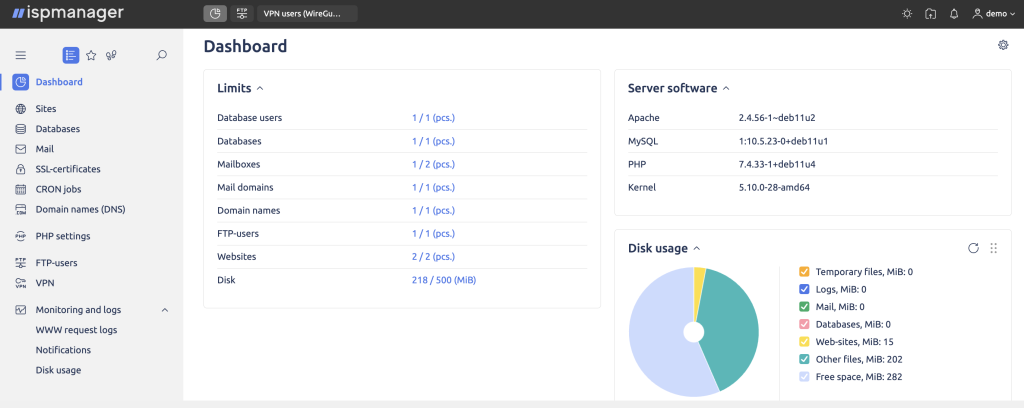
ISPmanager is a great control panel offering a simple interface yet powerful features. Suitable for website managers, web developers, and system administrators, it supports numerous popular Linux distributions, such as AlmaLinux, CentOS, Debian, Ubuntu, and VzLinux.
ISPmanager supports popular Linux distributions, including AlmaLinux, CentOS, Debian, Ubuntu, and VzLinux. It includes preinstalled web servers, Apache, NGINX, and OpenLiteSpeed, which eliminates the need for manual web server configuration. The panel also provides a web-based code editor that allows users to modify website files directly in the browser.
Available as a Hostinger VPS template: No.
Key features:
- CMS installer tool that supports WordPress, Joomla, Bitrix, and HostCMS installation.
- Built-in site builder module, allowing users to create and publish sites directly on the server.
- DDoS protection to safeguard hosted websites against distributed attacks.
- Compatible with different versions of PHP, Node.js, and Python.
Price: ISPmanager offers subscription plans ranging from €5.49 to €17.41 per month, depending on the license tier. This equals approximately ₹490 to ₹1,560 per month, based on current exchange rates.
Suggested reading
Learn why Hostinger is one of the best VPS hosting providers for value-conscious users looking for an all-purpose solution.
How to choose the right VPS control panel
Choose the right VPS control panel by matching it to your server resources, technical skill level, and monthly budget. A control panel should simplify server management without consuming excessive RAM or increasing licensing costs beyond your VPS infrastructure expense.
Consider server and OS compatibility
Your VPS control panel must support your server’s operating system, web server stack, and programming environment. Installing an incompatible panel leads to configuration conflicts and performance instability.
First, confirm that the panel supports your Linux distribution (such as Ubuntu, Debian, AlmaLinux, or Rocky Linux). Then, verify compatibility with your preferred web server (Apache, NGINX, or OpenLiteSpeed) and runtime environments such as PHP, Node.js, or Python, which is vital for maintaining hosted website performance and VPS security.
If you are using a low-resource VPS (1 GB RAM or less), avoid heavier panels that require additional background services. Lightweight panels like HestiaCP or DirectAdmin perform better on entry-level VPS plans.
Evaluate the provided features
Evaluate the control panel’s features by prioritizing essential server management tools over add-ons that increase licensing costs. The right VPS control panel should provide website management, database control, email configuration, DNS management, SSL installation, backups, and resource monitoring without unnecessary complexity.
Focus first on core infrastructure features. Ensure the panel supports automated backups, firewall configuration, multi-PHP versions, and role-based access if you manage multiple users or client accounts. If you host WordPress sites, confirm built-in staging, caching compatibility, and easy SSL deployment.
For Indian VPS users running budget plans between ₹500–₹1,200 per month, free panels such as HestiaCP, CyberPanel, or CloudPanel usually cover all essential needs. Paid panels like cPanel or Plesk add advanced automation, structured UI workflows, and commercial support, but their licensing fees (₹1,200–₹5,000 per month) may exceed the VPS cost itself.
Choose premium licensing only if you manage multiple client websites, require structured reseller access, or operate revenue-generating production environments where automation and official support justify the expense.
Look for a user-friendly interface
Choose a VPS control panel with a user-friendly interface if you want to reduce configuration errors and manage your server efficiently. A well-structured dashboard saves time, simplifies routine tasks, and minimizes reliance on command-line commands.
Beginners and small business owners benefit from panels like cPanel or Plesk because they provide guided workflows, visual navigation, and structured account management. These interfaces reduce the learning curve and make it easier to manage domains, email accounts, SSL certificates, and backups.
Developers and system administrators may prefer panels such as Webmin, Virtualmin, or Docker-based tools like Coolify and Dokploy, which offer deeper customization and server-level control. These panels require more technical knowledge but provide greater flexibility.
If you are running a low-resource VPS (1–2 GB RAM), avoid overly heavy interfaces that consume additional system memory. Lightweight panels like HestiaCP, CloudPanel, or DirectAdmin maintain better performance on entry-level VPS plans.
Check available support and documentation
Check the availability of support and documentation before choosing a VPS control panel to reduce downtime and troubleshooting risks. Reliable support ensures faster issue resolution, especially for production servers hosting business-critical applications.
Open-source panels such as HestiaCP, ISPConfig, and Webmin primarily rely on community forums, documentation, and developer discussions. These are suitable for technical users who can diagnose server issues independently.
Premium panels such as cPanel and Plesk include structured documentation, ticket-based support systems, and regular security updates. This level of support is valuable for agencies, resellers, and businesses running eCommerce stores or SaaS platforms where server instability can directly impact revenue.
If your VPS hosts client websites or income-generating applications, prioritize a control panel with official support channels and consistent update cycles. Strong documentation and active maintenance reduce security vulnerabilities and improve long-term server stability.
Which VPS control panel should you choose?
The best VPS control panel depends on your budget, technical expertise, and server workload. If you want the simplest experience with structured workflows and official support, choose cPanel or Plesk, but expect licensing costs between ₹1,200 and ₹5,000 per month. If you are running a budget VPS (₹500–₹1,500 per month) and want to avoid recurring panel fees, free options such as HestiaCP, CyberPanel, or CloudPanel offer sufficient features for WordPress sites, small eCommerce stores, and business websites. Developers building SaaS products or containerized applications should choose Docker-based panels such as Coolify or Dokploy, which require more technical knowledge and at least 2 GB RAM for stable performance.
Select a control panel that fits your VPS resources and operational needs without inflating your infrastructure cost. A well-matched panel improves performance, simplifies management, and supports long-term scalability.
All of the tutorial content on this website is subject to Hostinger's rigorous editorial standards and values.

Ariffud is a Technical Content Writer with an educational background in Informatics. He has extensive expertise in Linux and VPS, authoring over 200 articles on server management and web development. Follow him on LinkedIn.


Comments
0 responses