30 Best Free WordPress Plugins for 2026 and How to Choose the Right Ones for Your Website
Dec 02, 2025
/
By Will M.
/
15 min Read

WordPress plugins are tools that add functionality to your site without requiring code snippets. One of the best things about WordPress is that it gives you access to a huge library of plugins, many of them free. However, it’s easy to get overwhelmed by all the different options.
To help you out, we’ve rounded up the best free WordPress plugins. We’ve researched and tested each tool to make sure it’s safe and reliable. Whether you need web security or advanced eCommerce features, this list can help you choose the right plugins for your website.
In this post, we’ll look at 30 free WordPress plugins. We’ll highlight the major features and rating of each tool. Then, we’ll share some tips for choosing the best WordPress plugins for your site. Let’s get started.
Download all-in-one WordPress cheat sheet
Top 30 Free WordPress Plugins
Whether you’re creating a new WordPress site or looking to expand your existing one, here are 30 recommended free WordPress plugins that you might find useful.
1. Hostinger WordPress Plugin

Hostinger WordPress Plugin Stats:
- Rating: 4.9/5
- Best for: Hostinger customers who want to set up a website quickly
The Hostinger WordPress plugin is designed to help you launch your WordPress website quickly and easily. Its guided checklist helps you take all the essential steps to set up your site.
For example, it will walk you through uploading your logo, creating your first post, and adding a new page. All you have to do is follow the prompts.
Key Features:
- Upload the logo
- Upload images
- Edit headings
- Edit post descriptions
- Add new pages
- Preview the website
[PREVIEW]
Note that the Hostinger WordPress Plugin is only available for Hostinger customers.

2. Jetpack

Jetpack Stats:
- Rating: 3.9/5
- Best for: anyone who wants a WordPress automation plugin for security and speed optimization
Jetpack is one of the best free plugins for WordPress. It’s an all-in-one security, optimization, and marketing plugin developed by Automattic.
You can use Jetpack to stop brute-force attacks, optimize images, defer non-essential scripts to improve loading times, track your traffic, and more.
It’s very easy to use. Once you install and activate the plugin, simply use the toggle switches to enable the settings.
With Jetpack, you can manage your site’s security and performance from the same place. You won’t need multiple WordPress plugins to protect and optimize your site.
Key Features:
- A Content Delivery Network (CDN) for images and core static files
- Lazy loading so that photos load as the user scrolls down the page
- Brute force protection to stop hackers from accessing your site
- Downtime monitoring so you know when your site is unavailable
3. AIOSEO

AIOSEO Stats:
- Rating: 4.9/5
- Best for: bloggers, WordPress users, small business owners, content creators, and digital marketers looking to optimize content effectively
AIOSEO is an exceptional SEO plugin for WordPress that can significantly enhance your website’s search engine visibility. In this concise overview, we’ll cover the key features and benefits of AIOSEO, tailored to our no-nonsense, professional style.
AIOSEO simplifies the process of optimizing your website for search engines, making it an excellent choice for bloggers looking to boost their online presence and anyone seeking a powerful SEO plugin for WordPress.
Although AIOSEO is a paid plugin, you can download the free version and enjoy the SEO features it offers.
Key Features:
- Intuitive setup
- Comprehensive SEO analysis
- Keyword optimization
- Schema markup
- XML Sitemap
- Bulk editing
- Unlimited keyword optimization
- Meta description and title optimization
4. RankMath

Rank Math Stats:
- Rating: 4.8/5
- Best for: bloggers who want a more advanced SEO plugin and anyone looking for free WordPress plugins for SEO
Rank Math is a search engine optimization (SEO) plugin that uses AI to help you identify relevant keywords and optimize your posts. It also gives you an advanced search engine optimization analysis of the entire site, highlighting any problems with the content.
Rank Math offers many different schema types to help you achieve rich snippets in search engines. You’ll get schema markups for various content types, including books, events, recipes, and FAQs.
The free version of Rank Math offers five AI credits, meaning you’ll get AI suggestions for five keywords. Fortunately, you can purchase more credits.
Key Features:
- Set up redirects
- Create schema markup for custom post types
- Generate XML sitemaps
- Bulk edit post titles and descriptions
- Explore keyword suggestions
- Optimize unlimited keywords
- Choose your pillar posts and pages
- Write powerful meta descriptions and post titles
5. WooCommerce

WooCommerce Stats:
- Rating: 4.5/5
- Best for: anyone who wants to start an online shop or eCommerce website
WooCommerce is a WordPress eCommerce plugin by Automattic. It helps you build an online shop from scratch and accept payments through Stripe, PayPal, and other secure solutions.
WooCommerce is an open-source WordPress plugin. This means you’ll have full ownership and control of your content, including product data. Plus, it gives you a lot of flexibility in terms of configuring shipping options and tax rates.
Key Features:
- WooCommerce themes for stores in different industries
- WooCommerce Blocks to help you build custom product and shop pages
- A free WooCommerce mobile app so you can manage your store on the go
- Payments through credit cards, mobile wallets, and bank transfers
Suggested Reading
Check out our article on Best WooCommerce Hosting Providers to get the perfect hosting solution for your WordPress store.
6. Akismet Anti-Spam

Akismet Stats:
- Rating: 4.7/5
- Best for: bloggers and shop owners who want to block spam comments and reviews
Another product by Automattic, Akismet is designed to block spam on WordPress sites. It uses AI to filter out spam comments, form submissions, and other bots.
This security plugin’s best feature is that it analyzes user submissions in real time. Therefore, any genuine comments are immediately allowed through, while spammy ones are automatically blocked.
Key Features:
- View the number of approved comments for each user
- Comment status history
- URLs shown in full in the comment body
7. MonsterInsights

MonsterInsights Stats:
- Rating: 4.5/5
- Best for: marketers and bloggers who are looking for the best free WordPress plugin to monitor site traffic
MonsterInsights is a popular Google Analytics (GA) WordPress plugin. Once you connect it to your GA account, you can start monitoring your traffic from search engines straight from the WordPress dashboard.
What makes this Google Analytics plugin stand out is its in-depth analytics report. It gives you details about your audience and user behavior and highlights your best-performing content.
Key Features:
- eCommerce report that shows key metrics like total revenue and conversion rate
- Content report with insights into which posts get the most visits
- Audience and behavior reports that help you learn about your audience
8. WPForms

WPForms Stats:
- Rating: 4.9/5
- Best for: anyone who wants to create simple yet powerful forms
WPForms is one of the best plugins for creating forms. It comes with a drag-and-drop form builder that you can use to create contact and subscription forms, collect feedback, and accept payments.
With this plugin, you can create your first form in just a few minutes. Choose from a wide range of templates and effortlessly customize them to match your WordPress site’s design.
The free version lets you create basic forms. To create multi-page contact forms or add features like conditional logic, upgrade to one of the premium plans.
Key Features:
- Anti-spam protection to stop spammy submissions
- Instant form notifications
- Integration with popular page builders, including Elementor and Divi
9. Broken Link Checker
Broken Link Checker Stats:
- Rating: 3.8/5
- Best for: anyone with a WordPress blog that contains a lot of content
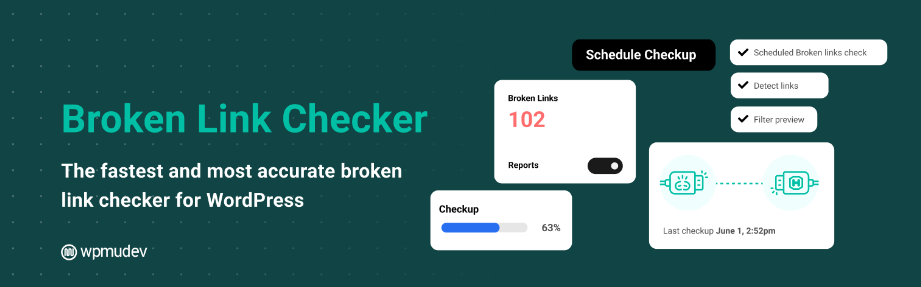
If you have a lot of posts and pages on your WordPress site, a plugin like Broken Link Checker can help you keep track of all the links in your content. It can also detect missing images and redirects.
Broken Link Checker will scan your site and highlight any broken links and images so you can fix or remove them. The plugin can notify you via email so you can resolve any issues right away.
Key Features:
- Monitors external links and internal links in your posts, pages, and comments
- Detects broken links, missing images, and redirects, and sends instant notifications
- Lets you to edit links from one place
[DOWNLOAD]
10. Smush

Smush Stats:
- Rating: 4.8/5
- Best for: image-heavy websites like online portfolios and photography sites
Smush is one of the most popular image optimization plugins. It can compress your images to improve loading times. You can also optimize your images in bulk, which is very convenient if you have a lot of photos on your WordPress site.
Smush doesn’t just compress your photos. You can also use it to enable lazy loading and set maximum image dimensions.
Key Features:
- Choose between lossy and lossless compression
- Identify images that are slowing down your site
- Automate image optimization upon upload
- Defer offscreen images to make pages load faster
11. UpdraftPlus

UpdraftPlus Stats:
- Rating: 4.8/5
- Best for: any WordPress website that wants a user-friendly backup plugin
Backups are an essential part of running a website. With UpdraftPlus, you can make regular backups of your WordPress site and store them in a secure location.
You can even set up backup schedules so that the plugin automatically performs backups, so you don’t have to do any work. For incremental backups, you can purchase the premium version of UpdraftPlus.
Key Features:
- Choose from various cloud storage options, including Dropbox, Google Drive, and Amazon S3
- Create automated backup schedules
- Easily restore a backup with a few clicks
12. WP-Optimize

WP-Optimize Stats:
- Rating: 4.8/5
- Best for: anyone with a large and constantly updated WordPress website
WP-Optimize is an all-in-one performance plugin that you can use to clean your database and compress your images. It also serves as a caching plugin.
Additionally, the plugin can minify and defer CSS and JavaScript to help speed up your site. All of these settings can be easily enabled from your WordPress dashboard.
Key Features:
- Removes unnecessary data from your database
- Compresses your images in bulk
- Stores dynamic data in a temporary storage area
13. Wordfence Security

Wordfence Security Stats:
- Rating: 4.7/5
- Best for: any WordPress site that requires a comprehensive security plugin
Wordfence is one of the leading companies in WordPress security. Its plugin offers a web application firewall, a reliable malware scanner, and two-factor authentication (2FA) to help prevent brute-force attacks.
It also comes with a Live Traffic monitor for identifying hacking attempts in real time. You can then block these attackers by IP address and other criteria, including their hostname and IP range.
Key Features:
- Enforce 2FA for your WordPress users
- Check your site for known security vulnerabilities
- Set up a powerful firewall to block malicious traffic
- Limit login attempts to prevent hackers from breaking into your site
14. Pretty Links

Pretty Links Stats:
- Rating: 4.8/5
- Best for: bloggers who monetize their sites with affiliate marketing
Pretty Links is one of the best plugins for bloggers. This link-shortening tool is designed to help you manage affiliate URLs more easily. You can use it to create clean and branded links for your affiliate products and track the number of clicks they get.
Additionally, the plugin supports 301, 302, and 307 redirects. You can also create customizable reports for your links.
Key Features:
- Create clean and branded affiliate links
- Track the number of clicks and unique clicks per link
- Manage all your links from a user-friendly interface
- Set up redirects
- Generate customizable reports
15. Cookie Notice & Compliance for GDPR / CCPA

Cookie Notice & Compliance for GDPR/CCPA Stats:
- Rating: 4.8/5
- Best for: any website that manages user data
In recent years, privacy laws have made it mandatory for many websites to disclose their data-collection procedures. Therefore, it’s important to ensure that your website complies with data regulations like the GDPR and the CCPA.
This plugin lets you easily display a cookie consent banner on your website. Plus, it gives you access to the latest formatting guidelines and compliance requirements for over 100 countries and legal jurisdictions.
Using this cookie notice plugin helps your site comply with data protection laws. However, you should still check local regulations to ensure full coverage.
Key Features:
- Customizable cookie notice message
- Link to your privacy policy page
- Multiple cookie expiry options
- Integration with WordPress translation plugins like WPML and Polylang
[DOWNLOAD]
16. Really Simple SSL

Really Simple SSL Stats:
- Rating: 5/5
- Best for: any website that doesn’t already have an SSL certificate
Every website needs a secure sockets layer (SSL) certificate. It secures data transfer between your server and the client’s browser.
Typically, SSL certificates are included in hosting plans. However, you can also get one for free with Really Simple SSL.
This tool lets you install an SSL certificate and switch from HTTP to HTTPS with a few clicks. It also provides a server health check to help you ensure that you have the correct configuration.
Key Features:
- Easy migration from HTTP to HTTPS
- Free SSL certificate via Let’s Encrypt
- Vulnerability detection
17. Smash Balloon Social Photo Feed

Smash Balloon Stats:
- Rating: 4.9/5
- Best for: those who want to grow their social media engagement
Smash Balloon is a social media feed plugin that allows you to display your Instagram posts on your website. This can help you drive more traffic to your social media page.
You can display photos from multiple Instagram accounts in the same or separate feeds. Then, customize these feeds to align with your site’s design.
This free plugin offers a lot of customization options. For even more filtering options, upgrade to its premium plugin.
Key Features:
- Display multiple feeds on the same page or on different pages
- Customize the width, height, number of photos, image size and space, and more
- Add a “Follow on Instagram” button at the bottom of your feed
18. Redirection

Redirection Stats:
- Rating: 4.4/5
- Best for: sites that have changed their domain names or permalinks
Redirection is a free WordPress plugin for setting up redirects. You can use it to manage 301 redirects and monitor 404 errors.
With this plugin, you can create redirects based on different conditions. For example, you can redirect users who use a certain browser or click on a link from another page.
Key Features:
- Migrate old permalinks
- Set up redirects based on browser, IP address, and referrer
- Track 404 errors and redirect them in bulk
[DOWNLOAD]
19. Easy Digital Downloads
Easy Digital Downloads Stats:
- Rating: 4.7/5
- Best for: anyone looking for the best WordPress eCommerce plugin to sell digital products
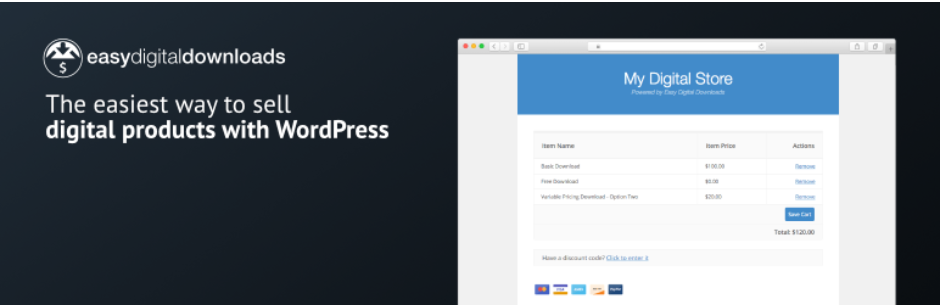
As the name suggests, Easy Digital Downloads is a free WordPress plugin for selling digital products and downloads. You can use it to sell photographs, software, eBooks, and illustrations.
You can upload an unlimited number of products and set up multiple payment methods. Plus, the plugin works with any WordPress theme.
Key Features:
- Highly customizable checkout process
- Secure file protection
- Discount codes and coupons for your customers
- Easy customer management straight from your WordPress dashboard
- Support for Stripe, PayPal, and other payment gateways
20. Website Builder by SeedProd

SeedProd Stats:
- Rating: 4.9/5
- Best for: building landing pages
SeedProd is one of the most popular free WordPress plugins for designing websites. This drag-and-drop page builder plugin helps you create coming soon and maintenance mode pages.
You can also use it to build other types of landing pages. For example, you can create a sales page, a webinar page, or a thank you page. Additionally, you can design custom theme and template parts like headers, footers, archives, and WooCommerce product pages.
Key Features:
- A vast selection of landing page templates
- Over 20 built-in color schemes
- Unlimited font combinations and Google Fonts support
- Spam protection with Google reCAPTCHA
21. TranslatePress

TranslatePress Stats:
- Rating: 4.7/5
- Best for: websites that target an international audience
TranslatePress is a translation plugin that enables you to translate an entire page at once. You can do this from your website’s front end to see real-time changes.
TranslatePress supports both manual and automatic translation. Automatic translation requires you to connect the plugin with Google Translate using your Google API key.
Key Features:
- Translate your pages from the front end
- Place language switchers anywhere you want on the site
- Use the Translation Block to translate multiple HTML elements together
22. Spectra

Spectra Stats:
- Rating: 4.7/5
- Best for: anyone who wants to extend the block editor or is looking for free WordPress plugins for website design
Spectra is a plugin that adds a collection of blocks to the Gutenberg editor. This way, you can access extra blocks without having to install a page builder.
You’ll get essential blocks like calls to action, buttons, icons, and countdowns. You’ll also get blocks for forms, posts, and marketing campaigns.
Key Features:
- Post blocks like modal popup, carousel, ost grid, and timeline
- Social blocks like Instagram feed, blockquote, and testimonial
- Content blocks such as Google Maps, tabs, and price lists
- SEO blocks like FAQ and table of contents
- Custom CSS option for each block
23. Ultimate Member

Ultimate Member Stats:
- Rating: 4.4/5
- Best for: setting up membership sites
Ultimate Member is one of the best WordPress plugins for creating a membership site. It allows you to enable users to sign up and become members of your site.
With this plugin, you can create beautiful user profiles for your members. Additionally, the plugin integrates with ForumWP, so you can add an online forum to your site.
Ultimate Member offers a great starting point for membership sites. If you want to integrate the plugin with third-party tools like Mailchimp and WooCommerce, purchase the premium extensions.
Key Features:
- A drag-and-drop form builder for creating registration and login forms
- Members-only content
- Conditional logic for form fields
24. Bookly
Bookly Stats:
- Rating: 4.3/5
- Best for: sites that accept online bookings and reservations
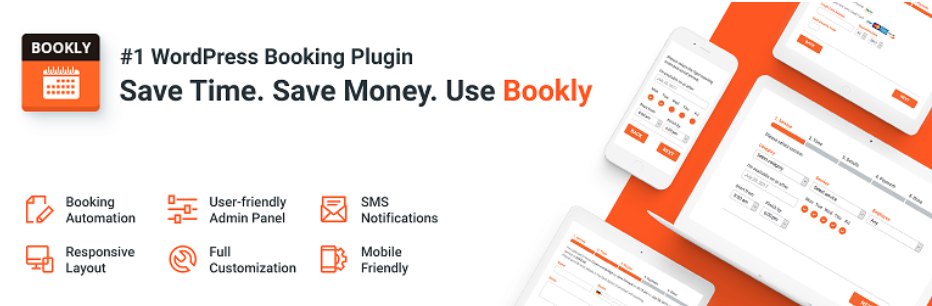
Bookly is an online booking tool that can be used by hair salons, photographers, and other types of businesses. Once you add it to your site, customers can easily pick their preferred service and time by entering a few details and placing their booking.
One of the best things about this plugin is that it sends SMS and email reminders to your customers. This can help reduce the number of no-shows.
The free version of Bookly is a solid tool for getting started with online bookings. If you want to add staff members and services, upgrade to the paid version.
Key Features:
- Unlimited number of booking forms
- Monthly/weekly/daily calendar view
- Customizable SMS and email notifications
- Blocks for Elementor and Gutenberg
25. Envira Photo Gallery

Envira Photo Gallery Stats:
- Rating: 4.7/5
- Best for: photographers and artists with online portfolios who are looking for the best WordPress gallery plugin
Envira is a drag-and-drop photo gallery builder that helps you display your work in custom layouts. You can choose a built-in WordPress gallery template or create your own.
With Envira, you can easily upload your photos, rearrange them, and create a gallery. Plus, you get to customize the look and feel of your gallery.
Overall, the free version of this WordPress gallery plugin is great for creating simple custom galleries. If you want advanced features like watermarking and auto-image compression, purchase the paid add-ons.
Key Features:
- Drag-and-drop photo gallery builder
- Customizable and responsive layouts and templates
- Integration with page builders, including Beaver Builder, Elementor, and Divi
26. TablePress

TablePress Stats:
- Rating: 5/5
- Best for: presenting data in neat tables
TablesPress helps you create beautiful and interactive tables for your site visitors. You can use it to display any type of data, along with images and links.
This plugin lets you insert tables anywhere on your site using shortcodes or the dedicated block. You can also add sorting, filtering, and other features to your table.
Key Features:
- Easily create and manage small and large data tables
- Add live sorting, pagination, and searching
- Import and export tables from/to Excel, CSV, HTML, and JSON files
27. MailPoet

MailPoet Stats:
- Rating: 4.5/5
- Best for: starting an email list
MailPoet is one of the best WordPress plugins for email marketing. It helps you create newsletters from scratch or with professional templates.
You’ll also get engagement statistics to track the performance of your email campaigns. Plus, you can set up automated welcome emails, send abandoned cart reminders, and create audience segments based on user behavior and interests.
The free version of MailPoet supports up to 1,000 subscribers. If you end up needing more than that, upgrade to the premium version.
Key Features:
- Manage your subscribers in WordPress
- Customize WooCommerce transactional emails
- Pre-built subscription form and newsletter templates
- Behavior and interest-based segmentation
28. Sassy Social Share
Sassy Social Share Stats:
- Rating: 4.7/5
- Best for: bloggers who want to make their posts easier to share
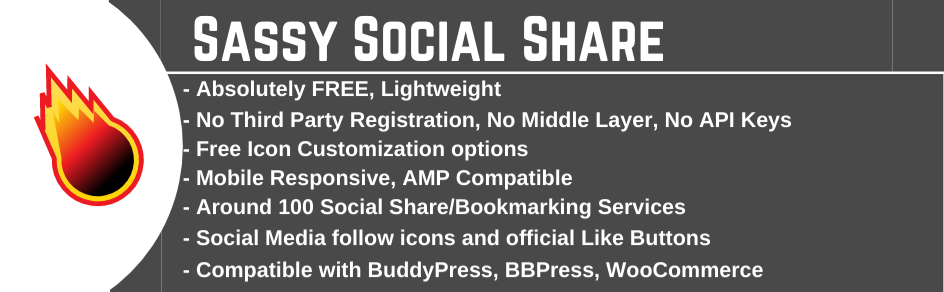
Sassy Social Share allows your readers to share your posts on various social platforms, including Facebook, Twitter, LinkedIn, and Pinterest.
You can customize the social media icons to fit into your site’s design and place them on your posts, pages, and WooCommerce products. Plus, you can display share counts on individual posts and rearrange the order of the icons.
Note that the plugin doesn’t work on local servers. You’ll need to have a live website for the plugin to function properly. Therefore, it might be difficult to test it on a staging site.
Key Features:
- Around 100 social sharing services
- Options to specify sharing icon shape, size, order, and colors
- Ability to enable or disable social sharing on particular posts and pages
29. Real Testimonials

Real Testimonials Stats:
- Rating: 4.6/5
- Best for: businesses that want to display authentic reviews and testimonials
Real Testimonials lets you display customer reviews and user quotes on your posts and pages.
You can showcase these testimonials using various customizable input fields, including reviewer name, star rating, image, and title. Plus, you’ll get individual customization options for each field, so you can ensure that the content fits into your site’s design.
Real Testimonials is a popular WordPress plugin and a powerful tool. For more customization features like the drag-and-drop form builder and testimonial image styles, upgrade to the paid version.
Key Features:
- Show or hide particular testimonial fields
- Create multiple testimonial sliders
- Enable infinite loop for the slider
- Translate reviews with tools including WPML and Polylang
30. The Events Calendar

The Events Calendar Stats:
- Rating: 4.2/5
- Best for: promoting in-house and virtual events on your website
The Events Calendar offers an easy solution for creating and managing a calendar on your site. You can customize each event and calendar to suit your needs.
This plugin also offers an upcoming events list widget. This way, you can keep your followers up to date through your site.
The Events Calendar plugin gives you everything you need to create one-time events. If you’d like to create recurring events and ticket sales, upgrade to the pro version or purchase add-ons.
Key Features:
- Save venues and organizers
- Choose from a calendar month view and event list view
- Allow users to search for particular events
- Organize events with tags and categories
How to Choose a Free WordPress Plugin
Now, let’s discuss some factors to consider when choosing a free WordPress plugin.
Relevance
Having too many WordPress plugins can slow down your site. You must make sure that the plugins you install are highly relevant to your unique goals.
Additionally, avoid installing WordPress plugins with overlapping features. For example, if you have an optimization plugin that can also compress your images, you don’t need to install an image compression tool on your WordPress site.
It’s a good idea to do some research first. For example, if you’re a blogger, you might want to run a search on “free WordPress plugins for blogs”.
Likewise, if you’re starting an online store or professional website, check out articles on “free WordPress plugins for eCommerce” and “free WordPress plugins for speed optimization”.
Ultimately, how many plugins you use depends on your needs and the website size. It’s also important to delete plugins you no longer need.
Ratings and Reviews
Before you install a plugin, you’ll want to check its ratings and reviews on the official WordPress page. These are a good indication of its quality and reliability.
If you check the most recent reviews by other WordPress users, you can find out if there are any commonly reported issues with the plugin.
These reviews can also help you choose user-friendly free WordPress plugins, which should make website management easier.
Active Installations
You’ll also want to check out the number of active installations a plugin has. This is an indicator of its popularity and usefulness.
Ideally, you should choose a plugin that has a substantial number of downloads, as it will have a larger community of users.
Last Updated
It’s also important to choose WordPress plugins that have recently been updated. You can check this by looking at the “Last updated” information on the plugin’s page.
Recent updates suggest that its developers are continuously working on the software to make sure it’s secure and meets the latest industry standards.
Ideally, the plugin should have received an update in the last six months. If not, it will likely be incompatible with the latest version of WordPress and other plugins on your site. This may make your site vulnerable to cyber attacks.
Developer Support
Even if a plugin has a high rating and looks reliable, you might still encounter issues. Fortunately, if the developers are ready to help, you should be able to resolve any problems that may arise.
Visit the support threads on the plugin’s WordPress page to see if the developers provide support and reply to reported issues in a timely manner.
Compatibility
Finally, you’ll want to make sure the plugin is compatible with the most recent WordPress versions, your current theme, and any other tools on your site.
Many developers will say their product is compatible with most WordPress themes and plugins. However, you might still want to confirm by testing it on a staging site.
Conclusion
WordPress is home to a vast selection of free and premium plugins. Make sure you choose top-rated free WordPress plugins that receive regular updates. They should also be compatible with most WordPress themes and other WordPress plugins.
If you want to boost your performance in search engines, install a WordPress SEO plugin like Rank Math or MonsterInsights.
Meanwhile, free WordPress security plugins such as Wordfence, Jetpack, or Akismet are a must to protect any website.
If you’re building an eCommerce store, you’ll need a plugin like WooCommerce or Easy Digital Downloads to start selling online.
We hope this article has helped you learn about the best free WordPress plugins you can install on your website. Good luck.
Free WordPress Plugins FAQ
Finally, let’s answer some commonly asked questions about the best free WordPress plugins.
How Many Free Plugins Does WordPress Have?
There are over 59,000 free plugins in the WordPress plugin repository. These include SEO tools, form builders, email marketing software, page builders, and image optimizers. Some of the best free WordPress plugins have premium versions, which come with additional features and support.
Is It Safe to Use Free WordPress Plugins?
Most of the best free WordPress plugins are safe to use. However, it’s important to check every plugin’s user reviews for any reported issues. You’ll also want a plugin that has been updated in the last few months since using a poorly maintained tool can expose your site to cyber attacks.
Where Can I Download Free WordPress Plugins?
You can download free plugins from the WordPress plugin directory. Choose the plugin you want to install and click Download. In your WordPress dashboard, navigate to Plugins → Add New → Upload Plugin and select the ZIP file you downloaded. Alternatively, you can install plugins directly from the WordPress dashboard.
This article is a localized version of 30 Best Free WordPress Plugins for 2026 and How to Choose the Right Ones for Your Website, originally published in English.

Will Morris is a staff writer at WordCandy. When he's not writing about WordPress, he likes to gig his stand-up comedy routine on the local circuit.



Comments
2 responsesAugust 20 2025
I found out that Hostinger does not allow plugins, such as WP Recipe Maker, when using the AI assisted website developer.
August 28 2025
Hi, Gerry! If you’re referring to the Hostinger AI Website Builder, then yes—that’s correct. The Website Builder is a separate platform from WordPress. It’s built for simplicity and speed, so it doesn’t use the WordPress core or support WordPress plugins.