Content Management System (CMS): What it is and how it works
Mar 10, 2026
/
By Jordana A.
/
8 min Read
A content management system (CMS) is a software application that runs in a browser. It provides users with a graphical user interface that allows them to create and manage a website without needing to code it from scratch.
With a CMS, you can customize website design by downloading and modifying pre-built templates and extensions. Some of its functions also include content management and modification, image storage, and web page creation.
Plenty of content management systems are available on the web, each with its strengths and weaknesses. Let’s examine the most popular ones to find the most suitable option for you.

What Is a CMS?
A content management system (CMS) is a software application that handles the basic infrastructure of creating websites. With a CMS, users can focus on the front-end areas of website building, such as customizing the website design and managing content.
There are multiple types of content management systems available. Three of the most popular ones are:
- Open-source CMS – a community of developers maintains the software instead of a single company owning it. Third-party developers have access to the source code and can develop and improve the software’s functionalities.
- Cloud CMS – a pre-built system accessible without having to download hardware or software. Users can manage web content safely over the cloud and have it be easily accessible from multiple devices.
- Proprietary CMS – comes with a license fee as it is the legal property of a company, organization, or individual that created it. The cost can be a one-time initial payment, a monthly fee, or an annual charge.
How Does a CMS Work?
To understand how a content management system works, you first need to know what makes a website and how to build one from scratch.
A website consists of two main parts ‒ the front-end and the back-end. The front-end is the part an end-user sees in their browsers, such as blog posts, galleries, and videos. It comprises standard markup languages called HTML, CSS stylesheet language, and JavaScript.
Meanwhile, the back-end consists of the database and the functionality of a website. Different programming languages that are used in its construction are PHP, Python, Ruby, and Java.
To make your website visible on the web, you also need to manually upload all of your website content into a web server.
The web server database will store your content and push it from the back-end to the front-end whenever a user accesses your site.
A content management system lets you streamline these processes. Besides eliminating the need to code, a content management system also makes uploading content easier.
The user-friendly content editor allows you to create content like posts and pages hassle-free. Besides text-based files like .PDF documents, the content editor software also lets you organize web pages, images, videos, text, and audio files, among other different file types.
Most CMS software also provides you with an interface through which you can have revision control. You can also use it to configure the settings of your website and set permission systems. The entire process is beginner-friendly and requires no technical knowledge.
Keep in mind that a content management system is different from an enterprise content management system (ECM). The ECM focuses more on document management and business-related processes, such as digitizing paper documents for better organization, security, and traceability.
Content Management Application (CMA) and Content Delivery Application (CDA)
A content management system contains two core elements ‒ the content management application (CMA) and the content delivery application (CDA).
The CMA handles site content entry, allowing users to add, manage, and modify the content with ease. The front-end of the CMS software typically comes with a what-you-see-is-what-you-get (WYSIWYG) editor that can be used for the creation and publication of the content on the site.
Meanwhile, the CDA serves as the back-end of the CMS software. The CDA stores and manages the content that site owners input through the CMA and publishes it to be visible for the site visitors. All changes made to your web pages go through this part of CMS.
Plugins, Extensions, and Themes
By default, content management systems allow you to create posts and pages and modify the overall design of your website. Additional features like search engine optimization (SEO), search functions, security, and other customizations are available via extensions such as plugins and themes.
An extension or a plugin is a software component that carries a specific functionality. Adding it to a website will expand its capabilities or integrate the website’s system with a third-party service.
Most CMS platforms have their own extension or plugin directories. For instance, WordPress has thousands of free plugins in their official plugin directory. Some CMSs also let you purchase them from third-party plugin marketplaces like CodeCanyon and Mojo Marketplace.
As for changing your website’s appearance, you can do so by installing a theme. It’s a bundle of template files that provide a site with a consistent visual interface without affecting its core functionality.
Keep in mind that a theme generally caters to a specific niche when it comes to the design and functions. However, you may edit the files to add or remove some visuals and graphics and modify the color scheme.
Like plugins, themes are available for download via the CMS’s theme directory or third-party marketplaces.
The installation process of both components is relatively straightforward. Configuring and modifying them may need some basic technical knowledge, but they’re easier to learn compared to learning how to code from scratch.
Popular Content Management Systems
As each CMS platform targets different user needs, it’s essential to figure out your goals for the end result. The following are some of the most popular web content management system (WCMS) platforms to consider.
WordPress.org
Powering 42.9% of the internet, WordPress is the most popular web content management system on the market today. This free, self-hosted CMS started as a blog publishing platform, which left it with robust content management tools.
WordPress can accommodate all kinds of websites, from eCommerce stores, to learning sites, and simple portfolios.
It comes with a massive collection of plugins and themes that are relatively easy to configure. For this reason, WordPress is highly versatile and scalable.
Being an open-source platform means WordPress has a large community and plenty of forums. Website owners can connect with other WordPress users or refer to WordPress tutorial websites for assistance.
This is especially beneficial for beginners since WordPress has a steep learning curve.

Drupal
Drupal is one of the most powerful web content management systems in the market. Large businesses and government entities like NASA, Tesla, Sony Music, and Nokia use it to manage their web content online.
Drupal features excellent page load time and advanced security tools. It also comes with built-in modules, allowing you to integrate your website with popular analytics tools, as well as marketing and eCommerce features.
That said, you just need Drupal hosting services and basic coding skills to build a website with Drupal. This CMS platform is designed for professionals, so beginners may find its interface much more complicated than WordPress.
PrestaShop
PrestaShop is an increasingly popular content management system for small to medium-sized eCommerce businesses.
One of the benefits of using this CMS software is the simple onboarding process and access to user-friendly eCommerce tools, which allow users at all skill levels to create a professional online store.
Besides being easy to use, PrestaShop also supports multiple currencies and languages. SEO tools are also available to improve your store’s ranking on SERPs.
However, Prestashop’s limited scalability makes it not suitable for large-scale businesses. You will need to buy premium modules and templates to scale your store. Also, reliable hosting for Prestashop will be needed to get your site up and running.
Magento
Magento is a popular eCommerce platform for medium to large-scale online stores. Samsung, Nike, and Ford are a few among many large companies that use Magento because of its scalability and advanced customization options.
Magento comes in two versions ‒ open-source and Commerce. The free, open-source version comes with plenty of features, like global selling, site search, and catalog management.
To access premium functions and support, you have to purchase the Commerce version of Magento, the cost of which depends on your individual needs.
Joomla!
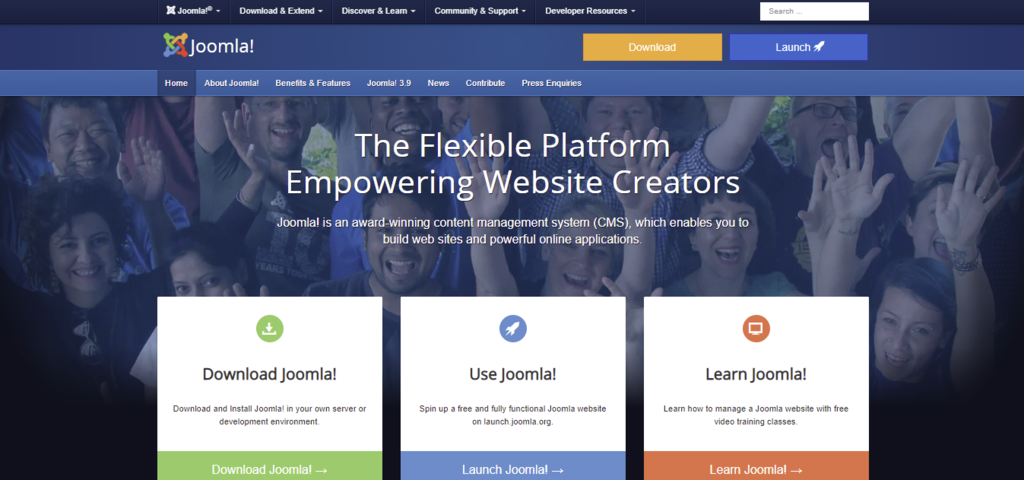
Joomla! is another excellent open-source content management system. Like WordPress, Joomla supports all kinds of websites, be it for personal or business use.
One of its most significant advantages is that you can manage content in segregated parts, which is ideal for websites with multiple content types. Joomla revision features also let you modify files safely.
Since Joomla requires some technical knowledge, it’s more suitable for developers and users experienced in web development. For beginners, opt for Joomla web hosting as it’s a solution optimized for Joomla that comes with user-friendly hosting management tools to make your work easier.
Pros and Cons of Using CMS
Despite the ease of use and abundant features, using a content management system also has some downsides. The following are the pros and cons of using a web content management system (WCMS) to build and manage your site.
Pros:
- Ease of use ‒ you don’t have to know how to code to use a CMS. You can also get support for the extensions and templates if you choose the premium options.
- Cost-effective ‒ most CMS platforms are free to use and offer free extensions and templates.
- Highly scalable ‒ installing extensions and plugins will add new features to your website, making it easier to modify as needed. There are plenty of options available from official directories and third-party websites.
- User management functionality ‒ every content management system, such as WordPress, lets you set up different user roles and privileges within the site.
- Well-documented ‒ online documentation, FAQ pages, extension and template descriptions, tutorials, and videos are available to help beginners get started.
Cons:
- Security risks ‒ not updating extensions and templates regularly can create vulnerabilities for hackers to exploit. That’s why hackers tend to target CMS-powered websites the most.
- Bare minimum SEO ‒ some CMS platforms may provide some SEO tools, but your website will still require manual search engine optimization and additional extensions to climb the SERPs.
- Limited flexibility ‒ implementing specific features into some CMSs will be challenging without having technical knowledge or hiring a developer.
How to Choose the Right CMS
As each content management system features different strengths and weaknesses, it’s crucial to pick one that’s best suited for your project.
The following are several factors to consider when choosing a CMS platform:
- Website type ‒ make sure your chosen CMS equips all the necessary tools to support your website type. For example, WordPress is best for building blogs, while Magento is ideal for developing eCommerce sites.
- Cost ‒ while most content management systems are free to use, they tend to sell additional features as individual products. Check whether the overall cost is within your budget.
- Scalability ‒ choosing a CMS with a vast extension and template directory provides you with more options when building your website. Make sure to check the server requirements of the extensions you want to use as well.
- SEO ‒ your chosen CMS should be capable of optimizing your web pages for search engine crawlers.
- Marketing ‒ the ability to conduct email and social media marketing also helps to boost your SEO efforts.
- Security ‒ make sure the CMS’s built-in security features are up-to-date and are capable of anticipating all malware types.
See our list of the best CMS platforms to help you get started.
How to Start Using a CMS
Before using a CMS, you need to buy web hosting first – a service that allows you to store all the content, files, and databases necessary for your website.
Make sure the hosting provider supports your chosen CMS. For example, Hostinger WordPress hosting plans are designed for WordPress websites specifically. Feel free to check various CMS hosting solutions from Hostinger and pick the one most suitable for your CMS platform.
The next step is to register a domain. Some hosting providers, like Hostinger, include free domain names with most of the hosting plans. Alternatively, you can register one via a domain registrar. If you are not sure about how to buy a website domain, read our step-by-step guide.
Once you secure your hosting and domain, it’s time to set up the CMS from your hosting account. Most web hosts provide users with one-click CMS setups to streamline this process.
When the CMS is up and running, you can access the control panel under the registered domain name to start customizing your website and adding content.
Suggested Readings
Beginner-Friendly Guide About What a Domain Name is
What Is Headless eCommerce and Which Platforms Should You Use
Conclusion
A content management system (CMS) makes it possible to create and run a professional website without any programming knowledge and at a minimal cost.
Besides its cost-effective pricing, the main appeal of a CMS is its customizability. With pre-made templates and extensions, you’re able to pick the design and features that best suit your needs.
In case our mentioned CMS platforms aren’t suitable for your website, here are some additional options to have a look at:
- Squarespace ‒ an eCommerce-centered CMS with mobile apps to help you manage content on the go.
- Ghost ‒ a headless CMS where its content repository is separated from the presentation layer.
- Webflow ‒ a WCMS with tons of customization options and excellent format management features, ideal for designers and agencies.
Give them a try and let us know which CMS platform you decide to go with.
This article is a localized version of Content Management System (CMS): What it is and how it works, originally published in English.

Jordana is a Senior Content Writer with a background in Information Systems. She has over five years of experience in WordPress and is casually dabbling with PHP and MySQL. Her passion for writing and technology drives her to create tutorials for anyone wanting to build their online presence. Follow her on LinkedIn.



Comments
0 responses