15 best Magento themes to customize your eCommerce store
Mar 10, 2026
/
By Ekta S.
/
11 min Read

The right Magento theme that properly aligns with your store’s type can simplify customization and really save you time. However, the wrong choice can saddle you with unnecessary features or design limitations.
After reviewing and testing various options, we’ve curated a list of the best Magento 2 themes. We categorized them by store type and highlighted the most important features.
Read the post, find your match, and build your dream store.

1. Supro
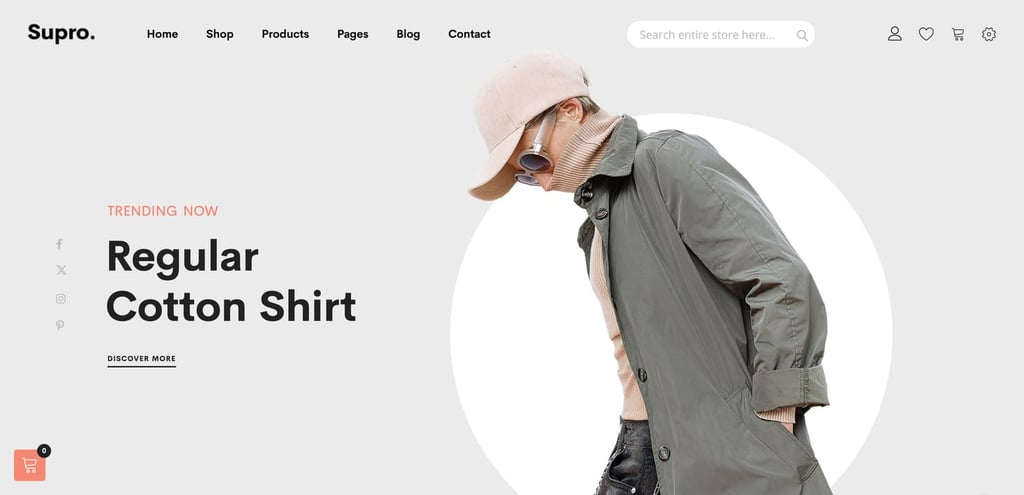
Supro stats
- Rating: 4.5/5
- Price: $59/license
Fashion and apparel stores thrive on visual appeal, with most users browsing on their phones, so it’s crucial to choose Magento themes that offer stunning visuals, minimal design, and seamless customization.
Supro is a clean and simple Magento 2 theme perfect for a fashion store. With 18 minimal demo layouts focused on products and features, this theme is built for flexibility and user-centric design.
The best thing about Supro is its built-in front-end page builder with 36+ blocks, allowing you to view live changes instantly without any coding skills. It also includes extensions, like Shop by Brand and Mega Menu, which enhance the shopping experience by helping users filter products faster.
To further improve usability, the Advanced Live Search functionality delivers accurate results without requiring users to type the entire query.
Key features
- Optimized for mobile: You can also use the front-end builder to customize your mobile site version.
- AMP friendly: Ensures faster mobile site loading times and reduces bounce rates.
- Unique layouts: You get various layout options for product pages, types, headers, and shop layouts to run tests and optimize your site for better conversion.
Verdict
Supro includes impressive features and extensions to deliver a smooth user experience. It is a good choice if you want to create a minimal design store that is very mobile-friendly.
2. Claue
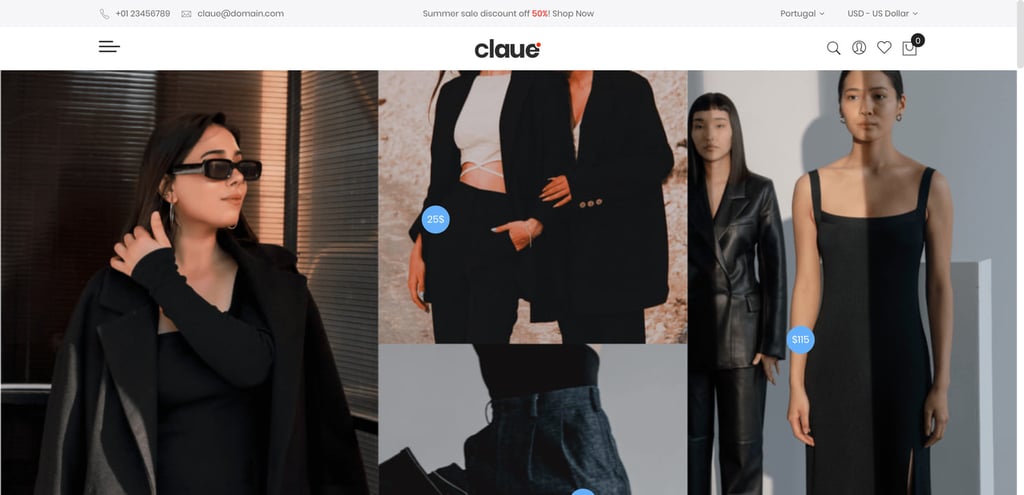
Claue stats
- Rating: 4.5/5
- Price: $99/license
Claue is ideal for fashion stores, offering features like 360 Image View for detailed product displays, a Lookbook collection with a pin maker plugin to showcase products in real-life use cases, and a One-Step Checkout to streamline the payment process.
What’s even better is that Claue supports guest wishlists and checkout, so customers don’t have to log in or create an account to purchase from your store. This user-friendly option makes it easier for them to shop, keeps them coming back, and helps you boost conversions.
Key features
- Drag-and-drop builder: Let’s you design your online store visually without coding skills.
- Upsell features: Provides “Auto-related Products” and a variety of “Sale page” layouts to increase conversions.
- Instagram shop: Turn Instagram posts into shoppable links to convert followers into buyers.
Verdict
Claue is ideal for building an interactive eCommerce website with features like 360-degree image views, image hover effects, and product video reviews. It offers customers a more advanced shopping experience potentially boosting sales.
3. Milano
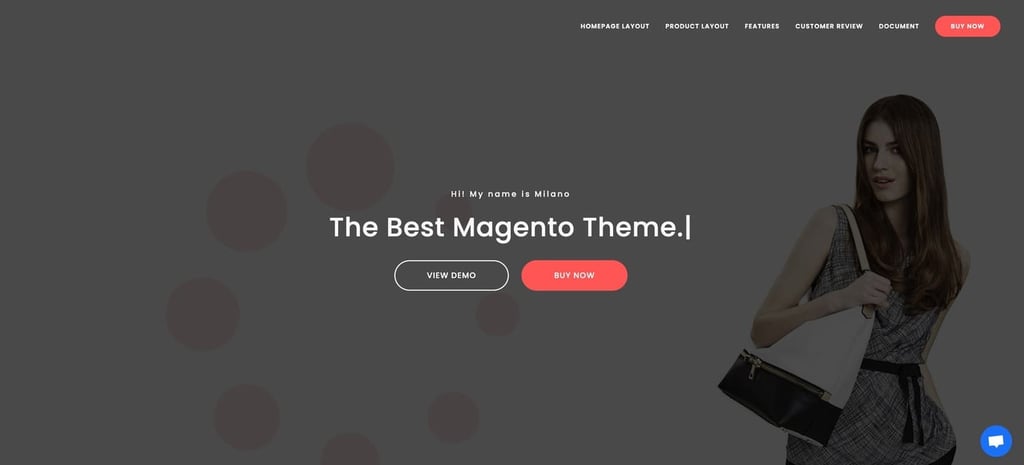
Milano stats
- Rating: 4.9/5
- Price: $129/license
Milano is a responsive Magento theme with a powerful admin panel for easy backend customization. Its Quick View Popup feature lets customers view product details and add items to their carts without leaving the page.
Milano includes over 16 demo shop and product page layouts to give plenty of design options for your store. You can also use the featured section to create a slider banner that highlights top products or deals, grabbing attention as soon the visitors enter the website.
Key features
- Promotional offers: Increase sales by showcasing bestsellers, on-sale, and featured products.
- Sticky header banner: Let your customers know about upcoming sale announcements and discount coupons.
- Countdown timer: Create urgency by showing time-sensitive countdown timers.
Verdict
Milano is praised for its flexible design, responsive customer support, and detailed documentation. That’s why this theme is especially great for beginners.
4. Molla
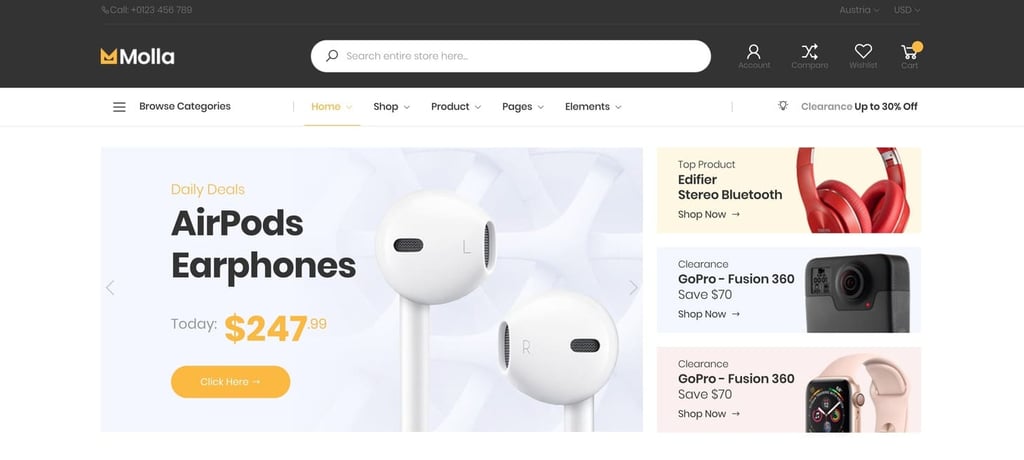
Molla stats
- Rating: 4.5/5
- Price: $59/license
A good Magento theme for electronic stores should deliver optimized performance, clear navigation, advanced filters, and features like product comparisons and reviews to allow customers to make confident purchase decisions.
Molla is a Magento theme built for a fast and seamless user experience. Its lazy-load feature speeds up the loading of product images, while the mega menu enhances navigation, making it an excellent choice for image-heavy electronics stores.
With Molla’s Quick View Popup and Add to Compare options enabled in your Magento website settings, you can let customers review and compare products side by side and make informed purchase decisions.
Key features
- Built-in social blocks: Use Facebook Fan box and Instagram shop blocks to encourage customer interaction on social media.
- Font Awesome integration: Access high-quality icons and improve your store’s design.
Verdict
Molla is optimized to perform well on search engines, which makes it an excellent choice for online store owners who want a fast website.
5. Destino
Destino stats
- Rating: 3.9/5
- Price: $79/license
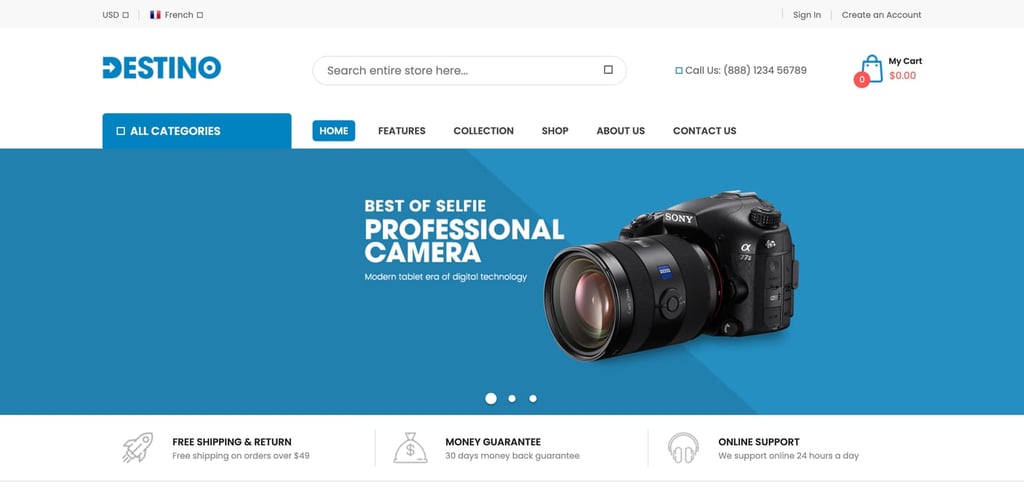
Destino is perfect for digital and hi-tech stores, thanks to its clean and bright design that keeps the focus on your products. It also offers unlimited color options, over 14 homepage designs, and 12 header and footer styles, giving you the flexibility to create the ideal look for your electronics store.
Destino supports extensions like SM Filter Products to add filtering functionality, and its built-in features are even more impressive. Without additional extensions, you can create a detailed menu, highlight special deals, and showcase testimonials to build credibility.
Key features
- RTL support: To enhance accessibility for diverse audiences.
- Ajax Add to Cart: Users can add products to their carts with one click, even on mobile devices.
Verdict
Destino stands out with its mobile-specific layouts. Combined with its flexibility and rich design options, Destino is a top choice for modern eCommerce stores that want to deliver seamless shopping experiences.
6. Maxshop
Maxshop stats
- Rating: 3.5/5
- Price: $64/license
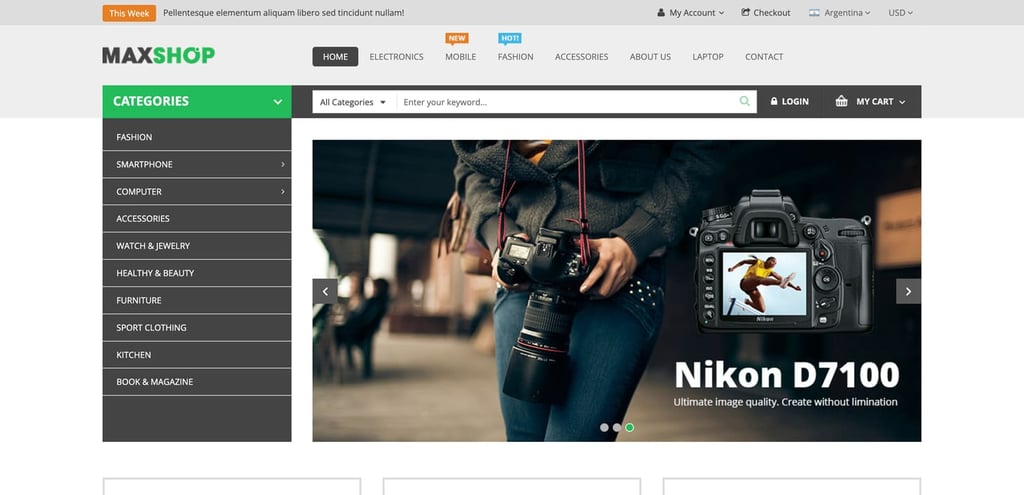
Maxshop is designed for comprehensive stores like electronics shops. Its sleek design, combined with advanced features such as vertical mega menus and layered navigation, delivers a seamless shopping experience for your customers.
While the page layouts are simple and may not feel modern, they’re enhanced with interactive features like product hover effects and featured sliders. Maxshop also comes with the SM Cart Pro extension, offering AJAX cart functionality that lets customers add products to their cart without leaving the current page.
Key features
- Google font included: To find unique, high-quality fonts for your store for free.
- Multilingual & RTL support: Deliver your site to diverse audiences with multiple languages and right-to-left text support.
Verdict
Maxshop is ideal for selling digital products to a global audience due to its RTL and multi-language support features.
7. Martfury
Martfury stats
- Rating: 4.9/5
- Price: $129/license
To run a thriving multi-vendor marketplace, look for Magento themes with advanced search options, robust vendor management dashboards, and scalability features that allow your website to grow smoothly.
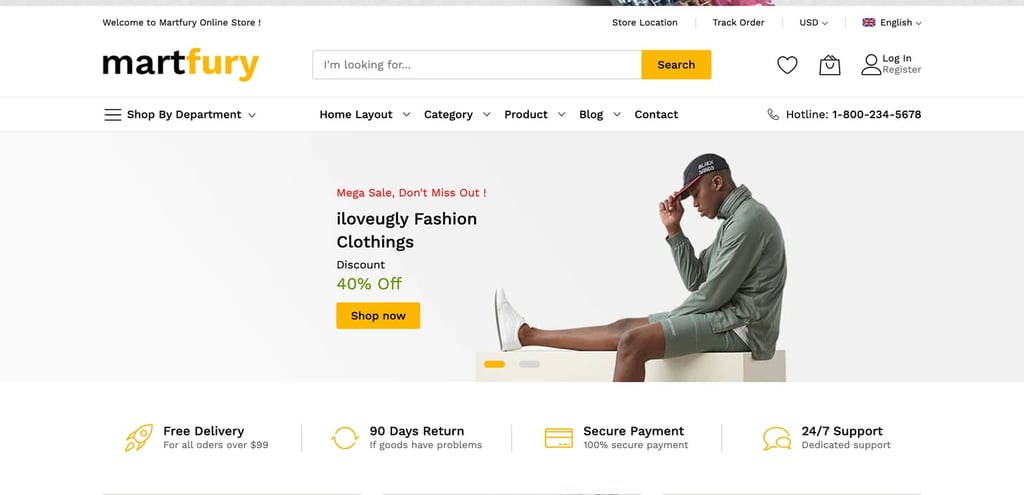
Martfury is a versatile theme with reusable content blocks, widgets, and page layouts that let you skip building from scratch. It’s a top choice for marketplaces because it seamlessly integrates with CedCommerce Multivendor Marketplace extensions which simplify vendor management and deliver a user-friendly eCommerce experience.
Martfury includes widgets like Featured Products, New Products, and Bestsellers to showcase dynamic content and personalize the shopping experience. It also features a built-in newsletter popup to help you grow your audience by collecting email subscribers.
Key features
- AJAX infinite scroll: Load products as users scroll to increase page time and engagement.
- Social login: Allow users to log in with their social media accounts.
- Elastic Suite integration: Quick and accurate product search suggestions so users don’t have to type the complete search query.
Verdict
Martfury’s flexibility and reusable elements, such as widgets, content blocks, and layouts, make it ideal for building, managing, and scaling a multi-vendor eCommerce marketplace.
8. GemMart
GemMart stats
- Rating: 4.1/5
- Price: $59/license
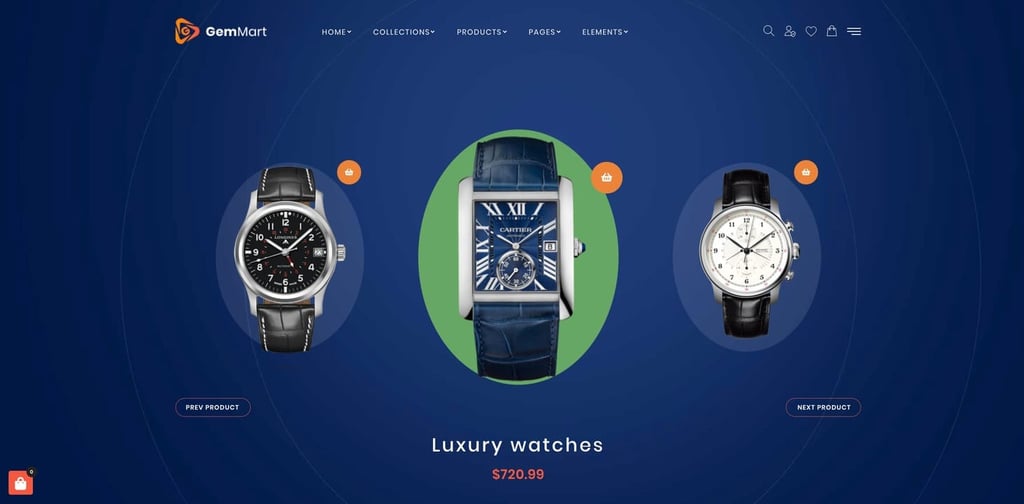
GemMart offers over 18 customizable homepage demos, providing diverse, ready-to-use storefront designs. Its front-end builder includes 36 block modules to simplify creating a unique and professional multi-vendor marketplace easily through visual customization.
GemMart’s bundled extensions and third-party compatibility make it a great fit for creating a scalable, easily extendable multi-vendor marketplace. It also has SEO-friendly features like AMP compatibility and responsive design to ensure your store is optimized for search engines.
Key features
- Smooth hover effects: Enhance product browsing with engaging hover effects.
- Guest wishlist: Allow visitors to save favorites without creating an account.
- GDPR compliance tools: It has built-in GDPR tools to ensure data privacy compliance.
Verdict
GemMart is a cost-effective option compared to Martfury. It provides essential marketplace features at a lower price, which makes it great for new store owners starting their first multi-vendor marketplace.
9. Porto
Porto stats
- Rating: 4.8/5
- Price: $129/license
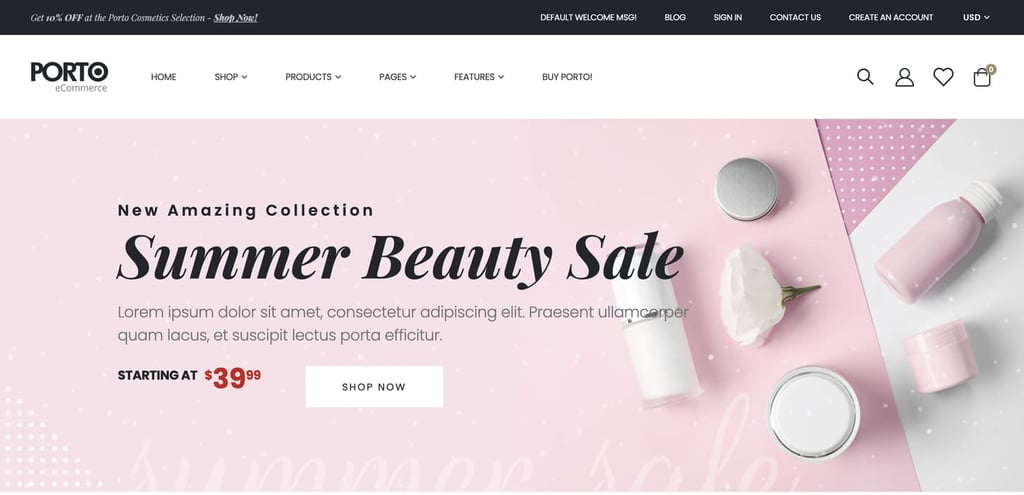
Porto comes with over 44 conversion-optimized demos designed by eCommerce specialists. Many layouts are tailored for health, fashion, and beauty businesses, featuring one-click demo import and a robust design with a settings panel for effortless customization.
Porto’s simple and minimalist design helps your products stand out, making them especially appealing to health and beauty shoppers. It also offers unlimited color options and an extensive library of layouts to let you create a site that perfectly reflects your brand.
Key features
- Detailed documentation: With video tutorials and community support to get answers quickly.
- Translation-ready: Supports multiple languages to help you diversify your audience base.
Verdict
Porto is great for health and beauty stores. Its conversion-focused demos, clean design, and customization options make it a reliable solution for creating a professional, user-friendly online store.
10. Market
Market stats
- Rating: 4.1/5
- Price: $99/license
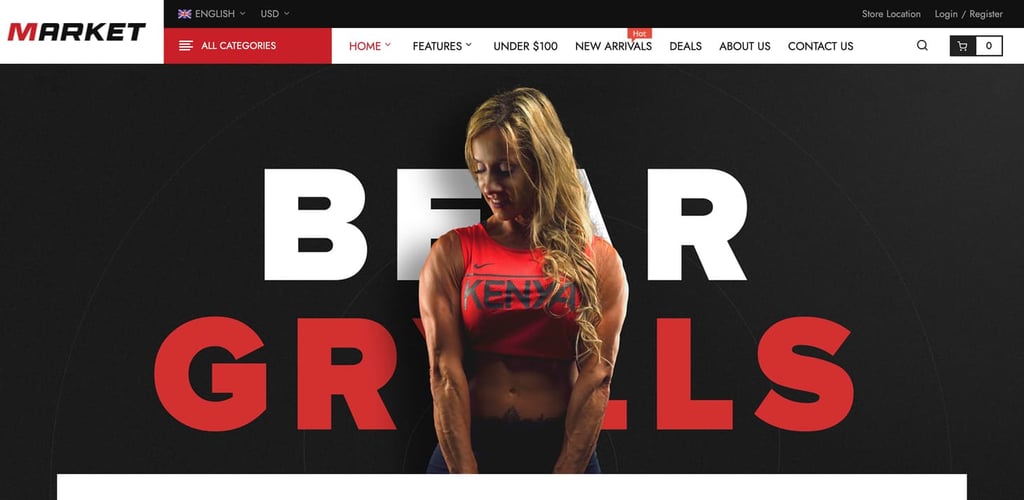
Market stands out with 39 pre-made homepage layouts and unique element placements to offer diverse styling options. Its Quick View feature enhances browsing while the responsive design provides an app-like experience, making it a great fit for beauty eCommerce stores.
Market’s built-in Color Swatches feature improves the shopping experience by displaying product variations directly on the product page. Whether it’s different lipstick shades or skincare packaging options, customers can easily view and select their preferences.
Key features
- Sticky Add to cart: Keeps the cart button visible so users don’t have to look for it while scrolling.
- Featured Buy Now button: Encourages users to complete checkout quickly without adding an extra step to view their carts.
- Lazy load images: Built-in lazy load feature to load images faster and improve page speed.
Verdict
Market is a great choice for beauty stores. Features like color swatches and shop-by-attributes enhance personalization and help customers find their products effortlessly.
11. Athlete2
Athlete2 stats
- Rating: 4.8/5
- Price: $99/license
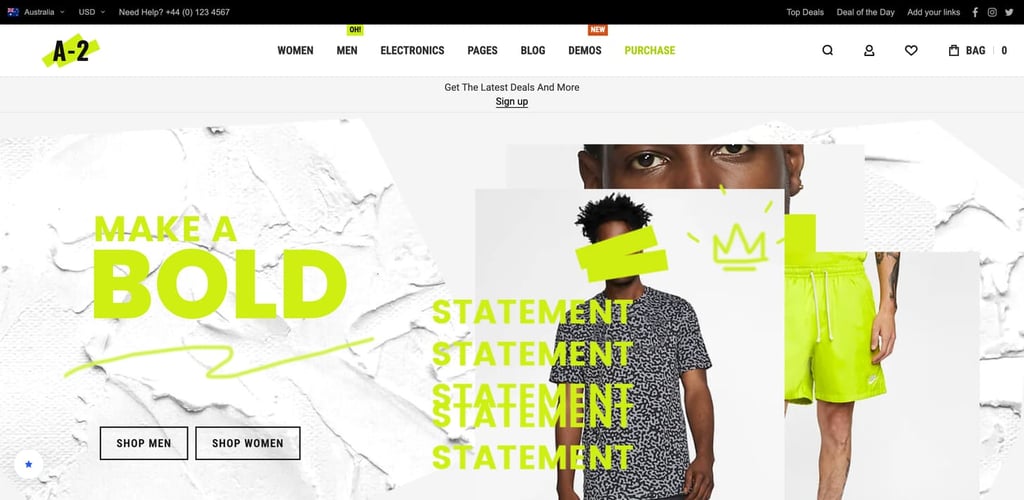
Athlete2 boasts a modern, sport-inspired design built with Bootstrap 4 to give your store a sleek and professional look. Advanced features like AJAX layered navigation and infinite scroll provide effortless product browsing, making it ideal for health-focused stores.
Athlete2 is also optimized with key features to improve the buying experience. For instance, enabling Magento’s product comparison along with the theme’s unlimited product tabs and extended review summary provides users with all the information and tools they need to make informed decisions.
Key features
- Custom grid modes: Gives you the freedom to choose from flexible product display options.
- Banner & product sliders: Highlights promotions and featured products effectively.
Verdict
If you want modern site layouts with interactive website elements, choose Athlete2. It’s perfect for engaging users in optimized shopping experiences, potentially increasing sales.
12. Fastest
Fastest stats
- Rating: 4.2/5
- Price: $129/license
Opt for Magneto themes with stunning visuals, easy-to-navigate layouts, tools to highlight product details, and customization options for furniture and home decor.
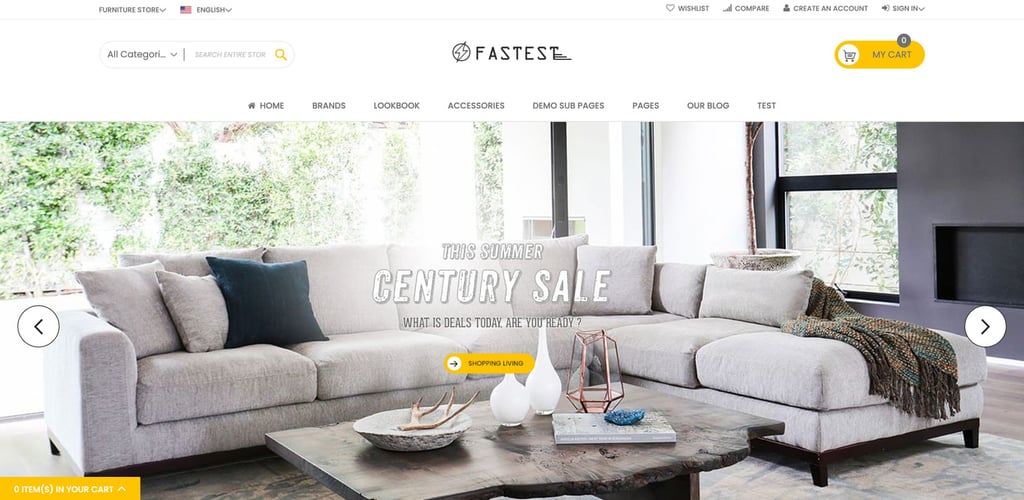
Fastest includes Mega Menu Pro, an advanced drag-and-drop menu builder that makes creating stunning menus effortless. It integrates with Shop by Brand, which is perfect for multi-vendor furniture stores catering to customers who prefer specific furniture brands. Its Advanced Category Search also helps customers refine their searches to find products quickly.
Fastest offers multiple demo layouts, including beautiful furniture and garden designs, making it both visually appealing and versatile. It also includes various subpages, such as login, register, checkout, and contact us, for building flexible and user-friendly eCommerce sites effortlessly.
Key features
- Lookbook extension: Showcase products in a lifestyle context, perfect for interior and home decor shops.
- Show More View for product images: Allow customers to analyze products better with additional photos.
Verdict
Fastest’s drag-and-drop mega menu builder simplifies organizing large product catalogs. It’s great for furniture and home decor stores looking to enhance navigation and improve the customer browsing experience.
13. Infinit
Infinit stats
- Rating: 4.9/5
- Price: $129/license
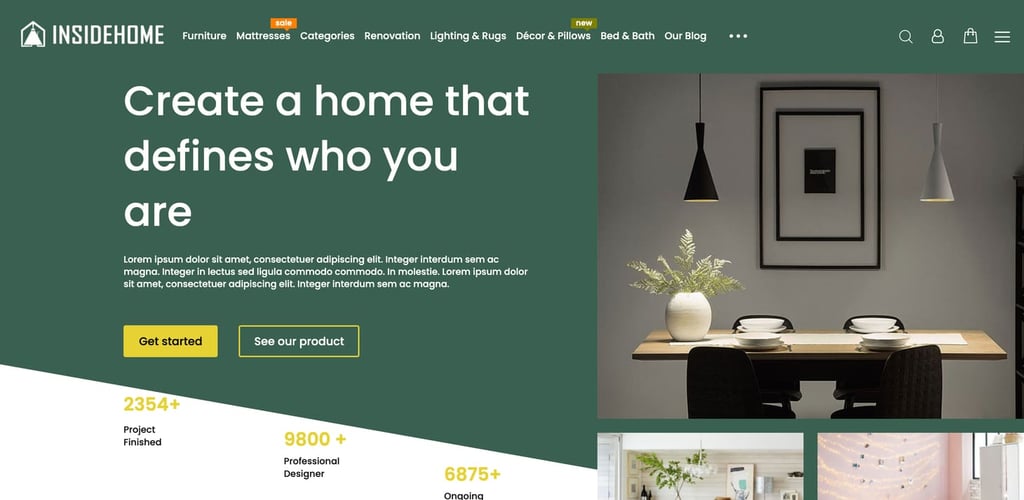
Infinit offers over 50 pre-designed layouts that perfectly suit home decor businesses. It has a built-in visual page builder and a drag-and-drop menu builder to help you design a store that looks professional and functions without coding.
You can also create a blog to publish SEO-friendly articles that drive organic traffic to your store. With features like category filters, a search bar, and sidebar widgets, you can share valuable content that boosts engagement and attracts potential customers.
Key features
- Shipping Cost Estimation Box: Display estimated shipping costs directly on product and checkout pages for price transparency.
- Filter & Sort by Rating: Allow customers to find top-rated products through filters.
Verdict
Infinit is an excellent choice for home decor stores. Its standout visual page builder simplifies customization, while 50+ pre-designed layouts and advanced tools help you create a visually appealing and functional eCommerce experience.
14. Cenia PWA theme by CedCommerce
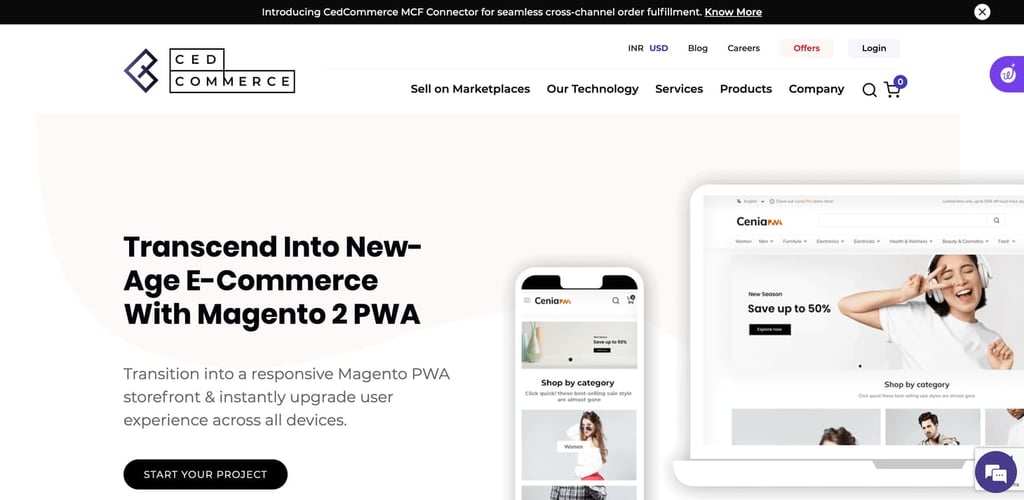
Magento PWA themes are built for speed, mobile optimization, and a seamless app-like browsing experience, for increased user satisfaction.
Cenia PWA offers a fast, app-like experience with intuitive search filters from Magento PWA Studio for smooth navigation and fast loading. Its unique offline functionality improves accessibility as customers can browse products without an internet connection.
Engage customers with push notifications and promotions while providing an intuitive interface. The theme is easy to install and has an SEO-friendly structure to boost search visibility and drive organic traffic. Cenia PWA combines speed, usability, and engagement to elevate your Magento store.
Key features
- Mini cart: Showcase the mini cart icon to let customers quickly access their carts without scrolling up the page.
- Product share options: Enable easy sharing of products across social platforms so your customers feel more engaged.
Verdict
Choose Cenia PWA for its offline functionality. It lets customers browse products without internet connectivity, which is convenient for users in areas with limited internet access or for those who prefer shopping on the go.
15. TigrenPWA
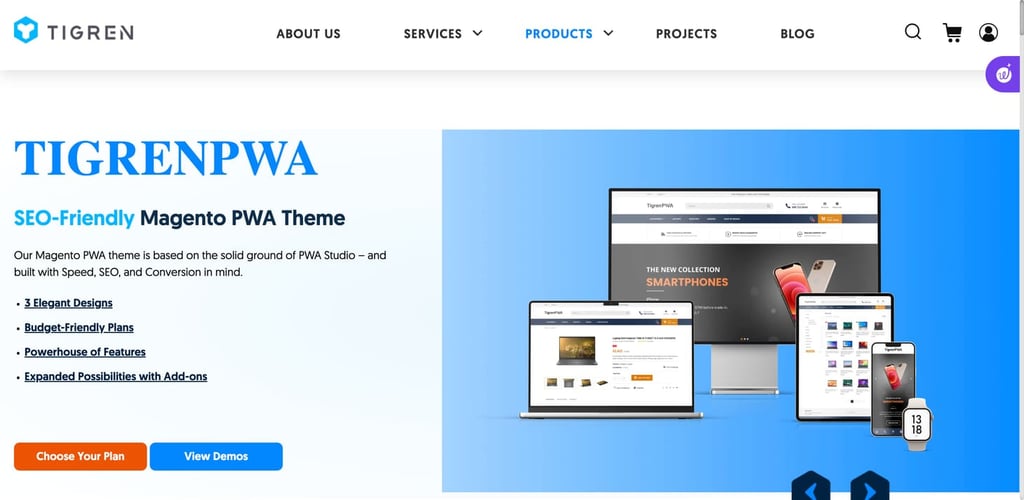
TigrenPWA is an SEO-friendly Magento PWA theme with three elegant pre-made designs that are perfect for fashion and technology stores. All three À la mode, Elegance, and I.one are crafted to boost user engagement and conversions.
Tigren’s built-in features, such as one-step checkout, improved layered navigation, Shop by Brand, Banner Manager, and Product Labels, provide an app-like experience without additional extensions. To enhance customer support, you can also integrate a live chat.
Key features
- Built-in Fastly CDN: Improve your site speed and performance with efficient content delivery – no need to purchase third-party CDN.
- TigrenPWA Marketplace: Explore extensions that work perfectly with the TigrenPWA theme to enhance your eCommerce website.
Verdict
TigrenPWA’s pre-made layouts are designed for conversions. These layouts prioritize user-friendliness with impactful homepage blocks like New Arrivals, Best Sellers, and Today’s Deals, strategically crafted to drive high conversion rates.
How to install and customize a Magento 2 theme
Magento is known to be technical, so you might think coding is needed to install and customize a Magento 2 theme. But with the Hostinger’s Magento hosting, that’s not necessary. Follow these steps to install and customize a Magento 2 theme easily:
1. Install Magento
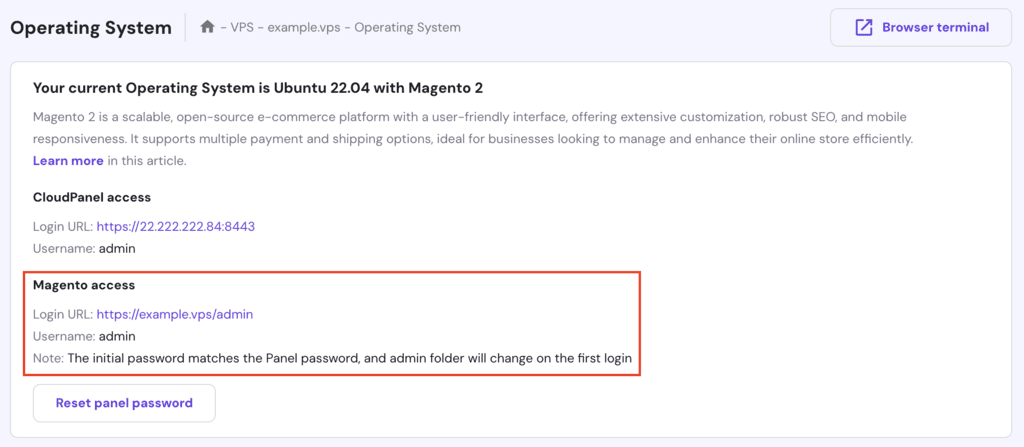
With Hostinger’s Magento hosting, you can use our VPS template to install Magento automatically. Just log in to your Hostinger account, go to VPS, and change your Operating System.
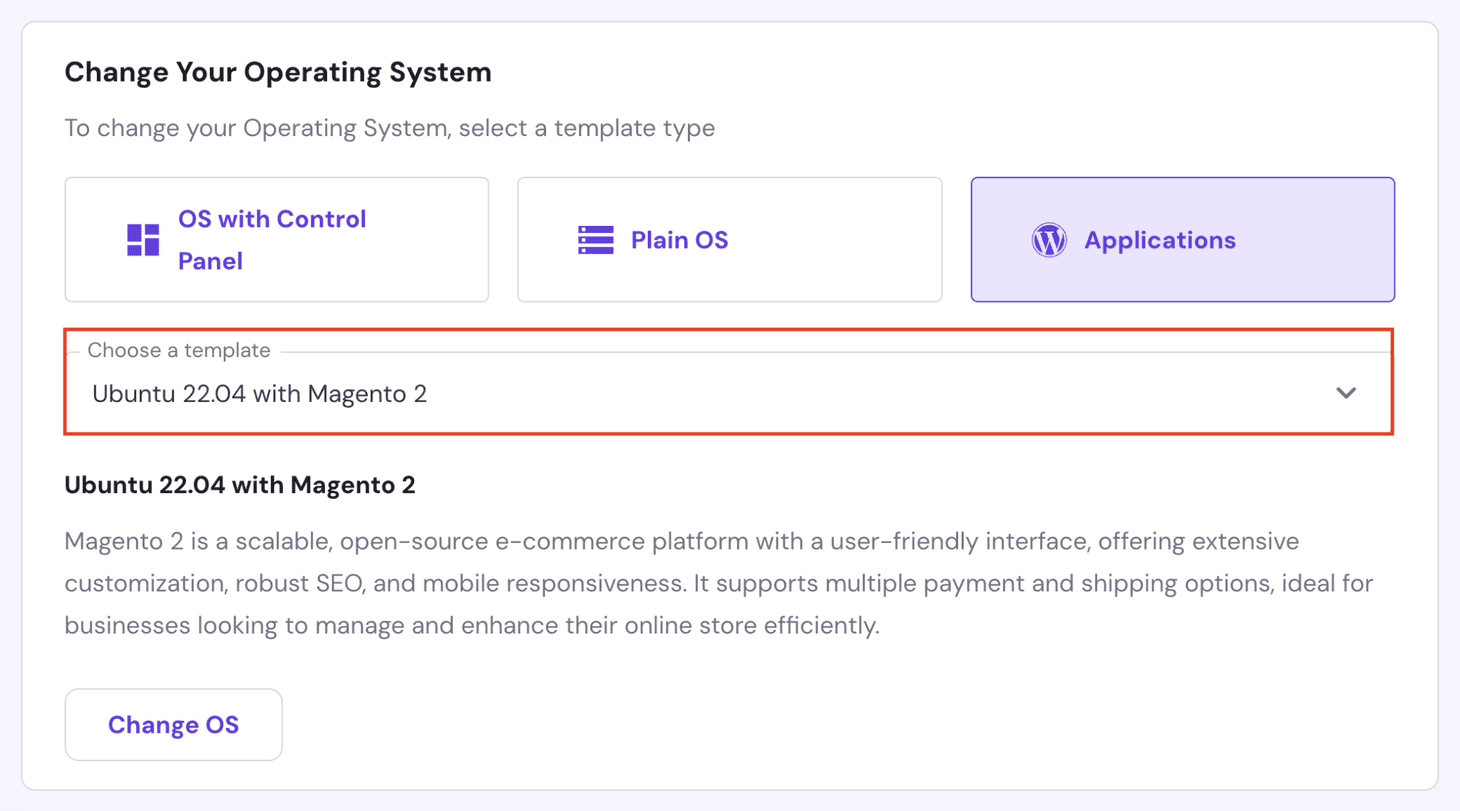
Once Magento is installed, use your Magento access URL to log into your Magento dashboard.
2. Install your Magento theme
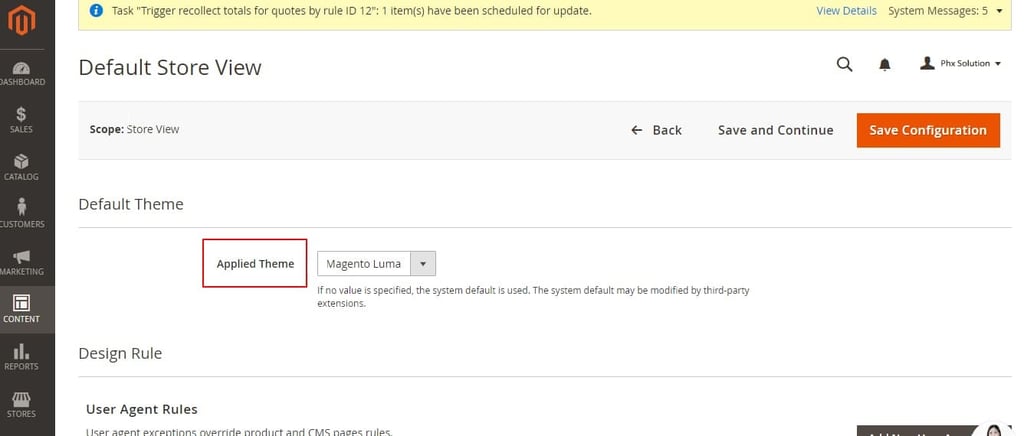
After you’ve purchased the theme, download the .zip file and upload it to your FTP folder. Then, navigate to your Magento dashboard and go to Content → Design → Configuration. Choose the store view you want to modify and click Edit.
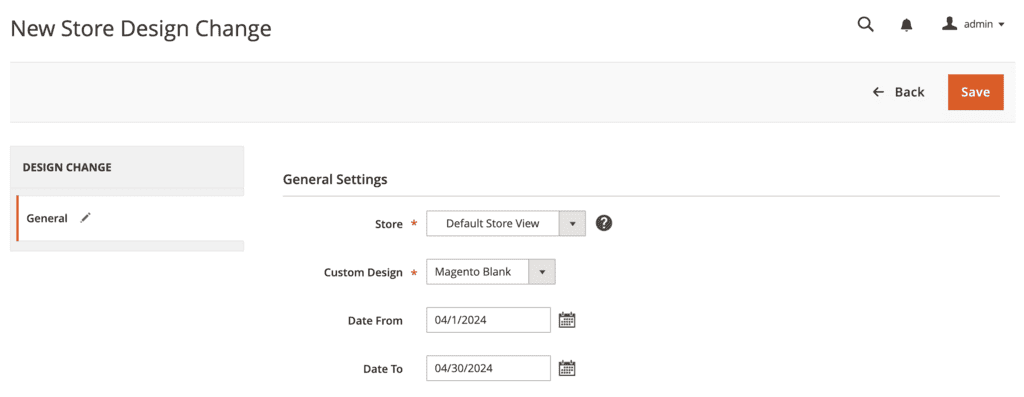
Select your new theme from the Applied Theme dropdown and save.
3. Customize your Magento theme
Use the Admin Panel to modify layouts, colors, and fonts for branding. Upload your site logo under the Header section.
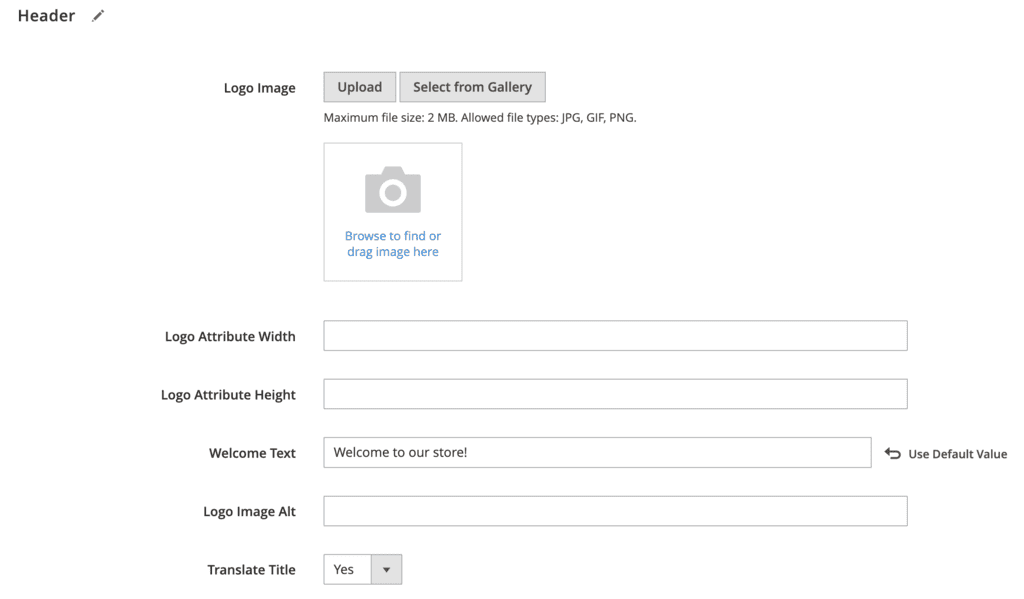
Similarly, adjust footers, widgets, and edit blocks for personalized content. Add products, create categories, and enable other functionality. For step-by-step customization, follow our detailed Magento 2 tutorial for beginners.
4. Add extensions to enhance your store’s functionality
Installing extensions is a great way to expand your store’s functionality and improve operations. With the right tools, you can offer a smoother shopping experience and manage your store more efficiently.
Here are our top recommended Magento eCommerce extensions:
- Advanced MSI: Allows merchants to manage inventory across multiple warehouses to optimize stock distribution and reduce delivery costs through smart warehouse selection algorithms.
- B2B E-commerce Premium Solution: Offers features tailored for B2B markets, including multi-account company structures, customized pricing, and streamlined bulk ordering.
- Gorgias Helpdesk: Integrates customer support into your Magento store, centralizing communications and displaying customer profiles, orders, shipments, and credit memos alongside support tickets for efficient service management.
Installing extensions is fun. However, too many can slow down your site and impact performance. So, focus on adding only relevant ones so you don’t compromise speed or user experience.
Conclusion
A suitable Magento 2 theme can really improve your eCommerce store, so choose carefully. Make sure it aligns with your brand, enhances functionality, and supports your business goals.
To find such a theme, consider your website’s specific needs, explore the listed options, and evaluate which theme best fits your requirements to set your eCommerce store on the path to long-term success.
Best Magento themes FAQ
What is a Magento theme?
A Magento theme is a collection of files, like layouts, templates, styles, and images, that define the visual appearance and user interface of your Magento eCommerce store. It helps you customize your storefront’s design and functionality to reflect your brand identity and enhance user experience.
Why should you use Magento themes?
If you’re new to eCommerce, Magento themes are a great way to customize your store’s look and functionality to match your brand without touching code. These themes come with essential features and mobile-friendly designs, making creating a professional and user-friendly shopping experience easy.
How to choose the best theme for my Magento store?
To select the best theme for your Magento store, make sure your theme follows this criteria:
– It’s compatible with your Magento version.
– It offers a responsive, mobile-friendly design.
– It is easy to customize.
– It has SEO-friendly features and is optimized for speed.
– It comes with reliable customer support.
Reading user reviews can also provide valuable insights into the theme’s performance, usability, and customer support quality.
Can I switch themes after launching my Magento 2 store?
Yes, you can switch themes after launching your Magento 2 store. Go to your Magento’s Admin Panel and Content → Design → Configuration. Select the store view and choose the new theme from the Applied Theme dropdown. After saving the configuration, clear the cache to apply the changes.
This article is a localized version of 15 best Magento themes to customize your eCommerce store, originally published in English.

Ekta Swarnkar is a content writer and strategist for B2B SaaS and marketing brands. She's helped various companies grow their visibility, authority, and revenue with long-form, actionable content. Connect with her on LinkedIn.

Comments
0 responses