Hermes Agent vs. OpenClaw: Key differences compared
Sep 15, 2026
/
By Alma
/
13 min Read

Hermes Agent and OpenClaw are AI agents available as managed services or self-hosted software on your own infrastructure. Both can run continuously and handle multi-step tasks, but they are designed for different workflows.
Hermes Agent focuses on repeated work. It learns from completed tasks and turns successful processes into reusable skills, helping it improve when you run similar workflows over time.
OpenClaw focuses on accessibility and integrations. It connects one personal AI assistant to more than 20 chat apps and supports a larger ecosystem of community plugins.
The main difference between Hermes Agent and OpenClaw is how they deliver value. Hermes is better suited to recurring workflows that benefit from learning and reuse. OpenClaw is easier to reach through the apps you already use and generally requires less initial configuration when self-hosted. With managed hosting, both agents avoid most manual server setup.
Choose OpenClaw if you want a personal assistant that works across many messaging platforms. Choose Hermes Agent if you want an agent that can refine repeated workflows and build reusable skills over time.
Advantages of Hermes Agent over OpenClaw
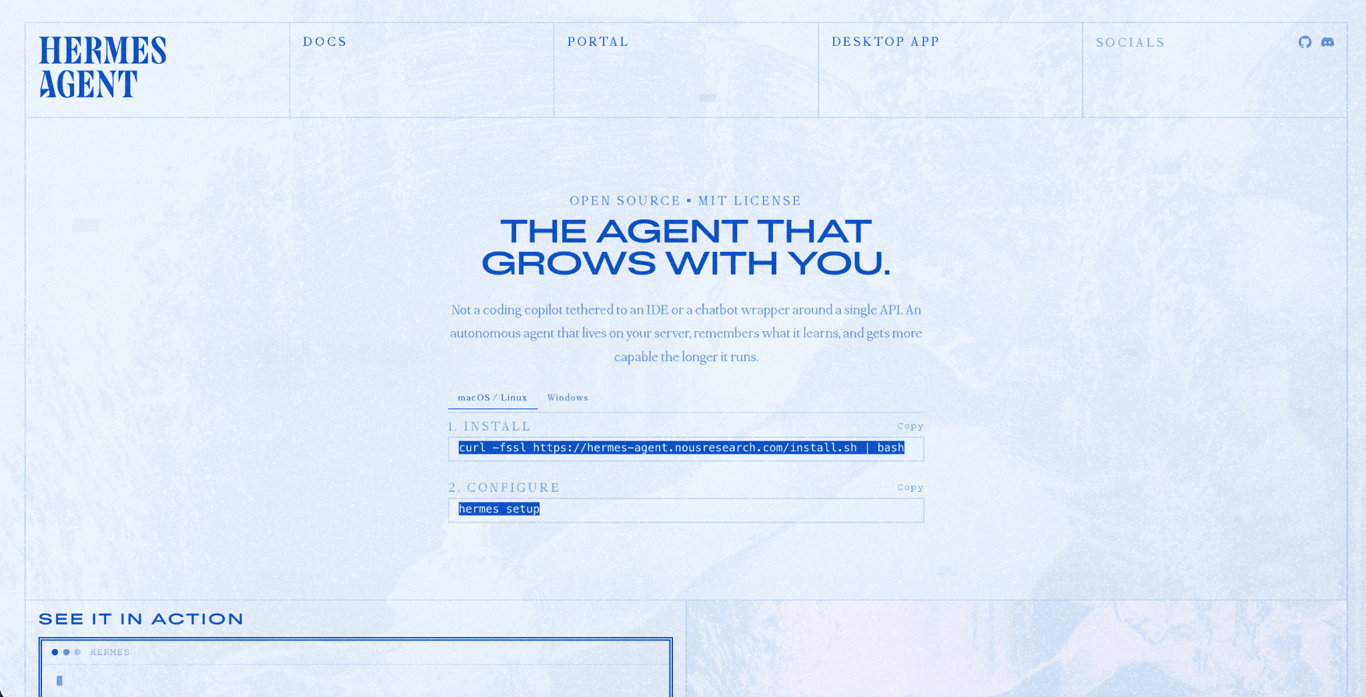
The biggest advantages of Hermes Agent come from one design choice: it learns from repeated work. As it completes tasks, it turns useful patterns into reusable skills and continues to improve them over time.
This helps most with common Hermes Agent use cases, such as scheduled workflows, browser automation, and repetitive code tasks.
Here are six ways Hermes Agent stands out from OpenClaw:
- It creates reusable skills from completed work. Hermes can save useful methods from successful tasks as skills that it can load during similar workflows. OpenClaw relies more heavily on installed community skills and plugins rather than building a skill library from your own task history.
- It maintains its skill library over time. The Curator tracks how often skills are viewed, used, and updated. It can mark inactive skills as stale and archive them so the library doesn’t fill up with unused instructions. Optional consolidation can also merge or revise overlapping agent-created skills.
- It gives you more control over where commands run. Hermes Agent supports six execution backends: local, Docker, SSH, Modal, Daytona, and Singularity. You can run commands directly on your infrastructure or use an isolated container or cloud environment, depending on the task.
- It includes multiple security layers. Hermes checks commands for dangerous patterns, requires approval for uncertain or high-risk actions, and blocks certain destructive commands entirely. Container backends can provide stronger isolation, but you must select and configure one if you don’t want commands to run directly on the host.
- It separates the agent from its messaging gateway. Hermes can run from the CLI, be scheduled, or connect to messaging platforms. This makes it suitable for background workflows where chat is only one way to submit tasks.
- Browser automation is built in. Hermes includes tools for navigating websites, completing forms, extracting information, and testing web interfaces. You can connect a local browser or use cloud providers such as Browserbase, Browser Use, or Firecrawl.
Disadvantages of Hermes Agent over OpenClaw
Hermes Agent’s learning system and execution options provide more control, but they also require more configuration and oversight than OpenClaw’s messaging-first approach. Most infrastructure-related drawbacks apply to self-hosting, as managed hosting removes much of the server administration for both agents.
- More self-hosted setup decisions. Hermes asks you to choose an execution backend, a model provider, a memory configuration, and a messaging setup. OpenClaw’s gateway-first design provides a more direct path when your main goal is connecting an assistant to chat apps.
- The learning system requires review. Hermes can create and update skills based on completed work. The Curator tracks their usage and can archive inactive skills, while optional consolidation can patch or merge them. Review important skills before using them in sensitive or production workflows.
- Its main advantage depends on repeated work. Hermes provides the most value when similar tasks recur, and the agent can reuse what it has learned. For varied or one-off requests, its skill-building system may offer less benefit.
- Advanced configurations can be harder to troubleshoot. Multiple execution backends, memory providers, models, and tool integrations give you flexibility, but also create more places for configuration errors.
- Messaging is not its primary design focus. Hermes supports messaging platforms but treats them as a single way to submit work. OpenClaw is built around a central gateway and may feel more natural when most interactions happen through chat apps.
- OpenClaw has a more established extension workflow. ClawHub provides a central registry for discovering, installing, and updating OpenClaw skills and plugins. Hermes also supports imported and custom skills, but users may need to spend more time choosing and adapting them for specific workflows.
Managed Hermes Agent reduces the setup and maintenance burden, but it doesn’t remove the need to configure models, tools, permissions, and workflows. OpenClaw remains the stronger choice when messaging access and ready-made extensions matter more than learning from repeated tasks.
Advantages of OpenClaw over Hermes Agent
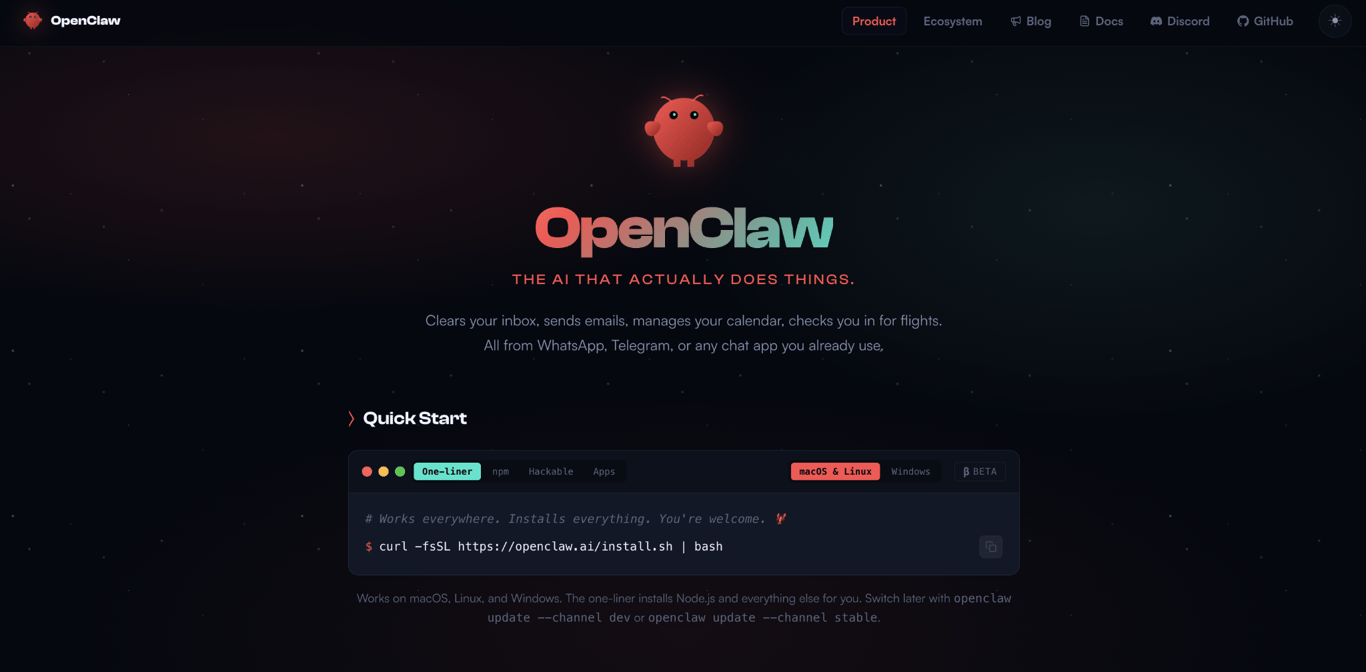
OpenClaw’s biggest advantage is reach. It connects to more apps, has a larger extension ecosystem, and generally requires fewer initial decisions when self-hosted than Hermes Agent.
That makes OpenClaw the stronger choice when you want a usable assistant quickly, especially if messaging support and ready-made integrations matter more than long-term task learning.
- It has a larger ecosystem. OpenClaw has a more established community and a public registry for skills and plugins through ClawHub. This gives you a better chance of finding an existing integration instead of building one yourself.
- It connects to more communication channels. OpenClaw supports a broad range of personal and workplace platforms, including WhatsApp, iMessage, Signal, Slack, Microsoft Teams, Matrix, and Telegram. Messages route through one gateway, letting you use the same assistant across multiple channels.
- Its self-hosted setup is more direct. OpenClaw provides guided onboarding to select a model, configure its gateway, and connect communication channels. Hermes Agent exposes more initial choices around execution backends, memory, and supporting models, which can take longer to configure.
- It can run several agents at once. Each agent can have its own chat app, identity, personality, and workspace. A single installation can run a support bot, a research bot, and an operations bot side by side. These are some of the most practical OpenClaw use cases for teams that want one setup to handle different types of work.
- It supports voice and visual interfaces. OpenClaw provides voice interaction through its macOS, iPhone, and Android apps. Its platform apps can also expose visual Canvas experiences and device capabilities, making it suitable for users who want a more interactive daily assistant.
- It has a simpler messaging-first configuration. OpenClaw’s setup centers on connecting a model and communication channels to its gateway. This can feel more direct than configuring Hermes Agent’s execution backends, memory options, and learning system when self-hosting either application.
Disadvantages of OpenClaw over Hermes Agent
OpenClaw’s broad ecosystem gives you more integrations, but it can also require more oversight. The more channels, plugins, and agents you add, the more components you need to configure, secure, and maintain.
- It doesn’t create procedural skills from completed tasks. OpenClaw can retain information across conversations and use custom skills, but it doesn’t have Hermes Agent’s built-in reflective loop for turning successful workflows into reusable procedures.
- Third-party extensions require careful review. ClawHub gives OpenClaw a larger ecosystem, but installed skills and plugins may request access to files, accounts, credentials, or external services. ClawHub provides security audits and risk information, but these checks can’t guarantee that every extension is safe.
- Plugin maintenance can become complex. OpenClaw plugins, channel integrations, and the main application may need compatible versions. Updates to OpenClaw or an external service can require configuration changes or troubleshooting, particularly in larger self-hosted setups.
- Its gateway is a central dependency. Connected channels route through one always-on gateway. If it stops running or its configuration breaks, the assistant may become unavailable across several messaging platforms at once.
- Larger setups use more resources. Running several agents, channels, and plugins can increase memory use and make logs or configuration problems harder to diagnose. The impact depends on the extensions and workloads you enable.
For self-hosted OpenClaw, keep the gateway updated, limit its access to files and credentials, and review every ClawHub extension before installing it. Managed OpenClaw reduces the server maintenance involved, but you still need to control plugin permissions, integrations, and autonomous actions.
These trade-offs reflect OpenClaw’s focus on messaging reach and extension breadth. Hermes Agent is generally better suited to repeated workflows that benefit from creating and maintaining reusable skills.
Which AI agent has a better architecture: Hermes Agent or OpenClaw?
Neither architecture is better outright. Hermes Agent and OpenClaw are built around different starting points:
Hermes Agent is agent-first. Its architecture centers on an autonomous worker that plans tasks, executes tools through configurable backends, stores what it learns, and creates reusable skills.
OpenClaw is gateway-first. Its central gateway connects messaging apps, clients, AI models, and tools, making chat access the main entry point for the assistant.
Here’s how they compare:
| Architecture point | Hermes Agent | OpenClaw |
|---|---|---|
| Main design | Agent-first runtime | Gateway-first assistant |
| Primary entry point | CLI and agent runtime | Always-on gateway |
| Messaging | Supported but not required | Central to the architecture |
| Command execution | Local, Docker, SSH, Modal, Daytona, or Singularity | Gateway host or optional Docker, SSH, and OpenShell sandboxes |
OpenClaw runs through a long-lived gateway that owns its channels, sessions, authentication, and state. Communication apps connect through channel adapters, but the gateway remains the central hub.d Telegram connects through their own adapters, but everything still runs through the same central hub.
Hermes Agent centers on the agent runtime rather than its messaging layer. You can use it through the CLI, scheduled jobs, a messaging gateway, desktop apps, or IDE integrations. Its six execution backends also let you choose whether commands run locally, remotely, in a container, or through a serverless service.
The better choice depends on what you want running most of the time. Choose OpenClaw if you want an assistant you can message from different apps. Choose Hermes Agent if you want a background worker that runs tasks and improves over time.
Which one is easier to set up: Hermes Agent or OpenClaw?
Managed Hermes Agent and Managed OpenClaw are similarly easy to set up because Hostinger handles the server deployment and ongoing infrastructure maintenance. When self-hosting, OpenClaw generally has a more direct initial setup, while Hermes Agent provides more configuration options.
The process for setting up OpenClaw centers on deploying the application, selecting an AI provider, and connecting communication channels to its gateway. Its messaging-first architecture means you can start using the assistant without having to make many decisions about execution or memory.
When setting up Hermes Agent, you may also choose an execution backend, configure primary and auxiliary models, select toolsets, and adjust memory or skill settings. This requires more initial configuration but gives you greater control over how the agent runs and learns from repeated work.
Want to see how the setup actually works? This video walks through deploying Hermes Agent on a Hostinger VPS in just a few minutes, plus a practical cost breakdown:


Choose a managed version of either agent if you want to avoid server administration. For self-hosting, choose OpenClaw for a simpler messaging-focused setup or Hermes Agent when the additional control over execution, memory, and skills is worth the extra configuration.
Which has a better skills system: Hermes Agent or OpenClaw?
Hermes Agent has the stronger skills system for automatically learning from repeated work. OpenClaw offers a broader ecosystem and more user control over skill creation.
Hermes Agent can turn successful multi-step workflows into reusable skills. After solving a complex task, it may offer to save the process so it can load the same instructions when a similar request appears.
The Curator maintains agent-created skills over time. It tracks how often they are viewed, used, and updated, archives inactive skills, and can propose patches or consolidations when skills overlap or become outdated.
OpenClaw also supports custom and agent-suggested skills. Its Skill Workshop detects instructions such as “next time” or corrections to previous work, then offers to turn the workflow into a skill. The user reviews and approves the proposal before it is added.
OpenClaw also provides ClawHub, a public registry for discovering and installing community-built skills and plugins. This gives it broader ready-made coverage when you need common integrations or capabilities quickly.
Choose Hermes Agent when you want the agent to build and maintain procedural knowledge from repeated work. Choose OpenClaw when you want a larger public ecosystem and more control over which suggested workflows become permanent skills.
Which has better messaging integrations: Hermes Agent or OpenClaw?
OpenClaw is the better choice if you want a messaging-first AI assistant. Hermes Agent supports many of the same communication platforms, but messaging is one of several ways to interact with its agent runtime.
The difference is architectural. OpenClaw routes communication channels through its central gateway, making it well-suited to users who want to reach the same assistant across multiple apps. Hermes also uses a messaging gateway, but combines it with CLI access, scheduled jobs, background sessions, and other automation triggers.
Both agents support a broad and growing range of platforms:
| Category | OpenClaw | Hermes Agent |
|---|---|---|
| Mainstream messaging | WhatsApp, Telegram, Signal, iMessage, LINE, WeChat, QQ, Zalo | WhatsApp, Telegram, Signal, iMessage through BlueBubbles, LINE, Weixin, QQ, Yuanbao |
| Team and community chat | Slack, Discord, Microsoft Teams, Google Chat, Mattermost, Feishu, Matrix, Nextcloud Talk | Slack, Discord, Microsoft Teams, Google Chat, Mattermost, Feishu, Matrix, DingTalk, WeCom |
| Other communication options | IRC, Nostr, Synology Chat, Tlon, Twitch, SMS, WebChat, and voice calls | Email, SMS, Home Assistant, ntfy, IRC, Buzz, browser chat, and webhooks |
The exact number of supported platforms changes as new adapters and plugins are added. OpenClaw currently offers the broader channel ecosystem, including more community and specialist integrations. Hermes covers most widely used messaging and workplace platforms while also supporting inputs such as email, webhooks, scheduled tasks, and the CLI.
Choose OpenClaw if you want to use one assistant across several chat apps or route different channels to agents with separate roles. For example, one setup could provide a personal assistant through iMessage, a support agent in Slack, and a research agent in Discord.
Choose Hermes Agent when messaging is one entry point into a broader automation workflow. You might submit a request through Slack, then let Hermes process files, run tools, schedule follow-up work, and deliver the result later.
OpenClaw is stronger for communication reach and multi-channel access. Hermes Agent is better suited to workflows where messages trigger longer-running tasks and reusable automation.
Which is more secure and reliable: Hermes Agent or OpenClaw?
Neither Hermes Agent nor OpenClaw has a clearly better security and reliability track record. Hermes provides more built-in command safeguards, while OpenClaw’s broader plugin and messaging ecosystem creates more components to review and maintain.
Hermes Agent uses several layers to reduce the risk of unsafe actions. Its smart approval mode evaluates potentially dangerous commands, blocks certain destructive operations, and asks for confirmation when the risk is unclear. It also supports file write restrictions, user allowlists, prompt injection scanning, and Tirith command scanning.
However, Hermes doesn’t isolate every command by default. Its local backend runs commands directly on the host, while Docker and cloud execution backends provide stronger separation. Filesystem checkpoints and rollback must also be enabled manually. Using container isolation, restricted credentials, and gateway allowlists are therefore important parts of hardening a Hermes Agent deployment.
OpenClaw’s main security consideration is its gateway and extension ecosystem. Skills and plugins may access files, accounts, external services, and other sensitive resources, depending on their permissions. ClawHub scans published extensions and displays security findings, but users should still review each one before installing it.
OpenClaw also supports command approvals, tool policies, security audits, and sandboxed execution. Its sandbox is disabled by default, so self-hosted users need to enable it and restrict the gateway’s access. Limiting exposed ports, reviewing plugins, and applying least-privilege access are among the most important steps for protecting an OpenClaw installation.
Both projects have had publicly disclosed security issues, so the number of known vulnerabilities alone doesn’t show which agent is safer. Project age, adoption, security research, and disclosure practices all affect how many issues are found and reported.
Hermes has an additional reliability consideration around agent-created skills. Its Curator can archive inactive skills and, when optional consolidation features are enabled, revise or merge overlapping ones. Review important skills before using them in production or other high-impact workflows.
Managed hosting reduces infrastructure maintenance for both agents, but it doesn’t remove application-level risks. You still need to control tool permissions, protect credentials, review installed extensions, and approve sensitive actions.
Choose Hermes Agent if you prefer its command controls, configurable execution backends, and skill-learning system. Choose OpenClaw if messaging reach and ready-made extensions matter more, but be prepared to audit the plugins and channels you add. Whichever agent you choose, use isolated execution, apply least-privilege access, and keep the application updated.
How can you run Hermes Agent and OpenClaw on Hostinger?
You can run both Hermes Agent and OpenClaw as fully managed applications or deploy them on a Hostinger VPS. The best option depends on whether you prioritize easier maintenance or greater control over the server and agent configuration.
For the simplest setup, Hostinger offers Managed Hermes Agent and OpenClaw under one subscription. You pay the same price regardless of which agent you use and can switch between them from Hostinger dashboard without purchasing another plan. Hostinger handles the server configuration, updates, backups, and security, while you select an AI provider and connect a messaging channel to configure the agent. However, settings and conversation history don’t transfer automatically when you switch applications.
A VPS is better suited to users who want root access and direct control over models, tools, memory, plugins, execution backends, and server resources. Hostinger provides preconfigured application templates, so you can self-host Hermes Agent with a ready-made VPS setup or deploy OpenClaw on your own server without manually installing Docker.
Both VPS options include Docker Manager, access to container logs, one-click application updates, and automatic weekly backups. Hostinger Agent VPS Terminal Edition can also help you run commands, inspect logs, deploy applications, and troubleshoot problems from the terminal.
Choose a managed application when you want to avoid server administration. Choose a VPS for either agent when you need root access, custom infrastructure settings, or more control over how the application runs.
What are the alternatives to Hermes Agent and OpenClaw?
There are several Hermes Agent and OpenClaw alternatives, but they don’t all solve the same problem. Some provide another general-purpose agent, while others focus on coding, local model hosting, security, or workflow automation.
- Agent Zero is a good fit if you want a general-purpose AI worker with its own Linux environment. It can work with code, files, browser tools, terminal commands, and desktop applications inside a container, making it closer to Hermes Agent’s worker model than OpenClaw’s messaging-first approach.
- NVIDIA NemoClaw adds hardened sandboxing, inference routing, and network and filesystem policies to supported AI agents, including OpenClaw. It suits users who want tighter controls over where agents run and what resources they can access. NemoClaw supports cloud, on-premises, RTX PC, and DGX Spark environments.
- Claude Code, Cursor, and Codex are better choices when your main goal is software development. They can explore repositories, edit code, run tests, and assist with developer workflows, but they aren’t direct replacements for persistent general-purpose agents that handle messaging and scheduled tasks.
- Ollama is useful when you want to run AI models locally. It supports model families such as Llama, Mistral, Gemma, and DeepSeek and can provide local inference for agent tools when you want more control over where model processing occurs.
- n8n with AI nodes is better suited to structured workflow automation than a personal AI assistant. It works well for moving data between apps, creating reports, sending alerts, and running actions based on schedules or other triggers.
When to use Hermes Agent vs. OpenClaw?
Use this table to match each agent to the way you plan to work:
| If this sounds like you | Go with |
|---|---|
| You run the same task types often, such as code reviews, weekly reports, or deployments | Hermes Agent, because it can turn successful workflows into reusable skills |
| You want one assistant you can reach from many messaging platforms | OpenClaw, because its gateway and extension ecosystem support a broader range of communication channels |
| You want more control over where commands run | Hermes Agent, because it supports local, containerised, remote, and serverless execution backends |
| You want the simplest managed setup | Either, because Managed Hermes Agent and OpenClaw are available under the same Hostinger subscription |
| You want a more direct self-hosted setup centred on messaging | OpenClaw, because its onboarding focuses on connecting a model and communication channels |
| You need several agents with separate roles, workspaces, and channel accounts | OpenClaw, because one gateway can run and route messages to multiple isolated agents |
| You want a self-hosted environment that can hibernate while idle | Hermes Agent, because its Daytona and Modal backends can help lower Hermes Agent’s idle running costs |
| You have separate messaging-heavy and learning-heavy workflows | Both, using OpenClaw and Hermes Agent as separate agents for the tasks each handles best |
Choose Hermes Agent when your work repeats and you want the agent to build reusable procedures over time. Choose OpenClaw when messaging reach, multi-agent routing, and ready-made extensions matter more. With managed hosting available for both, the decision should depend mainly on your workflows rather than how much server setup you want to handle.
What is the main difference between Hermes Agent and OpenClaw?
The main difference between Hermes Agent and OpenClaw is what each tool prioritizes.
Hermes Agent is an agent-first runtime that turns completed work into reusable skills and maintains them over time.
OpenClaw is a gateway-first platform that connects AI agents to a broad range of messaging channels, tools, and plugins.
Choose Hermes Agent when you want a worker that learns from repeated tasks. Choose OpenClaw when you want an assistant that is easy to reach across different apps and quick to extend with ready-made integrations.
Where Hermes Agent and OpenClaw fit in the AI agent landscape
Hermes Agent and OpenClaw belong to a growing category of persistent AI agents that can complete tasks, use external tools, retain context, and remain available beyond a single chat session. Both can run on your own infrastructure or through a managed service.
The two projects are developing in different directions. OpenClaw is now maintained by the nonprofit OpenClaw Foundation after its creator, Peter Steinberger, joined OpenAI in February 2026. Hermes Agent continues to be developed by Nous Research as an open-source agent with a built-in learning loop.
OpenClaw’s development centers on messaging integrations, community extensions, and personal-assistant workflows. Hermes Agent focuses more heavily on reusable skills, configurable execution backends, and learning from completed work.
Because both agents now offer managed and self-hosted deployment options, don’t choose based only on where they run. Focus on the type of work you want the agent to handle.
Choose OpenClaw when your next step is connecting an assistant to the communication platforms your team already uses. Start with your main channel, test the workflows you need most, and add extensions only after reviewing their permissions.
Choose Hermes Agent when you want to automate recurring work. Begin with one repeatable workflow, review the skills the agent creates, and expand the setup once the results are reliable.
Start with the agent that best matches your current workload. You can reconsider the deployment method or use both agents for separate workflows as your needs change.
This article is a localized version of Hermes Agent vs. OpenClaw: Key differences compared, originally published in English.

Alma is an AI Content Editor with 9+ years of experience helping ideas take shape across SEO, marketing, and content. She loves working with words, structure, and strategy to make content both useful and enjoyable to read. Off the clock, she can be found gaming, drawing, or diving into her latest D&D adventure.