Top 13 Weebly alternatives: key features and pricing
Sep 04, 2026
/
By Ksenija
/
15 min Read
Weebly is a beginner-friendly website builder known for its drag-and-drop editor and simple setup process, and it works well for basic websites and small online stores.
However, as projects grow, users often encounter limitations in design, ecommerce depth, integrations, and long-term scalability.
When those limitations start affecting your website, choosing the right website builder for your specific needs becomes critical for growth, branding, and revenue.
A portfolio may require refined design control and template freedom. An online store needs advanced inventory systems and payment options. A content-focused site depends on structured blogging and SEO capabilities.
The right website builder should match your needs and balance features, usability, and pricing without forcing compromises.
We picked 13 Weebly alternatives that go beyond basic site building, offering greater flexibility, stronger ecommerce infrastructure, and more scalable content management system (CMS) options.
- Hostinger AI Builder. A no-code platform for building websites and web applications, with integrated hosting and AI tools, ideal for SMBs and freelancers.
- Shopify. A commerce-first platform built for scalable online retail.
- WordPress.com. A hosted CMS with powerful blogging and customization capabilities.
- Wix. A flexible drag-and-drop builder with a large template and app ecosystem.
- Squarespace. A design-focused platform with built-in marketing tools.
- Webnode. A budget-friendly builder with AI-assisted features.
- Webflow. A professional design and CMS platform offering advanced visual control.
- BigCommerce. An enterprise-grade ecommerce solution for scaling stores.
- Jimdo. A simple AI-driven builder suited for small businesses and personal sites.
- Duda. An agency-focused platform with client management and white-label tools.
- SITE123. A structured, beginner-oriented builder designed for fast setup.
- Strikingly. A one-page website builder ideal for portfolios and landing pages.
- Carrd. An ultra-lightweight and affordable one-page site builder.
1. Hostinger
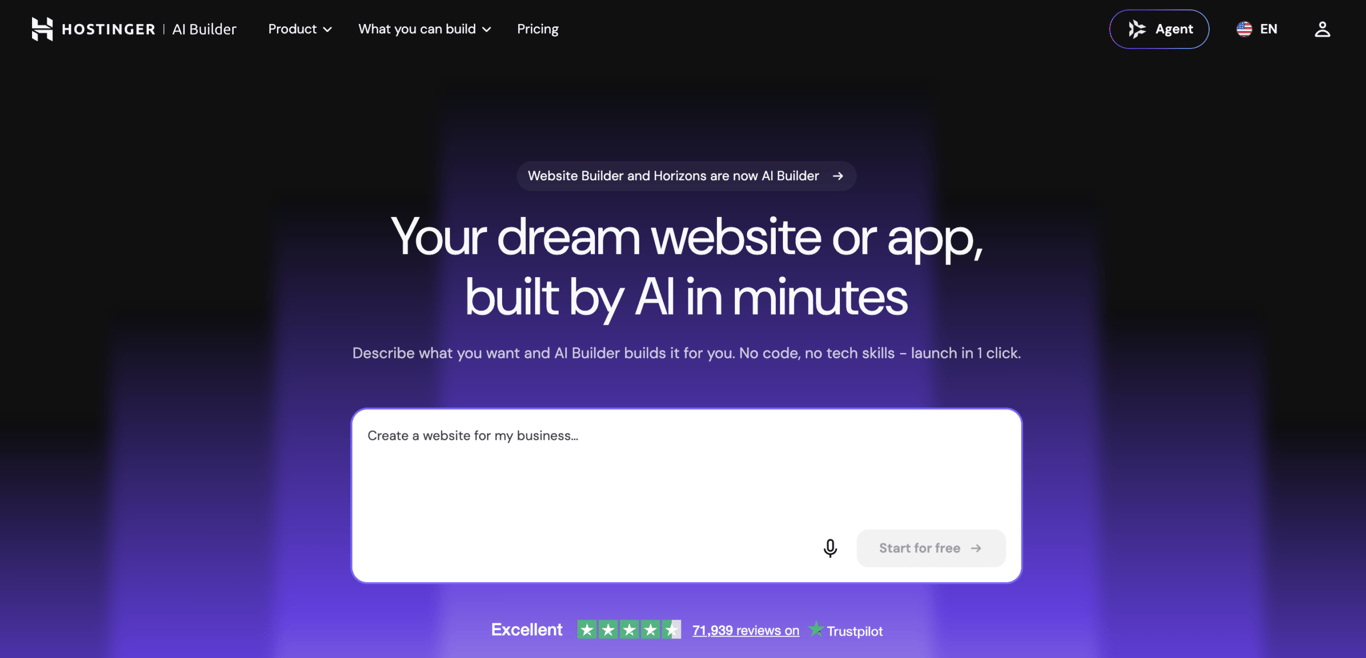
Hostinger AI Builder is a no-code platform for building websites and web applications, built for SMBs, freelancers, and small ecommerce brands that want to launch a professional site without technical complexity.
It offers two modes: Agentic mode generates functional web applications from a plain-language prompt, including back-end logic like user authentication, database storage, and custom workflows; Manual mode is a drag-and-drop editor for websites, portfolios, and online stores.
For users switching from Weebly, Manual mode covers the same drag-and-drop workflow they’re already familiar with, while Agentic mode opens up use cases Weebly can’t support — custom booking systems, client portals, and data-driven tools built through prompts alone.
Design websites with the drag-and-drop editor or customize 150+ responsive templates in minutes. Hosting is included, so you don’t need to manage separate accounts, themes, or third-party tools to get online.
Hosting, performance optimization, security, and customer support are all handled within the same infrastructure, making website management simpler and more predictable than Weebly’s approach.
Hostinger AI Builder pros
Hostinger AI Builder comes with the following advantages:
- Intuitive interface for beginners. The drag-and-drop editor keeps the learning curve low — building a website this way minimizes setup time and avoids technical confusion.
- Integrated hosting. No need to configure servers or connect external services. Built-in hosting lowers the risk of configuration errors and simplifies maintenance.
- Mobile editor for full site management. Create a website directly from your mobile device, build pages, update content, and adjust layouts on the go.
- 150+ mobile-optimized templates. Responsive templates automatically adapt to smartphones and tablets, improving usability and engagement.
- Competitive pricing. Plans start at $3.99/month (annual billing), making it accessible for freelancers, small businesses, and new projects with limited budgets.
Hostinger AI Builder cons
Consider the following limitations before choosing this platform:
- Smaller app ecosystem. The platform offers fewer third-party integrations than larger ecosystems. If your project depends heavily on niche tools, this may limit flexibility.
- Fewer advanced blogging features. It supports blogging, but lacks some of the advanced content management features found on dedicated publishing platforms.
Pricing
Hostinger AI Builder uses tiered subscription plans – Premium, Unlimited, and Cloud Startup – starting at A$ 5.79/month on a 12-month term. All plans include hosting, a free domain for the first year, an SSL certificate, and 24/7 support.
Compared to Weebly, Hostinger bundles hosting and the builder in one package from the start, making overall costs easier to estimate without separate infrastructure fees.

2. Shopify

Shopify is a leading ecommerce platform built specifically for online retail, serving businesses of all sizes, from small startups to large enterprise brands.
Compared to Weebly, which adds ecommerce as an extension of its website builder, Shopify is commerce-first. As such, it offers deeper ecommerce infrastructure and a significantly larger app marketplace for extending functionality.
Shopify pros
Shopify offers strong advantages for ecommerce-driven businesses:
- Extensive ecommerce tools. Shopify includes built-in payment gateways, inventory management systems, order tracking, shipping integrations, and POS functionality.
- Large app ecosystem. The Shopify App Store offers a wide range of third-party apps, including marketing tools, analytics platforms, dropshipping systems, and advanced automation features.
- Strong scalability. It supports businesses at different growth stages. From startup stores to enterprise-level operations, the platform handles increasing product catalogs, higher traffic volumes, and multi-channel sales without requiring migration.
Shopify cons
Shopify trade-offs to consider include:
- Complexity. The ecommerce-focused interface requires more configuration compared to Weebly’s streamlined builder.
- Additional transaction costs. Using payment providers other than Shopify Payments adds transaction fees. As your sales grow, these costs increase.
Pricing
Shopify uses the following monthly subscription tiers based on features and business scale:
- Basic. $29 per month.
- Grow. $79 per month.
- Advanced. $299 per month.
- Shopify Plus. $2,300 per month.
While Weebly keeps ecommerce pricing relatively simple, Shopify charges more in exchange for advanced retail functionality and scalability.
3. WordPress.com

WordPress.com is a hosted CMS designed for bloggers, creatives, and content-driven websites. It combines managed hosting with access to themes, plugins, and structured publishing tools within a controlled environment.
It should not be confused with WordPress.org. The difference between WordPress.com vs. WordPress.org lies mainly in hosting and control. WordPress.com includes managed hosting and handles maintenance for you, while WordPress.org requires you to arrange your own hosting and manage the technical setup.
For content-focused projects, WordPress.com offers a stronger editorial structure than Weebly. Users organize posts through categories and tags, schedule publications, and customize content presentation using themes.
Depending on the subscription tier, plugins extend functionality with SEO tools, security enhancements, performance optimization, and ecommerce support.
Where Weebly offers basic blogging tools, WordPress.com provides stronger content organization, publishing controls, and support for long-form articles.
WordPress.com pros
WordPress.com offers several advantages for content-focused websites:
- Extensive theme and plugin directory. The platform includes portfolio themes, magazine-style layouts, and business designs. Higher-tier plans allow plugin installation for SEO tools, contact forms, analytics, security features, and ecommerce extensions.
- Strong SEO and blogging tools. Built-in features include categories, tags, scheduled publishing, comment management, customizable meta titles, meta descriptions, URL slugs, and social sharing previews. These settings support structured content and improved search visibility.
- Scalability. The platform supports growth from small personal blogs to larger business websites through tiered feature expansion and customization options.
WordPress.com cons
WordPress.com limitations that affect beginners and ecommerce-focused users include:
- Steeper learning curve. The CMS structure requires more configuration and setup than simpler drag-and-drop builders. Beginners may require more time to understand themes, plugins, and content settings.
- Limited ecommerce features. Advanced ecommerce functionality is available only on higher-tier plans or with additional tools. Basic plans focus primarily on content rather than full retail operations.
Pricing
WordPress follows a freemium model with tiered paid plans:
- Personal. $4 per month.
- Premium. $8 per month.
- Business. $25 per month.
- Commerce. $45 per month.
- Enterprise. Starting at $25,000 per year.
Unlike Weebly’s straightforward pricing, WordPress.com offers features across multiple tiers, which increases flexibility but also complicates cost estimates.
4. Wix
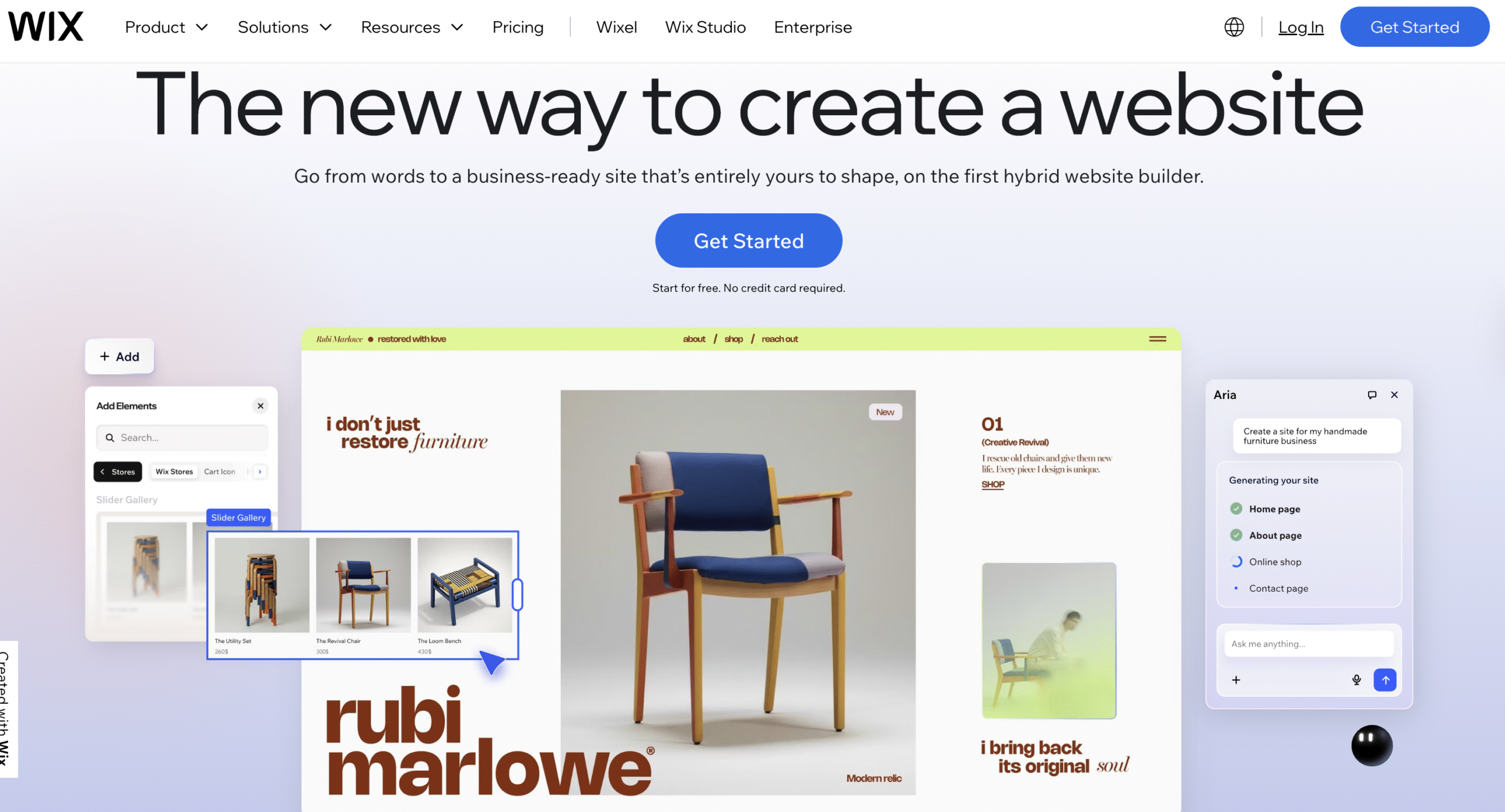
Wix is a beginner-friendly drag-and-drop website builder known for design flexibility and visual control. It is widely used for personal websites, creative portfolios, and small business projects.
The platform combines visual editing tools, a large template library, and an app marketplace within a single ecosystem.
If you want more control over your site without touching code, Wix provides more creative freedom than structured builders. You can position elements precisely, adjust layouts visually, and choose from a wide range of templates to match your brand.
Wix offers more layout options and a larger app marketplace than Weebly, making it better suited for design-focused and feature-rich projects.
Wix pros
Wix offers these advantages for users who prioritize visual control and feature expansion:
- Intuitive drag-and-drop builder. The visual editor allows direct placement and adjustment of elements, offering more layout freedom than grid-based or section-restricted editors.
- Large selection of templates and apps. Wix provides an extensive template library and a broad app market for adding marketing tools, ecommerce features, and integrations.
- Ecommerce and blogs support. Higher-tier plans support product management, online payments, order tracking, and shipping configuration. Blogging features include categories, tags, scheduled posts, and comment management for structured content publishing.
Wix cons
Wix also presents limitations that affect cost and long-term flexibility, including:
- Higher costs with premium features. Adding advanced functionality, storage, or business tools increases the monthly subscription price.
- Template flexibility limitations. After selecting and customizing a template, switching to a different template requires rebuilding the site from scratch.
Pricing
Wix offers multiple subscription tiers:
- Light. $17 per month.
- Core. $29 per month.
- Business. $39 per month.
- Business Elite. $159 per month.
Compared to Weebly, Wix offers greater design flexibility and a deeper feature set, but total costs increase as premium tools are added.
5. Squarespace
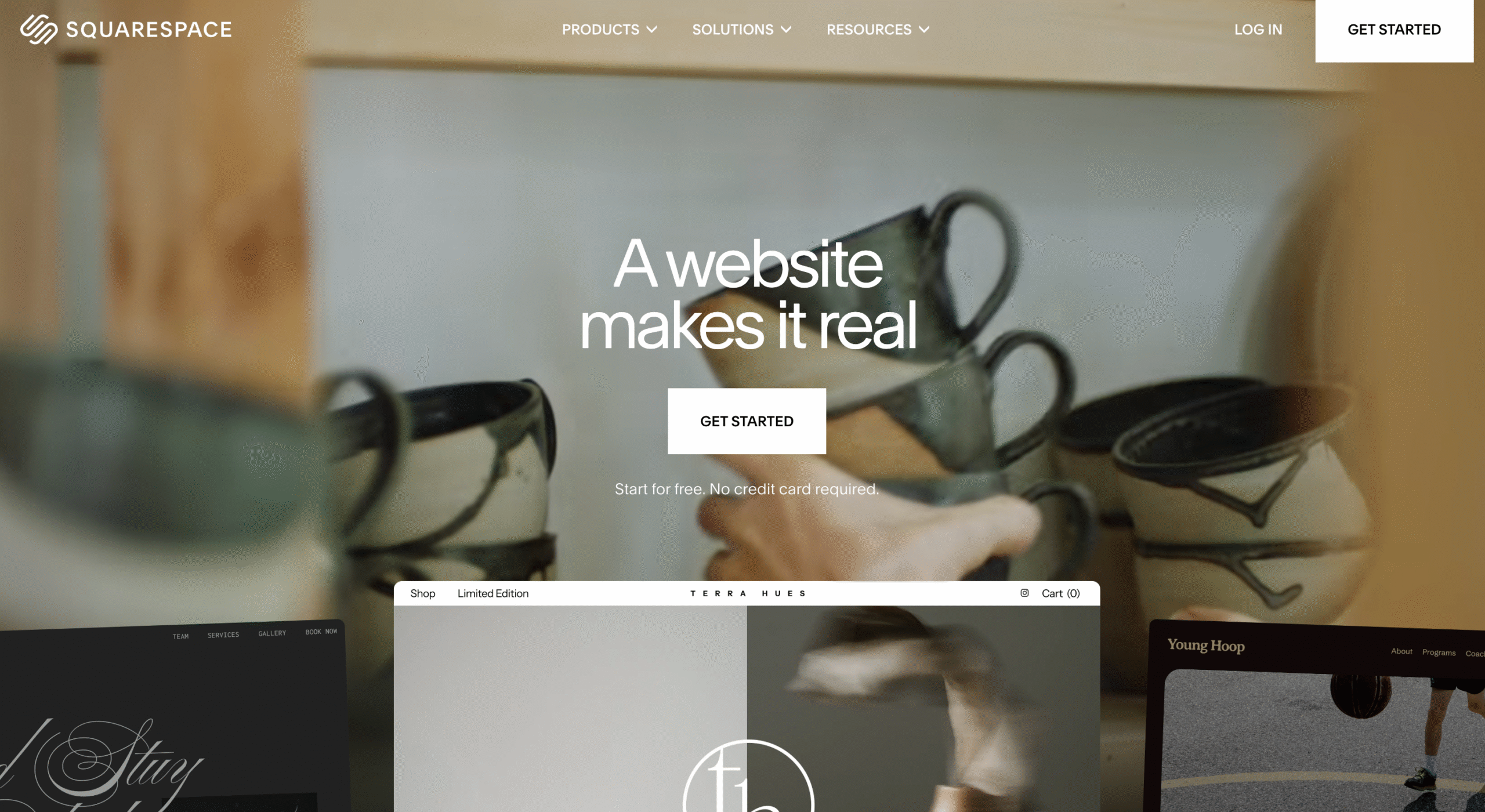
Squarespace is a premium website builder focused on design quality and integrated marketing tools. It targets creatives, small businesses, and ecommerce users who prioritize brand presence, visual identity, and polished layouts.
It offers professionally designed templates that look refined from the start, with many marketing and ecommerce features built directly into the platform, including email campaigns, SEO settings, analytics dashboards, product management tools, and integrated payment processing.
Squarespace delivers a more polished visual presentation than Weebly, with stronger design consistency out of the box.
Squarespace pros
The most prominent Squarespace’s advantages are:
- Professionally designed templates. Professionally crafted templates maintain strong visual consistency across portfolios, creative brands, and ecommerce websites.
- Built-in SEO and marketing tools. Integrated SEO controls, email campaigns, analytics dashboards, and promotional features reduce the need for external add-ons.
- Robust ecommerce capabilities. Higher-tier plans support product management, online payments, and store functionality within the same system.
Squarespace cons
Consider the following limitations:
- Less intuitive interface. The design controls and layout structure require more adjustment compared to simplified drag-and-drop builders.
- Higher starting price. Entry-level plans cost more than many beginner-focused website builders.
Pricing
Squarespace structures its pricing around ecommerce and marketing features, with plans such as:
- Basic. $19 per month.
- Core. $27 per month.
- Advanced. $36 per month.
Squarespace costs more than Weebly at the entry level, but the subscription includes refined design tools and integrated marketing features.
6. Webnode
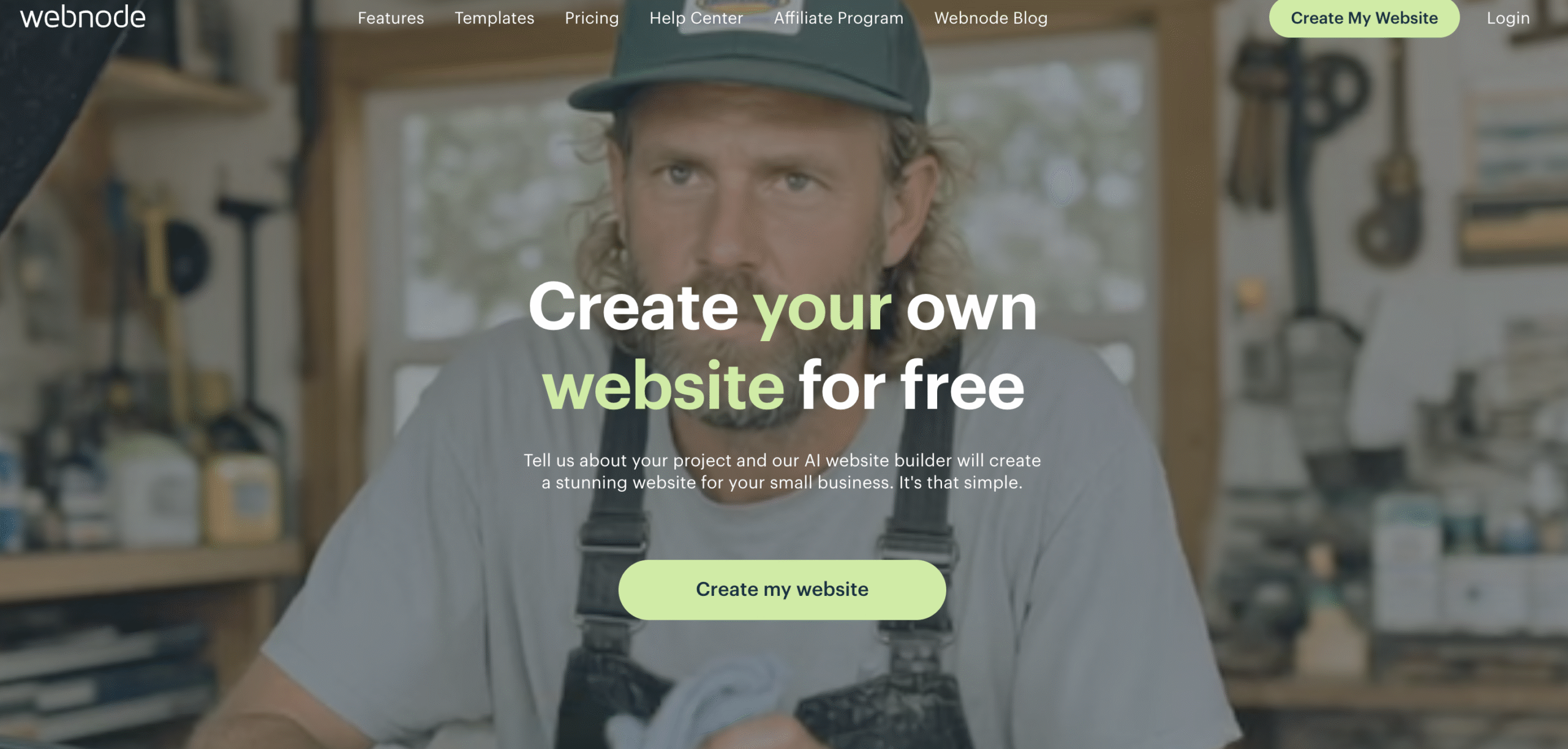
Webnode is a budget-focused website builder designed for freelancers, startups, and small businesses that need an affordable online presence. It combines simplified editing tools, multilingual website support, and essential marketing features within a lightweight platform.
Webnode gives you the essentials without unnecessary complexity. You can generate content with AI tools, track visitor behavior through heatmaps, and manage your site using a straightforward editor.
While Weebly balances design and ecommerce features, Webnode leans more heavily into affordability and essential tools.
Webnode pros
Webnode offers practical advantages for users seeking affordable website creation:
- Affordable plans with solid core features. Webnode provides essential website tools at lower price points, making it accessible for freelancers and startups.
- AI content generation and heatmaps. The platform includes AI-powered content tools and visitor tracking through heatmaps, supporting basic marketing insights.
- Easy-to-use interface. The editor keeps layout management simple, reducing setup time and technical barriers.
Webnode cons
Webnode also includes the following limitations that affect advanced users:
- Less advanced customization. Design flexibility is more limited compared to platforms offering deeper layout control and extensive third-party integrations.
- Smaller template library. The number of available templates is lower than larger competitors.
Pricing
Webnode offers clear, tiered subscription plans focused on affordability.
- Limited. $4.50 per month.
- Mini. $8.50 per month.
- Standard. $12.90 per month.
- Profi. $22.90 per month.
Webnode keeps entry costs lower than Weebly and focuses on essential features, making it attractive to budget-conscious users who want a straightforward setup.
7. Webflow
Webflow is a professional web design and CMS platform that combines visual design tools with front-end coding control. It targets designers, developers, and agencies that need highly customized websites without writing code from scratch.
The platform provides granular control over layout, spacing, animations, and interactions within a visual interface, allowing you to design complex page structures, define reusable components, and manage dynamic content through its built-in CMS.
Unlike Weebly’s simplified builder, Webflow offers far greater structural flexibility and deeper customization.
Webflow pros
Webflow offers several advantages for professional users:
- Powerful visual design and animation tools. Webflow allows detailed layout control, custom animations, and interaction design within a visual interface.
- Advanced CMS capabilities. The built-in CMS supports custom content types with structured fields, enabling efficient management of blogs, portfolios, directories, and other content-heavy websites without manually building each page.
- Exportable clean code. Users can export clean HTML, CSS, and JavaScript, which supports greater flexibility for developers and agencies.
Webflow cons
Webflow introduces complexity that may not suit beginner users, such as:
- Steeper learning curve. The platform requires familiarity with layout systems, responsive design principles, and styling hierarchies.
- Higher cost for advanced features. Full CMS functionality and advanced site capabilities increase subscription costs compared to simpler builders.
Pricing
Webflow offers tiered plans based on project complexity:
- Basic. $14 per month.
- CMS. $23 per month.
- Business. $39 per month.
Compared to Weebly’s simplicity-focused model, Webflow prioritizes design precision and structured content management. This results in greater flexibility but introduces higher complexity and cost.
8. BigCommerce

BigCommerce is an enterprise-grade ecommerce platform built for growing and established online stores. It targets SMBs that are scaling operations and need stronger retail infrastructure than basic website builders provide.
With BigCommerce, you can manage large product catalogs, handle structured inventory systems, and sell across marketplaces and social platforms from a centralized dashboard.
BigCommerce supports more complex ecommerce workflows than Weebly, making it better suited for scaling stores.
BigCommerce pros
BigCommerce offers advantages for scaling online businesses, such as:
- Robust product management and sales tools. The platform supports advanced product options, inventory tracking, and structured catalog management for growing stores.
- No transaction fees and multi-channel selling. BigCommerce does not charge additional transaction fees and supports selling across multiple channels.
- Strong SEO and security. The system includes built-in SEO features such as customizable URLs, meta titles, and meta descriptions, along with automatic sitemap generation. It also provides SSL certificates, PCI compliance for secure payments, and built-in security protections to safeguard customer data and transactions.
BigCommerce cons
BigCommerce comes with the following disadvantages:
- Complex setup. The ecommerce-focused structure requires more configuration compared to simplified builders like Weebly.
- Higher pricing tiers. Subscription plans cost more than basic website builders, especially as the business scale increases.
Pricing
BigCommerce pricing is structured around annual sales volume and feature access, with plans such as:
- Standard. $29 per month.
- Plus. $79 per month.
- Pro. $299 per month.
- Custom. Comes with a custom pricing plan.
Compared to Weebly’s ecommerce plans, BigCommerce offers significantly deeper retail infrastructure and scalability but requires a higher financial investment aligned with growth-focused businesses.
9. Jimdo
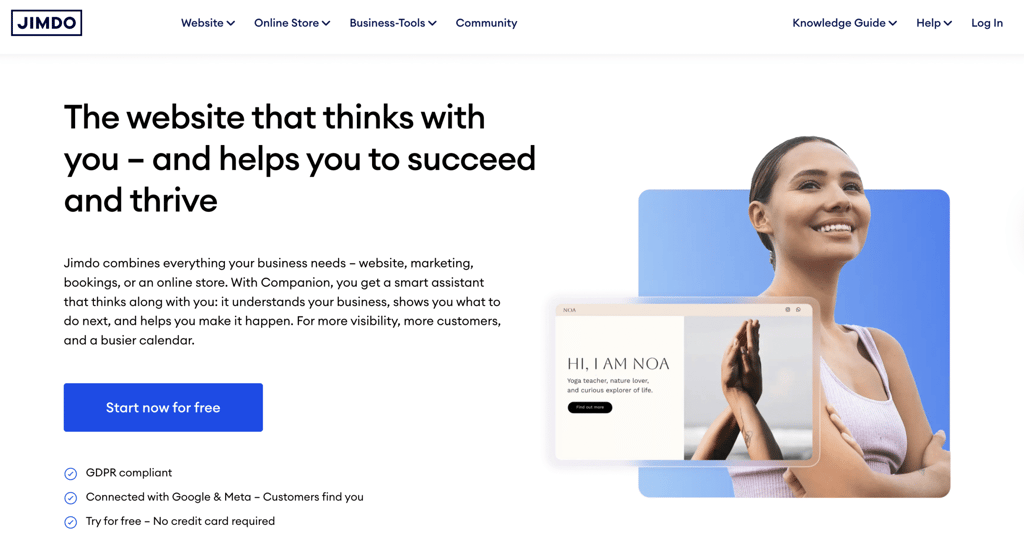
Jimdo is a simple website builder designed for small businesses and personal websites that need to quickly build an online presence. Instead of building from scratch, answer guided questions about your business or project. The platform automatically generates page structures and adjusts layouts for mobile devices.
Compared to Weebly’s drag-and-drop approach, Jimdo focuses more heavily on guided automation rather than customization flexibility.
Jimdo pros
Jimdo offers practical advantages for users who prioritize simplicity and speed, including:
- Fast AI-assisted setup. The platform generates website layouts and content structure based on user input, reducing manual design work.
- Affordable plans. Jimdo positions its paid tiers at accessible price points for small businesses and personal users.
- Mobile-friendly design. Templates automatically adapt to smartphones and tablets, supporting consistent presentation across devices.
Jimdo cons
Jimdo also presents limitations that affect scalability and customization:
- Limited customization. Design flexibility and layout control are more restricted compared to advanced website builders.
- Smaller app ecosystem. The platform offers fewer third-party integrations and expansion options.
Pricing
Jimdo organizes its plans around feature access and site capacity, with options like:
- Start. $11 per month.
- Grow. $18 per month.
- Unlimited. $45 per month.
Like Weebly, Jimdo offers a free entry option. However, Jimdo prioritizes guided simplicity and automation rather than broader customization and feature expansion.
10. Duda
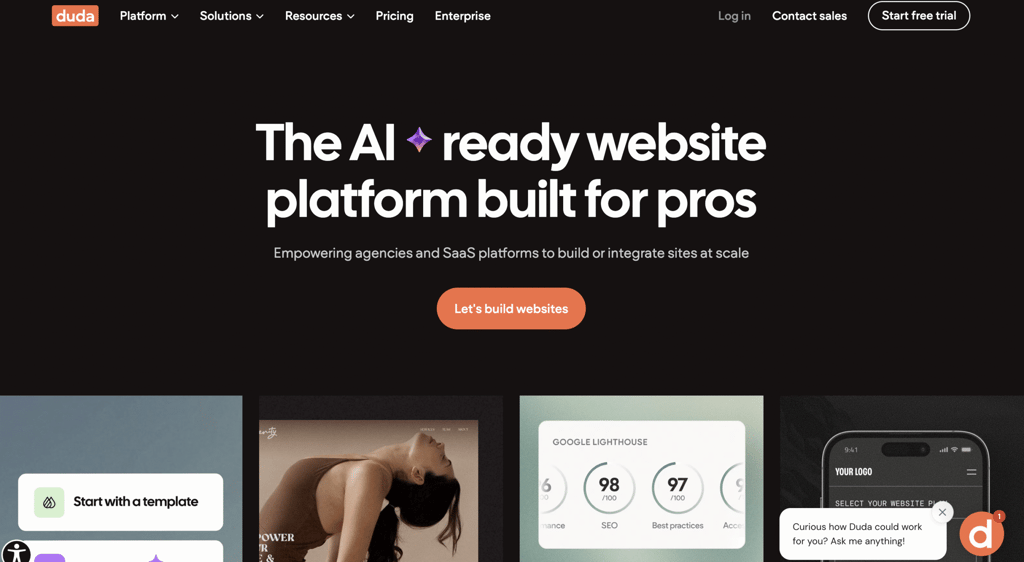
Duda is a professional website builder designed for agencies and SMBs that manage multiple client projects. It emphasizes multi-language support, team collaboration, and white-label capabilities within a structured platform.
Duda lets you assign user roles, control permissions, manage multiple sites from a single dashboard, and collaborate with clients without granting full backend access.
While Weebly is designed mainly for individual site management, Duda places stronger emphasis on team collaboration and multi-client workflows.
Duda pros
Duda provides several advantages for agencies and teams:
- Multi-language support. The platform enables website localization for different regions and audiences, supporting international projects.
- Client management tools. Duda includes user roles, permissions, and collaboration features that streamline agency-client workflows.
- Customizable templates. Templates allow structural flexibility while maintaining professional design standards across projects.
Duda cons
Duda also comes with trade-offs to consider
- Higher pricing than basic builders. Agency-focused plans cost more than beginner-oriented website builders.
- More complex interface. The expanded feature set requires familiarity with project management and site configuration tools.
Pricing
Duda structures its plans around agency features and collaboration levels, including:
- Basic. $19 per month.
- Team. $29 per month.
- Agency. $52 per month.
- White Label. $149 per month.
- Custom. Comes with a custom pricing plan.
Unlike Weebly’s individual-focused builder, Duda is built for agencies, offering structured collaboration tools and centralized multi-site management at a higher price point.
11. SITE123
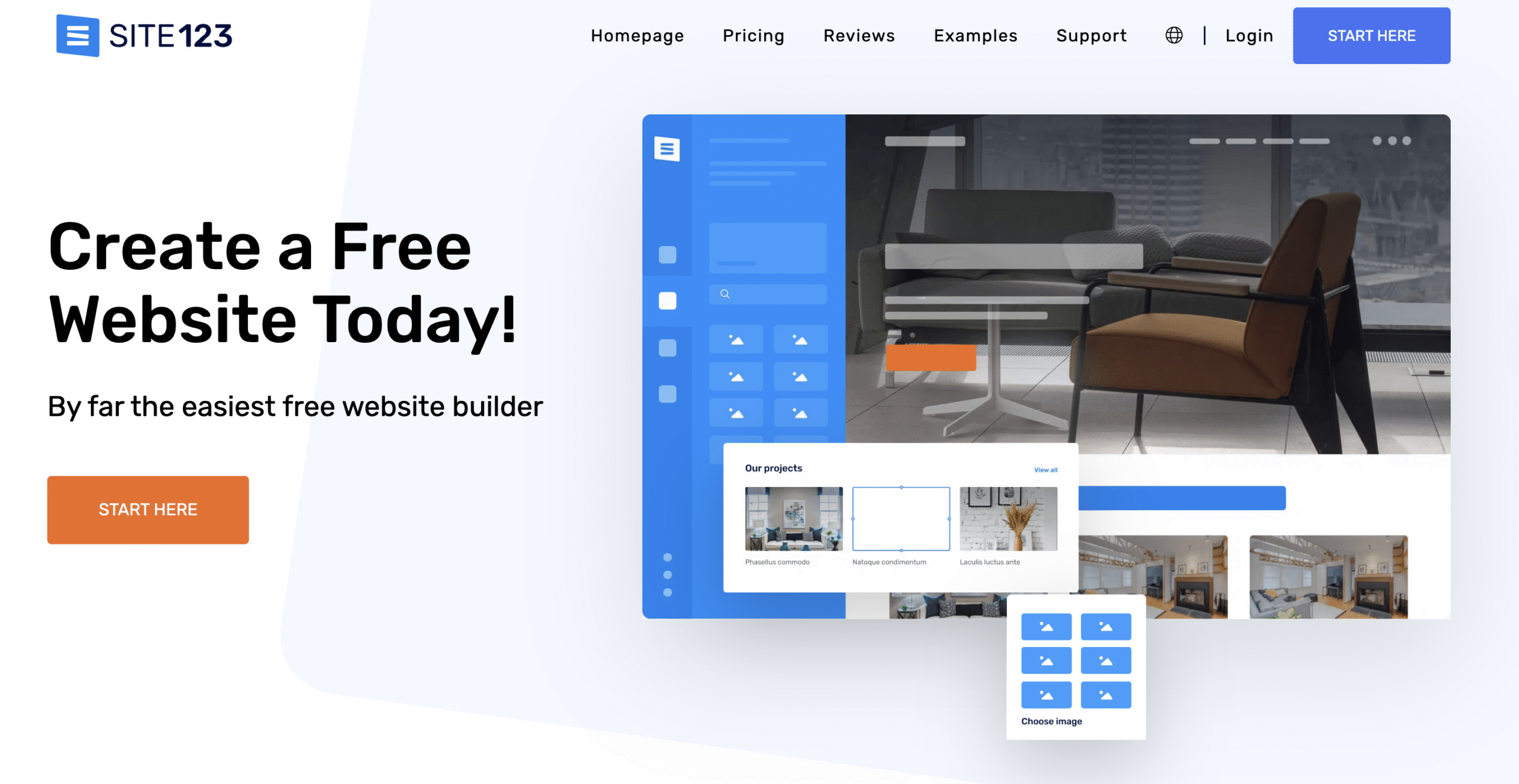
SITE123 is a beginner-friendly website builder designed for users who want to launch a site quickly with minimal configuration. It relies on ready-made styles and structured layouts rather than full drag-and-drop freedom.
This streamlined structure makes SITE123 practical for small projects, personal websites, and users who want a straightforward publishing experience.
Choose a website category, answer a few basic questions, and the platform generates a structured layout that you can adjust within predefined sections.
While Weebly offers more layout flexibility, SITE123 leans further into guided simplicity and rapid deployment.
SITE123 pros
SITE123 provides practical benefits for users who value speed and simplicity, including:
- Fast setup process. The guided builder structure reduces decision fatigue, enabling websites to go live quickly.
- Free plan available. Users can launch a basic website without an upfront cost, using a SITE123 subdomain.
- Simple interface. Predefined sections and layout blocks reduce technical complexity.
SITE123 cons
SITE123 also comes with certain trade-offs:
- Limited customization. The structured layout system restricts detailed design control compared to more flexible builders.
- Fewer advanced features. Advanced integrations, ecommerce depth, and extended app ecosystems are more limited.
Pricing
SITE123 keeps its pricing straightforward, with just two options:
- Free. $0 per month.
- Premium. $7.80 per month.
Both SITE123 and Weebly provide free plans, but SITE123 prioritizes rapid deployment over broader design control.
12. Strikingly
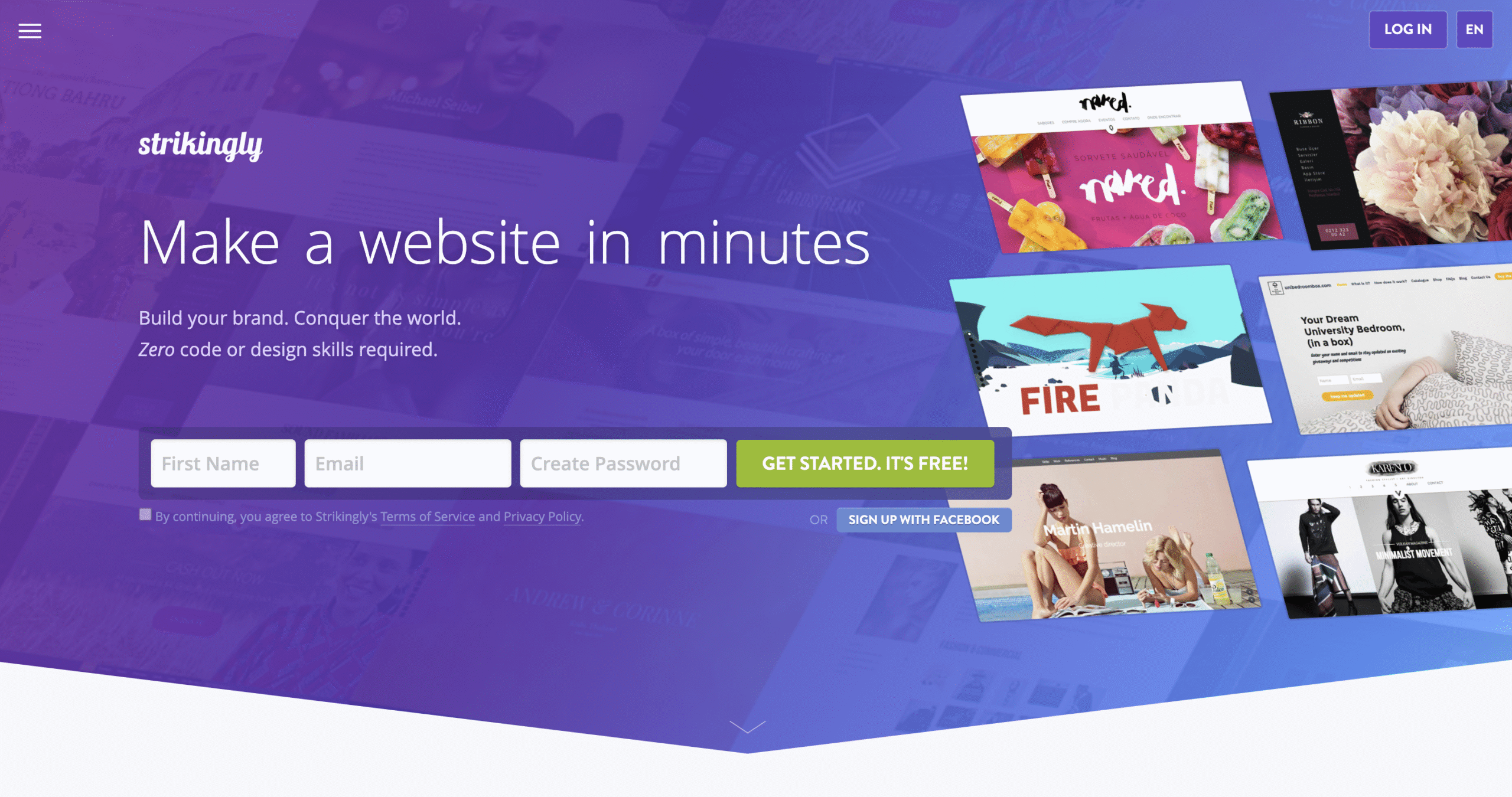
Strikingly is a one-page website builder designed for portfolios, landing pages, and simple online projects. It targets creatives, freelancers, and startups who want a focused web presence without managing multiple pages or complex navigation.
Build your site as a single, vertically scrolling page using ready-made sections. Instead of structuring menus and subpages, you stack content blocks that guide visitors from top to bottom.
Rather than supporting layered navigation like Weebly, Strikingly is built for focused, one-page storytelling and quick publishing.
Strikingly pros
Strikingly delivers specific benefits for projects built around simplicity and speed:
- One-page site specialization. The platform is built around single-page websites, which simplify the structure and keep messaging focused.
- Easy setup process. The guided editor allows users to assemble sections quickly without technical configuration.
- Free plan available. Users can launch a basic site using a Strikingly subdomain at no initial cost.
Strikingly cons
Strikingly comes with structural limitations, such as:
- Limited multi-page capability. The platform centers on one-page layouts, which restrict expansion into complex multi-page site structures.
- Fewer advanced features. Advanced integrations, deep ecommerce tools, and extensive customization options are more limited compared to broader website builders.
Pricing:
Strikingly offers a free plan alongside the following paid subscription tiers:
- Free. $0 per month.
- Pro. $16 per month.
- VIP. $49 per month.
Strikingly reaches higher-priced tiers faster for advanced features, while Weebly separates pricing by broader site-building functionality.
13. Carrd

Carrd is a minimalist one-page website builder designed for landing pages, personal portfolios, and lightweight online projects. It prioritizes simplicity, fast deployment, and low cost over multi-page architecture or advanced functionality.
Users build a single, vertically scrolling page using clean, pre-designed sections such as hero banners, text blocks, image galleries, contact forms, buttons, and embedded media. Layout adjustments include spacing, fonts, colors, and alignment, but without complex navigation systems or layered site structures.
Where Weebly supports expanding into multi-page layouts and added functionality, Carrd stays focused on lightweight, single-page publishing.
Carrd pros
Carrd stands out for focused, low-cost projects:
- Very low cost. Paid plans cost significantly less than most website builders.
- Lightweight and fast. One-page structure reduces complexity and keeps site performance straightforward.
- Easy to use. The editor emphasizes simplicity, allowing users to assemble sections quickly without technical configuration.
Carrd cons
Carrd’s simplicity drives the following disadvantages:
- One-page structure limitation. Its single-page structure makes it less suitable for projects that require complex navigation or multi-level site architecture.
- No ecommerce support. Carrd does not provide built-in online store functionality.
Pricing
Carrd keeps pricing straightforward, offering the following annual plans:
- Pro Lite. $9 per year.
- Pro Standard. $19 per year.
- Pro Plus. $49 per year.
Compared to Weebly’s monthly subscription model with multi-page capabilities, Carrd provides a lower-cost annual alternative for single-page websites but does not compete in full-site development or ecommerce depth.
How to choose the right website builder for your needs
Choosing the right website builder depends on your technical comfort level, project scope, ecommerce requirements, and long-term growth plans. Selecting a platform based only on short-term needs often leads to costly migrations and rebuilds later.
Focus on these key factors before making a decision:
- Ease of use. Assess how quickly you want to get a website live. Platforms with guided onboarding, built-in hosting, and clear dashboards reduce setup time and prevent configuration errors. More advanced systems require understanding themes, plugins, or backend settings before publishing.
- Customization flexibility. Think about how much control you actually need. Some builders let you adjust layouts freely and connect third-party integrations. Others restrict changes to predefined sections and built-in tools.
- Ecommerce requirements. Match the platform to your selling model. A small catalog only needs basic store features, whereas large inventories, multiple payment gateways, and multi-channel selling demand a stronger ecommerce infrastructure.
- Scalability. Consider where your project will be in one or two years. Some platforms handle traffic growth and product expansion smoothly. Others require migration once you outgrow their limits.
- Budget. Look beyond the starting price. Storage limits, premium features, and transaction fees can increase total cost over time. Calculate the full monthly or annual expense before committing.
- Customer support. Clear documentation, live chat, and reliable support reduce downtime and make troubleshooting faster when issues arise.
For a more detailed breakdown of these criteria, explore our full guide to choosing a website builder.
Migrating from Weebly to a new platform
Migrating from Weebly to a new platform requires structured planning to protect content, traffic, and search visibility. The process involves exporting available data, rebuilding site structure on the new platform, and implementing redirects to preserve SEO value.
Weebly allows exporting certain content types, including site files and blog posts. However, media files, product data, and page layouts may require manual transfer depending on site complexity. Before initiating the migration, download a complete backup of all website assets.
To reduce downtime and prevent data loss, follow these best practices:
- Create a complete backup. Export available site data and download all media files before modifying DNS settings.
- Set up the new site first. Rebuild core pages, navigation, and structure on the new platform before switching domains.
- Replicate URL structure. Maintain similar page URLs whenever possible to reduce ranking disruption.
- Test functionality before launch. Verify forms, payment gateways, and integrations on the staging version of the new site.
- Implement 301 redirects. Redirect old Weebly URLs to their new equivalents to preserve search engine authority.
- Monitor traffic after migration. Track search rankings and traffic patterns to identify broken links or indexing issues.
Once the new site is fully configured and tested, update DNS settings to point your domain to the new platform. This staged approach minimizes downtime and protects existing search visibility.

Common mistakes to avoid when switching website builders
Switching website builders without preparation can lead to traffic loss, broken pages, and functionality issues. Most migration problems occur when content structure, SEO settings, and technical elements are not reviewed before launch.
One of the most common mistakes during migration involves page formatting. Heading hierarchy, internal links, media placement, and URL structure may shift when content is rebuilt.
If formatting and heading structure are not reviewed carefully, search engines may misinterpret the page hierarchy. This can weaken keyword-relevance signals and reduce search rankings.URL changes without proper 301 redirects can also cause ranking drops and lost referral traffic.
To reduce risk, avoid these common mistakes:
- Skipping a full backup. Export all available data and download media files before making structural changes.
- Launching without testing. Review page layouts, forms, navigation menus, and ecommerce functionality on a staging version before switching domains.
- Ignoring SEO elements. Reapply meta titles, descriptions, alt text, and structured headings after migration to preserve search visibility.
- Overlooking mobile responsiveness. Verify that layouts adapt correctly across smartphones and tablets after rebuilding pages.
- Forgetting integrations. Confirm that payment gateways, email tools, analytics tracking, and third-party apps function correctly on the new platform.
Maximizing your new website builder’s potential
Launching a website is only the first step. Long-term results depend on how effectively you use the platform’s design, marketing, and optimization tools. Most platforms include functionality that remains unused when setup stops at basic page creation.
Start by exploring template variations and structural customization options. Even within predefined layouts, adjusting typography, color schemes, spacing, and visual hierarchy strengthens brand consistency.
AI-powered tools accelerate this process by generating page content, layout suggestions, and design improvements based on your industry or goals. These features reduce setup time while maintaining professional presentation standards.
To improve visibility and performance, focus on platform-specific SEO and ecommerce optimization:
- Refine on-page SEO settings. Customize meta titles, meta descriptions, URL structure, image alt text, and heading hierarchy for every page.
- Optimize site speed and media assets. Compress images and remove unused elements to improve loading performance.
- Configure analytics and tracking. Connect analytics tools to measure traffic sources, conversions, and user behavior.
- Enhance ecommerce workflows. Set up payment gateways, product categorization, shipping rules, and automated email confirmations to streamline operations.
- Leverage built-in marketing tools. Use email campaigns, pop-ups, and lead capture forms to support customer acquisition.
Some platforms, like Hostinger AI Builder, allow users to design websites with AI, generating structured layouts and draft content based on business goals, reducing setup time while maintaining consistency across pages.
This article is a localized version of Top 13 Weebly alternatives: key features and pricing, originally published in English.

Ksenija is a digital marketing enthusiast with extensive expertise in content creation and website optimization. Specializing in WordPress, she enjoys writing about the platform’s nuances, from design to functionality, and sharing her insights with others. When she’s not perfecting her trade, you’ll find her on the local basketball court or at home enjoying a crime story. Follow her on LinkedIn.