How to add WordPress related posts in 2 simple ways and best plugins
Mar 10, 2026
/
Jordana A.
/
4 min Read

Adding related posts to a WordPress website is one way to optimize it for search engines. This practice is especially effective for blogs with an extensive library of content. It helps lower the bounce rate, promote older posts to increase page views, and boost time on site.
There are two ways to implement this feature ‒ manually and using a plugin. This article will provide a step-by-step guide to add related posts to your WordPress website. We will also review the five best WordPress related posts plugins that you should check out.
Add WordPress Related Posts Manually
This method involves adding a code snippet to your theme’s single.php file, which it controls your posts’ formatting. The next time you publish a new post in your WordPress blog, visitors will see relevant content with the same tags as the current blog post.
Here’s how to manually add related posts to your Hostinger hosted WordPress site:
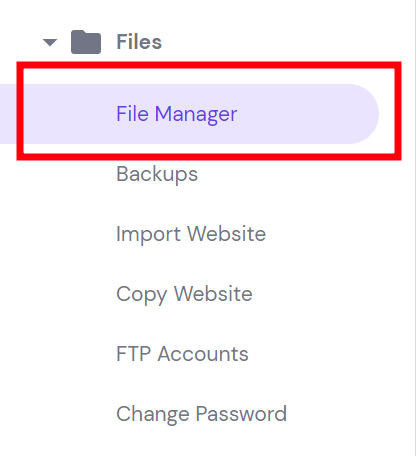
- Access your website’s root directory (public_html) via an FTP client or your web host’s File Manager. Hostinger users can locate the latter within the Files section of their hPanel dashboard.
- Navigate to wp-content -> themes and locate the folder of your currently active theme.
- Open the single.php file and add the following code snippet right after its main content:
<div class=”related-posts-after-content”>
<h3>You Might Also Like</h3>
<?php
$orig_post = $post;
global $post;
$tags = wp_get_post_tags($post->ID);
if ($tags) {
$tag_ids = array();
foreach($tags as $individual_tag) $tag_ids[] = $individual_tag->term_id;
$args=array(
‘tag__in’ => $tag_ids,
‘post__not_in’ => array($post->ID),
‘posts_per_page’=>4, // Number of related posts to display.
‘caller_get_posts’=>1
);
$my_query = new wp_query( $args );
while( $my_query->have_posts() ) {
$my_query->the_post();
?>
<div class=”related-thumb”>
<a rel=”external” href=”<? the_permalink()?>”><?php the_post_thumbnail(array(150,100)); ?><br />
<?php the_title(); ?>
</a>
</div>
<?php }
}
$post = $orig_post;
wp_reset_query();
?>
</div>- Add the following code snippet to your theme’s style.css file to format the thumbnail images:
.single .related-posts-after-content .related-thumb { display:inline-block;
width: 32%;
}- Save all the changes.
Add WordPress Related Posts with a Plugin
If the previous method seems too complicated, we recommend adding the related posts feature using a plugin instead.
We’ll be using the YARPP plugin in this tutorial. We’ll be talking about its alternatives in our list in the next section.
Here are the steps to link related posts using the YARPP plugin:
- Install and activate the plugin.
- Navigate to Settings -> YARPP from your WordPress admin dashboard.
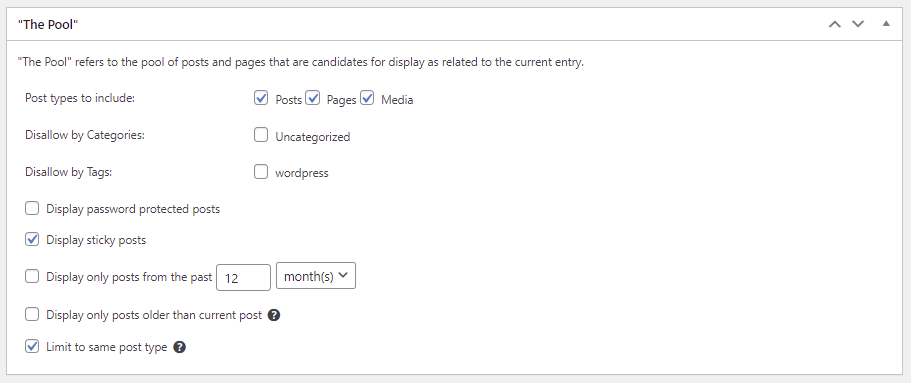
- Configure the Pool settings to determine which post to include in the related posts block. The options include post types, categories, tags, and publication date.
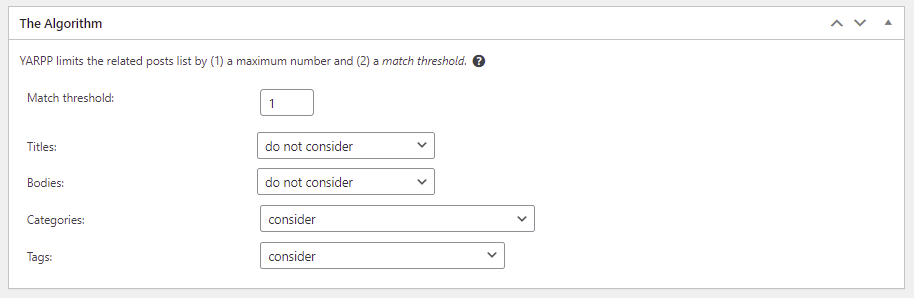
- Edit the Algorithm settings based on the parameters you have previously chosen. Small to medium-sized blogs can use the default settings and then re-adjust them as the content library grows.
- The Automatic Display Options settings control how your website displays related posts. You can show related content in a list, display thumbnails, or create a custom theme. Don’t forget to set how many posts to include in the display.
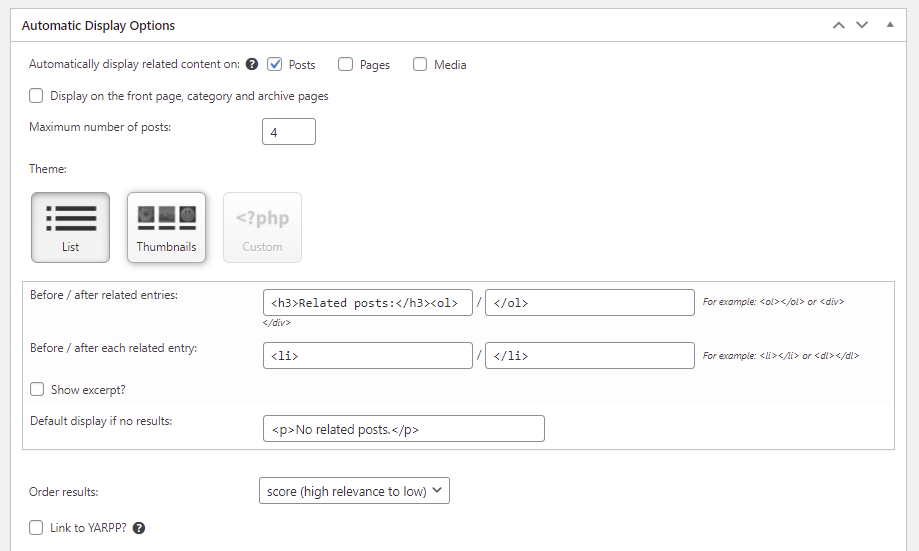
- The Preview section displays how the related posts block will appear on mobile, tablet, and desktop devices.
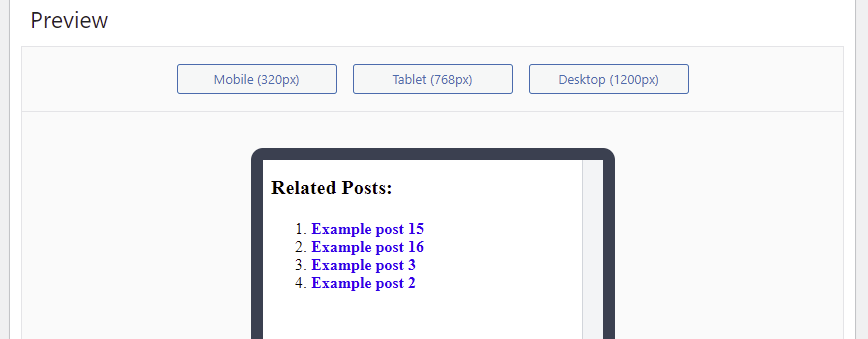
- Once you’re satisfied, click Save Changes. The following is an example of how the related posts section made with YARPP appears in the list format.

Top 5 Plugins to Add Related Posts on WordPress
One of the perks of using WordPress is that there’s a massive selection of excellent WordPress plugins to choose from. The following are our top five related posts plugins you ought to consider.
1. YARPP

Plugin Stats:
- Downloads: 100,000+
- Rating: 4.8/5
- Price: free
Yet Another Related Posts Plugin (YARPP) is one of the plugins that offer versatile related posts functionality. Its advanced algorithm considers various factors like post titles, tags, categories, and even custom taxonomies.
This free plugin has built-in caching, RSS and REST API support, and custom templates. Additionally, YARPP supports integration with WordPress Multisite, bbPress, and WooCommerce.
The Automatic Display Option feature displays YARPP sections below the main content by default. Alternatively, use its shortcode to place related posts manually anywhere within a post.
2. Jetpack

Plugin Stats:
- Downloads: 5,000,000+
- Rating: 4.4/5
- Price: freemium
The Jetpack plugin is a popular tool for boosting WordPress websites’ security, performance, and growth. The related posts module is one of the features included in its free version.
All the analysis and processing happen in the cloud, so it doesn’t add additional load to your server. It’s also compatible with the Gutenberg editor, allowing you to place the related posts section anywhere within a post.
While it’s easy to use, the Jetpack related posts module is less versatile than what other similar plugins offer. Any advanced customization that the interface doesn’t provide must be done by manual coding.
Consider upgrading to the paid version for $29.95/month to unlock more tools and modules.
3. Custom Related Posts
Plugin Stats:
- Downloads: 3,000+
- Rating: 4.4/5
- Price: free
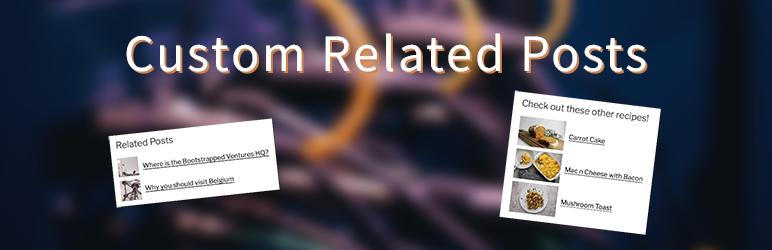
Custom Related Posts lets you define the relations between posts, giving you more control over their related links. Besides supporting classic and Gutenberg editors, it also provides sizing controls for the featured images.
This free plugin might have limited functionality compared to other plugins on this list. However, its author accepts suggestions to improve the plugin so expect new features in the future.
4. Related Posts
Plugin Stats:
- Downloads: 326,000+
- Rating: 4.6/5
- Price: free
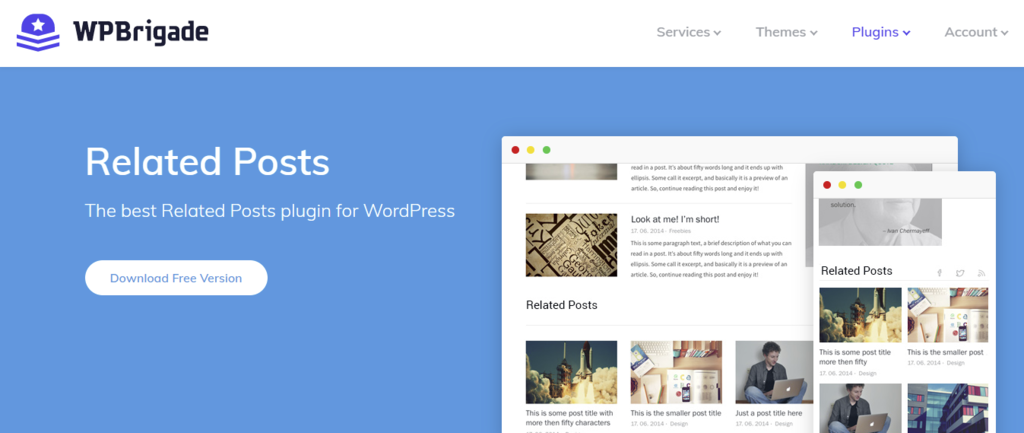
Related Posts has a quick setup and is accessible as a sidebar widget upon activation. It offers relation builder options, video thumbnails, and a style editor for easier customization.
While this plugin is more flexible with regards to styling the display, Related Posts doesn’t support custom CSS for advanced customization.
5. Contextual Related Posts
Plugin Stats:
- Downloads: 70,000+
- Rating: 4.5/5
- Price: free
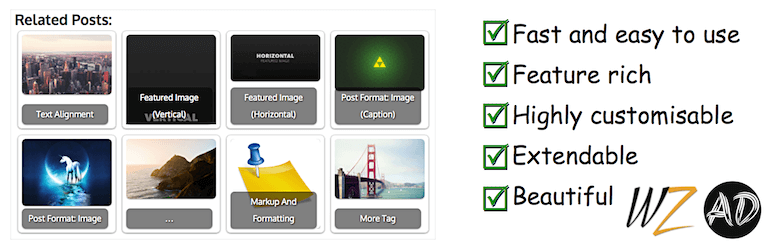
Contextual Related Posts starts finding and relating posts when you activate the plugin. It comes with built-in caching to reduce your server’s workload and offers thumbnail support. The styles and output are customizable using CSS code and HTML tags.
The plugin offers filters and actions for advanced customization and additional feature implementation, making the plugin developer-friendly.
Learn more about WordPress posts with our tutorials
How to Duplicate WordPress Page or Post
Basics of Using WordPress WP_Query
WordPress Custom Post Types
WordPress Post ID
How to Schedule Posts in WordPress
What Is the WordPress get_posts Function and How to Use It
How to Add a Post to a Page in WordPress
How to Add PHP to WordPress Post or Page
Conclusion
Showing related content at the end of your blog posts is a great way to promote older content and increase the average time spent on your website. Even if your theme doesn’t have a related posts section, you can add it manually or use one of the many plugins that WordPress offers.
We hope this article has helped you set up WordPress related posts on your website. Good luck.
All of the tutorial content on this website is subject to Hostinger's rigorous editorial standards and values.

Jordana is a Senior Content Writer with a background in Information Systems. She has over five years of experience in WordPress and is casually dabbling with PHP and MySQL. Her passion for writing and technology drives her to create tutorials for anyone wanting to build their online presence. Follow her on LinkedIn.