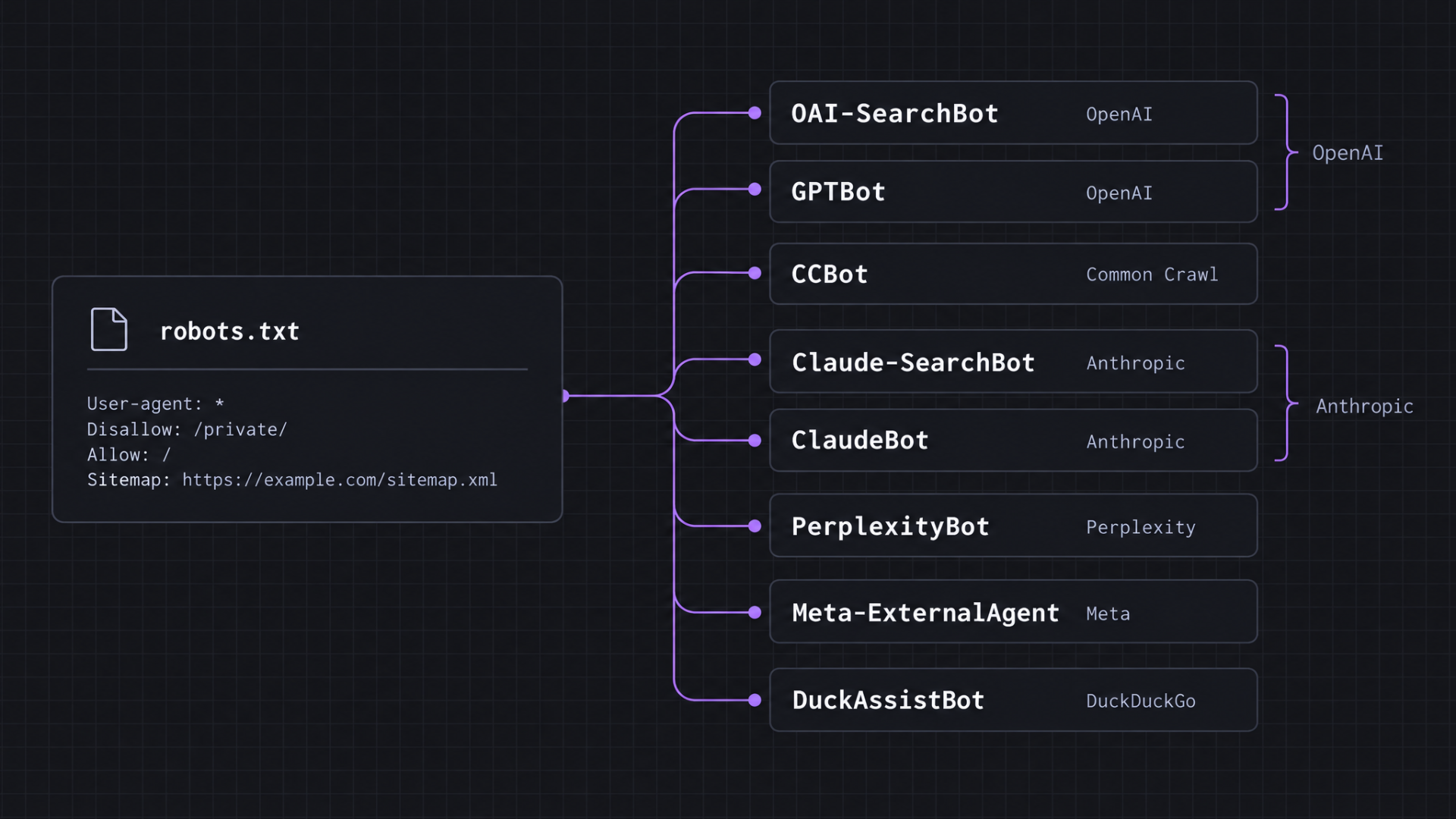
The main AI crawlers include bots such as OAI-SearchBot, GPTBot, CCBot, Claude-SearchBot, ClaudeBot, PerplexityBot, Meta-ExternalAgent, and DuckAssistBot.
AI crawlers are bots that AI companies use to collect web content for model training, index pages for AI search, or build open datasets that other AI developers reuse.
Each crawler serves a different purpose, so you control them separately in robots.txt, the file that tells bots which parts of your website they can crawl.
You can verify their visits in your server logs and choose which to allow based on AI search visibility, content protection, and server resources.
Here is the AI crawlers list with each bot’s operator, identifier, and primary purpose:
Crawler | Company/organization | User-agent or robots.txt token | Primary purpose |
OAI-SearchBot | OpenAI | OAI-SearchBot | AI search |
GPTBot | OpenAI | GPTBot | AI model training |
CCBot | Common Crawl | CCBot | Open web dataset collection |
Claude-SearchBot | Anthropic | Claude-SearchBot | AI search |
ClaudeBot | Anthropic | ClaudeBot | AI model development |
PerplexityBot | Perplexity | PerplexityBot | AI search |
Meta-ExternalAgent | Meta | meta-externalagent | AI model development and indexing |
DuckAssistBot | DuckDuckGo | DuckAssistBot | AI-assisted answers |
1. OAI-SearchBot – OpenAI crawler for AI search
OAI-SearchBot is OpenAI’s crawler for ChatGPT search. It visits web pages so OpenAI can discover content to surface in ChatGPT search results.
In robots.txt, the crawler uses the OAI-SearchBot token.
You can find your crawler rules at yourdomain.com/robots.txt. Look for OAI-SearchBot under User-agent to see whether your website allows or blocks it.

Allowing OAI-SearchBot makes your pages eligible to appear in ChatGPT search answers.
That’s as far as the permission goes. OpenAI still chooses which sources to surface for each search, so crawling alone doesn’t guarantee a place in the answer or a citation.
Blocking OAI-SearchBot removes your pages from ChatGPT search answers.
2. GPTBot – OpenAI crawler for AI model training
GPTBot is OpenAI’s crawler for collecting web content used to train its large language models (LLMs). A visit from GPTBot indicates that OpenAI crawled the page for this purpose, but it doesn’t confirm that the page ended up in OpenAI’s training data.
In robots.txt, GPTBot uses the GPTBot identifier.
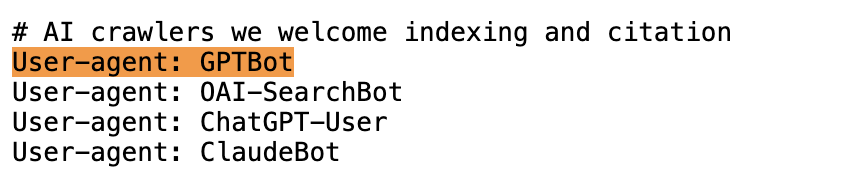
Blocking GPTBot doesn’t remove your content from ChatGPT search. You can block GPTBot from collecting your content for model training while allowing OAI-SearchBot to crawl it for ChatGPT search.
3. CCBot – Web crawler for building open web datasets
CCBot is Common Crawl’s web crawler. It collects publicly accessible web content for Common Crawl’s open repository, which organizations, researchers, and AI developers use to build and train their own systems.
CCBot appears as CCBot in robots.txt:

CCBot itself is not an AI search crawler and doesn’t decide whether your pages appear in an AI search result. Blocking it keeps your new pages out of future Common Crawl datasets, but it doesn’t remove pages that earlier crawls already collected.
4. Claude-SearchBot – Anthropic crawler for AI search
Claude-SearchBot crawls and indexes web content for Claude’s search results.
In robots.txt, the crawler uses the Claude-SearchBot identifier.
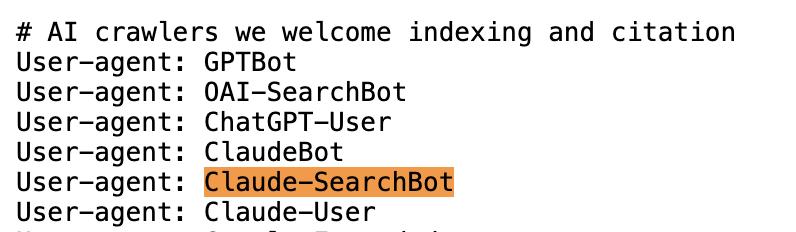
Blocking Claude-SearchBot prevents Anthropic from indexing your content for search, which reduces your website’s visibility when Claude searches the web.
5. ClaudeBot – Anthropic crawler for AI model development
ClaudeBot is Anthropic’s crawler for collecting public web content that may be used to train its generative AI models.
In robots.txt, the crawler uses the same ClaudeBot identifier:
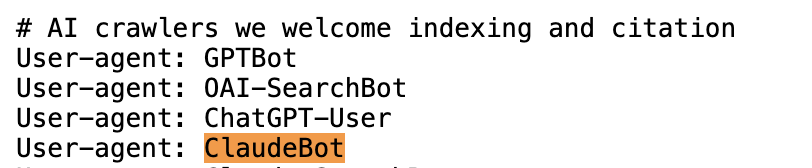
Blocking ClaudeBot tells Anthropic to exclude your site’s future content from its AI model training datasets. The rule applies only to ClaudeBot, so Claude-SearchBot keeps crawling your site for Claude search unless you block it separately.
6. PerplexityBot – Perplexity crawler for AI search
PerplexityBot is Perplexity’s web crawler for finding and indexing content for its search results.
In robots.txt, the crawler uses the PerplexityBot identifier:
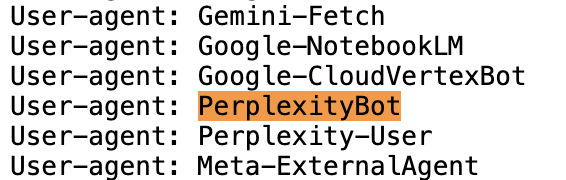
Blocking PerplexityBot prevents it from crawling your site for Perplexity search. Allowing it makes your pages available to Perplexity, but Perplexity still chooses which sources to surface and link in each answer.
7. Meta-ExternalAgent – Meta crawler for AI model development and indexing
Meta-ExternalAgent crawls web content to train Meta’s foundation AI models and to index content for other Meta products.
Meta-ExternalAgent appears as meta-externalagent in robots.txt. Robots.txt matches crawler names regardless of capitalization, so a rule for Meta-ExternalAgent works the same way.
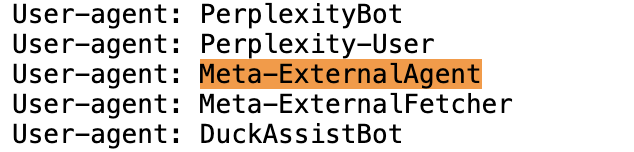
Meta can cache your robots.txt file for up to 24 hours, so changes to Meta-ExternalAgent’s access may take that long to take effect.
8. DuckAssistBot – DuckDuckGo crawler for AI-assisted answers
DuckAssistBot crawls web pages in real time to find sources for AI-generated answers in DuckDuckGo’s search engine.
In robots.txt, the crawler identifies as DuckAssistBot.
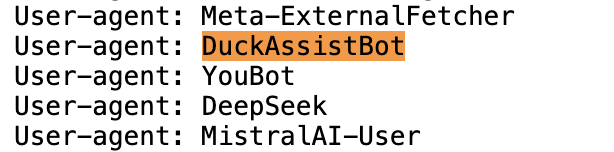
Blocking DuckAssistBot means DuckDuckGo won’t use pages collected by the crawler for its AI-assisted answers. It doesn’t affect whether your website appears in regular DuckDuckGo search results.
The opt-out takes effect 72 hours after you update your robots.txt file.
What are the key differences between AI crawlers?
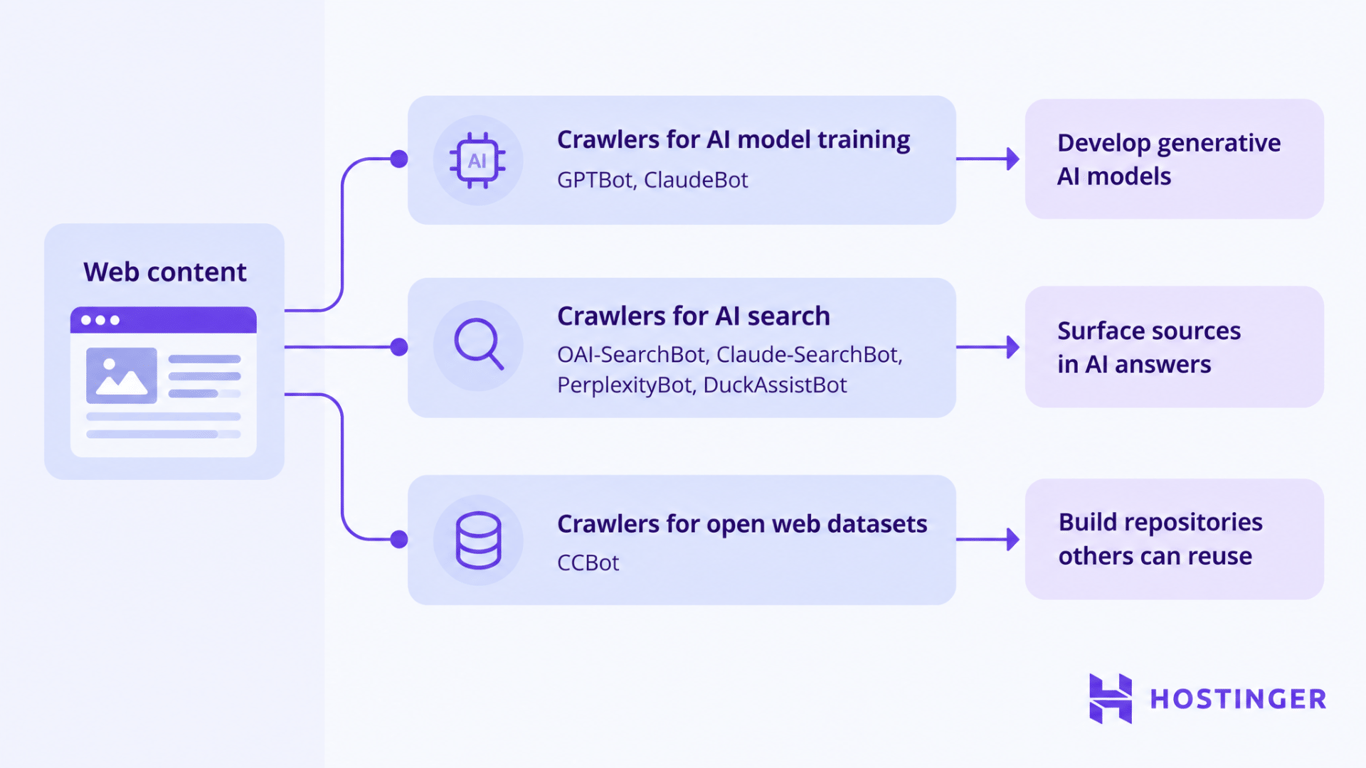
AI crawlers differ in what they do with your content: some collect it for AI model training, some make it discoverable in AI search, and others add it to datasets that third parties can reuse.
- Crawlers for AI model training, such as GPTBot and ClaudeBot, collect web content that their operators can use to develop generative AI models.
- Crawlers for AI search, including OAI-SearchBot, Claude-SearchBot, PerplexityBot, and DuckAssistBot, discover web content that their platforms can surface as sources in AI-powered search and answers.
- Crawlers for open web dataset collection, like CCBot, gather content for repositories that other organizations can access and reuse.
User-triggered fetchers, such as ChatGPT-User, Claude-User, and Perplexity-User, work differently. They retrieve a page only when someone asks an AI assistant about it, and OpenAI notes that robots.txt rules may not apply to these user-initiated requests.
All these uses are controlled separately, so granting one crawler access doesn’t grant every AI system the same access to your content.
How to allow or block AI crawlers with robots.txt
To allow or block an AI crawler, add its token after User-agent in your robots.txt file, followed by an Allow or Disallow rule. Compliant crawlers read this file before crawling and follow the rule that names them.
First, check your current settings. Open yourdomain.com/robots.txt in your browser and search for the crawler token, such as GPTBot.
No crawler-specific entry means the crawler may still access the website. Check User-agent: * for any Disallow rules that restrict its access. With no applicable restrictions, robots.txt allows the crawler to access the entire site.

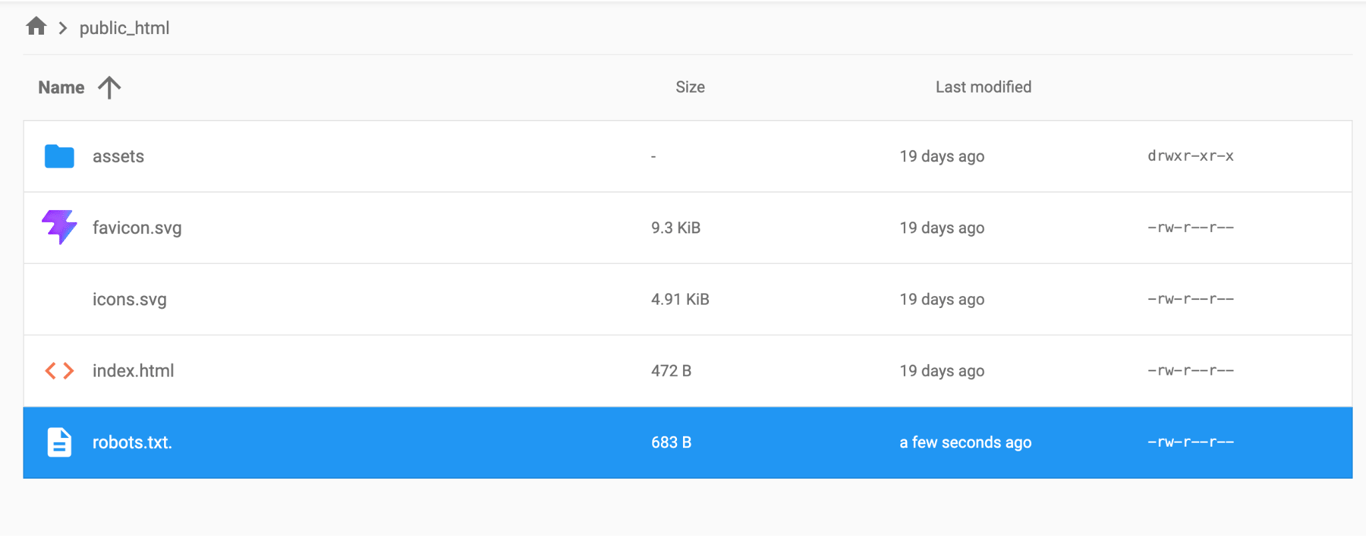
Second, open the editable robots.txt file through your hosting account, CMS, or SEO plugin. In a hosting file manager, you’ll usually find it in the website’s root directory, such as public_html.
Third, add or edit the GPTBot entry. To allow GPTBot across the site, use:
User-agent: GPTBot
Allow: /
To block it across the site, use:
User-agent: GPTBot
Disallow: /
User-agent identifies the crawler. Allow permits access to the specified path, and Disallow blocks access to it. Here, / covers the entire site. You can also configure your robots.txt file with rules for specific pages or directories when you don’t want to apply the same access rule across your entire website.
Finally, save the file, then reopen yourdomain.com/robots.txt in your browser. Search for GPTBot and confirm that the published file shows the rule you added.
You can manage other compliant AI crawlers the same way by using their documented robots.txt user-agent identifiers.
How to identify AI crawlers in server logs
Go to your server access logs in your hosting control panel or server administration tools. Depending on your hosting setup, you may find them under Access Logs, Raw Access Logs, Web Server Logs, or a similar section.
Search the logs for the crawler name you want to investigate, such as GPTBot, OAI-SearchBot, or PerplexityBot. Once you find a matching request, inspect the log entry to see which page the crawler requested, when it visited, and which IP address it used.
A GPTBot request can appear as a single line containing the source IP, visit time, requested page, HTTP response, and user-agent:
203.0.113.24 - - [02/Nov/2026:11:42:18 +0000] "GET /example-page/ HTTP/1.1" 200 18432 "-" "Mozilla/5.0 AppleWebKit/537.36 (KHTML, like Gecko); compatible; GPTBot/1.4; +https://openai.com/gptbot"
Here’s what each part of the entry shows:
- Source IP –
203.0.113.24is the address that sent the request. - Timestamp –
[02/Nov/2026:11:42:18 +0000]records when the request reached the server. - Requested URL –
/example-page/is the page the crawler requested. - HTTP status –
200shows that the server successfully returned the requested page. - User-agent –
GPTBot/1.4is the crawler identity presented in the request.
The user-agent gives you a crawler name to investigate, but it doesn’t verify who sent the request. Any bot can copy GPTBot’s user-agent string and appear under the same name in your logs.
OpenAI, Anthropic, Perplexity, and Common Crawl all publish the IP addresses or ranges used by their crawlers.
Anthropic, for example, publishes its crawler IP information as a JSON file. Each ipv4Prefix entry specifies an IP address or range used by Anthropic’s crawlers.
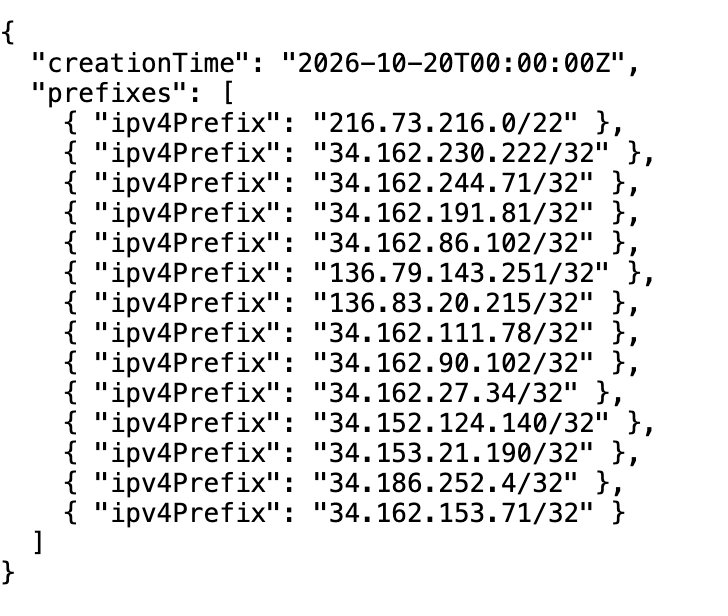
An entry ending in /32, such as 34.162.230.222/32, represents a single IPv4 address. A broader prefix, such as 216.73.216.0/22, covers a range of addresses.
Take the source IP from your server log and look for it in the crawler operator’s published list. When the IP matches a listed address or falls within a published range, you can verify that the request came from the operator’s crawler infrastructure.
Which AI crawlers should you allow?
Allow OAI-SearchBot, Claude-SearchBot, PerplexityBot, and DuckAssistBot when you want your website to appear in AI-powered search and answers.
Blocking any of them cuts off a route its platform uses to find sources. You may want to restrict access to pages you don’t want surfaced, such as outdated documentation, staging pages, or duplicate content.
Keep training and dataset crawlers open when you want your content to reach beyond your website. This makes sense when you publish documentation, open-source resources, or research for others to use and build on.
Otherwise, block these crawlers to avoid traffic that serves no purpose for your website. Every crawler visit requires your server to process a request and transfer data, so allowing training crawlers without a clear reason uses server resources without contributing to your visibility in AI search.
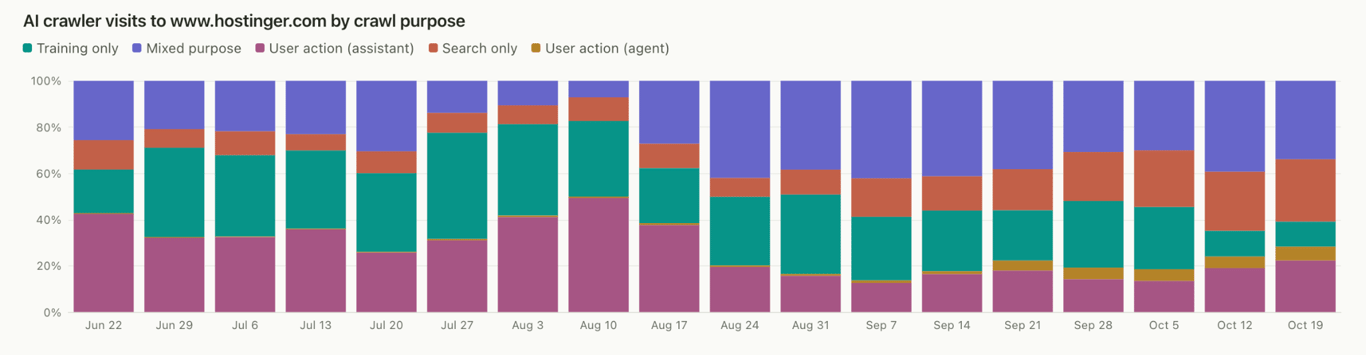
Hostinger’s own traffic shows how quickly those visits can add up. From June 22 to October 19, 2026, training-only crawlers accounted for 29.3% of AI crawler visits to hostinger.com, more than twice the 13.7% from search-only crawlers.
Review your AI crawler permissions and website readiness
Go to your server access logs and check how your site responded to the AI crawlers you allow.
Successful requests return 200. When access fails with 403, check whether your firewall or bot protection blocked the crawler. 429 points to rate limiting. Codes in the 5xx range signal a server error, which you can trace through your server error logs.
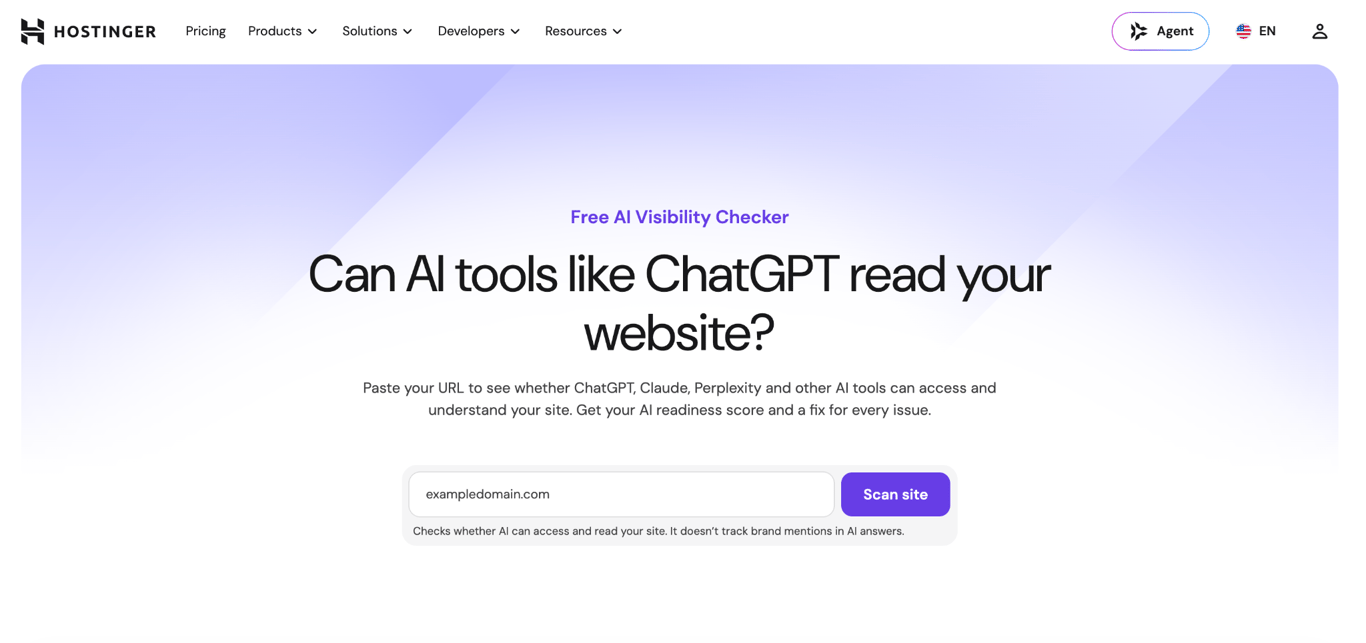
You can check your website’s AI readiness with Hostinger AI Visibility Checker. It evaluates your website across seven categories and 26 checks, covering crawl permissions, findability, readability, structured meaning, commercial legibility, agent-native content, and agent interaction.
We ran Hostinger’s AI Visibility Checker on a sample website. Its crawl permission score reached 17/20: the robots.txt file was valid, AI crawlers had access, and bot detection didn’t block them. Yet the website’s overall AI readiness score was only 24/100.
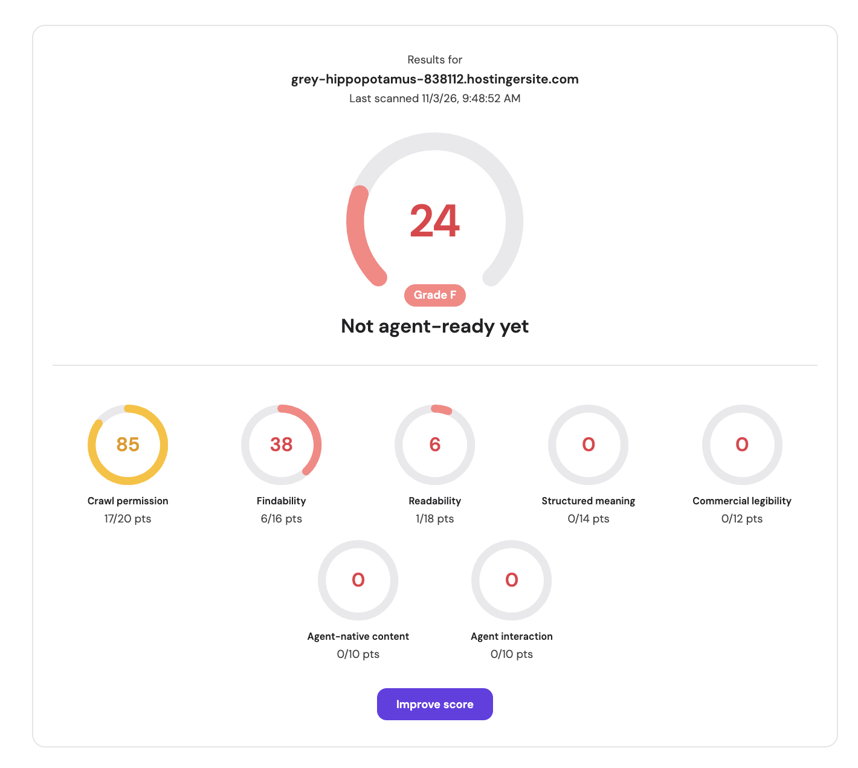
Crawler access wasn’t the problem. Once the checker looked beyond access, it found a missing sitemap, content that required JavaScript to load, and missing structured data.
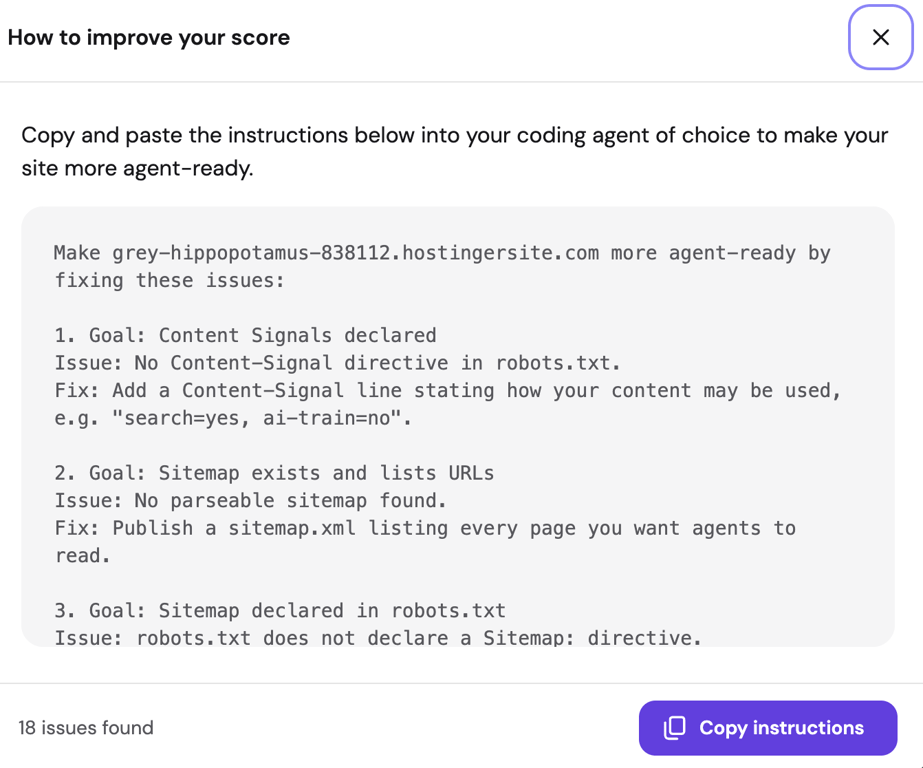
For each failed check, it also shows what needs to change. In this case, it suggested publishing a sitemap.xml with the pages AI agents should read and declaring its URL in robots.txt.
You still make those changes yourself and manage crawler access separately. The checker doesn’t edit your robots.txt file, manage crawlers, provide historical crawler logs, or track citations in AI-generated answers.
Giving AI crawlers access gets them through the door. What they can do from there depends on how well your website makes its content accessible and easy to understand.
To improve your chances of being selected as a source by AI search engines, you need to optimize your content for AI search by answering questions directly, adding original insights, and structuring pages so AI systems can easily extract useful information.
This article is a localized version of AI crawlers list: 8 bots to know and manage, originally published in English.
All of the tutorial content on this website is subject to Hostinger's rigorous editorial standards and values.

Ksenija is a digital marketing enthusiast with extensive expertise in content creation and website optimization. Specializing in WordPress, she enjoys writing about the platform’s nuances, from design to functionality, and sharing her insights with others. When she’s not perfecting her trade, you’ll find her on the local basketball court or at home enjoying a crime story. Follow her on LinkedIn.