Best AI chatbots for ecommerce in 2026
Oct 19, 2026
/
By Ksenija
/
17 min Read
The best AI chatbots for ecommerce include Tidio, Gorgias, Shopify Inbox, Rep AI, ManyChat, Fin AI Agent, Octane AI, and Zendesk AI.
Tidio is a strong starting point for smaller stores, Gorgias focuses on ecommerce support and order workflows, and Shopify Inbox provides a native option for Shopify merchants.
Rep AI and Octane AI specialize in product discovery and guided selling, while ManyChat focuses on social and messaging channels.
Fin AI Agent and Zendesk AI offer more extensive automation for larger customer service operations.
Here is a quick overview of the eight best AI chatbots, their main capabilities, ecommerce integrations, and pricing:
Chatbot | Best for | Customer support | Shopping/product assistance | Ecommerce integrations | Pricing |
Tidio | Smaller ecommerce stores | FAQs, order status, automated workflows, and human handoff | Product discovery and recommendations; cart-aware recommendations on Shopify | Shopify, WooCommerce, product feeds, API | Free plan; Lyro AI from $32.50/month |
Gorgias | Ecommerce support and order workflows | Order tracking, returns, cancellations, and human handoff | Product questions and recommendations | Shopify, BigCommerce, Magento, WooCommerce; AI Agent currently supports Shopify only | AI Agent plans from $40/month |
Shopify Inbox | Shopify merchants | Product and policy questions, order tracking, and human handoff | Personalized product discovery and recommendations | Shopify | Free with a Shopify subscription |
Rep AI | Product discovery and conversational selling | Order tracking, shipping updates, cancellations, returns, and exchanges | Product discovery, comparisons, recommendations, and upsells | Shopify and 175+ integrations | Sales Agent from $99/month; Support Agent from $49/month |
ManyChat | Social and messaging-led selling | Automated responses and human takeover | Preference collection and conversational product guidance | Social and messaging channels; limited direct ecommerce data access | AI features from $29/month |
Fin AI Agent | Larger customer-service operations | Order updates, returns, exchanges, configurable workflows, and human handoff | Product comparisons and recommendations using Shopify data | Shopify; connects with Gorgias, Salesforce, HubSpot, and other helpdesks | $0.99/outcome, 50-outcome monthly minimum |
Octane AI | Guided product matching | Limited customer-service automation | Quizzes, product finders, personalized recommendations, size finders, and gift finders | Shopify, Klaviyo, Attentive, Recharge, Gorgias, and 50+ tools | From $50/month |
Zendesk AI | Established multichannel support teams | Automated support, order workflows, refunds, cancellations, routing, and human escalation | Product information through configured integrations and workflows | Shopify and Zendesk integrations | From $19/agent/month; AI usage limits apply |
1. Tidio – best for small ecommerce stores
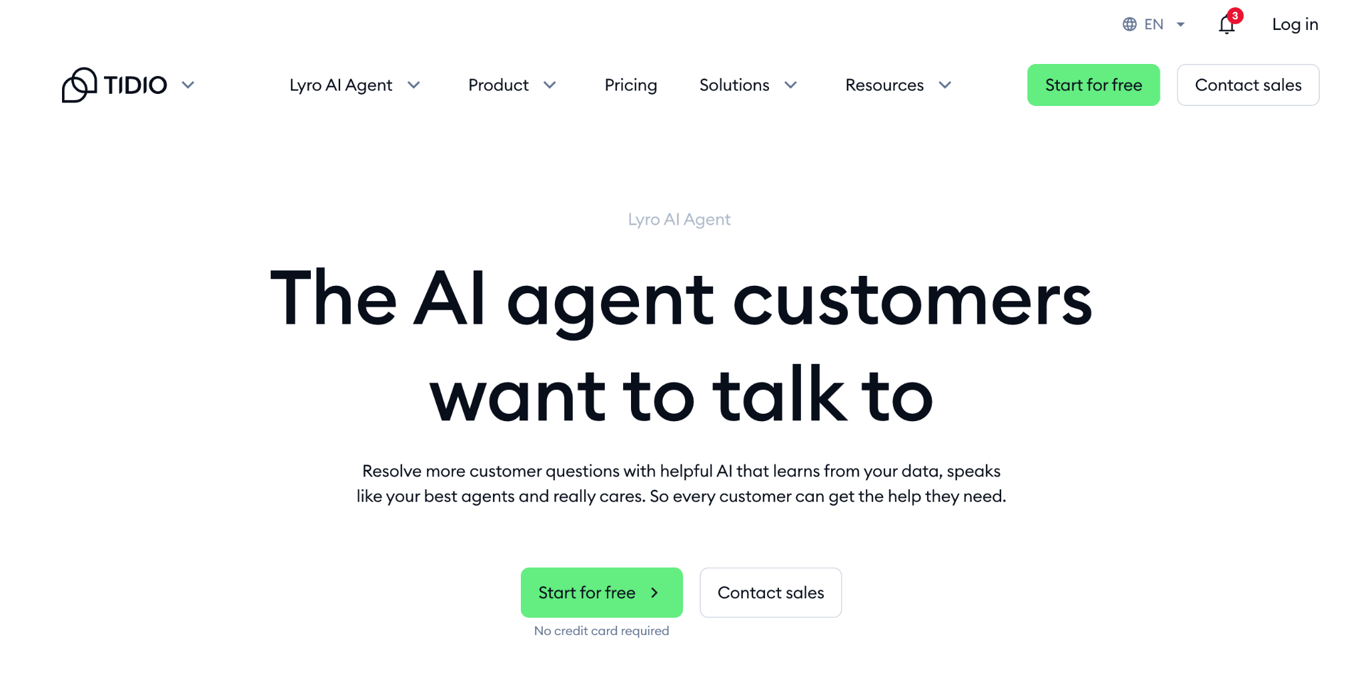
Tidio is a good fit if you run a small ecommerce store and want to automate customer support while keeping live chat and human support on the same platform.
Tidio’s AI agent, Lyro, handles common customer questions using the business information you provide. When a shopper needs further help, the conversation can be transferred to a human agent.
For AI-powered ecommerce assistance, connect Lyro to Shopify, WooCommerce, a product feed, or an API and give it access to product information such as pricing, variants, and stock availability.
Lyro uses this data to ask follow-up questions and recommend matching products through visual product cards. Shopify also uses cart data to tailor recommendations and let shoppers add suggested products directly to their cart.
With the appropriate integrations and Smart Actions, Lyro goes beyond product recommendations. It accesses customer and order data, checks order status, updates records, and triggers predefined workflows. The actions available to your customers depend on the systems you connect and how you configure them.
Beyond its website chat widget, Tidio supports customer conversations across Messenger, Instagram, WhatsApp, and email. This makes it useful if your customers contact you through several channels and you want to manage those conversations from the same platform.
Tidio pricing
Tidio has a free plan that includes up to 50 customer conversations per month, with a human agent replying via live chat, tickets, email, or social media.
Unanswered customer messages and responses from Lyro AI Agent or Flows don’t count toward this limit.
The plan also includes up to 10 agent seats and automation Flows for up to 100 visitors per month.
Tidio’s paid customer-service plans start at $24.17/month for Starter and $49.17/month for Growth with annual billing.
These plans cover Tidio’s core customer-service tools, while Lyro AI usage is priced separately. Lyro starts at $32.50/month for 50 AI conversations, with the price increasing as you add more conversations.
A paid Lyro quota is also required to use Product Recommendations, so if you are planning to use Tidio primarily for AI-powered shopping assistance, you should factor that additional cost into your budget.
Tidio pros
- Offers a free plan, so you can start handling customer conversations without a paid subscription.
- Combines AI support, live chat, and ticketing in one platform.
- Connects directly with ecommerce product data.
- Provides product recommendations across several customer channels.
- Supports human handoff for conversations that require an agent.
Tidio cons
- Charges for Lyro separately from customer-service plans, and costs increase with each month’s AI conversation volume.
- Some ecommerce features are stronger on Shopify than on other platforms.
- More advanced actions depend on the integrations and workflows you configure, so not every Lyro setup will have the same transactional capabilities.
2. Gorgias – best for ecommerce customer support and order workflows
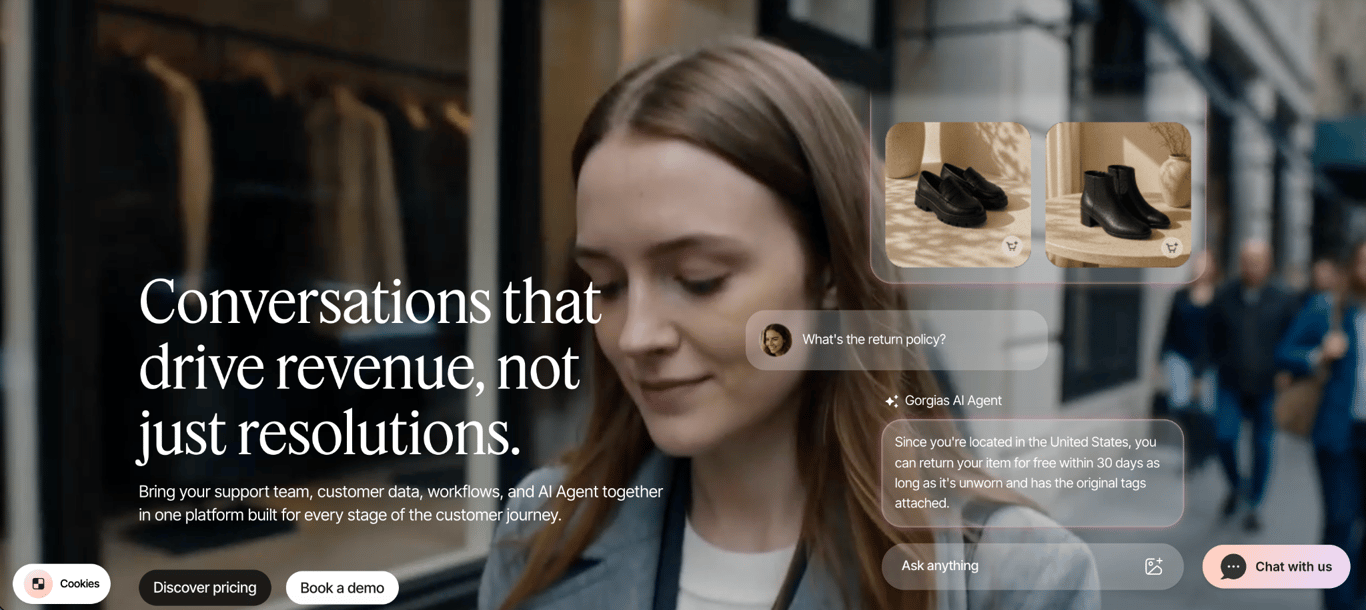
Gorgias works well for ecommerce stores that receive a high volume of customer support and order-related requests.
Its AI Agent uses Shopify customer and order data to answer questions and handle tasks such as tracking orders, processing returns, and canceling orders.
You can automate these repetitive requests while keeping human agents available for conversations that need their involvement.
The AI Agent can also make other changes to Shopify orders through actions you configure, such as editing a shipping address, replacing an item, or reshipping a lost or damaged order.
Before a purchase, the AI Agent works as a shopping assistant. It can answer product questions and help shoppers find suitable products, giving Gorgias a role on both sides of the purchase.
Gorgias AI Agent supports email, live chat, SMS, WhatsApp, Instagram DMs, and Facebook Messenger.
The same store knowledge and configured skills can be used across these channels, while Gorgias keeps the conversations within its helpdesk.
Gorgias integrates with Shopify, BigCommerce, Magento, and WooCommerce, but its AI Agent currently only works with Shopify stores. You can still use the Gorgias helpdesk with the other supported ecommerce platforms, but you won’t have access to its AI Agent.
Gorgias pricing
Gorgias charges separately for its Helpdesk and AI Agent. Helpdesk plans start at $10/month.
With annual billing, Gorgias plans that include both Helpdesk and AI Agent start at $77/month for Basic, followed by $471/month for Pro and $1,227/month for Advanced.
The Starter plan costs $40/month, but it’s only available with monthly billing.
Each plan includes a set number of Helpdesk tickets and AI-resolved conversations, with additional charges when you exceed those limits.
Gorgias pros
- Uses Shopify customer and order data to provide context-specific support.
- Performs configured order actions such as processing returns and canceling orders.
- Covers both customer support and pre-purchase shopping assistance.
- Supports human handoff when a request needs your support team.
- Brings email, chat, SMS, WhatsApp, Instagram, and Facebook conversations into one helpdesk.
Gorgias cons
- Limits the AI Agent to Shopify stores, even though the wider Gorgias helpdesk supports other ecommerce platforms.
- Increases costs with both support ticket volume and the number of conversations the AI Agent resolves.
- Requires paid add-ons for voice and SMS.
3. Shopify Inbox – best native AI chatbot for Shopify stores
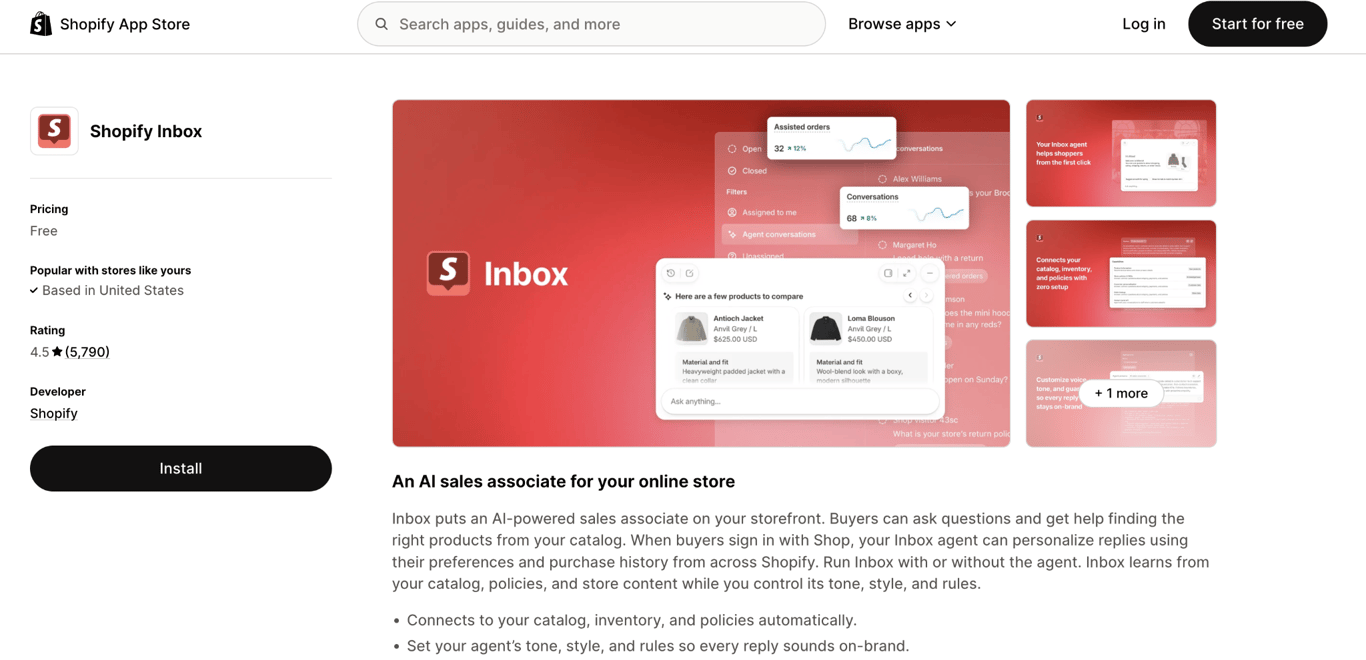
Shopify Inbox lets you add an AI chatbot to your Shopify store for free. It connects directly to Shopify, so the AI agent uses your existing product and store information to answer customer questions without setting up a separate chatbot platform.
The Inbox agent answers questions about your products, shipping, returns, sizing, and store policies. It gets these answers from your Shopify product catalog, policies, Knowledge Base, and published store content, such as product pages and blog posts.
You can also use the AI agent to help shoppers find products. It asks what they’re looking for and recommends matching items from your catalog. For shoppers signed in with Shop, recommendations also use information such as their preferences, sizes, and purchase history.
For post-purchase support, customers can use the Track my order option to check an order with their order number and email address.
When a shopper needs help from a person, the AI agent can connect them with your staff. Your team can continue the conversation through Shopify Inbox on desktop or mobile.
You can customize the AI agent’s tone, style, and rules, adjust the storefront chat, and track performance through metrics such as assisted orders and buyer satisfaction.
Shopify Inbox pricing
Shopify Inbox is free to install and use, including its AI agent. You still need a Shopify store, so your regular Shopify subscription costs apply.
Shopify Inbox pros
- Connects natively to your Shopify catalog, inventory, policies, and store content.
- Includes an AI agent at no additional cost.
- Provides personalized product recommendations based on the shopper’s conversation and store information.
- Includes built-in analytics for monitoring AI-assisted conversations and sales.
Shopify Inbox cons
- Only works with Shopify stores.
- Offers fewer post-purchase actions and support workflows than a dedicated ecommerce helpdesk such as Gorgias.
- Primarily serves customers through your Shopify storefront, making it less suitable for businesses that need broader multichannel support.
4. Rep AI – best for AI shopping assistance and conversions
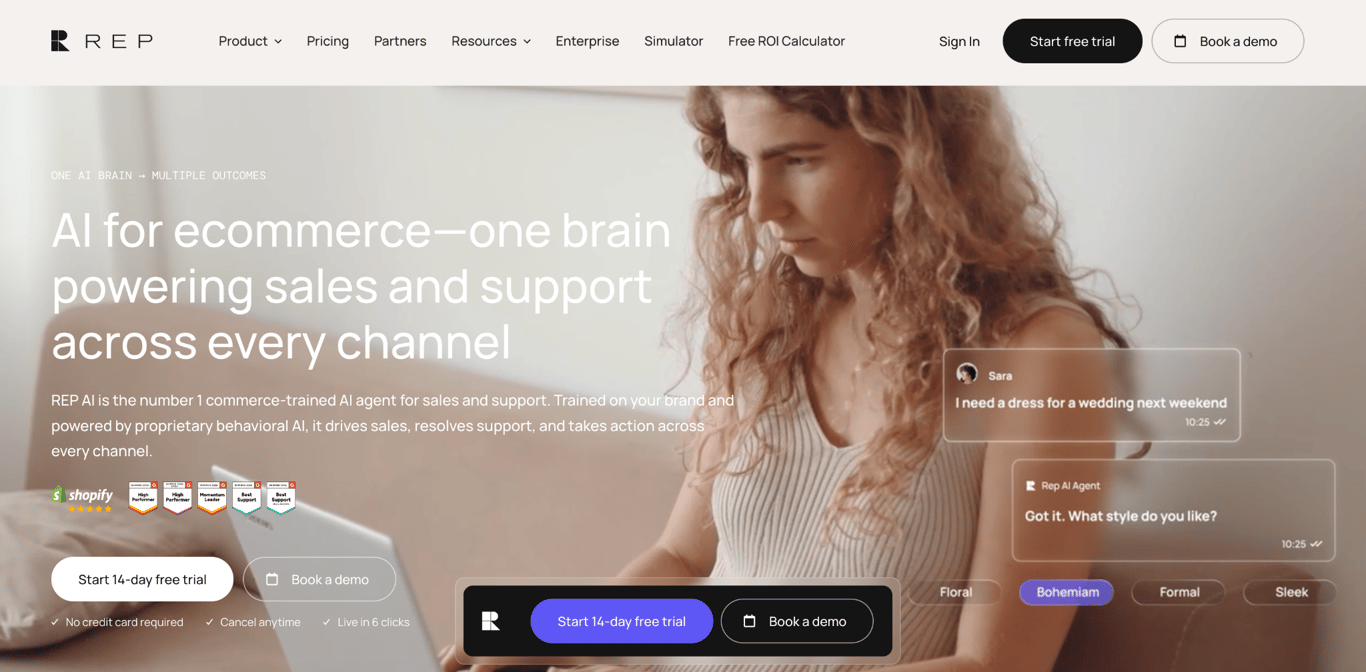
Rep AI focuses on helping shoppers find and choose products while they browse your store. Its AI Sales Agent monitors shopper behavior and starts a conversation when it detects signals such as repeated browsing, product comparisons, searches, exit intent, or an abandoned cart.
Once a conversation starts, shoppers describe what they need in their own words. Rep AI asks follow-up questions, narrows the available products, compares options, and recommends relevant items from your catalog.
It also suggests complementary products and presents product cards that shoppers can purchase from within the conversation.
For post-purchase requests, Rep AI handles order tracking, shipping updates, cancellations, address changes, and initiating returns and exchanges.
When a conversation requires a person, Rep AI routes it to a human agent, including through connected support platforms such as Gorgias and Zendesk.
Rep AI connects with Shopify and offers more than 175 integrations, including native integrations with Gorgias and Klaviyo. It also interacts with customers through website chat, email, Instagram, Facebook, and WhatsApp.
You can track what shoppers ask about and where they hesitate or drop off in the buying journey.
Rep AI pricing
Rep AI offers three main plans. The AI Sales Agent starts at $99/month and focuses on product discovery, recommendations, and other sales interactions.
The AI Support Agent starts at $49/month and handles customer-service tasks such as order tracking, returns, and common support questions.
The AI Concierge starts at $118/month and combines sales and support capabilities into a single plan.
Rep AI pros
- Helps shoppers narrow, compare, and choose products through conversation.
- Recommends relevant products and encourages shoppers to upgrade or add items.
- Covers both pre-purchase assistance and common post-purchase requests.
- Provides insights into shopper questions, hesitation, and drop-off points.
- Connects with more than 175 ecommerce, marketing, and customer support tools.
Rep AI cons
- The Sales Agent starts at $99/month, making it a bigger investment than simpler ecommerce chatbots.
- Using both sales and support capabilities requires the more expensive AI Concierge plan.
- Delivers less value to stores with low traffic or simple catalogs, since its behavioral sales features depend on browsing activity.
5. ManyChat – best for ecommerce chat through social and messaging channels
ManyChat is useful when your customers discover products and contact your business through social media and messaging apps. You can automate conversations across Instagram, TikTok, Facebook Messenger, WhatsApp, Telegram, SMS, and email, depending on your plan.
You can set up ManyChat to respond when someone comments on a post, replies to a Story, or sends you a direct message.
For example, a shopper who comments on an Instagram product Reel automatically receives a DM with a product link or discount code.
These interactions make ManyChat particularly relevant to social commerce, where product discovery and customer conversations often happen on the same platforms.
ManyChat AI uses the information you provide about your business and products to respond to customer questions. Its intention recognition identifies what a customer wants even when they don’t use a specific keyword.
You can also have the AI ask questions, collect product preferences or other customer information, and use the answers to guide the conversation.
After the initial conversation, you can follow up with customers through broadcasts on channels such as WhatsApp and Messenger.
WhatsApp marketing templates can also be used for abandoned-cart messages, although WhatsApp charges separately for template messages.
When a customer needs help from a person, your team can take over the conversation through ManyChat Inbox.
ManyChat pricing
ManyChat has a free plan for up to 25 active contacts per month, with two connected channels and up to four active automations.
AI-powered conversations are available from the Pro plan, which costs $29/month and includes up to 2,500 active contacts per month.
For larger audiences, Business costs $69/month and includes up to 7,500 active contacts. ManyChat also offers an Advanced plan for higher-volume businesses.
ManyChat pros
- Automates conversations across major social and messaging channels.
- Turns comments, Story replies, and DMs into automated conversations.
- Supports automated lead collection and qualification.
- Includes a unified inbox for managing conversations from connected channels in one place.
- Connects with tools such as HubSpot and Google Sheets, with Zapier supporting connections to 7,000+ apps.
ManyChat cons
- Has less direct access to live ecommerce and order data than ecommerce-focused support platforms.
- The free plan is limited to 25 active contacts, two connected channels, and four active automations.
- WhatsApp messaging can add separate usage costs.
- The free plan supports only two connected channels and four active automations.
- Pricing can increase as your audience grows because paid plans have monthly Active Contact limits and charge for additional active contacts.
6. Fin AI Agent – best for larger ecommerce customer-service operations
Fin AI Agent handles customer support throughout the shopping journey, from answering product questions before purchase to assisting with returns, exchanges, and order updates afterward.
You can connect it to your existing helpdesk or use it with Intercom Helpdesk to manage AI and human support together.
For Shopify stores, Fin connects to your product catalog, pricing, variants, and inventory. It combines this store data with the shopper’s current browsing activity to answer product questions, compare options, and recommend relevant products.
Shoppers can also browse recommended products and add them to their cart directly from the conversation.
Fin uses the same conversation to handle post-purchase support, including order updates, returns, and exchanges. For more complex workflows, you can create Procedures that define the steps and rules Fin follows to complete a task or update another system.
You can train Fin on your support content, policies, and other business knowledge, then test its responses with simulations before making changes available to customers.
It supports customer conversations across chat, email, WhatsApp, SMS, Instagram, and Facebook Messenger. When human involvement is required, Fin transfers the conversation directly to an agent in your connected helpdesk.
Fin also gives larger support teams tools for monitoring and improving AI performance. You can analyze conversation topics and trends, track ecommerce customer experience, and identify where Fin’s responses or your support content need improvement.
Unlike Gorgias, Fin doesn’t require a specific helpdesk. It connects with platforms including Gorgias, Salesforce, HubSpot, Freshworks, Front, and Zoho, making it useful when you already have an established customer-service setup and want to add AI automation.
Fin AI Agent pricing
Fin costs $0.99 per outcome, with a minimum of 50 outcomes per month when you connect it to your existing helpdesk.
An outcome is charged when Fin successfully resolves a customer request or completes certain configured tasks. You aren’t charged when Fin simply transfers a conversation to your support team without completing a billable outcome.
You can also use Fin with Intercom Helpdesk for $0.99 per outcome plus $19 per helpdesk seat per month.
Fin offers a 14-day free trial with unlimited outcomes.
Fin AI Agent pros
- Uses Shopify product, pricing, inventory, and browsing data to assist shoppers.
- Covers product discovery and post-purchase customer support.
- Completes multi-step tasks through configurable Procedures.
- Works with Intercom and third-party helpdesks such as Gorgias, Salesforce, and HubSpot.
- Supports customer conversations across multiple messaging channels.
- Provides testing and analytics tools for managing AI support at scale.
Fin AI Agent cons
- Shopify has the strongest native ecommerce integration, while other platforms may require additional data integrations.
- Becomes more expensive as the number of AI-resolved conversations grows.
- More advanced performance analysis requires the paid Pro add-on.
7. Octane AI – best for guided product recommendations
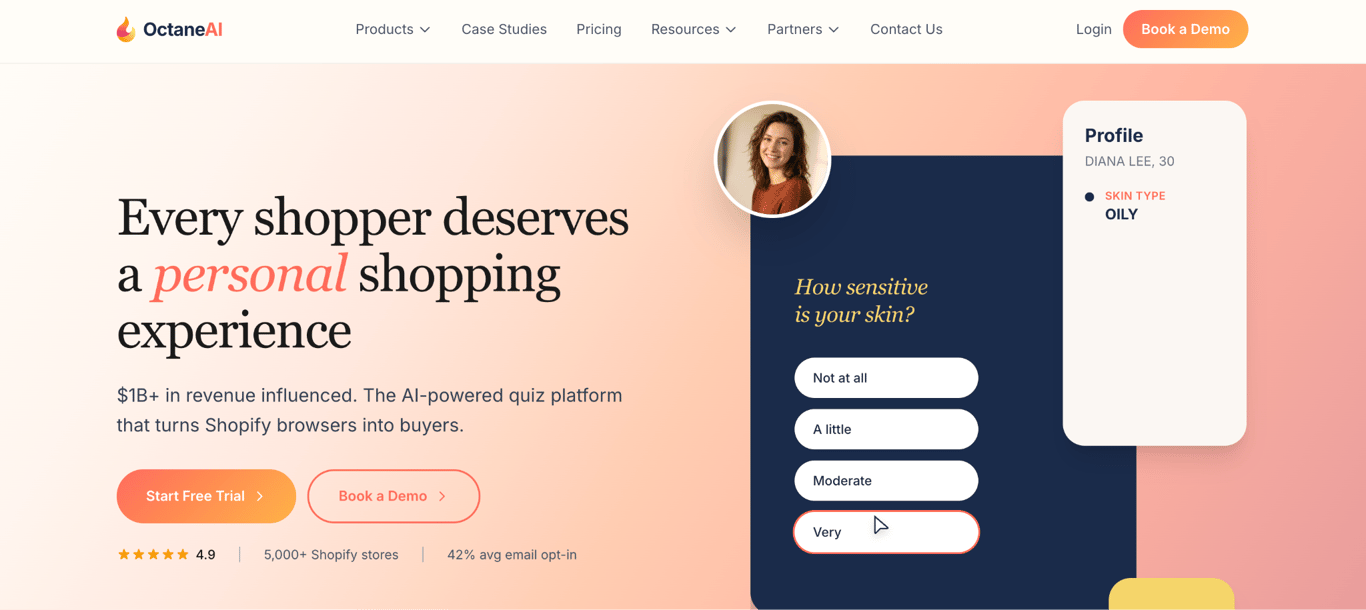
Octane AI helps shoppers choose products through quizzes that ask about their needs and recommend matching items from your Shopify catalog.
You can build product finders, skincare routine builders, size finders, gift finders, and product bundles, making it useful when customers need guidance before choosing what to buy.
Its AI interprets quiz answers and product data to generate personalized results. Octane AI also supports photo uploads, which can be used for visual matching tasks like finding a makeup shade.
Each completed quiz gives you data about what a shopper wants and prefers. You can send this data to tools such as Klaviyo and Attentive to segment customers and personalize future email and SMS campaigns.
Octane AI also integrates with Recharge, Gorgias, Yotpo, Google Analytics, and more than 50 other tools.
Octane AI pricing
Octane AI Basic costs $50/month and includes up to two quizzes and 400 credits. Octane AI Plus costs $200/month, increases the allowance to 2,200 credits, and adds unlimited quizzes and A/B testing.
Enterprise plans start at $500/month and add 7,250+ credits, dedicated account management, custom onboarding, and quiz optimization support.
One credit covers one completed quiz, while AI features use additional credits. For example, Smart Products uses approximately 0.3 additional credits, so a completed quiz with AI-powered recommendations uses about 1.3 credits.
Additional usage costs $0.10 per credit after you exhaust your allowance. All plans include a 14-day free trial.
Octane AI pros
- Collects customer preferences that you can use for marketing segmentation and personalization.
- Syncs quiz data with Shopify, Klaviyo, Attentive, and other ecommerce and marketing tools.
- Supports specialized experiences such as size finders, routine builders, gift finders, and photo-based product matching.
- Provides detailed quiz analytics, including completion rates, drop-off points, conversions, orders, and attributed revenue.
- Supports A/B testing to compare quiz questions, designs, and recommendations.
Octane AI cons
- Works only with Shopify stores.
- Focuses on product discovery and personalization, so it doesn’t provide broad customer service or order-management automation.
- A/B testing and unlimited quizzes require the Plus plan or higher.
- The quiz starts, and AI features consume credits, so higher usage can lead to overage charges.
8. Zendesk AI – best for established multichannel support teams
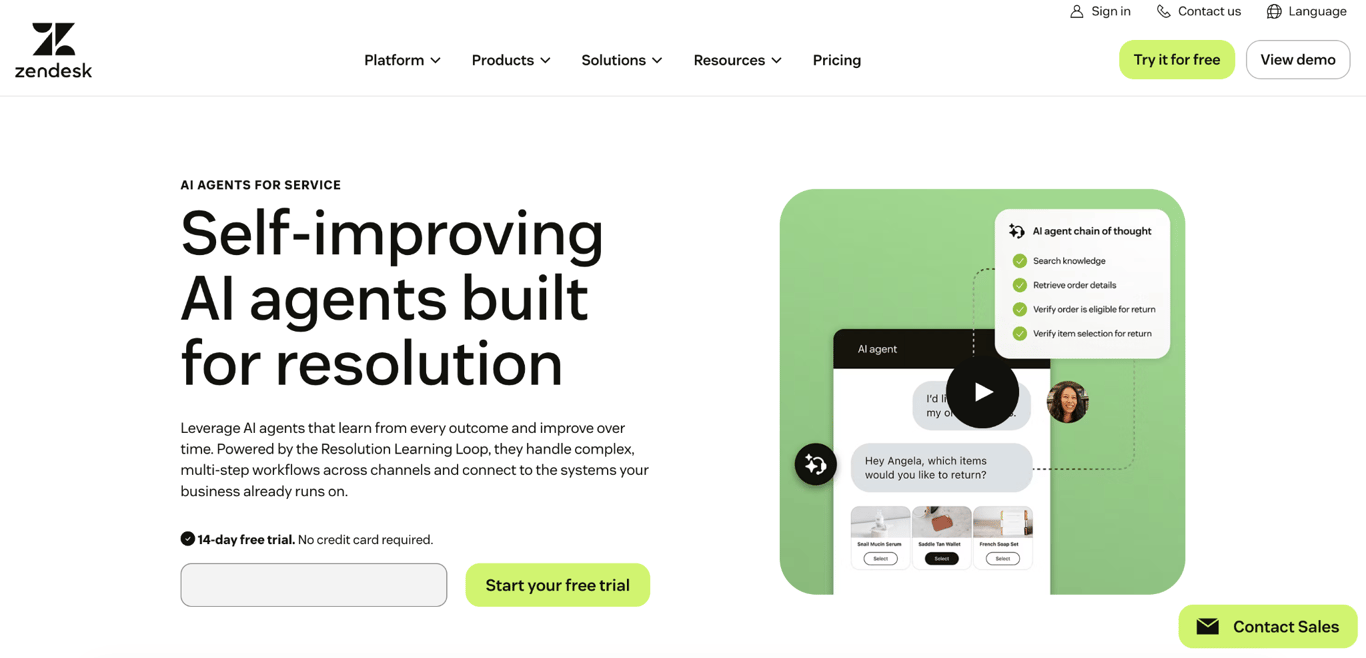
Zendesk AI works well for larger ecommerce businesses that handle customer service across several channels.
Its AI agents answer common questions using your approved knowledge sources and handle customer requests across web and in-app messaging, email, social media, and voice.
For Shopify stores, Zendesk brings customer and order information into the support workspace. Your team can view order and fulfillment details and process refunds or cancellations without leaving Zendesk.
You can also build automated workflows for AI agents that look up orders and customers, search product information, check return eligibility, cancel orders, and issue refunds.
Zendesk routes requests that need human attention to the appropriate support agent based on factors such as availability, skills, and ticket priority.
The agent receives the conversation history and customer context, so they can continue working on the request without asking the customer to start over.
Zendesk also provides reporting for tracking ticket volume, agent performance, AI usage, and automated resolutions across your support operation.
This level of routing, analytics, and workflow control suits ecommerce businesses managing a large support team or high volumes of customer requests.
Zendesk requires more setup than ecommerce-focused tools such as Gorgias. Its commerce capabilities rely on integrations and configured workflows, so you need to connect your store and decide which customer-service actions Zendesk can access and automate.
Zendesk AI pricing
Zendesk’s Support Team plan starts at $19 per agent/month and includes AI Agents alongside core email and ticketing features.
Suite Team costs $55 per agent/month and adds a knowledge base, Action Builder, omnichannel routing, messaging, live chat, and telephony.
Suite Professional costs $115 per agent/month and adds more advanced AI, routing, and reporting features. Enterprise pricing is available from Zendesk’s sales team.
AI Agent usage is measured in automated resolutions, which are customer requests successfully resolved without human escalation.
Support Team and Suite Team currently include 5 automated resolutions per agent/month, while Suite Professional includes 10 per agent/month. Additional committed resolutions cost $1.50 each, or $2 each on a pay-as-you-go basis
Zendesk AI pros
- Automates customer support across multiple channels.
- Connects Shopify order and customer data with support conversations.
- Supports ecommerce actions such as order lookups, cancellations, and refunds.
- Routes unresolved requests to the appropriate human agents.
- Provides detailed reporting for larger support operations.
Zendesk AI cons
- Requires additional setup and workflow configuration for ecommerce automation.
- Increases costs with the number of support agents and the use of automated resolutions.
- Requires the Copilot add-on for advanced AI tools such as Auto Assist.
Can you build a custom ecommerce chatbot with Hostinger AI Builder?
Yes, you can build a custom ecommerce chatbot with Hostinger AI Builder by using its agentic mode to create the chatbot as a web app.
You can publish it to its own URL and embed it in an existing online store using an iframe (a small window inside a webpage that displays another webpage or app).
To give the chatbot access to up-to-date product or store information, you can connect a suitable API and configure the app to fetch that data.
A single prompt asking AI Builder to create a compact shopping assistant for an existing skincare store is enough to create a working first version.
For this example, the prompt was:
Create a standalone AI shopping assistant web app for an existing skincare ecommerce store called GlowLab.

The app will later be embedded into an existing ecommerce website, so do not create a storefront, homepage, navigation, product collection page, checkout, or other website sections.

Create a compact chatbot interface that can work as an embedded shopping assistant. The chatbot should help shoppers choose products based on their skin type and main concern.

Start by asking what the shopper needs help with, then ask relevant follow-up questions about their skin type and concerns, such as dryness, acne, sensitivity, or signs of aging.

Include six fictional skincare products with a name, description, price, skin type, concerns, and other information the chatbot needs to make recommendations.

Use this product data when answering shoppers.

Based on the shopper's answers, recommend one or more suitable products and explain briefly why each product matches their needs.

Show recommended products as compact product cards inside or directly below the conversation.

Build this as a functional AI chatbot, not a static chatbot mockup. Keep the interface compact and responsive so it can later be embedded into an existing ecommerce website.
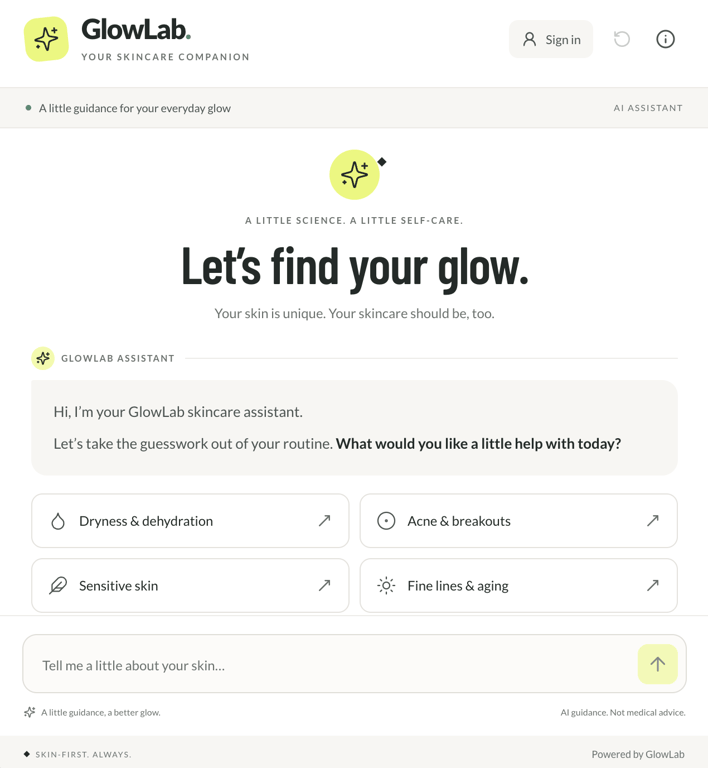
AI Builder turned the prompt into GlowLab, a working skincare chatbot with suggested starting concerns and a free-text field for shoppers who want to describe what they need in their own words.
Selecting Dryness & dehydration, for example, starts a conversation rather than immediately returning a product. The assistant asks about the shopper’s skin type and provides additional guidance for those unsure how to answer.
The first build is only the starting point of the app-building workflow in agentic mode. Before adding a custom chatbot to your store, refine its conversation logic and test different customer journeys.
Define what information the assistant should collect, when it has enough information to make a recommendation, and how it should handle unclear or conflicting answers. This prevents repetitive questions and keeps conversations moving toward a useful result.
Next, replace the demo product information with your actual catalog. Depending on your setup, this means connecting an API so the chatbot can retrieve current product details, prices, availability, or other data it needs to make accurate recommendations.
Finally, test the chatbot with different questions and customer paths, set rules for cases it shouldn’t handle, and decide when to direct customers to human support.
Once the conversation and recommendations work reliably, publish the app and embed it into your existing store.
How AI chatbots help ecommerce businesses
A well-integrated chatbot takes pressure off your support team while making it easier for customers to get information, choose products, and complete purchases. How much it can handle depends on its ecommerce integrations and access to your catalog, customer, and order data.
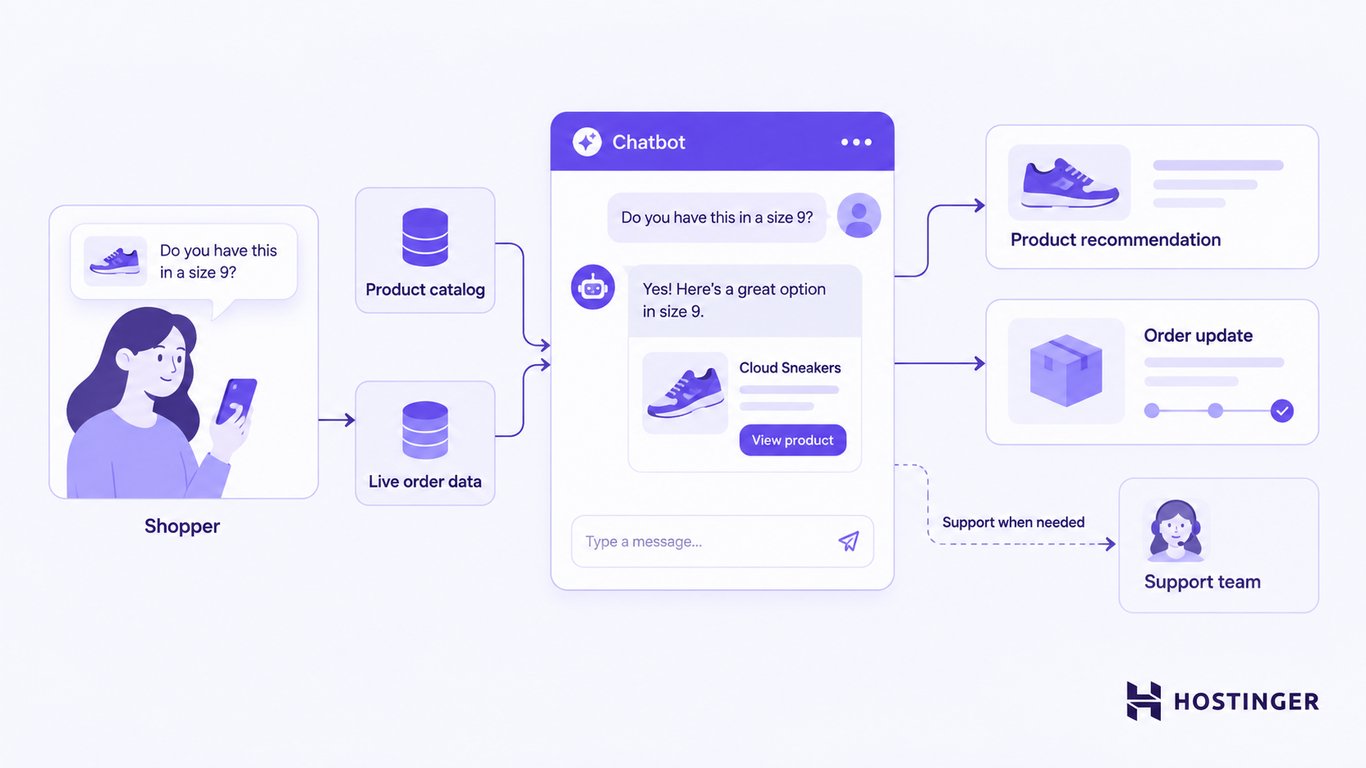
Depending on the chatbot and its integrations, the benefits of AI chatbots include:
- Faster customer support. Chatbots can handle common questions about shipping, returns, products, store policies, and orders without making every customer wait for a support agent. 23% of customer service leaders named improved customer experience as AI’s top benefit, citing faster ticket resolution, personalization, and 24/7 support among the advantages.
- Easier product discovery. A chatbot asks what someone is looking for, narrows down a large catalog, and recommends relevant options. Product recommendations account for up to 31% of ecommerce revenue in sessions where shoppers actively engage with them, showing how valuable guided product discovery is.
- Immediate order updates. Chatbots connected to live order data can retrieve current shipping and fulfillment information, so customers get answers immediately while your support team receives fewer routine “Where is my order?” requests.
- Lower support costs. Chatbots handle predictable requests such as FAQs, order updates, and policy questions, reducing the amount of routine work that reaches your support team. The potential savings are part of a broader trend in retail, with 94% of retailers using AI reporting lower operational costs across areas such as automated customer service, inventory management, and data-driven decision-making.
- A more personalized shopping experience. Chatbots use preferences, browsing activity, purchase history, and catalog information to tailor conversations and recommendations to each shopper. This helps customers narrow down their options faster and find products that fit their needs.
What to look for in an ecommerce AI chatbot
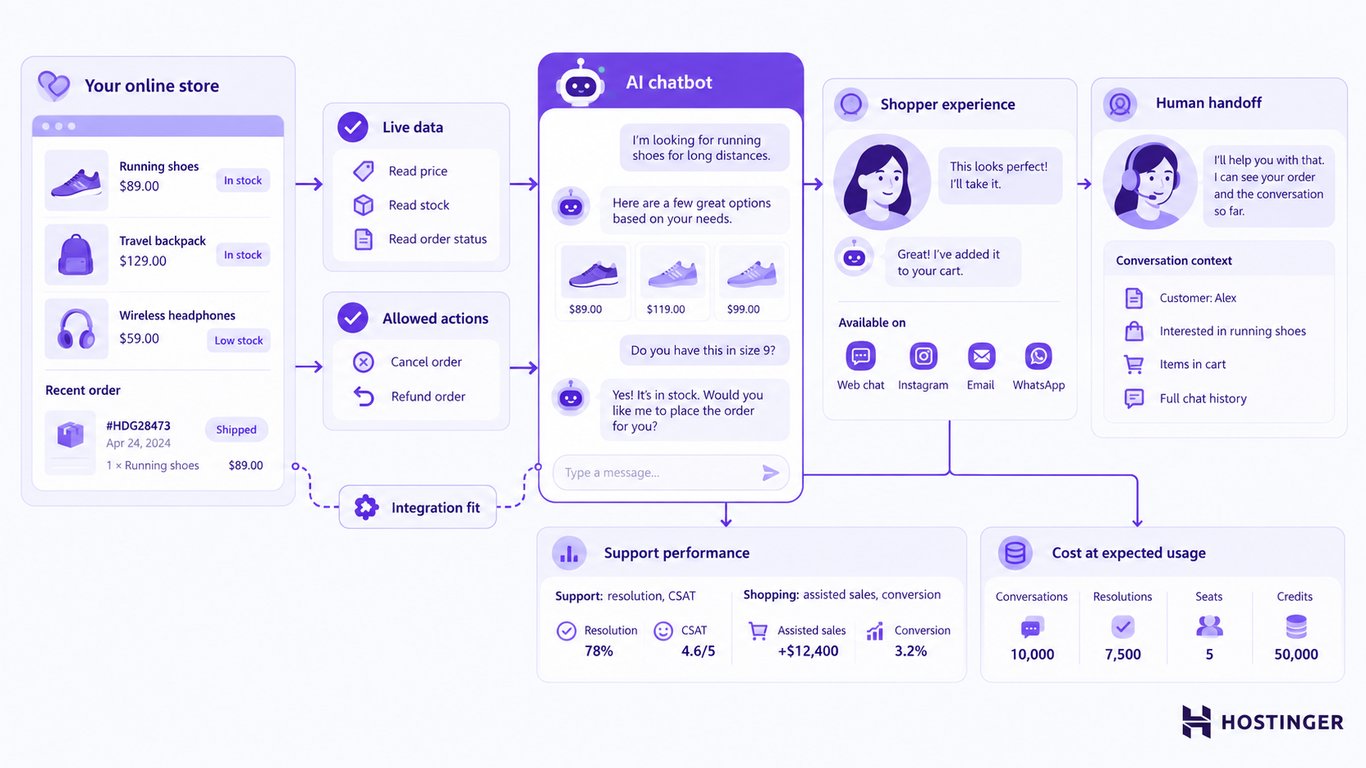
A good ecommerce AI chatbot connects with your store platform, works with the data needed for its tasks, and supports the customer interactions you want to automate.
Its channels, human handoff, customization, analytics, security, and pricing also need to fit how your business operates.
Use the following criteria to evaluate your options:
- Ecommerce platform integration. Start by checking whether the chatbot connects directly to your ecommerce platform. A native or supported integration gives the chatbot access to store information and enables ecommerce-specific features, but the exact capabilities vary by integration.
- Access to live product and order data. Check whether the chatbot retrieves current prices, variants, inventory levels, customer orders, and fulfillment details. A chatbot that relies only on your help center or other static content may answer policy and product questions, but won’t necessarily know whether an item is currently in stock or where a customer’s order is.
- Ability to take actions. Data access doesn’t automatically give a chatbot permission to change anything in your store. A chatbot might be able to retrieve an order’s status but not cancel the order, issue a refund, update an address, or start a return. Check which actions the integration supports and which permissions you need to enable.
- Shopping and product assistance. For stores with large catalogs or products that require more consideration, look for features that help shoppers narrow down their options. Depending on the tool, this includes asking about preferences, comparing products, recommending suitable items, and personalizing suggestions using customer or browsing data.
- Supported customer channels. Consider where customers already contact your business. Website chat may be enough for some stores, while others need the chatbot to continue conversations through email, Instagram, WhatsApp, Messenger, or other channels. Check whether the same AI capabilities are available across every channel you plan to use.
- Human handoff. Customers need a clear path to a person when the chatbot reaches a question it can’t resolve or a situation that requires human judgment. Check how conversations are transferred, what context the support agent receives, and whether the handoff works in your existing ecommerce customer service setup.
- Useful analytics. Look for analytics that match what you expect the chatbot to accomplish. For customer support, that includes resolution rates, escalations, and customer satisfaction. For shopping assistance, assisted sales, product interactions, and conversion data can show whether the chatbot is actually improving ecommerce conversions.
- Total cost at your expected usage. Starting prices rarely tell the whole story. Depending on the provider, your bill may be based on AI conversations, automated resolutions, contacts, support seats, AI credits, or a combination of these. Estimate the cost at your expected volume and include any separate charges for ecommerce integrations, advanced AI features, or messaging channels.
- Security and data handling. Check what customer and store data the chatbot can access, how that data is handled, and which permissions you can control. Review the provider’s security measures and relevant compliance certifications, particularly when the chatbot handles customer accounts, order details, or other sensitive data.
- Customization. Check how much control you have over the chatbot’s responses, tone, appearance, and behavior. Depending on the tool, you may be able to define instructions, conversation flows, escalation rules, and which actions the chatbot can take.
Which AI chatbot should you use for your ecommerce store?
The right AI chatbot depends on what you need it to do: answer common questions, act on live order data, or help shoppers choose products.
Your ecommerce platform, customer channels, and support volume narrow the choice further.
Here’s how the options match different store needs:
- Small store – Tidio. It combines AI customer support with live chat and human handoff. Its ecommerce integrations also support product recommendations, with particularly strong shopping features for Shopify stores.
- Shopify store – Shopify Inbox. It connects directly to your Shopify catalog and stores information, provides AI-powered shopping and support features, and is free to use with a Shopify subscription.
- Customer support and order workflows – Gorgias. It automates requests such as order tracking, returns, and cancellations using Shopify customer and order data. Its AI Agent currently works only with Shopify stores.
- Product discovery and conversational selling – Rep AI. It engages shoppers while they browse, asks questions about what they need, compares products, and recommends relevant options from your catalog.
- Guided product matching – Octane AI. It works well when choosing a product requires several questions. Its quizzes can power experiences such as product finders, skincare routine builders, size finders, and gift finders.
- Social and messaging-led selling – ManyChat. It connects ecommerce conversations with channels such as Instagram, WhatsApp, Facebook Messenger, and TikTok, making it useful when product discovery and customer engagement happen through social platforms.
- Larger customer-service operation – Fin AI Agent. It can add AI automation to existing helpdesk platforms, including Gorgias, Salesforce, HubSpot, and Freshworks.
- Established multichannel support team – Zendesk AI. It suits businesses that build their support operation around Zendesk and need advanced routing, workflows, and reporting.
- Custom ecommerce chatbot – Hostinger AI Builder. It provides a build-your-own approach to creating customer support chatbots and personalized recommendation experiences. This option gives you more control over the experience but requires you to build and configure the functionality you need.
This article is a localized version of Best AI chatbots for ecommerce in 2026, originally published in English.
All of the tutorial content on this website is subject to Hostinger's rigorous editorial standards and values.

Ksenija is a digital marketing enthusiast with extensive expertise in content creation and website optimization. Specializing in WordPress, she enjoys writing about the platform’s nuances, from design to functionality, and sharing her insights with others. When she’s not perfecting her trade, you’ll find her on the local basketball court or at home enjoying a crime story. Follow her on LinkedIn.