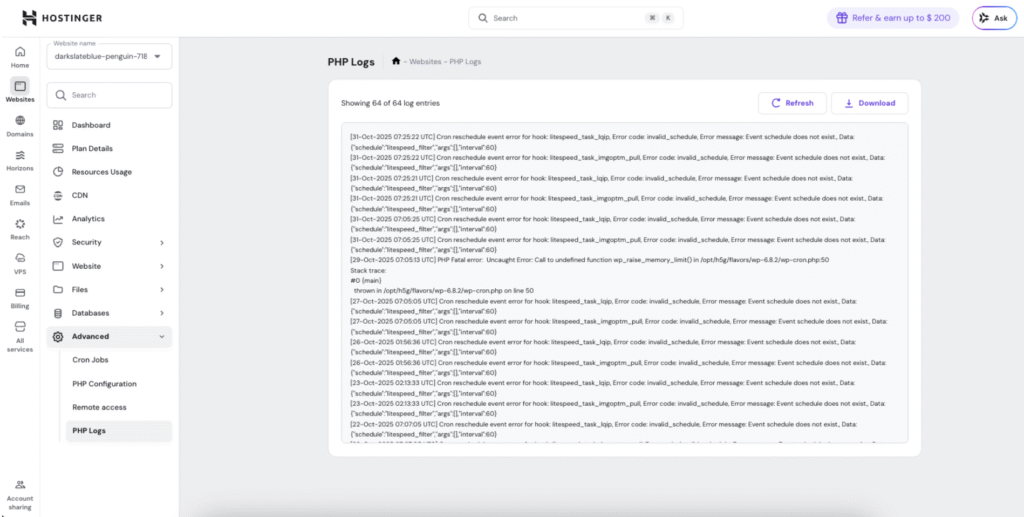
PHP logs record errors, warnings, and notices generated by PHP scripts on your website. These logs are essential for debugging issues, monitoring site health, and identifying problems before they impact your visitors.
What are PHP Logs?
PHP logs capture runtime information about your website’s PHP execution, including:
- Fatal errors: Critical issues that stop script execution
- Warnings: Non-fatal problems that allow scripts to continue
- Notices: Minor issues like undefined variables
- Deprecated functions: Code using outdated PHP features
- Custom error messages: Developer-defined logging
Why PHP logs matter:
- Quickly identify and fix website errors
- Debug plugin or theme conflicts
- Monitor site health and performance
- Catch issues before users report them
- Troubleshoot white screen errors
- Track down intermittent problems
Accessing PHP Logs
- Log in to your Agency Hosting control panel
- Go to website dashboard
- Navigate to Advanced section
- Click PHP Logs
- View recent log entries