Maintenance mode allows you to temporarily take your website offline while displaying a professional message to visitors. This ensures a good experience during updates, migrations, or troubleshooting without exposing broken functionality or work-in-progress changes.
How to enable maintenance mode
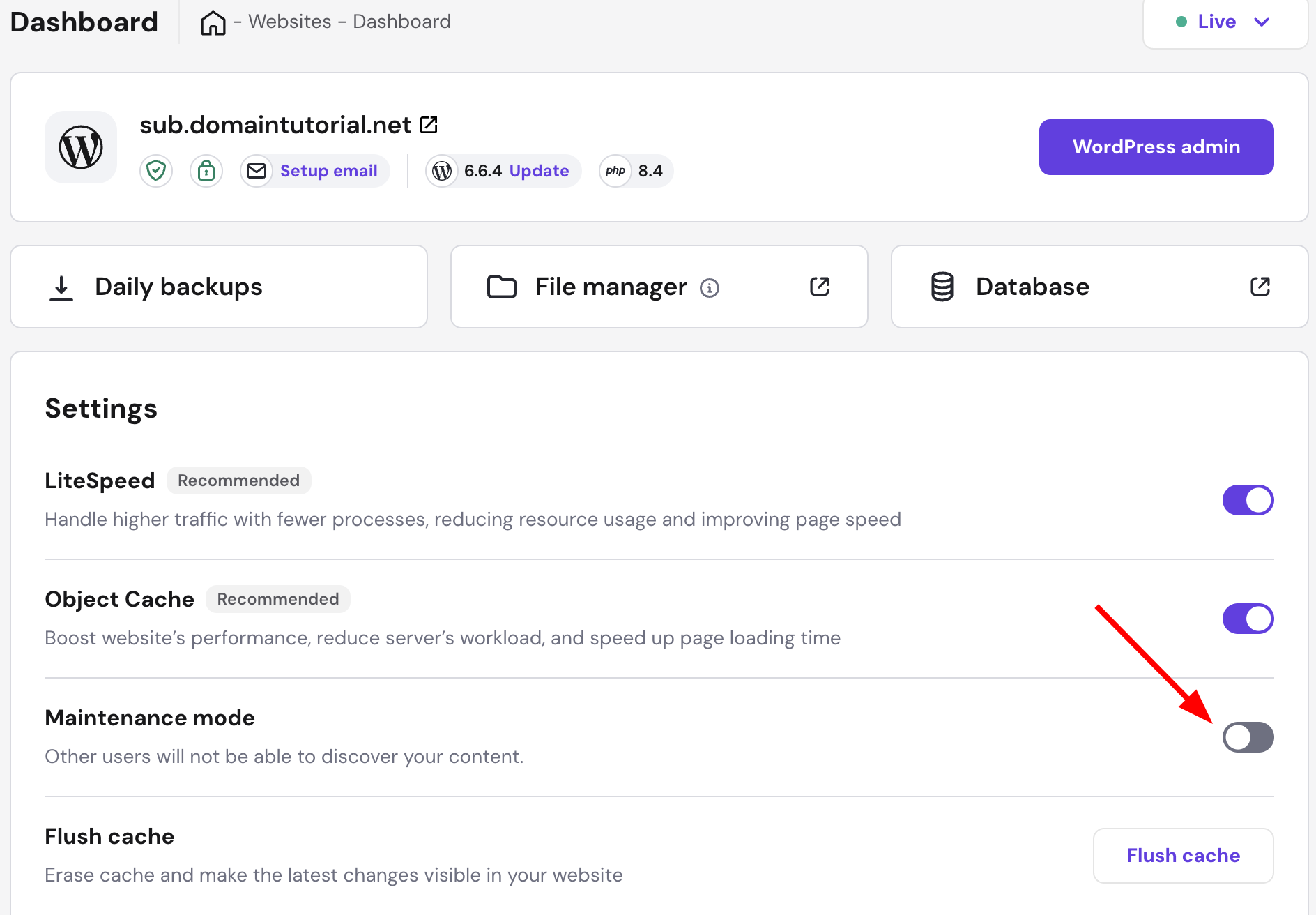
- Go to your website dashboard
- Find Maintenance mode setting
- Toggle the switch to Enable
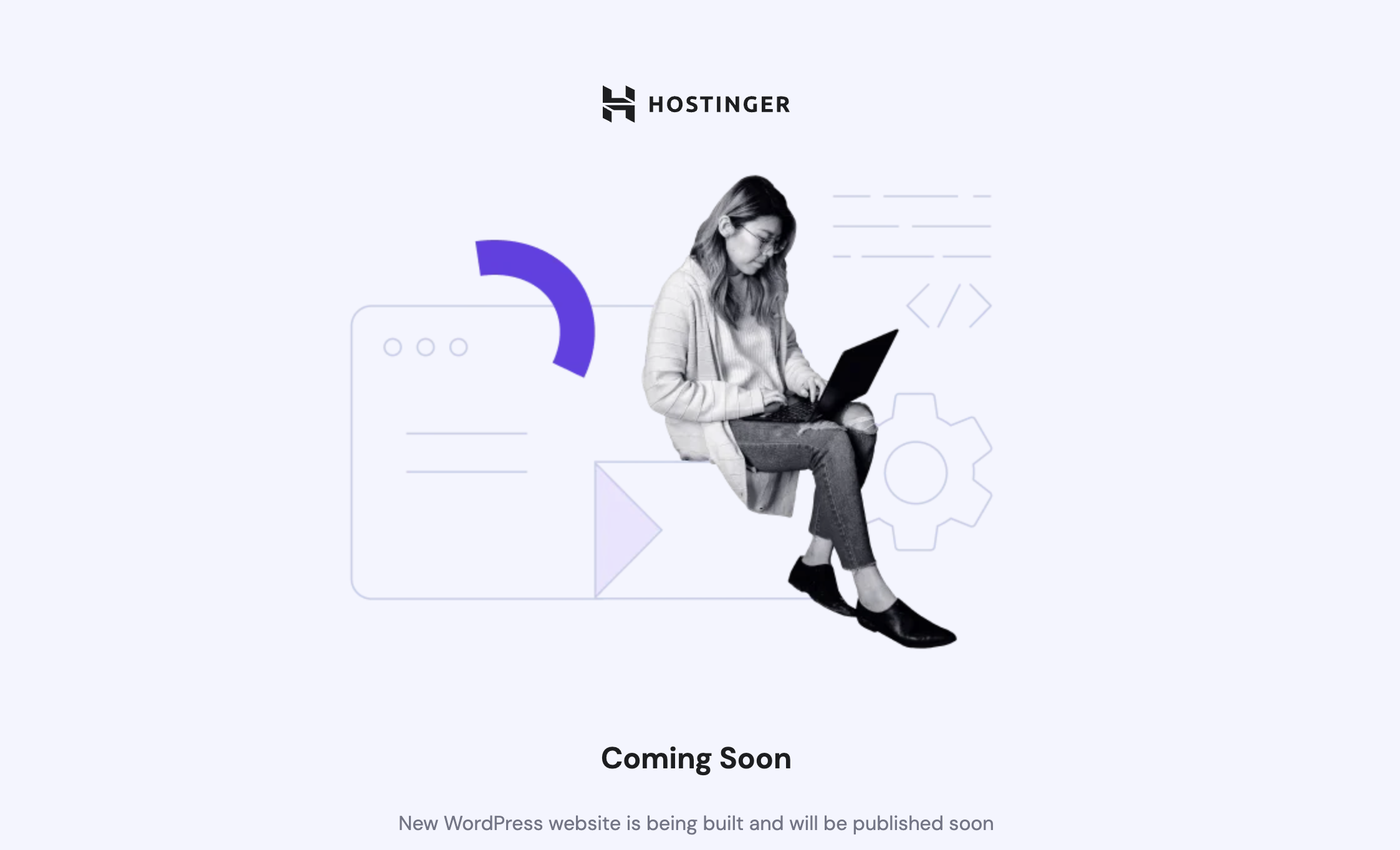
While in the maintenance mode, your website will showcase this landing page:
You can disable the mode the same way at any time.
Maintenance mode ensures a smooth and professional experience for visitors while you make updates.