The Remote MySQL feature access allows remote hosts (servers) to manage your databases. To set it up, first, you need to allow the desired remote IP to connect to your database.
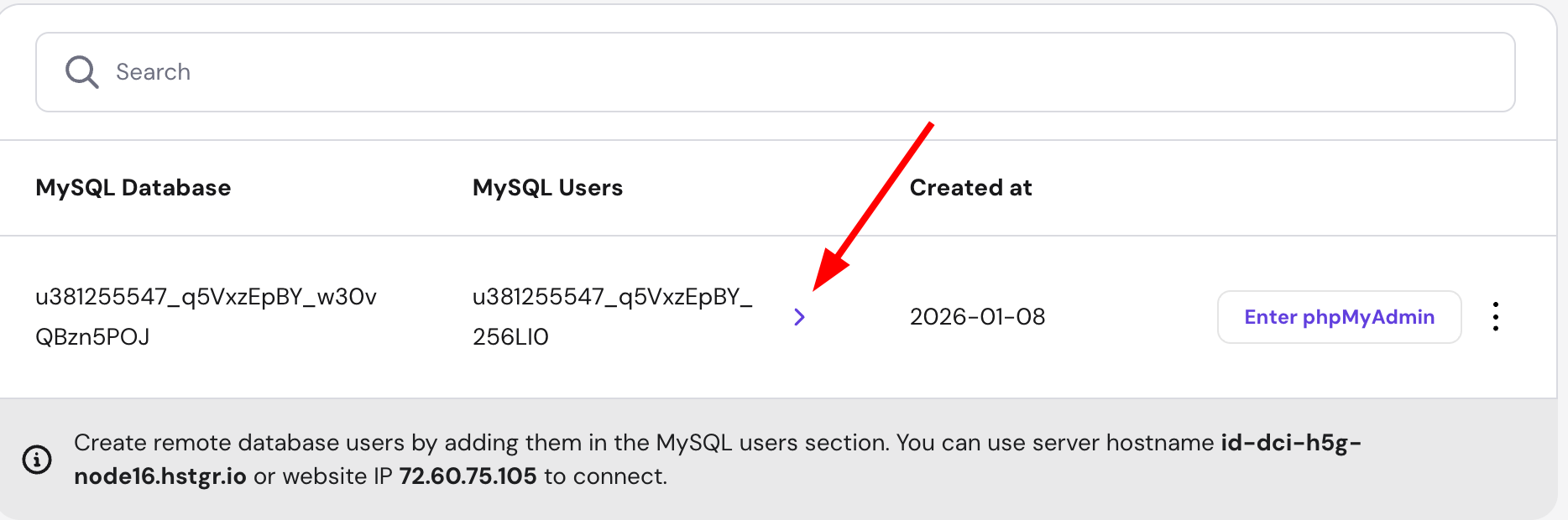
This can be done by accessing Websites → Dashboard, searching for Management under Database on the left sidebar, and clicking on it:

There you can select to add a new MySQL user:
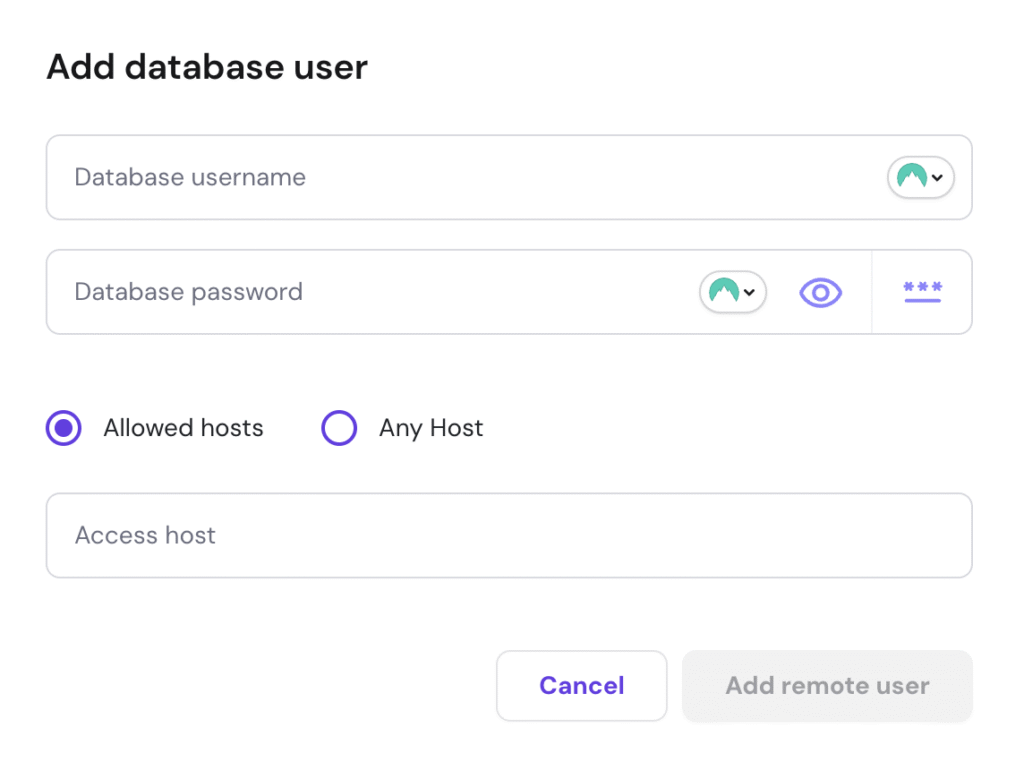
And there you will be able to fill in the needed information:
- Database username
- Database password
- IP (IPv4 or IPv6) – the IP address from which the remote connection will be initiated
- Any host – click this checkbox to allow the connection from any IP. This will add a % symbol in the IP field
- When all is good to go, click on “Add remote user”
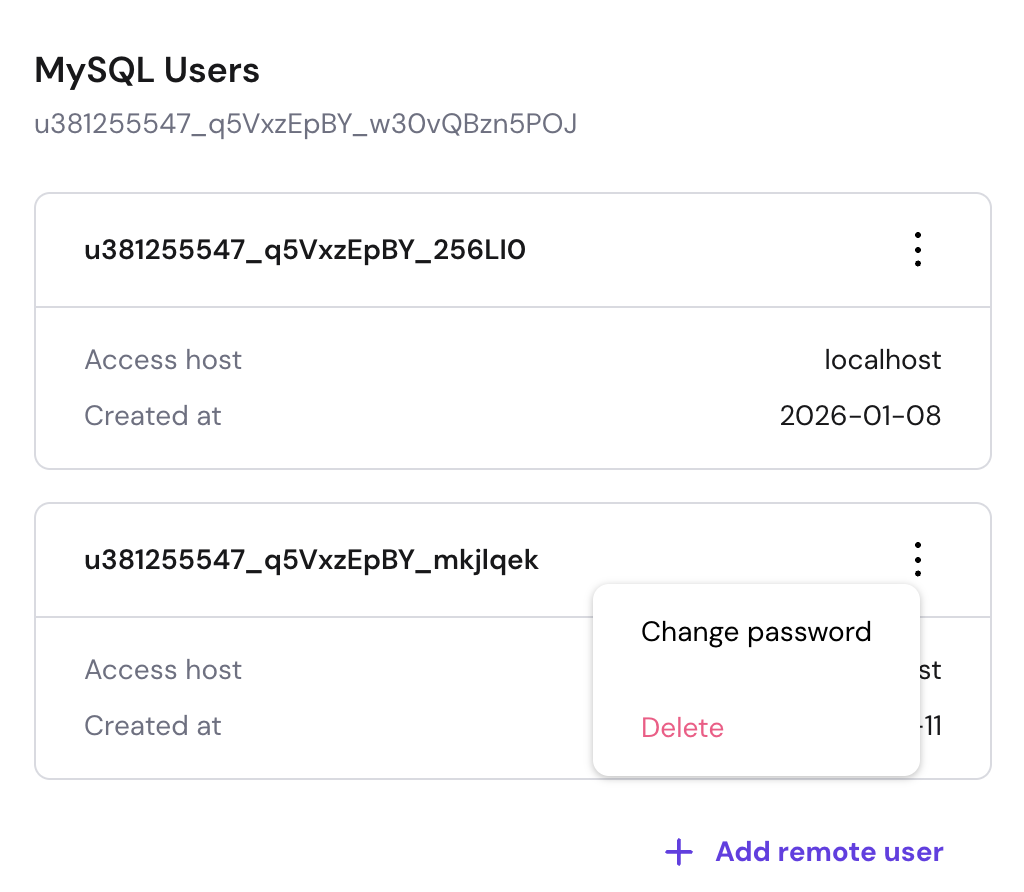
After the remote access is created, you will be able to manage it:
That’s it! Now you know how to set up and manage remote access to your databases on Agency plan 😊