You can launch projects from a private repository on GitHub.com to your server by using a deploy key, which is an SSH key that grants access to a single repository.
How to set up deploy keys
- Connect to your server using SSH or a Browser terminal.
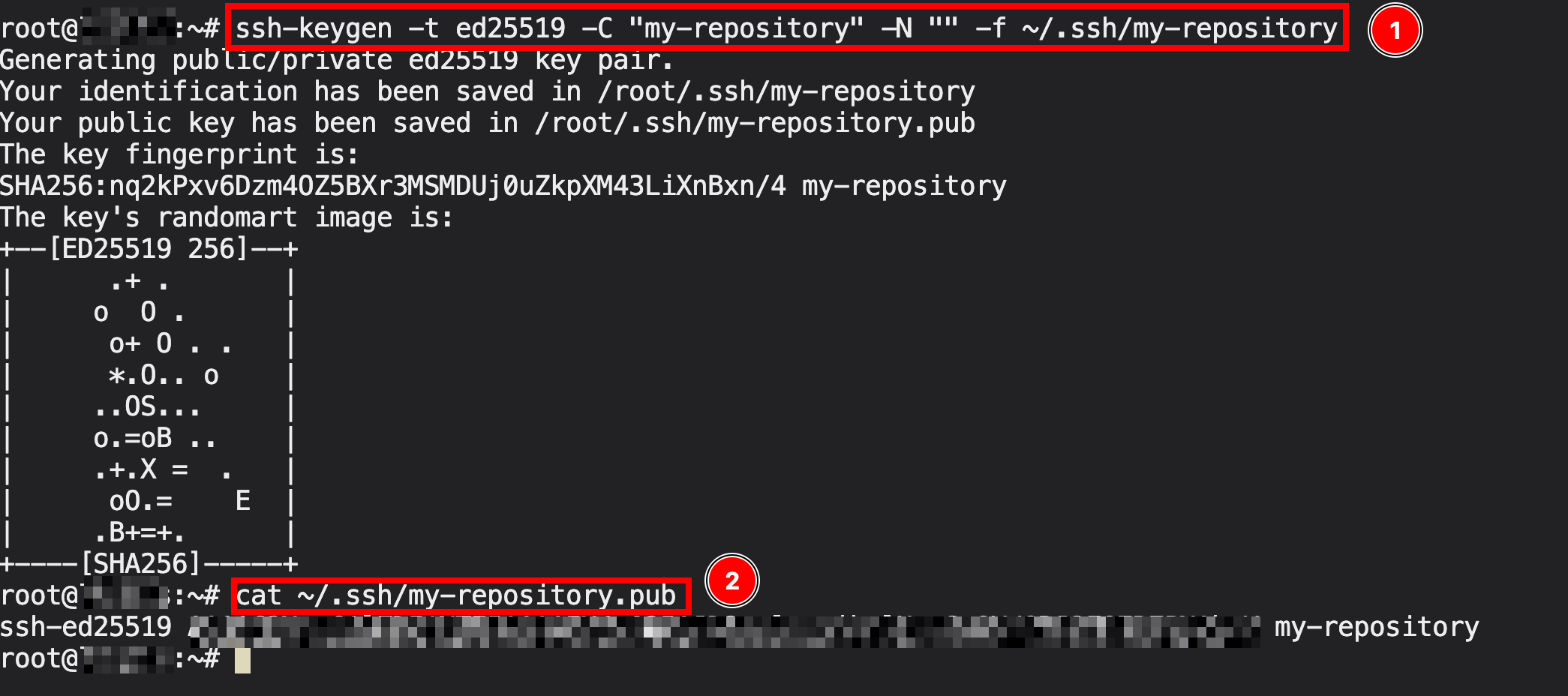
- Generate the SSH key inside the VPS:
ssh-keygen -t ed25519 -C "my-repository" -N "" -f ~/.ssh/my-repository
- Get and copy your public key contents:
cat ~/.ssh/my-repository.pub
- Navigate to your private GitHub repository.
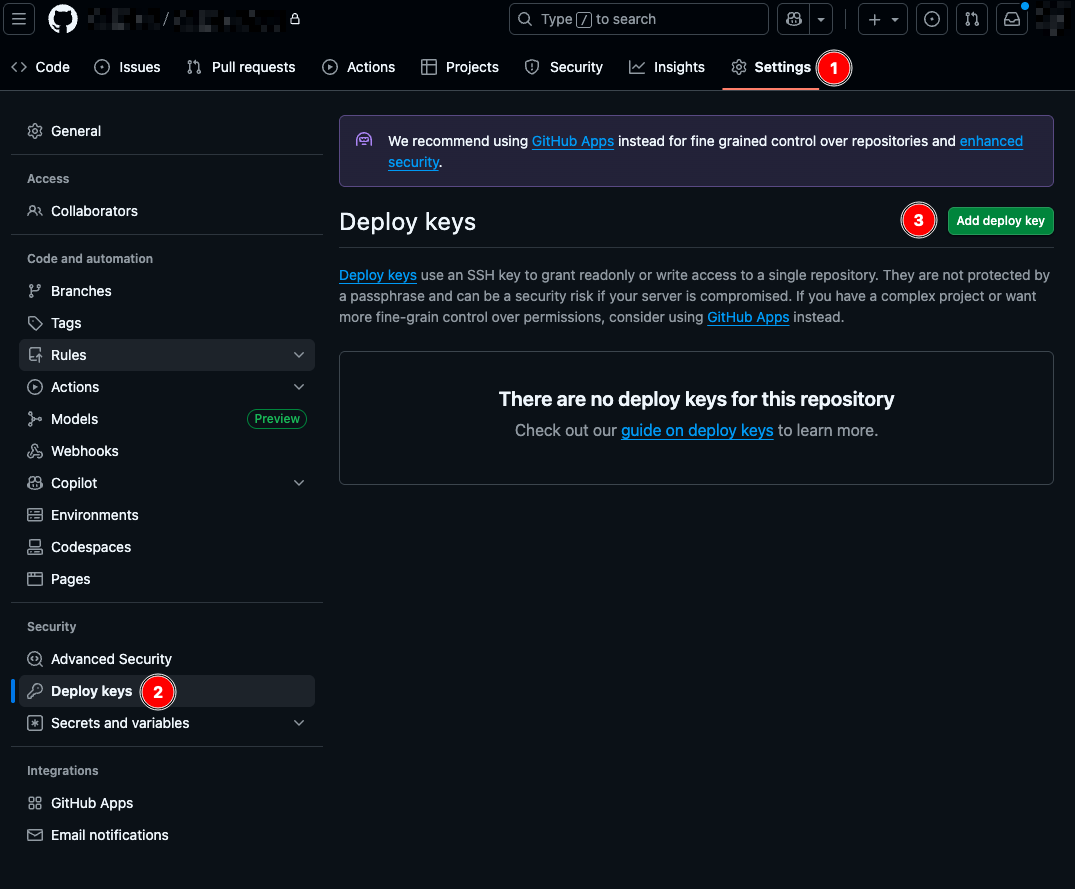
- Click Settings -> Deploy Keys.
- Click Add deploy key.
- Enter the title for your deployment key name and paste the contents of ~/.ssh/my-repository.pub to the Key field.
- Click the Add key.
- The deploy key should appear in the list.
Your VPS is now able to access your private repository. With this setup, you can securely deploy applications from private GitHub repositories directly on Hostinger Docker Manager.
For the official GitHub guide on adding a Deploy key, visit their documentation page.