If you’ve manually installed WordPress or migrated your site using Custom PHP, you can now unlock powerful WordPress management features right from your hPanel dashboard.
By changing your website type to “WordPress”, you’ll gain access to:
- Faster site performance via LiteSpeed and Object Cache integration
- WordPress-specific features like maintenance mode for seamless updates
- Enhanced security with managed WordPress core files
Requirements
- WordPress version 6.2 or higher
- The website is working
Steps
Step 1 – When hPanel detects a WordPress installation on your Custom PHP site, a notification bar will appear at the top of your website dashboard:
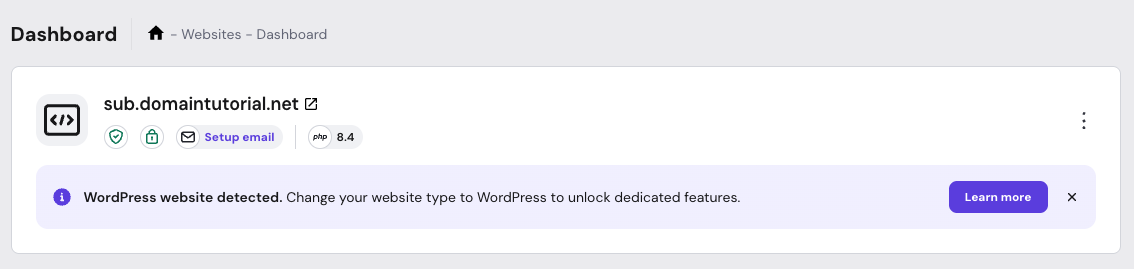
Step 2 – Click the Learn More button to proceed with the conversion.
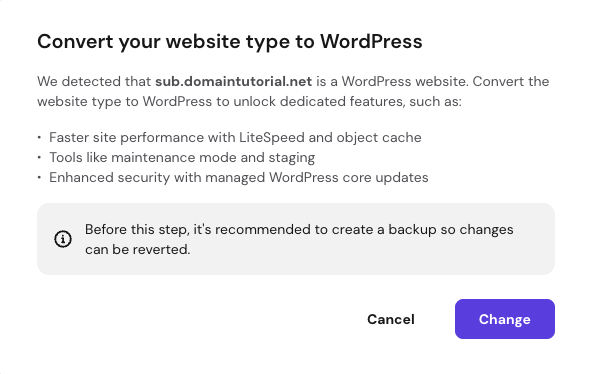
Step 3 – A pop-up window will appear asking you to confirm the conversion. Review the information, then click Change.
Step 4 – Wait for the process to complete.
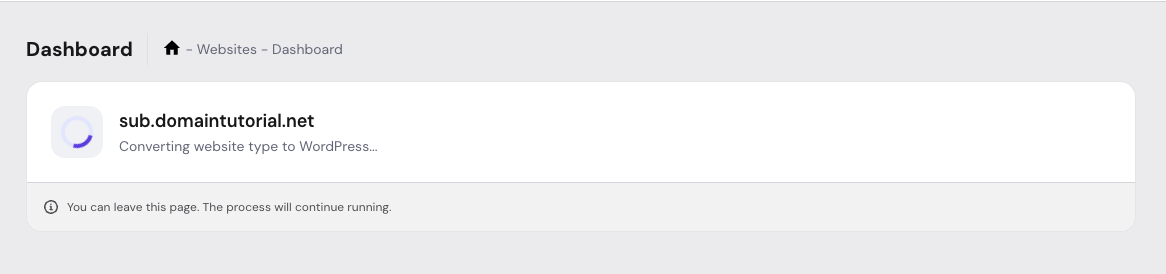
You can safely leave the page during the conversion – the process will continue in the background.
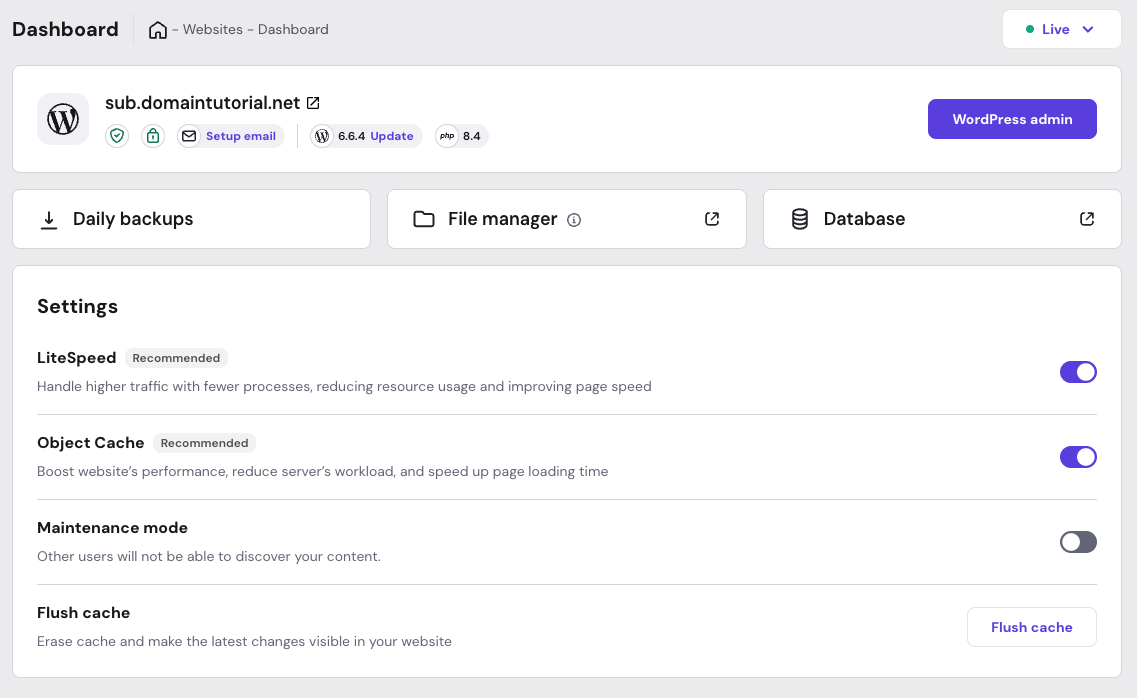
Step 5 – Once the conversion is complete, you’ll be able to manage your WordPress website directly from the hPanel dashboard without needing to re-upload files or make additional changes!
Notes:
- During the conversion, your website will not be affected (no downtime).
- The conversion is currently one-way only.
If you encounter any issues during the conversion process, don’t hesitate to contact our Customer Success team via live chat.