Managing product visibility allows you to control which items are visible to your customers without deleting them from your inventory. By switching a product’s status, you can hide seasonal items, prepare new listings in draft mode, or temporarily remove products that are out of stock.
Inactive products remain in your store management database, but are not accessible via the public storefront or direct product pages.
How to change product visibility
Follow these steps to set your product status to active or inactive in the Hostinger Website Builder:
- Open your store management area.
- Navigate to the Products section.
- Click on the product you wish to modify to open the Edit product window.
- Locate the status dropdown menu in the top-right corner of the Product details section.
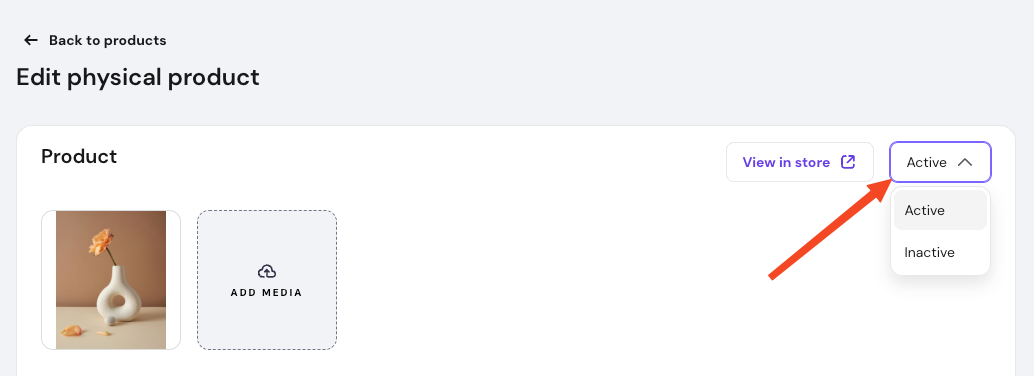
- By default, products are active upon creation. Set to Inactive to hide it from your customers, or to Active make the product visible once again on your website.
- Click Save to apply the changes to your store.
Updating the visibility status ensures your storefront always displays relevant items to your customers. You can toggle these settings at any time to manage your catalog efficiently as your inventory changes.