To add forms that send email notifications after each submission, all you need is a Supabase account and a Gmail account.
Here are the steps to get started:
- Connect your web app to Supabase: Hostinger Horizons: Supabase Integration
- Here’s the exact prompt to paste into Horizons: “I want to add a form to my web app. The form must send email notifications to my gmail account whenever it is submitted. for the email notifications, I want to use nodemailer package. I already have Supabase connected, which can serve as a backend server.“
- Enable 2-Factor Authentication on your Google Account (if it’s not already).
- Generate an App Password by following Google’s official guide.
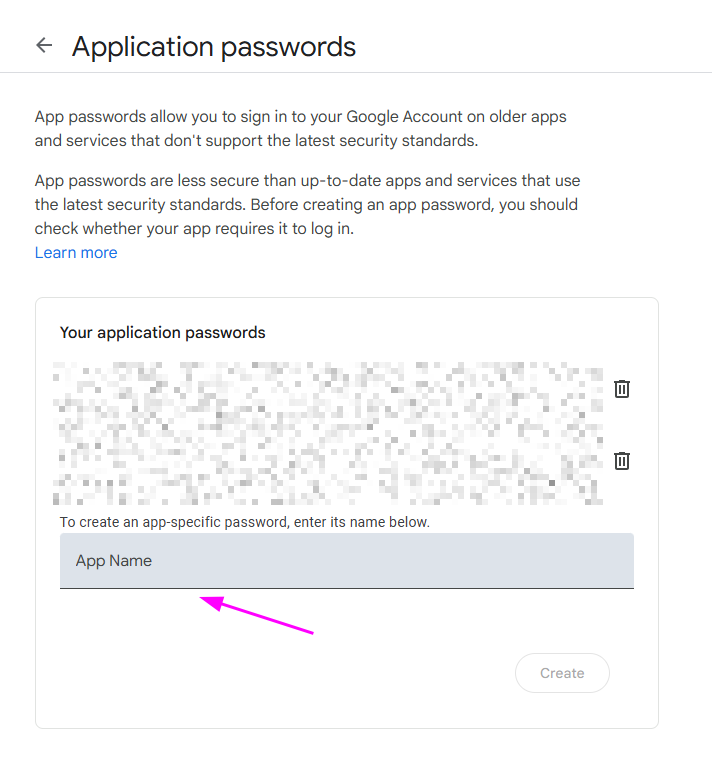
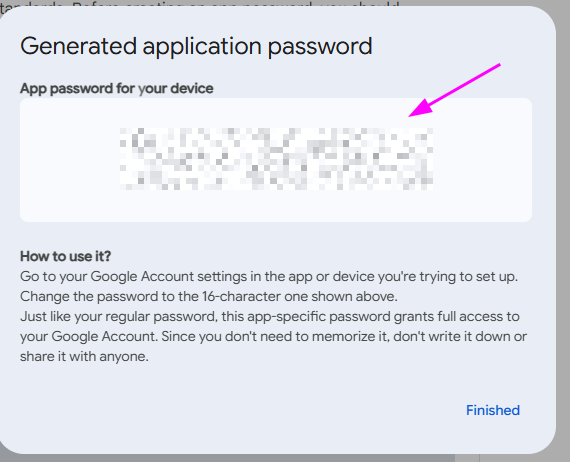
- Copy the 16-character App Password it gives you.
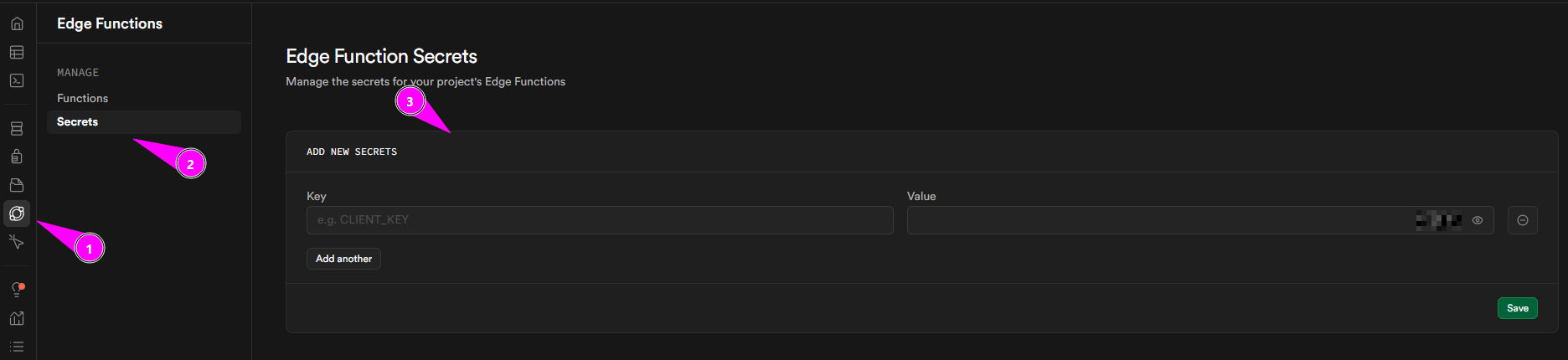
- Update Supabase Secrets: Go to your Supabase Dashboard > Project Settings > Secrets.
-
- Update GMAIL_APP_PASSWORD key with the 16-character password you just copied.
- Update GMAIL_USER key with your full Gmail address (e.g., your.email@gmail.com).
Note: Supabase is no longer recommended for new Hostinger Horizons projects. If you’re already using Supabase, your setup will continue to function as usual.