Update your n8n Docker instance at Hostinger to access the latest features, improvements, and security patches.
Before you start
- It’s recommended to download a backup before updating and following the steps below to keep your data safe.
If you’re running n8n via Docker Manager, there are two ways to update your instance.
Update using Docker Manager
-
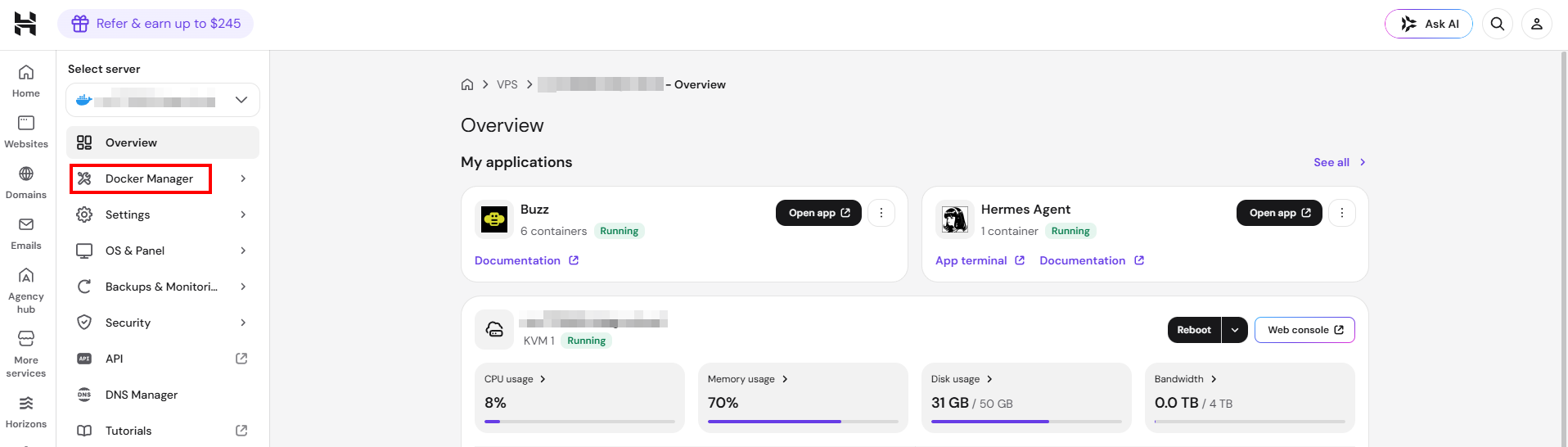
Access Docker Manager.
-
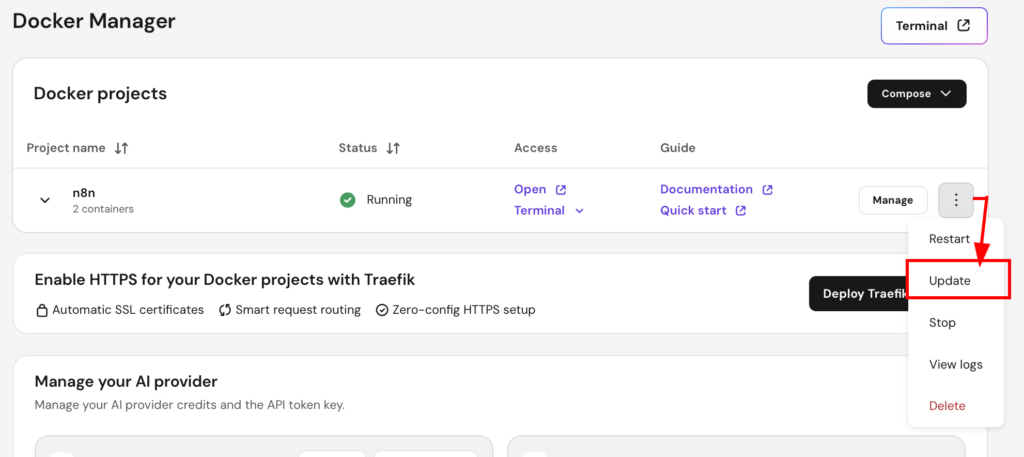
Find your n8n project, press on three dots and then on “Update”.
Update using SSH
-
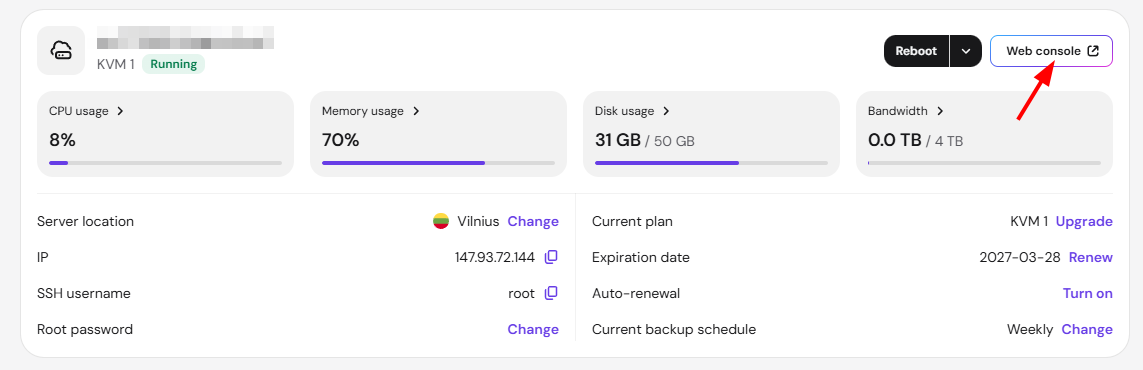
Access your VPS through a web console:
-
Navigate to the n8n directory:
cd /docker/n8n -
Pull the latest version of the n8n image:
docker compose pull -
Stop and remove the currently running containers:
docker compose down -
Start n8n with the updated image:
docker compose up -d
That’s it! Your n8n instance should now be running the latest version. You can verify the version by accessing the n8n dashboard