To check the Migration status:
-
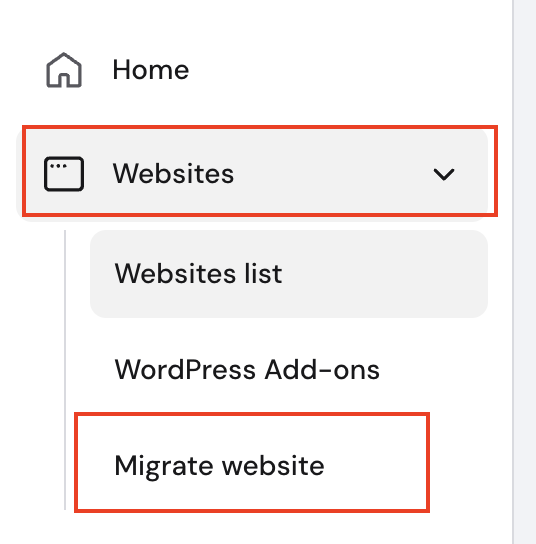
Click Home → click the drop-down under the Websites section and click Migrate Website:
There you’ll find the Migrations list, where you may check the migration status.
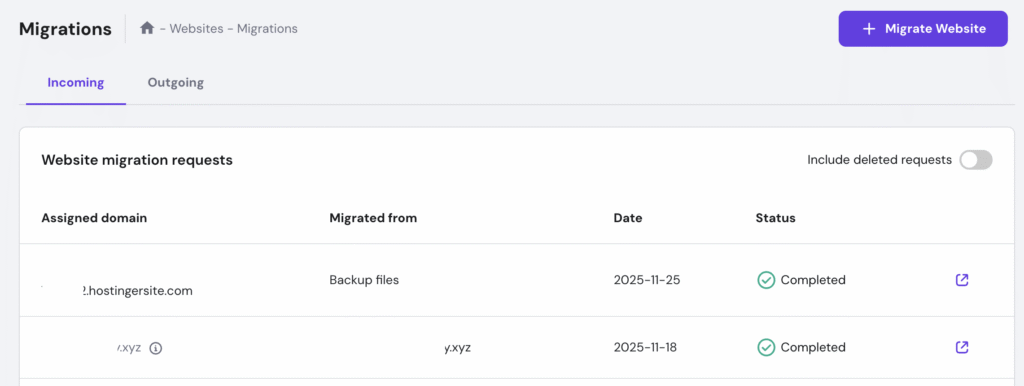
Migration Statuses
Here is a list of possible statuses and what they mean:
|
Status |
Meaning |
|
Pending |
The request is created. |
|
Updated |
The request is received and pending process. |
|
In progress |
Migration has started. If all data is correct, it should be completed within the next 24 hours. |
|
Completed |
Migration is completed successfully. You should receive a confirmation email and can now proceed with pointing the domain to Hostinger. |
|
Rejected |
There was an issue during the migration attempt. The Notes section of the request contains more information and the next steps. You will also receive this information via email. |
|
Deleted |
Migration request was deleted |
How to check deleted migration requests
- Click Home → click the drop-down under the Websites section, click Migrations, and use the toggle filter to show deleted requests:
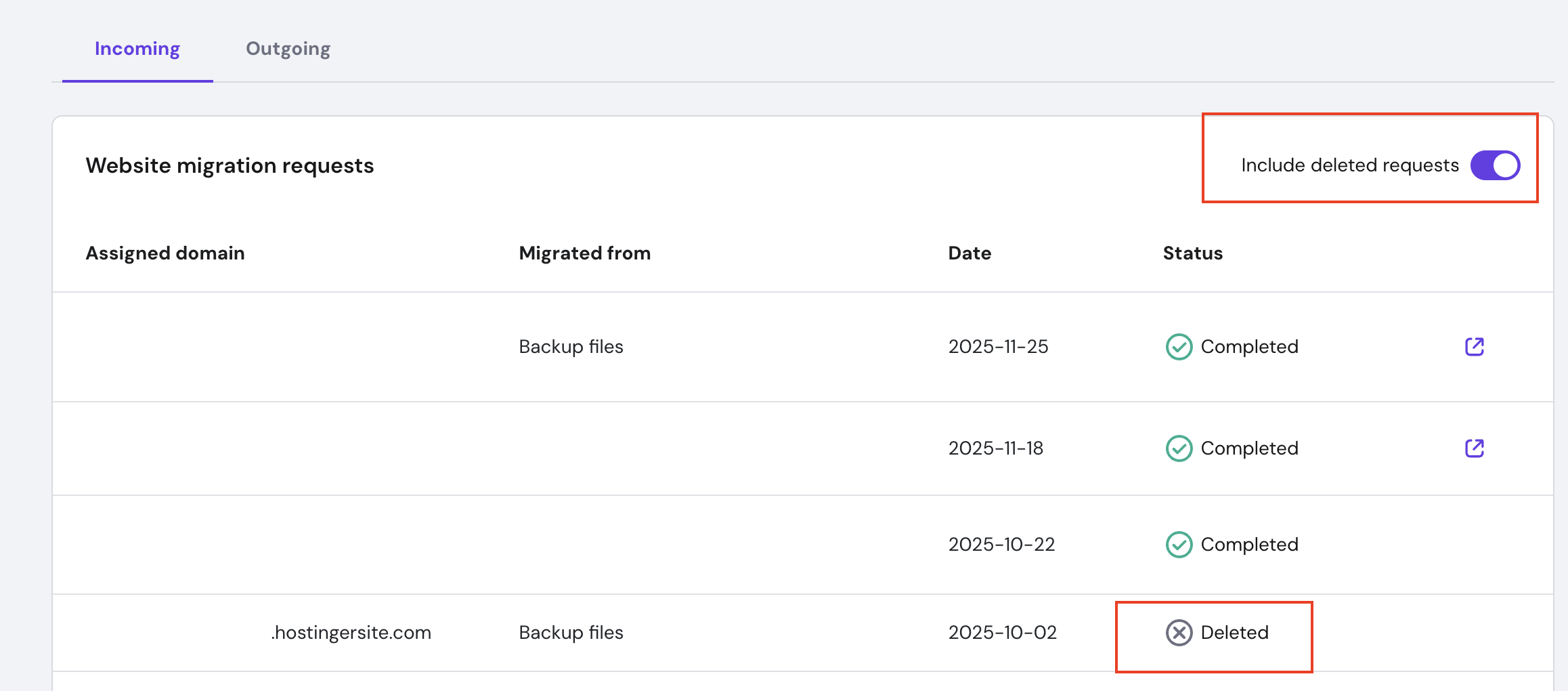
Note: If you don’t have any deleted website migrations, the toggle filter will not be visible for you.
Additional Resources
-
While your website is being transferred, you can start exploring hPanel.
-
Learn how to migrate email services to Hostinger 💡