Hostinger provides a social login feature, allowing you to easily access your account using your existing Google credentials. This method significantly improves the safety of your account.
To enable social login for your Hostinger account, log into your hPanel, click on the profile icon, and select Account Information:
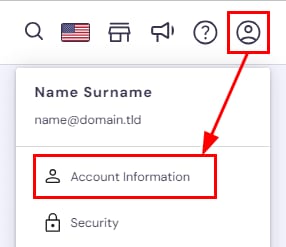
Once there, scroll down to find the Social logins section. Next, click on the Link button next to your preferred option. The available social login options may vary based on where you purchased your services. You can only choose one option at a time:
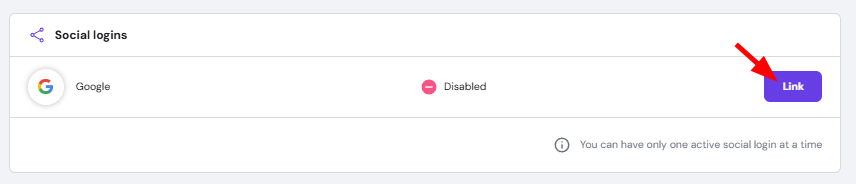
That’s it, now you can log into your Hostinger account using the same credentials from your selected social login account 💪
For added security, it is also recommended to set up two-factor authentication for your account 💡