PHP extensions like Zend OPCache (former Zend Optimizer) and ionCube Loader are already pre-installed on all Web and Cloud hosting plans at Hostinger.
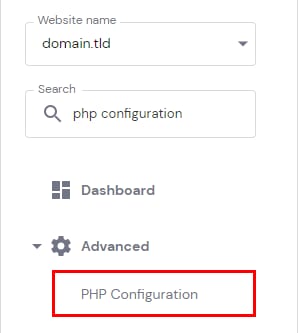
To enable them, go to Websites→ Manage, search for PHP Configuration on the left sidebar and click on it:
There, open the PHP extensions tab and mark the checkboxes for:
-
ioncube_loader to enable ionCube Loader
-
opcache to enable Zend OPCache
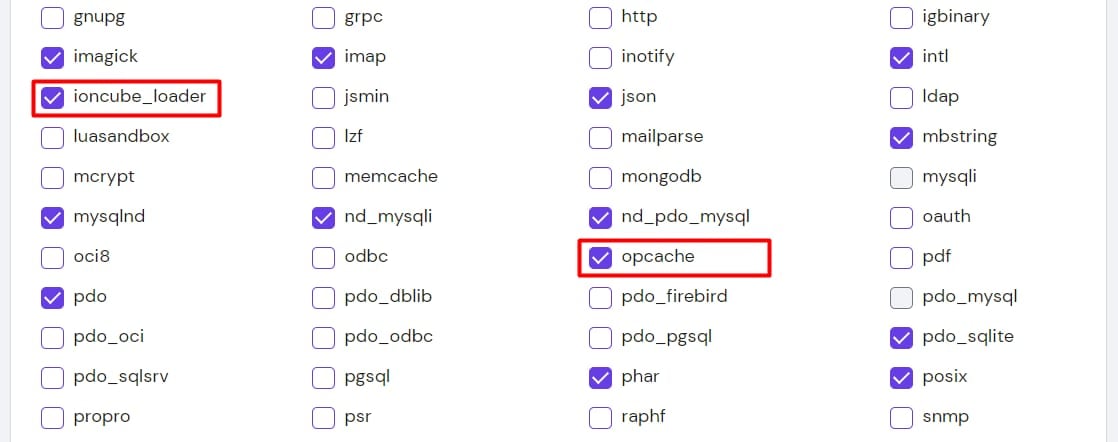
Scroll down to the bottom of the page and click on Save to apply the changes.
NOTE: IonCube is not available for PHP version 8, however, it’s available for version 8.1 and above.