Hostinger Reach is a beginner-friendly, AI-enhanced email marketing platform fully integrated into the Hostinger ecosystem.
To track a campaign’s performance, go to the Campaigns page.
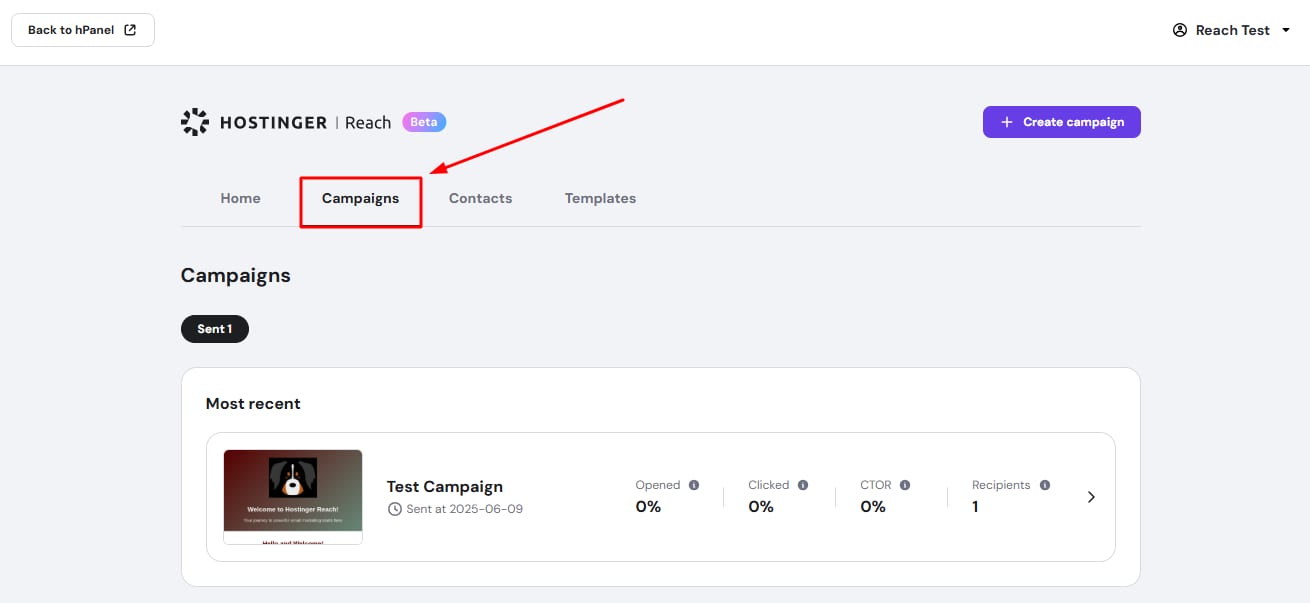
There, you will find a summary of key data:
- Campaign name
- Date and time sent
- Open rate
- Click rate
- Click-to-open rate (CTOR)
- Recipients
Hover over the info icons to learn what each metric means. Aim for higher open and click rates while keeping unsubscribe rates low.
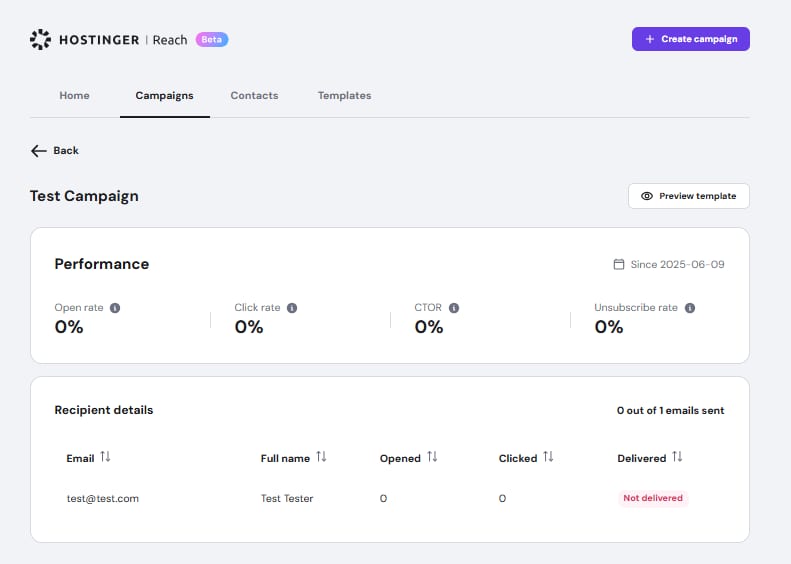
For detailed campaign results, click the arrow (❯) next to a campaign. The detailed view includes:
- A button to preview the template
- A performance summary with open rate, click rate, CTOR, and unsubscribe rate
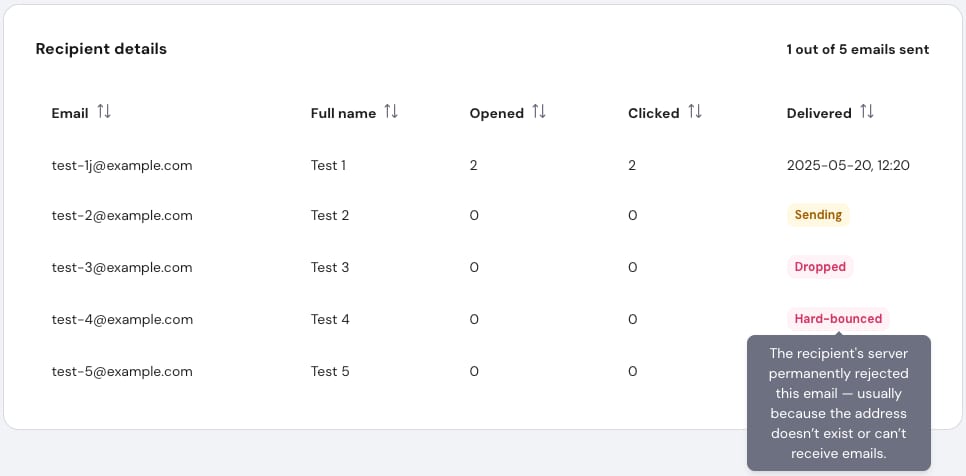
- A table listing individual message data:
- Email address
- First and last name
- Number of times that specific contact opened the message
- Number of times that specific contact clicked the message
- Delivery status (e.g., sent, sending, hard-bounced)
Columns can be sorted by clicking their headers, making it easy to analyze results.
Keep monitoring your campaigns regularly, consistent tracking helps refine strategy and improve future performance.