14 best AI sales tools for every stage of the sales process
Sep 02, 2026
/
By Alma
/
11 min Read
The best AI sales tools automate the repetitive parts of the sales process, from finding leads and writing cold emails to tracking deals, analyzing calls, and predicting revenue. Which one you need depends on where your process needs the most help.
There are AI sales tools for nearly every stage of the sales process, from finding leads to managing outreach and CRM data. Clay is best for lead research, Lavender for email personalization, Gong for conversation intelligence, and HubSpot Sales Hub for CRM and pipeline management. Other tools can automate cold outreach, track buyer engagement with proposals, and help reps practice sales calls.
If none of the existing options fit your exact workflow, you can also build your own AI sales agent or use a ready-made platform like Hostinger Agent to cover the writing and planning side.
1. Finding and researching leads
Lead sourcing tools find verified emails, phone numbers, job titles, and company details for the people you want to sell to. You define your ideal customer profile (ICP), set your filters, and get a contact list in minutes.
Many tools check multiple data sources one after another until they find a match. That way, you’re not limited to whatever one database happens to have.
Clay, Apollo.io, and ZoomInfo are some popular options. Clay connects over 100 data sources in a spreadsheet-like interface, so you can build multi-step searches that pull and verify contact details automatically.
Apollo.io bundles its contact database with automated email follow-ups and a lightweight CRM (customer relationship management tool), which is handy for smaller teams that need AI tools for startups in one place. ZoomInfo leans more toward data accuracy and regulatory compliance, which is more relevant if you’re selling into healthcare or finance.
Most of these tools charge per contact or per search. That can look affordable at first, but it adds up fast when you’re pulling thousands of contacts a month. Estimate your weekly volume before comparing plans.
2. Outreach and email personalization
Most cold emails fail because they’re generic. Outreach and email personalization tools fix that by using AI to write messages that reference each prospect’s company, role, or recent news, without you looking up each person individually.
These tools take different approaches, though:
- Lavender works as a real-time writing coach. It analyzes your draft as you type and flags things that hurt your reply rate, like sentences that are too long or subject lines that are too vague.
- Instantly is more focused on the sending side. It manages multiple email accounts, gradually builds their sender reputation so messages land in primary inboxes instead of spam, and tracks how many of your emails actually get delivered.
- Reply.io combines AI-generated emails with sequences across email, LinkedIn, SMS, and phone. Some of these overlap with email marketing automation platforms, so check whether your current setup already covers part of the job.
One thing to keep in mind: if your whole team uses the same AI email writer with the same prompts, the emails will all sound the same. Prospects can tell. Let AI write the first draft, but have someone review it before sending.
Also make sure whatever tool you use supports compliance with email regulations like CAN-SPAM and GDPR, including unsubscribe links and consent handling.
3. AI sales assistants and automated outreach
AI SDRs do the job of a sales development representative (SDR), which is the person who normally handles cold outreach. These AI tools research prospects, write personalized messages, send follow-ups, and pass qualified replies to your sales team, all with minimal human involvement.
Most teams still review the messaging templates and keep an eye on deliverability. But the day-to-day sending and follow-up runs on its own.
11x, Artisan, and AiSDR are some emerging AI tool options in this area. 11x built an AI agent called Alice that handles outreach across email, LinkedIn, and phone. Artisan offers Ava, which comes with its own contact database. AiSDR is more accessible for smaller teams, with transparent pricing and HubSpot integration.
Because AI SDR tools make it so easy to send cold emails at scale, inboxes have gotten a lot more crowded. According to Instantly’s 2026 Benchmark Report, the average cold email reply rate is just 3.43%. Top performers hit 10% or higher, mostly by keeping emails under 80 words, testing new messages weekly, and focusing on a single call to action. More volume without better targeting and messaging just means more emails that get ignored.
So ask yourself: is volume actually the problem? If your team already sends enough emails but replies are weak, sending more won’t help. But if you have a message that works and just need more capacity, these tools can scale your cold outreach without hiring more reps.
Pricing typically starts around $250/month for tools like AiSDR, while enterprise platforms like 11x can reach $30,000–$60,000/year. You’ll also need email-sending accounts, time to build sender reputation, and contact data on top of that.
4. Conversation intelligence
Conversation intelligence tools record, transcribe, and analyze your sales calls. They pick up things like which objections came up, how much the rep talked vs listened, and whether the buyer mentioned a competitor.
On a day-to-day level, reps don’t have to take notes during calls anymore. The tool writes a summary, tags key topics, and pushes action items into your CRM. That alone cuts out a lot of post-call paperwork.
The bigger payoff comes over time. Across hundreds of calls, these tools spot patterns: which habits show up more in closed deals, which objections come up most, and where conversations tend to stall. Managers can coach based on that instead of going from memory.
Gong, ZoomInfo’s Chorus, and Fireflies.ai are popular AI options for conversation intelligence. Gong combines call analysis with deal tracking and forecasting, and requires a custom quote. Fireflies.ai offers a free plan with unlimited transcription and 400 minutes of storage, and paid plans from $10–$39/seat/month (billed annually) that add features such as video recording, CRM sync, and conversation analytics.
These tools need a decent volume of calls to spot patterns. If your team mostly sells over email or chat, there won’t be enough data. They work best when reps take at least 10 or so calls a week.
5. Real-time call coaching
Real-time call coaching tools give reps live suggestions during a sales call, not after it’s over. They listen to the conversation and show cards on the rep’s screen with things like competitor comparisons, objection responses, or pricing details.
Helpful for new reps who haven’t memorized everything, but also useful when a prospect brings up something unexpected.
This is still an emerging category. Dialpad, for example, offers live AI coaching that transcribes and suggests responses as the conversation happens. Gong and Salesforce’s Einstein have some real-time features built in. Colibri.ai focuses specifically on in-call support.
Speed is everything here. A suggestion that shows up 30 seconds late is just a distraction. Test during real calls – not demos – because response speed depends on your connection and the platform.
6. CRM and pipeline management
AI-powered CRMs cut down the time reps spend on manual data entry. They auto-capture emails, calls, and meetings, then use that data to flag stalled deals and suggest next steps. Instead of logging every interaction manually reps can focus on selling.
HubSpot Sales Hub, Salesforce Sales Cloud, and Pipedrive are a few examples, each built for a different kind of team:
- HubSpot Sales Hub bundles AI email writing, lead ranking, and automated follow-up reminders into a CRM you can start using for free.
- Salesforce Sales Cloud offers the deepest customization with its Einstein AI, though the learning curve is steeper.
- Pipedrive keeps things simpler, with visual pipeline boards, AI-powered deal recommendations, and an interface smaller teams can pick up in a day.
One important thing to know is that the AI in these tools is only as good as the data it has. If reps aren’t logging activity consistently, the predictions won’t be reliable. Get the habit right first.
7. Sales engagement and sequencing
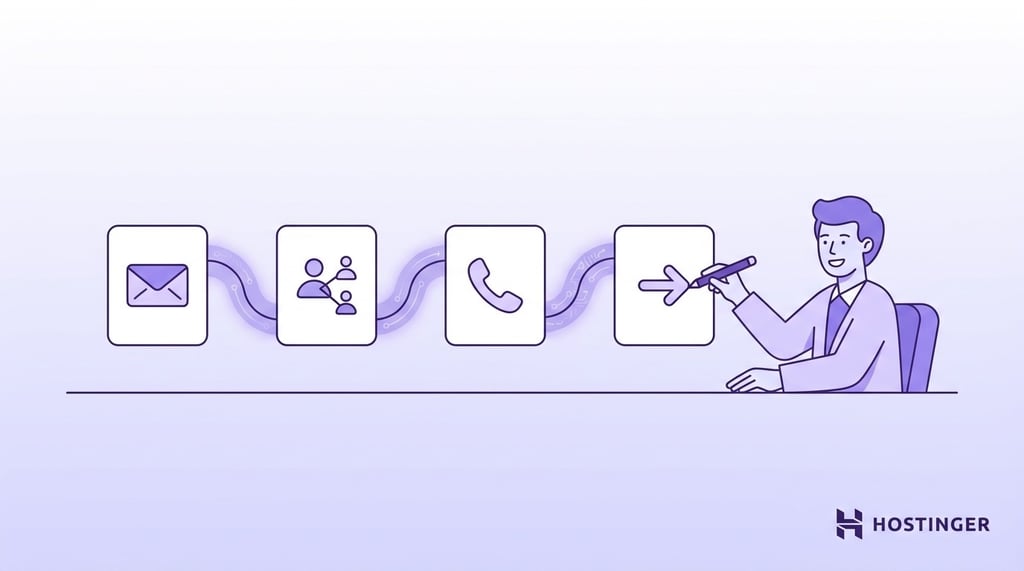
Sales engagement platforms connect your CRM to your email, phone, and LinkedIn. You set up a sequence of steps, like email on day one, LinkedIn on day three, follow-up on day five, phone call on day seven. The tool runs each step automatically or reminds the rep when it’s time.
Outreach, Salesloft, and Apollo.io are popular options. Outreach and Salesloft both include AI features for picking the best send time, detecting replies, and testing different subject lines. Apollo.io bundles sequencing with its contact database, so you can handle prospecting and outreach in one place.
This sounds a lot like AI SDR tools, but the difference is control. Engagement tools automate the schedule but keep the rep involved. AI SDR tools try to handle everything on their own.
8. Lead scoring and buyer intent
Not all leads are equally likely to buy. Lead scoring and buyer intent tools rank your prospects so your team knows who to contact first.
Lead scoring uses data from your CRM: which emails a prospect opened, which pages they visited, whether they filled out a form. Buyer intent goes further – it tracks research activity across the web and flags companies reading about your product category, sometimes before they even visit your site.
6sense and Demandbase are well-known options for intent data. They can tell you a target company has been reading comparison articles about your product category this week. That’s a much stronger signal than a name on a cold list.
Most major CRMs also have built-in lead scoring, which is enough if you don’t need a separate intent platform.
Standalone intent tools are expensive, often $25,000/year and up for enterprise plans. They help most when you’re selling to a defined list of target companies. For broad cold outreach where you’re reaching out to anyone who fits, there may not be enough evidence that a prospect is ready to buy to justify the cost.
9. Forecasting and revenue intelligence
AI forecasting tools predict how much revenue your team will close and when, based on actual sales activity instead of reps’ guesses.
Here’s how forecasting usually works without them: reps estimate how likely each deal is to close, managers add those up, and leadership plans hiring and budgets around numbers that turn out to be wrong. AI tools replace that by looking at email exchanges, call frequency, how many people are involved on the buyer’s side, and how the deal has moved through stages.
Clari, Gong, and People.ai are popular options. Clari is built for teams who manage the sales pipeline (often called revenue operations or RevOps) and need to review deal progress in detail. Gong layers forecasting on top of its call data, so predictions reflect what buyers are actually saying. People.ai tracks all rep activity and shows where deals are slowing down.
These tools help most when your sales cycles are long and deal sizes are large. A missed forecast on a $500,000 deal can throw off hiring, marketing budgets, and board reporting. For smaller, faster deals, the forecasting built into your CRM usually covers it.
10. Competitor tracking and sales talking points
“Why should we pick you over [competitor]?” comes up in almost every B2B deal. If your sales rep can’t give a specific answer, the conversation stalls.
Competitive intelligence tools fix this by tracking your competitors around the clock: website changes, product updates, pricing moves, new hires, press coverage, customer reviews. When something changes, the relevant battlecard (a quick-reference document reps use during calls) updates on its own.
Klue and Crayon are two well-known options. Both pull data from dozens of sources and turn it into ready-to-use competitor summaries.
Specificity is what makes this work. “We’re faster” doesn’t convince anyone. “Our average response time is 1.2 seconds vs their 3.8, based on independent testing” does. These tools keep that kind of detail current across your whole team.
11. Digital sales rooms
Digital sales rooms give each deal a shared online space, like a private webpage, where proposals, case studies, pricing, contracts, and next steps all live in one link. Buyers can review everything and bring in colleagues without digging through email.
On your side, you see who opened what, how long they spent on each page, and whether they forwarded it.
Tools like Aligned, Trumpet, and GetAccept offer this. What makes them more useful than a shared Google Drive folder is the engagement tracking. If you can see that a decision-maker spent 12 minutes on your pricing page but skipped the case study, you can tailor your follow-up based on what they were most interested in.
These work best for deals with three or more people on the buyer’s side and sales cycles longer than a month. For quick, simple deals, the setup isn’t necessary.
12. Proposals and document generation
Instead of spending hours building proposals from scratch, AI proposal tools create a first draft in minutes. They pull in deal details, info about the buyer, and the messaging your team has already agreed on. You review and adjust, but you’re editing rather than starting from zero.
PandaDoc, Qwilr, and Prezent are some popular options, each focused on a different format:
- PandaDoc pairs document creation with e-signatures and payment collection.
- Qwilr creates interactive, web-based proposals with pricing calculators.
- Prezent generates slide decks from text prompts.
These tools save the most time for teams that send high volume of proposals with similar structures but different details. A team sending 20 proposals a month can save 30–40 hours by letting AI handle the first draft.
13. Video prospecting
A plain-text cold email is easy to scroll past, but a short video where you say the prospect’s name and mention their company is hard to ignore. Video prospecting tools let you record or generate these personalized videos and include them in your outreach.
Vidyard is a popular option, with screen recording, hosting, and analytics built for sales. You can see who watched, how far they got, and whether they replayed parts.
HeyGen and Tavus take a different approach. They use AI avatars and voice cloning to create personalized videos at scale. One rep can “send” thousands of unique videos where their AI likeness says each prospect’s name, without recording anything.
AI-generated videos are faster to make, but test them with a small group first. Some prospects like them while others don’t. A real 30-second screen recording where you mention something specific about the buyer’s business often gets better responses, because the video feels personal.
14. AI sales training and roleplay
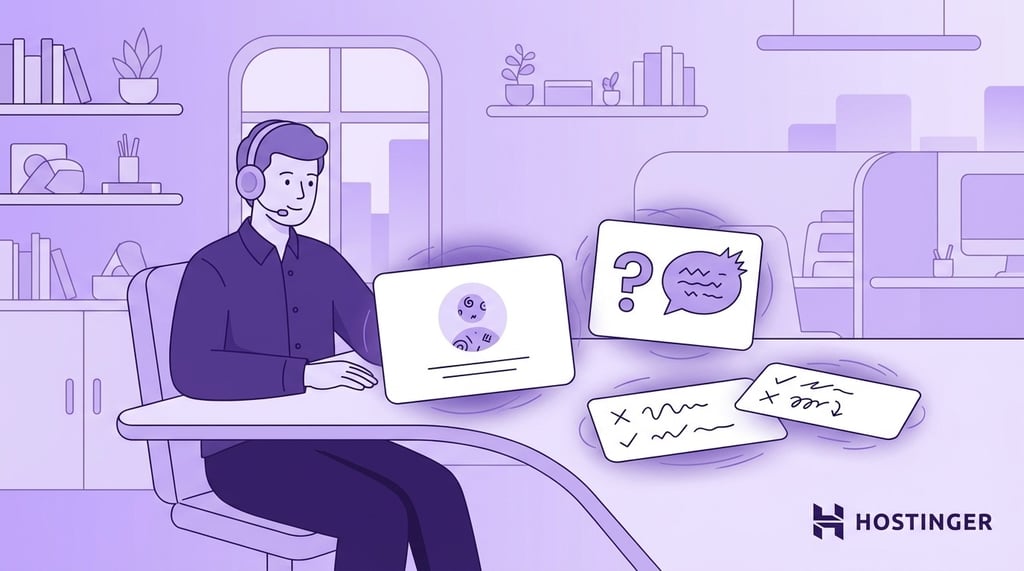
Most new reps learn by fumbling through real calls for three to six months. AI roleplay tools shorten that by letting reps practice against a simulated buyer. The AI responds realistically, pushes back on weak pitches, raises objections, and scores each session based on what the rep said and how they said it.
Hyperbound and Second Nature are popular options for AI sales roleplay. You can design the simulated buyer to match your actual target customer and get detailed scorecards after each session. Salesforce’s Agentforce has built-in roleplay for teams already on that platform.
These aren’t just for new hires. Experienced reps use them to prepare for big meetings, practice a new product pitch, or rehearse handling a competitor’s latest positioning.
How to choose the right AI sales tool
Start with the part of your process that costs the most time or loses the most deals, and fix that first.
Match the tool to the problem. For example:
- Reps spending hours on research before they send a single email? Prospecting tools.
- Revenue forecast off every quarter? Forecasting.
- New hires taking too long to get up to speed? AI roleplay.
Solving one problem first gets you results faster than buying a bundle of tools and hoping the team figures them out.
Don’t add too many at once. According to Salesforce’s 2026 State of Sales report, sellers use an average of eight tools to close deals, and 42% say they feel overwhelmed by the number of platforms they’re expected to use. Add one, confirm it helps, then expand.
Can you build your own AI sales tool?
Yes, and it’s getting easier. There are now platforms that let you create your own AI agents, basically automated assistants that handle tasks like researching a prospect, drafting an email, or scheduling a follow-up. No coding needed.
Most AI sales tools you can buy today cover standard tasks well. But some processes require customization that pre-built tools can’t provide
Say you need something that checks whether a prospect just raised funding, drafts a congratulatory email referencing the round size, attaches a case study, and schedules the send for Tuesday morning. This would be an example of an AI agent that’s too specific for any single platform, so you’d need to build them yourself.
It makes sense when your process is too specific for what’s on the market, when you need to pull data from sources that current tools don’t connect to, or when you want full control over what the AI says. If you have technical resources on your team, building your own AI agent is a good way to start.
Custom agents do require ongoing maintenance, though. You’ll have to adjust prompts, update data connections, and check output quality on a regular basis.
Teams with a RevOps engineer or developer can handle it. Everyone else is better off with ready-made tools.
Using Hostinger Agent for sales workflows
If you want AI help with sales tasks but don’t want to build something custom, Hostinger Agent offer ready-to-use specialist agents you can start with right away.
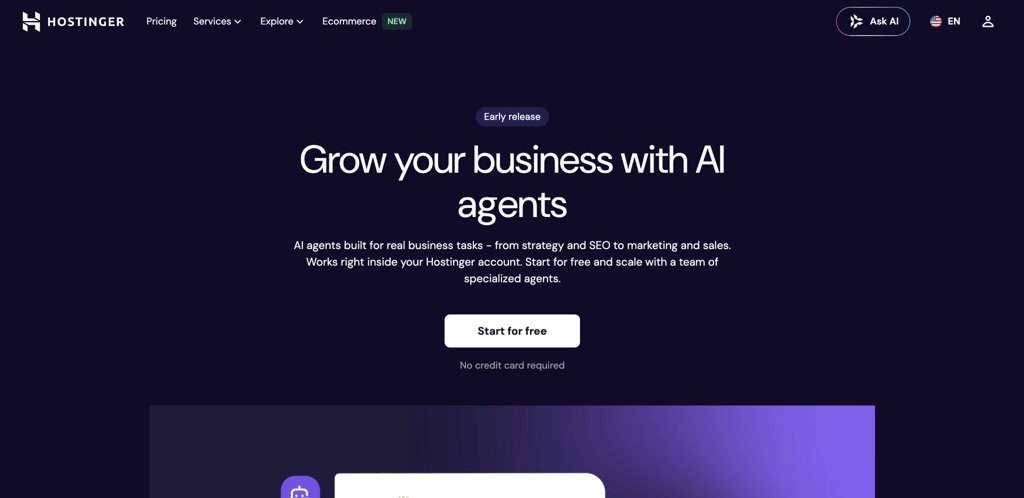
Hostinger’s AI sales agent handles cold outreach emails, LinkedIn messages, call scripts, proposals, and follow-up sequences. You describe your business, target audience, and what you’re selling, and it produces drafts you can edit and send.
Sales & Outreach is one of multiple AI experts included in a Hostinger Agent plan. The others cover business strategy, content writing, SEO, marketing, customer communication, and legal, so you’re not paying for a single-purpose tool.
These AI assistants aren’t built to replace dedicated platforms like a CRM, lead database, or call recording tool. They cover the writing, planning, and communication side of sales – tasks that take hours every week but don’t need enterprise software.
Paid plans start at $7.99/month on a 12-month term. You can also try it for free with 50 credits and 100+ ready-to-use skills.
How to start using AI sales tools in your team
Start with one AI sales tool and test it with a small group before expanding it across your team. Pick a success metric upfront, such as verified leads generated, reply rates, or time saved, so you can tell whether the tool is actually improving your sales process.
When introducing the tool, teach the workflow rather than just its features. Show reps when to use it, what information to provide, and how to act on the output. This makes the tool part of their existing sales process instead of another platform they have to remember to open.
Once that workflow is working, you can explore other AI tools for tasks beyond sales or follow the latest automation trends to identify more repetitive work worth automating. The goal is to expand based on proven needs rather than adding software for its own sake.
Ang artikulong ito ay isang lokal na bersyon ng 14 best AI sales tools for every stage of the sales process, orihinal na inilathala sa Ingles.
All of the tutorial content on this website is subject to Hostinger's rigorous editorial standards and values.

Alma is an AI Content Editor with 9+ years of experience helping ideas take shape across SEO, marketing, and content. She loves working with words, structure, and strategy to make content both useful and enjoyable to read. Off the clock, she can be found gaming, drawing, or diving into her latest D&D adventure.