12 best HTML editors compared
Mar 10, 2026
/
Aris S.
/
14 min Read
An HTML editor is a tool that allows developers and designers to create, edit, and manage HTML code efficiently. While a simple text editor like Notepad can technically be used for HTML, dedicated HTML editors offer features like syntax highlighting, error detection, and code completion that significantly speed up development.
HTML editors generally fall into three categories: text-based editors (focusing on raw code), WYSIWYG editors (visual “What You See Is What You Get” interfaces), and hybrid tools that combine both.
To help you choose the right tool, here is a quick summary of the top recommendations:
- The best free HTML editor: Visual Studio Code. It is free, widely supported, and offers a wide variety of extensions to improve its functionality.
- The best premium editor: Adobe Dreamweaver CC. It offers robust visual design tools and seamless integration with the Adobe ecosystem.
- The best online editor: CodePen. It provides a social environment for writing, testing, and sharing front-end code instantly.
Whether you are building a simple landing page or a complex web application, the right editor can improve your workflow and code quality.
Best free HTML editors
The best free HTML editors provide professional-grade features without a subscription fee, making them ideal for students, hobbyists, and open-source contributors.
1. Notepad ++
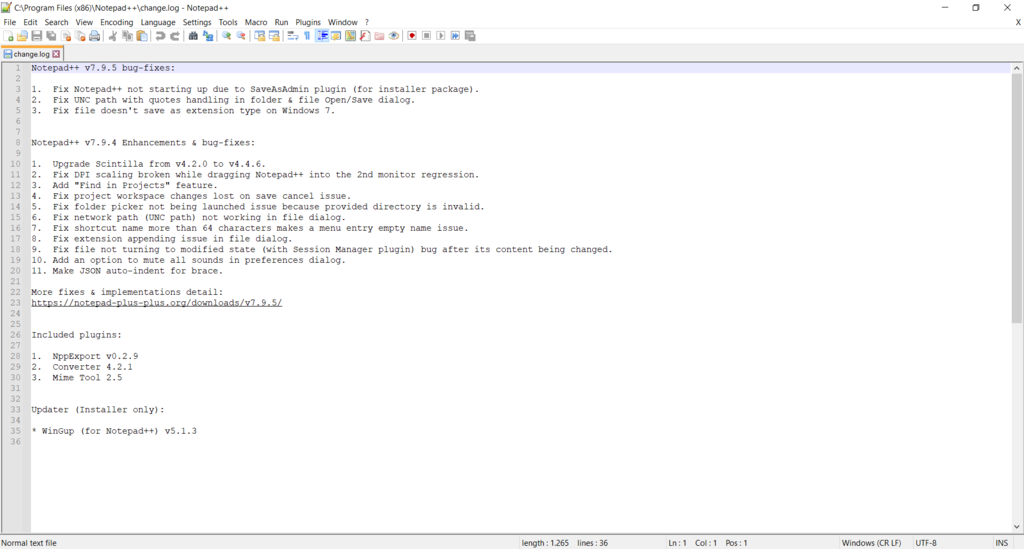
Notepad++ is a free, open-source code editor known for being lightweight. Given its performance, this tool is an excellent choice for developers who use older hardware or those working with large files that may crash other editors.
The Notepad++ interface is straightforward yet highly customizable. For example, tabbed editing lets you work on multiple files and switch between them from a single window.
Meanwhile, Document Map displays an overview of your file structure, making it easier to identify your current location within the document.
While Notepad++ is commonly used for writing HTML, it also offers various additional helpful features.
For example, Macro lets you automate repetitive tasks, like removing spaces or indentation, by recording your actions as reusable scripts. You can also look for specific code snippets using regular expressions and modify them simultaneously using the editor’s search and replace feature.
Other highlights from Notepad++ include:
- Plugin integrations. Supports a vast library of community-built plugins available through its Plugin Admin, allowing you to add features like JSON formatting and File Transfer Protocol integration without bloating the core software.
- Tail mode. Automatically refreshes the file and displays the changes from the text editor, which is helpful during monitoring logs.
- Style configurator. Lets you easily modify the appearance of your Notepad++ interface, including fonts, syntax colors, and themes, for a more personalized workspace.
- Custom syntax highlighting. Offers a built-in, visual-based feature that enables you to create user-defined syntax highlighting without writing a config file from scratch.
2. Sublime Text
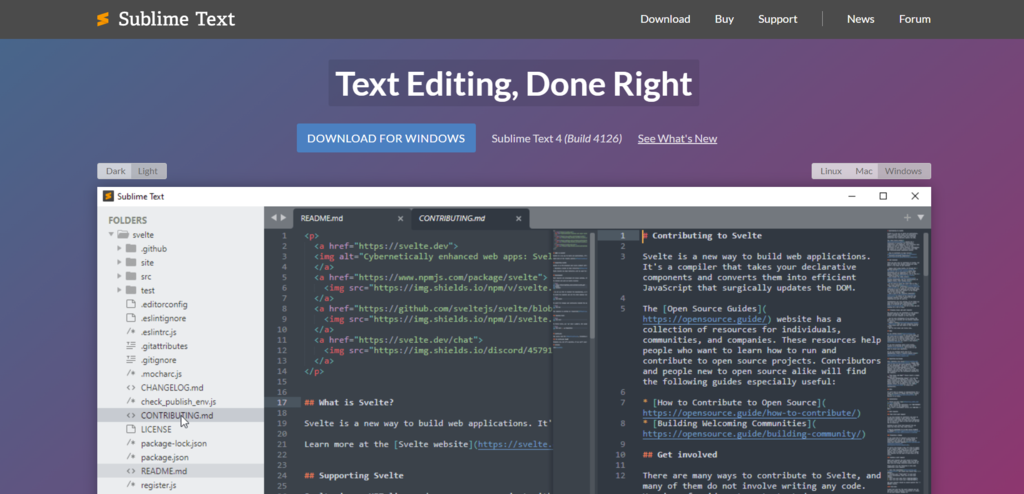
Sublime Text is a cross-platform text editor available for Windows, macOS, and Linux. While technically a premium software, it offers an unlimited evaluation period that includes all features, but has occasional pop-up reminders to purchase a license.
Goto Anything is Sublime Text’s distinguishing feature, allowing developers to use simple keyboard shortcuts to jump to specific files, symbols, or lines. Normally, you would need to browse through folder trees manually, which is an inefficient process.
Additionally, the Multiple Selections feature enables you to put cursors and edit multiple lines of code simultaneously. This is especially handy for tasks such as renaming variables or removing duplicates, which can be tedious using the traditional find-and-replace method.
Other main features of Sublime Text include:
- Context-aware autocomplete. Gives completion suggestions based on existing code, along with a link to their definition for more information.
- Split-editing. Easily splits the layout of tabs, allowing you to work on multiple lines of code side-by-side efficiently.
- Powerful syntax highlighting. Offers advanced features like handling non-deterministic grammars, multi-line constructs, lazy embeds, and syntax inheritance, which makes the highlighting more accurate and efficient.
- Command Palette. Allows users to use keyboard shortcuts to quickly access almost every function of the editor, including file management, view control, search, and plugin-specific commands.
3. Visual Studio Code
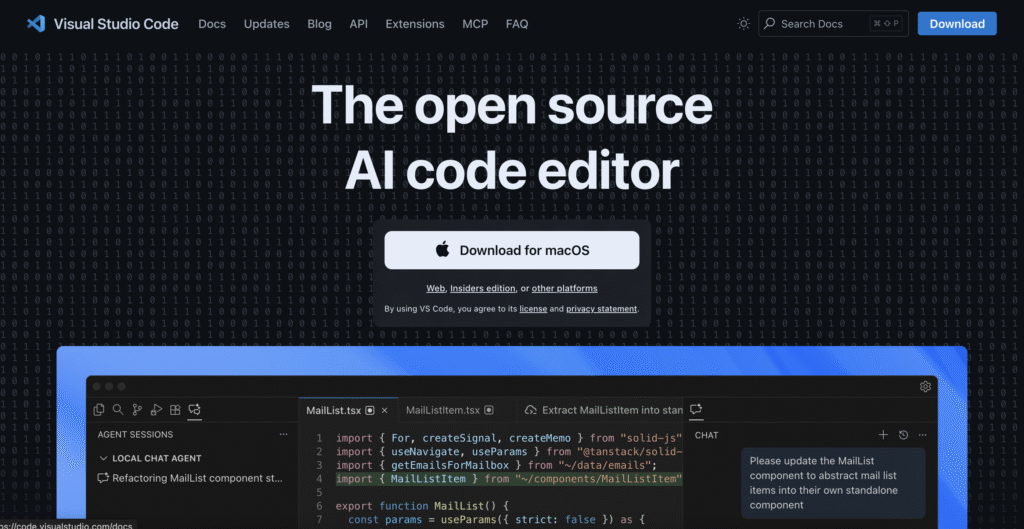
Visual Studio Code (VS Code) is a popular open-source editor developed by Microsoft. It offers various capabilities beyond a traditional text editor, such as a built-in terminal, true cross-platform compatibility, and seamless integration with third-party tools via application programming interfaces (APIs), making it a complete Integrated Development Environment (IDE).
VS Code stands out with IntelliSense, a smart code completion feature that provides suggestions based on variable types, function definitions, and imported modules, which significantly reduces coding errors. The editor also includes built-in Git functionality, allowing you to review diffs, stage files, and make commits directly from the sidebar.
This editor’s Visual Studio Marketplace hosts thousands of extensions for customizing the IDE to your needs. For example, you can install the Live Server extension to launch a local development server with a live reload feature, or add language support for Python or PHP.
Other essential features of VSCode include:
- Debugging. Provides a built-in debugger tool within the dashboard, enabling you to quickly edit, compile, and troubleshoot code directly from the editor.
- WYSIWYG editor. Supports an extension to alter the default text editor to a WYSIWYG editor, which offers additional features like live preview and visual content editing.
- Code snippets. Includes pre-written templates for frequently reused code, such as loops or conditional statements, which are accessible via IntelliSense.
- Multi-root workspace. Lets you simultaneously work on multiple related projects in a single workspace that shares the same settings, extensions, and tasks.
4. Bluefish
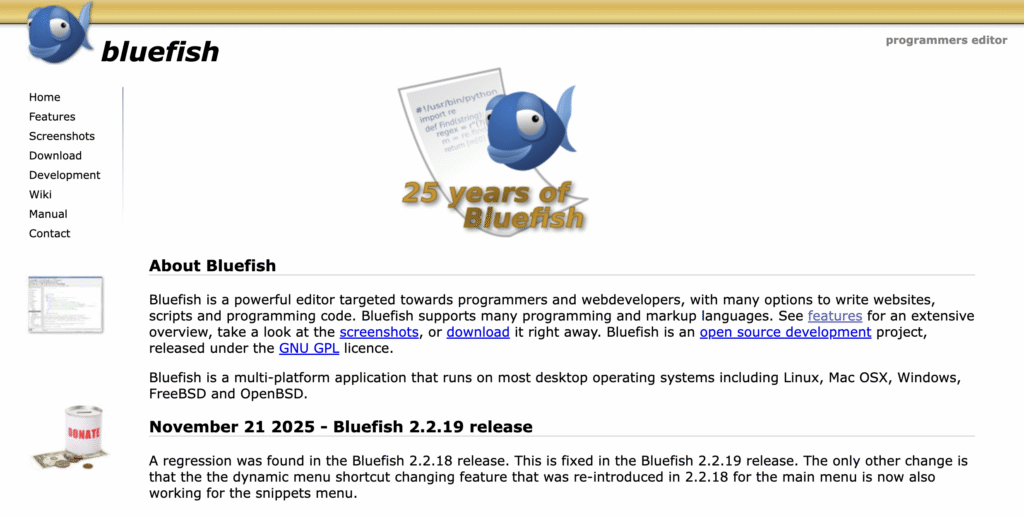
Capable of opening hundreds of documents without lag, Bluefish is a free and powerful editor suitable for developers who work with numerous files simultaneously. It is also cross-platform, compatible with Windows, Linux, and macOS, although the features slightly differ depending on the operating system.
Bluefish offers a robust set of features for handling HTML, PHP, and CSS. For example, it includes a Snippet Sidebar that allows you to specify custom dialogs, search and replace patterns, and insert commonly used tags efficiently.
It also has an HTML toolbar where you can set up and access commonly used HTML functions, including adding tags and thumbnails.
While Bluefish’s UI may seem outdated, it excels in functionality. It offers advanced search and replace tools that support regular expressions for pattern-matching. You can also search and open files recursively, enabling you to check files within subfolders without manually navigating the path.
Other features of Bluefish include:
- Unlimited redo and undo. Allows you to revert or restore changes quickly, regardless of the number of mistakes you made.
- Auto-recovery. Automatically saves modified documents before the editor crashes or your system shuts down, ensuring there’s no unsaved change.
- Project Support. Helps organize work efficiently by automatically loading project-specific settings when working on different projects.
- External program integration. Lets you integrate make, lint, weblint, xmllint, tidy, javac, or your own program to handle more advanced code-processing tasks.
Best premium HTML editors
Premium HTML editors often come with dedicated support, advanced visual design capabilities, and integrated ecosystems that justify their cost for professional teams.
1. Adobe Dreamweaver CC
Adobe Dreamweaver CC is a subscription-based web design and development application that serves as both a code editor and a visual design tool. Being part of the Adobe Creative Cloud ecosystem, it’s excellent for users of other Adobe tools, as they can easily import data between different platforms.
Dreamweaver is a comprehensive, all-in-one tool for web designers and developers. It offers a Live View that renders your HTML code like a real web browser would. It also comes with a robust code editor that supports syntax highlighting and intelligent code hints for HTML, CSS, and JavaScript.
For modern web development, Dreamweaver includes fluid grid layout tools that simplify the creation of responsive websites. It also has built-in Git support, allowing you to perform version control operations like Push, Pull, and Commit from the dashboard.
Other notable Dreamweaver features include:
- Starter templates. Provides the basic structure of a website that users can customize for various pages, from blogs to portfolios, eliminating the need to develop it from scratch.
- Access to Creative Cloud Libraries. Grants access to assets from other Adobe programs that support Creative Cloud Libraries.
- Publishing server integration. Allows you to connect your project’s production server with Dreamweaver for easier deployment.
- Server-side scripting. Supports server-side scripting languages such as PHP, VBScript, JavaScript, and ColdFusion Markup Language (CFML) to create dynamic websites.
2. Froala
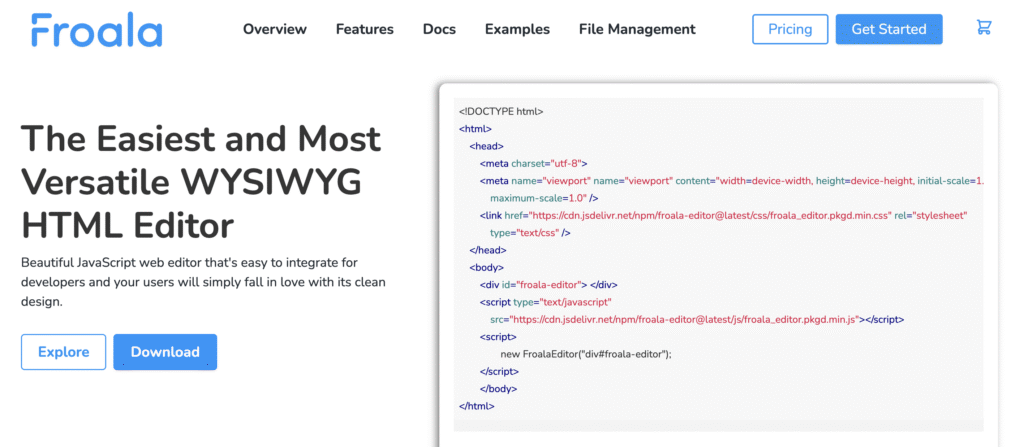
Froala is a high-performance WYSIWYG HTML editor written in JavaScript. While it is often used as a plugin integrated into other applications or Content Management Systems (CMS), you can self-host it as a standalone tool for editing HTML.
Froala provides an Inline Editing feature that allows you to select any element on a web page, edit it directly, and check the changes instantly in the same window. It also offers an intuitive resizing tool for various content and applies a responsive design by default, making it an excellent choice for developing mobile-optimized websites.
While less comprehensive than other editors, Flora offers 30 plugins to extend its functionality. That said, its built-in features are already extensive, supporting various aspects of website development, including search engine optimization (SEO), accessibility, and security.
Froala also includes:
- API integration. Provides an API with various capabilities that enables you to integrate Froala with other IT tools, such as the Filestack file sharing platform.
- Customizable editor. Allows you to tweak your HTML editor’s appearance and feel to better match the whole application Froala integrates into.
- Development frameworks. Offers various plugins to easily integrate the functionality of the Froala editor into web applications built with different development frameworks, including React and Django.
- Froala software development kits (SDKs). Comes with a set of pre-configured functions and libraries that handle server-side functions, including file upload and validation, making it easy to self-deploy.
3. CoffeeCup
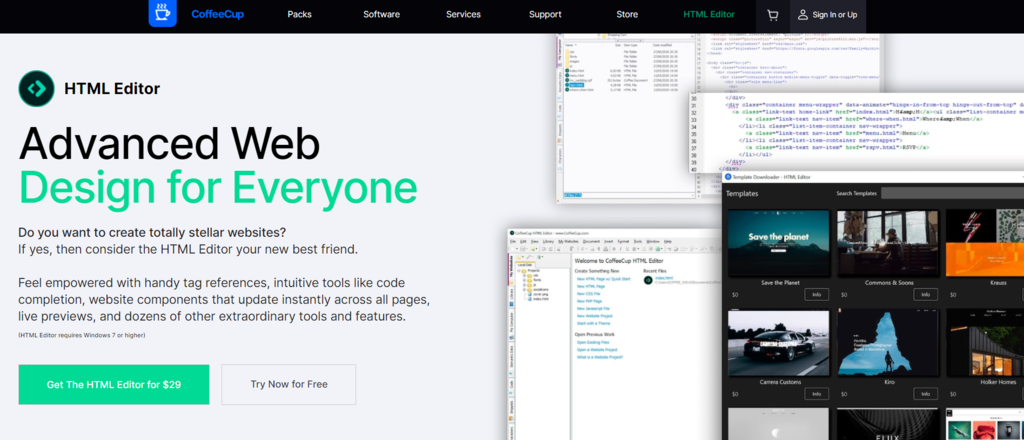
CoffeeCup is an HTML editor that provides a platform where you can write code accurately and efficiently, unlike hybrid tools that aim to be an all-in-one solution. It is available as a one-time purchase, making it a cost-effective alternative to subscription-based software.
One of CoffeCup’s standout features is the Components Library, which lets you store reusable elements, such as headers, footers, or navigation menus, in a centralized space. When you update a component in the library, the changes are automatically applied across all pages in your project.
The editor also features a Split Screen Preview, which shows the webpage that you are developing in a built-in browser pane next to your code. This live preview feature gives instant visual feedback that helps you spot errors more easily.
CoffeeCup also prioritizes clean code and SEO. It includes a built-in Validation Tool that checks your code for errors and web accesibility compliance. Additionally, it offers Semantic Web tools that help you add schema-structured data to your content, allowing search engines to crawl your website more easily.
Other notable features of CoffeCup include:
- Website Projects. This feature allows you to easily manage your project structure from the editor interface, minimizing errors like broken links and improving file organization when working with large projects.
- FTP integration. Lets you directly publish your website to various servers from the menu dashboard using the built-in FTP client, which streamlines deployment.
- Template downloader. Imports designs from readily available templates, which improves development efficiency and helps you learn new design implementations.
- Web file explorer. Allows you to start your project by opening files from the internet or importing the HTML code of other websites, eliminating the need to store your data locally.
4. WebStorm
WebStorm is a subscription-based freemium IDE developed by JetBrains. While often marketed for JavaScript, it’s an excellent HTML editor because it automatically analyzes your entire project structure to ensure that links to images, CSS files, or scripts are valid.
WebStorm also offers advanced Emmet support out of the box, which allows you to write complex HTML structures using short abbreviations. For example, div.container>ul>li*5 expands into a div with the container class, wrapping an unordered list with five list items.
The editor also includes Live Edit, which updates your HTML content in the browser as you type without requiring a page reload, which improves development efficiency.
WebStorm also integrates with Git, providing an intuitive interface with a side-by-side view for checking diffs and comparing merge conflicts, helping streamline code review and merge operations.
Other key features of WebStorm include:
- Local history. Automatically tracks every keystroke and change, allowing you to revert to a previous state even if you haven’t committed the file to Git.
- Drag-and-drop Imports. Enables you to drag an image or CSS file from the project sidebar into your HTML code to automatically generate the correct <img> or <link> tags.
- Browser compatibility checks. Inspects your HTML and CSS to warn you if you are using specific tags or attributes that are not supported by your target web browsers.
- Code Cleanup. One-click reformatting that ensures your HTML indentation, nesting, and attributes follow a consistent style guide.
Best online HTML editors
Online HTML editors run directly in your web browser, eliminating the need for installation. They are perfect for testing snippets, sharing code socially, or quickly prototyping ideas.
1. CodePen
CodePen is a freemium social development environment widely used by front-end designers to create and share projects. This online code editor allows you to write HTML, CSS, and JavaScript and see the results instantly from one interface.
Compared to the other previously mentioned solutions, CodePen is rather basic, but it is easy to use and sufficient for writing a simple web page. It also supports preprocessors like Sass, Less, and Babel out of the box, allowing you to write cleaner code without manual compilation.
CodePen is particularly famous for its community aspect centered around Pens – collections of files and code that build into a working website. You can create a Pen, share it with others, or fork other user-submitted pens to create your own version.
Other key features of CodePen include:
- Format on save. Automatically formats your code whenever you save your project, ensuring your code is structured correctly, free of bloat characters, and appropriately spaced.
- Asset Hosting. Provides a space for uploading files or images and automatically generates URLs for them, making it easy to insert assets into your code.
- Collaboration mode. Allows multiple developers to write and edit code in the same Pen simultaneously.
- Professor Mode. Lets you host a group of people to watch you write code and check changes in real-time, which is helpful for collaboration or demonstration.
2. JSFiddle
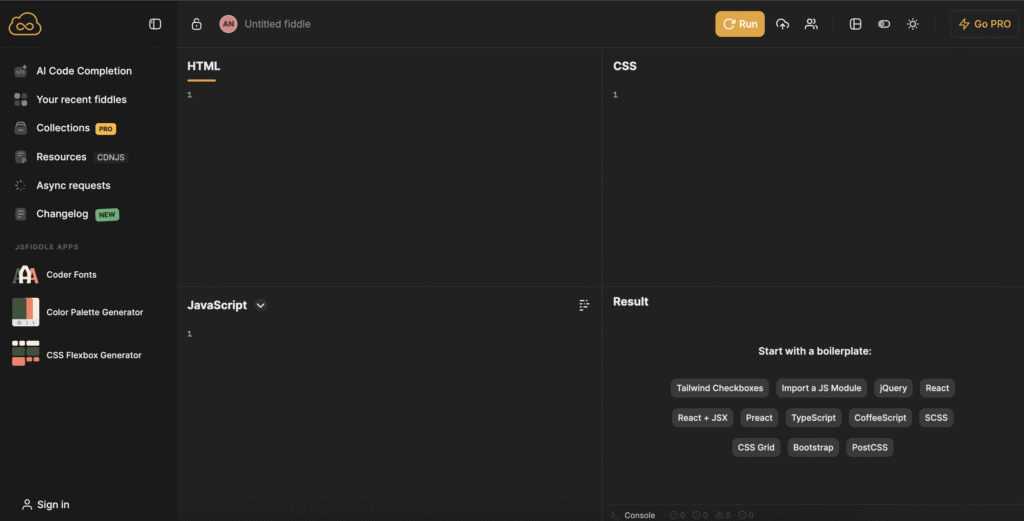
JSFiddle is a code editor similar to CodePen, offering an all-in-one interface where you can write HTML, CSS, and JavaScript code, as well as see how it renders in real-time.
In addition to syntax highlighting, side-by-side preview, and auto-save, the code editor provides other features that help with testing and debugging. For example, Mistral-powered AI code completion makes code revision easy, while the built-in Async Request enables you to simulate server interactions without setting up the back end.
The code editor also integrates with JSFiddle’s own Color Palette Generator, which provides color combinations for your web design, along with their hex colors to insert in your CSS.
There’s also a CSS Flexbox Generator that enables you to design a flexbox using a graphical interface and implement it using the auto-generated code.
JSFiddle also includes:
- Framework Boilerplates. Quickly load code templates for popular libraries, including Vue, React, and Bootstrap, making it easy to write projects that involve a lot of reusable code.
- Custom font. Integrates with the Coder Font Explorer, where you can download and apply fonts to customize your code editor’s appearance.
- Code collaboration. Enables you to share a link to your project and invite other developers to edit the code for easier teamwork.
- Fiddles and Collections. Saves your previous project as Fiddles, which the Pro version users can organize and manage easily using the Collections feature.
3. JSBin
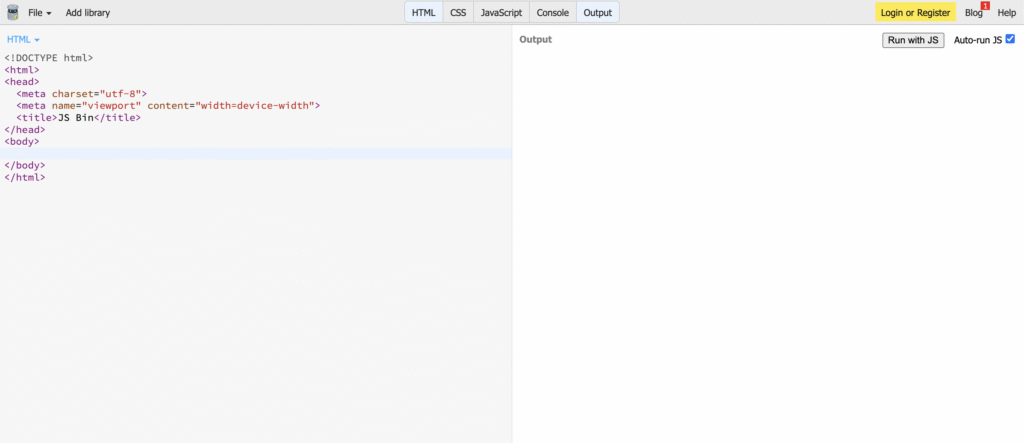
JSBin is a code editor featuring panels for HTML, CSS, and JavaScript, along with a live output pane. Unlike the previously mentioned online platforms, each panel is isolated in different tabs, which makes the interface cleaner and more organized.
Despite its outdated appearance, JSBin offers a plethora of features that help you write and deploy code more efficiently. For example, because it’s based on CodeMirror, you get multiple cursor support, a customizable theme, and keybind emulation of other editors, like Vim.
Moreover, Pro users can share or publish their projects using a custom, easily identifiable vanity URL, such as user.jsbin.com. They can also connect Dropbox with JSBin to easily back up their project off-site.
Key features of JSBin include:
- User support. Offers support for all users via GitHub, while Pro plan subscribers can ask for assistance via email or Gitter.
- Sandbox Bin. Provides a dedicated area that doesn’t save the project data, allowing users to quickly and safely test or debug code.
- GitHub Gists integration. Enables you to import GitHub gists into JSBin by simply changing the URL and exporting your project as gist with a single click, all without connecting your GitHub account.
- Built-in linters. Supports various linters, including CoffeeLint, CSSLint, and HTMLLint, which you can modify by editing the config.
4. StackBlitz
StackBlitz brings the full VS Code experience to your web browser. Unlike previously mentioned online code editors, StackBlitz lets you run server-side functionality by providing a full Node.js environment in your browser via WebContainers.
Since StackBlitz offers IDE-like functionality, you can do other tasks aside from writing your code. For example, you can also install Node Package Manager (npm) packages to add more functions to your project and run back-end frameworks securely without server-side latency. You can also spin up environments for Angular, React, Vue, or Next.js just by clicking a link.
StackBlitz’s interface is similar to that of VS Code, making it easy for developers who are already familiar with the Microsoft editor to transition. You can use the same keybindings, install extensions, and even command palette features.
Other key features of StackBlitz include:
- Fully web-based. Runs the entire development environment in your web browser, meaning you can write code, debug errors, run your project, and manage version control directly from a single space.
- Works online and offline. Maintains functionality even when you lose internet connection, making it a good alternative to a locally installed tool.
- Chrome Dev Tools integration. Allows you to check how your website renders and performs using the Chrome Dev Tools, which is easily accessible on any Chromium browser.
- Always-online apps. Keeps your project online 24/7 and allows you to share it with peers through a URL for asynchronous collaboration.
How to choose the HTML editor
Choosing the right HTML editor depends on your specific workflow, budget, and goals. Here are several factors to consider:
- Check OS compatibility. Code editors are compatible with different operating systems. For example, Notepad++ is only natively available for Windows, whereas VS Code supports macOS, Windows, and Linux by default.
- Consider your budget. Open-source tools like VS Code are excellent if you want a free, general-purpose editor. Meanwhile, premium tools like Adobe Dreamweaver are suitable for businesses that require seamless integration with specific platforms, support, or particular features.
- Look for ecosystem and community support. Editors with comprehensive plugin marketplaces, like VS Code and Sublime Text, allow you to add features as your needs grow. Additionally, tools with a strong community typically have extensions that are expanding and continuously maintained.
- Try the trial or free version. It’s recommended to try the HTML editor to evaluate whether it’s right for you. For premium platforms, test the free or trial version.
- Define your primary need. If you are learning to become a developer, a simple text editor can help you understand the code logic. Meanwhile, a WYSIWYG editor is generally better if you prioritize efficiency because it provides immediate feedback.
While these are general recommendations, the choice between text and a WYSIWYG editor depends on other factors, like preference, goal, and feature needs. In the next section, we’ll compare them in several aspects to help you understand how they fit your project.
Text-based editors vs WYSIWYG editors: Which one is better?
When choosing between a text-based and WYSIWYG editor, you are often trading control for convenience.
| Feature | Text-based editor | WYSIWYG editor |
| Primary Focus | Writing and editing raw HTML code. | Developing web visual layout and design |
| Control | Precise control over every tag and attribute. | Less control, as the software generates the code. However, manual editing is possible. |
| Skill level | Requires knowledge of HTML and CSS, sometimes JavaScript as well. | Beginner-friendly, allows for low- or no-code website creation. |
| Code quality | Clean, optimized, and semantic. | Can be bloated or non-standard. |
| Speed | Faster for editing specific logic or structure. | Faster for prototyping layouts visually. |
| Examples | VS Code, Sublime Text, and Notepad++. | Adobe Dreamweaver (specifically the Design View), VS Code (with WYSIWYG extension), and Froala. |
There’s no definitive better option as they suit different needs. If you are unsure about what to choose, consider a hybrid HTML editor, which combines features of both text and WYSIWYG editors.
What is a hybrid HTML editor?
A hybrid HTML editor combines various editing modes, including traditional code-based editing and a visual WYSIWYG interface.
An example of a hybrid HTML editor is Adobe Dreamweaver, which allows you to switch between code and visual views instantly. Online editors like CodePen can also be considered a hybrid, although they lack features such as inline editing.
Having both editors’ capabilities means you get the ability to write code and see the design renders in real-time. This makes a hybrid editor appealing to a wide range of users.
For example, hybrid editors are suitable for developers who want the speed of visual-based editing, along with the ability to tweak the underlying code precisely.
Why use an HTML editor?
Building a website is complicated and time-consuming, especially for beginner developers. To simplify the process, the best HTML editors offer various tools and features that streamline multiple tasks throughout the development process.
Here are a few reasons to use HTML editors:
- Create websites faster. All HTML editors offer features that help you write code faster, more efficiently, and accurately. For example, the syntax highlighting found in any HTML editor helps minimize human error, while more advanced features like Git integration streamline deployment.
- Helps you learn HTML. Code editor’s syntax highlighting helps you identify the structure of the programming language, making learning easier. Some platforms also allow you to import templates or community projects as raw code, helping you learn real-world HTML implementation.
- Optimizes code for SEO. The best HTML editors usually provide built-in functionality that helps improve SEO. For example, some text editors establish semantic markup that improves search engines’ crawlability, while others lint your code for better performance.
- Prevents errors in the source code. Features like syntax highlighting, spell-checking, error detection, and auto-completion help developers spot mistakes in their code. For example, the editor will notify you if you forget to put the closing tag in a code element.
- Easier project management. Several HTML editors offer an easy way to arrange and organize your project structure. For example, VS Code’s built-in file explorer in the sidebar allows you to navigate through folders and create new files directly from the editor interface.
How do you go from an HTML editor to a live website?
After writing your website code in an HTML editor, you need to publish it online to make it accessible to users. The steps may differ slightly depending on the editor, but the general procedure remains the same:
- Save your files. Save your main website file as index.html. For a more complex website, you may need to create additional files, like style.css and script.js, to add styling or back-end functionality.
- Set up a hosting environment. Purchase a web hosting service to store your files. Hosting is usually pre-configured, but some solutions, such as a virtual private server, require you to set up the hosting environment manually.
- Upload your content. Use your web hosting provider’s File Manager feature or an FTP client to transfer your files to the server’s public_html directory.
Note that this is a simplified version of the development and deployment procedure. Check out our article to learn how to make a website in more detail.
Since developing a web page from scratch can be challenging, consider using the WordPress CMS platform. It provides the underlying foundation for your site and comes with various tools that enable you to publish a website without coding.

All of the tutorial content on this website is subject to Hostinger's rigorous editorial standards and values.

Aris is a Content Writer specializing in Linux and WordPress development. He has a passion for networking, front-end web development, and server administration. By combining his IT and writing experience, Aris creates content that helps people easily understand complex technical topics to start their online journey. Follow him on LinkedIn.


Comments
January 14 2019
In 2019 you don't include visaul studio code in the list?
January 20 2019
Hey Fabio, Thanks for your feedback :) We will update this article with more HTML editors soon and include VSC.
May 07 2019
And the BEST HTML Editor I know and has been around since 1996 is BBEdit on the Macintosh. ****** CAN IS SAY SINCE 1996 AGAIN? ****** It was way ahead of its time .... BBEdit . What I love so much about this editor is that you can create Javascript libraries and just drag and drop into your code. Unlike Front Page in the 1990s ... BBEdit does not change your code. You write it wrong, it is launched wrong. But you can find out the mistakes by viewing them on a browser. BBEdit is still in the Market today and I talked to the developers of the application. They were amazed that I still remembered that app. However, the bad about BBEdit is that it is only for Mac users. And I am mainly Windows today :-( https://www.barebones.com/products/bbedit/
August 08 2019
Thank you for the tutorial :)
September 02 2019
My choice is Codelobster - http://www.codelobster.com
November 25 2020
My choice is intelij Idea its proprietary, but its perfect tool for any development. U can choose other products, focus on ur stack, like choosing Goland
April 10 2021
nice we appreciate
May 02 2021
Hi, Thanks for the article but, despite you differentiating between them at the top, it is not clear which software is WYSIWIG and which is text - or a mixture of the two. I appreciate that this is now a couple of years old but whether any software is also capable of responsive design would also be good to know. I am currently looking for an alternative to Blue Griffon for linux which appears to be no longer maintained.
May 06 2021
Hi Chris! We will definitely add/update this article to include WYSIWIG. We also recommended Pinegrow Web Editor, however it has 2 payment models available. If you are using your own files, openElement is an option as well, however, if you aren't able to open existing pages on it.
March 18 2022
Wow, This is a amazing post. Really interesting!