
Featured tutorial
How to create a web app using Hostinger Horizons
Hostinger Horizons is an AI-powered tool that lets you create web applications without writing a single line of code. Whether you need a fitness app...

Most Popular Tutorials
New to Hostinger Tutorials? Start with our most-viewed guides and resources.

19 best website design examples for inspiration in 2026
A well-designed website can captivate visitors, convey your brand’s message, and establish credibility. It also improves the user journey,...
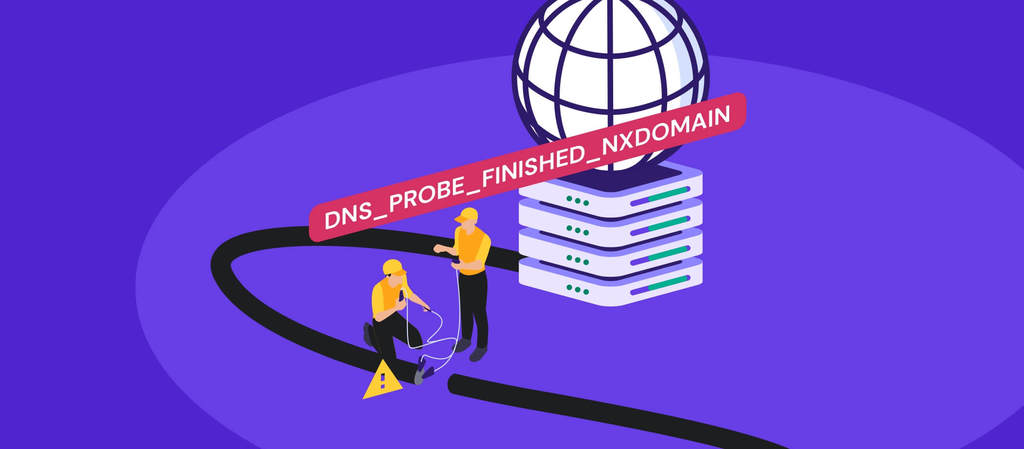
How to fix the DNS_PROBE_FINISHED_NXDOMAIN error
The DNS_PROBE_FINISHED_NXDOMAIN error appears when your browser can’t find a website’s IP address. In simple terms, the domain name...

What is VPS (virtual private server) hosting?
Virtual Private Server (VPS) hosting is a type of web hosting that uses virtualization technology to divide one physical server into multiple...
WordPress
Whether you’re an expert or beginner, we have the latest updates, tutorials, and tips for your WordPress projects.

How to speed up a WordPress website: 12 performance optimization methods
Search engines like Google consider page speed a ranking factor as it affects the overall user experience. WordPress offers various tools and features...

What is a WordPress plugin: A comprehensive guide for beginners
WordPress plugins are a crucial aspect of building WordPress websites as they allow users to add additional features without touching a single line of...

How to improve WordPress security: 22 methods to protect your website
WordPress is the most popular content management system (CMS), with 43.2% of all websites running on its software. Unfortunately, its popularity...
Weekly Editor's Pick
Every week, our editors curate the best content for you to build success online.

Hytale server requirements: Minimum and recommended specs for 2026
Hytale server requirements are relatively modest for small player counts, but scale quickly as more players join and worlds grow. CPU performance and...
8 best Hytale server hosting providers: Top features and pricing
The best Hytale server hosting providers deliver low latency and high-performance hardware to handle the game’s procedurally generated...
What is vibe coding? How does it work?
Vibe coding is a growing trend where developers use large language models (LLMs) to generate functional code by simply describing what they need in...
Websites
Need a hand with a website? Our guides can walk you through all the processes, from choosing a hosting plan to optimizing site performance.

Website maintenance cost: Hiring a professional vs self-maintenance
Website maintenance costs typically range from $5 to $5,000 per month.This wide range depends heavily on your site’s complexity, size, and...

How to Block a Website on Google Chrome: 6 Effective Methods
With the abundance of web content available, some of it can be useless or even harmful. Such examples include websites with explicit content,...

How to buy a domain name in 5 steps
Buying a domain means registering the rights to use a web address, such as yourname.com, for a set period. The easiest way to do it is through a...
All Hostinger Tutorials
Learn more about web hosting, VPS, domain names, SSL, and more with our newest releases.

Top GetResponse alternatives: Key features and pricing
GetResponse is an all-in-one email marketing platform that combines newsletters, marketing automation, landing pages, ecommerce tools, webinars, and...

What is a scalable web application and how it works
A scalable web application is one that can handle increasing numbers of users, requests, and data without a significant drop in performance or...

Top 8 Zoho Mail alternatives: Key features and pricing
Zoho Mail is a business email hosting service with built-in collaboration tools, including a calendar, tasks, notes, and document editing. Still, it...

How long should a marketing email be?
A marketing email should be 50 to 600 words in the body, depending on the email type, goal, audience, and call to action (CTA).The question “how...

300+ website name ideas for every type of site
The right website name ideas can make it easier to shape your online presence from the start. A good name tells visitors what your site is about,...

10 best React hosting providers for fast app deployment
The best React hosting providers help you deploy React apps with fast load times, reliable servers, and a workflow that fits how you build.The right...

10 best AI agents for marketing
AI agents for marketing are specialized tools that handle specific marketing tasks on their own, from writing blog posts to tracking campaign results,...

How to update Ubuntu on a VPS
Learning how to update Ubuntu on a VPS is one of the first steps after setting up your server. Updates patch security holes, fix software bugs, and...
How to design newsletters that drive clicks
To design a newsletter that drives clicks, start with a clear goal, organize your content in a logical order, and make it easy for readers to find the...

18 membership website examples to inspire your own site
A membership website gives people ongoing access to content, community, tools, or perks that non-members can’t get. The best membership website...

15 best AI agent builder tools in 2026
AI agent builders help you create software agents that can reason through tasks, access business data, connect to external tools, and execute...

8 best Node.js hosting: Top platforms for performance and scalability
Node.js apps need more than basic web hosting. Static sites and PHP-based platforms like WordPress can sit idle between requests. Node.js applications...
23 AI agent examples for practical use
AI agents are systems that can understand context, make decisions, and take actions to achieve a specific goal with limited human input.AI agents...
React performance optimization: 12 ways to speed up your app
React performance optimization is the process of improving how a React application loads, renders, responds to user input, and uses browser resources....

How to write a cold email
A cold email is a message you send to someone who doesn’t know you or your company yet. Salespeople use it to start conversations with potential...
Next.js vs. React: Which should you choose?
React focuses on building user interfaces with reusable components, giving developers complete control over routing, data fetching, and application...

What is cold email? Definition and best practices
A cold email is a message you send to someone who has never interacted with you or your business before. You’re reaching out first, often to...

How to get a custom email domain
A custom email domain is a personalized email address that uses your own domain name, like name@yourbusiness.com, instead of a free Gmail or Yahoo...

Top 10 Ruby on Rails alternatives: Key features and pricing
Ruby on Rails is a strong way to build web apps, APIs, SaaS products, and internal tools. It’s a convention-based framework built on the...
How much does a business email cost?
Business email costs range from less than $1 to $22 per user per month, depending on the number of users, mailbox storage, and the level of bundled...
Top 8 Flask alternatives: Key features and pricing
Flask is a lightweight Python web framework used for APIs, prototypes, small web applications, and projects where developers want full control over...

Zoho Mail vs. Gmail: Which email service should you choose?
Gmail is the stronger choice for users who rely on Google’s ecosystem and collaboration tools. Deep integration with Google Workspace, including...