15 best AI agent builder tools in 2026
Jun 21, 2026
/
Ksenija
/
27 min Read

AI agent builders help you create software agents that can reason through tasks, access business data, connect to external tools, and execute multi-step workflows with limited human involvement.
Unlike standard chatbots, AI agents can make decisions, retrieve information, use APIs, trigger actions, and coordinate work across multiple systems.
The rise of large language models has made AI agents far more capable, but building them from scratch requires orchestration, integrations, memory management, testing, and deployment infrastructure.
AI agent builders simplify that process by providing frameworks, visual builders, templates, and management tools that help you move from idea to production much faster.
Best AI agent builder tools by category:
- Best for developer-first agent workflows: OpenAI Agent Builder, because it supports templates, visual workflow composition, run previews, and code export.
- Best for Microsoft 365 teams: Microsoft Copilot Studio, because it connects agents with Microsoft 365, Power Platform, Dataverse, Azure AI Search, and external channels.
- Best for Google Cloud environments: Google Vertex AI Agent Builder, because it supports enterprise-grade agent development inside Google Cloud’s AI ecosystem.
- Best for AWS-native teams: Amazon Bedrock Agents, because it supports foundation model orchestration, knowledge bases, tool use, and multi-agent collaboration.
- Best for open-source developers: CrewAI, because it supports role-based multi-agent orchestration with code-first flexibility.
- Best for visual AI automation: n8n, because it combines workflow automation, app integrations, and AI steps in a flexible visual builder.
1. OpenAI Agent Builder
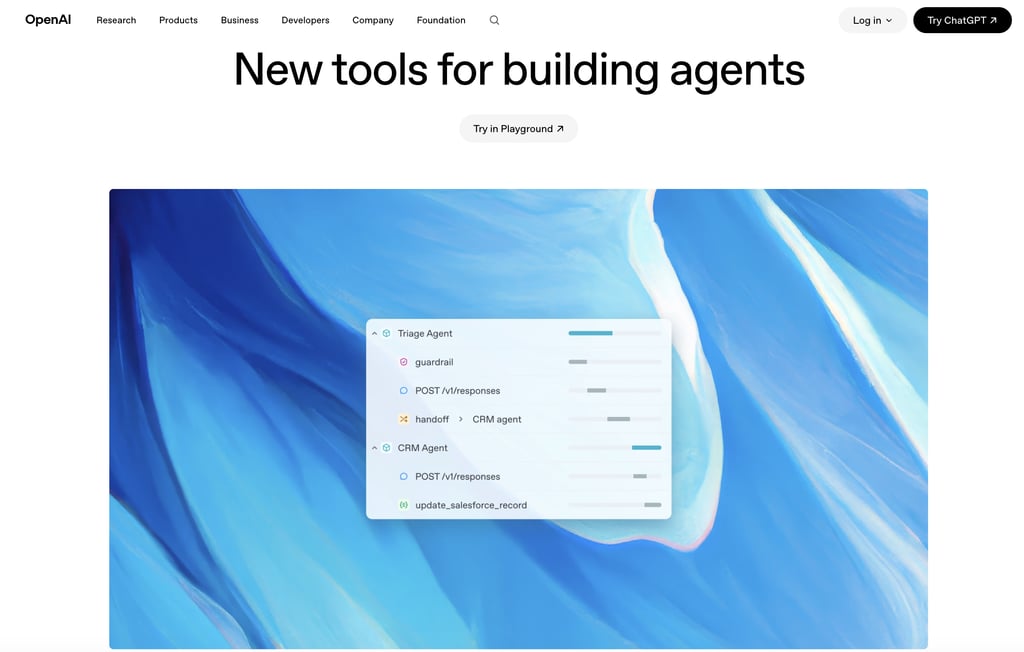
OpenAI Agent Builder gives you the tools to create custom AI agents with OpenAI models, APIs, and orchestration frameworks.
If you’re building a SaaS product, an internal copilot, or a customer-facing assistant, the platform provides the infrastructure needed to connect AI models with business data, external tools, and multi-step workflows.
The platform centers on the Responses API, which combines model interactions and tool use in a single workflow.
You can connect agents to built-in capabilities such as web search, file search, and computer use, allowing them to retrieve up-to-date information, work with internal documents, and interact with browser-based applications.
Tool calling extends those capabilities further by enabling agents to connect to custom APIs, databases, and business systems.
OpenAI’s Agents Software Development Kit (SDK) adds orchestration features for more advanced workflows.
Developers can create specialized agents, transfer tasks between agents through handoffs, apply guardrails for input and output validation, and inspect execution traces through built-in observability tools.
A support agent, research agent, and sales agent can operate within the same workflow while focusing on separate responsibilities.
OpenAI Agent Builder is a strong fit for product teams, SaaS companies, AI startups, and developers who want direct access to OpenAI’s latest models without giving up implementation control.
The platform supports a wide range of use cases, including customer support automation, research assistants, sales prospecting workflows, coding agents, and product-embedded AI features.
Compared with no-code AI agent builders, OpenAI Agent Builder gives developers far more control over how agents behave and interact with external systems.
Custom orchestration logic, proprietary data sources, and specialized tool integrations are all possible.
Greater flexibility comes with greater responsibility, though. Your team is responsible for architecture decisions, testing, deployment, monitoring, and long-term maintenance.
OpenAI also provides workflow-building features such as templates, node composition, run previews, and workflow export to code.
Development teams can prototype agent workflows visually, review how those workflows execute, and then deploy them to production via API-based deployment and custom application code.
OpenAI Agent Builder pros:
- Direct access to OpenAI models and agent infrastructure.
- Built-in web search, file search, and computer use tools.
- Supports custom tool calling and API integrations.
- Multi-agent orchestration through the Agents SDK.
- Guardrails, tracing, and observability for debugging.
- Supports custom deployment architectures.
- Strong fit for SaaS products and AI-native applications.
- Workflow export to code supports production implementation.
OpenAI Agent Builder cons:
- Requires API and development experience.
- Teams must design and maintain orchestration logic.
- Production deployments require testing and monitoring.
- Infrastructure costs grow with usage.
- Less approachable for non-technical users.
- Ongoing maintenance remains the responsibility of the development team.
OpenAI Agent Builder Pricing:
OpenAI uses usage-based pricing. Costs depend on the models you choose, the number of tokens processed, and the tools your agents use.
Model pricing varies significantly across the platform. For example, GPT-5.5 starts at $5 per 1 million input tokens and $30 per 1 million output tokens, while GPT-5.4 mini starts at $0.75 per 1 million input tokens and $4.50 per 1 million output tokens.
Additional services such as web search, vector storage, containers, and enterprise offerings like Data Residency, Scale Tier, and Reserved Capacity add separate charges.
2. Microsoft Copilot Studio
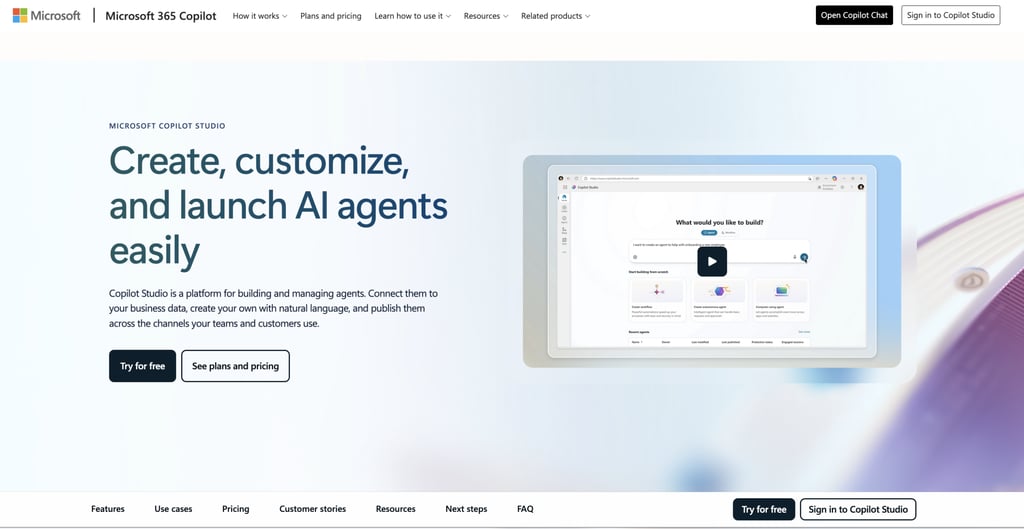
Microsoft Copilot Studio is an enterprise AI agent builder designed for organizations already using Microsoft 365, Power Platform, Azure, and Dynamics 365.
If your business runs on Teams, SharePoint, Dataverse, and other Microsoft services, Copilot Studio lets you build AI agents that work directly with the tools and data your employees already use every day.
The platform combines conversational AI, workflow automation, and business system integrations in a single environment.
You can connect agents to SharePoint knowledge bases, Dataverse records, public websites, uploaded files, Azure AI Search, and Power Platform connectors.
Copilot Studio also supports tools, prompts, workflows, code execution, and Model Context Protocol (MCP) integrations, allowing agents to retrieve information and perform actions across connected systems.
Microsoft positions Copilot Studio as a platform for building more than simple chatbots. Organizations can build employee agents for Microsoft 365 Copilot, customer-facing agents for websites and applications, and voice-enabled agents for IVR systems.
Copilot Studio also supports multi-agent workflows where specialized agents collaborate to complete larger tasks.
For example, one agent might retrieve information from SharePoint, another could validate customer data in Dataverse, and a third could trigger a workflow in Power Automate or escalate the request to a human reviewer.
Built-in publishing options enable deployment of agents across Teams, Microsoft 365, websites, customer service channels, and other communication platforms.
Copilot Studio supports two primary deployment approaches. Organizations can build internal agents that extend Microsoft 365 Copilot experiences for employees, or deploy standalone agents through websites, applications, customer service channels, and social platforms.
That flexibility makes the platform suitable for both internal productivity projects and customer-facing automation initiatives.
Microsoft Copilot Studio pros:
- Deep integration with Microsoft 365, Teams, SharePoint, and Dynamics 365.
- Connects to business systems through Power Platform connectors.
- Supports Dataverse, Azure AI Search, and Microsoft services out of the box.
- Built-in governance, access controls, and compliance features.
- Supports employee agents, customer-facing agents, and voice-enabled agents.
- Publishing options for Teams, websites, apps, and customer service channels.
- Strong fit for enterprises already invested in Azure and Microsoft 365.
Microsoft Copilot Studio cons:
- Licensing and pricing can be difficult to understand.
- Initial setup requires planning around environments, permissions, and governance.
- Organizations outside the Microsoft ecosystem gain fewer advantages.
- Advanced implementations may require Power Platform and Azure expertise.
- Large deployments can involve multiple Microsoft products and services.
Microsoft Copilot Studio Pricing:
Microsoft Copilot Studio offers several pricing models depending on how you plan to deploy agents.
Organizations already using Microsoft 365 Copilot receive access to Copilot Studio as part of their Microsoft 365 Copilot licenses, which start at $30 per user per month when billed annually.
That option is designed for building internal agents that work within Microsoft 365.
Organizations that need customer-facing or autonomous agents can choose either a pre-purchase plan based on Copilot Credit Commit Units or a pay-as-you-go model.
Both options support external deployments across websites, applications, and other channels, while usage is measured through Copilot Credits.
3. Gemini Enterprise Agent Platform

Gemini Enterprise Agent Platform is Google’s enterprise platform for building, deploying, and managing AI agents inside Google Cloud.
If your organization already uses Google Cloud for data, analytics, machine learning, or applications, the platform lets you build agents close to the systems they need to access.
Google positions the platform as a unified environment for agent development, generative AI, orchestration, evaluation, and AI operations.
Teams can build agents, deploy AI applications, manage models, and monitor performance without stitching together separate tools.
The platform connects with Google’s AI ecosystem, including Gemini models, Model Garden, Agent Development Kit (ADK), Agent Engine, Agent Garden, Agent Space, and core Google Cloud services.
Model Garden gives teams access to Gemini, open-source, and third-party models for different workloads.
Gemini Enterprise Agent Platform is best suited for organizations building agents around enterprise data. Agents can connect to cloud storage, databases, search systems, analytics platforms, and internal applications while staying within existing security and governance controls.
Compared with standalone SaaS agent builders, Gemini Enterprise Agent Platform gives you a broader AI and cloud infrastructure layer.
Agent development is integrated with model management, deployment services, evaluation tools, observability, security controls, and cloud-native infrastructure.
The trade-off is complexity. The platform is built for cloud engineers, AI teams, and enterprise developers, so production deployments require familiarity with Google Cloud services, permissions, infrastructure, and deployment workflows.
Gemini Enterprise Agent Platform pros:
- Access to Gemini models, open-source models, and third-party models through Model Garden.
- Supports agent development, model training, deployment, and MLOps in one platform.
- Integrates with Google Cloud data services, storage, and infrastructure.
- Includes enterprise search, evaluation tools, monitoring, and governance features.
- Scales well for large AI and data-intensive workloads.
Gemini Enterprise Agent Platform cons:
- Requires familiarity with Google Cloud services and architecture.
- Initial setup can involve IAM permissions, infrastructure configuration, and deployment planning.
- Pricing depends on multiple services, making costs harder to predict than fixed-plan tools.
- More complex than dedicated no-code AI agent builders.
- Some projects require machine learning or cloud engineering expertise.
- Organizations outside the Google Cloud ecosystem gain fewer advantages.
Gemini Enterprise Agent Platform Pricing:
Google uses usage-based pricing for the Gemini Enterprise Agent Platform.
Your costs depend on the models you use, the number of requests and tokens processed, agent runtime usage, storage, vector search, and any Google Cloud services connected to your application.
Google also offers up to $300 in free credits for new customers to test the Agent Platform and other Google Cloud services.
Additional services are billed separately. For example, Agent Platform Pipelines start at $0.03 per pipeline run, while Vector Search, storage, compute resources, and model hosting incur separate charges based on usage.
Organizations that already run workloads on Google Cloud can manage AI infrastructure, data storage, and agent deployment under a single billing model.
4. Amazon Bedrock Agents
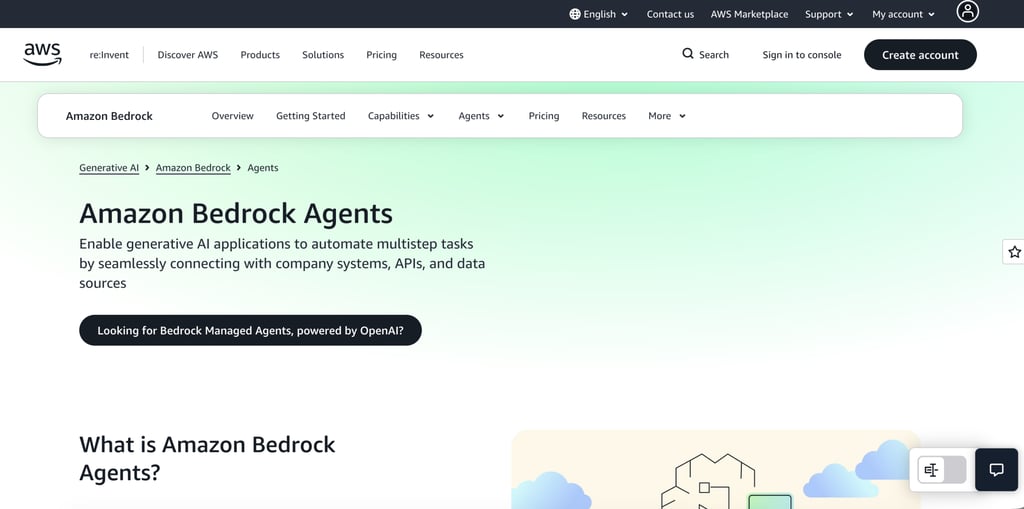
The platform sits inside Amazon Bedrock, AWS’s managed generative AI service. You can choose from hundreds of foundation models, including models from AWS, Anthropic, OpenAI, and other providers.
Bedrock also includes evaluation tools that help teams compare models based on performance, capabilities, and cost before deploying them into production workloads.
Agents can connect to knowledge bases for retrieval-augmented generation (RAG), access business systems through API actions and AWS Lambda functions, and use MCP tools to interact with external services.
A customer support agent, for example, can retrieve information from internal documentation, query a CRM system, and trigger account-related actions during the same workflow.
Amazon extends these capabilities through Bedrock AgentCore, a platform for deploying, connecting, and optimizing AI agents at production scale.
AgentCore supports agents built with different frameworks and models while providing authentication, access controls, tracing, debugging, and evaluation tools.
Development teams can adopt individual AgentCore services or use them together as part of a larger agent platform.
Amazon Bedrock Agents pros:
- Access to hundreds of foundation models from multiple providers through a single platform.
- Deep integration with AWS services, infrastructure, and security controls.
- Connects agents to APIs, Lambda functions, MCP tools, and business systems.
- Built-in support for knowledge bases and retrieval-augmented generation (RAG).
- Memory retention that enables agents to maintain context across longer workflows.
- Supports multi-agent collaboration for complex business processes.
- Includes code interpretation capabilities for advanced automation tasks.
Amazon Bedrock Agents cons:
- Requires familiarity with AWS services and cloud architecture.
- Initial setup involves more configuration than many no-code AI builders.
- IAM permissions and security policies add implementation complexity.
- Costs can become difficult to track across models, storage, API calls, and supporting AWS services.
- Building production-grade agents usually requires developer involvement.
- Non-technical teams may need engineering support for deployment and maintenance.
Amazon Bedrock Agents Pricing:
Amazon Bedrock uses usage-based pricing, with costs determined by the foundation models, agent features, and AWS services your application consumes.
Pricing varies by model provider, inference tier, token usage, storage, and supporting infrastructure.
AWS also offers multiple service tiers, including Standard, Flex, Priority, and Reserved options.
Model costs differ significantly across providers. For example, AI21 Labs’ Jamba 1.5 Large costs $2 per 1 million input tokens and $8 per 1 million output tokens, while Jamba 1.5 Mini costs $0.20 per 1 million input tokens and $0.40 per 1 million output tokens.
Organizations can also use batch inference for select models at up to 50% lower pricing than on-demand inference.
Additional costs may apply for knowledge bases, storage, API calls, agent execution, monitoring, and other AWS services connected to your deployment.
5. Salesforce Agentforce
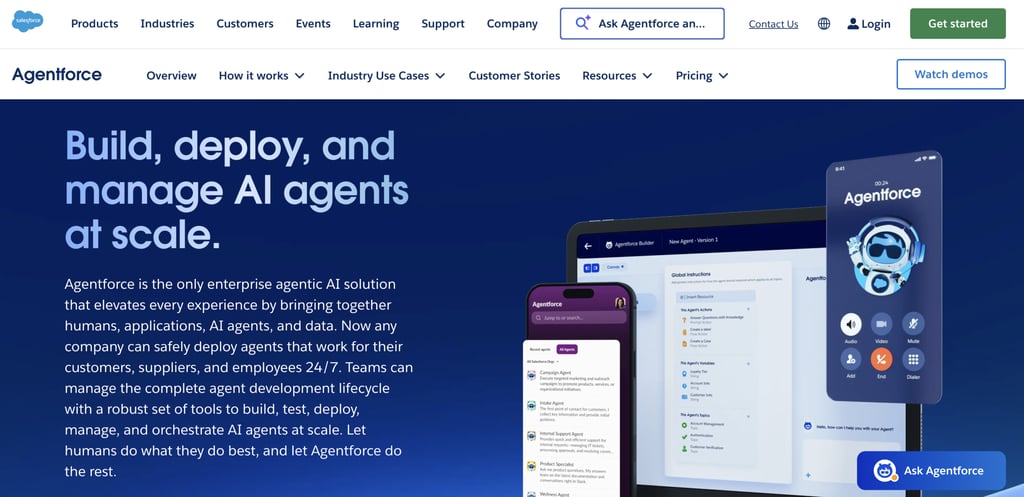
Salesforce Agentforce is an enterprise AI agent platform built around Salesforce CRM, customer data, and business workflows.
If your teams already use Salesforce for sales, customer service, marketing, or commerce, Agentforce lets you build AI agents that work directly with the records, processes, and automation tools already running your business.
The platform combines agent development, workflow automation, reasoning, and customer data in a single environment.
Agents can access customer records, cases, opportunities, knowledge articles, workflows, and business data across Salesforce products, including Service Cloud, Sales Cloud, Data Cloud, and Customer 360.
Instead of pulling information from disconnected systems, agents work directly with the same data your employees use every day.
Salesforce recently redesigned Agentforce Builder into a unified workspace for creating, testing, deploying, and managing agents.
Teams can start with AI-assisted configuration, refine agent behavior through low-code tools, and use pro-code options when more customization is needed.
Agentforce also supports prompts, actions, APIs, integrations, subagents, and workflow automation, giving organizations multiple ways to extend agent capabilities.
Salesforce positions Agentforce as a platform for both customer-facing and employee-facing AI.
Organizations can deploy support agents, sales development agents, employee assistants, research agents, and workflow automation agents while maintaining governance through built-in guardrails, security controls, and supervision tools.
Agentforce add-ons and Agentforce 1 Editions extend those capabilities further for organizations adopting agentic AI directly within daily business operations.
Salesforce Agentforce pros:
- Direct access to Salesforce CRM records, cases, opportunities, and customer data.
- Deep integration with Service Cloud, Sales Cloud, Data Cloud, and Customer 360.
- Supports customer service, sales, marketing, commerce, and employee workflows.
- Unified environment for building, testing, deploying, and supervising agents.
- Low-code and pro-code development options support different technical skill levels.
- Built-in guardrails, governance controls, and security features.
Salesforce Agentforce cons:
- Delivers the most value inside the Salesforce ecosystem.
- Licensing, add-ons, and enterprise agreements can become complex.
- Successful deployments depend on clean and well-organized CRM data.
- Implementation may require Salesforce administrators, developers, or consultants.
Salesforce Agentforce Pricing:
Salesforce offers several pricing models for Agentforce, depending on how you plan to deploy agents.
Organizations can choose between usage-based pricing through Flex Credits, conversation-based pricing for customer-facing agents, user-based licensing for employee agents, or larger enterprise agreements that bundle Agentforce into broader Salesforce plans.
The primary consumption model uses Flex Credits, which cost $500 per 100,000 credits. Each action an agent performs consumes credits, enabling organizations to pay based on completed work rather than the number of conversations.
Salesforce also offers conversation-based pricing starting at $2 per conversation for customer-facing deployments.
For employee-facing use cases, Agentforce add-ons start at $125 per user per month, while industry-specific add-ons start at $150 per user per month.
Organizations that want broader AI capabilities can choose Agentforce 1 Editions, which start at $550 per user per month and include Agentforce usage allowances.
Salesforce also offers an Agentforce User License for $5 per user per month, though agent usage remains metered through Flex Credits.
Large enterprises can combine these options through pre-purchase, pre-commitment, and pay-as-you-go agreements.
6. CrewAI
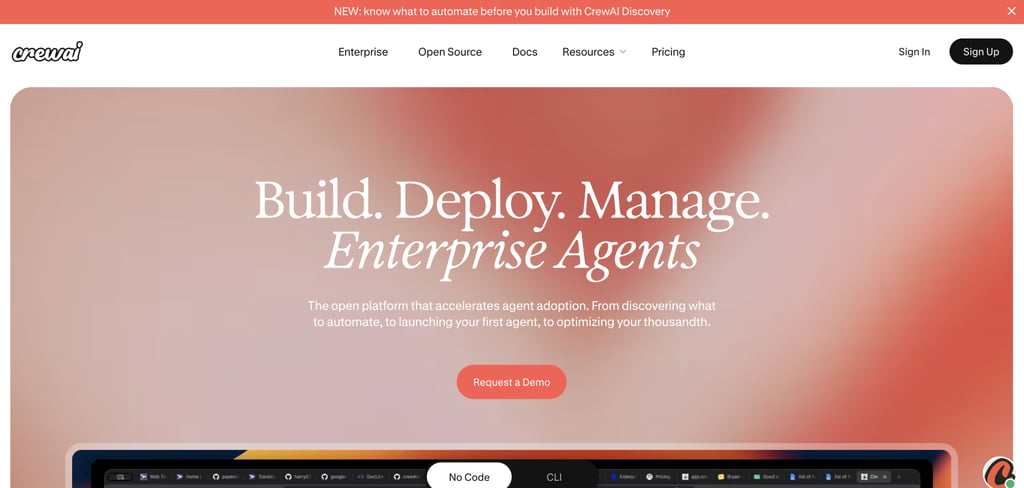
CrewAI is an open-source platform for building and orchestrating teams of AI agents that work together on complex tasks.
If you want more control than a no-code builder provides, CrewAI lets you create specialized agents with defined roles, responsibilities, tools, and workflows while keeping the underlying logic fully customizable.
Instead of assigning every responsibility to a single agent, CrewAI distributes work across specialized agents.
One agent can gather information, another can validate outputs, and another can execute actions through connected tools and APIs.
CrewAI supports both visual and code-first development. You can start with simple visual build tools and export workflows to Python, or work directly through the platform’s CLI and APIs for more advanced orchestration.
The platform also includes observability features such as tracing, cost tracking, audit logs, and human approval workflows, helping teams monitor agent behavior in production environments.
Compared with no-code AI agent builders, CrewAI offers much deeper control over agent architecture and workflow design.
Developers can customize orchestration logic, integrate external tools, and build sophisticated agent systems that would be difficult to replicate with template-based platforms.
The trade-off is complexity. Building, testing, and maintaining agent crews requires technical knowledge and a solid understanding of how agents interact.
CrewAI pros:
- Supports sophisticated multi-agent orchestration and role-based agent teams.
- Visual builder and code-first workflows support different development styles.
- Workflows can be exported to Python for deeper customization.
- CLI and API access provide fine-grained control over agent behavior.
- Includes tracing, observability, and cost monitoring tools.
- Supports human approval workflows and governance controls.
CrewAI cons:
- Requires programming knowledge for advanced implementations.
- Building and maintaining multi-agent systems can become complex.
- Debugging agent interactions takes more effort than managing single-agent workflows.
- Self-managed deployments require operational oversight.
- Costs depend on the underlying LLMs, infrastructure, and tool usage.
- Steeper learning curve than no-code AI agent builders.
CrewAI Pricing:
CrewAI offers both a free open-source path and enterprise deployments. The Basic plan is free and includes the visual editor, GitHub integration, workflow templates, observability tools, and up to 50 workflow executions per month.
Organizations that need production deployments can move to the Enterprise plan, which uses custom pricing.
Enterprise customers can deploy CrewAI on CrewAI-managed infrastructure or their own environment, with options for dedicated networking, role-based access controls, single sign-on, enterprise connectors, deployment support, and training.
Workflow execution limits are sized to the deployment and can scale beyond the free plan’s limits.
One important consideration is that CrewAI is an orchestration platform, not a model provider. Your overall costs depend not only on CrewAI licensing but also on the large language models powering your agents.
If you’re using OpenAI, Anthropic, Gemini, or another provider, you’ll pay separate API fees based on token usage. Infrastructure costs can also increase if you self-host workflows, connect external tools, or run high-volume agent systems.
7. LangGraph
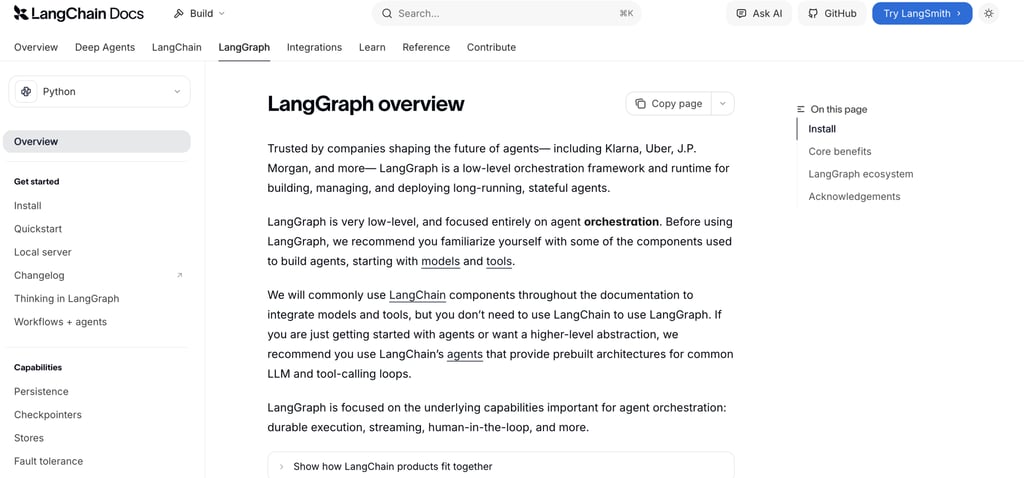
LangGraph is a developer framework for building stateful AI agents and multi-step LLM applications.
Created by the team behind LangChain, the framework focuses on orchestration, giving engineering teams precise control over how agents execute tasks, make decisions, and interact with tools.
LangGraph uses a graph-based architecture where workflows are built from connected nodes and execution paths. Instead of relying on predefined agent behavior, you define how information moves through a system, when tools are called, and how agents respond to different outcomes.
The framework is designed for workflows that require branching logic, retries, persistence, and long-running execution.
An agent can pause for human approval, recover after a failure, resume from a previous state, or continue work across multiple sessions.
LangGraph also provides built-in support for memory and human oversight. Agents can maintain both short-term and long-term context, while human reviewers can inspect, modify, or approve actions before a workflow continues.
LangGraph works alongside other LangChain products. Developers can use LangChain components for model and tool integrations, while LangGraph handles execution and orchestration.
LangSmith adds tracing, evaluation, debugging, observability, and deployment tools for monitoring agent behavior in production.
LangGraph pros:
- Designed specifically for stateful and long-running agent workflows.
- Supports graph-based orchestration with fine-grained control over execution paths.
- Handles branching logic, retries, persistence, and state management.
- Includes human-in-the-loop capabilities for approvals and intervention.
- Integrates with LangSmith for tracing, evaluation, debugging, and observability.
- Supports both short-term and long-term agent memory.
LangGraph cons:
- Requires software engineering experience and workflow design knowledge.
- More complex than visual AI agent builders and no-code platforms.
- Building workflows involves defining orchestration logic manually.
- Testing and debugging sophisticated agent systems can be time-consuming.
- Deployment and operational management require additional setup.
LangGraph Pricing:
LangGraph itself is open source and free to use, so you can build and run agent workflows without paying for the framework.
Costs come into play when you use LangSmith for observability, evaluation, deployment, or agent management, or when your agents consume external model APIs.
LangSmith offers a Developer plan with one free seat, up to 5,000 traces per month, tracing tools, evaluations, monitoring, and 50 Fleet runs per month.
Teams that need collaboration and deployment features can upgrade to the Plus plan, which costs $39 per seat per month and includes up to 10,000 traces per month, one development deployment, up to 500 Fleet runs per month, and access to LangSmith Engine and Sandboxes.
Enterprise customers can choose custom pricing with additional deployment options, including hybrid and self-hosted environments, custom SSO, role-based access controls, dedicated support, and architectural guidance.
LangSmith also charges separately for certain usage-based services. Additional deployment runs cost $0.005 per run, Engine usage costs $1.50 per LangChain Compute Unit (LCU), and Sandbox resources are billed based on CPU, memory, and storage consumption.
One important consideration is that LangGraph does not include model access. If your agents use OpenAI, Anthropic, Gemini, or another model provider, you’ll pay separate API fees based on token usage.
8. n8n
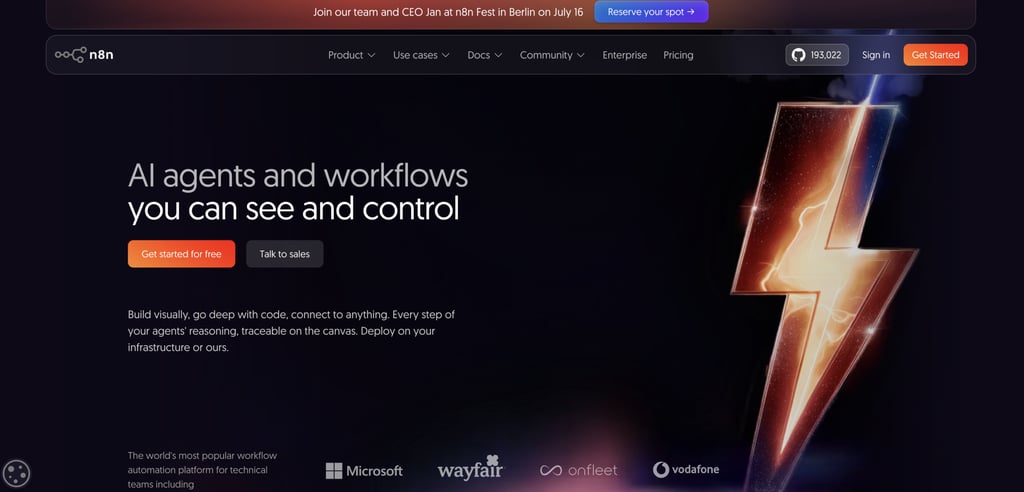
n8n is a visual workflow automation platform that combines AI capabilities with business process automation.
If you need to connect AI models, business applications, APIs, and internal systems in one place, n8n provides a visual environment for building those workflows without locking you into predefined templates.
The platform uses triggers, integrations, webhooks, APIs, logic nodes, and AI components to automate work across different systems.
A single workflow can process customer requests, generate content, update records, and trigger follow-up actions across multiple applications.
n8n includes built-in AI nodes for tasks such as content generation, document analysis, summarization, and question answering.
It also integrates with LangChain, allowing developers to build more advanced AI workflows and agent-like systems when additional orchestration is required.
Flexibility is one of n8n’s biggest strengths. The platform includes more than 400 integrations, supports HTTP requests for services that aren’t supported, and allows custom JavaScript or Python code when visual nodes aren’t sufficient.
You can start with drag-and-drop workflows and extend them with custom logic as requirements grow.
Deployment options include n8n Cloud, self-hosted installations, Docker, Kubernetes, and private infrastructure. I
f you need control over data, hosting, and compliance requirements, n8n provides significantly more flexibility than many SaaS-only automation platforms.
n8n pros:
- More than 400 built-in integrations for business applications and services.
- Supports AI nodes for content generation, summarization, document analysis, and question answering.
- Allows custom JavaScript and Python code when visual workflows are not enough.
- Integrates with APIs, webhooks, databases, and external services.
- Supports self-hosting, cloud deployment, and private infrastructure.
n8n cons:
- Complex workflows can become difficult to manage and maintain.
- API integrations require ongoing monitoring and maintenance.
- Error handling and debugging become more challenging as workflows grow.
- Advanced AI workflows may require custom logic and technical knowledge.
- LLM costs are separate from n8n platform costs.
- Less focused on autonomous agent orchestration than dedicated AI agent frameworks.
- Fully autonomous agents may require additional setup beyond standard workflow automation.
n8n Pricing:
n8n offers both cloud-hosted and self-hosted deployment options. The open-source Community Edition is available for free if you want to run n8n on your own infrastructure.
Cloud plans start at $20/month for Starter, $50/month for Pro, and $800/month for Business when billed annually, while Enterprise pricing is available through custom quotes.
All paid plans include unlimited users, unlimited workflows, and access to all integrations.
Pricing scales primarily through workflow execution limits, workflow history, storage, and concurrency.
One important consideration is that n8n does not include AI model usage. If your workflows use OpenAI, Anthropic, Gemini, or other LLM providers through AI nodes and integrations, you’ll pay separate API fees based on token consumption.
9. Relevance AI
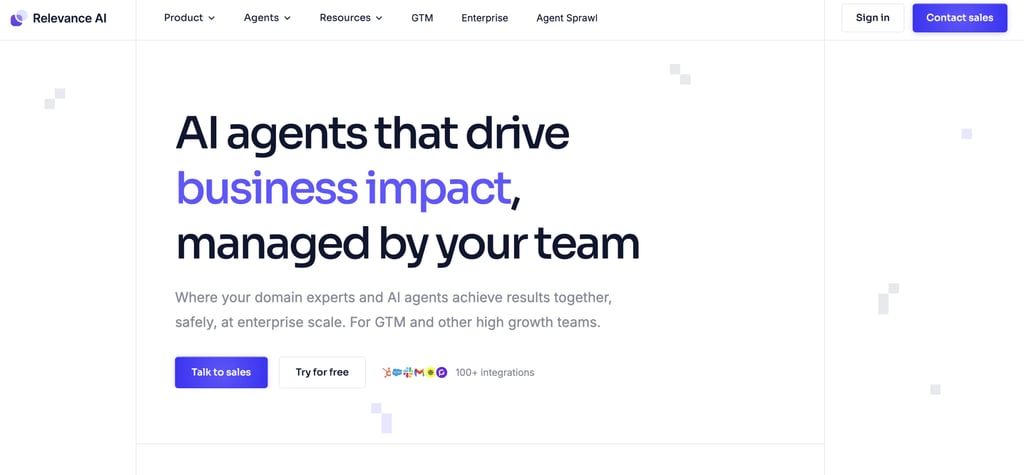
Relevance AI is a no-code AI agent platform designed for building AI workforces and repeatable business automations.
If you want to deploy agents without managing code, infrastructure, or orchestration frameworks, Relevance AI provides a business-focused environment for creating and operating autonomous workflows.
The platform allows you to build specialized agents that handle tasks across sales, operations, research, customer success, and marketing.
Multiple agents can work together within the same workflow, allowing larger processes to be broken into smaller, role-specific responsibilities.
Agents can be created through a no-code builder, drag-and-drop workflows, or natural language instructions using Invent, Relevance AI’s AI-assisted workforce builder.
Domain experts and operations teams can create and refine automations without relying on developers for every update.
Relevance AI connects to more than 1,000 business applications through native integrations, custom actions, and MCP support.
Agents can retrieve information, update records, trigger workflows, send messages, and coordinate work across CRM systems, communication platforms, databases, and other business tools.
Sales and go-to-market teams are among the platform’s primary audiences. Common use cases include lead qualification, prospect research, outbound outreach, customer follow-ups, meeting preparation, and CRM enrichment.
Operations teams use the same platform for internal process automation, reporting, and data management workflows.
Compared with developer frameworks such as LangGraph and CrewAI, Relevance AI prioritizes deployment speed and ease of management.
Relevance AI pros:
- No-code platform.
- Strong focus on practical business workflows such as sales, operations, research, and customer success.
- AI workforce approach supports multiple specialized agents working together.
- More than 1,000 integrations with CRM, communication, data, and productivity tools.
- Natural-language agent creation through the Invent builder reduces setup time.
- Built-in monitoring, evaluations, governance, approvals, and audit capabilities.
- Supports model routing across multiple AI providers, rather than locking you into a single model vendor.
- Suitable for non-technical teams that need to deploy and manage agents independently.
Relevance AI cons:
- Less flexibility than developer-focused frameworks such as LangGraph or CrewAI.
- Advanced custom orchestration is more constrained than fully code-based solutions.
- Complex business logic may still require technical support or custom integrations.
- Organizations with highly specialized infrastructure requirements may prefer developer frameworks.
- Large-scale deployments can become dependent on the Relevance AI platform and ecosystem.
- Multi-agent automation requires ongoing monitoring, evaluation, and governance to maintain performance.
- Vendor credits, usage limits, and model consumption costs can affect overall operating expenses as agent activity grows.
Relevance AI Pricing:
Relevance AI uses custom enterprise pricing rather than publicly listed subscription tiers.
Organizations work with the sales team to build a plan based on their AI workforce requirements, usage levels, integrations, and deployment needs.
Total costs depend on the volume of agent executions, the models being used, external services connected through integrations, and any custom vendor credit allocations included in the agreement.
10. Lindy
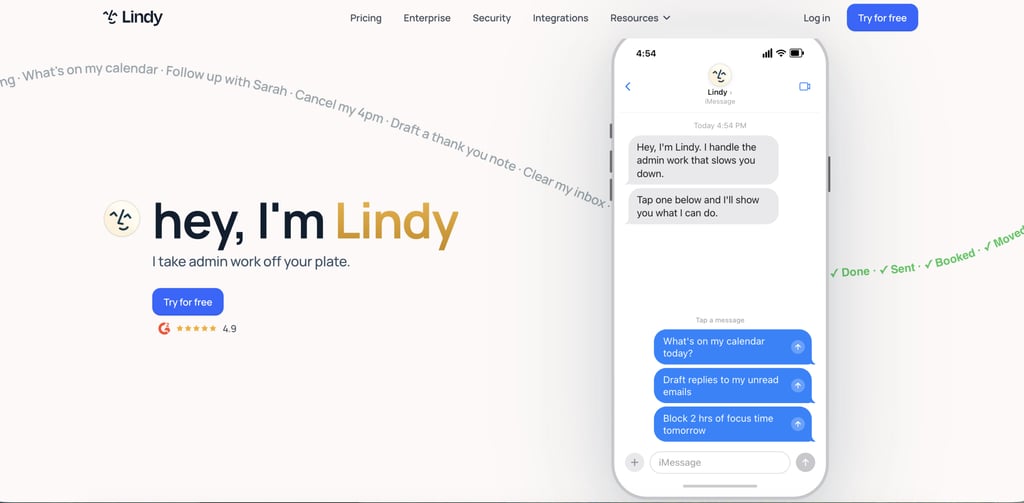
Lindy is an AI assistant and agent builder designed to handle everyday administrative work. The platform focuses on inbox management, calendar scheduling, meeting preparation, note-taking, follow-ups, and task execution.
Lindy connects to your email, calendar, CRM, communication tools, and business applications, then performs tasks through natural language instructions and prebuilt automations.
You can ask Lindy to draft emails, schedule meetings, summarize conversations, prepare meeting briefs, or coordinate follow-up actions.
Lindy connects with Gmail, Outlook, Slack, CRM platforms, calendars, and hundreds of other business applications.
The platform also supports business operations such as customer support triage, internal request handling, scheduling coordination, and workflow execution. Built-in approval controls allow users to review sensitive actions before they are completed.
Compared with workflow-first platforms such as n8n, Lindy prioritizes assistant-style interactions and ready-to-use automations. You spend less time designing workflows and more time delegating tasks directly to AI assistants.
The trade-off is less flexibility for highly customized processes, but much faster setup for day-to-day productivity and operational tasks.
Lindy pros:
- Fast setup with ready-to-use AI assistants for email, scheduling, meetings, and administrative work.
- Strong support for inbox management, email drafting, meeting preparation, and follow-up tasks.
- Connects with Gmail, Outlook, calendars, CRM systems, Slack, and hundreds of other business applications.
- Useful for founders, consultants, recruiters, sales professionals, and small teams.
- Handles CRM updates, customer communication, and scheduling tasks across connected systems.
- Assistant-style experience feels approachable for non-technical users.
- Built-in approvals help maintain oversight before agents perform important actions.
Lindy cons:
- Less workflow flexibility than automation platforms such as n8n or Make.
- Limited customization compared with developer-focused frameworks such as LangGraph or CrewAI.
- Complex multi-agent orchestration and advanced business processes may require more specialized platforms.
- Heavy reliance on connected applications for many automations and workflows.
- Credit-based usage can make costs less predictable as automation volume increases.
- Enterprise governance and infrastructure controls are not as extensive as platforms built primarily for large organizations.
- Teams with highly customized operational workflows may outgrow the assistant-first approach.
Lindy Pricing:
Lindy uses tiered subscription pricing based on usage volume and the number of connected inboxes.
The Plus plan costs $49.99/month and includes standard usage, support for up to two inboxes, email drafting, meeting scheduling, note-taking, follow-ups, SMS and iMessage interactions, and access to more than 100 integrations.
The Pro plan costs $99.99/month and includes three times the usage allowance of Plus, support for up to three inboxes, computer-use capabilities, model selection controls, and a live onboarding session.
The Max plan costs $199.99/month and increases usage to seven times the Plus allocation while supporting up to five inboxes.
Enterprise pricing is available through custom agreements. Enterprise plans include shared usage pools, additional credits, dedicated support, onboarding and enablement services, custom company context, audit logs, SSO, SCIM, and HIPAA compliance options with a signed BAA.
11. Zapier Agents
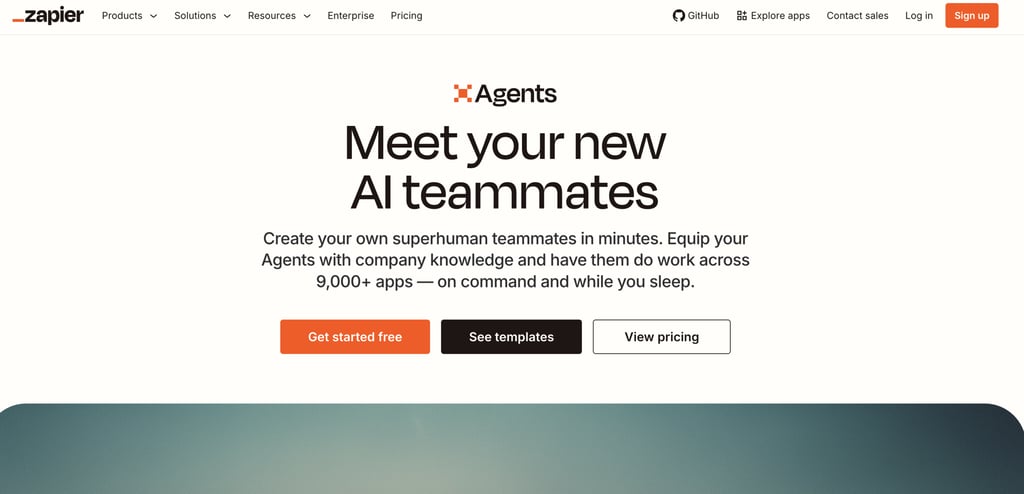
Zapier Agents is an AI agent platform built on top of Zapier’s automation ecosystem.
The platform combines AI agents with Zapier’s extensive library of app integrations. Agents can connect to live business data, monitor events, retrieve information, trigger workflows, and take actions across more than 9,000 applications.
Because agents operate on top of existing Zapier automations, they can move beyond answering questions and actively complete tasks.
Compared with developer frameworks such as LangGraph or CrewAI, Zapier Agents prioritizes speed and accessibility.
You do not need to build orchestration logic, manage infrastructure, or write code to connect external systems. The platform handles much of the integration layer through prebuilt connectors and automation workflows.
The main advantage is coverage. Few AI agent platforms provide access to as many business applications as Zapier.
If your goal is to create agents that work across existing SaaS tools with minimal setup, Zapier Agents offers one of the fastest paths from idea to deployment.
The trade-off is less control over agent architecture and orchestration compared with developer-first frameworks.
Zapier Agents pros:
- Access to more than 9,000 app integrations and connectors.
- No-code setup makes agent creation accessible to non-technical teams.
- Connects agents to live business data across existing SaaS tools.
- Combines AI agents with Zapier’s mature workflow automation platform.
- Supports triggers, actions, and multi-step workflows without custom development.
- Fast deployment compared with developer-focused agent frameworks.
- Reduces the need for custom API integrations and infrastructure management.
Zapier Agents cons:
- Limited control over orchestration compared with frameworks such as LangGraph or CrewAI.
- Complex workflows can become difficult to manage as automations grow.
- Advanced customizations may still require Zapier expertise or developer involvement.
- Heavy reliance on the Zapier ecosystem for integrations and workflow execution.
- Usage costs can increase as automation volume and task execution grow.
- Less suitable for highly specialized agent architectures or custom reasoning systems.
Zapier Agents Pricing:
Pricing is based on tasks, which represent workflow executions, AI actions, connector calls, and other automated operations across the platform.
The Free plan includes 100 tasks per month at no cost and gives you access to Zap workflows, Tables, Forms, and basic AI capabilities. Paid plans start at $19.99/month for the Professional tier and $69/month for the Team tier. Enterprise pricing is available through custom quotes.
All plans include access to Zapier’s app ecosystem, which connects with more than 9,000 applications.
Higher-tier plans unlock advanced features such as multi-step workflows, premium app integrations, webhooks, shared workspaces, SAML SSO, administrative controls, and enterprise deployment options.
Businesses using Zapier Agents should also account for third-party costs that sit outside Zapier’s subscription.
External AI model usage, SaaS subscriptions, and connected services may introduce additional charges depending on how your agents interact with those systems.
12. Gumloop
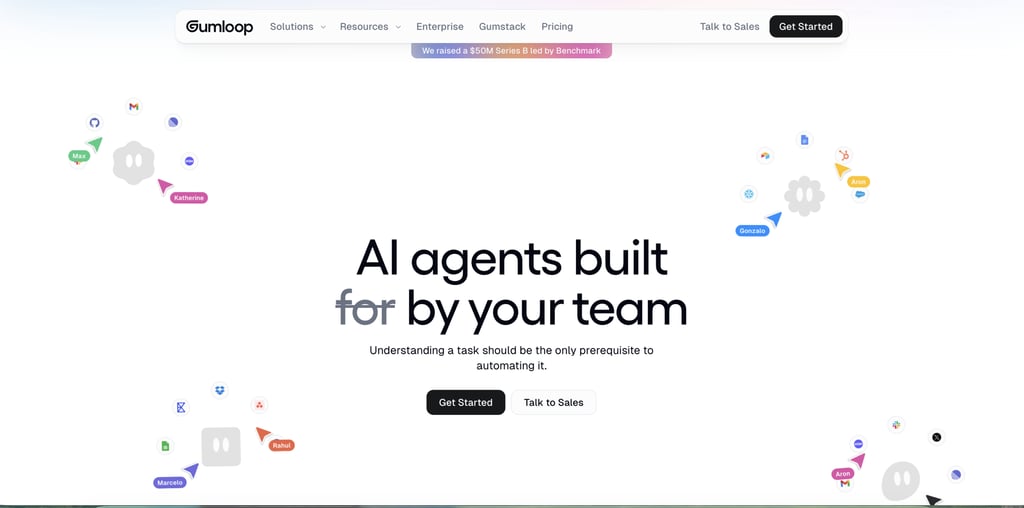
Gumloop is a no-code AI automation platform for building AI workflows, agents, document-processing systems, and business automations through a visual workflow builder.
The platform uses a node-based workflow builder where you connect AI models, business applications, databases, documents, APIs, and automation logic into reusable workflows.
Each workflow consists of nodes that perform specific actions, such as retrieving information, analyzing documents, generating content, calling external tools, updating records, or making decisions based on incoming data.
AI agents are a core part of the platform. Teams can create specialized agents for tasks such as sales research, lead qualification, customer support triage, meeting preparation, CRM management, call analysis, and data analytics.
Multiple agents can work together inside larger workflows, allowing organizations to automate processes that previously required several manual steps across different systems.
Gumloop places a strong emphasis on business data. Agents can connect to data warehouses, CRM platforms, productivity tools, communication platforms, and internal knowledge sources.
The platform also supports recurring tasks and event-driven automations through triggers, scheduled runs, and workflow interfaces.
Agents can operate in the background, respond to business events, or interact directly with employees through tools such as Slack, Microsoft Teams, email, and other connected applications.
Gumloop pros:
- No-code visual builder makes complex AI workflows accessible without extensive development work.
- AI-first workflow design treats reasoning, document analysis, and agent actions as native workflow components.
- Supports multi-agent workflows for coordinating specialized agents across larger business processes.
- Connects with business applications, databases, documents, APIs, and internal data sources.
- Supports recurring tasks, scheduled automations, and event-driven workflows.
- Allows agents to interact through Slack, Microsoft Teams, email, and other workplace tools.
- Supports multiple AI model providers, reducing vendor lock-in.
- Includes enterprise features such as SSO, RBAC, audit logs, VPC deployments, and usage monitoring.
Gumloop cons:
- Advanced workflows can become difficult to manage as the number of nodes and agents grows.
- Less control over orchestration logic than developer frameworks such as LangGraph or CrewAI.
- Heavy AI usage can increase credit consumption and operational costs.
- Teams with highly specialized requirements may still need custom code or API integrations.
- Enterprise security, governance, and deployment features are primarily aimed at larger organizations.
- Workflow debugging can become challenging when multiple agents, tools, and data sources interact simultaneously.
Gumloop Pricing:
Gumloop uses a credit-based pricing model. Credits are consumed when workflows run, agents perform actions, AI models process requests, or connected tools are used.
The Free plan includes 5,000 credits per month, 1 seat, 1 active trigger, 2 concurrent workflow runs, and 5 concurrent agent interactions.
Paid plans start with Pro at $37/month, which includes 20,000+ monthly credits, unlimited seats, 5 concurrent workflow runs, and 25 concurrent agent interactions.
The plan adds collaboration features, usage analytics, guardrails, MCP server capabilities, team management tools, and unified billing.
The Enterprise plan uses custom pricing and targets larger deployments. Enterprise customers receive role-based access control, SAML and SCIM support, audit logs, custom data retention policies, AI model access controls, VPC deployment options, workflow queuing, advanced governance features, and enterprise support.
Gumloop also supports bring-your-own API keys (BYOK). If you connect external AI providers such as OpenAI, Anthropic, Gemini, or other model vendors, you may incur separate model usage charges directly from those providers.
13. Dify
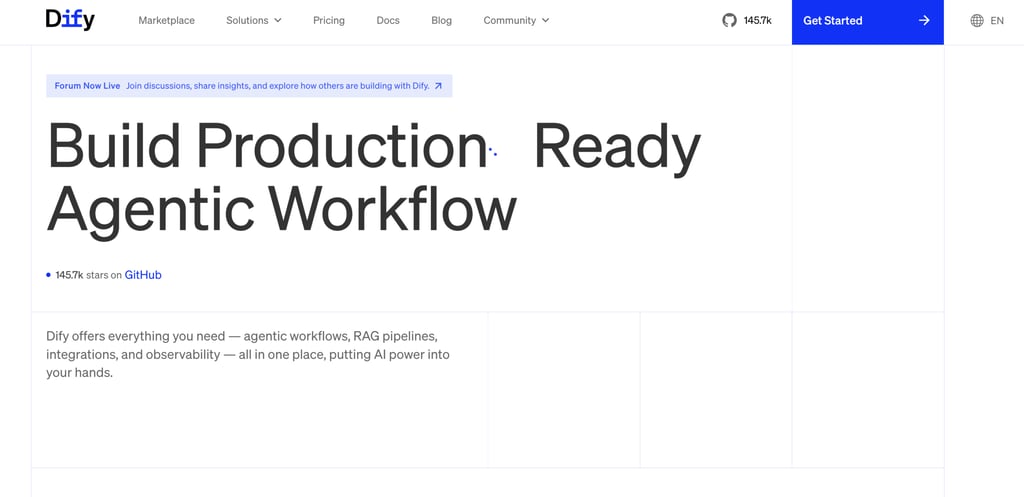
Dify is an open-source AI application and agent development platform for building AI assistants, workflows, RAG-powered applications, and production-ready agents.
The platform combines visual development tools with LLMOps capabilities, giving teams a way to build, deploy, monitor, and improve AI applications from a single environment.
At its core, Dify functions as an AI app builder. You can create conversational assistants, agentic workflows, document-based applications, internal copilots, and customer-facing AI products through a visual interface.
Workflows are built using drag-and-drop components that connect models, prompts, business logic, external tools, and data sources into complete applications.
RAG pipelines are one of Dify’s strongest features. The platform helps you ingest documents, create vectorized knowledge bases, retrieve relevant information, and ground model responses in your own data.
A support assistant, internal knowledge bot, or product documentation chatbot can all use the same retrieval framework to provide more accurate answers.
Developers also get tools for prompt engineering, testing, and application management. Dify includes a Prompt IDE, workflow builder, model management tools, integrations, observability features, and deployment options that support the entire AI application lifecycle.
Instead of stitching together multiple services, you manage development and operations on a single platform.
Compared with closed AI agent builders, Dify provides greater control over infrastructure, model selection, and application architecture.
Dify pros:
- Open-source platform that can be self-hosted on your own infrastructure.
- Combines AI app building, agent development, workflows, and RAG pipelines in a single platform.
- Visual workflow builder reduces development time for AI applications.
- Strong support for retrieval-augmented generation (RAG) and knowledge-based assistants.
- Includes a Prompt IDE, observability tools, and application management features.
- Supports multiple LLM providers, reducing dependence on a single model vendor.
- Built-in integrations and plugin ecosystem simplify connections to external tools and services.
- Suitable for both rapid prototyping and production deployments.
- Provides greater customization than many SaaS-only AI agent builders.
Dify cons:
- Self-hosting introduces infrastructure, maintenance, and security responsibilities.
- Advanced customization still requires development expertise and AI engineering knowledge.
- Enterprise governance features are less mature than platforms from Microsoft, Salesforce, or Google Cloud.
- Performance, scalability, and reliability depend partly on your underlying infrastructure choices.
- Fewer ready-made business automations than platforms focused on sales, operations, or productivity workflows.
- Production deployments still require monitoring, testing, and prompt optimization.
- Total costs can increase when combining hosting, vector storage, model APIs, and third-party integrations.
Dify Pricing:
Dify offers both a hosted cloud service and a free self-hosted open-source version. If you self-host Dify, you avoid subscription fees but remain responsible for infrastructure, storage, maintenance, and any AI model costs.
The hosted cloud platform starts with a Sandbox plan that is free and includes 200 message credits, 5 apps, 50 knowledge documents, 50 MB of vector storage, and 3,000 trigger events.
The Professional plan costs $59 per workspace per month and includes 5,000 monthly message credits, 50 apps, 500 knowledge documents, 5 GB of knowledge storage, 20,000 trigger events per month, and support for up to 3 team members.
The Team plan costs $159 per workspace per month and targets larger deployments. The plan increases limits to 10,000 message credits per month, 200 apps, 1,000 knowledge documents, 20 GB of vector storage, 50 team members, and unlimited trigger events.
14. Flowise
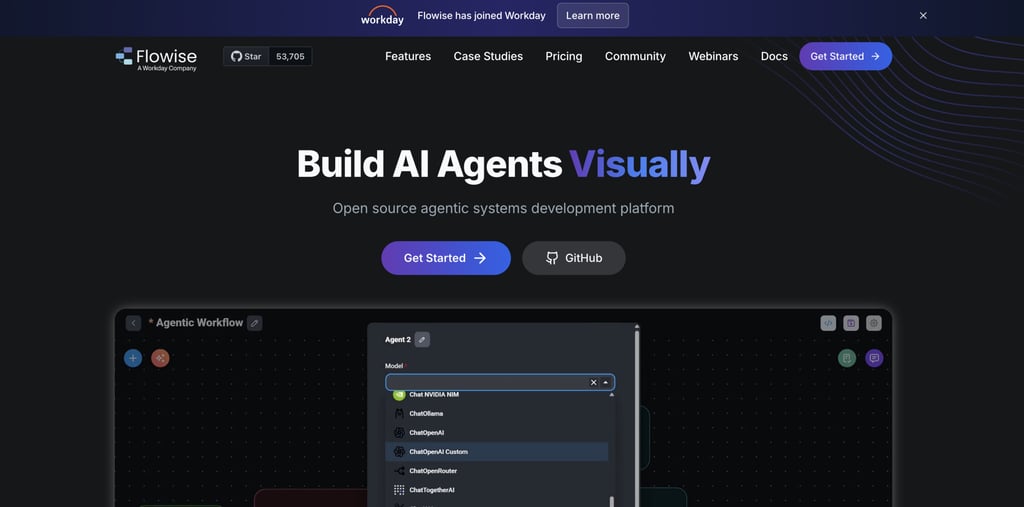
Flowise is an open-source visual platform for building AI agents, LLM workflows, chat assistants, RAG applications, and multi-agent systems.
The platform revolves around two core building blocks: Chatflow and Agentflow. Chatflow focuses on chat assistants and single-agent experiences with support for tool calling and knowledge retrieval.
Agentflow extends that model to workflow orchestration, allowing multiple agents to collaborate, pass tasks between one another, and execute more complex business processes.
Flowise provides modular components for constructing agentic systems of varying complexity.
You can connect language models, vector databases, APIs, tools, memory systems, and RAG pipelines through visual nodes.
A simple chatbot might retrieve information from internal documents, while a more advanced implementation could coordinate multiple agents responsible for research, analysis, validation, and response generation.
Knowledge retrieval is a major part of the platform. Flowise supports RAG workflows that connect agents to documents, databases, websites, and external knowledge sources. Agents can retrieve relevant information before generating responses, helping improve accuracy and grounding outputs in your organization’s data.
Human oversight is also built into the platform through human-in-the-loop (HITL) capabilities.
Team members can review, approve, or modify agent actions before execution continues. For workflows that involve customer communications, financial decisions, or operational processes, human checkpoints provide an additional layer of control.
Developers are not limited to the visual interface. Flowise exposes APIs, SDKs, and embedded chat capabilities that enable agents to integrate directly into websites, applications, and internal systems.
Technical teams can start with drag-and-drop workflows, then extend them through custom development when additional control is needed.
The platform also includes observability features designed for production environments.
Execution traces, monitoring integrations, OpenTelemetry support, and performance tracking help teams understand how agents behave during runtime and identify issues before they affect users.
Compared with code-first frameworks such as LangGraph or CrewAI, Flowise reduces the engineering effort required to build and test agent workflows.
Flowise pros:
- Open-source platform with self-hosting flexibility.
- Visual drag-and-drop builder for agents, workflows, and RAG pipelines.
- Supports both Chatflow and Agentflow for single-agent and multi-agent systems.
- Human-in-the-loop capabilities for review and approval workflows.
- Built-in APIs, SDKs, and embedded chat deployment options.
- Integrates with a wide range of LLMs, vector databases, and external tools.
- Strong observability features with execution tracing and monitoring support.
- Faster prototyping than code-first agent frameworks.
Flowise cons:
- Advanced workflows still require AI and workflow design knowledge.
- Visual workflows can become difficult to manage as complexity grows.
- Fewer low-code business templates than platforms focused on sales or operations use cases.
- Enterprise governance features are less extensive than some commercial AI platforms.
- Large-scale production deployments may require additional infrastructure planning and operational expertise.
- Debugging highly complex multi-agent systems can still become challenging despite visual tooling.
Flowise Pricing:
Flowise offers both a free open-source version and hosted cloud plans, giving you the choice between self-managing infrastructure or using Flowise’s managed platform.
The Free cloud plan includes 2 flows or assistants, 100 predictions per month, 5 MB of storage, evaluations and metrics, custom embedded chatbot branding, and community support.
The Starter plan costs $35/month and removes most of the free plan’s limits. You get unlimited flows and assistants, 10,000 predictions per month, 1 GB of storage, and access to all Starter features.
The Pro plan costs $65/month and increases capacity to 50,000 predictions per month and 10 GB of storage. The plan also includes unlimited workspaces, support for 5 users, admin roles and permissions, and priority support. Additional users cost $15 per user per month.
Enterprise pricing is not publicly listed and requires contacting the Flowise team for a quote based on deployment size, support requirements, and infrastructure needs.
15. Voiceflow
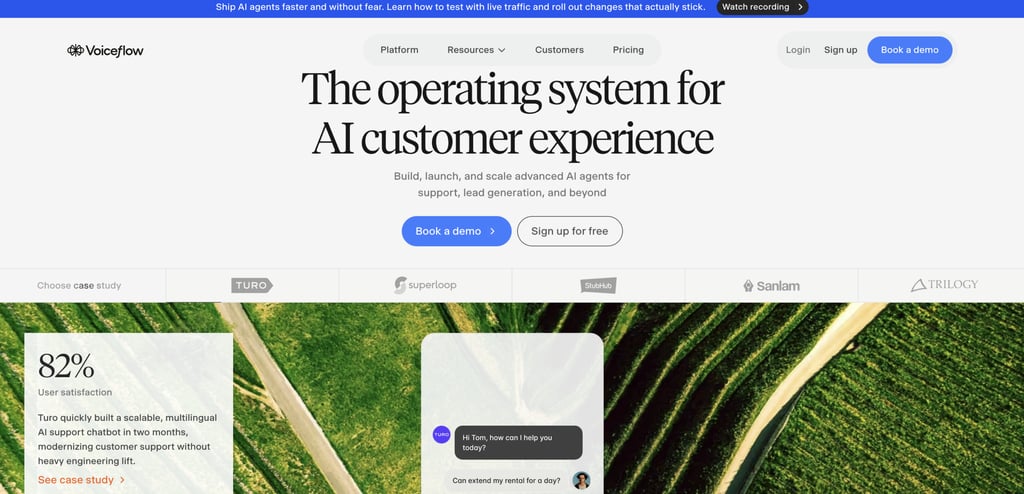
Voiceflow is a visual AI agent platform built for designing, deploying, and managing customer-facing conversational experiences across chat and voice channels.
Voiceflow supports both chat agents and voice agents, making it suitable for customer support, lead generation, self-service, and digital assistant use cases.
At the center of the platform is a visual design canvas where teams create conversation flows, business logic, and agent behaviors.
Product teams, designers, support leaders, and developers can collaborate in the same workspace to build conversational experiences without relying entirely on code.
Complex workflows, handoffs, knowledge retrieval, and API-driven actions can all be managed through a visual interface while still supporting custom development when needed.
Voiceflow places a strong emphasis on customer experience design. Agents can retrieve information from knowledge bases, connect to external systems through APIs and integrations, and operate consistently across websites, mobile apps, messaging platforms, and voice channels.
The platform includes production-focused tooling that extends beyond conversation design.
Teams gain access to observability features, analytics, agent logs, evaluations, environments, permissions, and deployment controls.
Conversation-level visibility helps teams understand how agents behave, identify failure points, and improve performance over time. Voiceflow positions observability as a core part of the agent development process rather than an optional add-on.
Compared with general-purpose AI agent builders, Voiceflow specializes in conversational experiences.
Platforms such as n8n, CrewAI, or LangGraph focus on broader workflow orchestration and automation, while Voiceflow concentrates on creating high-quality customer interactions across chat and voice.
Voiceflow pros:
- Purpose-built for conversational AI across both chat and voice channels.
- The Visual Design Canvas makes conversation design accessible to cross-functional teams.
- Strong collaboration features for product, CX, support, and engineering teams.
- Built-in observability, analytics, evaluations, and agent logs.
- Supports APIs, integrations, custom logic, and external knowledge sources.
- Multi-channel deployment across web, mobile, messaging, and voice experiences.
- Avoids model lock-in with support for multiple LLM providers.
- Includes environments and deployment workflows for production operations.
Voiceflow cons:
- More specialized for conversational experiences than general business automation.
- Less suitable for complex back-office workflow orchestration than platforms such as n8n or Zapier.
- Advanced integrations and enterprise deployments may still require developer involvement.
- Organizations seeking broad multi-agent automation may need additional tools alongside Voiceflow.
- Enterprise-grade capabilities can increase implementation complexity for smaller teams.
Voiceflow Pricing:
Voiceflow uses custom, usage-based pricing rather than publishing fixed monthly plans.
The platform offers separate packages for agencies and partners and for businesses deploying customer-facing AI agents. Pricing depends on factors such as conversation volume, deployment scale, channels, integrations, support requirements, and analytics usage.
Agency plans include multi-client workspace management, white-labeling, client handoff tools, and usage-based billing.
Business plans focus on enterprise deployments, with support for chat and voice channels, observability, analytics, team roles, permissions, and production environments.
Voiceflow also supports multiple LLM providers, so model API costs are separate from the platform subscription and depend on the models you choose.
For exact pricing, you’ll need to contact Voiceflow for a custom quote based on your deployment requirements.
How to choose the right AI agent builder
Choosing the right AI agent builder starts with a simple question: who will build the agents, and what jobs do you need them to perform?
Use the checklist below to narrow your options based on your technical skills, workflow complexity, integration requirements, deployment preferences, and budget.
- For maximum control over agent behavior, choose a developer framework. LangGraph, OpenAI Agents SDK, CrewAI, Flowise, and Dify give you direct control over workflows, memory, tool usage, and orchestration.
- To launch agents quickly without coding, choose a no-code platform. Relevance AI, Lindy, Zapier Agents, Voiceflow, Gumloop, and Agentforce provide visual builders, templates, and guided setup.
- If your agents need to work across dozens of business applications, prioritize integrations. Zapier Agents, n8n, Relevance AI, Lindy, and Agentforce connect directly to CRM systems, email platforms, databases, communication tools, and business software.
- If you need agents that collaborate with each other, look for multi-agent orchestration. CrewAI, LangGraph, Relevance AI, Flowise, and Gumloop support specialized agents working together on larger tasks.
- For building agents who need access to company knowledge, choose strong RAG capabilities. Dify, Flowise, Voiceflow, LangGraph, and Agentforce provide knowledge retrieval and document-based reasoning features.
- To make an agent that requires human review before taking action, prioritize approval workflows. LangGraph, CrewAI, Flowise, Voiceflow, Relevance AI, and Dify support human-in-the-loop processes.
- If data residency, compliance, or infrastructure control matters, verify self-hosting options. Dify, Flowise, CrewAI, LangGraph deployments, n8n, and Gumloop offer self-hosted or private deployment models.
You can also narrow the field based on your primary use case:
- Customer support agents – Voiceflow, Agentforce, Dify, and Flowise.
- Internal copilots and knowledge assistants – Dify, Flowise, LangGraph, and OpenAI Agents SDK.
- Sales automation – Relevance AI, Lindy, Agentforce, and Zapier Agents.
- Research and analysis agents – CrewAI, LangGraph, Gumloop, and Flowise.
- Business workflow automation – n8n, Zapier Agents, and Gumloop.
- Product-embedded AI assistants – Dify, Flowise, LangGraph, and OpenAI Agents SDK.
What are the alternatives to AI agent builders?
AI agent builders are not the only way to automate work with AI. Pre-built AI agents, AI assistants, workflow automation platforms, and business productivity tools can help you complete tasks without designing, training, or managing agents yourself.
The biggest difference comes down to flexibility versus simplicity. AI agent builders let you create custom workflows, integrations, and agent behavior tailored to your business.
Pre-built AI agents focus on solving common business problems immediately, with minimal setup and no technical configuration.
Pre-built AI agents are faster to deploy because the workflows, prompts, and business logic already exist.
You can start using them in minutes instead of spending days or weeks building, testing, and refining custom agents. The trade-off is reduced customization compared with platforms such as LangGraph, CrewAI, Dify, or Flowise.
Technical skill requirements also differ significantly. Most AI agent builders require some understanding of workflows, integrations, prompts, APIs, or automation design.
Pre-built AI assistants focus on guided interactions, allowing you to complete tasks through conversations and structured inputs without managing the underlying architecture.
One example is Hostinger AI Agents, a collection of specialized AI agents designed to help businesses complete common operational tasks.
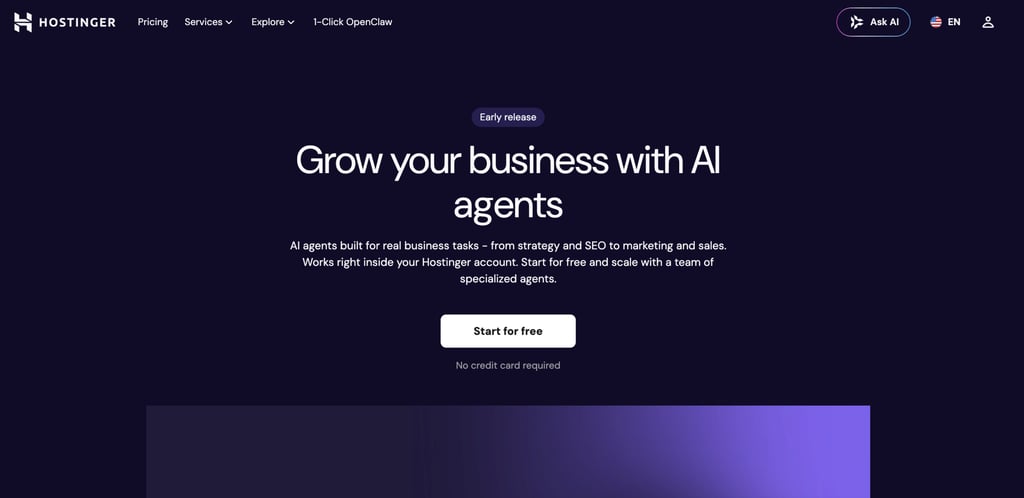
Hostinger AI Agents operate through a combination of Skills and Chat, allowing you to interact with specialized agents that guide you through specific business tasks.
A content-focused agent can help generate blog outlines and marketing copy, while a sales-focused agent can assist with outreach messaging and lead engagement.
Each agent is designed around a specific business function, so you don’t have to build workflows yourself.
Hostinger AI Agents are particularly well-suited for SMBs, solopreneurs, creators, ecommerce businesses, and service providers that want practical business support without investing time in agent development.
If your goal is to improve marketing, content production, customer communication, or business planning quickly, a pre-built AI agent platform can deliver value much faster than a fully customizable agent-building framework.
All of the tutorial content on this website is subject to Hostinger's rigorous editorial standards and values.

Ksenija is a digital marketing enthusiast with extensive expertise in content creation and website optimization. Specializing in WordPress, she enjoys writing about the platform’s nuances, from design to functionality, and sharing her insights with others. When she’s not perfecting her trade, you’ll find her on the local basketball court or at home enjoying a crime story. Follow her on LinkedIn.