8 Best WordPress Maintenance Services to Help Run Your Website in 2026
Mar 10, 2026
/
By Nadya A.
/
11 min Read
Regularly maintaining your WordPress website is essential to ensure it is error-free and performs optimally. However, the process can take a lot of time and, in some cases, require a certain amount of technical knowledge.
Fortunately, various WordPress maintenance services are available to help manage your site. Using one can save a lot of time and, as a result, lets you focus on other parts of your business.
In this article, we’ll review the top eight WordPress maintenance services, from their features and pricing to some drawbacks. We’ll also cover what to look for in a WordPress maintenance plan.
Download WordPress security checklist
Top 8 WordPress Maintenance Services
When looking for a WordPress maintenance service, choose one that fits your needs, budget, and website type.

Here are our top picks for the best website maintenance services to manage your site.
1. WP Buffs
WP Buffs Stats:
- Best for: online store owners
- Price: starts at $79/month
WP Buffs is one of the best WordPress maintenance services for any website type – from blogs and small business landing pages to large enterprise sites.
This website maintenance service can help with website edits, updates, security, backups, and general WordPress assistance.
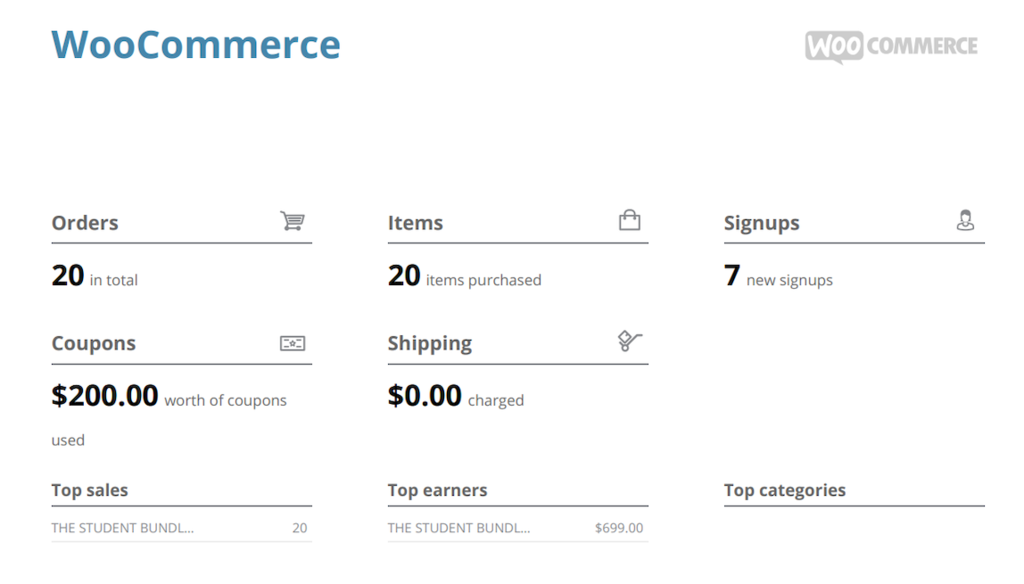
Users will get a weekly report in PDF format detailing what changes have been made to the site. These include information on WordPress plugin updates, uptime, page speed score, site sessions, and even total sales for WooCommerce websites.
Online store owners can also see a graph of orders and item purchases, helping to track their business performance. These insights help them make data-driven decisions to market their products and optimize their online store.
Key Features
- Unlimited website edits. Includes content edits, CSS tweaks, and plugin settings. However, this feature doesn’t cover custom development for PHP, plugins and themes, site design, or subdomains.
- 24/7 support. Monitors your site uptime 24/7 with the help of a remote team. Moreover, it provides phone support, so you can resolve any issues quickly.
- Access to premium plugins. The two higher-tier plans offer integration with iThemes Security, WP Smush Pro, and WP Rocket.
- Google Analytics integration. Helps you gain insights into visitors’ behavior and see what part of the website can be improved for a better user experience.
- Advanced WordPress support. Provides tailored support for WooCommerce, membership, multilingual, and custom-built sites.
- White-label service. Includes custom email addresses, white-label reports, and a dedicated dashboard to overview all clients’ tickets and responses – a great feature for those handling client websites.
WP Buffs offers several maintenance plans, starting at $79/month. This includes basic website maintenance such as updates, support, monitoring, and daily backups.
However, the basic plan doesn’t include security features. To access this, you’ll need to get the Protect plan, starting at $159/month.
Meanwhile, the complete malware removal feature is only available with the Perform plan at $219/month.
2. WP AOS
WP AOS Stats:
- Best for: WordPress Multisite installations
- Price: starts at €29/month
WP AOS offers WordPress website backups, regular theme and plugin updates, performance checks, as well as Multisite and WooCommerce support.
Getting any of its plans will grant you a lifetime license to a premium security plugin, iThemes Security Pro. In addition, all plans include malware removal, so there’s no extra fee if your site gets infected.
Apart from the site maintenance plans, WP AOS offers separate services for speed optimization, WooCommerce maintenance, and emergency support.
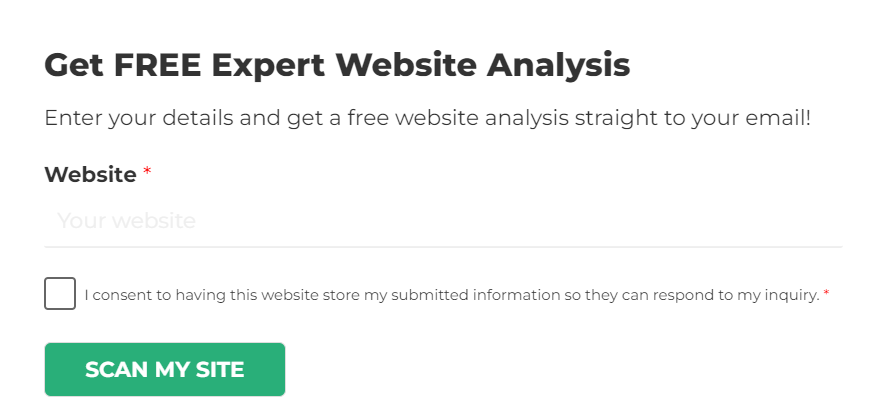
This maintenance and support provider also offers a free analysis of site SEO, speed, security, user experience, and design. To request a scan, simply enter your domain name and email address.
Key Features
- SEO monitoring. Get a PDF report of your site rankings weekly for up to 100 focus keywords.
- Emergency services. Access on-demand WordPress live chat support starting at €99.34.
- Site edits. Request simple changes such as adding a new page, blog post, or even tweaking CSS.
- 24/7 uptime monitoring. Get instant notifications when your website is inaccessible or under attack.
- Mobile and tablet optimization. Ensure visitors have a good experience when accessing your website from any device.
- Multisite network support. Note that every WordPress installation requires a separate maintenance plan.
- Scheduled weekly reports. Get a website health check to stay updated on its performance and security status.
- Google Analytics integration. Track your site’s traffic and visitor behavior.
- White-label services. Offer unlimited 24/7 WordPress support to multiple clients. The WP AOS team will handle all requests on your behalf using your branded email address.
This WordPress maintenance service has three pricing plans, starting at €29/month. Depending on your subscription, you’ll get access to either email support or live chat support.
If you’re looking for priority support with an average response time of two hours, consider getting the highest tier plan at €299/month.
3. GoWP
GoWP Stats:
- Best for: agencies and freelancers
- Price: starts at $39/month
With its notable white-label support solution, GoWP is one of the best website maintenance services geared towards agencies and freelancers who handle WordPress websites for clients.
It lets you use your own branding while the GoWP team carries out WordPress maintenance tasks. With a dedicated mailbox using your domain name, every client support request sent to that email will be handled by GoWP.
This WordPress support provider also offers a dashboard plugin where users can track all the WordPress website maintenance tasks. This includes security monitoring, backup logs, and site performance.
Key Features
- Unlimited edits. This covers tasks that can be handled from the WordPress admin panel, such as installing plugins, adding widgets, and editing content.
- Visual Validator. This feature checks WordPress sites after plugin installations. It takes screenshots of up to 20 pages and compares them with the previous version. The Visual Validator will alert the GoWP team if there are any changes.
- Security monitoring. To ensure your site is safe from cyber attacks, GoWP offers daily automatic scans, firewalls, WordPress hardening, and malware detection and removal.
- Daily backups. Off-site automatic backups with 90 days of storage are available to ensure you won’t lose any data when updating your WordPress files.
- Priority WordPress support. The support team is available 24/7 and aims to resolve issues within eight hours.
- Dedicated professionals. Agency owners or freelancers without a dedicated team can hire a vetted developer, copywriter, or virtual assistant.
For those just starting, GoWP offers free eBooks to help you promote your WordPress maintenance service to potential clients.
The most basic maintenance plan, priced at $39/month/site, includes the maintenance dashboard, off-site backups, WordPress updates, security scans, and malware cleanup.
If you want unlimited content edits, upgrade to the higher tier plan starting at $99/month/site. With this subscription, you can also access the white-label help desk.
4. Barrel Roll
Barrel Roll Stats:
- Best for: affiliate WordPress sites
- Price: starts at $119/month
Barrel Roll offers comprehensive website maintenance services for site owners looking to streamline their WordPress tasks. Its services include WordPress updates, regular backups, and security monitoring.
A certified Google Ads Partner, Barrel Roll also offers Google Ads services to optimize your marketing campaigns.
Getting a maintenance plan lets you consult with Google Ads experts and get advice on improving various aspects. This includes tracking conversions, improving the user experience, and choosing better digital integrations.
For premium members, Barrel Roll offers free licenses for premium plugins like WP Rocket, Gravity Forms, and AffiliateWP, making it an excellent option for an affiliate WordPress site.
Barrel Roll also offers a free website review for those interested. The team will evaluate your site and schedule a Zoom call to discuss their findings and suggestions for improvement.
Key Features
- 24/7 security monitoring and clean up. Scans your site for cyber threats and fixes affected files.
- 404 and uptime monitoring. Ensures your WordPress site doesn’t have “Page Not Found” errors and is always accessible to visitors.
- Free development hours. Provides one to three hours of monthly custom development services, depending on your chosen plan. You can use it to customize plugins, tweak the site’s theme, or add new content.
- Performance optimization. Improves your page speed to enhance the user experience and help your site rank higher in search results.
- SEO support. If you get the premium plan, the team will help you develop effective off-page and on-page SEO strategies for specific target keywords to rank higher on Google.
- Premium support. The service provider is reachable by email, phone, or Zoom.
This WordPress website maintenance service has two pricing tiers. The Advanced plan costs $119/month, whereas the Premium plan is priced at $344/month.
However, these prices only apply for payments from the second month onwards.
For the first month, Barrel Roll charges more for each plan – $318 and $743, respectively. This is because the team will perform a complete site audit, such as for plugins, themes, content, and performance.
5. WP Maintainer
WP Maintainer Stats:
- Best for: those who want a simple maintenance package
- Price: $99/month
For site owners who want to skip choosing between various pricing schemes, consider WP Maintainer.
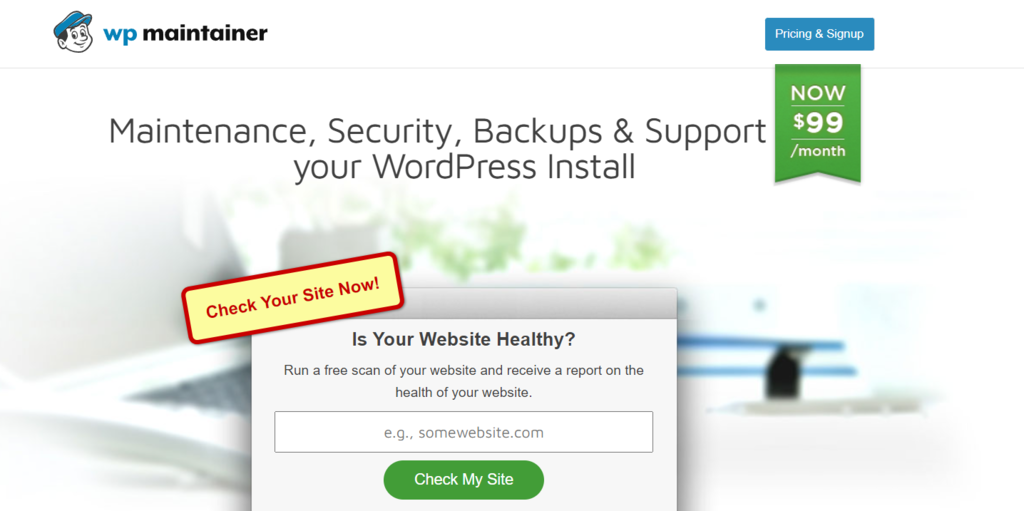
This service only comes with one pricing plan at $99/month. It gives you access to essential maintenance features for backups and security monitoring, as well as plugin, theme, and WordPress core updates.
With its straightforward pricing and basic maintenance services, WP Maintainer is suitable for a simple WordPress site with low to medium traffic.
Note that the plan doesn’t support WordPress Multisite installations. For that, you’ll need to contact the team to get a customized plan.
Moreover, WP Maintainer only offers ticket support, which is not ideal in an emergency.
Key Features
- Security monitoring. WP Maintainer comes with Sucuri installation and includes site cleanups in case of malware.
- Free website migration. WP Maintainer’s support team will handle website transfers to a more reliable hosting provider during the setup process if needed.
- Scheduled website backups. You can choose to store site backups on your server or an off-site location.
- WordPress updates. Instead of automatic updates, a developer will manually update the WordPress core, themes, and plugins.
- Compatibility support. Guarantees one hour of compatibility support if a WordPress update breaks your site. If the team can’t fix the issue within an hour, they’ll restore the last version of your site and recommend alternative solutions.
- Additional support. Developer support is available for $99/hour if you need help customizing your site. For example, request CSS tweaking, basic graphics creation, or JavaScript and image optimization.
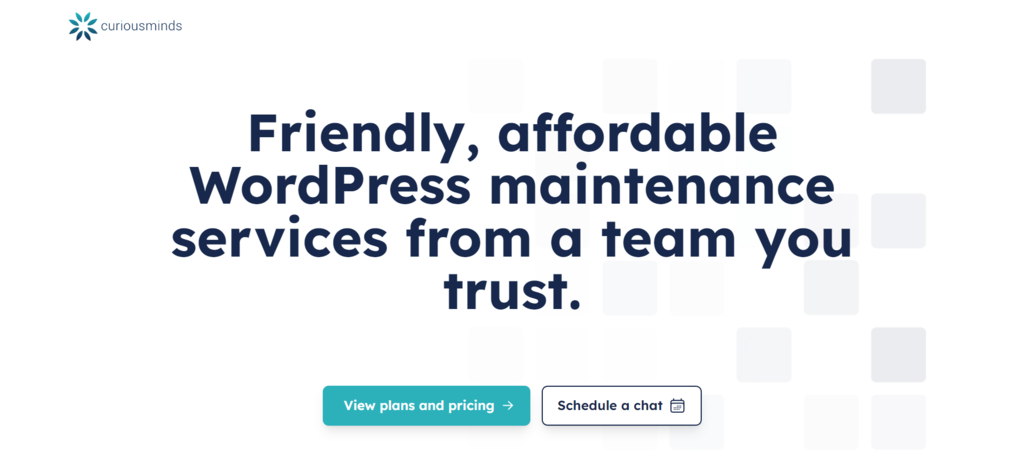
6. Curious Minds
Curious Minds Stats:
- Best for: sites with custom plugins or themes
- Price: starts at $149/month
Curious Minds is a web development company that also offers WordPress maintenance services.
In addition to basic website maintenance, you’ll get custom development hours to further enhance your site. Request plugin and theme customization or consult with WordPress experts about general WordPress tips, graphic design, or WooCommerce.
Note that two developer hours are included in the Essentials plan, costing $449/month. If the quota for the first month is unused, it will roll over to the next month.
Alternatively, you can get the basic plan at $149/month and purchase developer hours separately. However, you’ll need to contact Curious Minds for a quote.
If none of the plans suit your needs, consider requesting a custom plan.
Besides maintenance, Curious Minds also provides separate services for SEO, PHP, and WooCommerce development.
For first-time customers working in non-profits, Curious Minds offers a 10% discount for all plans.
Key Features
- Security measures. Protects your site from cyber attacks and provides a disaster recovery plan to get your website up and running again.
- 24/7 uptime monitoring. Curious Minds will install a monitoring feature that alerts its developers if your site goes down.
- Unlimited support requests. This applies to all plans. However, how long the team will process your support requests will depend on your chosen subscription.
- Dedicated account manager and development team. Available with the highest tier plan, your website will get immediate support.
- Nightly off-site backups. Restores your site to its previous state if there’s an issue with WordPress updates.
- Monthly health reports. Helps you keep track of the site’s performance.
- Enhanced image optimization. Reduces web page loading time for a better user experience.
- Support portal access. Quickly find information, request support, and resolve issues.
While Curious Minds is one of the lesser-known WordPress website maintenance services on this list, it is worth considering due to its dedicated developer hours.
Plus, the support team is easily reachable by contact form, live chat, and phone number. You can also schedule a consult before committing to a maintenance plan.
7. FixMySite

FixMySite Stats:
- Best for: users wanting affordable, on-demand maintenance services
- Price: starts at $39
If you are looking for one-time help to resolve specific website issues, FixMySite is for you.
It offers individual maintenance tasks for purchase, like site optimization, minor content edits, troubleshooting, malware protection, and website revamps.
To get an idea of what service is right for your site, the provider offers a free website assessment.
Simply open a support ticket describing the issue, and the team will assess the task and send you a quote. Then, a specialist will fix the website.
The provider also offers quick support through phone and chat options within the support hours.
Key Features
- Small tasks. Reach out with even the smallest request. This includes updating text, layouts, images, and menus. Available from $39.
- Site repair. In case your website gets hacked or you’re experiencing plugin conflicts, broken themes, internal server errors, or other technical issues. Starts at $49.
- Site migration. FixMySite can transfer your site to a new server, for example, when you’re changing domain names. Purchase it for $69.
- Performance optimization. FixMySite speeds up your site’s loading time to improve the user experience. If the performance doesn’t improve, you’ll get a refund. Prices start at $99.
- Malware removal. The team will look into sudden falls in traffic, irregular server usage, or spammy links to detect malware and remove them. It will also provide a detailed report of what actions were taken. Available from $119.
- Site redesign. If you want help improving your online branding, consider scheduling a call to outsource website redesign and development tasks to the team. Starts at $599.
While on-demand support is the main service it offers, you can also get ongoing maintenance with the WordPress Care Plan, starting at $79/month.
The plan includes daily website backups, bi-weekly reports, weekly WordPress updates, one free repair ticket monthly, and two free small tasks per month.
Moreover, you get access to optimization services and analytics, like spam comments filtering, weekly SEO keyword monitoring, pageview analytics, and database optimization.
8. WP SitePlan

WP SitePlan Stats:
- Best for: those who prioritize security
- Price: starts at $59/month
WP SitePlan is one of the most reliable WordPress services that includes security measures for all maintenance plans. You don’t need to worry about paying separately for malware cleanup, as it’s already included even in the most affordable subscription, starting at $59/month.
In addition, you’ll get access to WordPress theme and plugin updates, secure off-site website backups, monthly reporting, and performance monitoring.
To access WooCommerce support, password management, bug fixes, and content edits, consider purchasing the Professional plan at $119/month.
If you run a Multisite network, we recommend getting the Enterprise plan which costs $229/month. On this plan, the provider helps you publish landing pages and edit existing page layouts.
Key Features
- Daily malware scans. Detects and fixes website bugs and errors to help secure your WordPress site.
- Brute-force login protection. Prevents unauthorized users from cracking your login credentials.
- WordPress hardening. Adds several layers of security to your WordPress site by implementing various measures, such as restricting access to the REST API and using a security plugin.
- Database optimization. Speeds up your site’s response time, making data retrieval more efficient.
- Accessibility add-on. Helps to adjust the content, colors, navigation, and screen reader to ensure your WordPress site is ADA-compliant. Available at $75/month.
- Page speed add-on. Ensures your site loads quickly with advanced caching functionality, file and image compression, and a content delivery network (CDN). Costs $50/month.
- White-label services. Helps you handle client websites for $50/month/site, with a minimum of five sites.
Keep in mind that the help desk is unavailable during weekends, so consider this before committing to a plan. We recommend booking a call via the website to ensure WP SitePlan’s services can meet your needs.
Learn More About WordPress
WordPress Tutorial
How to Enable WordPress Maintenance Mode
How to Download a Website Backup (hPanel + cPanel)
Is this Website Down? How to Check if Your Site is Working Worldwide
Why Use a WordPress Maintenance Service for Your Site
While your WordPress host manages the server’s performance, you need to carry out other maintenance procedures to keep your site in optimal condition.
Basic maintenance tasks include performing WordPress core, theme, and plugin updates, creating backups, and optimizing the database.
In addition, you need to make sure your WordPress website is error-free. So, apart from enhancing site security, it’s important to have a plan in case of malware attacks or other cyber threats.
If you’re a beginner, regular maintenance tasks can be quite daunting and time-consuming.
Here’s where WordPress maintenance services come in handy.
A WordPress maintenance and support service provider takes care of those tasks, greatly reducing your workload. When issues occur, you can rely on them to ensure the site recovers and comes back online quickly.
Such services can also help with website speed optimization, on-page SEO, and eCommerce maintenance. Some even offer website design and digital marketing services.
What to Look For in a WordPress Maintenance Service
To choose between the best WordPress maintenance services, we recommend looking for these essential features:
- Regular backups. If something goes wrong, you can immediately restore your site without losing any valuable data.
- Updates. The maintenance service should update themes, plugins, and WordPress core files at least weekly to prevent compatibility issues.
- Support. This helps you quickly resolve WordPress issues without having to sort through lengthy documentation. Note that some maintenance services offer support as a premium add-on.
- Security. To keep your site safe, look for services that offer security scans and malware removal. In some cases, these features come at an extra cost.
In addition, other beneficial features include analytics reports, caching, and SEO tools. Some providers might offer custom development and design work, but you’ll need to pay an extra fee for that.
Conclusion
WordPress maintenance and support services execute necessary tasks to keep your site secure, up-to-date, and performing optimally. Using these services can reduce your workload as a site owner, helping you focus on growing the business.
To select the best WordPress maintenance service for your needs, consider your budget and website type.
If you’re looking for a complete maintenance service and don’t want to choose between different pricing plans, WP Maintainer is a great option.
For agencies and freelancers, we recommend GoWP, as it comes with a comprehensive white-label solution.
Lastly, if you’re looking to resolve a specific issue, FixMySite offers excellent on-demand services.
WordPress Maintenance Services FAQ
In this section, we’ll answer a few common questions about WordPress maintenance services.
How Much Does It Cost to Maintain a WordPress Website?
Website maintenance costs for WordPress vary depending on its complexity and whether you outsource the task. If you use a WordPress maintenance service, plans range from $39/month to upwards of $100/month for eCommerce support.
Do All WordPress Websites Require a Maintenance Service?
To ensure the performance of your WordPress website, regular maintenance is necessary. For experienced users, you can perform maintenance tasks yourself. Alternatively, use a WordPress maintenance service if you’re a beginner or want to reduce the workload to focus on other aspects of your business.

Nadya has a passion for WordPress and web hosting. She wants to help people build a successful online presence, so they can make an impact in the world. When not writing, she can be found learning new languages or orchestrating a photoshoot for her cat. Nadya is always looking to learn and grow, and she hopes to help others do the same.


Comments
0 responses