5 best free FTP clients for Windows, Mac, and Linux
Sep 15, 2026
/
By Tashia T.
/
6 min Read
An FTP client is a helpful application for creating or maintaining a website.
Use it to upload, download, and manage your website files with ease – even without accessing the dashboard of your CMS (Content Management System).
However, with so many FTP client options, a helpful guide might come in handy.
This tutorial will explain what an FTP client is, why and how to use it, and compile a list of the five best free FTP clients.
What Is an FTP Client
An FTP client is a desktop application that facilitates a File Transfer Protocol (FTP) connection for uploading website files from your computer to an FTP server on the Internet.
The FTP client connects your computer to your web host account.
Use this application’s graphical user interface to perform various tasks such as uploading, downloading, copying, renaming, and deleting files. It works with websites built using any CMS, such as WordPress, Drupal, and Joomla.
There are several reasons to use an FTP client:
- To fix errors or access website files when your CMS admin dashboard isn’t accessible.
- To transfer multiple files and directories at once.
- No limit on file size in a single file transfer.
- Most FTP clients perform a scheduled file transfer.
- It resumes an interrupted file transfer.
Now that you know what an FTP client is, we’ve compiled a list of the top five FTP clients.
5 Best Free FTP Clients
There are a lot of free FTP clients you can use to manage your website files.
We have analyzed them to compile the list of the five best free FTP clients for you to choose from.
1. FileZilla
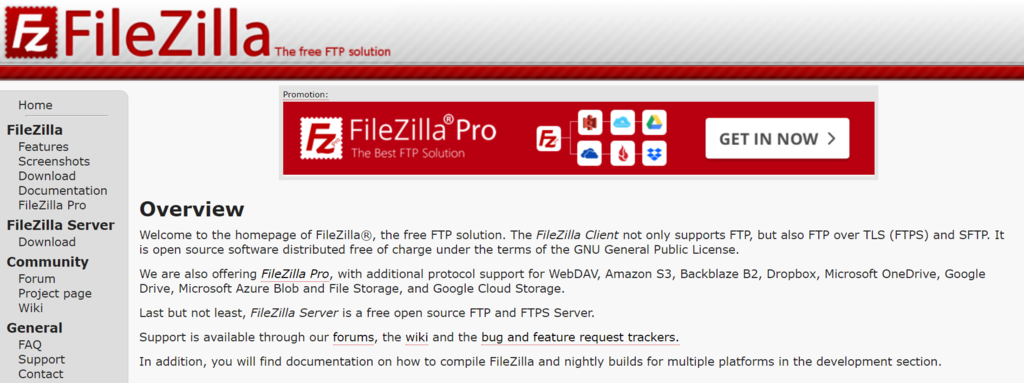
- Platform: Windows, macOS, Linux
- Notable features: multilingual support, no file size limit, synchronized directory browsing
- Business model: freemium
FileZilla is an easy-to-use FTP solution to connect to any server using FTP, FTPS, or SFTP.
Notable features of this free FTP client include:
- Drag-and-drop functionality – easy to manage files even for beginners.
- Availability in a lot of languages – if English is not your first language, you can choose from 46 other languages.
- Tabbed user interface, bookmarks, and filename filters – manage your website, files and their location with ease.
- Queueing of file transfers, and resuming an interrupted file transfer.
- Configuration of transfer speed limits.
- No limitations to file sizes – transfer files even if they’re bigger than 4GB.
- Synchronized directory browsing – if the directory structures on the server and the local machine are identical, the directory navigation can be duplicated.
- File editing and search.
FileZilla is available to download for free.
The premium version is called FileZilla Pro. It supports cloud storage protocols, such as Amazon S3, Microsoft OneDrive, WebDAV, and Google Drive.
You can purchase FileZilla Pro for $19.99.
[DOWNLOAD]
2. WinSCP
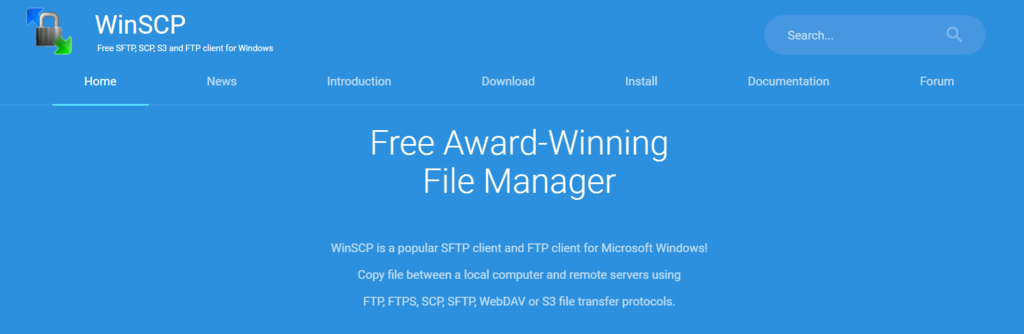
- Platform: Windows
- Notable features: Microsoft Windows integration, multilingual support, file encryption, multiple types of directory synchronization, scripting interface
- Business model: free
WinSCP is an open-source FTP client made for users of the Windows operating system.
Notable features of this free FTP client include:
- Supports various transfer protocols – including FTP, FTPS, SFTP, SCP, WebDAV, and S3.
- Full integration with Microsoft Windows – it supports jump lists, shortcut icons, and URLs.
- Integration with other applications – including PuTTY, Pageant, FileZilla, External Editor, and Password Managers.
- Multilingual support – you can use it in more than 30 other languages.
- Directory synchronization in multiple semi or fully automatic ways.
- Transfer queueing and resuming.
- File encryption – only the ones who have the encryption key can access the files.
- Basic manager functionality.
There are two different user interfaces: Commander and Explorer. The former is similar to the Norton Commander UI, while the latter – to the Windows File Explorer UI.
As an alternative to its graphical UI, WinSCP’s scripting or console interface automates various operations, such as file transfers and synchronization.
WinSCP is available for free.
[DOWNLOAD]
3. Cyberduck
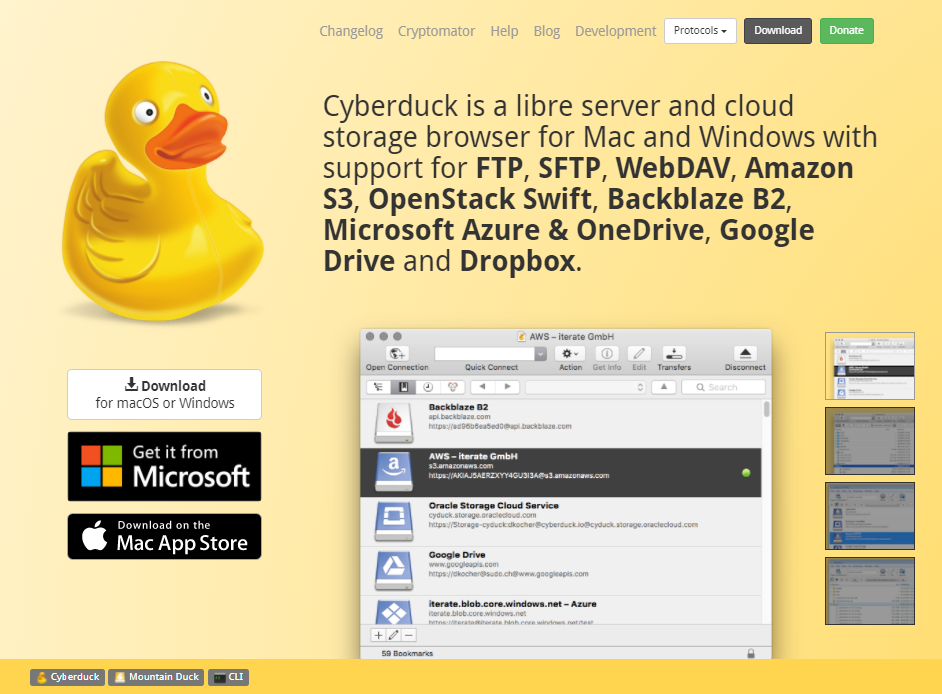
- Platform: Windows and macOS
- Notable features: integration with any external file editor, multilingual support, interoperability with its own encryption tool
- Business model: freemium
Cyberduck is a powerful file transfer protocol client for connecting to various servers, enterprise file sharing, and cloud storage.
Notable features of this free FTP client include:
- Compatibility with both Windows and macOS operating systems – Cyberduck’s minimalistic user interface also integrates seamlessly with the native macOS environment and supports its functionalities.
- Supports various transfer protocols and cloud storage services – for example, FTP, SFTP, WebDAV, OpenStack Swift, Microsoft Azure, and OneDrive.
- Supports seamless integration with virtually any external text editor application – modify any text or binary file on the server as you want.
- Bookmarks and filter field – use it to perform a quick search.
- Limiting the number of file transfers happening simultaneously and filtering your files – resume an interrupted file transfer and transfer directories repeatedly.
- Multilingual support – including English, Japanese, Korean, and Russian.
- Cyberduck is interoperable with Cryptomator, its transparent and open-source client-side encryption tool – it allows filename encryption, individual file content encryption, and directory tree obfuscation, ensuring your security.
Users can use Cyberduck for free, but a banner requesting a donation will appear with every software update.
To disable the donation prompt entirely, become a contributor by spending a minimum amount of $10. You will obtain an application registration key you can use on several computers.
[DOWNLOAD]
4. Classic FTP
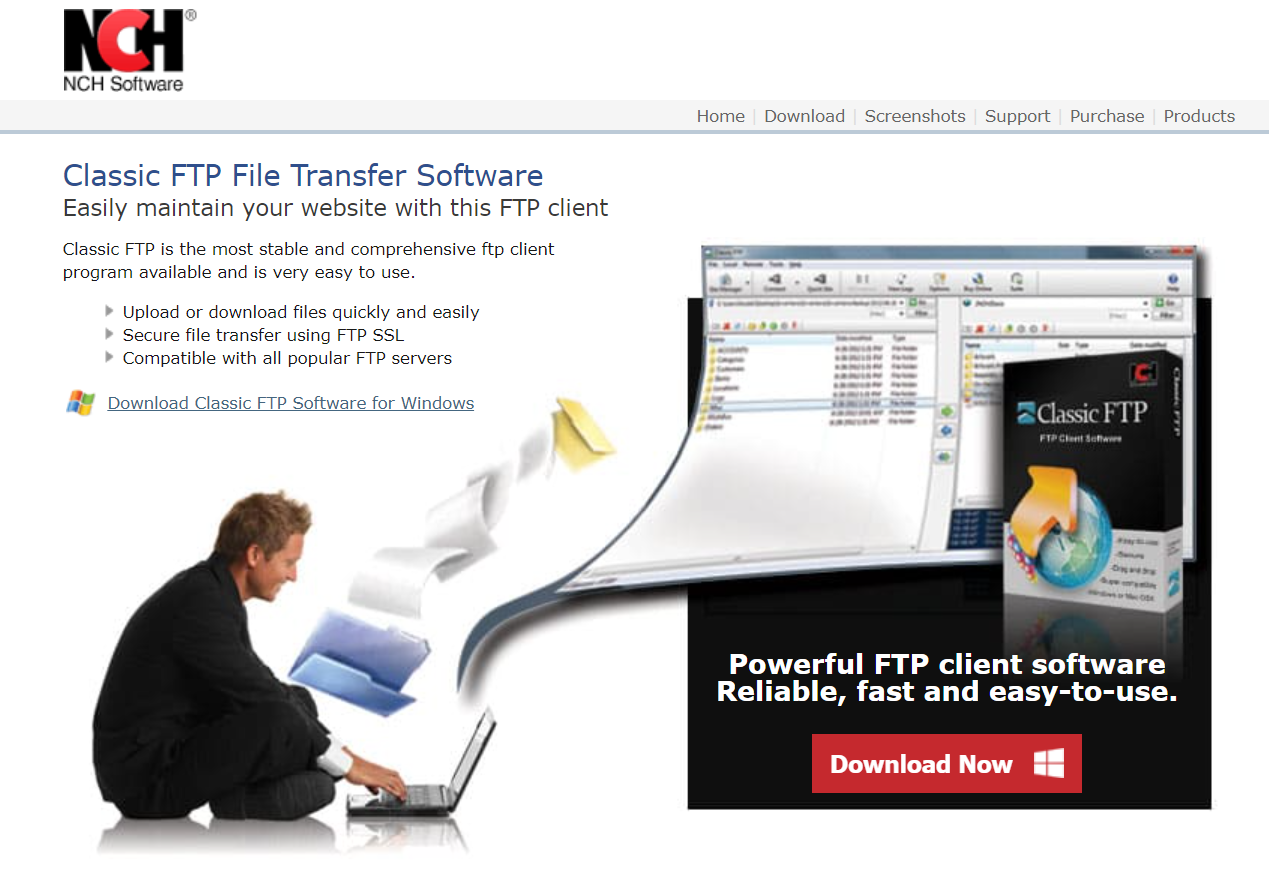
- Platform: Windows and macOS
- Notable features: bookmark functionality, compare Directories tool, import/export tool, filter tool
- Business model: freemium
Classic FTP is a useful file transfer protocol client available for free for non-commercial use.
Notable features of this free FTP client include:
- An intuitive UI and drag-and-drop functionality.
- It uses FTPS to provide secure file transfers – also, it’s compatible with the most popular FTP servers.
- Bookmark functionality – access your most frequently visited locations easily.
- Compare Directories tool – you can check the file differences between remote and local directories. It highlights any file with no counterpart in the other directory or any file with a newer version than its counterpart.
- Import/Export tool – easily import or export your site information, such as the server, password, and username.
- Filter feature – find a particular file quickly, which helps browse directories with multiple files. The tool will condense the list view to files matching the search term typed into the filter field.
The unlicensed version of Classic FTP is available for home use only. If you want to use Classic FTP for commercial purposes, opt for the premium software.
Purchasing the premium software will make the Upgrade/Purchase button on the unlicensed software disappear and remove restrictions from the application.
There are two premium products available: the Power Edition and the Standard Edition.
The Power Edition provides unrestricted use with an unlimited number of sites. It’s available for $29.99.
The Standard Edition provides the same tools included in the Power Edition but sets a maximum limit of three FTP sites. It costs $16.97.
[DOWNLOAD]
5. Transmit

- Platform: macOS
- Notable features: inspector sidebar, batch rename, places bar, key management, open in terminal feature, multilingual support, file sync service
- Business model: freemium
Transmit is the most popular FTP client for macOS users. It’s developed by Panic and often used by web developers.
Notable features of this free FTP client include:
- Supports transfer protocols – use FTP, SFTP, and WebDAV.
- Connects to cloud services – includes support for Amazon S3, Dropbox, and Rackspace Cloud Files.
- Features own file sync service that provides end-to-end data encryption, Panic Sync – you can sync configuration in applications made by Panic between various Apple devices.
- Many types of sync – remote-to-local sync, selectable file sync, local-to-local sync, and remote-to-remote sync.
- Localization – the tool is available in English, Chinese, German, and French.
In addition, Transmit has a feature-rich and clean UI, with valuable tools such as:
- Inspector Sidebar – get detailed information on a highlighted file as you browse.
- Batch Rename – use it to rename multiple files at once.
- Places Bar – access various folders with a single click.
- Key Management – create, import, and sync SSH keys to access an encrypted connection for a secure file transfer.
- Open in Terminal – open your local or remote SFTP directory in the terminal emulator you use.
The full version of Transmit is available for free, but you can only use the application in seven-minute sessions after the seven-day trial period is over.
Purchase Transmit from the official site for unrestricted lifetime use for $45. You can also buy Transmit from the macOS App Store for $24.99/year if you prefer a subscription system.
The Transmit versions available on the official website and the macOS App Store are different and aren’t interchangeable.
[DOWNLOAD]
How to Use an FTP Client
Begin by launching your FTP client and entering your FTP username, password, and the host.
In this tutorial, we’ll use FileZilla’s Site Manager:
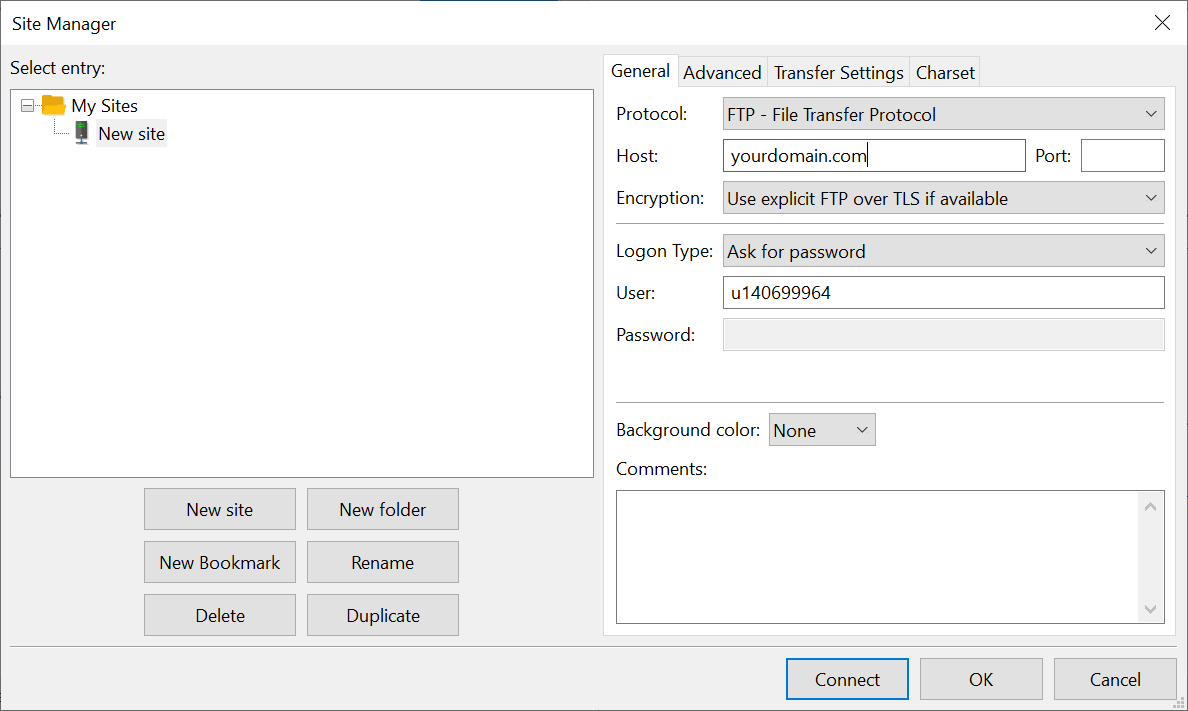
Keep in mind that if you know how to configure FileZilla, you should not have problems with any other FTP client as they work similarly.
Fill the host field with the address of your website. You can find your FTP username and password in the email sent to you when you created your website and set up your web hosting account.
Another way to find the username and password is to access the control panel of your web hosting provider.
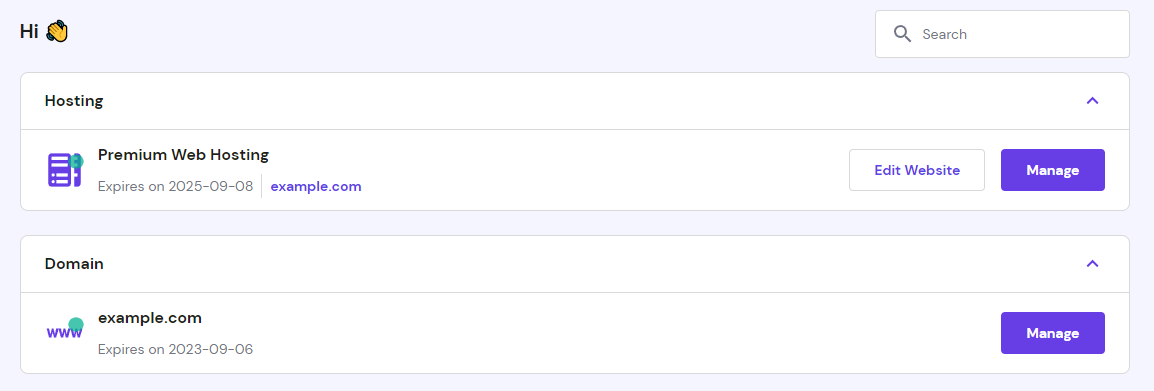
If you’re a Hostinger user, log in to your Hostinger dashboard, click Hosting from the navigation bar, and click Manage.
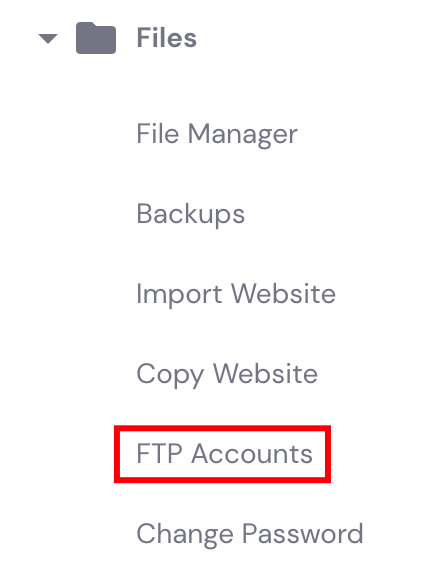
In the Files section, click FTP Accounts.
The FTP username and password will be under the FTP Access section. Click on Change FTP password if you want to generate a new FTP password.
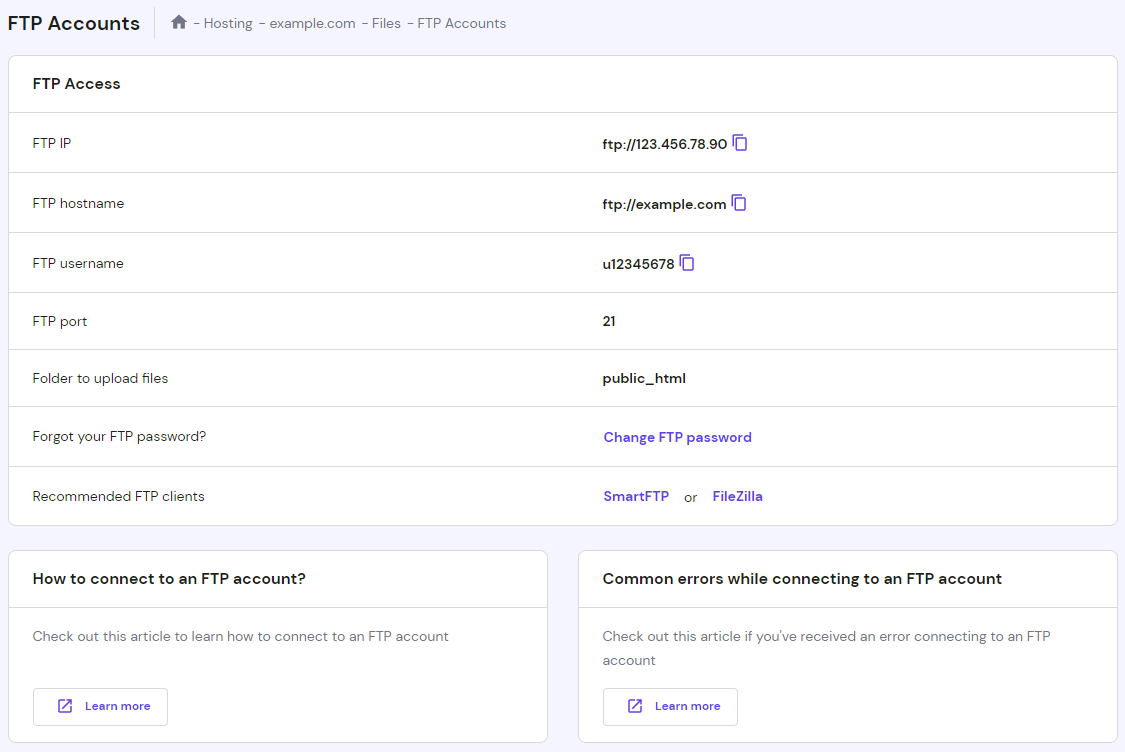
After filling in the Host, User, and Password fields on your FTP client with the required information, simply press the Connect button to establish a connection to the server.

Conclusion
To conclude, an FTP client transfers website files between your computer and a server.
The benefits of using an FTP client include:
- Accessing website files without going to the dashboard of your CMS.
- Transferring large files.
- Scheduling file transfers.
- Transferring multiple files and directories.
- Resuming interrupted file transfers.
To establish a connection using an FTP client, enter your host, username, and password in the required fields.
We recommend five of the best free FTP clients: FileZilla, WinSCP, Cyberduck, Classic FTP, and Transmit.
Use FileZilla if you want an FTP client that works on numerous operating systems and supports FTP, FTPS, and SFTP protocols.
If you want an FTP client that’s fully integrated with Microsoft Windows, you might want to opt for WinSCP.
Cyberduck is perfect for those who want to enjoy seamless integration with any external file editor and a file encryption tool specifically designed to work with the software.
Choose Classic FTP if you want an easy and straightforward FTP client for home use.
If you are a Mac user, Transmit might be the best option for you, as it’s the most popular macOS FTP client and a common choice for web developers.
This article is a localized version of 5 best free FTP clients for Windows, Mac, and Linux, originally published in English.

Tashia is passionate about all things website development, digital marketing, and eCommerce. She strives to spread her knowledge and help people navigate the online world through her words, one article at a time.