5 most popular web hosting control panels: comparing the features and more
Oct 22, 2026
/
By Aris S.
/
5 min Read

A control panel is a popular tool used to manage your hosting account. You can use it to manage your purchased domain names, install applications, create and manage email accounts, upload website files, and more.
You can do all of this by logging in directly to the server. However, this requires some development knowledge. Moreover, web panels are usually intuitive, simple, and help users save time.
You can find lots of panels on the internet. All of them have different designs and scope of features. In this article, we will look at five of the most popular control panels used by top website hosting providers:
- Hostinger dashboard: A user-friendly control panel for Hostinger users, offering easy management of hosting plans, emails, databases, and advanced features like cron jobs and Git integration.
- Plesk: A VPS control panel with task automation, SSL configuration, and server management features, compatible with multiple OS and offering two versions, Obsidian and Onyx.
- cPanel: A Linux-based control panel with domain management, email setup, security features, and integration with WHM for server management, providing an all-in-one interface.
- DirectAdmin: A simple, affordable control panel for Linux and BSD systems, offering DNS, database, and backup management with multiple access levels and built-in anti-spam tools.
- Webmin: A customizable, free control panel for Unix systems, supporting Apache and virtual server management, with additional interfaces like Usermin and Virtualmin for specialized tasks.
1. Hostinger dashboard
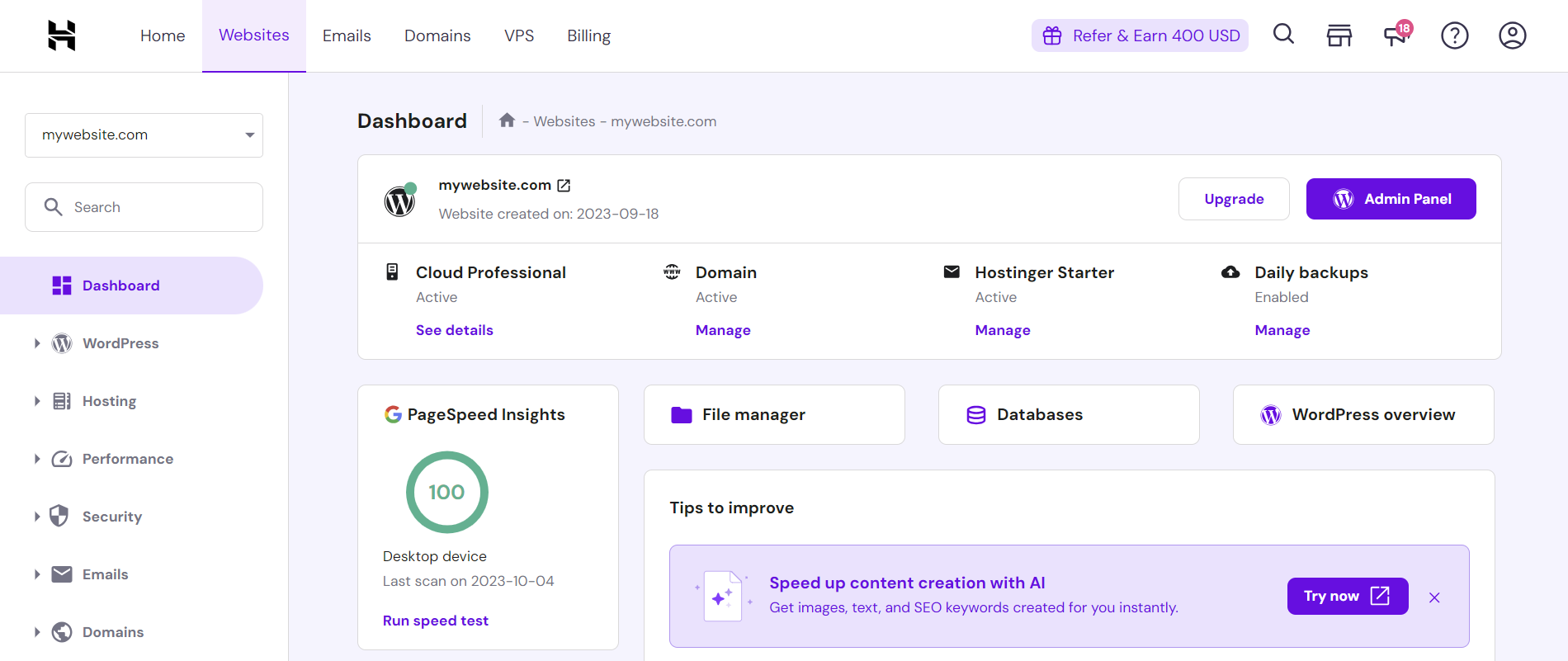
Hostinger dashboard is a custom control panel designed by Hostinger. It is only available for Hostinger users and comes pre-installed by default in all our web hosting services.
Hostinger dashboard’s visual resembles cPanel but with a more intuitive, simple, and beginner-friendly graphical user interface. It also supports over ten languages, including English, Portuguese, Spanish, and French.
On the front page, users can see a list of their Hostinger products, such as hosting plans, email accounts, and websites. They can also manage all the purchased services directly via Hostinger dashboard, including renewing and upgrading them.
On the hosting management screen, users will see a website performance score, shortcuts, malware alerts, and improvement tips. They can also access the File Manager to modify their hosting files without using a File Transfer Protocol (FTP) or Secure Shell (SSH).
All the other options are available on the sidebar and nested in specific categories for easier navigation. Hostinger dashboard lets users manage various aspects of their websites, such as:
- Databases – create a MySQL database and access phpMyAdmin to manage it.
- Email accounts – enables you to set up a new email account, forwarder, alias, and automatic reply.
- Backup – creates a backup for your website files and databases, which you can restore from the same menu.
- Content Delivery Network (CDN) – speed up your website with the built-in Hostinger CDN, which is available in the Business or above plans of Hostinger’s managed website hosting.
In addition, Hostinger dashboard lets you do advanced website management, including adding cron jobs to automate tasks and integrating Git to simplify the development process.

2. Plesk
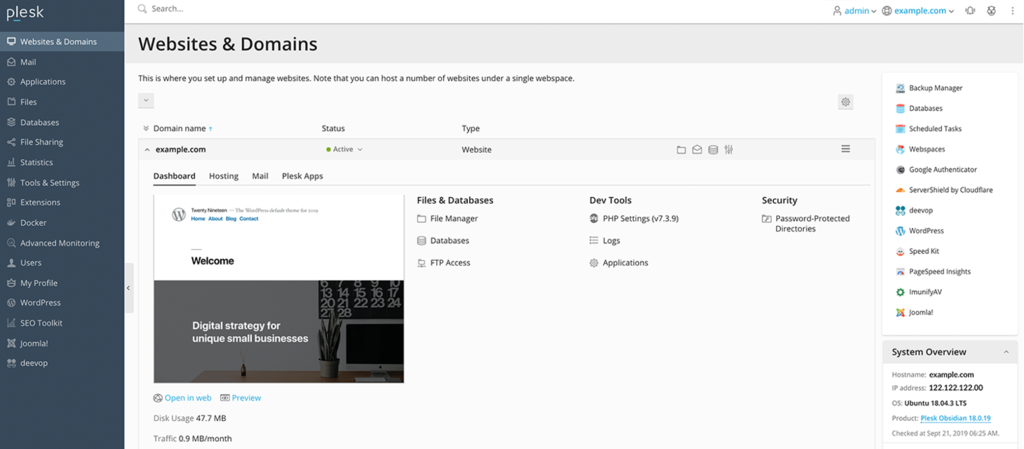
Plesk is a VPS hosting control panel offering an intuitive graphical user interface. It lets users manage their website files, domains, email accounts, and databases from a single panel to improve their workflow.
Plesk is one of the simplest and feature-packed control panels. Some of its notable features that help improve server management tasks include:
- Task automation – allows users to schedule task execution for easier server management. They can create custom tasks such as executing a command or running a PHP script.
- Restricted access mode – gives users in-depth control over their control panel access permissions. This feature helps prevent unauthorized parties from modifying your servers.
- Advanced monitoring service – lets users track system resource consumption per domain to help determine potential performance issues.
- Repair kit – allows users to diagnose potential issues on their server and automatically repair them.
- SSL It! – enables users to purchase and configure new SSL certificates from various providers directly from the Plesk dashboard.
Plesk is compatible with various operating systems, including Windows Server and various Linux Distributions. Currently, Plesk has two versions – the deprecated Onyx and the new Obsidian.
Obsidian offers more features and an improved user interface, which makes it easier to use. If you have a Plesk Onyx license, you may upgrade to Obsidian for free.
Hostinger VPS plans offer the Plesk control panel in its CentOS and Ubuntu operating system templates. To switch to Plesk VPS, log in to your hosting account and navigate to VPS → Operating Systems. Then, scroll down to Change Your Operating System and click OS with Templates. Plesk is a license-based hosting control panel similar to cPanel. Before installing, buy the control panel license directly at Hostinger from the Change Your Operating System menu.
3. cPanel
This panel is available only for Linux OS. It has both a graphical interface and server management interface through WHM (Web Host Manager). As these environments work together, it is possible to manage your website in either of them.
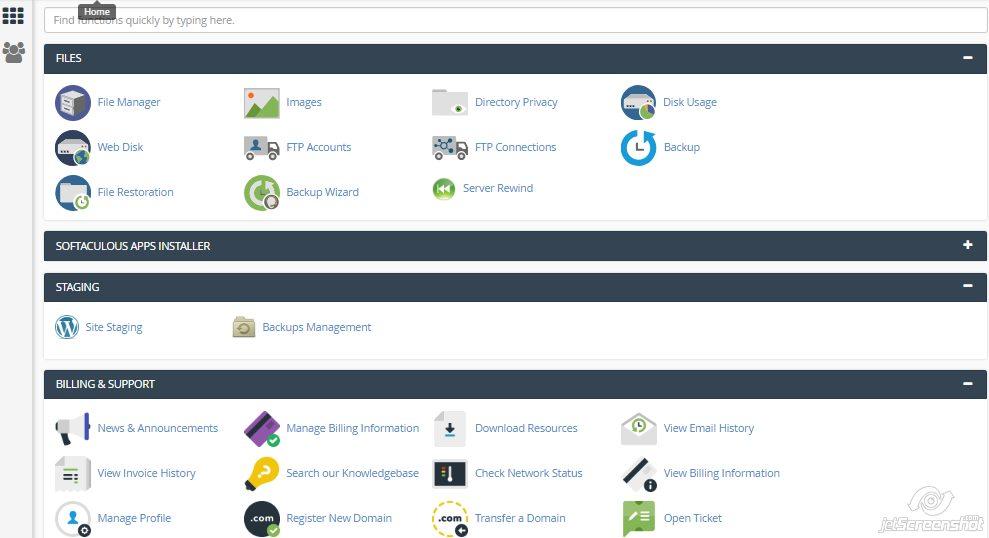
cPanel has lots of different features. All of them are located on one page, which is quite convenient as you don’t need to click on various menus to get where you need. In addition, all the features have short descriptions indicating what they can do. Here are the main features offered:
- Domain name settings, registration, and transfer
- Email creation and management, spam filters management, autoresponders, and email forwarders setup
- Visitor and error logs
- Database creation and management
- Security features such as IP blocker, leech protection, and password-protected directories
- Server performance monitoring
- Backup creation and automation
- File manager and FTP user creation
- Lots of third-party apps and tools to extend functionality
4. DirectAdmin
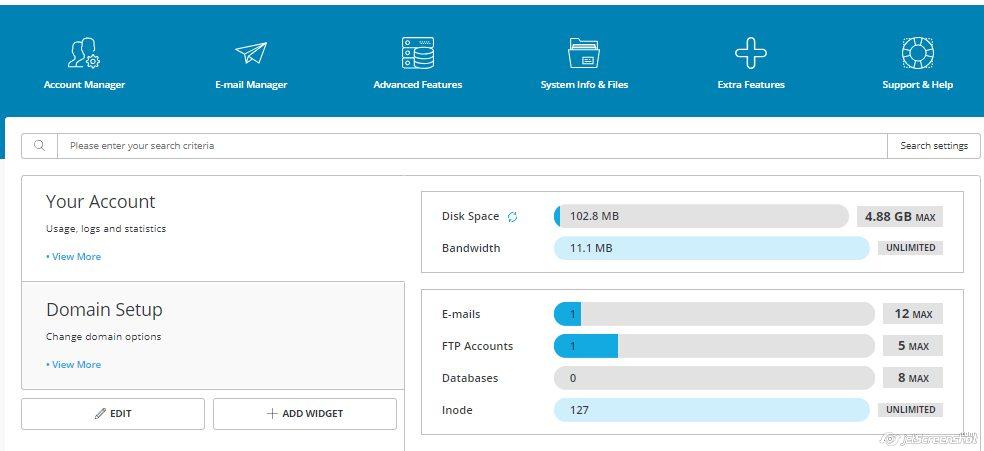
DirectAdmin is available for Linux and BSD systems. It’s one of the cheapest hosting control panels, which Hostinger VPS plan users can install with the CentOS template.
All of the options are categorized and located at the top. This control panel also supports multiple access levels: Administrator, User, and Reseller. In addition, it has built-in anti-spam tools, and it is possible to view the complete usage statistics of each resource. Among its many options and features, you will find:
- DNS management
- Database creation and management
- Reseller account creation and management
- Backup creation
- File management
But the main advantage of this panel is its simplicity. You don’t have to be tech-savvy to understand and use it.
This control panel is available with all of Hostinger’s VPS plans. Our DirectAdmin hosting already includes a free license with every installation.
5. Webmin
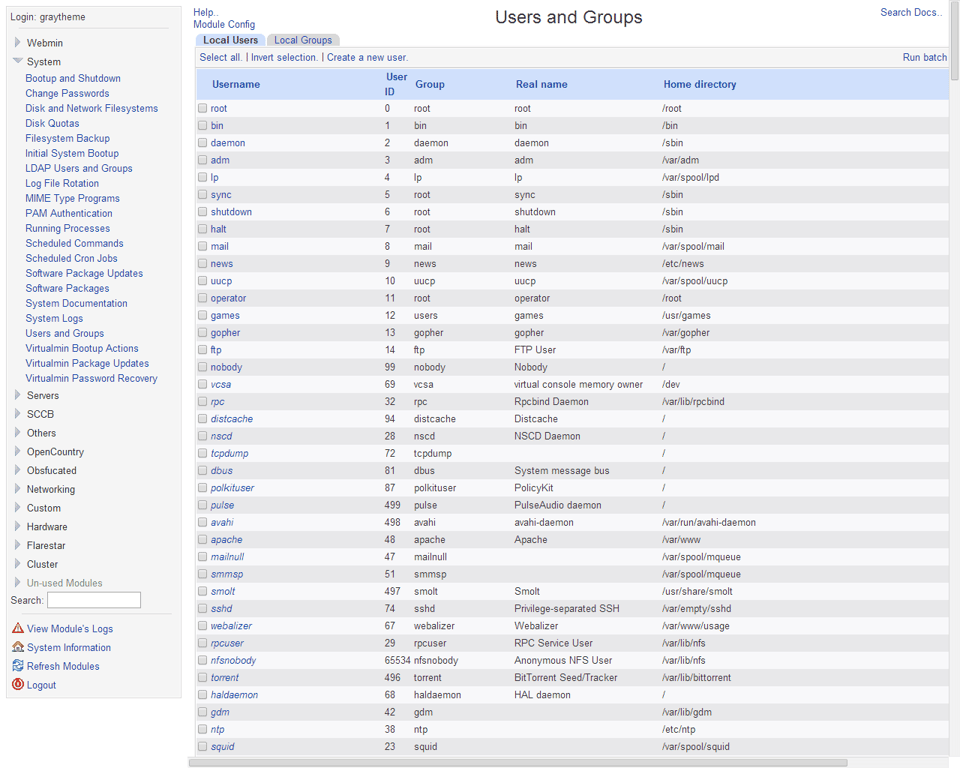
This web panel is available for all Unix systems, including but not limited to BSD, Linux, and Solaris. Moreover, it is partially available for Windows OS. This means it is possible to install Webmin on Windows, but it will not display all of its functions.
Webmin’s design isn’t the most user-friendly and simple, but it is highly customizable. For example, it has an Apache web server to configure Apache directives and features. Furthermore, its developers created several panels based on cPanel to match different purposes and hosting types:
- Usermin – web interface for managing emails, setting up mail filters, passwords, etc.
- Cloudmin – user interface for managing virtual servers.
- Virtualmin – used to manage multiple virtual hosts (like Plesk).
Webmin may not be as convenient as other panels described in this article, but it is free and can be installed on most operating systems. For instance, Hostinger VPS users can use Webmin with CentOS, Debian, and Ubuntu templates.
Pro Tip
Hostinger VPS hosting users can easily switch between Webmin, DirectAdmin, cPanel, and Plesk in a few clicks via Hostinger dashboard. Read our article to learn more about how to change your VPS operating system and control panels.
Conclusion
All of the panels mentioned above have their pros and cons, making it difficult to determine which one is the best. However, these web panels have one common feature: they make managing servers and hosting easier and quicker.
Thus, we have reviewed the five most popular control panels available, including Plesk and our custom control panel, Hostinger dashboard. While Hostinger offers Plesk on its CentOS and Ubuntu VPS templates, Hostinger dashboard is available in all hosting plans.
This article is a localized version of 5 most popular web hosting control panels: comparing the features and more, originally published in English.

Aris is a Content Writer specializing in Linux and WordPress development. He has a passion for networking, front-end web development, and server administration. By combining his IT and writing experience, Aris creates content that helps people easily understand complex technical topics to start their online journey. Follow him on LinkedIn.