What is a payment gateway and how does it work?
Sep 22, 2026
/
By Ksenija
/
8 min Read
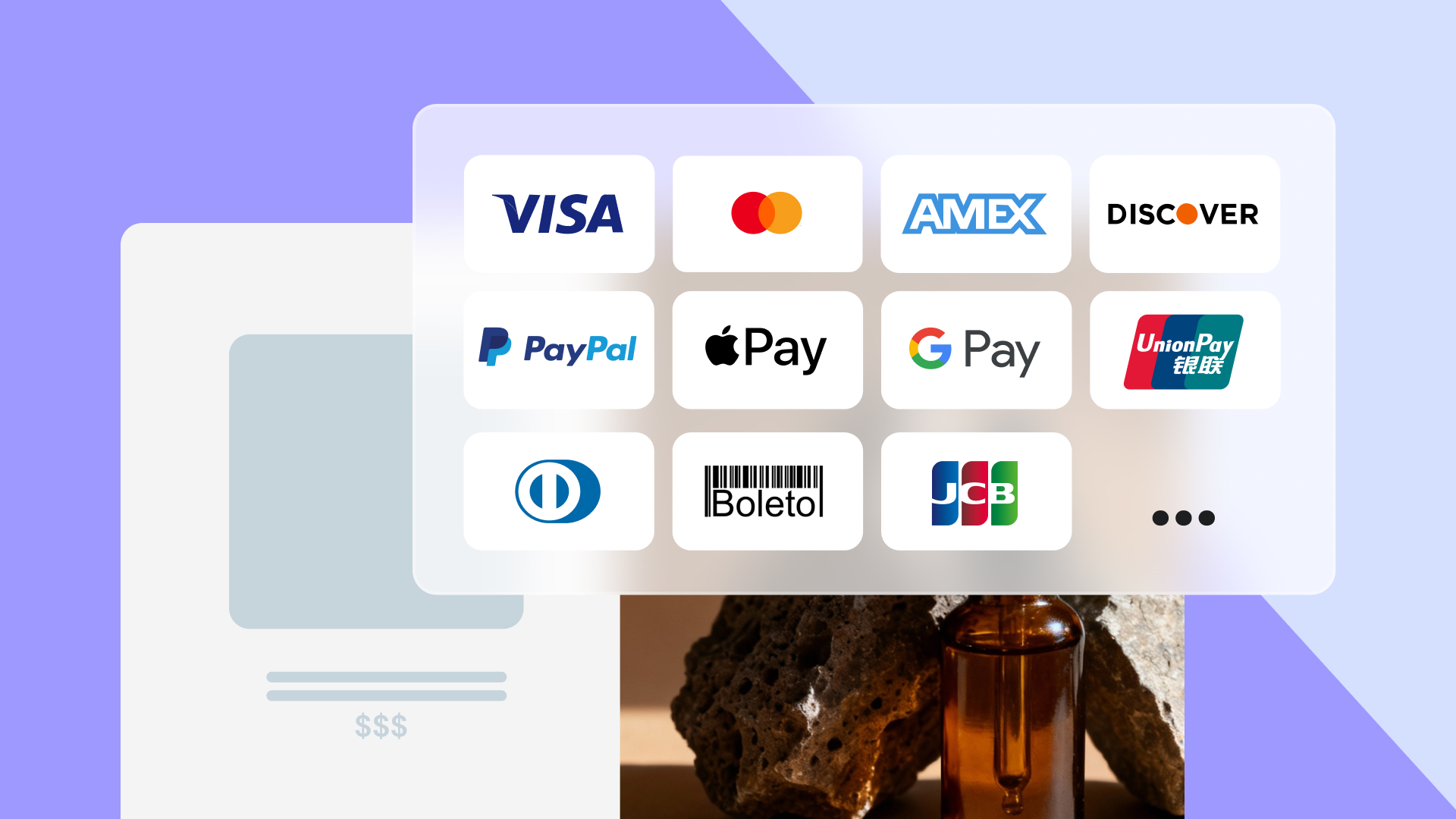
A payment gateway is a technology that securely transmits payment data between a customer, a merchant, and the banks involved in a transaction.
It encrypts card or wallet details, sends an authorization request to the issuing bank, and returns an approval or decline response within seconds.
Each transaction follows a defined sequence that validates payment details, confirms available funds, and initiates the transfer between financial institutions.
A payment gateway does more than approve transactions. It manages authorization, encryption, and settlement, works alongside payment processors, comes in different types, and requires careful evaluation before integration.
Key functions of a payment gateway
A payment gateway participates in four core functions: authorization, encryption, fraud detection, and settlement.
Authorization
Authorization verifies that the customer’s payment details are valid and that sufficient funds or credit are available on their bank account.
When a customer enters card information on an ecommerce website, the gateway sends the data to the issuing bank to request approval. If the bank confirms the details and available balance, the transaction is approved. If not, it is declined within seconds.
In practice, this is the step where your customer sees “Payment approved” or “Card declined” after submitting their details.
Encryption
Encryption protects sensitive payment data while it travels between the customer’s browser, the merchant’s server, and the bank. It converts card numbers and personal details into unreadable code during transmission so they cannot be intercepted or misused.
For example, when a customer enters their card number on an ecommerce website checkout page, that number is encrypted as it is transmitted from the customer’s browser to the server. Even if someone intercepts the data during transmission, they would only see scrambled characters rather than the actual card details.
Fraud detection
Fraud detection systems analyze transactions for suspicious patterns before they are approved. Gateways may flag unusual behavior, such as multiple rapid purchases, mismatched billing addresses, or transactions from high-risk regions.
For instance, if your customer attempts to place several high-value orders from different IP addresses within minutes, the gateway may temporarily block or challenge the transaction.
Settlement
Settlement is the process of transferring funds from the customer’s bank, through the card processor and acquiring bank, to the merchant’s account after authorization. While authorization happens almost instantly, settlement typically takes one to three business days, depending on the provider and region.
After a successful online purchase, the customer sees the charge immediately, but the merchant receives the funds only after the transaction clears the banking network.
How a payment gateway differs from a payment processor
A payment gateway is the interface that collects and securely transmits payment data, while a payment processor is the system that communicates with banks to move the money.
If you run an online store, you interact mostly with the gateway. It is the part integrated into your checkout page that captures card details and sends them for approval. Behind the scenes, the processor handles the actual transaction routing between the customer’s bank and your acquiring bank.
You can think of the gateway as the cashier who collects the payment details and forwards them, and the processor as the accounting system that contacts the bank to confirm whether the payment can go through.
They work together but play different roles, as summarized in the table below.
Payment gateway vs payment processor | |
Payment gateway | Payment processor |
Collects and encrypts payment details | Transfers payment data between banks |
Connects your website to the payment network | Communicates with issuing and acquiring banks |
Handles checkout integration and user experience | Handles transaction routing and fund movement |
Focuses on data security during transmission | Focuses on clearing and settling funds |
How does a payment gateway work?
A payment gateway captures card details at checkout and encrypts the information to protect it during transmission.
It then forwards the data to a payment processor, which routes it through card networks such as Visa or Mastercard to the issuing bank for authorization before sending the bank’s response back to your website.

This payment gateway workflow happens in seconds from the customer’s perspective, but several systems and security checks operate behind the scenes.
The process typically unfolds like this:
- Customer initiates payment. The customer enters card or digital wallet details at checkout and confirms the purchase.
- The gateway encrypts and securely transmits the data. The gateway encrypts the payment data using security protocols such as SSL/TLS so it cannot be read during transmission. Many gateways also use tokenization, which replaces the card number with a temporary token.
- The processor sends an authorization request. The encrypted data is sent to the payment processor, which forwards it to the issuing bank. The bank checks whether the card is valid and whether sufficient funds or credit are available.
- The bank approves or declines the transaction. The issuing bank sends a response back through the processor to the gateway. The customer sees an approval or decline message within seconds.
- The transaction moves to settlement. Once authorized, the transaction moves into settlement, where funds are transferred from the customer’s bank to the merchant’s account.
Authorization and authentication process
Although often used together, authorization and authentication serve different purposes.
Authentication verifies identity. This step confirms that the person making the payment is the legitimate cardholder. For example, two-factor authentication, one-time passcodes, or 3D Secure challenges verify that the customer controls the card or account.
Authorization grants permission. Once identity is confirmed, the issuing bank checks whether the transaction can proceed. It verifies available funds or credit limits and confirms that the card has not been blocked.
In short, authentication answers the question, “Is this really the cardholder?”, while authorization answers the question, “Can this transaction be approved?”
Settlement and fund transfer
After the bank approves the transaction, the payment moves into settlement. The customer sees the charge immediately, but the merchant typically receives the funds within one to three business days.
The exact timing depends on the provider. Some services, such as Stripe, may temporarily hold a percentage of the merchant’s sales revenue as a rolling reserve to cover potential refunds or chargebacks before releasing the remaining balance.

Others, like PayPal, offer instant payouts for an additional fee. Traditional acquiring banks usually follow batch clearing cycles, which means transactions are grouped together and processed at specific times rather than instantly.
During this stage, the bank processes the payment and sends the money to the merchant’s account. The merchant then checks that the amount received matches the approved sales.
Even after the money reaches your account, a customer can still dispute the payment. If that happens, the funds may be taken back temporarily while the case is reviewed. That’s why it’s important to keep clear records of your transactions.
Types of payment gateways
Payment gateways differ by how payments are processed (hosted vs. self-hosted) and by geographic scope (local vs. global).
Each type differs in how payments are handled, how much control you have over the checkout experience, and how much responsibility you carry for compliance and security.
Hosted payment gateways
A hosted payment gateway traditionally redirects customers away from your website to complete the payment on the provider’s secure page.
When a customer clicks “Pay,” they are sent to the gateway’s checkout page. After entering their details and completing the transaction, they are redirected back to your store.
However, some platforms now embed the payment step directly into their own interface. For example, Hostinger processes card payments within the Hostinger dashboard (formerly called as hPanel) on supported brands, so customers complete the purchase without leaving the page. This approach combines the security benefits of a hosted gateway with the seamless experience of an integrated one.
Hosted payment gateways pros:
- Quick setup
- Lower technical complexity
- PCI compliance is handled by the provider
Hosted payment gateways cons:
- Less control over checkout design
- Possible disruption to the customer experience (though inline implementations like Hostinger’s eliminate this)
Common examples of hosted gateways include PayPal and Shopify Payments, both of which redirect customers to a secure, provider-managed checkout page.
Self-hosted or integrated gateways
A self-hosted or integrated payment gateway allows customers to enter their payment details directly on your website.
Instead of redirecting users to an external checkout page, the payment form is embedded into your store. The card data is collected on your site and then securely transmitted to the payment processor for authorization.
Self-hosted or integrated gateways pros:
- Full control over checkout design and branding
- Seamless customer experience without redirects
- Greater flexibility for custom features
Self-hosted or integrated gateways cons:
- Higher technical complexity
- Greater responsibility for PCI compliance
- Increased security management requirements
With this model, you are more directly involved in handling payment data. Even if sensitive details are tokenized or securely transmitted, you must ensure your website meets security standards and follows compliance requirements.
Local vs global payment gateways
A local payment gateway is built to process payments within a specific country or region. A global payment gateway is designed to handle payments across multiple countries and currencies.
A local gateway focuses on one market. It supports local currencies, connects to domestic banks, and includes region-specific payment methods that customers already trust.
For instance, Paystack operates across parts of Africa and supports local cards and bank transfers, while Razorpay is built for the Indian market and integrates UPI, domestic cards, and local banking systems.
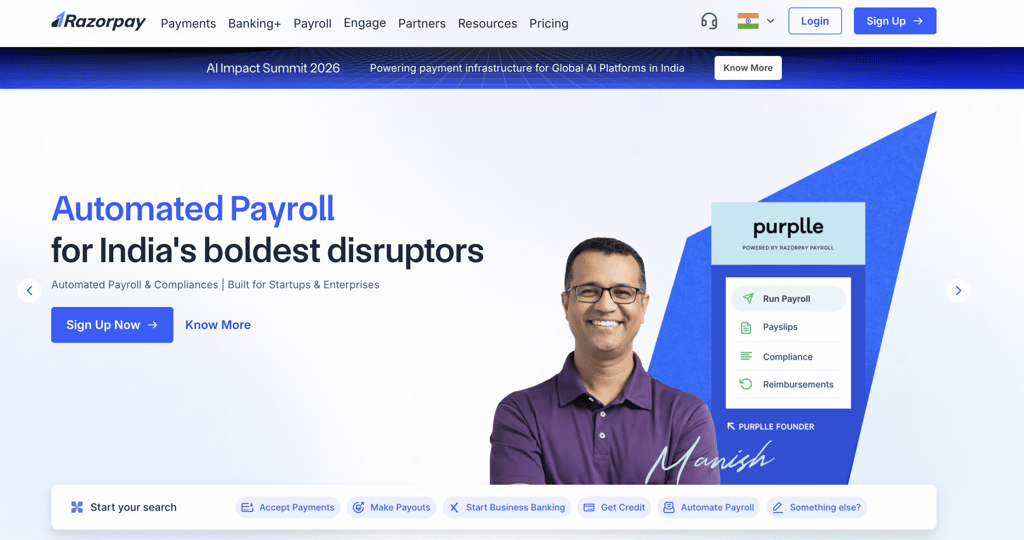
If most of your customers are in one country, a local gateway often provides better approval rates and a smoother checkout experience because it aligns with local payment behavior and regulations.
A global gateway, like Adyen, supports cross-border transactions. It allows you to accept multiple currencies and serve customers in different countries through one unified system.
Regulations vary by region. For example, in the European Union, payment providers must comply with the Revised Payment Services Directive (PSD2). These rules require Strong Customer Authentication (SCA), which means customers may need to confirm their identity using two verification steps, such as a password and a one-time code.
Some countries also require payment data to be stored locally or impose strict fraud monitoring standards. To process payments legally, your gateway must comply with the regulations in the markets where you operate.
Your choice depends on where you sell and how you plan to grow. The table below highlights the key differences:
Local vs global payment gateways | ||
Feature | Local gateway | Global gateway |
Geographic scope | Operates in one country or region | Operates across multiple countries |
Currency support | Primarily local currency | Multiple currencies |
Payment methods | Region-specific methods | Mix of global and local methods |
Compliance focus | Local regulations | Multi-region regulatory requirements |
Setup complexity | Generally simpler | More complex |
Expansion readiness | Limited to the local market | Designed for international scaling |
Potential costs | Often optimized for local fees | May include cross-border and currency fees |
What to consider when choosing a payment gateway
Choosing a payment gateway affects your costs, customer experience, and long-term growth. Before integrating one into your store, evaluate these key factors:
- Cost – Calculate your real monthly cost, not just the transaction fee. Include cross-border fees, currency markups, chargebacks, and refund policies.
- Security features – Ensure the gateway is PCI compliant and uses encryption and tokenization. Look for built-in fraud detection, 3D Secure, and support for regulations like SCA if you operate in regulated regions.
- Customer support – Test support before committing by asking a pre-sales question. Check response speed and clarity, and prioritize 24/7 support if your business relies on uninterrupted payments.
- API and plugin support – Confirm the gateway integrates with your platform via an official plugin or API. Before launch, test the full checkout flow, including failed payments and refunds.
- Payout times – Review how long it takes to receive funds and whether a rolling reserve applies. Delays or held funds can impact cash flow, so choose a provider with clear and predictable payout terms.
- Customer trust – Use payment methods your customers already recognize and prefer. Check competitor checkouts or your own data to confirm this, as familiar options reduce friction and improve conversion rates.
Important! Some providers keep the original transaction fee even when you issue a refund. If your business has frequent returns, this can significantly increase your effective processing cost.
How to future-proof your online payment strategy
Choosing a payment gateway directly affects how customers trust your store, how you manage risk, and how easily you can grow.
It acts as a trust layer between you and your customers. When someone enters their card details, they are trusting your business to protect their financial data. That trust depends on visible ecommerce security measures, reliable performance, PCI compliance, and consistent checkout experiences.
Payment environments also change quickly. Fraud tactics evolve, regulators introduce stricter rules, and customers expect more transparency around fees and data protection.
To future-proof your payment strategy, regularly review the following areas:
- Emerging payment methods. Ensure your gateway supports growing options such as mobile wallets and “buy now, pay later” services. Choose a provider that can add new methods without requiring a full reintegration.
- Scalability during peak demand. Confirm that the gateway can handle traffic spikes during sales or product launches without slowing approvals or causing checkout errors.
- Ongoing security and fraud prevention. Verify that the provider performs regular security updates and fraud monitoring. Periodically review your transaction data for unusual patterns or rising chargebacks.

Reassess your payment gateway security at least once a year or whenever your business model changes. Expanding into new markets, increasing transaction volume, or introducing new payment types may require updated capabilities.
A future-proof payment strategy is built on flexibility, payment fraud prevention, compliance, and customer confidence. Treat your gateway as a long-term infrastructure decision, not just a checkout feature.

Ksenija is a digital marketing enthusiast with extensive expertise in content creation and website optimization. Specializing in WordPress, she enjoys writing about the platform’s nuances, from design to functionality, and sharing her insights with others. When she’s not perfecting her trade, you’ll find her on the local basketball court or at home enjoying a crime story. Follow her on LinkedIn.