How to create a subscription website: 8-step guide
Sep 30, 2026
/
By Justina B.
/
11 min Read

A subscription website locks content, services, or products behind a recurring payment. Members pay you monthly or annually rather than just once.
That recurring model gives you predictable month income, rather than chasing one sale at a time. Subscribers also tend to stay longer and spend more than one-off buyers, so each customer is worth more to your business over time.
To create a subscription website, you’ll need a domain, hosting, a CMS or membership plugin, a payment processor, and content people will pay for. You’ll work through eight steps:
- Decide on a subscription model
- Choose a platform
- Register your domain name
- Set your prices
- Connect a chosen payment gateway
- Restrict your content to members
- Build the checkout flow
- Track your key metrics
1. Choose your subscription model
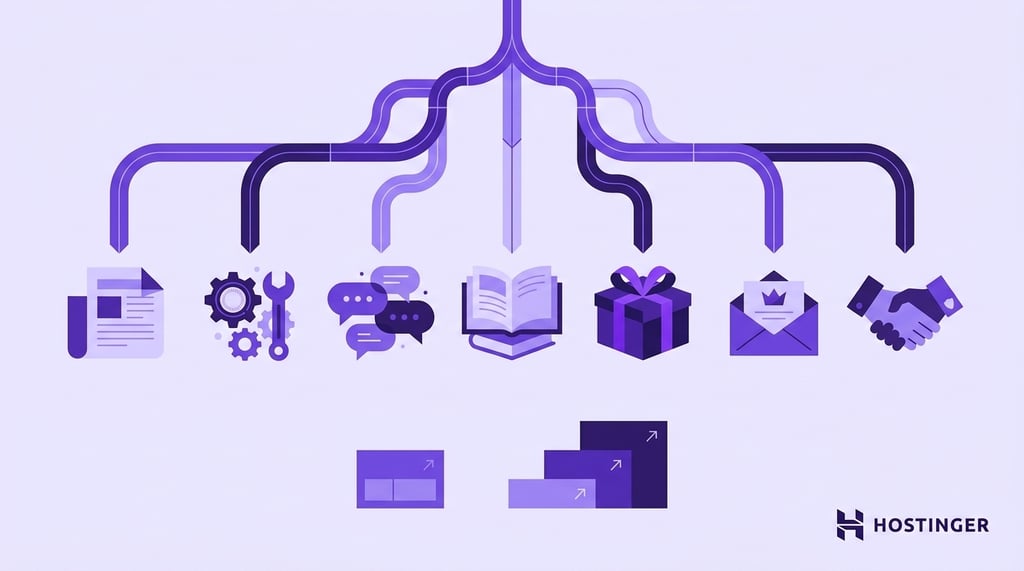
Your subscription model is how you charge members and how you structure their access. Picking it is the first real decision, before any tech.
Expect to spend a day or two here. Getting the model and niche right saves weeks of rework later.
The most common models each earn money in different ways.
- Content or media. Gated articles, videos, or a resource library that people pay to access.
- SaaS (software as a service). A tool that people pay to use every month or annually.
- Membership community. A private space with discussions, events, and exclusive access to various assets.
- Online courses. Structured lessons sold as a one-time or recurring program.
- Physical product boxes. A curated box shipped on a schedule.
- Premium newsletter. Paid email with deeper or earlier content.
- Services on retainer. Ongoing work like coaching or consulting, billed monthly.
Validate the niche before you commit. Look at audience demand, willingness to pay, competitor pricing, and how painful the problem is. A niche where people already pay for something is far easier than one where you have to invent the category.
The common pricing patterns include:
- Single tier: one price, one offer.
- Multi-tier: good, better, best at different price points.
Start with one tier at launch. Multi-tier pricing slows you down and splits your testing. Add it later, when you have paying members and real data on what they value most.
Pick the model that fits your situation. Solo creators with an audience should go content or community, B2B operators should go SaaS or services on retainer, and ecommerce sellers should run a product box.
2. Choose your platform
There are three main methods: using WordPress to create a membership site, choosing an all-in-one platform, or opting for an AI builder. A custom build with Laravel Cashier or Django plus Stripe is a fourth option, but only if you have the engineering resources.
WordPress paired with a membership plugin is a flexible and widely used option. Common choices include MemberPress and Paid Memberships Pro, as well as LearnDash for courses and WooCommerce Subscriptions for products. It’s a cost-effective and flexible route, with full control and an annual license fee instead of a revenue cut.
A platform like Memberful, Podia, Kajabi, Substack, Patreon, or Mighty Networks bundles hosting, payments, member management, and a public site into one package. You give up some flexibility and pay platform fees, but you handle no maintenance.
An AI builder like Hostinger AI Builder handles the code and setup for you. It sits between the two: more flexible than a closed platform, and faster to launch than building a WordPress site from scratch.
| Platform | Best for | Pricing model | Payment gateway support | Flexibility |
| Hostinger AI Builder | AI-assisted custom builds | Monthly subscription | Stripe, PayPal via integrations | Medium-high |
| Memberful | Creators wanting low maintenance | Flat fee + transaction % | Stripe | Medium |
| Podia | Courses, downloads, and community in one tool | Monthly SaaS plan | Stripe, PayPal | Medium |
| Kajabi | Courses and coaching | Monthly SaaS plan | Kajabi Payments | Medium |
| Substack | Paid newsletters | 10% of revenue | Stripe | Low |
| WordPress + MemberPress | Flexible content, courses, communities | Hosting + plugin license | Stripe, plus PayPal and Authorize.Net on higher plans | High |
| Custom (Laravel/Django + Stripe) | Scale, complex logic | Dev cost + hosting | Any | Highest |
On the WordPress route, Hostinger’s managed hosting for WordPress handles caching and updates, keeping your membership plugin running as it processes payments. Managed WordPress hosting applies caching intelligently, excluding login and checkout pages so membership and payment flows work correctly.
Pick based on your budget and how much control you need:
- If you want flexibility under $100 a month, go with WordPress and MemberPress on managed hosting, or Hostinger AI Builder for an AI build.
- If you want zero maintenance and can absorb 5–10% platform fees, go with Memberful or Podia.
- If you need custom logic at scale, build your own with Stripe.
3. Register a domain
Buy your domain, point it to hosting, install your CMS, and enable SSL. This step takes a few minutes when your domain and hosting are with the same provider. DNS propagation across providers usually completes in a few hours, although it can take up to 48 or even 72 hours in rare cases.
SSL is non-negotiable for subscription sites. Payment gateways refuse to process recurring billing on unencrypted pages, and modern browsers flag any checkout without HTTPS as unsafe. Set it up before you touch payments.
The exact setup depends on your platform, but the order is the same:
- Register a short, brandable domain. Go with .com if it’s available.
- Point your domain to your hosting or platform.
- Install your CMS, or set up your account on a hosted platform.
- Enable SSL on your domain.
- Log in to your admin dashboard.
We recommend buying your domain from the same provider as your hosting. You get fewer moving parts, faster DNS propagation, one dashboard for renewals, and no manual nameserver edits.
For Hostinger users, the 1-click WordPress installer in Hostinger dashboard sets up your CMS and provisions a free SSL. The certificate activates once your domain points to Hostinger and DNS propagates, not the instant you install WordPress. You’ll need it live before connecting the payment gateway.
4. Set up pricing
Decide your price, billing frequency, trial terms, and tier contents. Most sites land at $5–$50 a month for content and community, and $20–$200 a month for software or coaching. Treat that as a sanity check, not a rule.
Pick a billing cycle. Monthly lowers the entry barrier but leads to more cancellations; annual usually offers a 10–25% discount, locks members in for a year, and improves cash flow. Offer both, and consider defaulting to annual once you have social proof and conversion data to support it.
Decide on the trial. A 7-to-14-day free trial cuts friction but attracts tire-kickers; a 14-to-30-day money-back guarantee draws buyers more likely to commit. No trial is suitable when your price is low or your audience trusts you.
Define what each tier includes, like seats, content, features, and support, and spell it out plainly, since vague descriptions kill conversions. Three patterns cover most launches: one-tier, good/better/best, or freemium with a paid upgrade.
Handle taxes early. EU VAT, US sales tax where you have nexus, and VAT or GST elsewhere all apply to digital subscriptions. Configure your billing tool to collect it, or use a merchant of record like Paddle, which handles tax collection and remittance on your behalf.
5. Connect a payment gateway
Create an account with a payment processor, paste the API keys into your membership plugin, test in sandbox mode, then switch to live. Plan 30–60 minutes. The most common mistake is forgetting to flip from test to live mode before launch.
Stripe is the most widely used gateway for subscription sites, with stronger recurring billing, built-in dunning (automated retries and payment recovery for failed charges), SCA/3D Secure handling, and webhook support. US fees are 2.9% + $0.30 per successful charge. Factor that into your tier pricing so the cut doesn’t eat your margin.
If you built your site with Hostinger AI Builder, you can connect Stripe to it directly, with no plugin needed.
PayPal reaches customers who won’t enter their card details anywhere else, but its recurring tools are clunkier and harder to troubleshoot. Add it as a secondary option, not your primary.
Regional gateways fill specific gaps. Mollie is strong in Europe, Razorpay handles India, and Paddle acts as a merchant of record, handling VAT and sales tax globally. Paddle is useful for solo operators selling internationally.
Here are the eight steps, in order:
- Create an account with your chosen gateway.
- Verify the business and connect your bank account.
- Copy the test API keys from the gateway dashboard.
- Paste the keys into your membership plugin’s payment settings.
- Run a sandbox transaction to confirm the subscription is created correctly.
- Set up webhooks so subscription statuses like active, canceled, or past due sync back to your site.
- Configure failed-payment retry rules, typically three to four retries over 7–14 days.
- Switch to live API keys and run a real $1 test charge.
Declined cards are a major hidden source of lost revenue. Automatic retries recover a significant share of those payments without manual intervention.
Pick based on where you sell and who you sell to:
- If you’re a global creator or software company, go with Stripe.
- If your customers prefer PayPal, use Stripe as the primary and PayPal as a secondary.
- If you’re an EU seller who wants VAT handled automatically, choose Paddle as your merchant of record.
6. Gate content
Gating content means your membership plugin restricts access to pages, posts, or files unless a visitor has an active, paid subscription. Mark pages, posts, courses, downloads, and product categories as members-only, set up a member dashboard, and decide whether content drips out or opens all at once.
Most membership plugins use an access rules interface: you select content, like specific posts, categories, or sections, and assign it to one or more tiers. Save the rule, and the plugin checks access on every page load.
Build a simple member dashboard showing the member’s current plan, next billing date, a link to update payment, a cancel or pause option, and links to their content. Most plugins include a default one you can extend.
For courses or onboarding, set up drip content so lessons open over time, like one on day one and the next on day seven. This keeps new members from feeling overwhelmed and, more importantly, creates engagement hooks that help retention with multiple tiers, sets access by tier so each sees only what it paid for.
Always test with a logged-out browser and a separate paying account for each tier. Logged out, a gated page should redirect to sign-up; paid, the content should show. This catches the most common mistake: paid content was left public because a rule was assigned to the wrong tier.
7. Launch the checkout flow
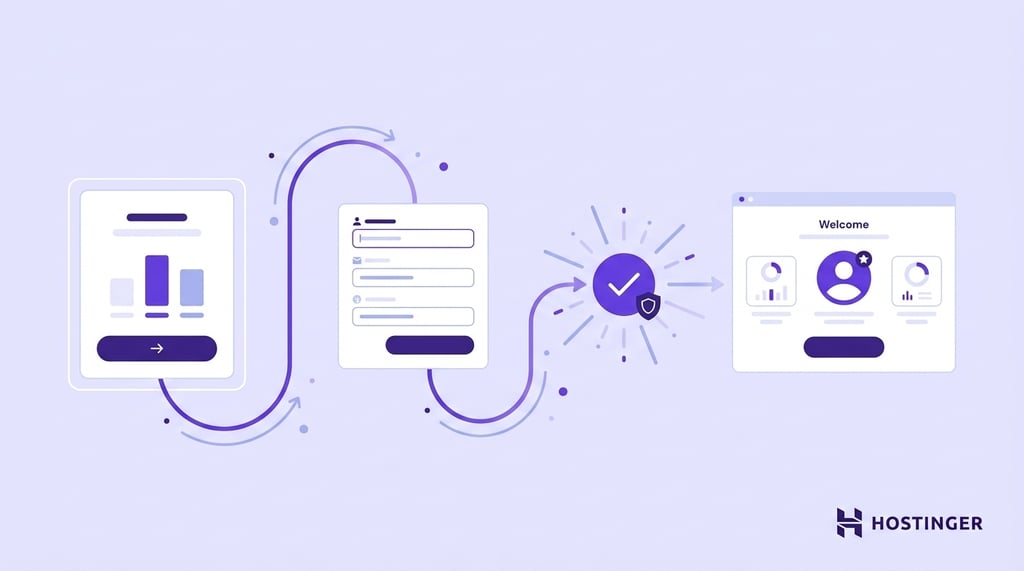
Build the pricing page, connect the sign-up form to your membership plugin and payment gateway, send the welcome email, and redirect new members to their dashboard. Run a real $1 test purchase end-to-end first, so anything broken in checkout or the welcome sequence shows up here, not in front of your first customer.
A high-converting pricing page has a clear price, a short feature list, and one CTA per tier, plus trust signals like testimonials or a guarantee near the checkout button. Long forms and unclear pricing are detrimental to conversions.
Keep the checkout form short. Email, password, payment details – that’s the floor. Every extra field you add cuts completion rates.
Here’s how to launch the checkout flow:
- Build the pricing page with one CTA per tier.
- Connect each CTA to the matching subscription plan in your membership plugin.
- Set the redirect so new members land on their dashboard or welcome page after they pay.
- Write the welcome email, a short message confirming access and pointing them to their dashboard, first lesson, or onboarding checklist.
- Set the welcome email to send within seconds of payment confirmation.
- Run a $1 test purchase from a real card.
- Confirm that the welcome email arrived, the dashboard shows the active plan, and gated content opens.
- Refund the test charge and go live.
Send the welcome email within seconds of payment, not minutes. Early engagement matters for retention, and a delayed welcome misses the window when a new member’s motivation is highest.
8. Track metrics
Track a handful of core metrics from day one so you can catch problems early and see where to invest. Set up a dashboard that shows these six:
- Monthly recurring revenue (MRR). The total predictable income from active subscriptions.
- Churn rate. The percentage of members who cancel each month.
- Average revenue per user (ARPU). MRR is divided by the number of active users.
- Customer acquisition cost (CAC). Your total sales and marketing spend, including tools, ads, and related labor, divided by the number of new paying members in the same period.
- Lifetime value (LTV). The total revenue an average member brings in before they cancel.
- Trial-to-paid conversion. The share of trial users who become paying members.
Check it weekly for sudden problems and monthly to see where to invest. Subscription businesses don’t always fail in week one; they bleed slowly through unchecked churn.
Stripe’s dashboard covers MRR, churn, and ARPU out of the box if Stripe is your gateway. Most membership plugins add their own reports for active members and sign-ups. Google Analytics handles funnel data, such as sign-up page views and conversion rate.
For deeper analysis, ChartMogul layers richer cohort and revenue analysis on top of Stripe and stays free up to $10K in MRR. Baremetrics does the same as a paid option. ProfitWell is free too, but it’s now part of Paddle and works best if Paddle is your billing system.
The first things to optimize are your failed-payment retries, the welcome sequence, and pricing tests, in that order. Each one grows revenue without spending more to get new customers.
Churn is the key metric here. The retention section covers tactics to reduce it.
How much does it cost to create a subscription website?
A realistic year-one budget runs about $250–$500 at the low end and $1,000–$2,400 for a more polished setup. Costs scale with the subscription model you choose, since content libraries are cheaper to run than physical product boxes.
These figures assume a digital subscription, like content, a community, courses, or software.
| Line item | WordPress route | SaaS route |
| Domain | $10–15/year | $10–15/year, often free the first year with annual hosting |
| Hosting | $3–30/month | Included in plan |
| Membership plugin/platform fee | $200–500/year, like MemberPress or Paid Memberships Pro | $39–200/month, like Podia, Memberful, or Kajabi |
| SSL certificate | Free with most hosts | Included |
| Payment processing | 2.9% + $0.30 per charge via Stripe | 2.9% + $0.30, plus a 5–10% platform cut, lower or zero on higher-tier plans |
| Theme/design | $0–100 (free or one-time) | Included |
| Year-one total (minimum) | ~$250–800 | ~$480–2,400 |
Pick based on your budget and how much maintenance you want to handle:
- If your first-year budget is under $500 and you’re happy to set it up yourself, go with WordPress or Hostinger AI Builder.
- If you want zero maintenance and can absorb a platform fee, go with an all-in-one platform like Podia or Memberful, from about $39 a month.
- If you’re selling physical product boxes, budget separately for inventory and fulfillment, which will significantly exceed your software costs.
How to reduce churn on a subscription website
Healthy monthly churn is 5–8% for consumer content and community, 3–5% for business software. Above 8% means you’re losing customers faster than most healthy consumer businesses, so fix onboarding before spending more on acquisition.
Annual plans work differently. They usually lose under 2% of subscribers per year, but that’s a yearly figure, so it isn’t directly comparable to the monthly rates above.
Retention work is slower and less visible than acquisition, so it gets neglected until the numbers force it.
Most early member loss hides in failed payments, and the biggest win is matching retries to the decline reason: retry an insufficient-funds card after payday, but prompt an expired-card holder to update their details. The other big wins are exit surveys, a pause option, annual upgrades, and better first-week onboarding.
A short exit survey on the cancellation page, one question with five fixed options and a free-text box, surfaces the top reasons to fix first. A “pause” option before “cancel” helps too: merchants who offer it saw pause usage jump 337%, with three in four subscribers returning, per Recurly’s 2026 State of Subscriptions report.
Offering monthly members a discounted annual upgrade at month three locks in 12 months of revenue, since annual subscribers cancel far less.
The five highest-impact moves on most subscription sites:
- Configure smart dunning, tailoring retries to the reason for the decline rather than using a single flat schedule.
- Replace a plain cancel button with a pause option and an exit survey.
- Send a first-week onboarding sequence of 3–5 emails.
- Move monthly members to an annual plan at month three with a discount.
- Run a quarterly cohort analysis to identify which onboarding week or month has the highest dropout rate, then target that moment specifically.
Best platforms for building a subscription website
The best platforms for a subscription website are WordPress plugins such as MemberPress and Paid Memberships Pro, as well as hosted services such as Podia, Kajabi, Memberful, Substack, and Patreon.
The table compares them by type, starting price, payment support, and suitability.
| Platform | Type | Starting price | Payment gateways | Best for |
| Hostinger AI Builder | AI web app builder (no-code) | £5.99/month, billed annually | Stripe, PayPal | Custom subscription sites, no code |
| MemberPress | WordPress plugin | $199.50/year, renews at $399 | Stripe, plus PayPal and Authorize.Net on higher plans | Flexible content sites, courses |
| Paid Memberships Pro | WordPress plugin | Free core, or $499/year for Standard | Stripe, PayPal | Budget-conscious WordPress users |
| Memberful | Hosted, embeds in your site | $49/month, plus a 4.9% fee | Stripe | Creators, podcasters |
| Podia | All-in-one platform | $39/month for Mover, with a 5% fee | Stripe; PayPal on the $89/month Shaker plan | Courses, downloads, community |
| Kajabi | All-in-one platform | $179/month | Kajabi Payments | Courses, coaching, built-in marketing |
| Substack | Newsletter platform | 10% of revenue, plus a 0.7% Stripe billing fee | Stripe | Paid newsletters |
| Patreon | Creator platform | 10% of revenue for new creators | Stripe, PayPal | Creator memberships, fan support |
Pick based on your use case:
- For selling courses online, go with Kajabi or LearnDash on WordPress.
- For a paid newsletter, go with Substack.
- For a community, go with Memberful or Podia.
- For a flexible content site under $300 a year, go with WordPress and MemberPress, or Hostinger AI Builder for an AI-assisted setup.
Which is better for a subscription site: WordPress or a SaaS platform?
WordPress wins on cost and flexibility, since you pay a flat hosting and plugin license fee rather than a revenue cut. SaaS wins on speed and zero maintenance, since you don’t manage updates, hosting, or plugin conflicts.
An AI builder like Hostinger AI Builder sits between the two. It’s a vibe coding tool that builds apps from prompts, so it can make a membership site, but features like scheduled content, tiers, and member dashboards need prompting rather than coming ready-made like MemberPress or Kajabi.
Here’s a quick way to break the tie:
- If you’re comfortable with the WordPress dashboard and willing to manage updates, go with WordPress.
- If you want to launch in a weekend and never touch a server, go with a SaaS platform.
- If you want custom layouts without having to learn WordPress deeply, go with an AI builder.
- If you expect revenue to exceed $5,000 per month soon, lean toward WordPress or a flat-fee platform like Kajabi, or one of Podia’s higher tiers. The platforms that take a percentage, like Patreon and Memberful, get expensive at scale.
Next steps after launching your subscription website
In your first 30 days, watch trial-to-paid conversion and welcome email open rates daily; they show whether your offer fits and your onboarding lands. If trial-to-paid is under 10% for a consumer subscription, or welcome opens under 40%, look into those first.
Between days 60 and 90, group your members by the month they signed up and compare how many of each group are still subscribed. Your week-one sign-ups are starting to cancel now, and when and why they leave is the most useful data you’ll get.
After six months, add a second tier only if the data supports it, meaning members are asking for more or canceling over missing features. Add a referral or affiliate program once your cancellation rate is healthy, since those incentives are wasted while members are still leaving fast.
Revisit the platform decision only if you hit a hard limit you can name, like a feature you can’t build, a cost that’s become painful at your revenue level, or a performance ceiling. Platform migrations are expensive, so don’t trigger one over a feeling.
All of the tutorial content on this website is subject to Hostinger's rigorous editorial standards and values.

Justina is a Content Writer passionate about marketing, with a background in social media and customer success management. She also loves reading books, traveling and exploring new places as well as cooking, and trying out new recipes. Follow her on LinkedIn.