Best AI for solopreneurs: 6 options for running a one-person business
Sep 29, 2026
/
By Ksenija
/
12 min Read

The best AI for solopreneurs includes Hostinger Agent for covering several business functions, ChatGPT for general assistance, Perplexity for source-backed research, and Zapier for straightforward workflow automation. Notion AI and Fathom fill more specialized roles in operations, meetings, long-form work, and customizable automation.
Each covers a different part of running a one-person business, so the best choice depends on where you need the most support.
Here are the best AI tools for solopreneurs compared side by side:
Tool | Best for | What you can optimize |
Hostinger Agent | Managing multiple business functions | Planning, marketing, sales, SEO, content, and customer communication |
ChatGPT | General-purpose AI assistance | Research, planning, analysis, problem-solving, and content creation |
Perplexity | Research | Market, competitor, and industry research |
Notion AI | Operations and knowledge management | Business knowledge, documentation, and project information |
Fathom | Meetings and follow-ups | Meeting notes, action items, and follow-up |
Zapier | Easy workflow automation | Repetitive tasks and handoffs between apps |
1. Hostinger Agent – Best for managing multiple business functions
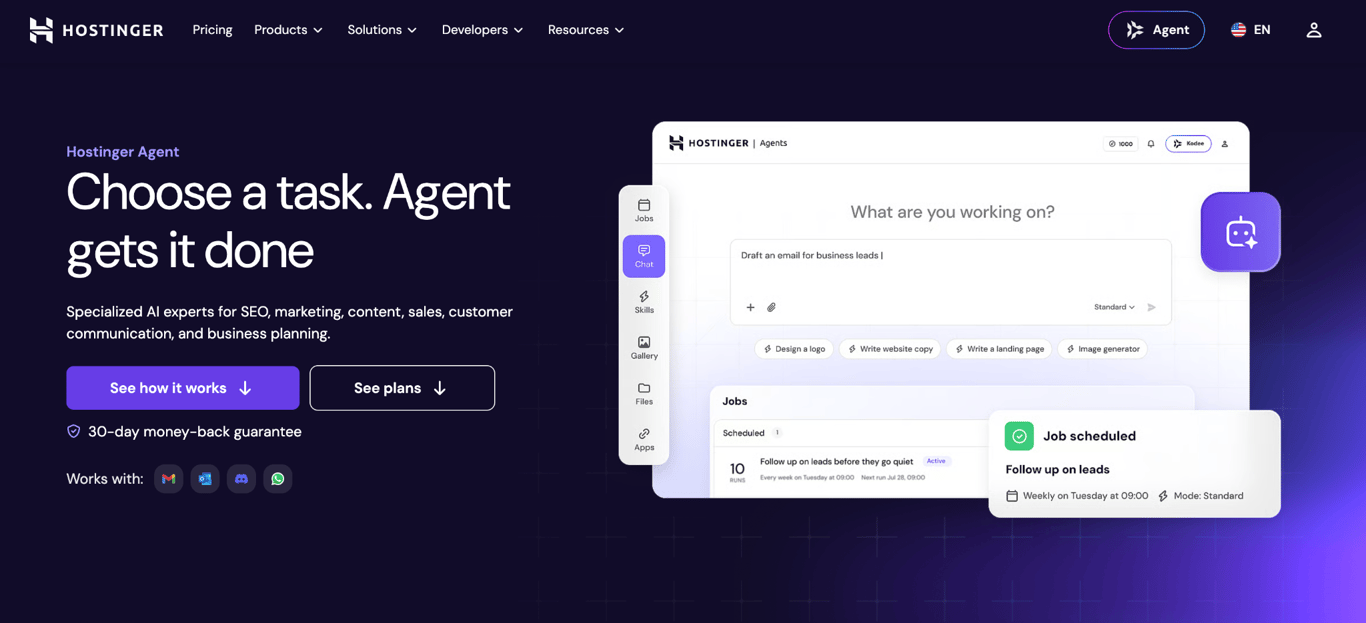
Hostinger Agent is a business-focused platform with seven specialized assistants: Business Advisor, Creative Writer, SEO Consultant, Marketing Planner, Legal Advisor, Customer Comms, and Sales & Outreach. That breadth suits solopreneurs who need structured support across several business functions without having to open a different general chatbot for each task.
If you’re launching a new service, you can use it to develop the offer and pricing, then carry that work into keyword research, website copy, lead generation, and outreach.
Because the work stays in the same conversation, Hostinger Agent can use the context from earlier stages as you move through the project.
More than 150 guided skills turn common business tasks into step-by-step workflows, including business planning, audience definition, SEO audits, campaign creation, outreach, and customer communication.
Select what you want to accomplish and follow the workflow to provide the relevant information and produce a usable starting point.
Hostinger Agent also connects to more than 1,000 apps, including Gmail, Google Sheets, Notion, HubSpot, and Google Calendar.
With your approval, it can use information from connected apps to add leads to a CRM, update a Google Sheet, create calendar events, or send follow-up emails.
Hostinger Agent strengths
- Keeps context as you move through different stages of a project, making it useful for workflows spanning several business functions.
- Guided skills provide structure for unfamiliar tasks, so you don’t need to know every step of the process before getting started.
- Can carry approved tasks into connected apps, which reduces manual handoffs between researching, creating, organizing, and acting on information.
- Supports recurring tasks and scheduled jobs, taking routine work off your daily to-do list.
Hostinger Agent limitations
- Important outputs still require human review, especially legal documents, pricing recommendations, business strategy, factual claims, and sensitive customer communications.
- The 1,000 monthly credits can limit how much you use the agent, particularly if it becomes part of several recurring business workflows.
- Its broad business coverage may be less suitable when you need advanced features from a specialized tool, such as dedicated CRM, SEO, or analytics software.
Hostinger Agent pricing
New users can try Hostinger Agents with 200 credits. Paid plans start at $6.99/month with a 12-month term. The three-month option costs $7.99/month, while the monthly option costs $9.99/month. Plans include 1,000 credits per month, 150+ skills, and access to 1,000+ app integrations.
Best for: Solopreneurs building an AI tool stack to support planning, marketing, lead generation, sales, and customer communication across a consulting, freelance, coaching, agency, or other online service business.
2. ChatGPT – Best general-purpose AI assistant
ChatGPT is a general-purpose AI assistant that can help you plan, research, analyze information, solve problems, and create business materials through conversation.
Starting a consulting business, for example, could involve using AI for business planning, then uploading your customer research to identify common needs, compare service ideas, work through pricing options, and turn your decisions into a launch plan.
For ongoing work, Projects let you keep related chats, files, and instructions together. You could create one for your business and add customer research, product or service information, brand guidelines, and other reference materials.
ChatGPT can then use that context when you return with a new task, such as analyzing customer feedback or planning your next campaign.
You can also use ChatGPT for work that requires more than a standard conversation. Deep research can gather and synthesize information from multiple web sources, while data analysis can examine uploaded spreadsheets and turn the data into calculations, tables, or charts.
For tasks you do regularly, you can create a custom GPT that follows the same instructions each time. Scheduled tasks can automatically run prompts at set times, such as preparing a weekly business summary or reminding you to follow up with leads.
ChatGPT strengths
- Works well for tasks that develop through discussion, allowing you to question assumptions, compare options, and refine an idea over several exchanges.
- Projects give ongoing business work a shared context by keeping relevant conversations, files, and instructions together.
- Can work directly with documents, spreadsheets, images, and other uploaded information, which is useful when you need to analyze your own business data.
- Custom GPTs and scheduled tasks can turn instructions you use repeatedly into reusable or recurring workflows.
ChatGPT limitations
- You need to provide enough business context and clear instructions to get specific, useful responses. Vague prompts can produce generic recommendations.
- Important facts, calculations, recommendations, and other generated information should be checked before being used to make business decisions.
- Some capabilities have lower limits on the Free plan, including file uploads, data analysis, deep research, and memory.
ChatGPT pricing
ChatGPT has a free plan with access to its core AI model, web search, file and image uploads, data analysis, and image generation, although some features have usage limits. Paid individual plans start at $8/month for Go, $20/month for Plus, and $100/month for Pro.
Higher tiers offer higher usage limits and expanded access to features such as advanced reasoning, in-depth research, memory, and data analysis.
Best for: Freelancers, consultants, coaches, creators, and other solopreneurs who need a flexible assistant for research, planning, analysis, problem-solving, and everyday business tasks.
3. Perplexity – Best for research
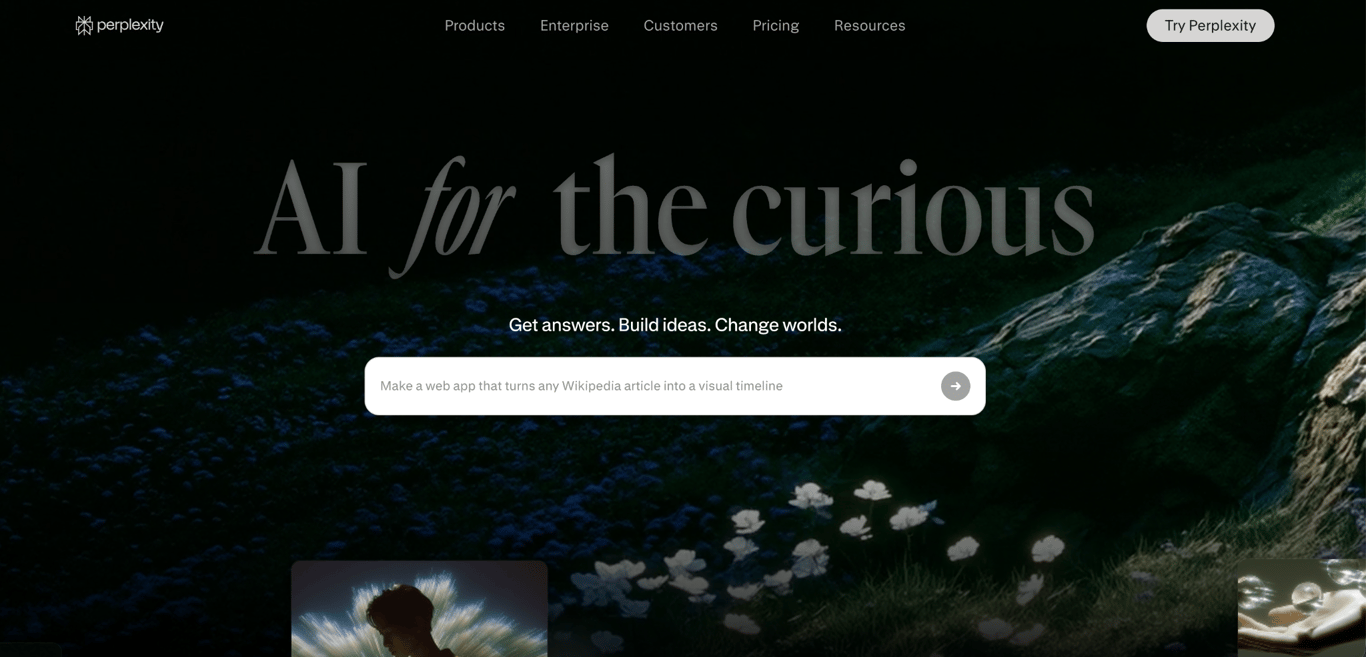
Perplexity is an AI-powered search engine that browses the web, combines information from multiple sources, and returns answers with citations.
Say you’re considering adding a new service to your business. You can use Perplexity to research demand, identify competitors, compare how they position and price similar services, and investigate market trends.
You can then follow the citations to check the evidence behind the findings before deciding whether the opportunity makes sense for your business.
This source-first approach is also useful when you’re entering an unfamiliar market or need to get up to speed quickly on a topic.
You can ask follow-up questions to narrow the research, compare information across sources, and investigate individual claims without manually starting a new search each time.
For more complex questions, Perplexity’s Research mode can carry out multi-step research and produce a more comprehensive report.
This can help with tasks such as comparing several competitors or investigating a market from multiple angles.
Perplexity strengths
- Provides citations with its answers, making it easier to trace information back to the original source and verify important claims.
- Synthesizes information from multiple web sources, which is useful when comparing competitors, markets, products, or industry developments.
- Supports follow-up questions, so you can progressively narrow a broad research question as you learn more about the topic.
- Research mode can investigate more complex questions that require multiple searches and sources.
Perplexity limitations
- A citation doesn’t guarantee that the source is reliable or that Perplexity has interpreted it correctly, so you still need to inspect important sources yourself.
- Research findings can provide evidence for a business decision, but you still need to judge how relevant that information is to your customers, market, and circumstances.
- The free plan is useful for light research but currently limits advanced usage to three Pro Searches per day and one Research query per month. Frequent competitor or market research may therefore justify a paid plan.
Perplexity pricing
Perplexity has a free Standard plan with basic searches and limited access to advanced research features.
Paid individual plans include Pro at $20/month and Max at $200/month. Pro increases access to Pro Search, Research, advanced AI models, and file analysis, while Max provides higher limits for intensive use.
Best for: Solopreneurs launching into a new market, developing a new offer, or regularly researching competitors and industry developments.
4. Notion AI – Best for operations and knowledge management
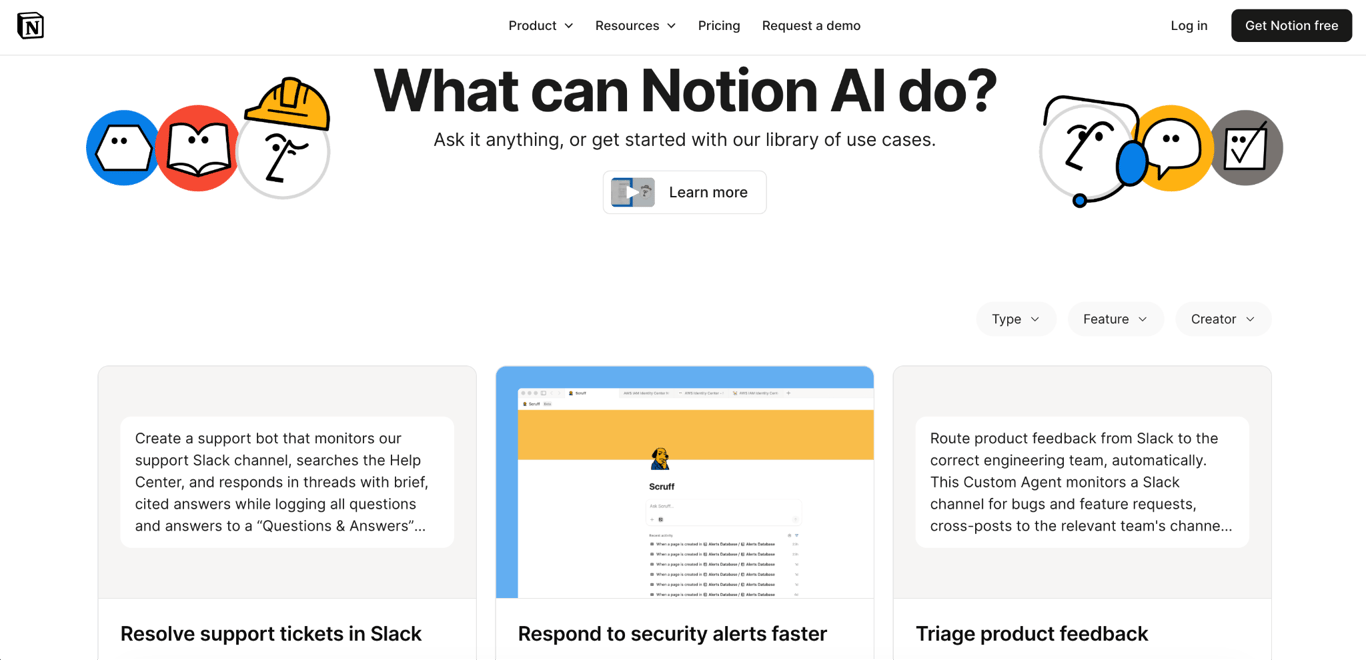
Notion AI brings AI into the same workspace where you manage projects, notes, documents, databases, and other business information. This makes it useful for solopreneurs who use Notion as a central hub for organizing their work.
Say you manage client projects in Notion. After a client call, Notion AI can summarize your meeting notes and identify action items. You can then use those notes alongside the existing project information to draft next steps, update project documentation, or prepare a follow-up.
It can also help you retrieve information you’ve already saved. If you need to remember what a client requested several weeks ago or find a decision buried in project notes, you can ask a question and have Notion AI search the relevant workspace content for the answer.
This becomes more useful as you accumulate customer research, project documentation, content plans, and other business knowledge.
Beyond individual tasks, Notion includes AI features for recurring operations. AI Meeting Notes can capture and summarize meetings, while database automations can process data when changes occur in a database.
Higher-tier plans also include Custom Agents for recurring workflows, such as compiling project updates or organizing new information.
Notion AI strengths
- Works directly with the notes, documents, databases, and project information already stored in your workspace.
- Makes it easier to find and summarize information across a growing collection of business pages.
- Can turn meeting notes and project updates into summaries, action items, and follow-up work.
- Combines AI with databases and automations, which is useful for keeping recurring operational work organized.
Notion AI limitations
- It is only useful if you already use Notion, or plan to centralize a meaningful part of your business there.
- Notion AI has usage allowances even on the Business plan. Some features can temporarily pause if you reach the rolling six-hour or monthly allowance.
- Custom Agents are not included in the regular AI allowance. They use separate Notion credits based on how much information they process, how many steps they perform, and how often they run, so recurring automations can add to your monthly cost.
Notion AI pricing
Notion has a free plan for individuals that includes basic forms and sites, Notion Calendar, databases with subtasks and custom properties, and a limited trial of Notion AI. Plus costs $9.50/member/month, and Business costs $19.50/member/month when paid monthly. The Business plan includes Notion Agent, AI Meeting Notes, Enterprise Search, and Research mode. Custom Agents use separate Notion credits at $10 per 1,000 credits.
Best for: Solopreneurs who already manage projects, notes, client information, content plans, or business documentation in Notion and want AI to work directly with that existing workspace.
5. Fathom – Best for meetings and follow-ups
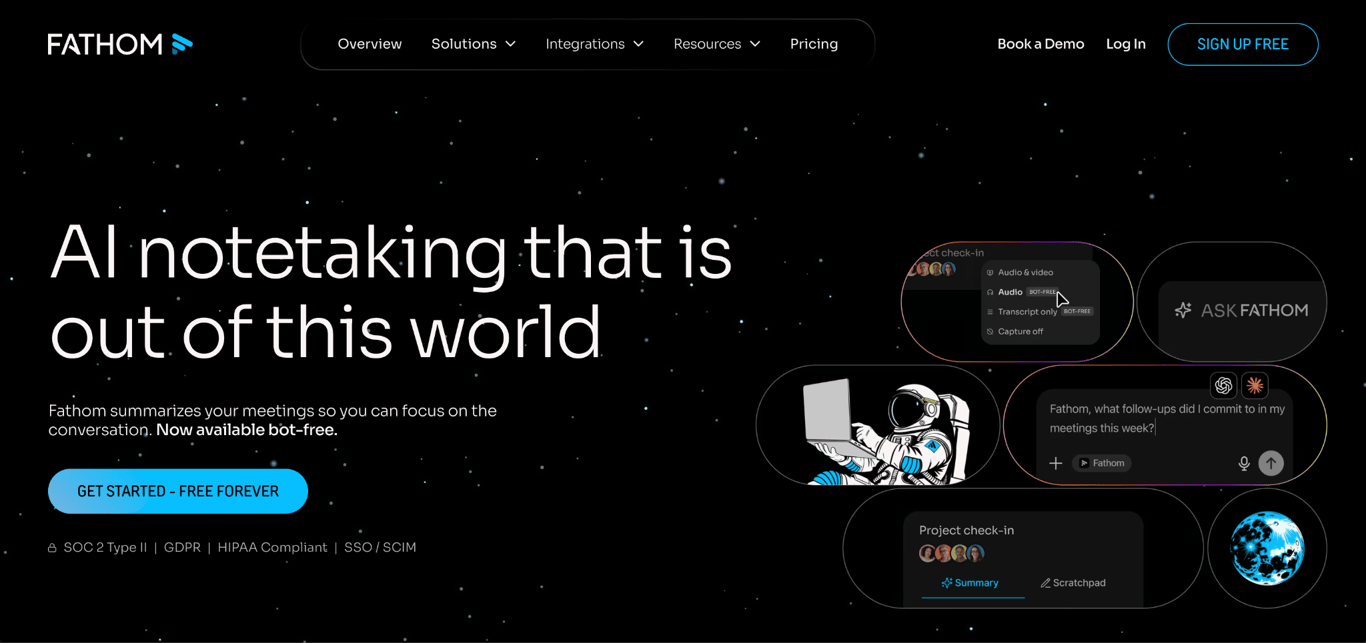
Fathom is an AI meeting assistant that records and transcribes calls, creates summaries, identifies action items, and lets you search across past conversations.
For a solopreneur, that can be useful during sales calls, discovery calls, client meetings, or interviews.
Along with other AI tools for sales, Fathom can reduce the work around these conversations by capturing what was discussed and turning it into summaries and action items you can use for the next step.
For example, after a client meeting, you can review the transcript, pull out commitments and next actions, and use the generated follow-up email as a starting point.
Fathom also lets you search meetings by attendee or keyword and use Ask Fathom to find specific details from any previous call.
Its integrations can extend that workflow beyond the meeting itself. Fathom supports CRM sync and connects with tools such as Zapier, Make, ChatGPT, and Claude, while its public API and MCP support allow meeting information to feed other workflows.
Fathom strengths
- Creates transcripts, summaries, and action items automatically, so you don’t have to take detailed notes during meetings or manually turn them into a list of next steps afterward.
- It allows you to search past calls and find specific decisions, commitments, or discussion points without replaying the full recording.
- Integrates with CRM, project management, automation, and AI tools, which makes it easier to continue the workflow after the call.
- The Free plan includes unlimited recordings and transcriptions, which is useful if you have frequent meetings but do not need advanced features.
Fathom limitations
- You still need to check summaries and action items before relying on them for important commitments, pricing, deadlines, or customer requests.
- Recording meetings can create privacy and compliance concerns, particularly when calls contain customer or confidential business information, and you may need participants’ consent before recording.
- More advanced features, such as AI-generated action items, advanced summaries, and a conversational meeting assistant, require the Premium plan.
Fathom pricing
Fathom has a free individual plan with unlimited recordings, transcriptions, and instant AI summaries.
Premium costs $16/month and adds advanced summaries, AI-generated action items, and the conversational meeting assistant. Team plans start at $15/user/month with a minimum of two users.
Best for: Consultants, coaches, freelancers, recruiters, and other solopreneurs who spend a large part of their week on client, sales, discovery, or interview calls.
6. Zapier – Best for easy workflow automation
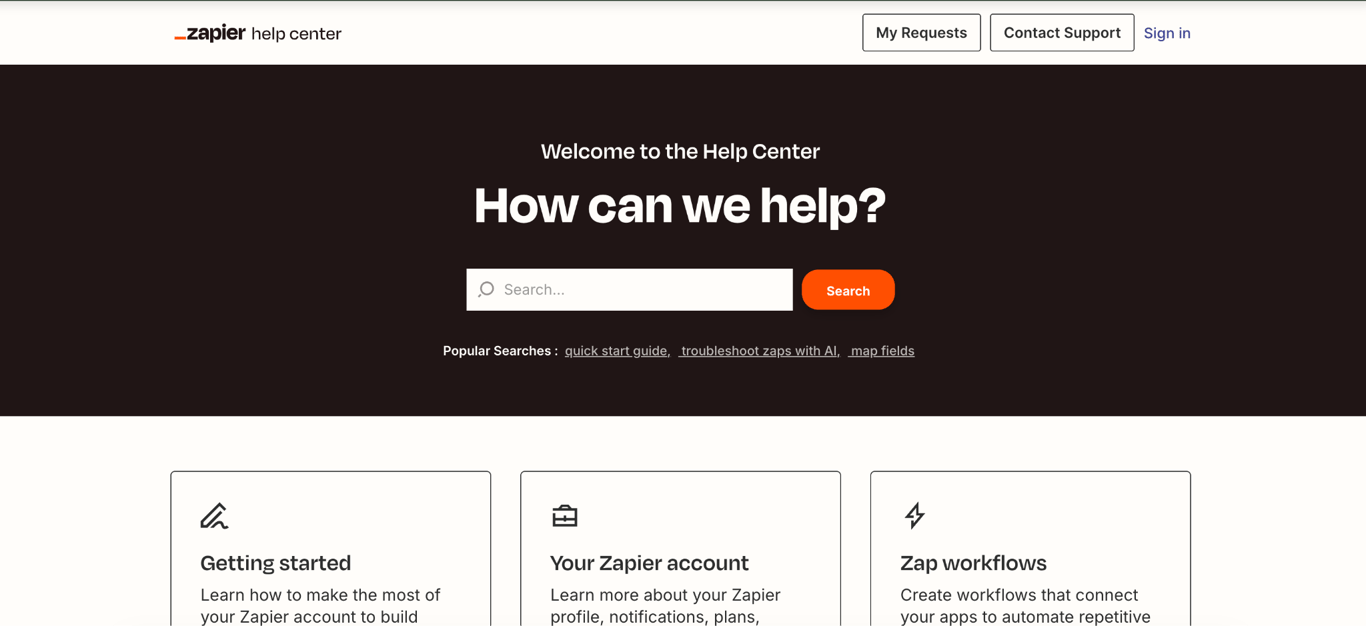
Zapier is a workflow automation platform that connects the apps you use so recurring tasks can move from one tool to another automatically.
A Zapier workflow starts with a trigger, such as a customer submitting a form, followed by one or more actions. For example, when a new lead fills out your contact form, Zapier can add their details to your CRM, categorize the inquiry, and create a follow-up task for you.
You can build similar workflows around other repetitive parts of your business. Zapier can turn form responses into tasks, send information between your business apps, categorize customer inquiries, or generate social media copy when new content is published.
AI can be added to individual steps when the workflow needs to summarize, classify, or draft information.
For a solopreneur, the main advantage is that these workflows can connect tools you already rely on. Zapier supports more than 9,000 apps and can also add AI steps for tasks such as summarizing, classifying, drafting, or making simple decisions inside a workflow.
Zapier strengths
- Connects with more than 9,000 apps, so you can automate work between many of the tools you already use.
- Can complete several steps from a single event.
- Can use AI within a workflow to summarize information, categorize requests, or generate text before passing the result to the next step.
- Lets you set conditions for what happens next, such as sending high-priority leads through a different workflow from general inquiries.
Zapier limitations
- Successful action steps generally consume tasks, so complex workflows can use the monthly allowance quickly.
- Automations still need review points when they affect customers, payments, contracts, or other decisions where an incorrect action could have serious consequences.
- Building reliable multi-step workflows takes some setup and testing, especially when several apps and conditions are involved.
Zapier pricing
Zapier has a free plan with 100 tasks per month. The Professional plan starts at $19.99/month and adds multi-step workflows, premium apps, webhooks, and other advanced automation features. Team plans start at $69/month.
Best for: Consultants, freelancers, agencies, and other service-based solopreneurs who use multiple apps and want to automate workflows such as adding new leads to a CRM, creating follow-up tasks, updating customer records, and sending information between tools.
How solopreneurs can use AI
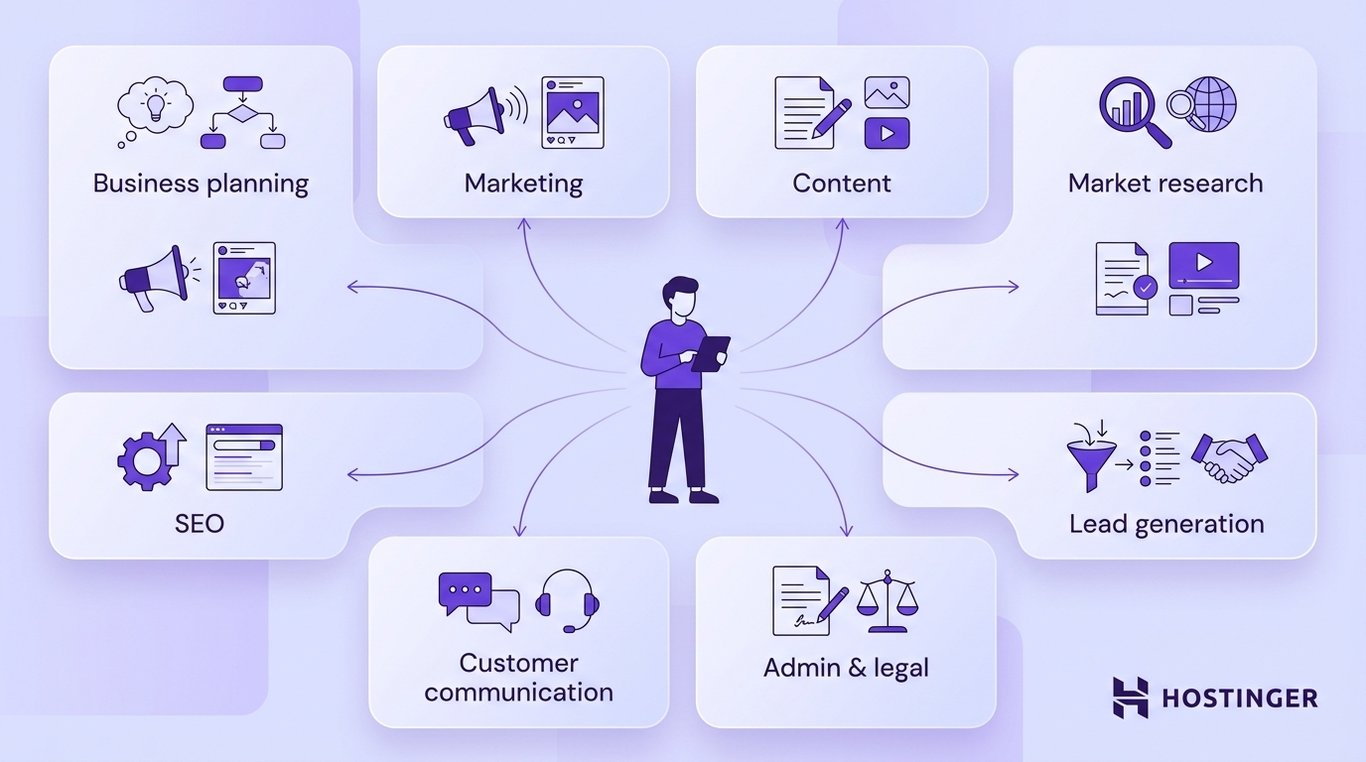
Solopreneurs can use AI across business planning, research, marketing, content, SEO, sales, customer communication, admin, and legal support.
Common applications include:
- Business planning. Use AI to organize ideas, compare options, draft a business plan, test assumptions, and turn a broad goal into concrete next steps. You still decide which direction to pursue, what risks to take, and how much to invest.
- Market and competitor research. Ask AI to gather information about competitors, customer needs, pricing, industry trends, or unfamiliar markets, then compare findings across sources. Check the original sources before relying on the information for an important decision.
- Marketing. Use AI tools for marketing for campaign ideas, promotional copy, audience research, and adapting messages for different channels. You still decide which audiences to target, how to position your offer, and which campaigns are worth pursuing.
- Content marketing. AI for content marketing can help you research topics, build outlines, create first drafts, and repurpose existing content into different formats. Review the final content for accuracy, usefulness, brand voice, and anything that requires your own expertise or experience.
- SEO. Use AI to research keywords, analyze competing pages, identify content gaps, and find opportunities to optimize existing pages. When using AI to improve SEO, review the recommendations against actual search results and your audience before deciding what to create or change.
- Lead generation and follow-up. AI can research prospects, summarize lead information, draft personalized outreach, prepare call notes, and suggest follow-up messages. Review anything customer-facing before sending it, especially when pricing, promises, or sensitive information are involved.
- Customer communication. Use AI to draft routine replies, summarize long email threads, categorize incoming requests, and prepare responses to common questions. Complaints, refunds, unusual requests, and sensitive conversations still need direct human judgment.
- Admin and recurring operations. Automate repetitive tasks such as converting form submissions into tasks, updating records after meetings, preparing recurring reports, or moving information between tools. Start with predictable workflows where you can clearly define the trigger, inputs, and expected result.
- Legal and administrative support. AI can help explain unfamiliar terms, organize requirements, summarize documents, or create a first draft of routine business materials. Treat the result as a starting point and get professional advice when a legal decision could materially affect your business.
Best practices for using AI as a solopreneur
A practical starting point is to automate low-risk backend work first, keep human approval at consequential decision points, protect customer data, and add complexity only when a workflow consistently removes manual work.
Automate backend work where mistakes are easy to spot and correct. Organizing information, summarizing documents, categorizing requests, transferring data between apps, creating first drafts, and preparing recurring reports are good starting points.
Be more cautious with customer communication, financial decisions, contracts, and other actions that can directly affect your business.
Build human approval into the workflow at important decision points. AI can prepare an email, proposal, campaign, analysis, or recommendation, but review it before it reaches a customer, triggers a payment, becomes part of an agreement, or influences a significant business decision.
The same caution applies to legal AI tools, which can assist with research and documents but shouldn’t be the sole basis for consequential legal decisions.
Be selective about the business and customer data you give AI tools. Before connecting an app or uploading a file, check whether the information is actually necessary for the task. Review the tool’s privacy settings, data retention and training policies, and the permissions granted through integrations. Limit access to the data and actions the workflow genuinely needs.
Give AI reusable context about your business. Create a reference that covers your audience, positioning, preferred terminology, tone, examples of writing you like, and phrases or styles to avoid.
Reusing these instructions across content and communication tasks makes the output more consistent and reduces the need for repeated editing.
Avoid accumulating subscriptions with overlapping capabilities. Before paying for another tool, check whether something in your existing stack already handles the task, how regularly you will use the new capability, whether it can replace another subscription, and whether it connects with your current tools.
Understand a workflow before automating it. Complete the process manually enough times to identify its trigger, required inputs, decisions, expected output, and common exceptions. Then automate the predictable stages first.
This prevents you from spending time building a complex system around a process that is still changing.
Finally, judge an AI workflow by how much work it removes, not simply by whether the automation runs successfully.
Look for reductions in manual steps, context switching, repetitive writing, administrative work, and corrections. If maintaining, monitoring, or fixing the workflow takes about as much effort as completing the task manually, simplify it or stop using it.
Which AI tool should you use as a solopreneur?
For businesses juggling planning, marketing, sales, content, and customer communication, Hostinger Agent can handle several of these functions in a single platform.
If most of your work involves thinking through problems, analyzing information, and creating different types of material, ChatGPT is a broader general-purpose option.
More specific bottlenecks point to more specialized choices. Use Perplexity when research takes up a significant part of your week, Notion AI when the challenge is finding and using information stored across your workspace, and Fathom when meetings create a backlog of notes and follow-up work.
For automation, look at the complexity of the process you want to remove from your workload.
Zapier is a good starting point for straightforward workflows such as moving a new lead from a form into your CRM and creating a follow-up task.
Before adding a second AI subscription, assess how you’re already using AI across your small business and check whether your current tools can meet the new need.
A good AI setup can therefore be as simple as one general tool plus one specialist tool or automation platform.
Add another only when a recurring bottleneck remains, and compare the subscription cost with the time and manual work it actually removes.

Ksenija is a digital marketing enthusiast with extensive expertise in content creation and website optimization. Specializing in WordPress, she enjoys writing about the platform’s nuances, from design to functionality, and sharing her insights with others. When she’s not perfecting her trade, you’ll find her on the local basketball court or at home enjoying a crime story. Follow her on LinkedIn.