10 Best Schema Plugins for WordPress and How to Choose One
Jan 15, 2025
/
Akshay K.
/
12 min Read
Schema markup or structured data is a specialized code that you can add to your site to help search engines understand your content. It enables them to display your content more relevantly in search results, boosting your website’s visibility.
Fortunately for WordPress websites, there are various plugins that can help you add schema markup to your site without any coding knowledge.
Our WordPress tutorial will help you pick the right schema plugin for your WordPress site by providing a straightforward comparison of the top options, focusing on their features and benefits.

10 Best WordPress Schema Plugins
We considered these six main criteria when choosing our list of the best WordPress plugins for schema markup:
- Compliance with search engine guidelines. We made sure to select WordPress plugins that follow structured data guidelines set by Google and other search engines. This includes proper implementation of supported schema types and JSON LD format for accurate indexing and display in Google search results.
- Ease of use and integration. We focused on WordPress schema markup plugins that offer straightforward setup and intuitive controls, making schema implementation accessible to users of any knowledge level.
- Feature set and flexibility. We focused on WordPress plugins that support a wide variety of schema rich snippets, schema types, and customization capabilities. This ensures they can handle different content types, boosting your website’s SEO.
- Plugin maintenance and updates. We chose schema markup plugins that are regularly updated to ensure compatibility with the latest WordPress versions and security standards.
- User ratings and reviews. Feedback from actual users provides invaluable insights into a plugin’s performance and reliability. We considered popular schema plugins that have consistently received positive reviews in regard to their functionality, ease of use, and quality of support.
- SEO impact and compliance. We evaluated the schema markup plugins based on their adherence to SEO best practices, integration with other SEO tools, and their potential to enhance site performance and user experience.
Let’s dive into the list of the 10 best WordPress schema plugins that can help you integrate schema markup into your website effectively.
1. Rank Math
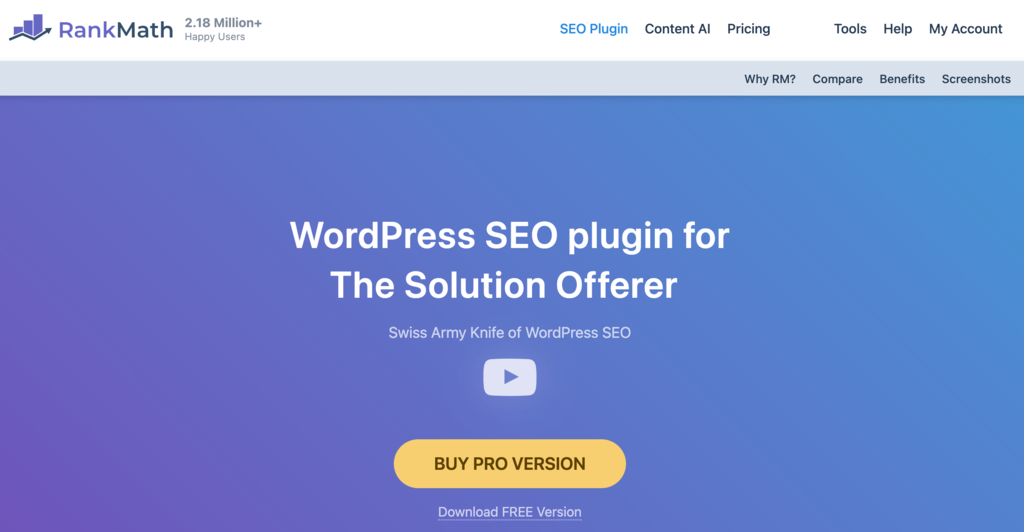
Rank Math Stats:
- Rating: 4.9/5
- Best for: SEO and schema optimization across the entire website
- Price: freemium; paid plans start at $5.75/month
Rank Math is ideal for users looking for a complete WordPress SEO package with advanced schema markup capabilities.
The setup wizard contains a provision for configuring schema settings for your website. It also supports multiple schema types and offers flexibility to customize markup on a per-post or per-page basis.
It lets you import schema markup from competitor URLs to analyze and adopt their best practices. Additionally, its snippet preview feature lets you add rich snippets and visualize how your post will appear on search engine results pages (SERPs) and social media feeds before publication.
Key Features
- Google Analytics integration. Easy one-click installation of the Google Analytics script.
- Optimal default settings. Rank Math comes with pre-configured SEO and schema settings that are ideal for most websites.
- Web stories SEO. Automatically adds AMP-friendly WordPress schema markup for stories created with Google’s Web Stories plugin.
- Schema import and validation. Import schema from other websites and validate it from the WordPress Dashboard.
- Custom schema builder. Create sophisticated schema graphs without programming knowledge.
- Schema templates with display conditions. Define where and when different schema markups should appear on your site to ensure the right markup is used in the right context.
- Advanced bulk edit options. Manage SEO settings for multiple posts/pages at once.
Drawbacks
While Rank Math is feature-rich, beginners might find its extensive options overwhelming. Moreover, the advanced features, such as automatic schema implementation, Google schema validation, and schema import, are not available in the free version.
2. Schema Pro

Schema Pro Stats:
- Rating: 4.7/5
- Best for: code-free schema markup integration
- Price: plans start at $69/year
Schema Pro offers a user-friendly, code-free way to add schema markup to your website. The plugin is designed for website owners and marketers who want to improve their site’s SEO without having to learn coding or Schema.org language.
It employs advanced JSON-LD code to make your markup accurate and search engine-friendly. You can add individual schema to posts and pages or automate the process across your entire WordPress website. The plugin also integrates with Google’s structured data testing tool for instant validation.
Key Features
- Quick and easy setup. Implement accurate schema markup without coding.
- Schema variety. Choose from over 20 schema options, including FAQ schema, article schema, and review schema.
- Yoast SEO compatibility. Schema Pro detects Yoast SEO on your website and provides additional schema markup options not found included in Yoast SEO.
- Custom field mapping. Easily overwrite default data fields for in-depth schema implementation.
- Real-time testing. Built-in validation and integration with Google’s testing tool for immediate feedback.
- Advanced page targeting. Allows you to apply markups across multiple pages effortlessly with just a few clicks.
Drawbacks
As a premium plugin, its cost is a tough consideration for those on a tight budget. Also, since it automates much of the process, it’s not ideal for users who prefer to implement schema markup with more granular control.
3. Schema & Structured Data for WP & AMP

Schema & Structured Data for WP & AMP Stats:
- Rating: 4.6/5
- Best for: full AMP compatibility
- Price: freemium; paid plans start at $99/year
Schema & Structured Data for WP & AMP excels in creating diverse schema types with full AMP compatibility. It supports more than 35 schema varieties, making it a comprehensive choice for enhancing your AMP pages’ SEO.
Its user-friendly settings let you easily create a Google rich snippet markup for various content types on your site.
The WordPress structured data plugin maker also plans to add all schema types in the future, and users can request a specific schema type that isn’t currently supported.
Key Features
- Full AMP compatibility. Prioritized support for AMP, ensuring structured data integrity on mobile.
- Easy to use. Simplified interface for adding schema markup.
- Diverse schema types. Supports more than 35 schema types, with plans to include more.
- Unlimited custom post types. Efficiently display rich snippets data in Google Search Console using unlimited post types.
- Conditional display fields. Offers flexibility to include or exclude specific posts, pages, or other content types.
- Breadcrumbs support. Customizable breadcrumbs for accurate navigation structure.
- Migration feature. Allows importing data from other schema plugins.
Drawbacks
While the base plugin is free, some features, like WooCommerce support, require paid add-ons. Those with budget constraints or specific needs should reconsider this plugin.
4. WP SEO Structured Data Schema

WP SEO Structured Data Schema Stats:
- Rating: 4.1/5
- Best for: manual schema markup customization
- Price: freemium; paid plans start at $49/year
WP SEO Structured Data Schema is one of the best rich snippets plugins with schema markup support.
The plugin is designed in line with Google’s guidelines and outputs in JSON-LD format, ensuring compatibility and effectiveness. It’s also user-friendly, with an interface that auto-populates page, post, or custom post-type data fields.
While the plugin requires more setup compared to some other plugins, it offers the freedom to fine-tune each page’s schema markup manually so you can make it truly unique to your WordPress website.
Key Features
- Custom post types. Supports post types beyond the default pages and posts.
- Auto-populate fields. Simplifies schema creation by auto-filling common fields.
- Dynamic selected tab. Indicates active schema markups on a page or post.
- Customizable schema. Offers flexibility for detailed schema customization.
- Broad content type support. Ideal for a variety of content types, including organizations, local businesses, news articles, blog posts, and events.
Drawbacks
The free version supports a limited number of schema types, with more available only with the premium plans. Moreover, the plugin’s user reviews point toward a history of inconsistent support.
5. AIOSEO

AIOSEO Stats:
- Rating: 4.7/5
- Best for: comprehensive SEO and schema integration
- Price: freemium; paid plans start at $49.60/year
AIOSEO is one of the best all-around SEO plugins for WordPress that offers an integrated approach to SEO and schema management. It streamlines schema setup with a user-friendly interface, allowing you to apply accurate schema to your content quickly.
Users can efficiently establish SEO and schema foundations with features like content-specific schema settings and a Next-Gen Schema Generator.
The plugin adds Schema.org markup to pages, posts, media attachments, date, and author archives, and 404 pages. It also outputs markup for Google’s Knowledge Graph, including local business markup for users with a Plus plan or above.
Key Features
- Content-specific schema settings. Customize schema settings for each content type from the search appearance menu.
- Schema markup testing. Test schema markup within the plugin and access external validation tools from Bing, Google, and Yandex.
- Support for Google’s Knowledge Graph. Enhance visibility for local businesses with specialized markup.
- Built-in validation. Ensure correct optimization of WordPress schema markup.
- Rich snippets. Generate rich snippets schema to improve CTR and SEO rankings.
- Advanced SEO schema. Add advanced schema markups like FAQ, product, recipe, software application, and online course using the Schema Generator.
- Next-gen schema generator. Create custom schema for a variety of content types, including events, job postings, recipes, and how-tos.
Drawbacks
While AIOSEO offers a wide array of features and versatility, it might be excessive for users looking for a dedicated schema plugin.
6. WP Review

WP Review Stats:
- Rating: 4.1/5
- Best for: enhancing review websites and eCommerce sites with rich snippets
- Price: freemium; paid plans start at $67/year
WP Review is tailored for review sites and eCommerce platforms. It simplifies the process of adding review schema to your site. The plugin enhances consumer interaction by presenting product and service ratings in a structured review box, complete with the correct schema.
This review schema WordPress plugin is user-friendly, making it easy to create rich snippets for various types of reviews, including digital products and physical goods or services.
Key Features
- 19 types of rich snippets. Supports a wide range of review types, from products to movies and games.
- Various rating criteria. Offers star, point, percentage, thumbs up, and circle ratings for comprehensive review options.
- User interaction. Enables users to rate features, comment on reviews, and interact with others’ comments.
- Structured review box. Reviews are presented in a structured box, enhancing visibility in search engine results and featured snippets.
Drawbacks
The free plugin only comes with the review snippet, and users need to upgrade to Pro to access the remaining 18 snippet types. Moreover, the plugin’s review focus makes it a highly niche solution that is not suitable for other kinds of websites.
7. WPSSO Core
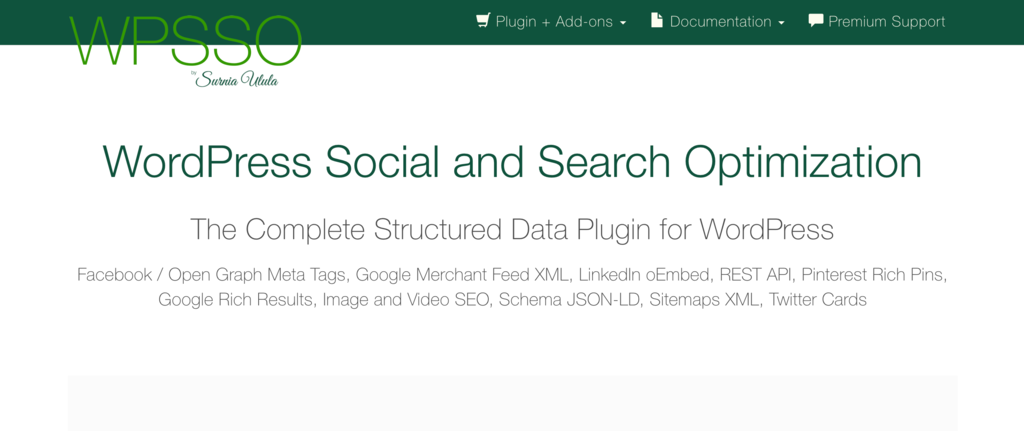
WPSSO Core Stats:
- Rating: 4.6/5
- Best for: adding schema markup for social media sites
- Price: freemium, paid plans start at $89/license
WPSSO Core is a popular WordPress plugin for Google rich snippets, providing structured data for optimally presenting your content on search results and social platforms. It is ideal for website owners aiming to boost their SEO and visibility across social media.
This offers schema markup for social media sites like Pinterest, Facebook, Twitter, WhatsApp, and LinkedIn. WPSSO also stands out for its support for over 500 schema types and sub-types, making it one of the most extensive schema plugins on the market.
Key Features
- Expansive schema variety. Covers a wide range of schema markups for diverse SEO strategies.
- Social media markups. Provides schema markup for major social platforms.
- SEO plugin integration. WPSSO Core and its add-ons can work alongside popular SEO plugins and improve their performance and schema markup types.
- Content optimization. Generate and add schema markup and meta tags from existing content.
- Customizable defaults. Offers flexibility in setting default values for schema types.
- Comprehensive markup. Ensures complete schema for search engines, social platforms, and messaging apps.
- Validator error repair. Addresses Google search and schema markup errors.
Drawbacks
The wide array of features and customization options in the schema plugin might present a steep learning curve for users seeking a more straightforward schema solution.
8. SEOPress
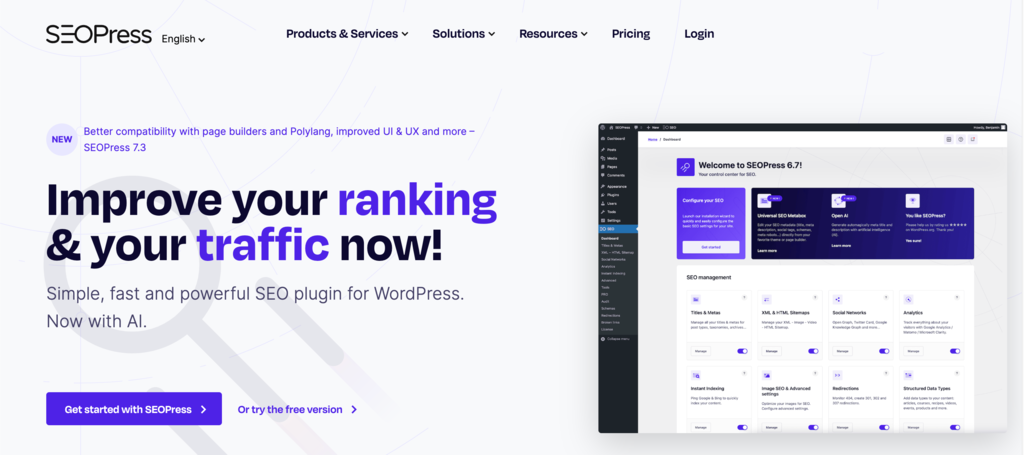
SEOPress Stats:
- Rating: 4.8/5
- Best for: detailed SEO and schema markup integration
- Price: freemium, paid plans start at $49/year
SEOPress is a robust WordPress SEO plugin that simplifies the process of optimizing your site’s SEO. It’s designed to boost traffic, enhance social sharing, and provide a suite of tools, including custom HTML/XML Sitemaps, optimized breadcrumbs, and schema rich snippets.
It stands out for its user-friendly approach, which requires no prior SEO or coding knowledge. In addition, most parameters are set automatically during plugin installation.
The WordPress plugin distinguishes itself with its advanced schema markup capabilities and AI-powered metadata generation. Its ease of use and integration with Google’s tools make it a valuable asset for improving SEO and schema implementation.
Key Features
- Local SEO. Incorporate local business schema on your site to get Google Search results knowledge panel and better visibility on Google Maps.
- Breadcrumbs. Improves site accessibility and SEO with breadcrumb schema.
- Google rich snippet types. Supports manual or automatic schemas with advanced conditions for better search result appearance.
- Custom schema. Create custom JSON-LD schemas using SEOPress PRO.
- Google Inspect URL + Performance. Offers insights into crawling, indexing, and schemas directly from the WordPress dashboard.
- AI-generated meta titles and descriptions. Utilizes AI for quick and relevant SEO metadata suggestions.
Drawbacks
Users need to buy the premium version to access the full range of features, including custom schema creation. Moreover, its functionalities are too extensive for users seeking a basic WordPress schema plugin.
9. Schema App Structured Data
Schema App Structured Data Stats:
- Rating: 4.1/5
- Best for: expansive websites and automatic schema markup creation
- Price: freemium; paid plans disclosed on consultation
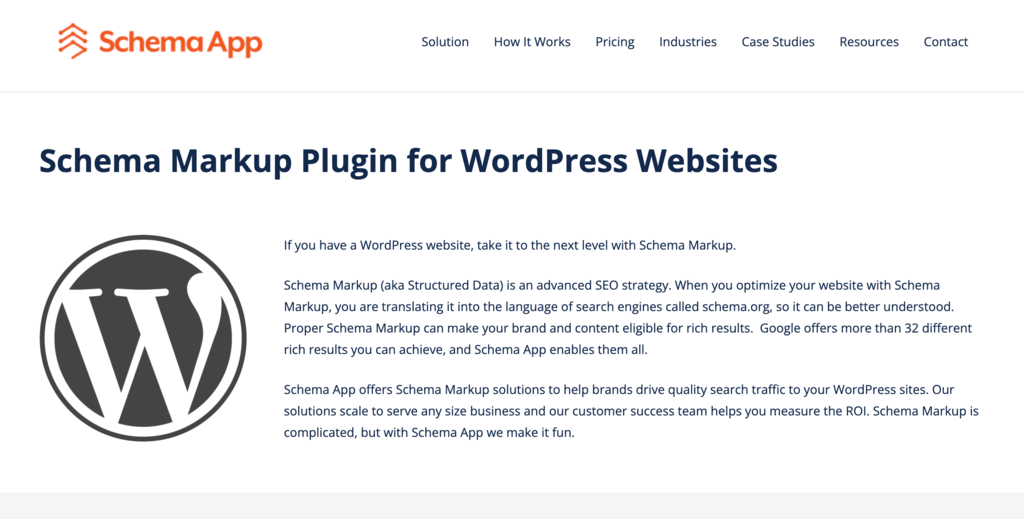
Schema App WordPress Data is the best WordPress schema plugin for automating the creation of Schema.org markup across your WordPress site. Once you activate the plugin and add basic business information, it can map default data to optimize the site’s content for search engines.
The plugin supports comprehensive Google Site Structure features, including breadcrumbs, Sitelinks Searchbox, and displaying your site name in results.
Moreover, it is also adept at handling large-scale websites, leveraging existing WordPress information to generate schema markup for pages, posts, authors, and categories.
It’s an ideal solution for those who manage a content-heavy WordPress website and require efficient, automated structured data markup generation.
Key Features
- Schema App highlighter. Creates and deploys WordPress schema markup templates at scale.
- Schema App editor. Authors and deploys semantic schema on unique web pages.
- Schema App analyzer. Monitors schema health and identifies new opportunities.
- Schema performance analytics. Analyzes schema data to measure performance.
- Custom schema markup. Allows creation of custom Schema.org markup without JSON-LD coding.
- Google video features. Automatically adds video features for YouTube and Vimeo-hosted videos.
- Customization of page title and post schema. Offers flexibility in editing default schema markup.
Drawbacks
The free version of the plugin is limited to automatic schema generation for articles/blogs and collection pages. For more advanced features like product schema, review schema, and full Schema App support, users need to upgrade to the premium version.
10. WordPress Review & Structure Data Schema Plugin
WordPress Review & Structure Data Schema Plugin Stats:
- Rating: 4.8/5
- Best for: review-focused websites and WooCommerce platforms
- Price: freemium; paid plans start at $20/year
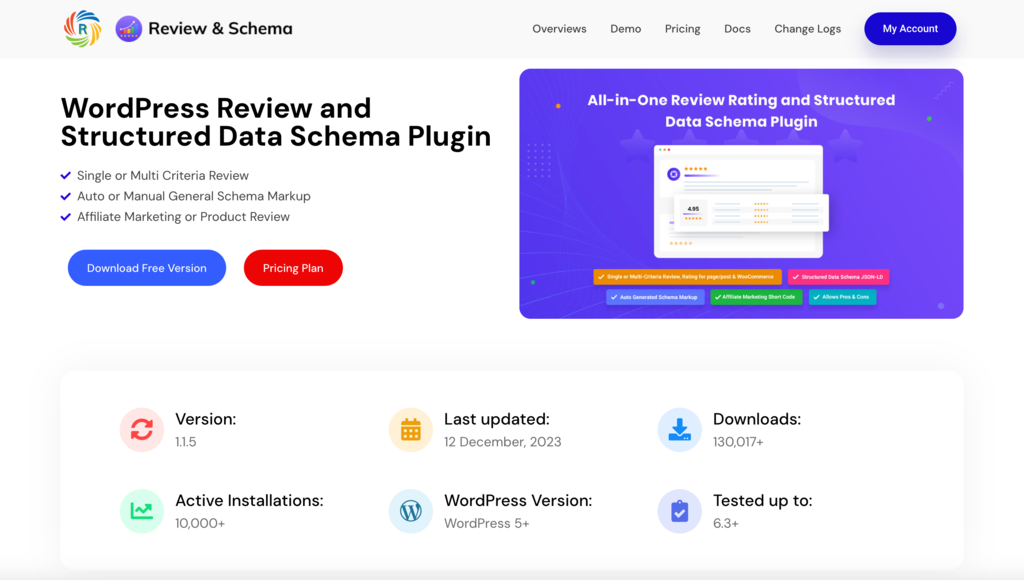
The WordPress Review & Structure Data Schema Plugin is a specialized tool designed for websites centered around reviews. It provides a comprehensive solution for incorporating the right schema markup into your WordPress sites.
It particularly excels at managing user ratings and reviews for custom post types, pages, posts, and WooCommerce products. Its ability to streamline the review process makes it an essential tool for sites that rely heavily on user feedback and ratings.
Moreover, its affiliate marketing features add an extra layer of functionality for sites engaged in affiliate sales.
Key Features
- Single or multi-criteria review and rating. Supports both single and multi-criteria reviews for pages, posts, and WooCommerce products.
- Schema generation. Offers both auto and manual generation options.
- Affiliate marketing shortcode. Enhances affiliate marketing efforts with easy-to-use shortcodes.
- Pro and con review system. Allows for detailed review analysis.
- Flexible review options. Adaptable review and rating settings for various content types.
- Google rich snippet support. Enhances visibility in search results.
- Affiliate marketing efficiency. Streamlines affiliate marketing on your website with schema support.
Drawbacks
The plugin’s specialized focus on review management positions it as a niche product for review-focused websites, limiting its applicability to other types of sites.
How to Pick the Best Schema Plugin for WordPress
When choosing the right WordPress schema markup plugin for your WordPress site, it’s crucial to consider factors like the plugin’s alignment with your specific needs, its ability to boost your SEO, and how easy it is to use.
Coverage of Schema Types
Select a plugin that offers schema types that are most relevant to your website’s content. For instance, if your site focuses on product reviews, opt for a plugin that provides product schema. Similarly, for a local business website, get a plugin that handles local business schema.
Automatic Schema Markup Generation
For websites with a lot of content, like big blogs or eCommerce portals, choose a plugin that provides automatic schema generation. This feature streamlines adding the right schema to your content, saving significant time and effort.
Plugins with auto-generation capabilities are also ideal for beginners or site owners seeking a code-free way to improve SEO.
Compliance with Google’s Structured Data Guidelines
Given Google’s dominance in the search engine market, it’s vital that the schema markup generated by your chosen plugin adheres to Google’s structured data guidelines.
Compliance with these guidelines ensures that your website’s schema is correctly recognized and interpreted by Google, improving your ranking in search results.
Compatibility with Your WordPress Theme
The schema plugin’s compatibility with your WordPress theme and other plugins is a critical consideration. The right plugin should integrate seamlessly with your current WordPress setup, avoiding any conflicts and ensuring the smooth operation of your website.
Many plugin developers provide a list of compatible themes and plugins in the plugin description or support forums.
You can also create a staging version of your site on your WordPress hosting platform to test out the plugin before implementing it on your live site. Hostinger offers an easy way to create a staging environment with a couple of clicks. You can check out our staging environment setup guide to set up yours.

Conclusion
The right schema plugin can significantly elevate your site’s online presence by improving its search engine visibility and enriching user interactions.
Here are the top three schema markup plugins we recommend from the list:
- Schema Pro. A popular schema markup plugin that offers an all-in-one solution for automatic schema generation across various content types. Its ease of use and comprehensive coverage make it ideal for both beginners and seasoned WordPress users.
- SEOPress. A great choice for those who need a robust SEO tool that also handles schema markup efficiently. It’s excellent for users looking for both SEO and schema integration features in a single package.
- WP Review. Perfect for review-centric websites and eCommerce platforms. Its unique features for custom reviews and seamless integration with rich snippets make it an excellent choice for websites with a focus on user feedback and product evaluations.
Each of these WordPress schema plugins caters to different needs and website types, whether you’re running a blog, an eCommerce site, or a review platform. Make sure to pick the one that best aligns with your specific requirements and goals.
Best Schema Plugins for WordPress FAQ
Let’s address some of the frequently asked questions about schema plugins.
Why Is Schema Markup Important for My WordPress Site?
Schema markup plays a crucial role in enhancing your website’s SEO. It provides search engines with detailed and structured information about your content. By making your content more understandable to search engines, schema markup can significantly improve your site’s visibility in search results.
How Do I Integrate Schema in WordPress?
The most straightforward method to integrate schema in WordPress is to use a dedicated schema plugin. After installing your chosen plugin, you can select and configure the appropriate schema type for your content. Many schema plugins simplify this process by offering automatic schema generation.
Does WordPress Automatically Add Schema?
WordPress does not automatically add detailed schema markup to your site. While WordPress does provide some basic structured data, for comprehensive and specific schema markup, you will need to use a dedicated schema plugin or manually add custom code to your theme.
Can I Use Multiple Schema Plugins on My Site at the Same Time?
We don’t recommend using multiple WordPress schema plugins simultaneously. Doing so can result in conflicting or duplicate schema markups, which can negatively affect your SEO. To ensure optimal performance and avoid potential issues, it’s best to select a single, comprehensive schema plugin that fulfills all your schema requirements.
All of the tutorial content on this website is subject to Hostinger's rigorous editorial standards and values.

Akshay is a Senior Content Writer who loves writing about technology. As a Computer Engineering graduate and a certified digital marketer, he aims to make tech easier for everyone. He also enjoys cooking, traveling, and learning new languages. Follow him on LinkedIn.