Elementor vs WordPress: Which one is better for creating a website?
Mar 10, 2026
/
Aris S.
/
7 min Read
WordPress is an open-source content management system (CMS) that provides the underlying architecture and core functionality for your website. When using WordPress without a page builder, you primarily use its native Gutenberg block editor to create and manage content.
Meanwhile, Elementor is a plugin that you install onto WordPress, providing a visual, drag-and-drop website editor. It offers extensive customization options and templates, allowing you to override the technical limitations of your default theme.
Deciding whether to use Elementor or WordPress largely depends on whether you prioritize extensive design control and ease of use, or site performance and long-term scalability.
Elementor is popular among users who prioritize an easy-to-use website editor with extensive design options. Meanwhile, the default WordPress editor is the better option if search engine optimization (SEO) and fast load times are your primary focus.
Before we dive into the comparison between Elementor vs WordPress in various aspects, here are their key differences at a glance:
| Comparison point | Elementor (website builder plugin) | WordPress (Native CMS with Gutenberg) |
| Editing experience | Real-time visual editing (WYSIWYG); drag-and-drop | Block-based editor (Gutenberg); requires a manual preview to check the final output |
| Learning curve | Significantly easier for beginners, given its intuitive dashboard and drag-and-drop editor | Steeper learning curve for new users because the interface is less intuitive and rather clunky |
| Customization options | Superior design control; can override the theme’s technical limitations. | The core functionality is more extendable with plugins or custom code |
| Performance | Web pages contain extra code, making them heavier and slower to load | More lightweight and loads more efficiently with leaner code |
| SEO | May negatively impact SEO and Core Web Vitals due to bloated code, especially for complex websites | Better technical foundation for SEO and Core Web Vitals due to cleaner code |
| Scalability | Has a vendor lock-in policy; deactivating Elementor can cause the content built with this plugin to disappear | Superior long-term scalability; files retain all the custom code and are easily exportable |
| Cost | Freemium; Additional features only available on the Pro subscription (starting at US$4.99/month) | Open-source, and the core software is completely free to use |
What are the advantages of WordPress over Elementor?
When comparing the native WordPress Gutenberg editor against the Elementor plugin, it excels in areas related to its core technical functionality, future-proofing, and a massive ecosystem.
The very essence of what WordPress is makes its native editor a better choice than Elementor for building your website:
- Lightweight and higher performance. Using WordPress with its native Gutenberg editor eliminates the need for a page builder plugin, reducing performance overhead. This results in a leaner underlying infrastructure for your website and enhanced performance.
- Cleaner code structure. The native WordPress Gutenberg editor produces more efficient and cleaner code. It doesn’t add substantial extra code, leading to pages that load more quickly and are smaller in size, which is essential for both user experience and SEO.
- Superior integration and extensibility. WordPress offers the advantage in terms of integration, as the Gutenberg editor works seamlessly with any themes and plugins. While you can install extensions and themes with Elementor, they might not integrate natively and require some adjustments.
- Future-proofing and scalability. Since the native Gutenberg editor is the focus of WordPress’ future development, it makes a solid, long-term choice for sites that need to grow over time. It also doesn’t have a vendor lock-in policy, meaning you can export and migrate your site files while preserving all customizations.
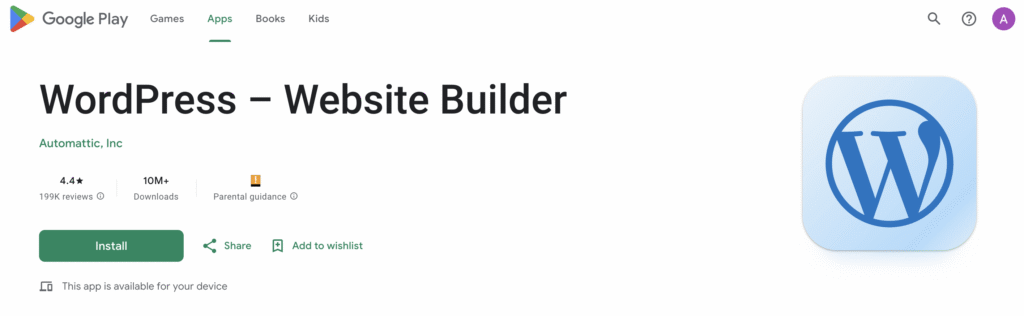
- Dedicated mobile editor app. The WordPress mobile app supports the Gutenberg editor natively, while Elementor requires desktop access for visual editing. This allows users to manage, create, and edit posts, and analyze site traffic directly from a smartphone or tablet.
What are the disadvantages of WordPress over Elementor
If you primarily use WordPress only with its native tools, its main disadvantages compared to Elementor are a steeper learning curve for extensive visual customizations, less intuitive design control, and a lack of direct customer support.
The native WordPress editor is generally less intuitive for newcomers, due to its rather clunky interface. Furthermore, it offers less granular design control and fewer customization options because it operates within the constraints of the active theme.
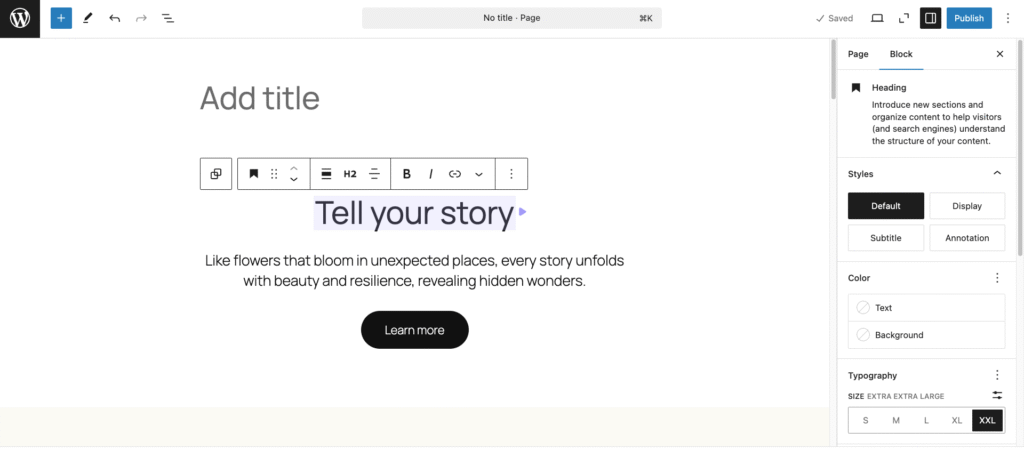
Users must also rely on a separate preview function rather than having the real-time, visual editing experience that Elementor provides. Lastly, being open-source means WordPress has no direct customer support; users must instead rely on community forums and documentation for help.
What are the advantages of Elementor over WordPress?
Elementor’s key strengths lie in its visual editor, comprehensive design tools, and dedicated support, making it a strong choice for anyone prioritizing visual design control and ease of use. Its advantages over WordPress are:
- Ease of use. Elementor is popular for its user-friendly interface and drag-and-drop functionality. Compared to the WordPress Gutenberg editor, Elementor is easier to get familiar with, allowing most beginners to design a basic, attractive website easily without coding.
- Real-time visual editing. This plugin offers a what-you-see-is-what-you-get (WYSIWYG) editor, allowing users to make edits directly on the front end and see the changes in real-time. This live editing capability significantly speeds up the design process compared to working in Gutenberg’s editor, which requires constant switching to a separate preview mode.
- Advanced responsive controls. Elementor allows you to fine-tune your site’s elements and appearance for different screen sizes. This capability offers more mobile optimization options than the native Gutenberg editor.
- Superior customer support. Elementor Pro users receive dedicated, 24/7 support via ticketing and live chat. This access to immediate assistance is a major benefit over WordPress’s community-only support, especially for beginners or businesses without a dedicated developer.
- Extensive customization and templates. Elementor offers superior design customization options and a vast library of hundreds of professional templates and kits. You can also modify virtually any element of your theme and override its default design.

What are the disadvantages of Elementor over WordPress
Elementor’s primary drawbacks stem from its visual editing experience. This feature requires heavy code, which compromises site speed, technical infrastructure quality, and long-term maintenance.
The Elementor builder generates web pages with additional nested HTML elements and inline CSS to achieve the custom, pixel-perfect design. This results in a website with a higher file size compared to pages made in the native WordPress editor.
If you don’t use a powerful WordPress hosting solution and optimize your site properly, this heavy code output can negatively impact crucial SEO metrics like Core Web Vitals.
Furthermore, Elementor stores content and design in its proprietary format. This means that if the plugin is deactivated, custom visuals or layouts may disappear or display as raw code snippets. If you want to migrate the website, you must manually recreate the content or switch to another builder.

Which one is easier to create a website with: Elementor or WordPress?
Elementor is significantly easier for creating a website, particularly for beginners and visually driven users who prioritize extensive design customization.
Elementor is the clear winner in the ease-of-use category, with the main difference being the editing experience. Elementor’s visual, drag-and-drop interface allows users to see exactly how the page will look to visitors as they design it.
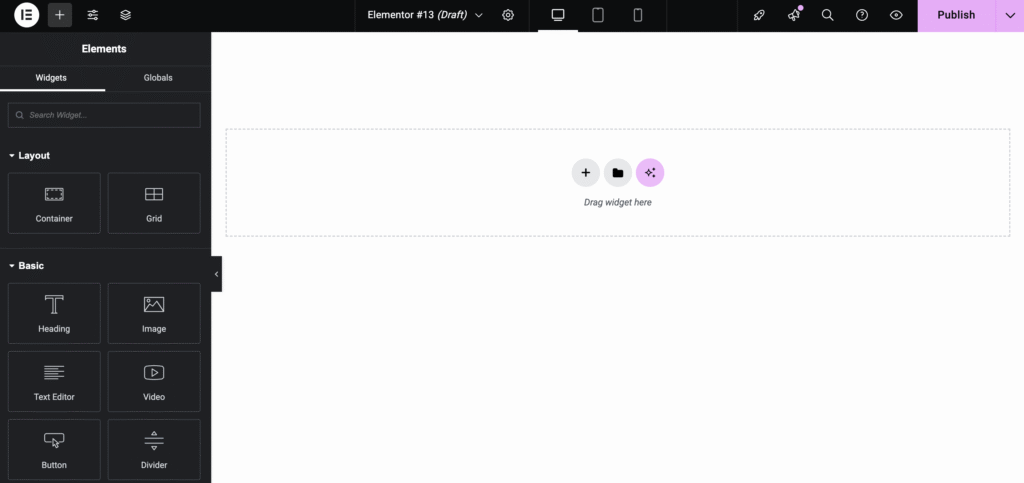
The overall process of creating a website with Elementor is highly intuitive, allowing beginners to create basic pages in a few hours.
In contrast, the native WordPress Gutenberg editor, while excellent for content, is a block-based system that is less intuitive for visual, pixel-perfect design.
While WordPress Gutenberg is also customizable and flexible, it requires more familiarity with the core CMS architecture and dashboard. You may also need to use custom code to modify certain design elements that are not editable with the built-in features.
Which one offers more flexibility: Elementor or WordPress?
Flexibility is split between the two platforms, depending on whether the user prioritizes ease of use or extensibility.
Elementor offers a more flexible design because its pre-configured widgets, advanced tools, and customization options grant users the power to override the structural limitations of Elementor themes. This allows designers to freely modify the look and feel of their site according to their preferences.
WordPress Gutenberg is also flexible and extendable through code. For example, developers have open access to hooks and filters – features that enable them to execute custom functions and process data using code to change how content is rendered.
However, WordPress is more flexible than Elementor in terms of infrastructure. Since you can export and preserve your custom-designed page files easily, migrating your website to other environments is easier.
Important! Since Elementor runs on top of WordPress, you can still install additional plugins and use features like hook to extend your website’s functionality. However, it might not work well with some plugins or add performance overhead, meaning it somewhat limits what you can extend.
Which one performs better: Elementor or WordPress?
The native WordPress Gutenberg editor and functionality perform better inherently due to its minimal infrastructure and cleaner code output.
Web pages built on the native WordPress editor load faster and are much smaller. Benchmark results show that WordPress pages average 140 KB in size and load in 1.2 seconds, while Elementor pages typically are 312 KB and render in 1.57 seconds.
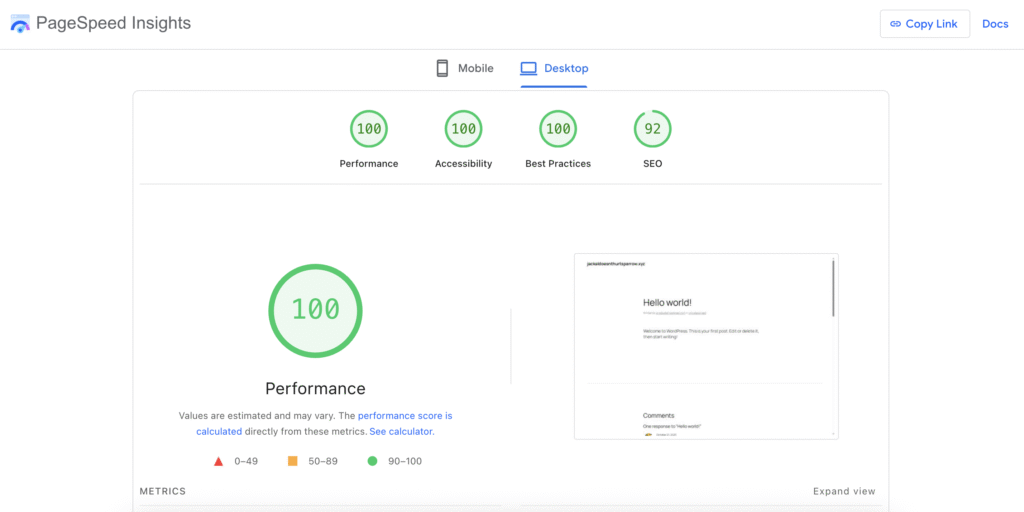
Elementor’s focus on design freedom often comes at the expense of performance, as its additional code overhead directly affects crucial SEO metrics. While the numerical differences seem insignificant, the impact is more apparent on intricate websites and potentially affects user experience.
For performance-critical projects, building with the lighter native editor is generally the better technical choice. If Elementor is non-negotiable, opt for a powerful web hosting service to balance out the performance impact and use a content delivery network to enable your website to load more efficiently.
What are other alternatives to Elementor and WordPress?
The market offers several alternatives to Elementor and the default WordPress Gutenberg editor, each suitable for different users. Here are some of the most popular ones:
- Hostinger AI Website Builder for WordPress. A native, AI-powered tool that comes with Hostinger’s WordPress hosting plan, offering beginners a fast, no-code way to launch their WordPress site.
- Beaver Builder. A popular option among agencies for its stability, clean code, intuitive interface, and quick page load time.
- Bricks Builder. A modern theme-builder that generates ultra-lightweight, minimal code, best suited for advanced users and developers working on performance-critical projects.
- Oxygen Builder. This page builder replaces the entire WordPress theme, offering complete design control and a lightweight output, but it is highly complex and ideal only for experienced developers.
- GeneratePress + Generate Blocks. A page builder that offers a modular design based on the native WordPress blocks, making it one of the fastest, SEO-optimized solutions.
- Divi. A feature-rich alternative with a comprehensive visual editor, but it is known for potential performance concerns and carries a risk of vendor lock-in due to its dependency on shortcodes.
- Breakdance Builder. A newer product aiming to combine Oxygen’s high performance with a more intuitive interface and built-in WooCommerce support.
To learn more about the alternatives, including their key features and who they are best suited for, check out our top WordPress page builder plugins list.
How to choose which platform to build your website on?
After understanding the advantages of each solution, choosing between Elementor and the native WordPress editor comes down to your website’s primary purpose and your technical skill set.
Elementor is a suitable tool if visual presentation is your top priority and your website requires highly customized layouts or designs. It is excellent if you need to create a portfolio site, marketing page, or landing page that requires a custom design but not so many features.
Moreover, you may prefer Elementor for its user-friendly interface, WYSIWYG editor, and drag-and-drop functionality. You can also subscribe to the Pro version to get responsive 24/7 customer support for technical issues.
Meanwhile, WordPress is a better choice if performance and SEO are your main considerations. It’s especially excellent for content-heavy sites that require robust posting capability, such as blogs, news pages, or documentation pages.
Being open-source and lightweight, WordPress is ideal if you want the most cost-effective solution, as it runs well on a lower-power server. It is also easily scalable without plugin-specific content dependencies, making site migration straightforward.

Aris is a Content Writer specializing in Linux and WordPress development. He has a passion for networking, front-end web development, and server administration. By combining his IT and writing experience, Aris creates content that helps people easily understand complex technical topics to start their online journey. Follow him on LinkedIn.


