10 Best Free One-Page WordPress Themes and What Features to Look For
Sep 01, 2026
/
By Brian
/
13 min Read
Creating a one-page WordPress site lets you convey a focused message without overwhelming users with complex navigation.
This will make it easier to encourage visitors to understand your content and take specific action. Plus, since you don’t have to handle multiple pages, maintaining a one-page WordPress site is a lot simpler.
If you’re not sure where to start, this WordPress tutorial features the top 10 one-page WordPress themes based on their design, responsiveness, and customization tools. We’ll explain the pros and cons of each WordPress theme so that you can pick the right one for your needs.
Top 10 Free One-Page WordPress Themes
Whether you want to build a one-page portfolio, business website, or online store, these free WordPress themes will simplify the web design process.
Pro Tip
Before proceeding, make sure you have an active WordPress hosting plan. With it, you can set up and grow a WordPress site without having to worry about server maintenance, software updates, and regular data backups.
1. Astra
Astra Stats:
- Rating: 4.9/5
- Best for: businesses looking to create a high-converting landing page
- Price: freemium (paid plans start at $49/year)
Astra stands out for its ease of use, fast performance, and customization options. This popular WordPress theme has over 30 one-page starter templates for business websites across various niches, including food and beverage, fitness, wedding, event planning, and education.
Simply access the Starter Template page from the WordPress dashboard and choose an ideal one-page layout for your site. After that, you can upload your logo, change colors and fonts, and install the required plugins to import your chosen design.
These templates are also compatible with the Gutenberg block editor and drag-and-drop page builders like Elementor and Beaver Builder, making it easy to customize your single-page WordPress website further.
Note that some designs are only available on its Essential Toolkit plan, costing $79/year or $399 for a lifetime license. Besides hundreds of premium templates, you will also gain exclusive access to over 40 Elementor widgets, more than 200 pre-built blocks, and priority support.
Moreover, its deep integration with WooCommerce simplifies the process of setting up an online store or campaign-specific landing page. The Infinite Scroll feature, in particular, provides a better product viewing experience for users, especially those on smartphones.
Key Features
- Speed optimized. Astra is a lightweight and highly responsive theme that takes less than 50 KB of resources, resulting in faster page loading times.
- 250+ starter sites. Find the perfect one-page template for your site, whether you’re a fitness trainer, travel blogger, or small business owner.
- Page builder support. Build a one-page site without coding – this WordPress theme is compatible with popular page builders like Elementor, Beaver Builder, and Spectra.
Drawbacks
The free theme has limited features and starter templates, especially when compared to the pro version. As such, Astra may not be the best option if you’re looking for a cost-effective solution to site building.
2. Zakra
Zakra Stats:
- Rating: 4.9/5
- Best for: freelancers and event organizers
- Price: freemium (paid plans start at $55/year)
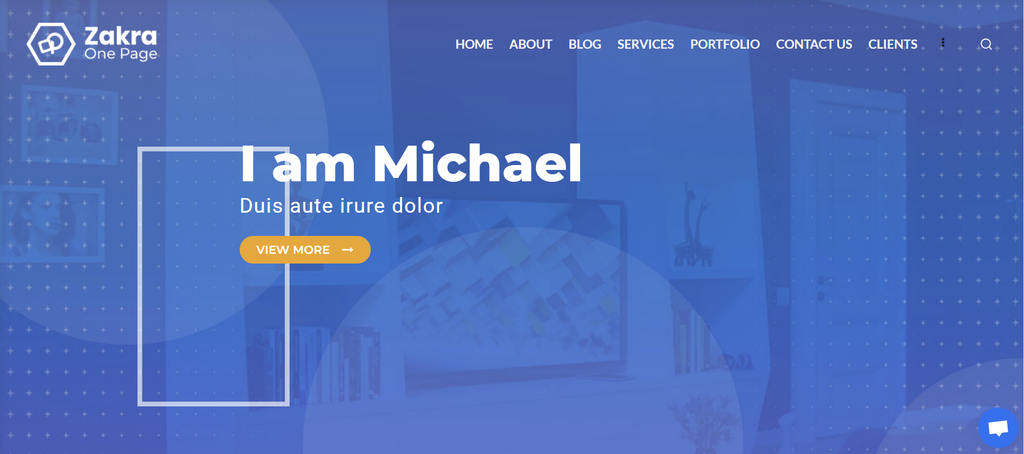
Zakra is one of the most responsive one-page WordPress themes in this list. Designed for performance, security, and SEO-friendliness, its templates are suitable for various website types, including business, magazine, and portfolio.
To set up your one-page website, install both Zakra and the ThemeGrill Demo Importer Plugin from the WordPress dashboard. Once done, navigate to Demo Importer, select One Page, and choose your favorite design.
Note that each demo is compatible with either the Gutenberg Block Editor, Elementor, or Brizy. Make sure to pick the page builder you’re comfortable with before proceeding.
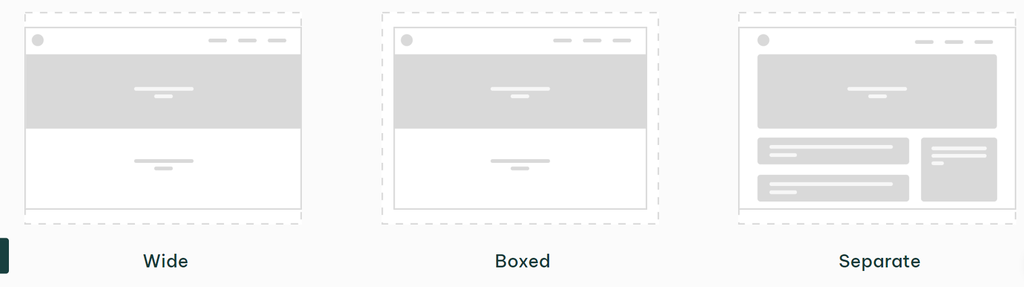
If you prefer using the WordPress Customizer, Zakra also has pre-made designs for areas like the header, sidebar, and footer. What’s more, you can adjust each container section on your site in various layouts – Boxed, Wide, or Separate.
Key Features
- One-click demo import. Get started instantly – install a suitable one-page design and import it to your site in just a few clicks.
- Extensive typography customization. With over 800 Google Fonts to choose from, you can easily select a font that matches your brand and visual identity.
- AMP-ready. Most users browse using their smartphone, so delivering a smooth mobile experience is key to keeping them on your site.
Drawbacks
Although offering more than 80 templates, only four of them are specifically built for one-page layouts. Moreover, advanced customization features like sticky and transparent headers, mobile menu styling options, various blog layouts, and custom widgets for the footer are only available for premium users.
3. OnePress
OnePress Stats:
- Rating: 4.6/5
- Best for: beginners who want to build simple business and portfolio websites
- Price: freemium (paid plans start at $69/year)
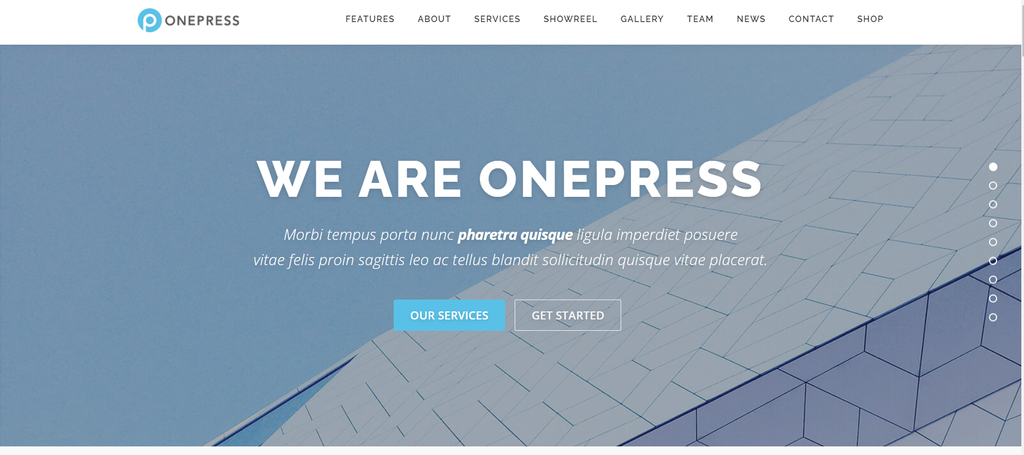
OnePress is a freemium one-page theme that you can use for an unlimited amount of sites. Its default design comes with all the important sections for a one-page site, including a hero image, services and team overview, and contact information.
To deliver seamless scrolling, this business one-page theme comes with a parallax effect. In simpler terms, your site’s background will move at a different speed than the foreground as users scroll through the page, making it more interactive and modern.
Plus, OnePress offers an SEO-friendly design compatible with various screen sizes and major browsers, meaning your site will look great and perform well regardless of the device. It’s also translation-ready, so you can localize the content for specific audiences.
That said, to unlock advanced customization options, you have to purchase the OnePress Plus plugin for $69/year. It comes with drag-and-drop section ordering, a video background, and more section options, including location details, pricing tables, and user reviews.
Key Features
- Theme Customizer. Easily change your site’s color schemes and layout – all customization settings are accessible from one dashboard.
- Content blocks. Put your essential content on display, such as a photo gallery, project portfolio, and client testimonials.
- Parallax backgrounds. Deliver an enjoyable scrolling experience and keep users hooked to your site with this parallax theme.
Drawbacks
While offering an engaging and user-friendly one-page design, this business theme is limited when it comes to template variety and customization capabilities. It might affect users who are looking for a wide range of pre-designed layouts for different purposes.
4. One Page Express
One Page Express Stats:
- Rating: 4.8/5
- Best for: entrepreneurs and influencers on a budget
- Price: freemium (paid plans start at $79/year)
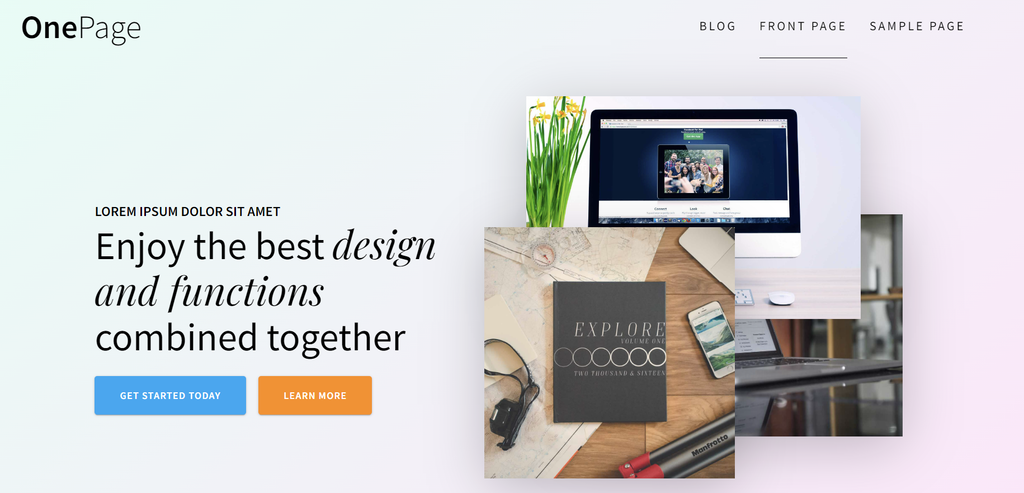
One Page Express caters to both beginners and seasoned WordPress users looking to establish a striking online presence. Its free version features predefined designs for headers and content sections, taking the complexity out of site creation.
To make your site more appealing, install the free One Page Express Companion plugin to add over 30 content blocks and customize the layout of each section. You can also integrate slideshows and video backgrounds to create a dynamic visual look.
Starting at $79/year, the pro plans elevate your website’s design and functionality even further. Gain access to more than 50 pre-made sections, 600 Google Fonts, parallax backgrounds, Google Maps integration, and multilingual plugins like WPML and Polylang.
Selling products or services is also straightforward, thanks to its pricing table section, add-to-cart functionality, and conversion-focused checkout page.
Key Features
- Real-time editing. Simply add new sections and click any element to customize it, including text, images, call-to-action (CTA) buttons, and icons.
- Custom backgrounds. Ensure a good first impression by using a full-screen header image, slideshow, or video as your header background.
- Multilingual support. Localize your site’s content in multiple languages using plugins like WPML and Polylang.
Drawbacks
One Page Express doesn’t support any third-party site editor. You have to use the WordPress Customizer to tailor your one-page website, which has its own limitations compared to tools like the Elementor page builder.
5. OceanWP
OceanWP Stats:
- Rating: 4.9/5
- Best for: advanced WordPress users and developers
- Price: freemium (paid plans start at $35/year)
OceanWP is a multipurpose WordPress theme compatible with a wide range of page builders, such as Visual Composer, Divi, SiteOrigin, and Beaver Builder. Seasoned developers can also add custom JavaScript and CSS scripts for advanced personalization.
While providing only a handful of WordPress one-page templates, OceanWP is still worth trying due to its versatility and comprehensive features. To create a one-page website, activate the theme and head to OceanWP → Install Demos from your WordPress admin panel.
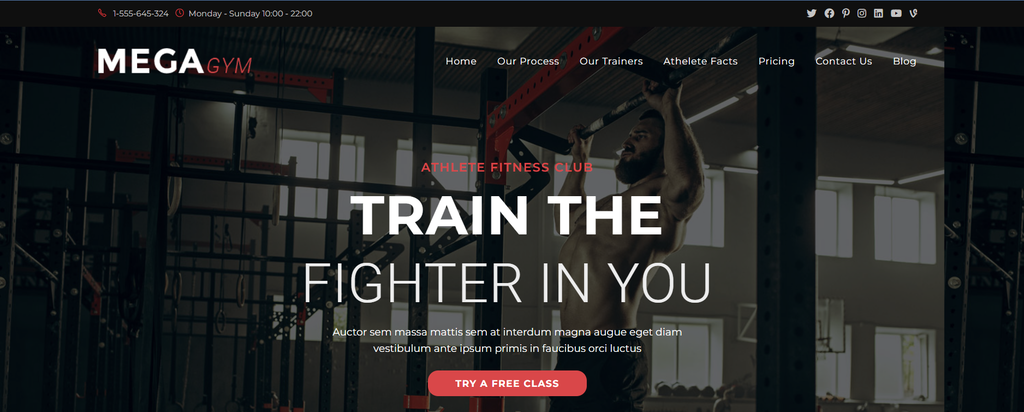
After that, scroll down to the template selection section and choose One Page. Here, you can choose from the available free site demos – Maria for a blogger, Coach for a professional sports trainer, and Megagym for a gym owner.
If you want more options, consider buying its Starter plan for $35/year. It comes with more than 35 professional one-page designs for personal portfolios and corporate websites. Royalty-free images and icons are also included, saving you time and effort searching for the right site visuals.
Key Features
- Responsive layout settings. Adjust the content layout and typography for different screen sizes so your site will look good on both desktop and mobile devices.
- Fully customizable header and footer. Customize the header and top menu to ensure a good first impression and seamless navigation. There are also custom footer widgets for contact information, social media links, and newsletter sign-up forms.
- Complete user control. Disable unnecessary WordPress settings, theme features, and scripts for faster site performance.
Drawbacks
Since OceanWP offers extensive customization options, users new to WordPress might need more time to explore and take full advantage of its features.
6. Hestia
Hestia Stats:
- Rating: 4.8/5
- Best for: first-time WordPress users
- Price: freemium (paid plans start at $69/year)
If you’re completely new to WordPress, Hestia is definitely a must-try option. After installation, the theme seamlessly guides you through the setup process, including uploading a logo, selecting a background color and fonts, and configuring the homepage settings.
At the end of the onboarding phase, there’s a step-by-step video tutorial on how to set up your website using Hestia. Read the full documentation to make the most of this WordPress theme.
Once finished, start editing your site using the WordPress Customizer. By default, this theme comes with all the important sections a single-page site might need, such as the header, features overview, about, user testimonials, and footer.
If you prefer drag-and-drop editing, easily integrate Beaver Builder, Brizy, Visual Composer, or pretty much any major page builder on the market.
Hestia also offers plenty of demo sites you can import in a single click. Unfortunately, these templates are locked behind its premium plans, which start at $69/year.
Key Features
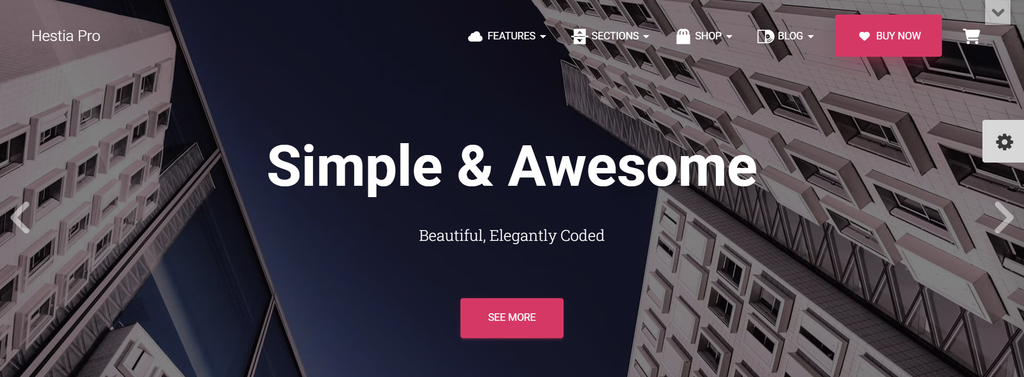
- Slider and video header. Welcome visitors with an engaging image slider or video to make a lasting impression.
- Live Customizer. Choose a background color, add new blocks, move elements around, and see the changes in real time.
- Translation and RTL ready. By integrating free and premium plugins like Weglot, you can translate every text on your site into any language, including right-to-left ones like Arabic.
Drawbacks
Since Hestia doesn’t offer dedicated one-page templates, you need to tailor the theme’s navigation menu to one-page sites. This way, visitors can jump to a specific section on the same page instead of loading a different page.
Read our article on how to create WordPress anchor links for a more in-depth tutorial.
7. Sydney
Sydney Stats:
- Rating: 4.9/5
- Best for: web development and digital marketing agencies
- Price: freemium (paid plans start at $55/year)
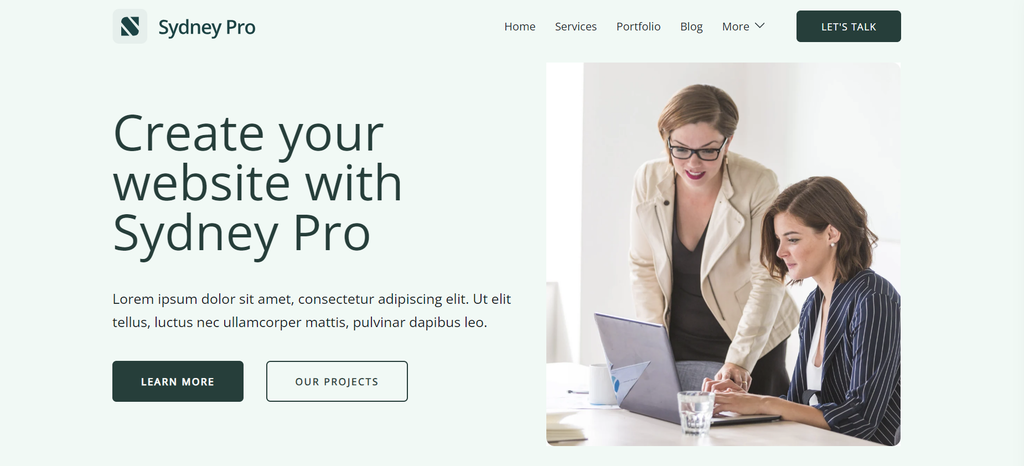
Sydney is a lightweight WordPress theme that performs equally fast on desktop and mobile devices. The free version offers translation-ready starter sites that cater specifically to digital marketing firms and freelance web designers – Lead Generation and Agency.
Even though they’re multi-page templates, you can easily turn them into a single-page website using the Gutenberg Block Editor or the Elementor page builder. Whether it’s the header, content layout, footer, typography, or color schemes, every element is easy to customize.
However, you need to register as a paid user to enjoy some of the more advanced design features. They include extra Elementor widgets for seamless site editing, content animations for dynamic visual effects, and the Hooks system for enhanced personalization.
Displaying visual-heavy work is also convenient, thanks to the extra slider options. You can showcase your portfolio horizontally or vertically and adjust the settings for each individual slider’s content.
Key Features
- Header presets. Catch the audience’s attention from the moment they land on your site with a striking header design.
- Sydney Studio. Set up your site in no time with ready-to-use visual elements, content layouts, and sections.
- Hooks system. Insert custom HTML code or shortcodes into specific areas of your site without modifying the theme’s core files.
Drawbacks
The free version may not offer the best features in terms of template selection and editing options. The lack of one-page starter demos also means you have to put a little more effort into designing your website.
8. Inspiro
Stats:
- Rating: 4.7/5
- Best for: photographers and video makers
- Price: freemium (paid plans start at $69/year)
Inspiro allows photographers, video makers, and creative agencies to showcase their work and put together an impressive portfolio. While it’s not necessarily made for one-page sites, you can easily remove the other pages.
Free users do not have access to its templates or demos, which means you need to build a website design from scratch. Luckily, Inspiro is compatible with easy-to-use page builders like Elementor and Beaver Builder.
That said, most of its customization features are only available for pro users. Starting at $69/year, Inspiro’s premium plans come with ready-to-import site demos, custom widgets, header and footer layouts, and pre-configured style kits.
The integration with WooCommerce also means that you can sell stock photos or online photography classes with ease.
Key Features
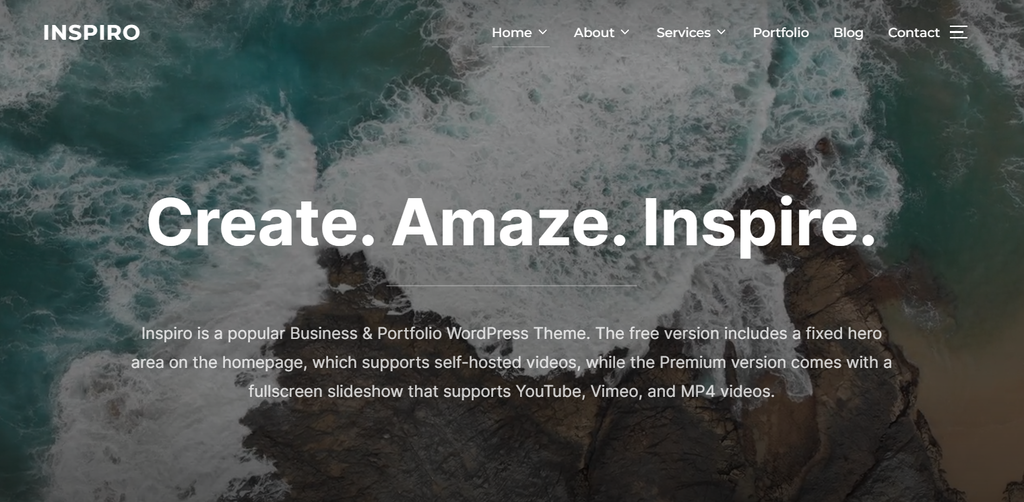
- Interactive header. Captivate the audience with a full-screen slideshow supporting videos from YouTube, Vimeo, and self-hosted sources.
- GIPHY API integration. With this technology, short teasers will be played when users hover over your videos.
- Style kits. Choose and apply a style kit that matches your brand’s identity – each option comes with professionally-curated color schemes and fonts.
Drawbacks
Although the free version is sufficient for some users, you need to purchase the Inspiro Premium plan to use the starter sites and most of the customization features. If you’re looking for a more cost-effective solution, consider other free themes.
9. Creative One Page
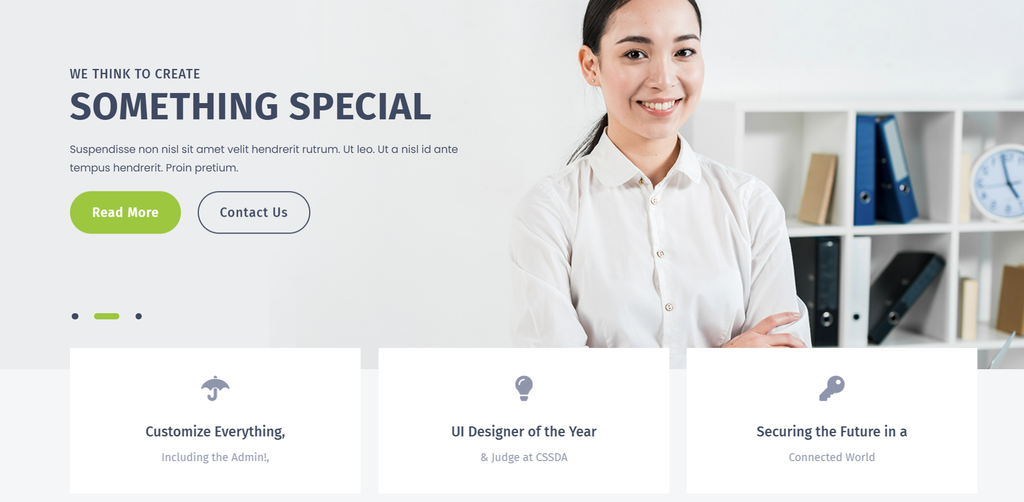
Creative One Page Stats:
- Best for: software engineers and web developers
- Price: freemium (the pro version costs $39/license)
Creative One Page is one of the must-try free one-page WordPress themes for digital agencies offering branding consulting, mobile app development, or website-building solutions.
You won’t find ready-to-import site demos or various design options, but the WordPress theme provides section templates for your hero banner, features overview, and service offerings.
In terms of customization, Creative One Page is compatible with the Gutenberg editor. Simply click any section on your site to change its text, colors, typography, and column settings.
What separates this one-page theme from others is the transition animation. It’s a visual effect where the color changes smoothly when a user hovers over particular website elements, such as a button or image. Apart from making your site more visually appealing, this feature also helps you create stand-out CTAs, which can influence visitors to perform the desired action.
Key Features
- Color transition. Deliver a more engaging visual experience without having to deal with custom CSS scripts.
- Social sharing block. Create a dedicated section to display your social media links and build a long-term relationship with prospects.
- Performance-optimized. Thanks to the theme’s clean design and lightweight nature, your site can handle increased traffic without any slowdown.
Drawbacks
Creative One Page lacks some of the essential features that come with most one-page WordPress themes, including page builder compatibility, pre-made starter sites, and an extensive library of fonts. However, since this is a niche theme, creating a unique look for your site is much easier.
10. Prime Travel
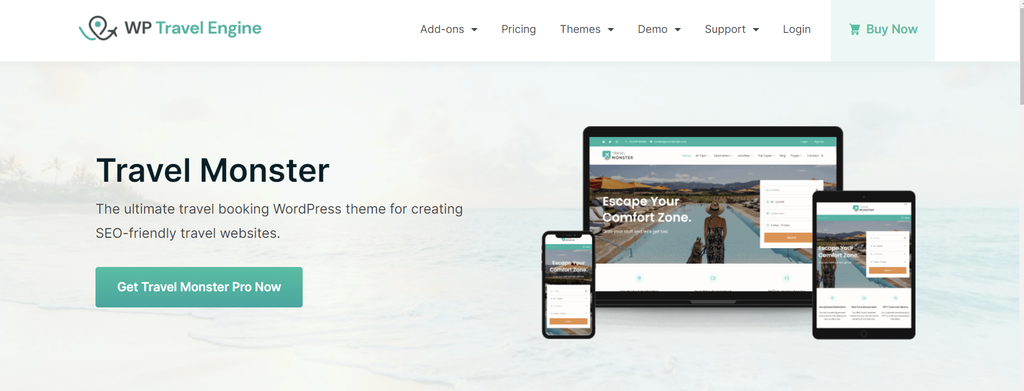
Prime Travel Stats:
- Best for: travel agencies and tour operators
- Price: freemium (the pro plans start at $59/license)
Prime Travel is another underrated WordPress theme worth mentioning. As the name suggests, it’s a top choice for travel agencies and tour booking providers looking to build an SEO-friendly website.
This theme’s unique selling point is its focus on travel industry-specific needs. Compatible with the WP Travel Engine plugin, you can create travel packages complete with itineraries, destinations, and prices.
With built-in features like responsive designs, Core Web Vital optimization, and schema-friendly markup, ranking your travel site on the search engine results page (SERP) is as easy as it gets. Pro users can also lazy load their images for even faster loading times.
When it comes to website design, Prime Travel offers pre-configured site templates, extensive color options, typography settings, and advanced button customization options.
Key Features
- Rich colors and fonts. Play around with a wide variety of color combinations and over 1,400 Google Fonts to achieve the desired look.
- Optimized for search engines. Speed up your WordPress site and rank high on Google with features like SEO-friendly templates, lazy loading for images, and schema markup.
- Scroll to the top. Simplify navigation and ensure a smooth user experience. This is particularly useful when incorporating infinite scrolling into your single-page site.
Drawbacks
Although you can make a one-page website with Prime Travel, it isn’t exactly tailored for it. So, you need to put in a bit of effort when customizing your site.
What Are the Key Features to Look for in Free One-Page Themes?
To make sure your website not only looks great but also performs well, look for the following features when weighing your single-page theme options:
Responsiveness
Find a one-page WordPress theme that works equally well on various screen sizes, including mobile devices, tablets, and computers. A responsive layout guarantees a good browsing experience for users, no matter what device they use.
As a tip, look for the term Accelerated Mobile Pages (AMP) on the theme’s feature list. It’s a web technology that simplifies HTML and follows strict configuration guidelines, which allows pages to load faster on mobile platforms.
Smooth Scrolling and Navigation
For a one-page WordPress website, smooth scrolling is key. Look for WordPress themes that let your content flow nicely and add cool effects like parallax to make scrolling more enjoyable.
Since all of your content is displayed on one page, it’s important that users can quickly find what they’re looking for without feeling overwhelmed. Choose a one-page theme with a sticky menu or quick links so that visitors can jump to different sections of your page easily.
Speed Optimization
Sometimes, one-page websites can take longer to load than multi-page websites. This is because the entire site’s content – including text, images, videos, and graphics – is delivered in a single request.
That’s why you need a lightweight and fast WordPress theme to keep your site performing at its best. Beyond delivering a better user experience, page loading time is also one of the major ranking factors on search engines like Google.
Design
Most themes come with pre-made layout options and effects, so you don’t have to start with a blank page. That said, choose a one-page theme that aligns with your brand, purpose, and design philosophy.
To make your site even more unique, check whether the single-page WordPress theme offers custom page templates, extensive customization options, and compatibility with major page builder plugins.
What Are the Advantages of a One-Page Website
Compared to multi-page websites, creating a one-page WordPress site brings plenty of benefits, such as:
- Simple navigation. Since everything is on a single page, users don’t have to navigate through multiple pages to find what they’re looking for. This simplicity makes your website more intuitive and user-friendly.
- Enhanced user experience. By eliminating the need for clicking through various pages, one-page designs offer a smoother, more fluid user experience.
- Focused messaging. Without the distraction of multiple pages, visitors can focus solely on the website’s primary message. For online stores, this helps communicate the benefits of a product or service more clearly for a higher conversion rate.
- Easy maintenance. Managing and updating a one-page website is generally easier than a multi-page site. There’s less content to monitor, and structural changes can be implemented more quickly.
One-page websites are particularly effective for portfolios, small businesses, or personal blogs, where the goal is to provide concise, impactful information without the need for complex navigation.
Johan Belin’s personal website is a unique and visually striking example of a single-page design done right. It features a dynamic and fluid scrolling experience, putting Johan’s skills as a digital creative on full display.

Conclusion
Whether you’re a freelancer or a small business owner, building a single-page site comes with plenty of benefits.
Without multiple pages to explore, users can enjoy a simplified experience, allowing them to grasp your offerings and value proposition quickly. Plus, you can save a lot of time maintaining your site and focus on growth instead.
In this article, we’ve explored 10 free one-page WordPress themes for different purposes. Here are some of the top choices:
- With a wide range of template options, Astra and OceanWP are suitable for businesses across different industries, including restaurants, event planners, and fitness centers.
- One Page Express offers the best free features among other themes on this list, making it the perfect choice for users with a limited budget.
- Hestia makes site creation easy for complete beginners, while Inspiro allows photographers and video makers to display their visual-heavy content.
When choosing the best one-page WordPress theme for your needs, consider the theme’s design, responsiveness, ease of navigation, and editing features.
If you’d prefer a drag-and-drop approach instead of a WordPress theme, Hostinger AI Builder also offers mobile-responsive one-page templates. This video walks through 10 of the best options across different niches:


Free One-Page WordPress Themes FAQ
Find answers to some frequently asked questions about one-page WordPress themes.
What Is a One-Page WordPress Theme?
A one-page WordPress theme is designed for creating websites where all content resides on a single, long-scrolling page. It removes the need for users to browse through separate pages, offering a more streamlined user experience.
Why Should I Use a Free One-Page WordPress Theme?
If you’re a beginner who wants to build an online portfolio, small business site, or personal blog, free one-page WordPress themes offer a cost-effective way to create a visually appealing site without dealing with complex design.
Can I Create a One-Page Website in WordPress?
Yes, you can create a one-page website in WordPress using free or premium themes. However, you must purchase a secure hosting plan and a domain name before installing WordPress. Hostinger offers hosting plans with a free domain name, a one-click WordPress installer, and a suite of AI tools to help you build your website.
What Is the Best One-Page Theme for WordPress?
The best one-page themes will depend on each user’s specific needs. Our top picks in this list include Astra, OnePress, and OceanWP. These themes are known for their custom page templates, responsive designs, and extensive customization options.
This article is a localized version of 10 Best Free One-Page WordPress Themes and What Features to Look For, originally published in English.

Brian is a Content Writer who loves telling complex stories in a simple way. He has written all types of content, including tutorials, blog posts, landing pages, social media posts, white papers, infographics, and YouTube scripts. Follow him on LinkedIn.