What is cloud hosting and how does it work?
Sep 15, 2026
/
By Alma & Brian
/
9 min Read
Cloud hosting runs websites and applications across a network of interconnected virtual servers rather than relying on a single physical server. The provider combines processing power, memory, storage, and bandwidth from across the network. This lets a website handle traffic spikes, add resources as it grows, and stay available if one server becomes overloaded or unavailable.
Although cloud hosting typically costs more than basic hosting, its flexibility and reliability make it a good fit for growing business websites, ecommerce stores, high-traffic publishers, agencies, web applications, and businesses that need stable performance.
What is cloud hosting?
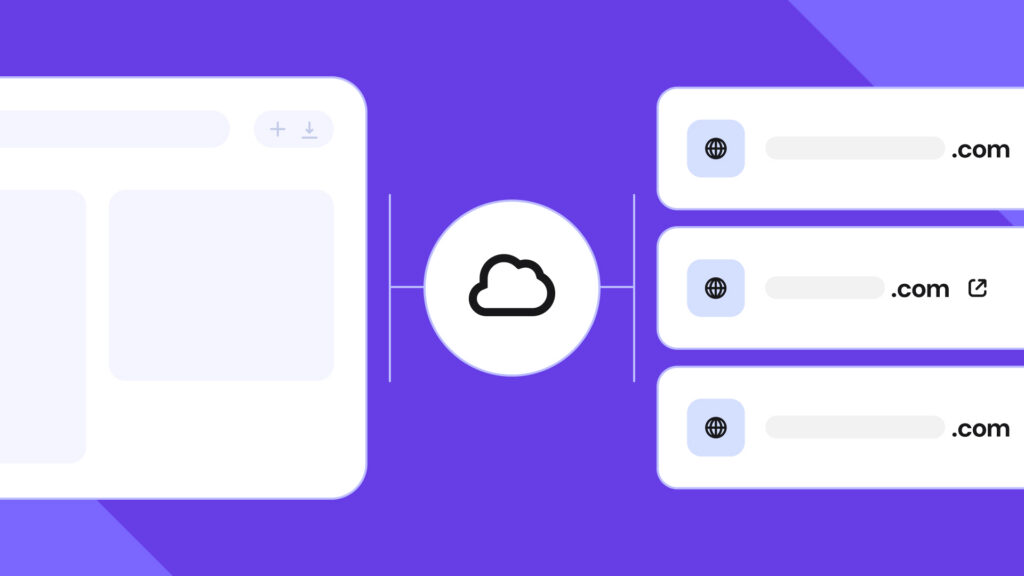
Cloud hosting is a type of web hosting that uses cloud infrastructure to make a website or application available online.
Unlike traditional hosting, which relies on one physical machine, cloud hosting uses resources from multiple connected servers, providing a shared pool of CPU, RAM, storage, and bandwidth.
This setup relies on virtualization, a technology that divides physical computing resources into separate virtual environments that can run independently. The provider can then allocate resources, create additional server instances, or shift workloads without moving the website to new physical hardware.
The exact setup differs between providers. Hostinger’s managed cloud hosting gives each plan a set amount of CPU, RAM, and storage. When your website needs more, you can temporarily boost its resources or move to a larger plan. Hostinger handles the server setup and maintenance, making this approach easier for users who don’t want to manage the infrastructure themselves.
Some cloud platforms allow technical teams to add or remove virtual servers and distribute traffic across them. This gives them more control over how an application handles changing demand, but it also requires more technical setup and ongoing management.
That extra control suits teams with developers who want to manage how their application scales. Hostinger’s approach suits website owners who prefer the provider to handle the technical setup while they increase capacity by boosting or upgrading their plan.
Cloud hosting vs. traditional hosting
Cloud hosting uses virtual resources from a network of connected servers, while traditional hosting typically places a website in a fixed environment on a single physical server.
Area | Traditional hosting | Cloud hosting |
Infrastructure | Relies on one physical server or a fixed server environment | Uses virtual resources from a network or cluster of connected servers |
Resource allocation | Provides a fixed amount of CPU, RAM, storage, and bandwidth | Draws and scales resources from a larger pool as needed |
Traffic spikes | The website can slow down or reach its resource limit | Resources or application instances can be increased to handle demand |
Reliability | A hardware failure or an overloaded server can affect every website using it | Traffic or workloads can be moved to working servers when the setup supports failover |
Pricing | Usually uses a fixed plan and costs less at the entry level | Uses pay-as-you-go billing or fixed managed plans, and usually costs more than basic hosting |
Management | Shared hosting is usually managed by the provider, while VPS and dedicated hosting may be managed or unmanaged | Available as either unmanaged infrastructure or managed cloud hosting |
Traditional hosting is enough for a small website with predictable traffic. Cloud hosting becomes more useful when traffic changes quickly, downtime affects revenue, or the project needs more resources without moving to a completely different server setup.
How does cloud hosting work?
Cloud hosting uses virtualization, pooled resources, and traffic distribution to run a website or application without relying on one physical server.
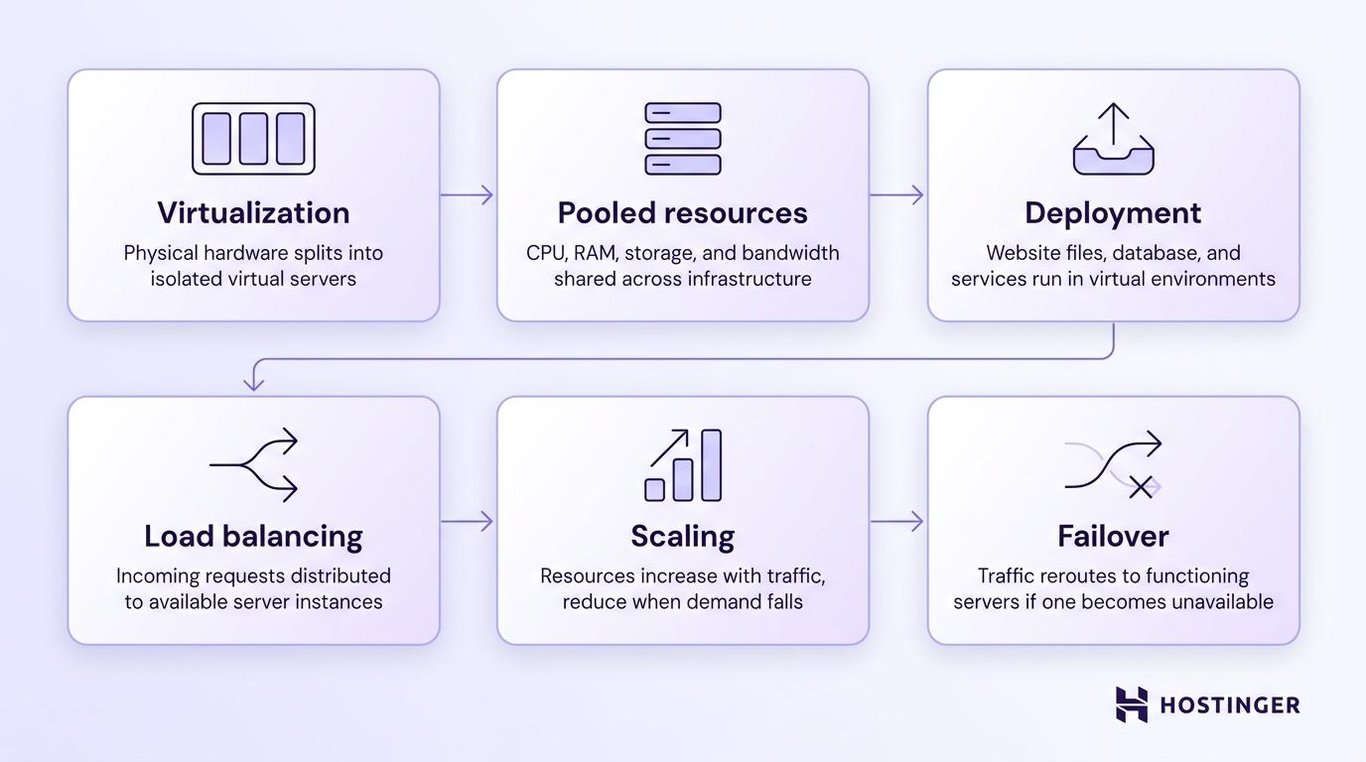
- Virtualization creates server environments. The provider divides physical servers into isolated virtual servers that can run websites and applications independently.
- Resources are pooled. CPU, RAM, storage, and bandwidth come from a larger infrastructure pool rather than from a single machine.
- The website or application is deployed. Its files, database, and services run inside one or more virtual environments. Important data may also be copied across multiple servers. If one copy becomes unavailable, another can still be accessed.
- A load balancer distributes traffic. Incoming requests are sent to server instances that are available and able to respond.
- Resources adjust to demand. When traffic rises, the provider adds computing power or starts additional server instances running the same website or application. When traffic falls, it removes the extra instances or reduces the added resources.
- Traffic is rerouted during failures. If a server becomes unavailable, requests can be sent to functioning infrastructure instead.
For example, an ecommerce store might receive ten times its normal traffic during a promotion. A fixed server setup could run out of CPU or memory, causing product pages and checkout requests to slow down. A cloud setup can provide more resources or spread the traffic across additional servers.
Cloud hosting doesn’t guarantee that a website will never go offline. Uptime still depends on how the provider distributes traffic, stores data copies, creates backups, and recovers from server failures. Problems with the website or application itself, such as broken code, database errors, or incorrect settings, can also cause downtime. However, using multiple servers reduces the risk of a single physical machine taking the entire website offline.
What are the benefits of cloud hosting?
Cloud hosting helps websites grow, remain available, and handle fluctuating traffic without relying on a single physical server.
- Flexible scaling. You can increase capacity as the website grows or add resources temporarily during busy seasons, then reduce them when demand falls.
- Higher reliability. If one physical server fails, another server can keep the website running.
- Better uptime during maintenance. The provider can move traffic to working servers while another server is being updated or repaired.
- Better traffic-spike handling. When visitor numbers rise suddenly, extra resources or server instances help pages load and checkout continue working. For example, an ecommerce store can keep processing orders during a major promotion.
- More predictable or flexible costs. Fixed plans make monthly costs easier to predict, while pay-as-you-go services charge based on the resources you use.
What are the types of cloud hosting?
The main types of cloud hosting are public, private, hybrid, and managed. The first three describe how the infrastructure is owned and accessed, while managed cloud hosting refers to who handles its maintenance.
Public cloud hosting
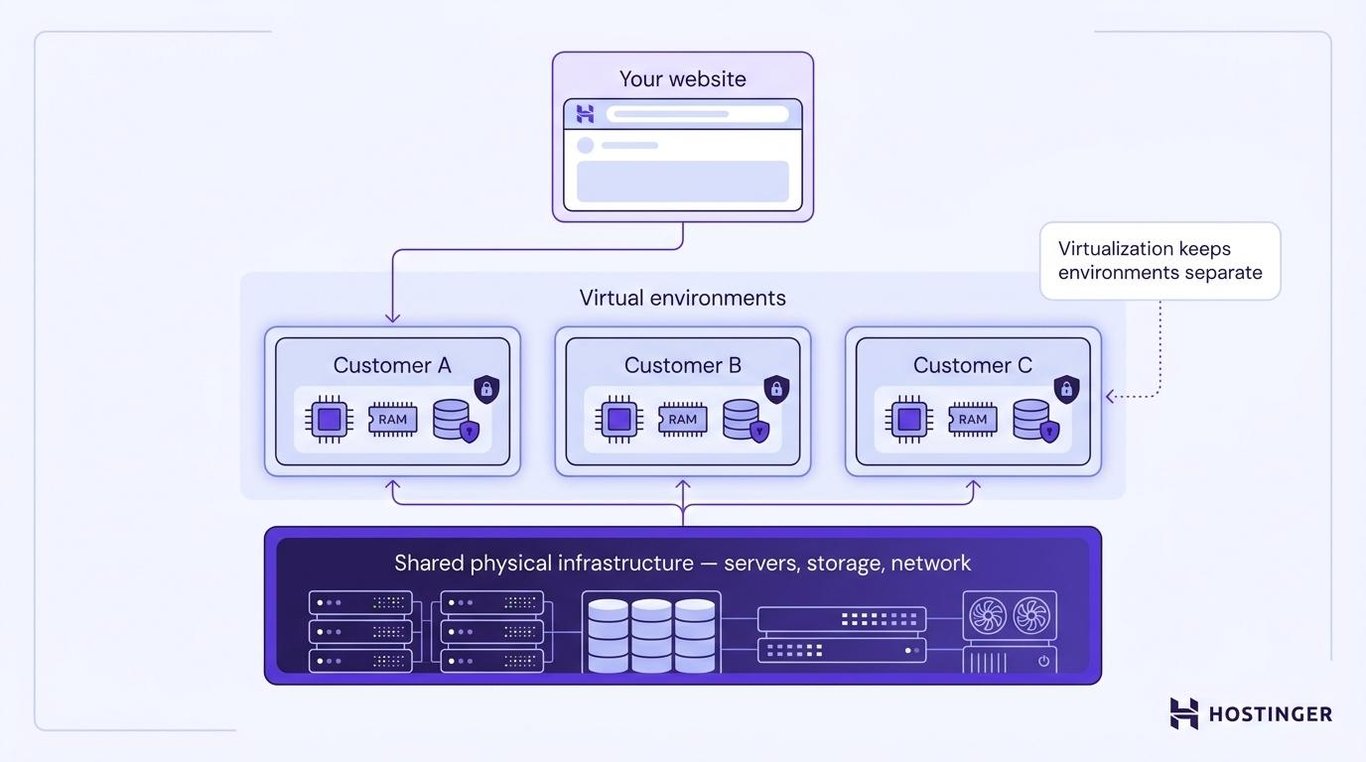
Public cloud hosting uses infrastructure owned and operated by a third-party provider and shared by multiple customers.
The physical servers, storage, and network equipment support many customers, but virtualization keeps their environments separate. One customer can’t access another customer’s files simply because both use the same underlying hardware.
Public cloud hosting is widely used for websites, applications, and testing environments. It is easier to scale and usually costs less than building private cloud infrastructure.
Private cloud hosting
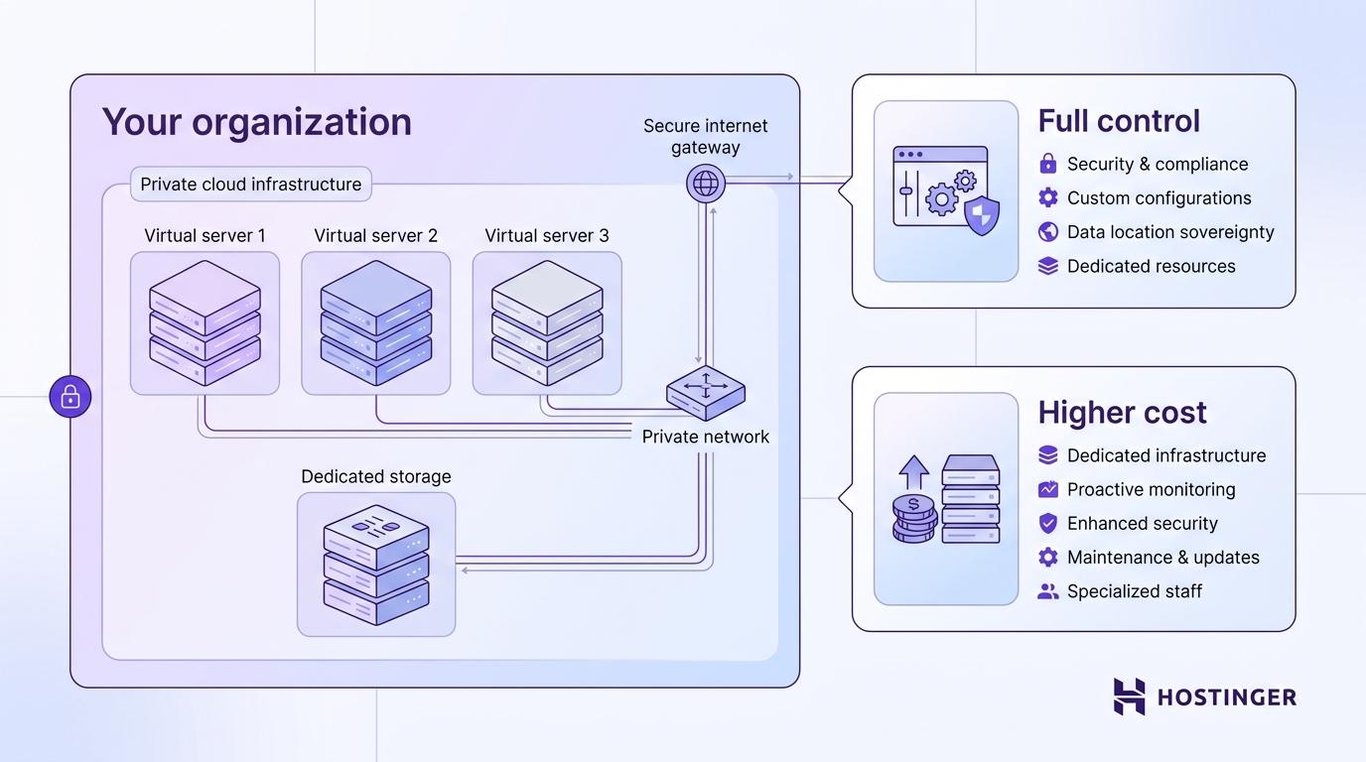
Private cloud hosting uses cloud infrastructure reserved for one organization.
Private clouds are a good option for large organizations with strict compliance, privacy, performance, or customization requirements. They cost more because one organization covers the costs of infrastructure, monitoring, security, maintenance, and technical staff.
Hybrid cloud hosting
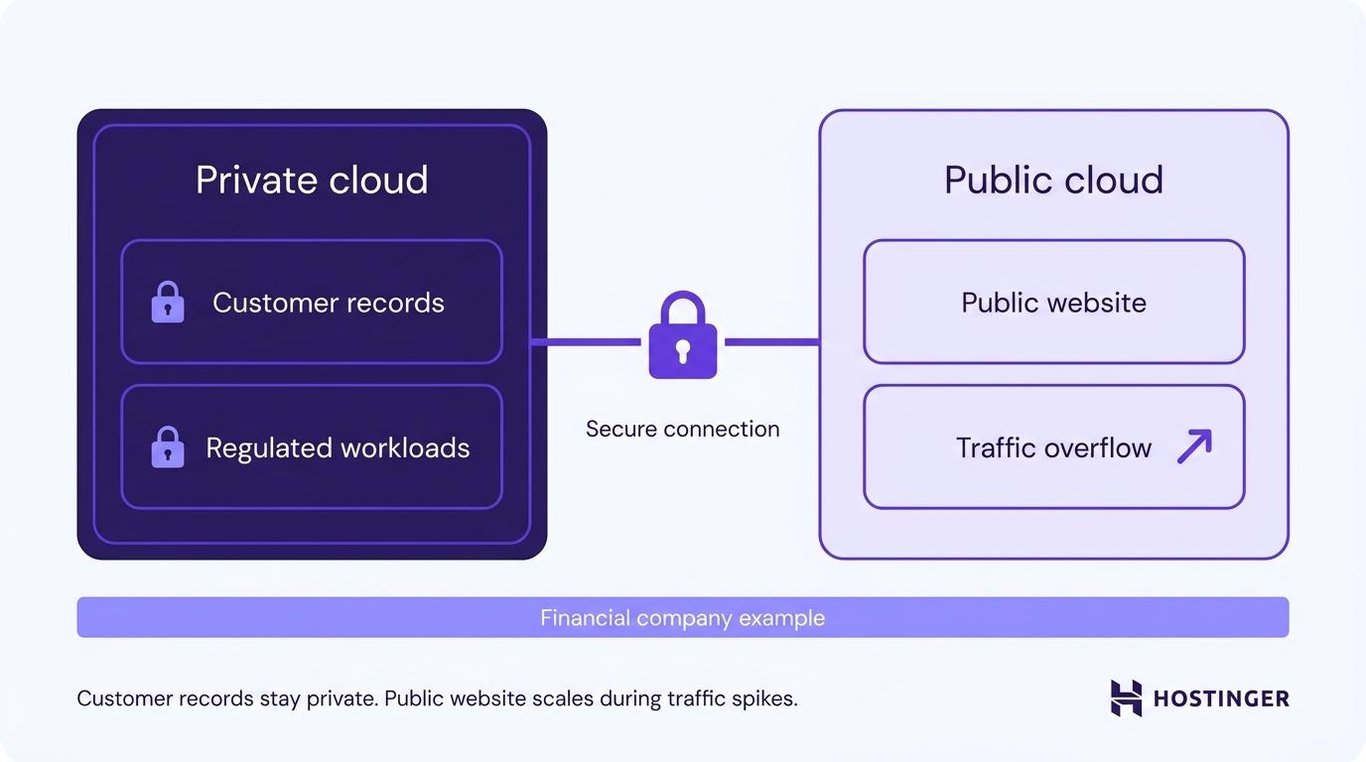
Hybrid cloud hosting connects private and public cloud environments.
A business can keep sensitive data or regulated workloads in a private environment while using public cloud resources for less-sensitive work or for sudden increases in demand.
For example, a financial company could keep customer records in a private cloud while running its public website in a public cloud. The public environment can add resources during a traffic spike without moving the private customer database.
The public and private environments must connect securely so data can move between them without exposing sensitive information.
Managed cloud hosting
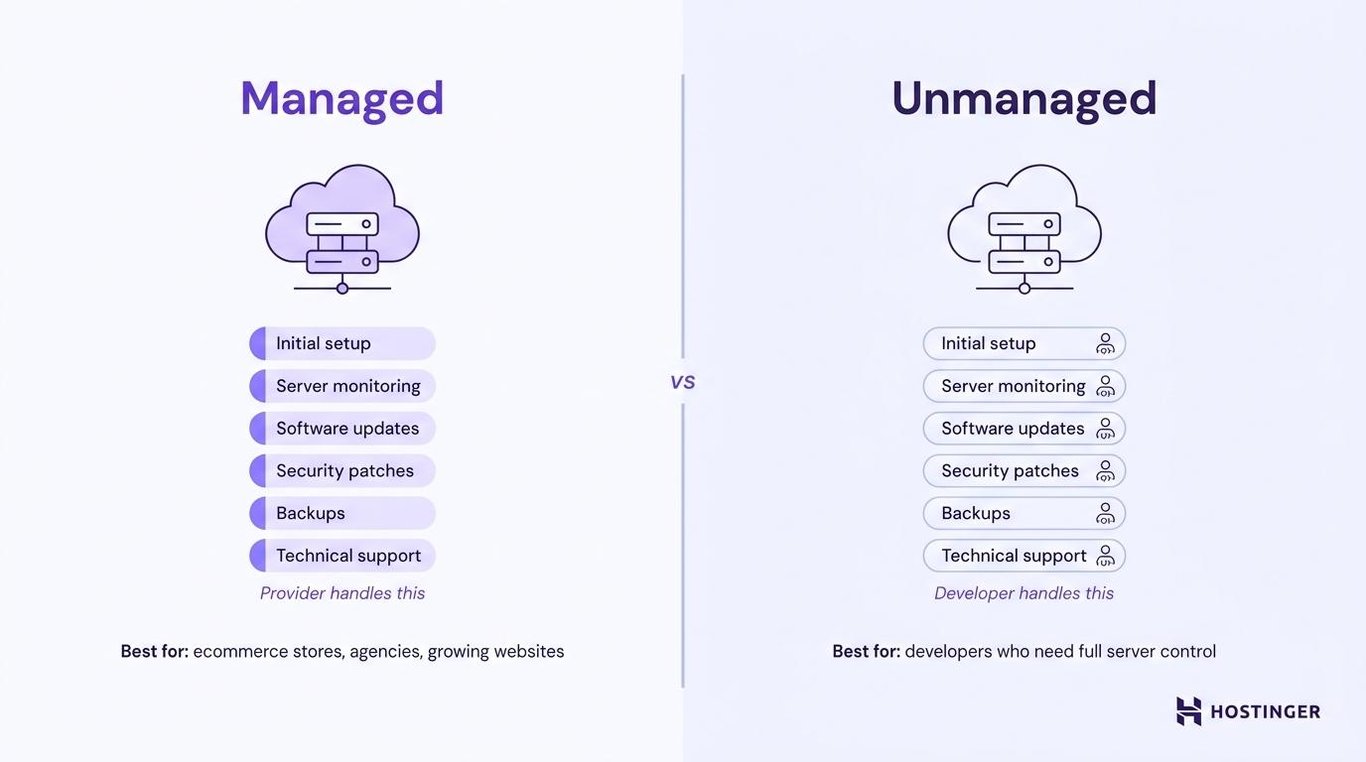
Managed cloud hosting means the provider runs and maintains the cloud servers.
Depending on the service, this can include initial setup, server monitoring, software updates, security patches, backups, performance configuration, and technical support. The website owner manages the site but does not maintain the underlying infrastructure.
Managed cloud hosting suits ecommerce stores, agencies, growing business websites, and owners who need more resources without having to maintain servers themselves.
Unmanaged cloud hosting gives developers more control over the operating system and server configuration. It also makes them responsible for updates, security, monitoring, backups, and troubleshooting.
Who should use cloud hosting?
Cloud hosting is best for websites and applications that need more reliability, resources, or room to grow than shared hosting provides.
It works especially well for:
- Growing business websites. More CPU and RAM help the site stay responsive as traffic, plugins, and database activity increase.
- Ecommerce stores. Stable performance matters during sales and seasonal peaks because slow product pages and failed checkouts can cost orders.
- High-traffic publishers. News, media, and community sites need enough capacity to serve many visitors and database requests at once.
- Agencies. Cloud hosting supports multiple client websites in one environment while providing the resources and flexibility needed as client workloads grow.
- Web applications. Applications with user accounts, frequent database activity, background processes, or changing demand need more resources than a basic website.
- Seasonal websites. Travel, ticketing, education, and event websites can receive large but temporary traffic increases that cloud hosting can accommodate by scaling resources.
- Businesses that depend on uptime. Reducing reliance on one physical server matters when downtime interrupts sales, bookings, or customer services.
A new personal blog, small portfolio, or low-traffic information site usually doesn’t need cloud hosting. Shared hosting costs less and provides enough resources for these sites.
Your technical skills also matter. Unmanaged cloud platforms require knowledge of operating systems, networking, security, deployment, and monitoring. Managed cloud hosting removes most server administration, making it more practical for owners without a technical team.
How much does cloud hosting cost?
Website-focused cloud hosting typically costs $10–$200 per month. Large applications and high-usage environments cost more.
The price depends on the CPU, RAM, storage, and bandwidth included, along with how much server management and support the provider handles.
Cloud providers bill in one of two ways:
- Pay-as-you-go pricing. The provider charges for the computing power, storage, bandwidth, and other services used. The bill changes as resource use rises or falls.
- Fixed managed plans. The provider includes set resource limits, backups, security, support, and management for one recurring price. The monthly bill is more predictable, but you’ll need a larger plan when you reach a resource limit.
Your final price also depends on:
- Number of websites or applications.
- Storage amount and storage technology.
- Data transfer or bandwidth limits.
- Backup frequency and retention.
- Security monitoring and protection.
- Control-panel access.
- Technical support.
- Managed or unmanaged setup.
- Contract length.
- Introductory and renewal prices.
Cloud hosting is only one part of the total website hosting cost. A higher-priced plan can work out cheaper when it includes backups, SSL, migration, email, CDN access, and support that another provider charges for separately.
Check the renewal price and billing term before purchasing. A displayed monthly rate may require paying for several years upfront, and the renewal rate can be much higher than the introductory price.
Once you know the budget, compare providers based on the resources and support the website actually needs.
How to choose a cloud hosting provider
Choose a cloud hosting provider by checking how it handles performance, scaling, failures, security, backups, and support.
Before you buy, check:
- Uptime commitment. Read the service agreement, including exclusions and compensation terms. Check the provider’s status history to see how previous outages were reported and resolved.
- Scaling options. Confirm which resources can be increased, how long an upgrade takes, and whether it requires downtime or a migration.
- CPU and RAM. These resources largely determine how many requests, database operations, and background tasks the website can handle simultaneously.
- Storage. Check the amount, storage type, database limits, file limits, and cost of adding more capacity.
- Bandwidth. Find out whether data transfer is metered, capped, or described as unlimited under a fair-use policy.
- Data center locations. Choose a server location close to the main audience. A server far from them can slow the website’s initial response.
- CDN support. A content delivery network stores static files closer to visitors, reducing the distance images, scripts, and stylesheets must travel.
- Security. Look for SSL support, malware scanning, DDoS protection, access controls, software patching, and how the provider responds to security incidents.
- Backups. Check how frequently backups run, how long they’re retained, and whether you can restore them without contacting support. Test a restore before relying on the system.
- Support. Confirm when support is available, which contact methods it uses, and whether agents help with website problems or only infrastructure failures.
- Control panel. Make sure you can view resource use, manage domains, restore backups, create databases, and change important settings.
- Management level. Decide whether the provider should maintain the server or whether your team needs operating-system access and configuration control.
- Upgrade path. Check what happens when the largest cloud plan is no longer enough. A clear path to more cloud resources or a VPS prevents an urgent migration later.
Match the plan to your current CPU, RAM, storage, traffic, and support needs, but leave enough capacity for expected growth and busy periods. When choosing a web hosting plan, compare the website’s actual CPU, RAM, storage, traffic, and support needs with what each option includes.
Which Hostinger cloud hosting plan should you choose?
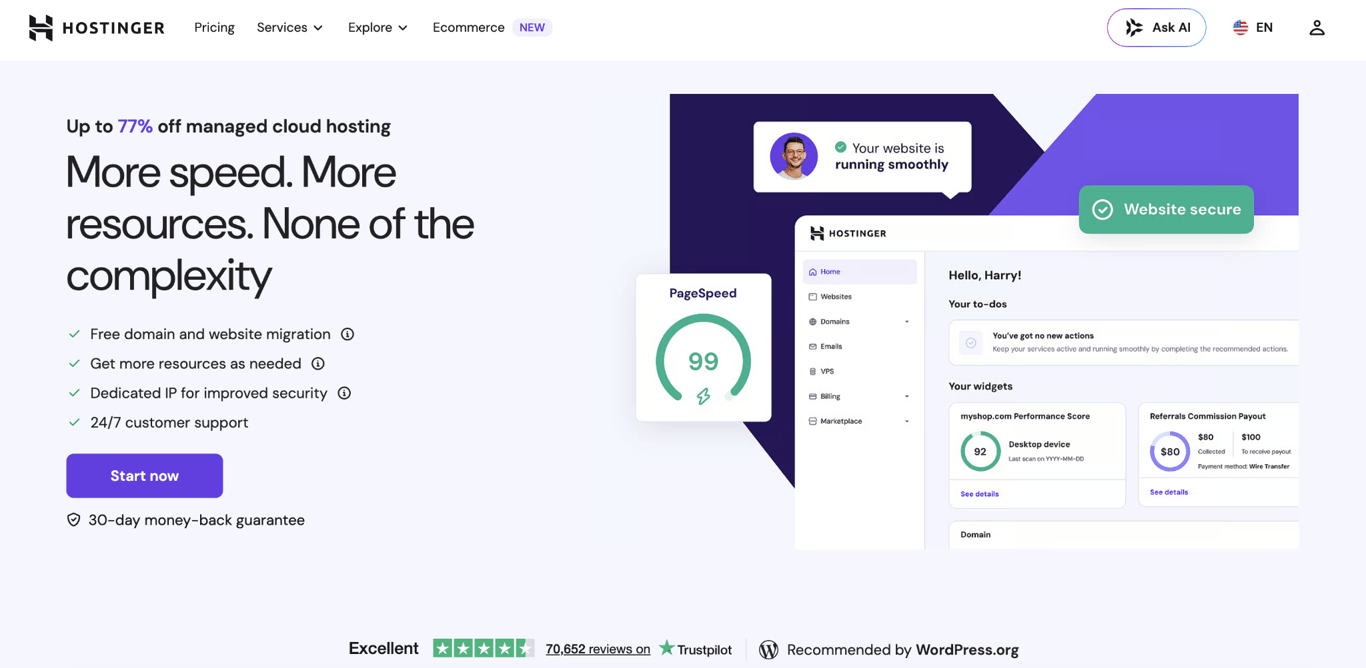
Choose the lowest cloud hosting plan that can handle your websites now and still leave room for traffic spikes and growth.
Plan | CPU | RAM | Storage | Best for |
Cloud Startup | 4 cores | 4 GB | 100 GB | A growing business website, established blog, or smaller ecommerce store |
Cloud Professional | 5 cores | 6 GB | 200 GB | Several active websites, a busier store, or a content-heavy project |
Cloud Enterprise | 6 cores | 12 GB | 300 GB | Large ecommerce stores, membership sites, or apps with frequent database activity |
Cloud Startup works well for a growing website that needs more power than basic hosting.
Choose Cloud Professional when you manage several active sites or need more memory and storage for a growing store or content-heavy project.
Cloud Enterprise suits larger stores, membership sites, and apps that run frequent or complex database requests.
Plan size changes the resources available, but the management setup stays the same. Hostinger handles the underlying servers and updates, while you use Hostinger dashboard to manage websites, domains, backups, performance settings, and user access.
Hostinger dashboard also shows whether your CPU, RAM, storage, database activity, or PHP workers are close to their limits. Check those numbers before upgrading. A site with heavy plugins or slow database queries can use more resources than a busier but better-optimized site, so a larger plan won’t always fix the underlying cause.
If the site is optimized but still reaches the limits of Cloud Enterprise, moving to a VPS is the next option. You’ll need to purchase a new VPS plan and migrate the website manually – moving from cloud hosting to VPS isn’t a direct upgrade, so files, databases, and any email data need to be transferred separately.

What are the alternatives to cloud hosting?
The main alternatives to cloud hosting are shared, VPS, and dedicated hosting.
Hosting type | Best for | Resource control | Technical skill | Scalability | Cost level |
Cloud hosting | Growing websites, stores, agencies, and applications that need stable performance | Medium to high, depending on the service | Low for managed plans; high for unmanaged infrastructure | High | Medium to high |
Shared hosting | Personal sites, portfolios, new blogs, and small business websites | Low | Low | Low | Low |
VPS hosting | Developers and growing businesses that want full server control without cloud’s shared-infrastructure model | High | High | Medium to high | Medium |
Dedicated hosting | Large or specialized workloads that need an entire physical server | Maximum | High | Low without adding more servers | High |
Shared hosting is the cheaper option for a small site with steady traffic. VPS hosting gives you more control but requires server-management skills, while dedicated hosting is mainly for specialized workloads that need an entire physical server.
How to get started with cloud hosting
To get started with cloud hosting, choose a plan that supports your current resource needs, then migrate an existing website or set up a new one.
For an existing website, create a complete backup and note its current CPU, RAM, storage, and bandwidth use, along with the database size.
Check important pages, forms, user logins, payments, emails, and database content on the new host. Connect the domain to the new host only after those checks pass. Keep the old plan active for a short overlap period in case you need to reverse the change.
For a new project, setting up a new website involves activating the plan, connecting the domain, installing the website platform or application, enabling SSL, and setting up backups. Publish a test page and confirm that the domain opens securely before building the rest of the site.
After launch, monitor CPU, RAM, storage, bandwidth, uptime, and page speed. Upgrade only when usage regularly approaches the plan limits or the website begins slowing down as traffic grows.
This article is a localized version of What is cloud hosting and how does it work?, originally published in English.

Alma is an AI Content Editor with 9+ years of experience helping ideas take shape across SEO, marketing, and content. She loves working with words, structure, and strategy to make content both useful and enjoyable to read. Off the clock, she can be found gaming, drawing, or diving into her latest D&D adventure.

Brian is a Content Writer who loves telling complex stories in a simple way. He has written all types of content, including tutorials, blog posts, landing pages, social media posts, white papers, infographics, and YouTube scripts. Follow him on LinkedIn.