What Is Rendering: Two Types of Rendering, How It Works and Best Software
Dec 04, 2024
/
Will M.
/
5 min Read
If you’re a web designer or a digital artist, you might be familiar with the concept of the rendering process. It is an essential step in digital art to help you transform a graphic model into a finished result.
In this article, you’ll learn what rendering is in digital art, how it works, and its types. Furthermore, we’ll share the three best rendering tools on the market.
Download glossary for web beginners
What Is Rendering?
Rendering is the finalization process of a digital image or a 3D model using computer software. It lets users bring together the visuals, from the shadows and lighting effects to the textures, and generate the final result. Rendering is used for various digital projects, including video games, animated movies, and architectural designs.
In the static digital art creation process, rendering entails mathematical calculations via a software application and a manual method in which the artist finalizes their work by hand. Although the concept is rather complicated, dozens of dedicated tools make the process a whole lot easier.
Types of Rendering
This section will explain two types of rendering techniques in digital art:
Real-Time Rendering
Real-time rendering is commonly used in game development to build interactive motion graphics, as it can generate images instantaneously. A real-time render engine is considered to be one when it can process around 15 frames per second (FPS) or more.
Using weaker graphic cards will result in a slower rendering process. Therefore, having dedicated graphics hardware and pre-compiling available data is crucial for improving real-time rendering performance.
Pre-Rendering
On the other hand, the pre-rendering technique is primarily used in the motion picture industry, where highly realistic images and effects are required. Instead of relying on a dedicated graphics card, this technique utilizes multi-core central processing units for image calculations.
This technique renders images ahead of time, but the process may require more time depending on the image complexity and the system’s rendering processing capabilities.
Additionally, both rendering types use these popular rendering technologies:
- Ray tracing – simulates natural light using specific algorithms and generates realistic virtual rays, such as casting shadows and reflections on an object.
- Scanline – an algorithm that rapidly creates images that work on a row-based rather than pixel-based basis. Only processes the area within the camera’s field.
- Radiosity – simulates light reflection from diffuse surfaces, which implies that every pixel has its own color and produces or absorbs light.
How Does the Rendering Process Work
The rendering process depends on whether the digital object is a two-dimensional image or a video. Thus, we’ll explain the three ways how rendering works:
- Image editing – uses different layers representing a specific image component, such as the background and focal object. Then, each image layer will be combined to produce a final image, which is saved as a single file.
- Video editing – users produce the video sequence using a time axis to align the individual tracks with each other, where various layers, such as text and graphics, are first processed separately. Then, each file is integrated into a playable video during the last video rendering step.
- Graphic object creation – built to visualize raw data written in a markup language, like HTML, SVG, and XML. The raw data is processed using a unique rendering program to create the final object, where its descriptions define the geometric appearance and the dimension related to graphic elements. This includes color, light sources, and texture.
Best Rendering Software
Since many artists and designers use rendering techniques to finalize their work, different rendering programs are created with specific industries in mind. At the same time, dedicated graphics engines are built explicitly for complex 3D modeling objects.
Now, let’s see the best three rendering tools below.
1. Unity

Specialized for: game developers
Price: freemium (paid plans start at $2,040/year)
Unity is one of the most popular tools for creating and running real-time 3D content. It offers a powerful render engine compatible with numerous devices, including desktops, mobile, and gaming consoles.
With an extensive library of tools, developers of any skill level can use this software easily. Popular games, such as Among Us, Pokemon Go, and Genshin Impact, are built with Unity.
Moreover, it has over 11,000 quality assets, some of which are free.
Key features:
- Specialized tool library – provides a robust set of 2D and 3D graphics tools that let users build their own artistic styles, no matter the project type.
- Reusable assets – help users reduce development time when creating graphics.
- Robust API – offers unity scripting API that enables users to access your most used or specific features, simplifying your workflow.
- Cross-platform integration – is compatible with various operating systems, from Microsoft Windows and PS4 to Android.
2. Blender
Specialized for: individual artists and movie studios
Price: free
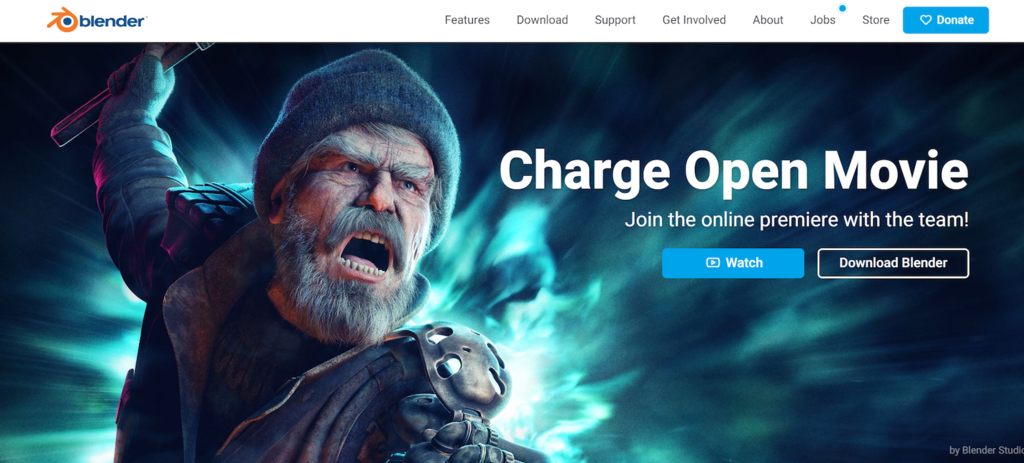
Blender is an open-source computer graphics software that you can use for free. It supports the entire 3D graphics pipeline, like video editing, motion tracking, and simulation, making it suitable for creating any type of animation, digital arts, and visual effects.
Blender also provides a comprehensive set of modeling tools that let you sculpt, transform, and customize your model easily. In addition, Blender has a large community of artists that can help you learn about Blender’s features and capabilities or showcase your projects.
Key features:
- Open-source – build your own code or modify it for better functionality and user experience.
- Motion paths – visualize object movements with curves and complex shapes using a point-based animation system.
- Geometry nodes – lets you change 3D objects without building them from scratch.
- Powerful animation toolset – offers a pose editor, non-linear animation (NLA), and forwards or inverse kinematics to turn your static character into an animated object.
3. Maya
Specialized for: animators and 3D artists
Price: premium (paid plans start at $1.785/year)
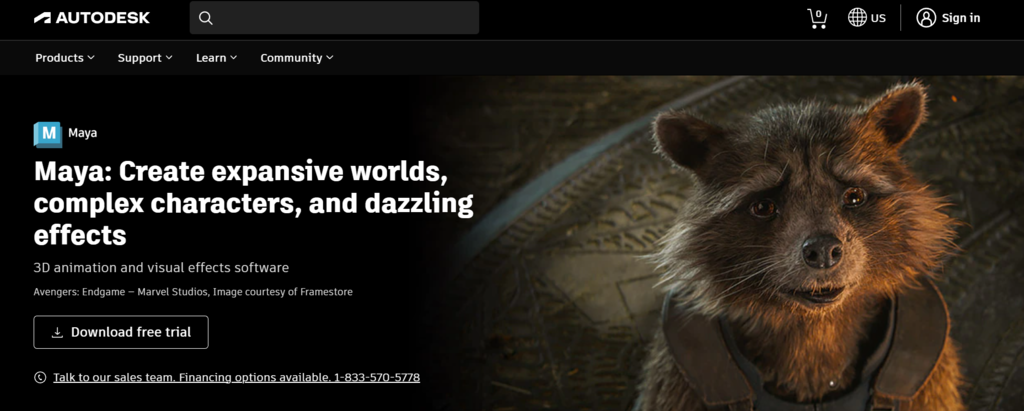
Developed by Autodesk, Maya is one of the best 3D graphics applications for creating realistic characters and special visual effects. It provides various animation tools, including interactive rendering and dynamic simulation, with stable virtual environments.
Furthermore, with its clip-based nonlinear editor, you’ll be able to navigate between clips and set time operations, such as start or stop time and speed.
Key features:
- Bifrost extension – helps users build accurate simulations or effects, such as smoke, snow, or explosions, in a visual programming environment.
- Arnold RenderView integration – offers a WYSIWYG editor that lets users change a scene in real-time, including simulated materials, camera, and shading.
- Unreal live link support – lets users reconstruct animation data from Maya to Unreal in real-time.
- Interactive grooming tools – produce realistic hair and fur for your characters.

Conclusion
Rendering is the final stage of a digital image or video creation process. The entire process is software-assisted, letting users generate realistic or stylized visuals from a 2D or 3D model and helping artists improve efficiency and simplify workflow.
Rendering can be done by pre-rendering and real-time rendering; both work differently depending on the object.
For example, if you want to render a video, each file will be merged into a playable video file using an editing application. You can synchronize each track to generate the final result through a pre-rendering process.
Additionally, we’ve listed the three best rendering applications for different types of work – Unity, Blender, and Maya. Each piece of software offers various powerful tools, from 3D sculpting to motion paths.
We hope this article has helped you better understand the concept of digital rendering. Good luck!
All of the tutorial content on this website is subject to Hostinger's rigorous editorial standards and values.

Will Morris is a staff writer at WordCandy. When he's not writing about WordPress, he likes to gig his stand-up comedy routine on the local circuit.

Comments
October 19 2023
Good day Sir!! I am Jessel Raya, a teacher from the Cataingan National High School, Cataingan, Masbate, Philippines teaching Information and Communication Technology. I am currently developing a learner's packet to help the students understand the lesson more. In connection to this, I would like to ask permission to use your content in the learner's packet. I will make sure that it is properly credited to the owner. I am hoping for a positive response on this matter. Thank you and more power.
November 08 2023
Hi Jessel! We're more than happy to grant you permission to use our content in your learner's packet. If you have any additional requests or require further support, please feel free to reach out ?