Best WordPress LMS plugins for online courses
Dec 02, 2025
/
Ekta S.
/
12 min Read
Whether you want to earn passive income or share your expertise, creating a WordPress online course website is easy with a learning and management system (LMS) plugin.
However, with many options available, it can be difficult to find an LMS plugin that is reliable, scalable, and tailored to your needs. Lucky for you, in this article, we’ve compiled a list of the best LMS plugins for WordPress.
But before we explore the top LMS plugins, it’s important to know what factors to consider so you can choose the best option for your needs. Let’s begin!
How to choose the right LMS plugin
Here are ten factors you must consider when choosing the best LMS plugin for your eLearning site.
Easy-to-use course builder
Find an LMS plugin with a drag-and-drop builder that lets you structure courses and integrate lessons easily. Make sure you can use different content elements like PDFs, text, audio, video, and images. AI integration can also help whip up visuals for your lessons quickly.
Interactive quizzes and assignments
Interactive elements keep readers engaged in your courses. Your LMS should allow you to include quizzes and assignments with customizable options like time limits, randomization, grading, and various question types.
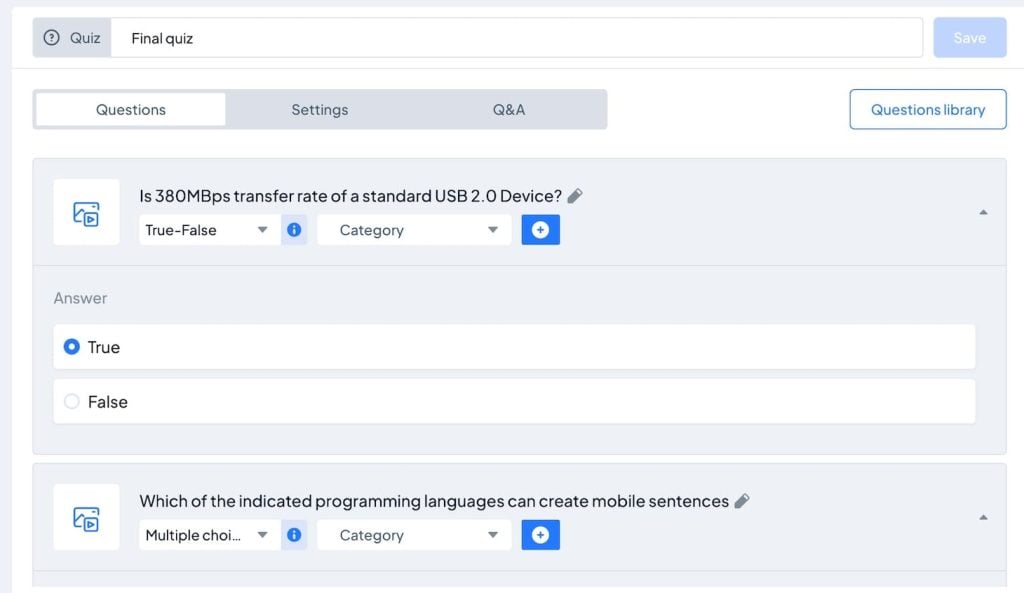
Gamification and certification
The best way to encourage students to finish courses is to incentivize them. You could gamify your course using a reward-based system, where they earn a reward, such as a badge or points, for each chapter or course they finish. LMS plugins with certificate templates and gamification effects can help with this.
Multiple payment options
Choose an LMS that offers secure payment gateways for students to purchase your courses. Make sure there are multiple payment options to cater to different preferences. Also, consider LMS plugins with flexible pricing models, discount coupons, and subscriptions.
Student and instructor management
Your LMS should have an easy-to-use dashboard where you can check course enrollments and keep track of attendance, memberships, and registrations.
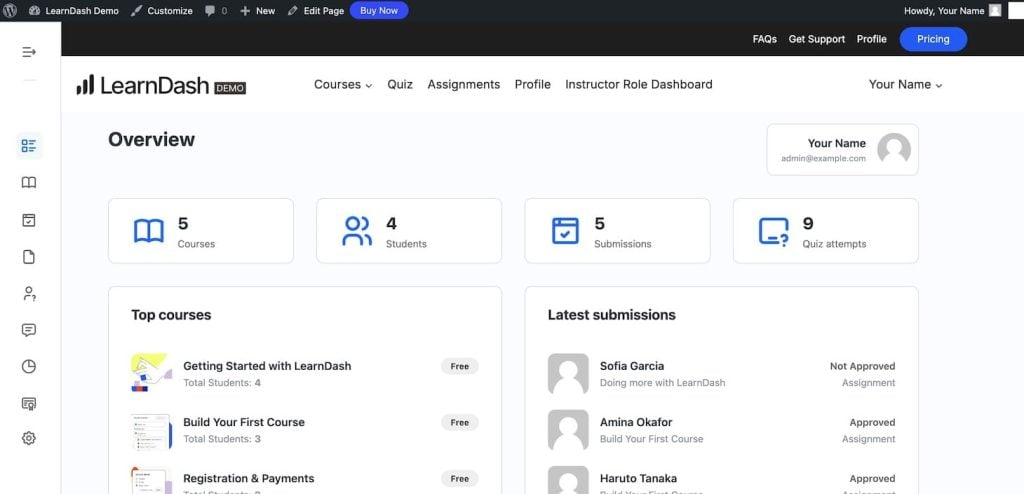
If you plan to team up with other course creators, make sure your LMS can handle multiple authors. There should also be handy author management settings, like user roles, author profiles, and payment options.
Content drip
Content drip allows you to roll out your content bit by bit over a set date and time, which is good for courses that are structured weekly or monthly. Having content drip as a built-in feature also allows you to build membership sites.
Reporting and analytics
Good LMS plugins also include detailed reporting and analytics to monitor course performance, student progress, and engagement statistics. You should be able to review what’s working and what’s not, which can help optimize the learning experience.
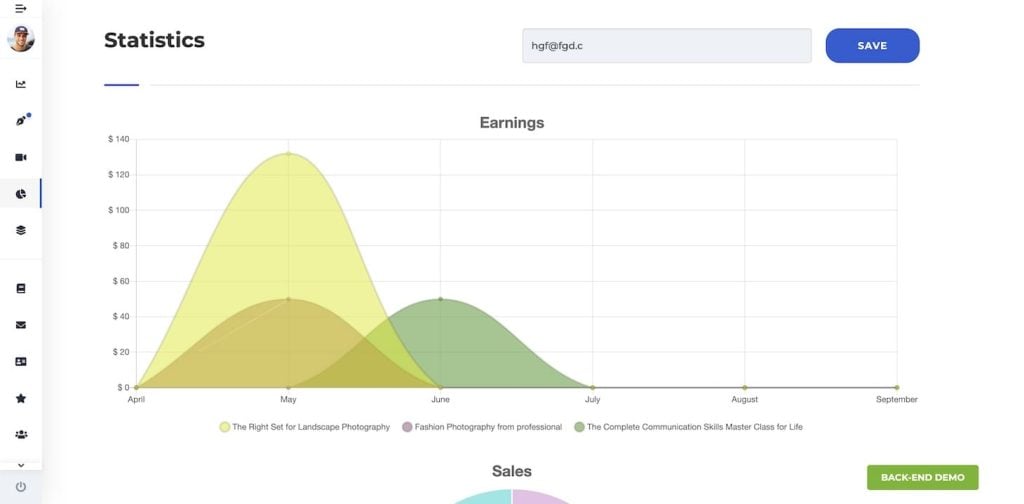
Also, check if it includes an Earnings section. This is where you’ll be able to review your monthly and annual earnings, as well as individual course sales.
Progress-tracking dashboards
Students should also have access to a progress-tracking visual dashboard. This dashboard would include courses, assignments, grades, quiz results, and badges earned – like a report card.
Mobile responsiveness
Ensure your LMS is mobile-friendly. Many of your students will access your courses on mobile, and it’s important that they get the same experience as those on desktops.
Third-party integrations and add-ons
Choose an LMS plugin that integrates with other plugins that you need for your eLearning site. For example, the email marketing plugin Mailchimp lets you send automated emails to your students to keep them on track with their lessons.
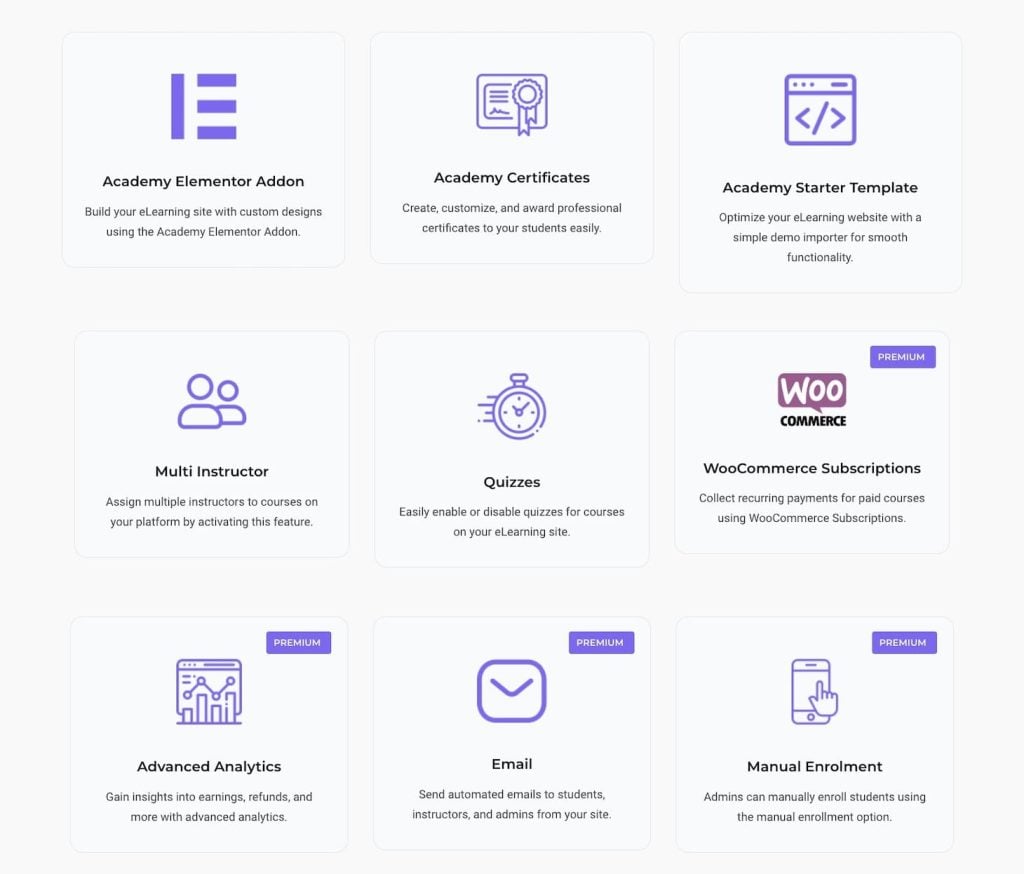
Finally, you should also look for nice-to-have features like 24/7 customer support, WooCommerce integration, social media sharing, and multilingual support.
Top 6 LMS plugins for building an eLearning WordPress site
To make this list of the best LMS plugins, we started by reading reviews from past customers. This helped us identify each plugin’s user experience and unique strengths. Then, we tested each LMS plugin to verify our findings.
Based on our research, here are the top 6 LMS plugins for building an eLearning WordPress site.
1. LifterLMS
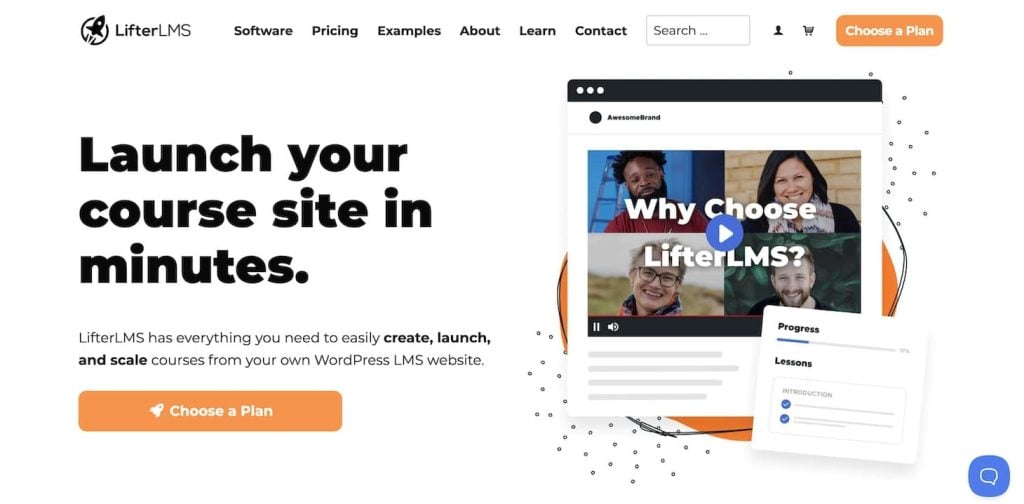
LifterLMS stats:
- Downloads: 10,000+
- Rating: 4.8/5
- Best features: Multiple pricing and membership models, question banks, course reviews and testimonials, quiz timers, student dashboards, the ability to import courses, royalty-free certificate templates, and third-party integration.
- Price: Freemium, premium plans starting from $149/year.
LifterLMS is one of the best WordPress plugins for creating, managing, and selling online courses. Installing the plugin opens a setup wizard that walks you through setting up your dashboard.
The Course Builder window is user-friendly. Each new course includes a pre-defined structure of the first section. To add a new section, you can use the right sidebar options or click Add New Section.
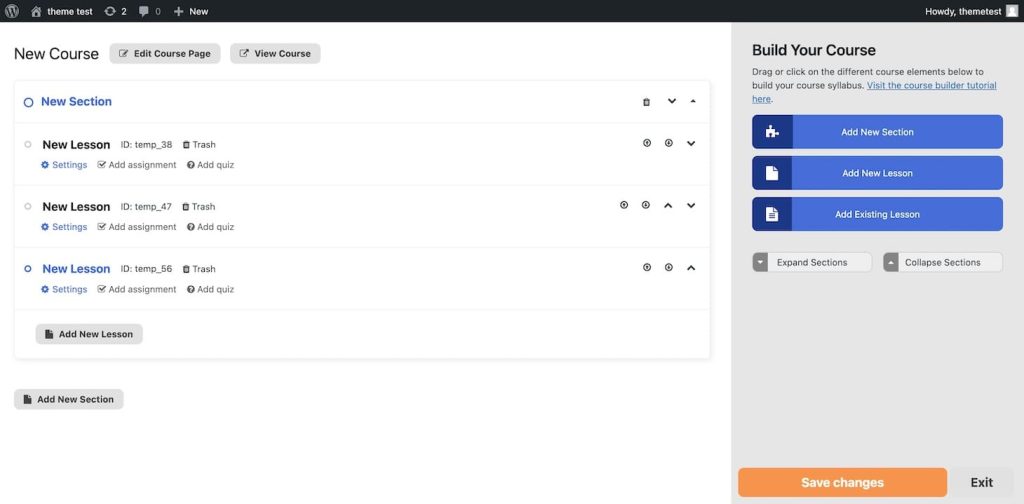
You can add a video or audio link to each new lesson, set up a prerequisite page, and set a time limit for content drip. You can also add compulsory assignments and quizzes to each lesson for students who want to complete the course.
LifterLMS stands out with its flexible pricing models, giving you many options to monetize your courses. You can create one-time or recurring payments, make courses free of charge, grant users lifetime or limited-time access, and even pre-sell courses before their scheduled launch. You can also set limited-time deals and run sales to attract more signups.
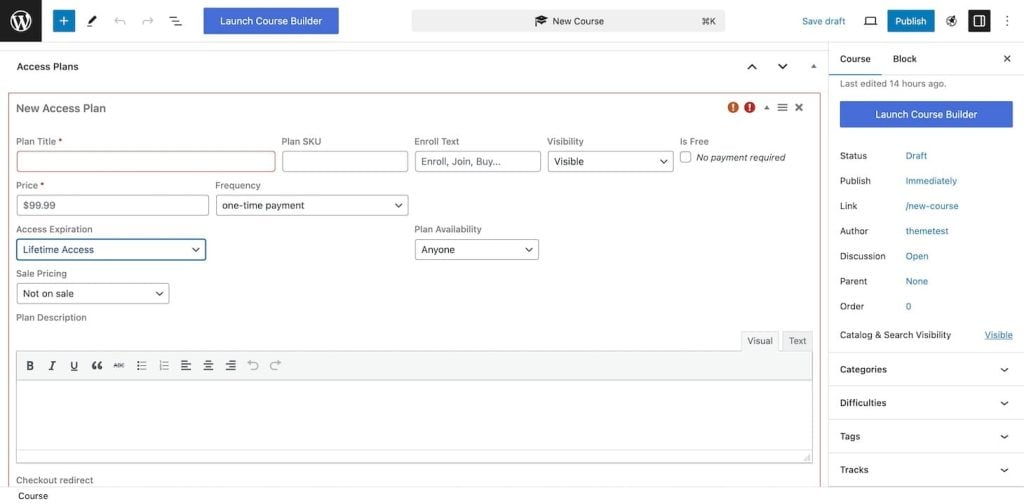
Its membership models let you bundle courses, set up subscription plans, and restrict content access.
LifterLMS also supports gamification through achievements and badges to motivate students and increase course completion rates.
Key features
- All-in-one solution: LifterLMS combines course management, membership, and eCommerce capabilities. Getting everything in one plugin simplifies setup and reduces costs.
- Private coaching and student engagement: With LifterLMS, you can offer one-on-one coaching sessions directly within the platform. This helps you provide personalized help to students and add extra income streams.
- Conversion-optimized checkout process: Multiple payment options allow students to customize their plans according to their needs and budget.
- No transaction fees on course sales: LifterLMS does not take a percentage of course sales. Apart from the standard payment gateway fees, you get to keep all your earnings from course sales.
- Integration with popular page builders: LifterLMS integrates with page builders like Divi, Beaver Builder, and Elementor for site customization.
Pros
- Excellent support and community resources: LifterLMS is known for its responsive customer support, active community, and comprehensive tutorials and resources. You’ll be able to resolve issues quickly and learn best practices from other users.
- Affordable pricing plans: LifterLMS offers great value for money. Most notably, users praise its features and support.
Cons
- Possible technical issues: Some users reported issues with their website after installing the free version. One user reported that the plugin worked fine for the first two days before suddenly showing a black-and-white screen.
Verdict
If you’re a beginner, LifterLMS is one of the best solutions for creating an eLearning site. It comes with a setup wizard that walks you through all the steps to create courses. You can also learn from LifterLMS’s free courses, detailed documentation, and peers from the community.
2. WP Courses LMS
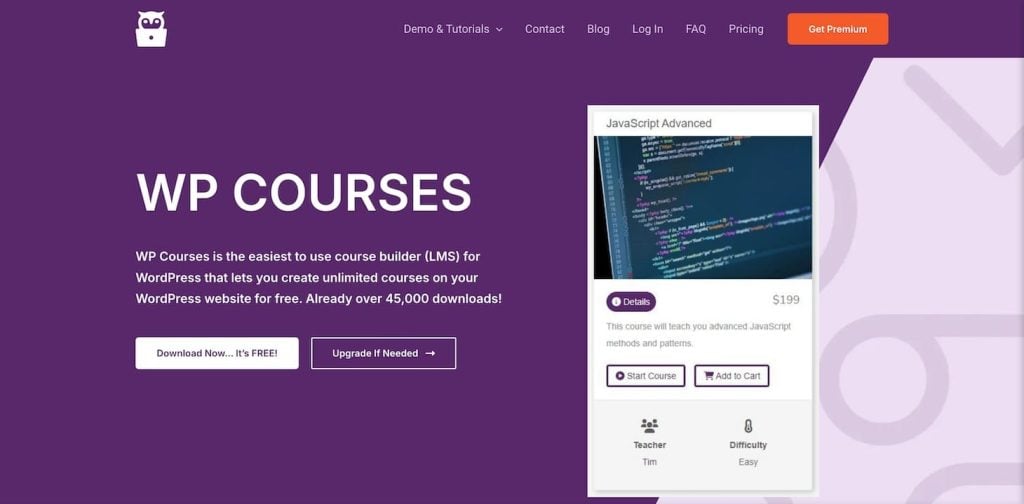
WP Courses LMS stats:
- Downloads: 600+
- Rating: 4.9/5
- Best features: Drag-and-drop course builder, student progress tracking, WooCommerce integration, awards and badges, built-in quiz builder, and trigger-based email marketing.
- Price: Freemium, with premium version costing $99/year.
WP Courses LMS is a beginner-friendly LMS plugin with pre-designed templates for courses, lessons, and lead magnets. Install the plugin, choose a pre-defined course template, and modify its content to get started. The dashboard is easy to use – you get all the options in the WordPress sidebar and the WP Courses menu.
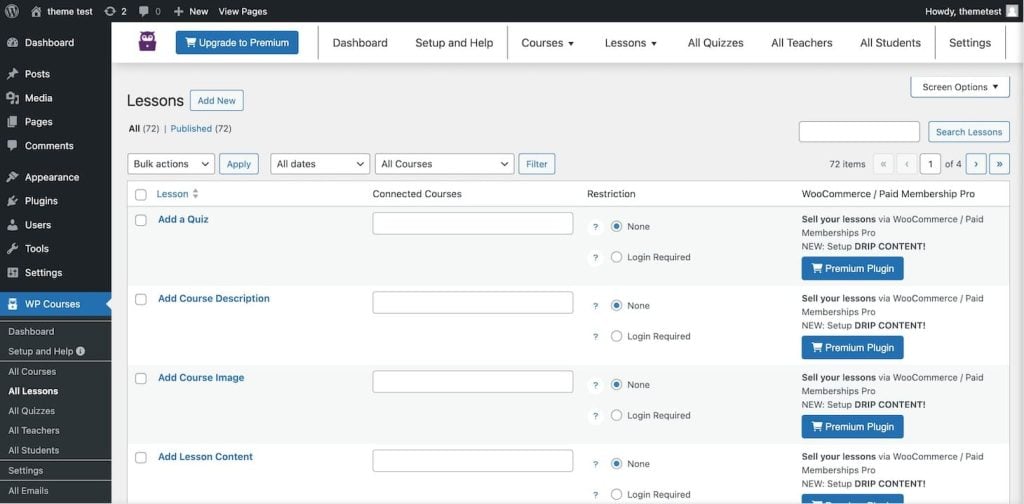
What’s great is that you can manage everything in one dashboard.
You can preview all of the courses, lessons, and quizzes. The All Teachers menu shows authors with published courses, and the All Students menu gives an overview of the active students who signed up for courses.
You can reuse lessons in multiple courses using the Connected Courses option. This way, you won’t have to recreate the same lesson each time.
The plugin also lets you add quizzes, but there’s no functionality to give assignments to your students. So, the only way to grade students is based on their quiz marks.
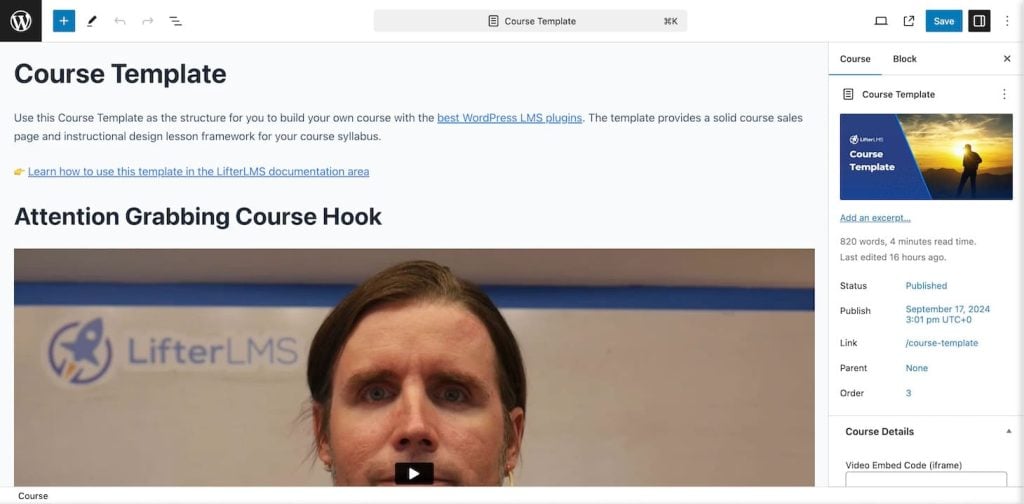
On the upside, WP Course LMS lets you use the block editor to design each lesson. You can add iFrame videos, restrict lesson availability to members only, and assign multiple authors. Here’s an example of a course template on the block editor:
The free plugin offers only basic features. To unlock drip content, certificates, awards, WooCommerce integration, PDF attachments, and trigger-based email marketing, you’ll have to upgrade to the pro version.
Key features
- Drag-and-drop ordering of lessons: Easily reorder lessons within courses using a drag-and-drop interface.
- Customizable course difficulty: Courses can be categorized by difficulty levels: easy, medium, and hard. Students can use this feature to track their progress over time.
- Flexible embedding and media integration: Supports embedding various media types like videos, quizzes, and audio files to enrich the learning experience.
- Supports multiple instructors with teacher profiles: Allows collaboration between instructors within the same course. It’s useful if you have various subject experts.
- SEO-optimized course pages: Create SEO-friendly course pages so that they rank better in search engines and improve discoverability.
- Responsive design: The course content is fully responsive and mobile-friendly, providing a seamless experience across phones, desktops, and tablets.
Pros
- Unlimited course creation: Even with the free version, you can create as many courses as you’d like without restrictions or additional fees.
- Excellent support: Users mentioned receiving friendly, step-by-step support to solve their issues. So rest assured, if you need help, you can rely on WP Courses LMS’s documentation and support team.
Cons
- Monetize only with the premium version: Although you can create unlimited courses, monetizing them is only possible with the premium version, which integrates with WooCommerce and Paid Membership Pro. If you plan on making money from the courses, you must purchase the premium version.
Verdict
If you’re looking to build an audience and don’t plan on monetizing right away, the free version of WP Courses LMS is a solid option. Once you’ve got your audience and are ready to make money, upgrade to the premium version. However, some might find this plugin a bit limiting compared to other options like LifterLMS or LearnDash.
3. LearnDash
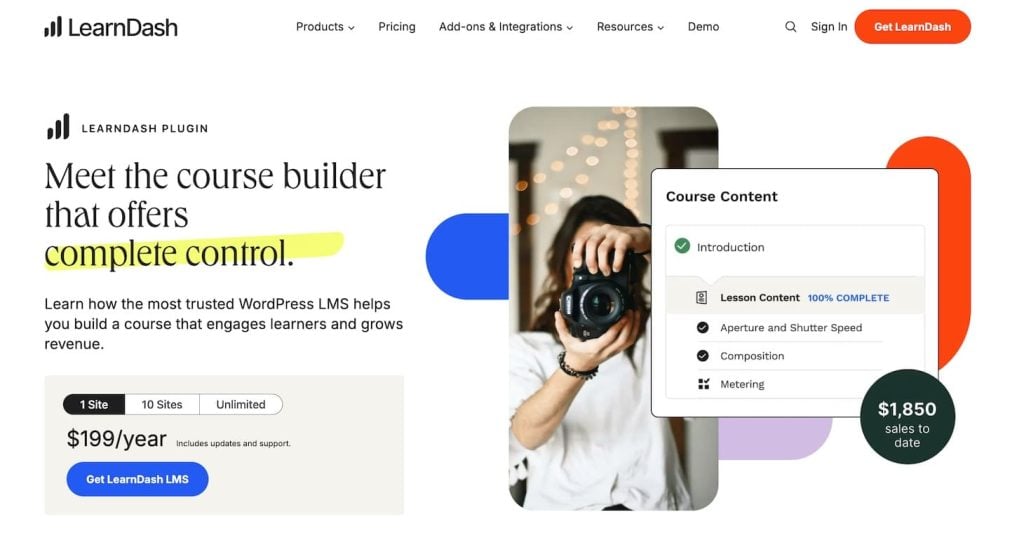
LearnDash stats:
- Downloads: 43,000+
- Best Features: Drag-and-drop course builder, focus mode, AI integration for creating content, advanced assignment management, multiple payment options, and gamified learning with badges and points.
- Price: Premium, starting at $199/year.
LearnDash is a popular LMS trusted by Fortune 500 companies like Yoast and Keap.
With its drag-and-drop course builder, you can easily create engaging lessons. You can also manage assignments with approval, comments, and points.
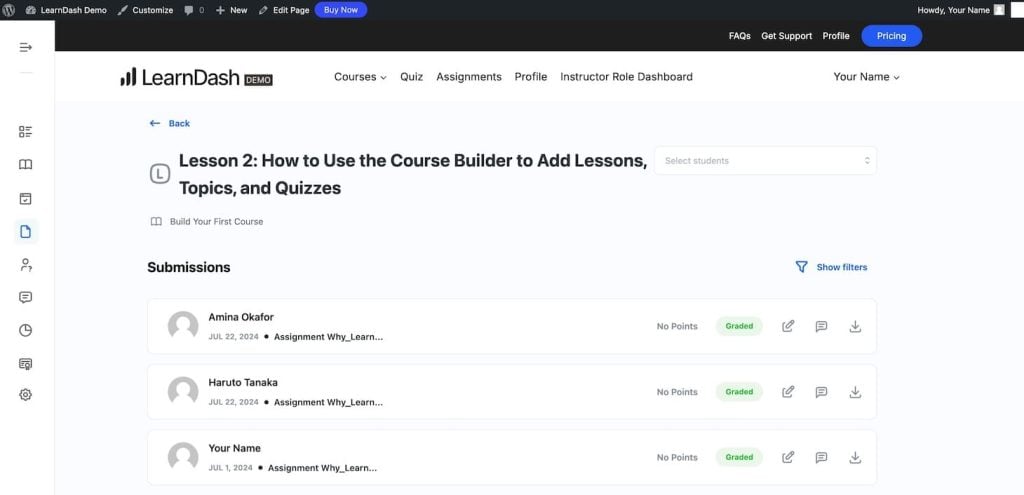
LearnDash comes with flexible payment options. You can sell your courses as one-time purchases, memberships, or even bundles. Plus, it supports payment gateways like PayPal and Stripe, so transactions are a breeze.
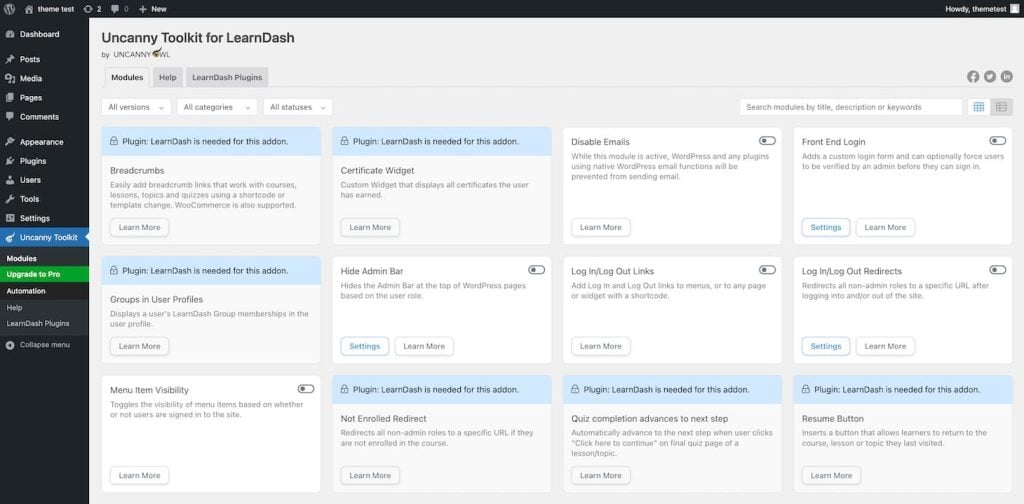
The Uncanny Toolkit add-on has front-end login/logout links, course resume capabilities, and lesson auto-completion. The free version includes 16 modules, while the premium version includes 30 modules and features such as tracking time spent on lessons.
Key features
- Focus Mode: Creates a clean, distraction-free interface for students that improves course completion rates.
- Automated email notifications: Keep students informed and engaged by sending automated emails based on their progress.
- Advanced reporting and analytics with export options: Gain insights into your students’ progress with detailed, exportable reports.
- Add-on marketplace: Users can access additional features, including Zoom and Slack integrations.
Pros
- AI integration: Use LearnDash’s AI features, which can help you whip up course outlines and quizzes in no time.
- Advanced grading: Approve, disapprove, comment, and give points for submitted work.
Cons
- Expensive solution: LearnDash costs $199/year, and with Uncanny Toolkit’s premium version at $149/year, the total cost for both is $348/year.
Verdict
LearnDash and Uncanny Toolkit combine powerful features to sell online courses and deliver excellent learning experiences. However, it’s on the more expensive side. So, it’s more suitable for corporations or established creators with high budgets.
4. MemberPress
MemberPress stats:
- Downloads: 300,000+
- Rating: 4.9/5
- Best features: Premium community forums, Coachkit for selling one-on-one coaching programs, ReadLaunch page builder, granular access control, coupons, and multiple payment getaways with buy-now-pay-later functionality.
- Price: Premium, with pricing plans starting at $179.5/year.
MemberPress is one of the most powerful WordPress membership plugins. It has built-in tools to create and sell individual online courses, membership subscriptions, bundles, and one-on-one coaching programs.
Its visual course builder works with the WordPress editor, letting you create branded online courses easily with ReadyLaunch courses and lesson templates. It automatically gives your courses a professional look, so you don’t need to design them yourself.
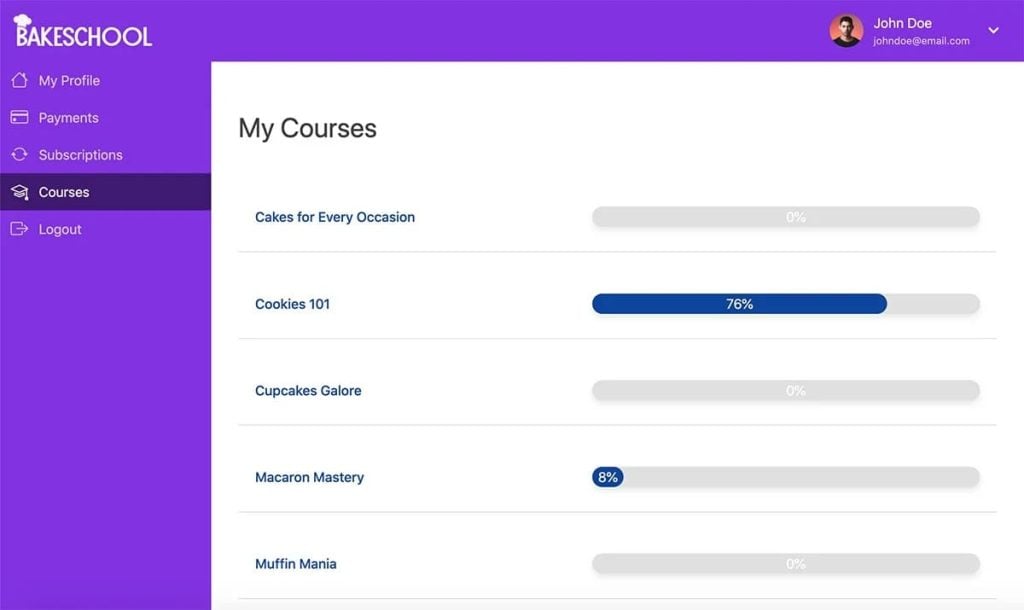
MemberPress’ best feature is its interactive quizzes. You can use different types of questions, like multiple-choice and true or false, to test how well students understand the lesson. You can also reward students with custom certificates after they complete their course to give them a sense of accomplishment.
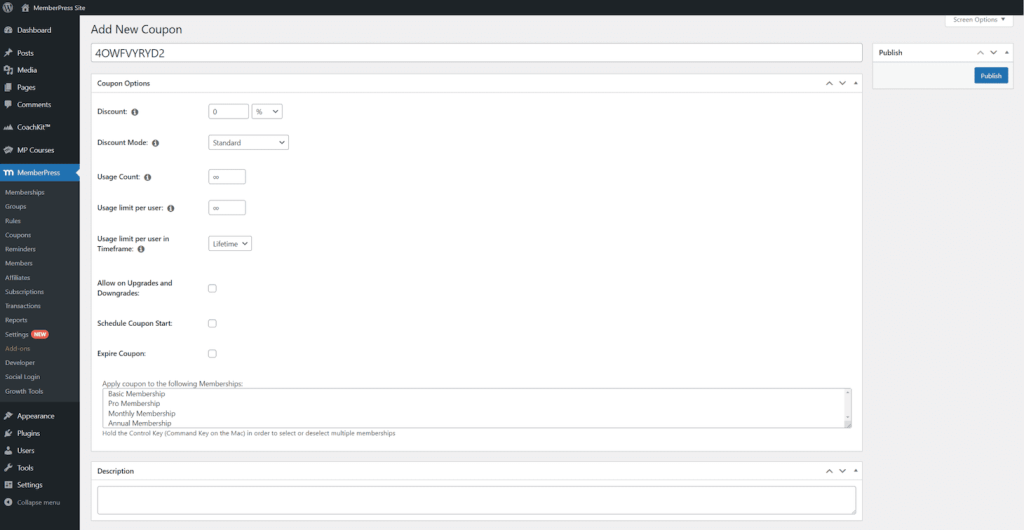
You can set up different membership levels and control who can access which courses based on the membership they buy. It lets you boost sales with course bundles, discounts, or special promotions.
Key features
- Content dripping and expiration: You can schedule the release of course content and set their expiration dates. This encourages students to finish lessons on time.
- Visual drag-and-drop curriculum builder: Organize courses, modules, and lessons easily using the intuitive drag-and-drop interface.
- Group memberships: MemberPress allows you to sell courses to organizations or teams.
- Comprehensive access rules: Restrict access to course content based on membership levels, purchase history, or other custom criteria. This lets you personalize each member’s experience and creates upselling opportunities.
- Automated email reminders and marketing integration: Set up automated emails triggered by user actions such as sign-ups, course completions, or inactivity. It also integrates with popular email marketing platforms like Mailchimp.
- Robust reporting and analytics: MemberPress gives you detailed sales, revenue, and student engagement reports. These insights help you make smart, data-driven choices to improve your courses and marketing strategies.
- SEO optimization: It helps your courses rank better in search engine results, which increases visibility and attracts more students.
Pros
- High-level security: MemberPress has advanced security measures to protect your course content and member data from unauthorized access.
- Reliable documentation and support: You can access extensive documentation, tutorials, and a responsive support team to assist with any issues.
Cons
- Too many popups: Many users reported receiving too many questions about whether they liked the plugin. If you don’t like popups, this might also bother you.
Verdict
MemberPress is a perfect solution for companies to create courses for their teams. You can use Group Membership to manage courses and track students’ growth in a dedicated, centralized dashboard.
5. MasterStudy LMS

MasterStudy stats:
- Downloads: 10,000+
- Rating: 4.5/5
- Best features: Drag-and-drop course builder, multimedia content support including video, audio, text, live streams, and webinars, co-instructors and students management, and multiple pricing models.
- Price: Freemium, with premium plans starting at $62.5/year.
MasterStudy is an excellent LMS plugin that comes with a Starter Site. It’s a ready-to-use free theme with pre-designed page templates that let you create and publish your course quickly.
MasterStudy’s WYSIWYG builder simplifies course creation with an intuitive drag-and-drop curriculum editor. It’s also compatible with Elementor, so you can incorporate Elementor’s elements and templates to create a unique site.
You can customize the Difficulty Level of your courses, assign authors, and add prerequisites to ensure students meet specific criteria before enrolling in advanced courses. This way, you make course progression smoother and more structured.
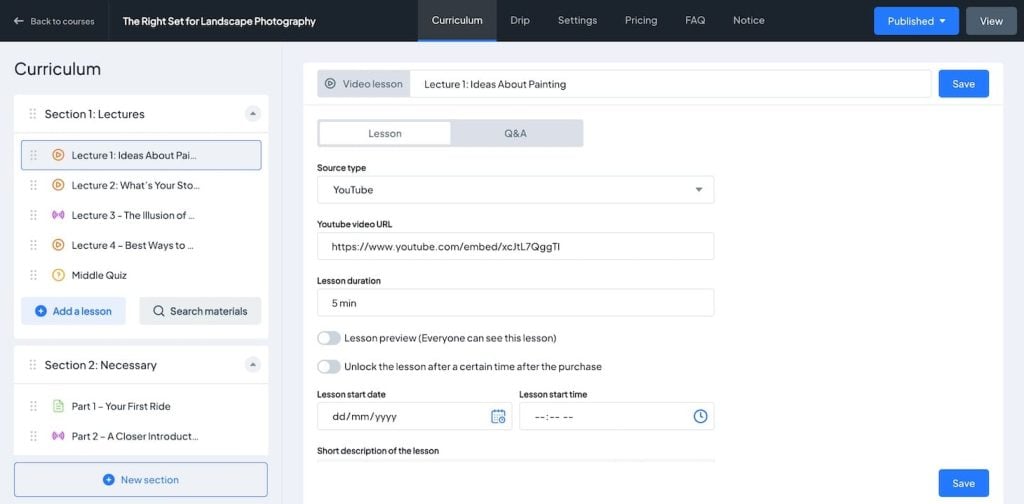
MasterStudy’s most impressive feature is its collection of powerful add-ons that elevate the functionality of your course site. For instance, Udemy Importer lets you import courses directly from Udemy.
You can also improve engagement by creating online tests, drip-feeding content, and giving assignments. It also supports co-authorship with dedicated author profiles.
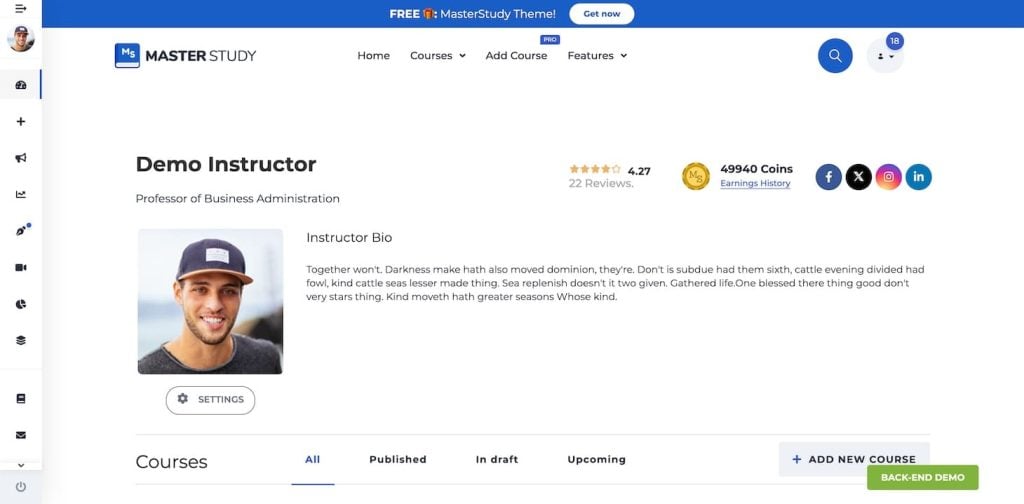
Students can earn awards for their achievements, while instructors benefit from comprehensive Gradebooks and Group Course options.
The platform’s live-streaming capabilities, alongside Zoom and Google Meet integrations, allow you to interact with students in real time, creating a more personal learning experience.
Key features
- Quiz builder: MasterStudy has a built-in quiz builder with multiple question types, timed quizzes, question banks, and automated grading systems.
- Student and instructor dashboards: Each user has a dashboard where students can track their course progress. Meanwhile, instructors can monitor student performance and course completion rates.
- Course review system: Students can leave reviews and ratings for courses. Positive reviews build your authority, while constructive feedback helps you improve your lessons.
- SCORM compatibility: It supports Sharable Content Object Reference Model (SCORM), a set of standards for creating and managing eLearning content.
- Email notifications: You can send customizable email notifications that can be set up for various actions, such as course completion, quiz results, and new enrollments.
- Student discussions: The built-in course forums allow students to discuss course topics with instructors and fellow students.
- Mobile-friendly and responsive: MasterStudy is fully responsive and works well on mobile devices, providing a seamless experience across different devices.
Pros
- Lifetime purchase option: For a one-time fee of $209, you can purchase the MasterStudy plugin for life, including the Starter Site and premium add-ons. If you plan to sell courses for a long time, this is a money-saving option.
- Excellent support: Many users rate MasterStudy’s support as helpful and reliable. If you get stuck, the support team is quick to help.
Cons
- Technical glitches: Some users report errors on the free version of MasterStudy. One user mentioned that questions and answers keep disappearing when creating a quiz.
Verdict
MasterStudy offers an excellent lifetime purchase option, making it a great choice for those looking for good-quality LMS features at an affordable price.
6. Academy LMS
Academy LMS stats:
- Downloads: 1,000+
- Rating: 4.9/5
- Best features: Student and teacher registration forms, tutor appointment booking, an option to import and export quiz content, course wishlists, and a front-end dashboard to manage user profiles, courses, lessons, and payment information.
- Price: Freemium, with premium plans starting at $119/year.
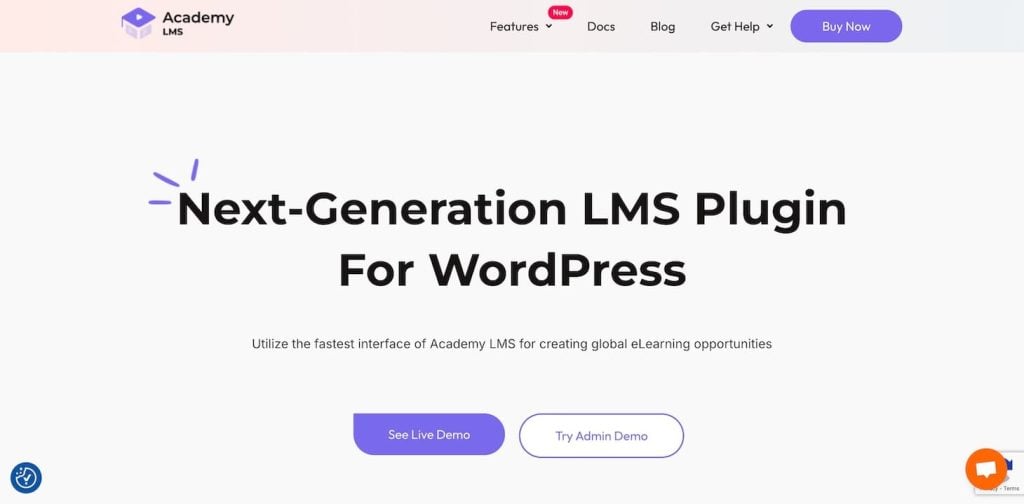
Academy LMS is a powerful LMS for WordPress that makes creating online courses easy and smooth. Its Single-Page Application (SPA) interface makes switching between sections easy without reloading pages.
A setup wizard walks you through the steps to get started quickly.
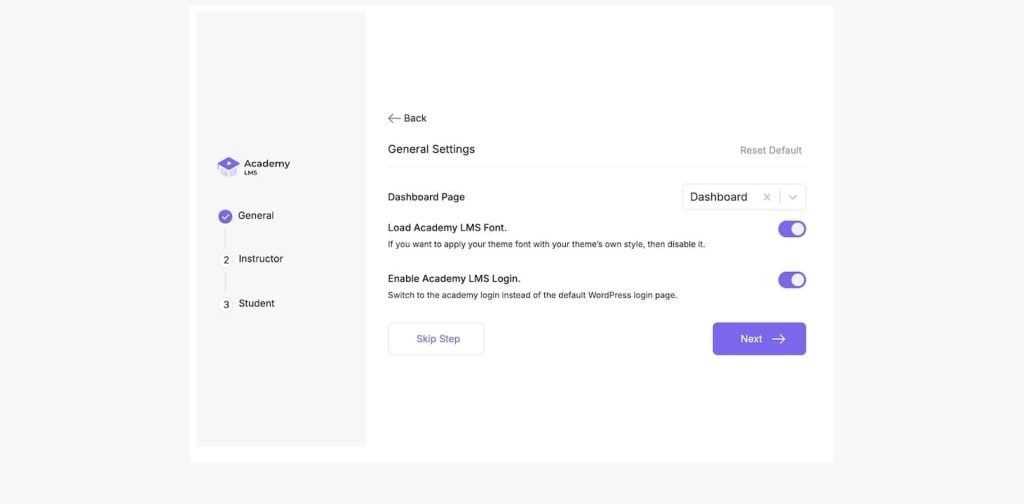
You can create unlimited courses and lessons with Academy LMS, from short tutorials to full-fledged educational programs.
Its Advanced Quiz Builder lets you design quizzes with multiple-choice answers, paragraphs, and one-word answers. The time-based prompts for quizzes encourage students to complete assessments on time.
For multimedia content, you can embed videos from various sources like YouTube, Vimeo, or self-hosted sources.
You can also use students’ course ratings and reviews to get feedback that helps improve the learning experience.
The Global Announcements help you keep everyone updated, and the Sub-Curriculum feature allows for more organized lessons.
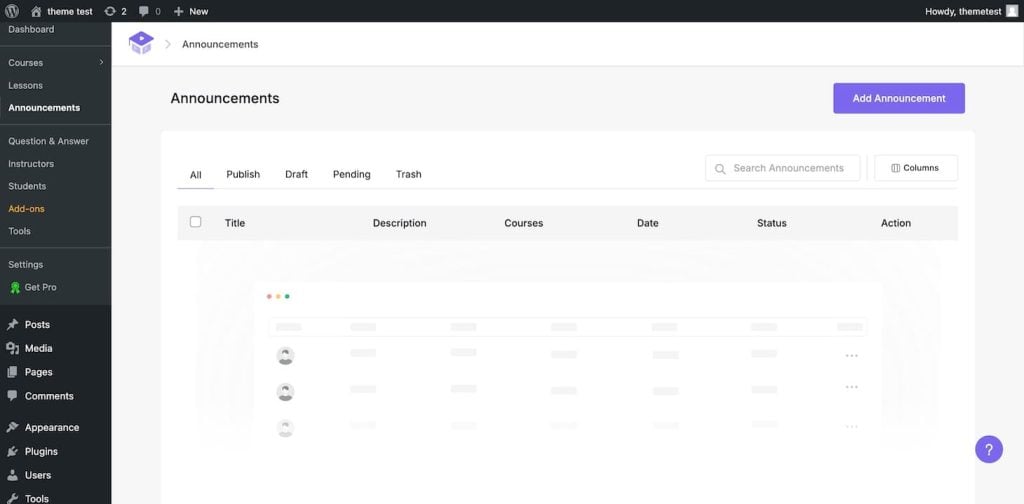
Academy LMS has several add-ons to boost its functionality.
The Academy Elementor Addon works with Elementor to make it easy to create custom course pages. You can create branded certificates using Academy Certificates, which include starter templates. The Multi-Author feature lets multiple instructors work together on courses, and WooCommerce integration makes selling courses easy.
Key features
- Course prerequisites: Add course prerequisites to make sure students complete specific courses before enrolling in more advanced ones. This helps you walk your students through a structured learning path.
- Discussion forum integration: Forum integration allows for student-instructor and peer discussions. It’s a great way to encourage interactions among students.
- Student dashboard with purchase history: Students get a personalized dashboard to track their progress, course enrollments, and past purchases. This helps them keep track of their progress.
- Integrated affiliate program: Set up an affiliate system to promote your courses and increase enrollments.
- Drip content: Roll out the course’s content bit by bit so that the students aren’t overwhelmed with too much information.
- Course expiration: Set expiration dates for your courses to restrict access depending on subscription type.
Pros
- Seamless integrations: Academy LMS integrates with popular tools like WooCommerce for selling courses and Zoom and Google Meet for live classes.
- Multilingual support: Academy LMS supports multiple languages, so you can reach students globally.
Cons
- Unresponsive customer support: A user reported that the support team was slow to respond.
Verdict
If you’re passionate about helping students grow, Academy LMS is one of the best choices. It allows you to create interactive quizzes and assignments. You can also export students’ answers as a CSV file, making it convenient to analyze each student’s performance.
Conclusion
Choosing the right LMS WordPress plugin really comes down to your budget and what you need:
- LifterLMS has an excellent free version if you’re not looking to invest early on. It includes all the essential LMS features. Unlike other free options, it lets you monetize your courses with various payment options.
- MasterStudy LMS is perfect for beginner course creators looking for high-quality features at an affordable price. You can purchase all the essential tools to build a full-fledged eLearning site for a one-time fee.
- LearnDash and Uncanny Toolkit are ideal combinations for large teams, organizations, and advanced course creators willing to pay a premium price for high-quality features to enhance their students’ learning experience.
To make the right pick, consider your priorities when it comes to an LMS plugin. We highly recommend taking advantage of demos and free versions to get a good feel of your chosen plugin before making any commitment.
WordPress LMS plugins FAQ
What is a WordPress LMS plugin?
A WordPress LMS plugin can transform your WordPress website into an eLearning site. You can create courses, enroll students, add quizzes, track student progress, and manage income in one dashboard.
Can I make an LMS with WordPress for free?
Absolutely! You can use the free version of an LMS plugin, such as LifterLMS, which is perfect for beginners who are just getting started. However, if your site needs advanced features, add-ons, or integrations, you might want to consider the premium version or paid extensions.
How do I create a learning management website with WordPress?
Simply install an LMS plugin on your WordPress site and begin creating online courses, adding quizzes, and setting up monetization methods. Follow our complete guide on how to build an eLearning site with WordPress.

Ekta Swarnkar is a content writer and strategist for B2B SaaS and marketing brands. She's helped various companies grow their visibility, authority, and revenue with long-form, actionable content. Connect with her on LinkedIn.



Comments
December 17 2023
Hello there! I am working on building a client's website that runs using your hosting and was wondering if including online courses on the website will impact the website's speed significantly. Can the free LMS plugins your article has talked about help mitigate this problem as much as possible? Thanks!
December 19 2023
Hi there! Including online courses on the website may impact speed, but utilizing the free LMS plugins discussed in our article can help mitigate this issue. For personalized guidance tailored to your specific project, I recommend reaching out to our Customer Success Team ?