Best Google Analytics plugins for WordPress in 2026
Mar 10, 2026
/
Larassatti D. & Wanda C.
/
16min read

A Google Analytics plugin for WordPress lets you connect your website to your GA4 account without manually adding a tracking code snippet to your theme files or functions.php. The setup is as simple as pasting your GA4 Measurement ID to start tracking visitor behavior, traffic sources, and conversions from your WordPress dashboard.
That’s the reason why many site owners use Google Analytics WordPress plugins to simplify setup, reduce the risk of tracking errors, and surface key data inside the WordPress dashboard.
Beyond basic setup, plugins differ in the value they add: some display data in the WordPress dashboard, some prioritize performance and keep tracking lightweight, while others are built specifically for ecommerce tracking and advertising integrations.
To help you compare your options, here are nine popular Google Analytics WordPress plugins and what they’re best suited for:
- MonsterInsights. Best suited for beginners who want to view GA4 reports directly inside the WordPress dashboard.
- Site Kit by Google. The official plugin that works best for users who want a free, centralized dashboard that combines GA4, Search Console, AdSense, and PageSpeed Insights.
- Analytify. Great for content creators and bloggers, as it displays GA4 data in visual reports and shows page-level analytics directly below the WordPress editor.
- GA Google Analytics. Ideal for advanced users who want a lightweight GA4 solution and prefer to analyze data directly in Google Analytics.
- Conversios. Designed for WooCommerce stores that need GA4 and ad platforms integrations in a single dashboard, with support for server-side tracking.
- GTM4WP. Best suited for developers and advanced users who need flexible tracking through Google Tag Manager, including automatic data layer support for post metadata and WooCommerce events.
- PixelYourSite. Beneficial for ad-focused setups, supports multiple advertising pixels, and provides server-side tracking via the Meta Conversions API.
- Beehive Analytics. A strong option for agencies managing WordPress multisite networks, offering network-wide GA4 tracking and role-based access control.
- Complete Analytics Optimization Suite (CAOS). Great for performance-and privacy-conscious sites, as it hosts Google Analytics scripts locally.
The best plugin for your site depends on how comfortable you are with technical setup, which features matter most to you, and how much you’re willing to spend.
1. MonsterInsights
- Downloads: 2+ million
- Rating: 4.6/5
- Best for: Comprehensive website analytics with in-dashboard reports and ecommerce tracking
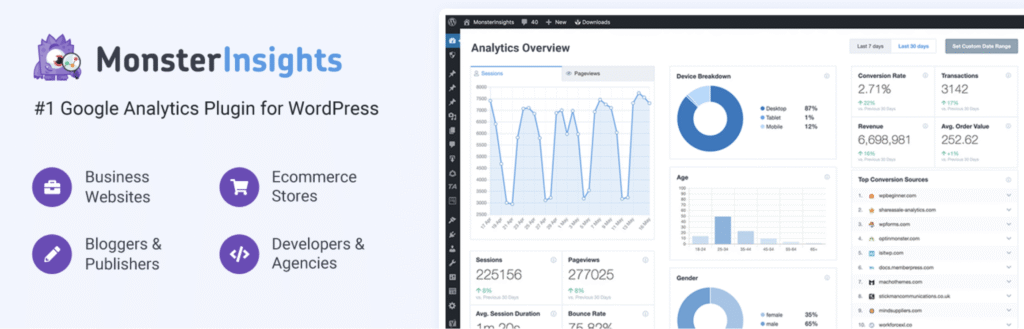
MonsterInsights is one of the most popular Google Analytics plugins for WordPress. It connects your site to Google Analytics 4 (GA4) easily without code changes or manual script insertion.
Once connected, you can view key metrics such as sessions, page views, bounce rate, and traffic sources directly in the WordPress admin panel.
If you want to sell online, MonsterInsights also integrates with WooCommerce, Easy Digital Downloads, and MemberPress to enable automatic ecommerce tracking. It measures revenue, conversion rates, and top-selling products without extra setup.
MonsterInsights key features:
- One-click GA4 setup. Connect your Google Analytics account through a guided wizard without touching code or copying Measurement IDs.
- Dashboard reports. View traffic, content, ecommerce, and real-time reports inside WordPress instead of switching to Google Analytics.
- Enhanced ecommerce tracking. Track revenue, transactions, conversion rates, average order value, and top products for WooCommerce and Easy Digital Downloads.
- Event tracking. Automatically track file downloads, outbound links, affiliate links, and video plays.
- Custom dimensions. Track performance by author, category, post type, tags, or SEO focus keyword to see what drives engagement.
- Form tracking. Monitor form views, submissions, and conversion rates for WPForms, Gravity Forms, and Formidable Forms.
- GDPR compliance tools. Enable IP anonymization and integrate with cookie consent plugins like Complianz to meet European privacy requirements.
- Site notes. Log events such as plugin updates, content changes, or marketing campaigns alongside your analytics data.
MonsterInsights cons:
- Premium pricing. Many key features are locked behind paid plans, making the Lite version quite restrictive.
- Resource usage. The plugin adds database queries and API calls, which can slightly increase page load time compared to code-only solutions.
- Feature overlap. Some dashboard reports repeat data already available in Google Analytics, which may not justify the premium cost for basic users.
MonsterInsights pricing:
The free MonsterInsights Lite version includes basic tracking and reports. The Plus plan costs $99.50/year for one site and includes ecommerce reports, form tracking, and custom dimensions.
The Pro plan costs $199.50/year for five sites and adds advanced features and priority support. The Agency plan costs $399.50/year for 25 sites and includes white-labeling and client management tools.
2. Site Kit by Google

- Downloads: 5+ million
- Rating: 4.2/5
- Best for: Beginners who want free and simple Google service integration
As Google’s official WordPress plugin, Site Kit provides a centralized dashboard integration for Google Analytics 4, Search Console, AdSense, PageSpeed Insights, and Tag Manager.
The plugin can automatically create a GA4 property directly from your WordPress dashboard if you don’t already have one, or quickly connect an existing property to your site.
Site Kit shows key metrics such as sessions, pageviews, impressions, clicks, and Core Web Vitals scores inside the WordPress admin. It also displays page-level stats in the admin bar when you view any post or page on your site.
Site Kit by Google key features:
- Customizable key metrics widget. Get a tailored dashboard with up to eight tiles by answering three questions about your site’s purpose, content frequency, and goals.
- Automatic GA4 setup. Create a GA4 property during setup without manually configuring data streams or Measurement IDs.
- Custom dimension creation for WordPress-specific metrics. Site Kit can automatically create GA4 custom dimensions to track data like top trending pages, most popular authors, top categories, and top products by pageviews.
- Consent Mode v2 integration. Toggle Google Consent Mode directly from Site Kit settings to comply with the EU Digital Markets Act.
- Dashboard sharing. Give editors and other roles read-only access without sharing your Google accounts.
- Ad blocking recovery. Recover lost AdSense revenue by displaying messaging to visitors using ad blockers, configured directly within Site Kit.
- Reader Revenue Manager integration. Manage reader contribution and subscription prompts from within WordPress.
- Per-URL dashboard drill-down. Search any URL from the Site Kit dashboard to view page-specific metrics across all connected services in one view.
Site Kit by Google cons:
- Limited reporting depth. Reports show summarized data only. Custom reports, events, and funnels require opening GA4 directly.
- No ecommerce tracking. Site Kit doesn’t integrate with WooCommerce and can’t track revenue or product performance.
- No custom event setup. You must configure custom events and enhanced measurement settings in GA4 or Tag Manager.
Site Kit by Google pricing:
All Site Kit by Google features are completely free, with no paid upgrades or premium plans. This makes it a solid option for users who want basic GA4 and Google service integration without additional costs.
3. Analytify
- Downloads: 20,000+ active installs
- Rating: 4.7/5
- Best for: Content creators and ecommerce stores wanting granular-level analytics
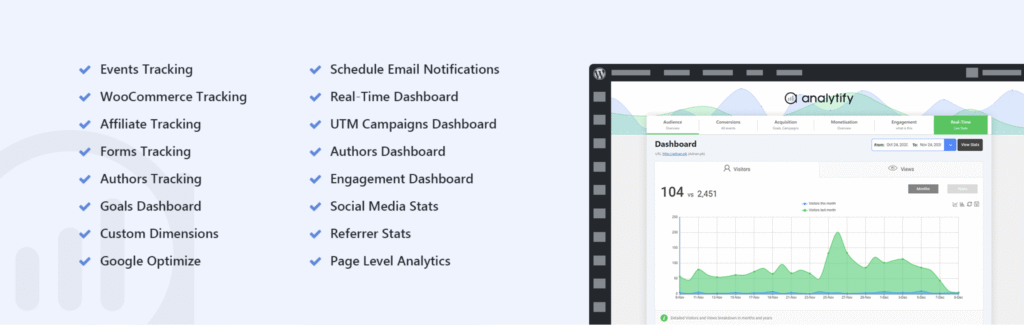
Analytify brings your website data directly into the WordPress dashboard with visual reports and charts. It presents analytics in an accessible format for anyone wanting actionable insights without navigating Google Analytics’ complex interface.
The plugin displays key metrics, including visitors, pageviews, bounce rate, new versus returning visitors, geographic data, and traffic sources in a clean dashboard layout.
Analytify also excels at page-level analytics, showing performance data directly below each post and page in the WordPress editor. This lets content creators see views, users, bounce rate, and average time on page without switching contexts.
Analytify key features:
- One-click authentication. Connect your Google Analytics account through a guided setup wizard without manually entering code snippets or configuring complex settings.
- Page-level statistics. View detailed analytics for individual posts and pages directly in the WordPress editor, including views, users, bounce rate, and average time on page.
- WooCommerce enhanced ecommerce tracking. Track product clicks, impressions, add-to-cart actions, checkout behavior, revenue, transactions, and shopping funnel stages with detailed performance reports.
- Automated email reports. Schedule weekly or monthly analytics summaries to specified email addresses with customizable report sections and PDF export.
- Custom post type support. Track analytics for any registered custom post type, including portfolios, galleries, testimonials, or custom content structures.
- Forms tracking integration. Monitor form views, submissions, and conversion rates for Contact Form 7, Gravity Forms, WPForms, Formidable Forms, Ninja Forms, and Fluent Forms.
- CSV export functionality. Download analytics data in CSV format for further analysis or reporting in external tools.
Analytify cons:
- Limited free features. Most key functionalities, such as WooCommerce tracking, real-time stats, email reports, campaign tracking, form tracking, and event tracking, are available only on paid plans.
- Upsell prompts. Users reported that the free version includes frequent promotional messages for pro features and add-ons that can clutter the interface.
- Feature complexity. The extensive feature set in Pro plans may overwhelm users seeking simple analytics tracking without advanced ecommerce or campaign monitoring.
Analytify pricing
The Analytify free version provides basic dashboard analytics, geographic data, traffic source reports, and system statistics. The free version includes installation of the tracking code and page-level stats.
Analytify Pro is available in three pricing tiers: StartUp costs $99/year for two sites and includes all pro modules with general support. Agency costs $199/year for unlimited sites with VIP support. Developer costs $499 one-time for unlimited sites with lifetime updates and VIP support. All plans include a 15-day money-back guarantee.
4. GA Google Analytics

- Downloads: 400,000+
- Rating: 4.9/5
- Best for: Lightweight tracking code implementation without dashboard reports or bloated features
GA Google Analytics is a lightweight WordPress plugin that only adds Google Analytics tracking code to your site, with no extra features. It’s ideal for users who want reliable tracking but prefer the Google Analytics interface over dashboard widgets, in-admin reports, or ecommerce integrations.
This plugin supports all major Google Analytics tracking methods, including GA4, Universal Analytics, and legacy tracking options.
For users who need more control, the plugin also supports features like IP anonymization, Enhanced Link Attribution, Display Advertising, forced SSL tracking, and GDPR consent signals.
GA Google Analytics key features
- One-click setup. Enter your Google Analytics Measurement ID, select your tracking method, and the plugin automatically adds the code to all pages.
- Display Advertising support. Enable Google Analytics’ Display Advertising features for remarketing, along with Demographics and Interests reports, without additional configuration.
- IP Anonymization. Automatically anonymize visitor IP addresses before sending data to Google Analytics for improved privacy compliance.
- GDPR consent signals. Support for Google Analytics Consent Mode to comply with European privacy regulations.
- Custom code support. Add custom JavaScript tracking code, tracker objects, or additional analytics snippets through plugin settings.
- Admin user exclusion. Disable tracking for admin-level users to keep administrative activity out of your analytics data.
GA Google Analytics cons
- No dashboard reports. The plugin only adds tracking code, so you must log into Google Analytics separately to view statistics, which requires leaving WordPress.
- No ecommerce tracking. Lacks built-in WooCommerce or Easy Digital Downloads integration, so ecommerce tracking requires manual configuration or custom code.
- No visual verification. The plugin doesn’t display tracking status indicators or confirmation within WordPress. You have to view the page source code to verify installation.
GA Google Analytics pricing
The GA Google Analytics free version includes all core tracking functionality. Meanwhile, the Pro version unlocks advanced features, including multiple tracking code configurations, custom header or footer code for more precise data tracking, and extensive documentation.
The Pro version is offered in four pricing plans: Personal, Business, Advanced, and Developer. All plans include the same premium features and differ only in the number of sites you can integrate.
You can choose between an annual subscription and a one-time lifetime license. The Personal plan, which supports one site, is the entry-level option at $20/year or $40/lifetime.
5. Conversios
- Downloads: 10,000+
- Rating: 4.3/5
- Best for: WooCommerce stores needing multi-channel tracking, product feed management, and server-side conversion tracking
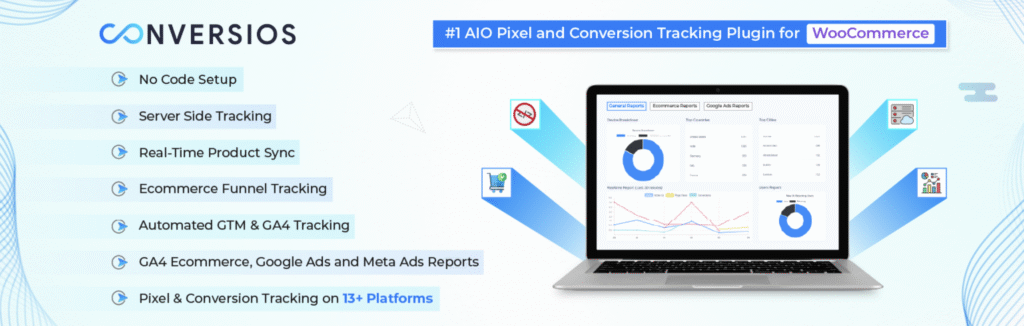
Conversios is an all-in-one WooCommerce analytics and advertising tracking plugin. You can use it to track over 15 GA4 events specifically for ecommerce, including purchase, view_item, add_to_cart, or begin_checkout, across multiple analytics and social media platforms without complex configurations.
Beyond tracking user actions from first visit to checkout, the plugin also automatically syncs your product feeds with major platforms like Google Merchant Center, Microsoft Merchant Center, Meta Catalog, and TikTok Catalog.
Additionally, Conversios provides integration with Google Tag Manager (GTM) for tag management and supports Consent Mode v2 for GDPR and CCPA compliance.
Conversios key features
- Server-side tracking. By using server-side events, the plugin improves tracking on Safari, iOS, and ad-blocked environments, helping capture conversions that traditional browser-based pixels may miss.
- Ecommerce reporting. Access product and revenue performance, checkout metrics, purchase analysis, and key ecommerce event trends directly in WordPress without logging into external platforms.
- Real-time multi-channel product feed sync. Automatically synchronize WooCommerce products with Google Merchant Center, Microsoft Merchant Center, Meta Catalog, and TikTok Catalog with real-time updates.
- Meta Pixel and CAPI. Implement both browser-side Meta Pixel and server-side Conversions API for Facebook and Instagram to improve event match quality and attribution accuracy.
- No-code multi-platform tracking. Connect Google Analytics 4, Google Ads, Microsoft Ads, Meta Pixel, TikTok, Snapchat, Pinterest, LinkedIn, and Twitter pixels through a setup wizard without writing code.
- Google Ads conversion tracking. Measure purchases accurately, with support for Enhanced Conversions to improve match rates and attribution for your campaigns.
- Microsoft Ads conversion tracking. Track Universal Event Tracking (UET) purchase conversions for Microsoft/Bing Ads directly from WooCommerce checkout pages.
Conversios cons:
- WooCommerce dependency. The plugin is built exclusively for WooCommerce and doesn’t support other ecommerce platforms or standalone WordPress sites without WooCommerce.
- Learning curve for advanced features. Server-side tracking, CAPI implementation, and GTM configuration require technical understanding despite the no-code promise for basic setup.
- Mixed reviews on tracking accuracy. Some users report discrepancies in conversion counts and challenges in achieving consistent tracking across all platforms, particularly with server-side features.
- Support response times are variable. While Pro users receive priority support, free users report slower response times, and some users note resolution times exceeding the advertised 24-hour window.
Conversios pricing:
The free Conversios version includes GA4 tracking and limited product feed management. The Pro version unlocks additional analytics tracking channels, advanced ecommerce reports, and priority support.
Conversios Pro offers three pricing plans, starting at $89.1/year, and all plans include a 15-day money-back guarantee. If you need to integrate more than five sites, custom pricing applies.
➡️ Planning to build an online store with WooCommerce? Learn how to set it up in our WooCommerce tutorial.
6. GTM4WP

- Downloads: 700,000+
- Rating: 4.5/5
- Best for: Advanced tag management with comprehensive data layer capabilities and WooCommerce tracking
GTM4WP automatically adds your Google Tag Manager container to your site, so you don’t need to insert code manually. Beyond basic setup, it pushes detailed page metadata and user information into the data layer, giving you more granular control over tracking and event management.
For online stores, GTM4WP provides WooCommerce integration with full GA4 ecommerce tracking support. The plugin automatically tracks product impressions, checkout steps, and purchase conversions using the GA4 ecommerce data layer format. It also supports dynamic remarketing for Google Ads and Facebook without additional coding.
GTM4WP key features:
- No-code container implementation. Automatically places GTM container code in the correct header and body locations without editing theme files or using custom code.
- Comprehensive data layer. Pushes more than 20 data points, including post metadata, user information, browser or device data, custom taxonomies, and site search terms into the data layer.
- GA4 ecommerce tracking. Full support for GA4 ecommerce-focused events with product-level details for WooCommerce stores.
- Multiple container support. Run multiple GTM containers simultaneously, including separate containers for AMP pages.
- Advanced event tracking. Monitor scroll depth to identify engaged readers versus scanners, track interactions with embedded media, and capture form submissions from Contact Form 7.
- Security controls. Whitelist and blacklist specific tags, triggers, and variables to prevent unauthorized tag execution even if your GTM account is compromised.
- Server-side container support. Load GTM from your own domain to improve privacy and site performance.
- Developer-friendly filters. Built-in WordPress hooks and filters allow developers to customize data layer values and tracking behavior through code.
GTM4WP cons:
- Steeper learning curve. The plugin offers powerful customization but requires more technical knowledge than simplified alternatives.
- Page builder compatibility issues. Some users report conflicts with page builders that override default WooCommerce templates, particularly on custom thank-you pages.
- Performance considerations. The comprehensive data layer pushes more JavaScript on every page, which can slightly impact load times on sites already running heavy frontend code.
- No visual dashboards. GTM4WP doesn’t include an admin dashboard for viewing reports. You still have to know how to navigate GTM and configure data tracking directly on the platform.
GTM4WP pricing:
GTM4WP is completely free to use. But note that optional features, such as weather data tracking, require free API keys from third-party services, which may incur charges based on your traffic volume.
7. PixelYourSite

- Downloads: 500,000+
- Rating: 4.3/5
- Best for: Tracking organic and paid traffic through multiple ad platforms
PixelYourSite helps you install, manage, and control multiple tracking scripts (pixels/tags) from different advertising and analytics platforms. Since launching in 2015, the plugin has evolved from a basic Facebook Pixel tool into a comprehensive tracking platform.
For online stores, PixelYourSite provides complete WooCommerce and Easy Digital Downloads integrations with automatic ecommerce event tracking.
It sends product details required for dynamic remarketing, allowing you to quickly launch ads on Meta, Google, and Pinterest that display the specific products users interacted with.
PixelYourSite key features:
- Meta Pixel with full Conversion API support. Send every pixel event through both the browser and Facebook Conversion API, with automatic deduplication and enhanced Event Match Quality (EMQ) scoring enabled by advanced user data detection.
- Zero-coding Google Tag Manager integration. Automatically push all events into the GTM data layer with downloadable container import files that include pre-configured triggers, variables, and GA4 tags.
- Automated event tracking. Track searches, form submissions, user signups, downloads, comments, page scrolls, and time-on-page without configuration, with parameters like search keywords and file types automatically captured.
- WooCommerce and EDD ecommerce automation. All ecommerce events fire automatically with proper parameters for dynamic ads and enhanced ecommerce tracking.
- Custom event builder. Create standard or custom events with flexible triggers, including URL conditions, clicks on links or CSS selectors, page scrolls, post types, and form plugin integrations, without coding.
- Traffic source and UTM tracking. Automatically capture and store landing pages, traffic sources, and UTM parameters for WooCommerce and EDD orders to identify which campaigns drive sales.
PixelYourSite cons:
- Excessive admin notifications. Users report intrusive, repetitive notifications in WordPress admin that lack persistent dismiss options, requiring frequent closure even after being hidden.
- Performance impact. The plugin can slow site loading times, particularly when tracking multiple platforms simultaneously or on sites with many WooCommerce product variations.
- Plugin conflicts. Known compatibility issues with certain WordPress page builders and cache plugins that can break event tracking or cause JavaScript errors.
PixelYourSite pricing:
The free version of PixelYourSite includes Meta Pixel, Google Analytics 4, Google Tag Manager integration, and WooCommerce tracking. Integration with additional tags is available through paid add-ons.
The premium version starts at $199/year for a single site and adds Google Ads tracking, TikTok tags, and ecommerce reporting. Extra tags such as Bing, Pinterest, and Reddit can be purchased individually as add-ons, or you can upgrade to a higher-tier plan to unlock them.
PixelYourSite also offers an All Access Pass in three plans, with pricing that scales based on the number of websites you manage. This option unlocks all features and add-ons, as well as access to all future plugins and products in the PixelYourSite ecosystem. Pricing starts at $359/year, with discounted rates available for two-year subscriptions.
8. Beehive Analytics

- Downloads: 30,000+
- Rating: 4.5/5
- Best for: WordPress multisite networks and agencies managing multiple sites
Beehive Analytics is especially useful for agencies and developers because it supports WordPress Multisite management. You can track analytics across unlimited subsites from a single dashboard without configuring each site individually.
This plugin simplifies setup and reporting with a guided wizard that connects your GA4 property and GTM to your site. Combined with role-based access control, you can restrict analytics visibility by user role, showing editors, authors, and clients only the data they need.
Additional tracking for remarketing with Google Analytics, Display Network impression reporting, and enhanced demographics are also supported through Google Display Advertising.
Beehive Analytics key features:
- One-click GA4 setup wizard. Guided connection process that links your Google Analytics 4 property without hunting for API keys, copying tracking codes, or editing theme files.
- WordPress-native dashboard. View sessions, pageviews, bounce rates, traffic sources, and user behavior directly in WordPress admin, with customizable date ranges and comparison periods.
- Real-time visitor tracking. Monitor live site activity showing current visitors, their geographic locations, pages they’re viewing, and referral sources as events happen.
- Multisite network support. Track analytics for every subsite in your WordPress network from a central dashboard with automatic detection and individual site statistics.
- Role-based access control. Set granular permissions by user role or capability, controlling which team members, editors, authors, and clients can view analytics data.
- Top content and geo tracking. Instantly identify best-performing pages, posts, and referral links, with interactive maps showing geographic visitor distribution.
- Display advertising tracking. Monitor Google Display Ads performance, including clicks, impressions, referral traffic, remarketing data, and enhanced demographic reports.
- Dashboard widget and statistics pages. Flexible viewing options with customizable dashboard widgets and dedicated statistics pages showing trend analysis and visual graphs.
Beehive Analytics cons:
- Google Analytics focused. The plugin supports only Google Analytics and Google Tag Manager. There are no native integrations with Meta Pixel, other social platforms, or alternative analytics providers.
- Basic event tracking. Lacks the comprehensive automatic event tracking and ecommerce-specific features found in dedicated GA4 plugins like MonsterInsights or PixelYourSite.
- Occasional review plugin requests. Some users report review request prompts in the WordPress admin that are difficult to permanently dismiss.
Beehive Analytics pricing:
Beehive Analytics’ core functionality is available at no cost. To access advanced features such as white-label analytics, automated client reporting, and priority support, you need the Beehive Pro version that’s packaged in the WPMU DEV membership.
Pricing starts at $30/year, and all plans include access to the entire WPMU DEV plugin suite, including Smush Pro, Hummingbird, Defender, Forminator, and more. All WPMU DEV memberships include 24/7 support and a 30-day money-back guarantee.
9. Complete Analytics Optimization Suite (CAOS)

- Downloads: 10,000+
- Rating: 4.9/5
- Best for: Performance optimization by hosting Google Analytics locally and eliminating PageSpeed warnings
The Complete Analytics Optimization Suite (CAOS) improves a common performance issue with Google Analytics. Instead of loading the tracking script from Google’s servers, it hosts the file locally on your WordPress site.
This fixes the “leverage browser cache” warning that appears in Google PageSpeed Insights, GTmetrix, and Pingdom when using standard Google Analytics. By hosting the file locally, CAOS eliminates unnecessary DNS requests and speeds up page load times.
The plugin automatically updates the locally hosted file using WordPress’ built-in cron scheduler, ensuring you always have the latest version without manual intervention. CAOS is also compatible with other Google Analytics plugins through its Compatibility Mode feature.
CAOS key features:
- Local file hosting. Download gtag.js and host it on your WordPress server with automatic updates via wp_cron(), eliminating external DNS requests and improving page load speed.
- Ad blocker bypass. Rename downloaded files to random strings to avoid detection by ad blocker filter lists, helping ensure more accurate visitor tracking.
- Lightweight GA4 integration. Works with Minimal Analytics 4, a lightweight tracking option that reduces JavaScript load and can improve PageSpeed Insights scores by minimizing unused scripts.
- GDPR compliance tools. Offer configurable cookie consent integration with plugins like Complianz, CookieYes, and Cookie Notice, plus the ability to track only when specific cookies are set or have certain values.
- Flexible script placement. Choose to add the tracking code to your site’s header, footer, or handle it manually for complete control over script loading.
- Custom save location. Store gtag.js anywhere within the wp-content directory to avoid detection by WordPress security plugins like Wordfence or removal by caching plugins.
- CDN compatibility. Serve the locally hosted analytics file from your CDN to improve performance across geographic regions.
- Preconnect optimization. Reduces latency by establishing early connections to google-analytics.com before requests are made.
- Cookie management. Customize cookie expiry periods and disable display features to fine-tune tracking behavior and privacy compliance.
CAOS cons:
- No dashboard reports. The plugin focuses purely on optimization and hosting. You’ll need to view analytics data in Google Analytics itself or use a separate dashboard plugin.
- Technical configuration. While setup is straightforward, advanced features such as Minimal Analytics and custom file paths may require more technical knowledge than those of standard analytics plugins.
- Cron dependency. Automatic updates rely on WordPress’ wp_cron() scheduler, which can be unreliable on low-traffic sites or when the real cron isn’t configured properly.
CAOS pricing:
CAOS is completely free and available from the WordPress plugin repository, with no feature restrictions. It includes core features such as local hosting, Minimal Analytics 4, Compatibility Mode, and built-in GDPR tools.
CAOS Pro is an optional add-on for users who need more advanced privacy features and ad-blocker bypass capabilities. It adds Stealth Mode, true IP anonymization, randomized client IDs, enhanced GDPR compliance, and cloaked affiliate link tracking.
Pricing for CAOS Pro starts at €24/year for a single site. Higher-tier plans are available for multiple sites, and a lifetime license option is available for €359.
Outdated and deprecated Google Analytics WordPress plugins
Some Google Analytics plugins for WordPress are no longer maintained or fully compatible with current WordPress versions. Using outdated plugins can introduce security risks, cause plugin conflicts, and lead to inaccurate tracking.
Many older tools were built specifically for Universal Analytics, which Google discontinued in July 2023, and have not been updated for GA4 compatibility. As a result, they no longer meet modern analytics requirements.
Examples include Google Analyticator and WP Google Analytics Events. If your site still relies on a deprecated plugin, it’s best to replace it with an actively maintained GA4-compatible alternative to ensure accurate data collection and reduce potential security issues.
How to choose the best Google Analytics plugin for WordPress
Choosing the right Google Analytics plugin comes down to how you plan to use your data and how much complexity you want to manage.
Some users simply want basic traffic tracking and quick insights inside the WordPress dashboard, while others need detailed ecommerce reporting, event tracking, or advanced tagging flexibility. The best option is the one that matches your needs, not the one with the longest feature list.
Start by making sure the plugin fully supports Google Analytics 4 (GA4). GA4 is now the standard, so reliable event tracking and modern measurement support are essential.
Beyond that, consider where you prefer to analyze data. If you want quick visibility without opening the GA4 interface, a plugin with clear dashboard reports can save time and make analytics more approachable for non-technical users.
Also, pay attention to the type of your site and the data you want to track. Content-driven sites and blogs benefit most from plugins with advanced features for monitoring traffic, engagement, and page-level performance. WooCommerce stores benefit more from plugins that offer built-in ecommerce tracking for revenue, conversions, and product performance.
If you track actions like form submissions, downloads, or button clicks, look for plugins that handle event tracking without manual configuration.
Finally, consider privacy and budget. Some plugins include GDPR-friendly features such as IP anonymization and cookie consent integration, while lighter plugins focus on performance and minimal overhead.
Free plugins generally cover core tracking needs and are enough for smaller sites or blogs. As your site grows, paid plans can become worthwhile for advanced reporting, ecommerce insights, and deeper customization.
How to add Google Analytics plugins in WordPress
To install a Google Analytics plugin, log in to your WordPress dashboard and go to Plugins → Add New. Search for the plugin name you want, click Install Now, then hit Activate.
Most plugins usually include a setup wizard that walks you through connecting your Google account, selecting your GA4 property, and choosing basic settings.
To confirm tracking works, use the GA4’s Realtime reports or DebugView while you browse your site in another tab. If you can see the activity, that means the tracking works properly.
If you need a step-by-step walkthrough, read our complete guide on how to add Google Analytics to WordPress.
All of the tutorial content on this website is subject to Hostinger's rigorous editorial standards and values.

Larassatti Dharma is a content writer with 4+ years of experience in the web hosting industry. She has populated the internet with over 100 YouTube scripts and articles around web hosting, digital marketing, and email marketing. When she's not writing, Laras enjoys solo traveling around the globe or trying new recipes in her kitchen. Follow her on LinkedIn

Wanda enjoys helping people become more successful online by sharing her expertise in digital marketing and website development. In her free time, she loves reading mystery books, thrifting for vintage clothes, and exploring aesthetic cafes.