What is a TLD? Understanding top-level domains and their role online
Oct 09, 2026
/
By Jordana A. & Larassatti D.
/
8 min Read
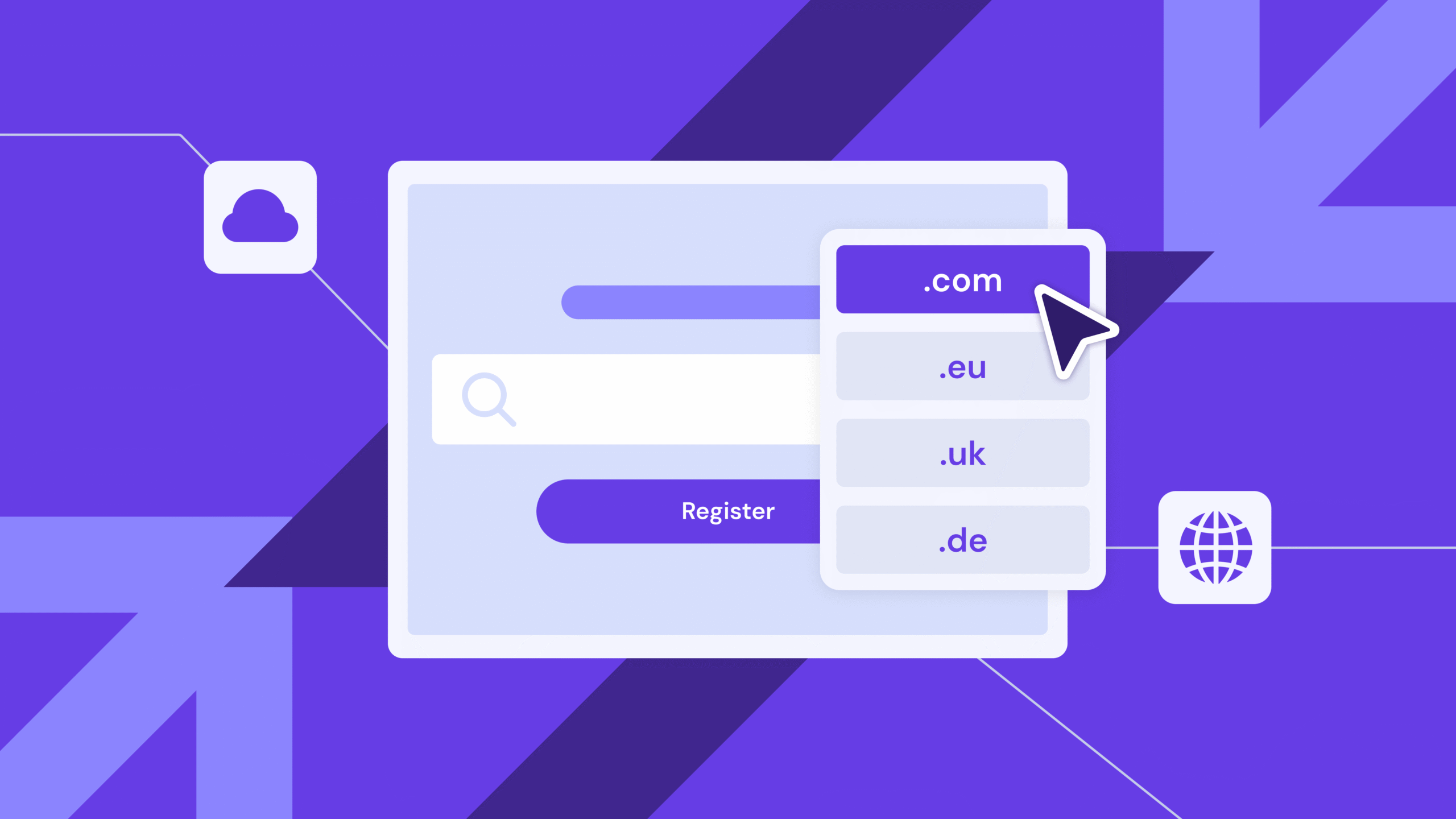
A top-level domain (TLD) is the final segment of a domain name that appears after the last dot, such as .com, .org, or .net. Also known as a domain extension or DNS suffix, a TLD serves as the highest level in the domain name system (DNS) hierarchy, categorizing websites and enabling users to identify a site’s purpose, origin, or industry at a glance.
There are multiple types of TLDs, each serving distinct purposes and audiences:
- Generic top-level domains (gTLDs) like .com and .net are the most versatile and widely recognized extensions.
- Country code top-level domains (ccTLDs), such as .uk and .ca, target specific geographic regions.
- Sponsored top-level domains (sTLDs) are designed for specific communities, industries, or organizations.
- Infrastructure top-level domain (.arpa) supports internet infrastructure and technical operations.
- Test top-level domains (tTLDs) are reserved for testing and documentation purposes without affecting live systems.
The most popular TLDs include .com, .org, .net, and country code domains (ccTLDs) like .co.uk and .de. These domain extensions dominate the web due to their versatility, recognition, and established trust with users worldwide.
The Internet Corporation for Assigned Names and Numbers (ICANN) oversees the global DNS, while registry operators manage individual TLDs, and accredited registrars sell domain names to the public.
Your domain extension influences trust and brand identity. The right TLD strengthens credibility, improves search rankings in specific regions, and conveys your site’s purpose to visitors before they even click.
Consider your target audience, business goals, and industry when choosing a TLD. A .com extension works well for most businesses due to its universal recognition, while ccTLDs help you connect with local markets. Meanwhile, industry-specific TLDs like .tech or .store can instantly communicate your niche.
Once you’ve selected your domain extension (TLD) from the list, pair it with a memorable domain name that reflects your brand and makes your website easy to find.
Download website launch checklist
How is a domain name structured?
A domain name is structured hierarchically from right to left, consisting of a top-level domain (TLD), a second-level domain (SLD), and optional subdomains, all separated by dots.
For example, in www.hostinger.com, “.com” is the TLD, “hostinger” is the SLD, and “www” is the subdomain.
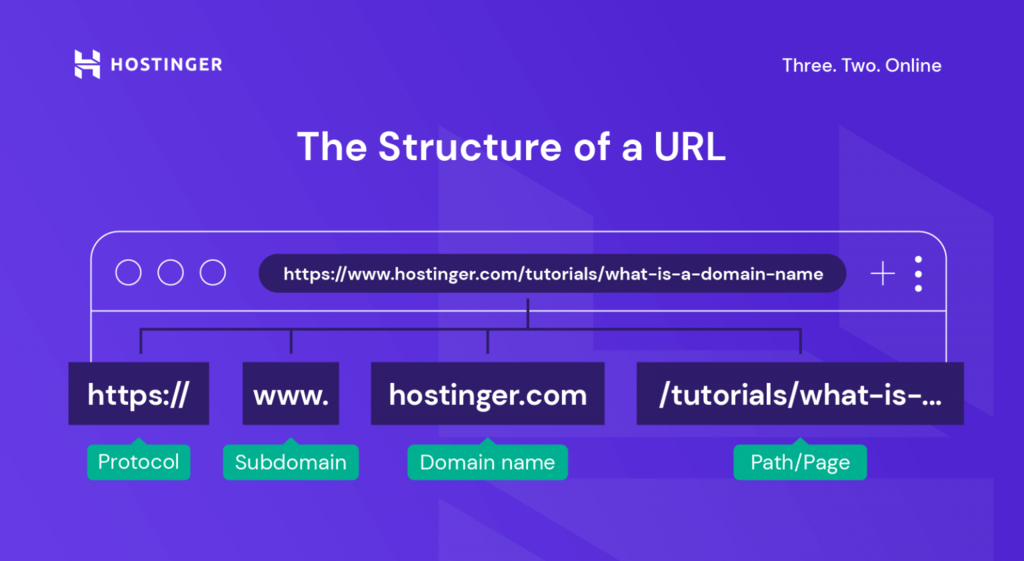
From left to right, the domain structure includes:
- Subdomain – Located to the left of a second-level domain, it serves as an extension of the primary domain. A subdomain can also highlight a website’s specific section, such as blog.site.com. Not all domains feature subdomains.
- Second-level domain (SLD) – Often referred to as a domain name, it’s the most memorable part of the domain structure. Taking place before the final dot, it usually contains a brand name.
- Top-level domain (TLD) – Takes place after the last dot and usually consists of two to three letters, such as .com, .net, or .fr. It can represent specific elements of a website, like its purpose, owner, or geographical location.
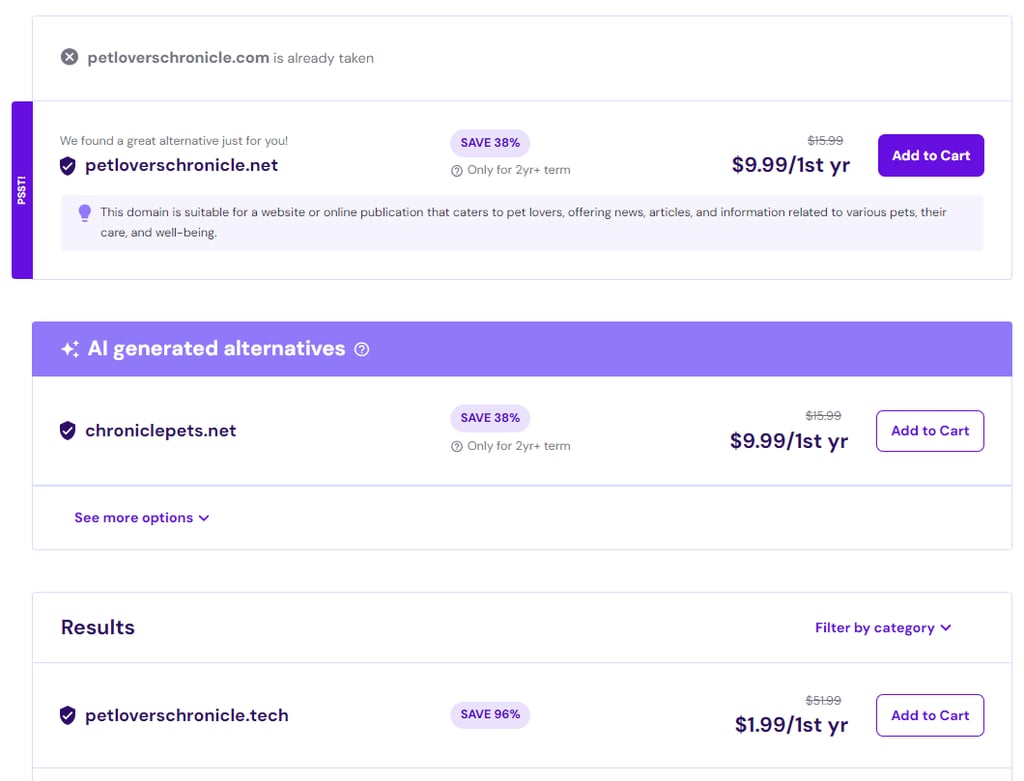
With different types of TLDs, it’s easier to secure unique domains. Most domain checker tools usually offer similar names with different TLDs if your first choice is taken.
Hostinger, for example, has around 500 domain extensions for various purposes. Our domain name search tool pairs domain variations with the appropriate TLDs based on your brand description to ensure they’re unique.
What are the different types of TLDs?
The Internet Corporation for Assigned Names and Numbers (ICANN) recognizes the following types of TLDs. However, only the first three are available for public registration.
Generic top-level domain (gTLD)
Generic top-level domains are the most popular domain extensions for general use. The most popular generic TLDs are:
- .com – Originally created for commercial sites, it’s now the most widely used TLD.
- .org – Often associated with nonprofit organizations or charities.
- .net – Popular among tech-based companies and network providers.
- .biz – Caters to commercial use.
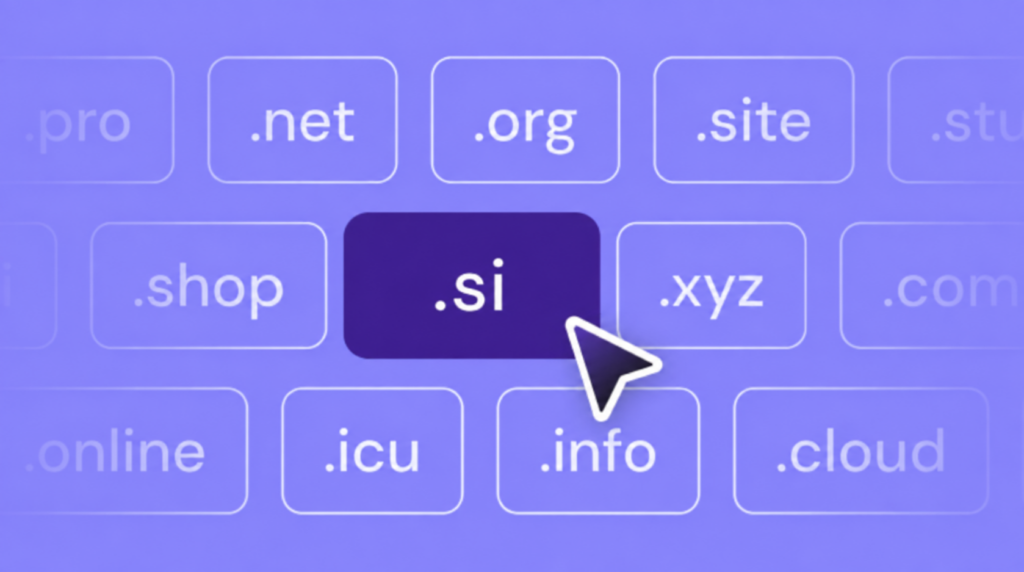
As legacy gTLDs is getting more and more recognized, new industry-specific gTLDs like .online and .shop are gaining popularity as compelling domain alternatives. Not all domain registrars offer the same generic TLD options, so it’s best to shop around before buying.
Keep in mind that certain gTLDs like .gov, .edu, or .bank require proof that you belong to the relevant community or sector.
Sponsored top-level domain (sTLD)
An sTLD is a domain extension restricted to a specific entity or owner. Private organizations sponsor sTLDs, so registering them requires formal authorization and must be done through specific registrars.
Due to their exclusivity, there’s only a limited number of sponsored top-level domains in the global domain name system (DNS). As of the time of writing this article, the Internet Assigned Numbers Authority (IANA) registry lists only 15 sTLDs, including:
- .gov – Sponsored by the US General Services Administration for US government entities at the federal, state, and local levels.
- .edu – Reserved by EDUCAUSE for accredited US postsecondary educational institutions.
- .int – Reserved for entities established by international treaties, governed by IANA.
- .mil – Exclusively for the US military, overseen by the Department of Defense.
Country code top-level domain (ccTLD)
A country code domain identifies the country or territory of an internet address using a two-letter code based on the ISO 3166-1 alpha 2 standard.
IANA lists over 300 ccTLDs, surpassing the number of recognized countries as they include top-level domains for dependent territories.
A few examples of country code TLDs include:
- .us – United States
- co.uk – United Kingdom
- .de – Germany
- .fr – France
- .in – India
- .br – Brazil
In 2010, ICANN introduced internationalized ccTLDs (IDN ccTLDs) featuring non-Latin characters. These top-level domains support over 30 languages, including Arabic, Chinese, Cyrillic, and Hebrew.
Most country code top-level domains are available only to the corresponding countries’ residents. However, some are public and available to purchase anywhere, like and .tv (Tuvalu) or .co which was originally assigned to Colombia but has seen wide global adoption, especially among startups and tech brands.
If you’re wondering if .co is a good domain for your website, it’s worth exploring how it compares to traditional TLDs
Country code TLDs can be highly beneficial for marketing purposes. Here’s how:
- Build local presence – Show that your business is local, establishing credibility among local customers and improving brand awareness globally.
- Geo-targeting – Tailor your content, offers, and marketing messages to specific audiences for higher engagement and conversion rates.
- Brand protection – Prevent competitors from misusing your brand name with a different TLD.
Infrastructure top-level domain
The only infrastructure TLD is .arpa, which stands for Address and Routing Parameter Area. IANA reserves this top-level domain extension for the Internet Engineering Task Force (IETF) to manage network infrastructure tasks. Therefore, only entities managing network infrastructure can use it.
Test top-level domain (tTLD)
These extensions are only for local testing and documentation, not for installation in the global domain name system.
The four test top-level domains include:
- .test – Reserved for testing different scenarios or software.
- .example – Used as placeholders for documentation purposes only.
- .invalid – Displays invalid domain names when needed.
- .localhost – Used for testing within local networks.
Why are TLDs important?
Your top-level domain choice shapes how users, search engines, and browsers perceive your website. TLDs establish your site’s identity, build trust with visitors, enable geographic targeting, and influence search relevance.
Here’s how domain extensions affect your online presence across six areas.
Categorization and purpose
TLDs organize websites into recognizable categories that signal intent and function. Extensions like .org indicate nonprofit organizations, .gov represents government entities, .edu denotes educational institutions, and .shop identifies ecommerce platforms.
Within the DNS, TLDs route traffic to the correct name servers, enable content filtering by domain type, and help browsers classify websites. Browsers apply stricter security protocols to certain TLDs, while enterprise networks may block or allow traffic based on domain extensions.
Trust and credibility
Familiar domain extensions inspire more trust than uncommon alternatives. Users perceive established TLDs like .com, .org, and .net as legitimate. To demonstrate, consider the difference between usa.gov and usa.xyz – the .gov extension immediately signals official government status, while .xyz lacks institutional authority.
Security concerns amplify these trust issues. Phishing campaigns frequently use obscure TLDs because they’re easier to register in bulk. Domains using extensions like .zip or .review appear disproportionately in spam lists, making users hesitant to click links with unfamiliar extensions.
However, newer generic TLDs gain credibility when used appropriately within their intended context. Industry-specific extensions like .tech, .design, or .academy build trust when they match the website’s actual purpose.
Branding and identity
Your TLD choice reinforces brand positioning and instantly communicates your industry focus. Tech startups use .tech or .io to signal innovation, creative professionals choose .design to showcase their field, and retailers use .store to emphasize ecommerce.
A photography business using capture.photos or consulting firm with insights.consulting creates a cohesive brand message where the TLD completes the concept.
Geographic relevance
Country code TLDs can help you rank higher in local search results and communicate website localization to the right audience.
Search engines use ccTLDs as strong geographic signals. A .de domain receives preferential treatment in German search results, while a .com.au domain ranks better for Australian queries.
Users shopping for local services instinctively trust domains with their national extension – a French user will likely click banque.fr before banque.com.
SEO and marketing
TLDs don’t directly boost search rankings, but they create indirect search engine optimization (SEO) advantages.
For instance, click-through rate varies by TLD familiarity. Users scroll past unfamiliar extensions in search results, reducing organic traffic even when rankings are identical. A .com link in position three may receive more clicks than a .xyz link in position two because users trust recognizable extensions.
Moreover, domain extensions affect backlink attractiveness. Websites hesitate to link to domains with questionable extensions, fearing credibility harm.
➡️ Read our guide to find out if .xyz is a good domain.
Memorability
Recognizable TLDs with short domains improve user recall and repeat visits. Users remember example.com more easily, as the extension has become so ingrained that people automatically add .com when typing incomplete domain names.
That said, newer generic TLDs can also be memorable when they create meaningful connections with your brand. A domain like hire.me or get.help becomes instantly clear and easy to remember because the extension completes a natural phrase.
As users encounter industry-specific TLDs more frequently, seeing .tech startups, .store retailers, and .blog publishers, recognition and recall improve. A well-chosen modern TLD that aligns with your business can enhance memorability by making your domain name more descriptive and intuitive than a generic .com alternative.
Who manages TLDs?
The Internet Corporation for Assigned Names and Numbers (ICANN) oversees the global management of TLDs. This nonprofit organization coordinates the DNS at the highest level, establishing policies for TLD creation, delegation, and administration.
Within ICANN’s structure, the Internet Assigned Numbers Authority (IANA) maintains the authoritative list of all TLDs, manages root zone changes, and delegates operational control to registry operators. When a new TLD launches or an existing one changes hands, IANA updates the root zone database that directs all internet traffic.
Registry operators manage individual TLDs under delegation from ICANN and IANA. These organizations maintain the authoritative database of all domain names registered under their assigned extension.
For example, Verisign operates the .com and .net registries, managing over 170 million domain names. Public Interest Registry runs .org, while Afilias (now part of Donuts Inc.) operates .info and numerous other extensions. Each registry sets pricing policies, technical requirements, and eligibility rules for their TLD.
DNS authority flows hierarchically from ICANN/IANA at the top, down to registry operators, and finally to accredited registrars who sell domains directly to the public. Domain registrars like Hostinger purchase wholesale access from registries and retail individual domain names to customers.
This three-tier system separates policy-making, technical administration, and consumer sales, creating checks and balances in domain name governance.
What are the most popular TLDs?
According to recent domain name statistics, .com extension still dominates global domain registrations with over 157 million active domains. This generic top-level domain accounts for roughly 52% of all registered domains worldwide, far surpassing any other extension.
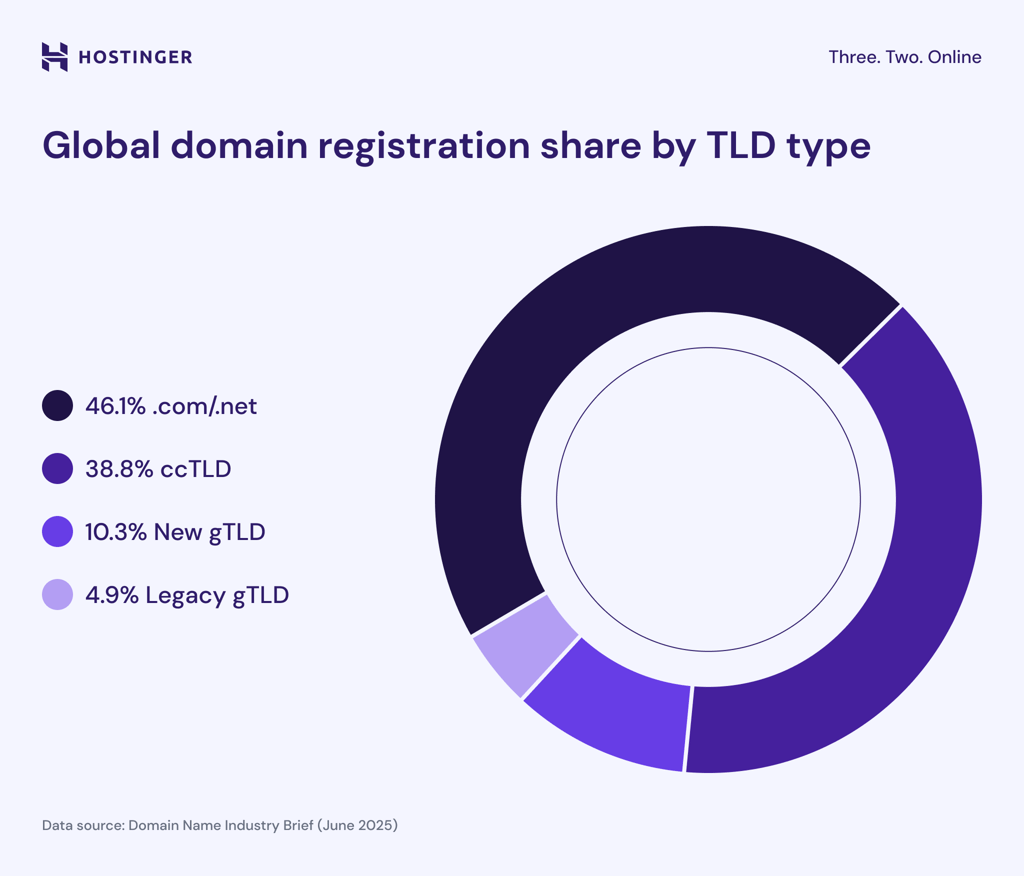
Country code TLDs like .cn, .de, and .uk following the classic .com popularity due to strong domestic internet markets and local user preferences. Traditional generic extensions .net and .org also maintain significant market share despite increased competition from hundreds of new gTLDs introduced since 2013.
How to choose the right domain name after selecting a TLD?
Choose a domain name that’s short, memorable, easy to spell, and directly reflects your brand or purpose. The best domain names balance creativity with clarity, avoiding complex spelling, numbers, or hyphens that create confusion.
Follow these tips when choosing the right domain name for your website:
- Prioritize brevity and simplicity – Shorter domains are easier to remember, type, and share verbally.
- Avoid numbers, hyphens, and unusual spellings – These elements force you to explain your domain when sharing it verbally.
- Check trademark conflicts and availability – Search trademark databases to ensure you’re not infringing on existing brands. Also verify that matching social media handles are available for brand consistency across platforms.
- Test pronunciation and spelling with others – Say your full domain aloud to colleagues without showing them the spelling. If they can’t type it correctly after hearing it once, consider alternatives.
Use a domain search tool to check availability for your top choices. If your preferred name is taken, consider slight variations or adding descriptive terms that enhance your brand.
Domain Name Checker
Instantly check domain name availability.
And after securing your domain, consider registering common misspellings or alternative TLDs with the same second-level domain to protect your brand from competitors.
This article is a localized version of What is a TLD? Understanding top-level domains and their role online, originally published in English.
All of the tutorial content on this website is subject to Hostinger's rigorous editorial standards and values.

Jordana is a Senior Content Writer with a background in Information Systems. She has over five years of experience in WordPress and is casually dabbling with PHP and MySQL. Her passion for writing and technology drives her to create tutorials for anyone wanting to build their online presence. Follow her on LinkedIn.

Larassatti Dharma is a content writer with 5+ years of experience in the web hosting industry. She has populated the internet with over 100 YouTube scripts and articles around web hosting, digital marketing, and email marketing. When she's not writing, Laras enjoys solo traveling around the globe or trying new recipes in her kitchen. Follow her on LinkedIn