How to Migrate a WordPress Website in 2 Steps
Jan 24, 2023
/
Andzelika D.
/
3 min Read
Migrating your WordPress website can seem like a daunting task. It’s a risky and intimidating process, especially if you don’t know what you’re doing.
But it’s actually not as difficult as it may seem. Especially if you follow this detailed guide and use an automatic migration tool.
In short, here’s how you can migrate your WordPress website yourself in three simple steps:
- Go to Hostinger and choose a WordPress web hosting plan.
- Login to your Hostinger account and use the automatic migration tool.
- Enjoy your newly migrated WordPress website!
To see this process in more detail, read the instructions below.
If something goes wrong and your website breaks, our customer support team will be able to help you 24/7.
We also have a dedicated website migration team that can migrate your website for you. All you have to do is place a request and wait 24 hours.
1. Choose a new WordPress Hosting Plan
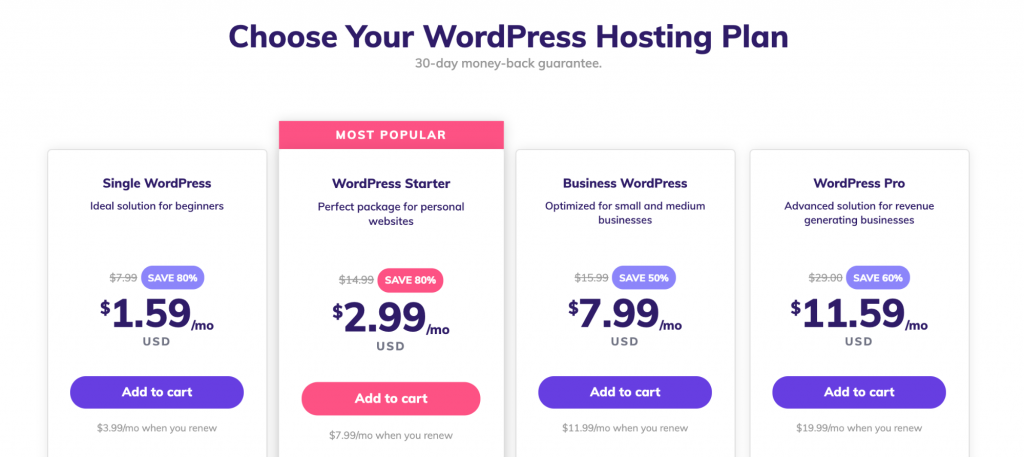
Hostinger’s WordPress web hosting plans will let you get the most out of your WordPress site.
Each plan includes lots of different features that all WordPress website owners need. However, here is what will truly change your experience of running a WordPress site when you chose Hostinger:
- LiteSpeed Cache plugin. Speed is crucial for WordPress websites, which is why we use LiteSpeed WebServer that’s specially adapted for WordPress. We also provide the LiteSpeed Cache plugin, which shaves off the website’s loading time down to the last possible millisecond.
- Managed WordPress. You will get a collection of easy-to-use tools that will help you manage your WordPress website. This includes hundreds of written and video tutorials.
- 24/7 Customer Support. Accessible through a live chat, our customer support team are WordPress specialists that will answer your questions at any time of the day, any day of the year.
- Free Let’s Encrypt SSL certificate. All WordPress hosting plans include a free SSL certificate that encrypts all sensitive data. Your visitors will be able to enter their contact and payment details without any risks.
- Free email account. Having a professional email address that shows your company name will automatically build trust with your clients. All WP plans include at least one free email account with your domain name.
- 99.9% Uptime Guarantee. Hostinger is one of the very few hosting providers that can guarantee such a high uptime. It’s also probably the only one that comes with such affordable price tags.
- Free domain. Starter, Business, and Pro WordPress hosting plans come with a free domain name. This is guaranteed to save you money that you would inevitably spend on registering your domain name elsewhere.
- 30-day money-back guarantee. If you try our WordPress hosting and decide it doesn’t fulfill your needs, we’ll return your money risk-free as long as it’s within 30 days from signup.
2. Use The Automatic Migration Tool
Log in to your new Hostinger account to access the hPanel.
Scroll down to Website and click Migrate Website.
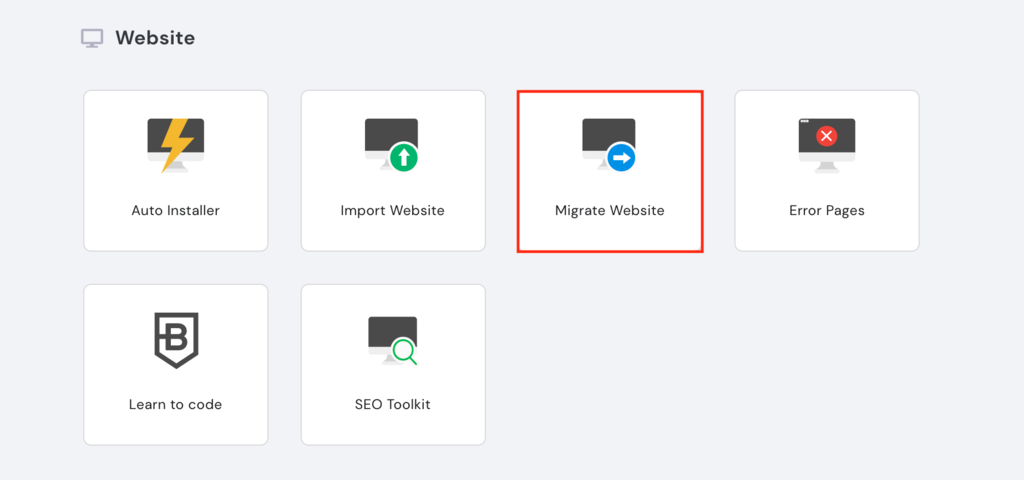
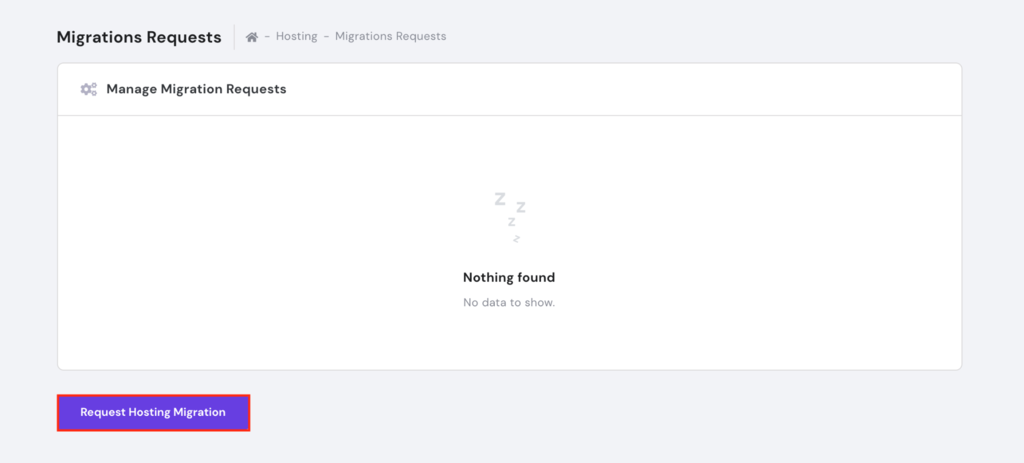
Press Request Hosting Migration to access the migration tool.
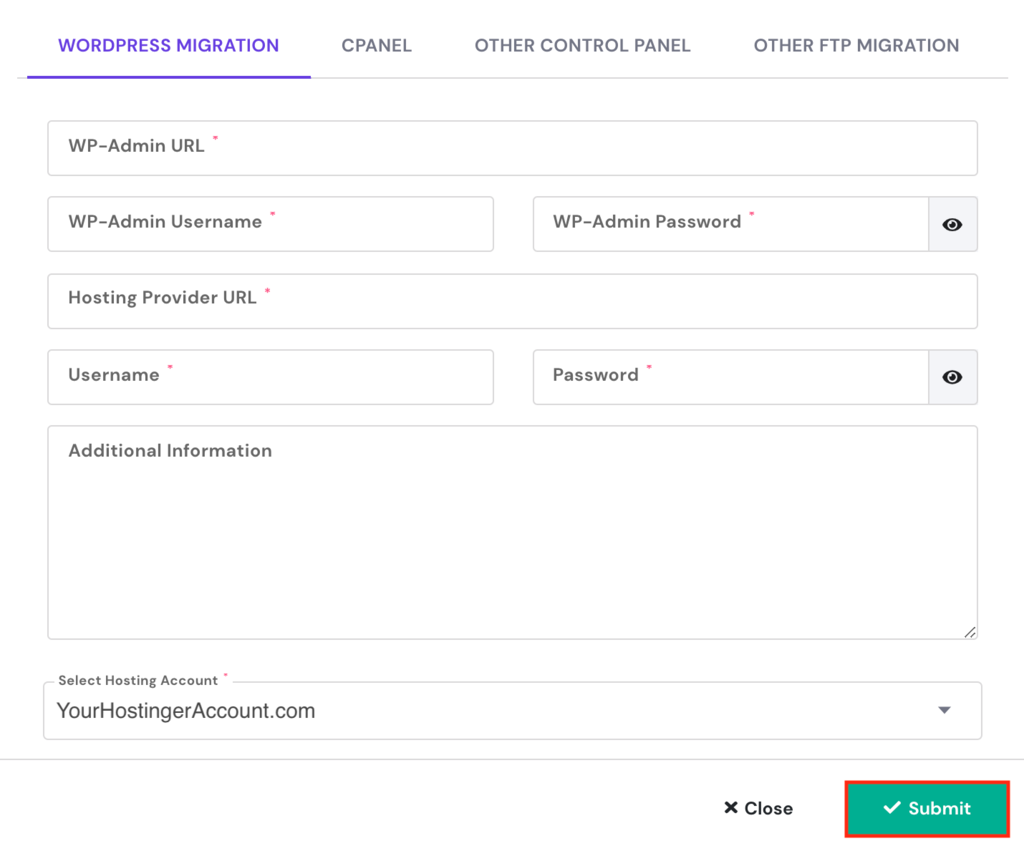
Fill in the required information, click Submit, and begin the website migration process.
How to Point a Domain Name to Hostinger
Seeing as you’re migrating your website to Hostinger, it only makes sense to point your domain to us too. Doing so will let you have all of your accounts in one place, simplifying the management by a mile.
Lucky for you, pointing a domain to Hostinger is simpler than you may think. You just need to change the domain nameservers and wait up to 24 hours for the changes to take effect.
Here’s how you can do that in three steps:
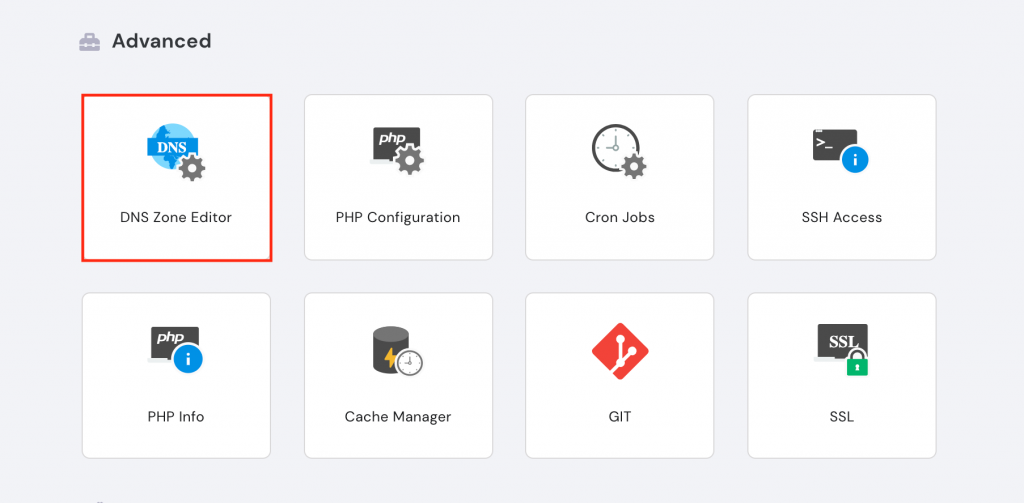
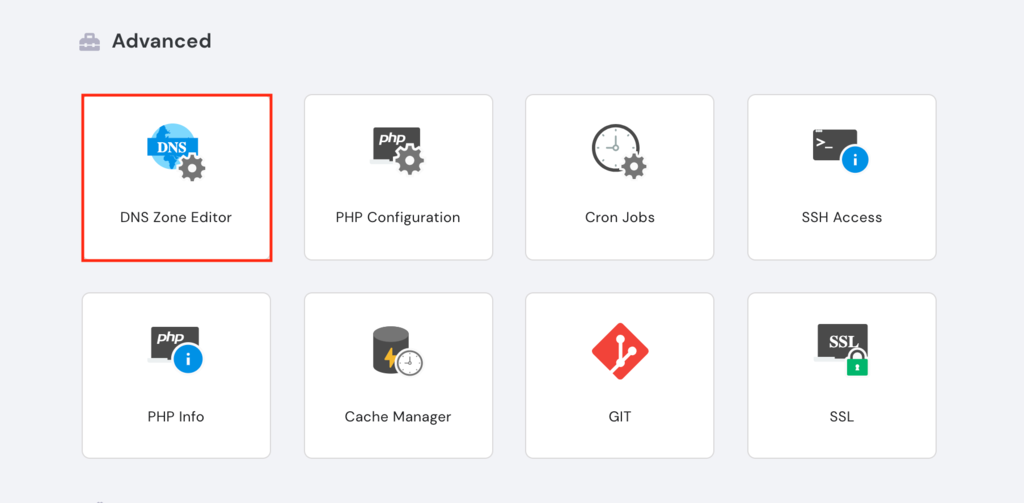
- Log in to your Hostinger account to access the hPanel. Scroll down to Advanced and click DNS Zone Editor.
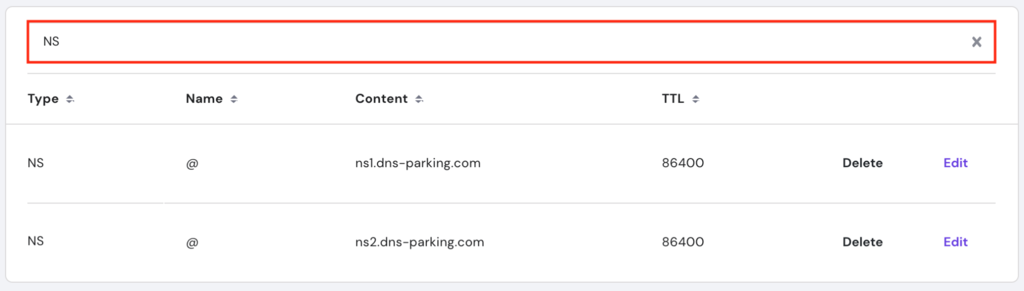
- Go to the search bar and type in NS to find the nameservers.
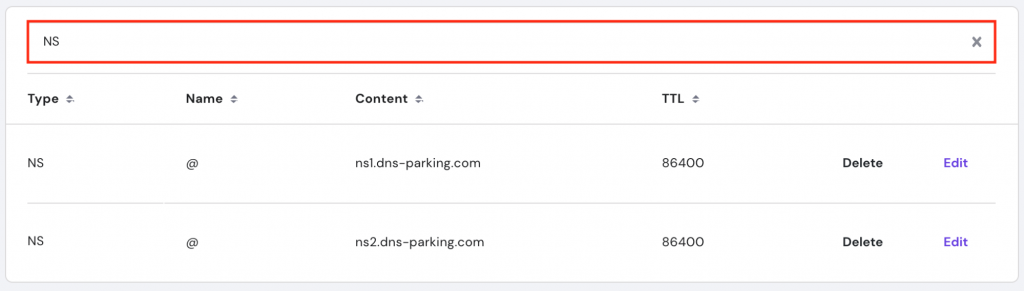
The nameservers should read ns1.dns-parking.com and ns2.dns-parking.com. - Log in to your current domain registrar and locate the DNS editor (keep in mind that it could be named differently depending on the registrar). Replace the current nameservers with the new Hostinger ones and click Save.
Allow up to 24 hours for the changes to take place.
And in case anything breaks, you can always reach out to our customer support team – they’re available 24/7.
All of the tutorial content on this website is subject to Hostinger's rigorous editorial standards and values.

Andzelika is a Content Writer and Editor with over 5 years of experience in the digital marketing industry. With passion for technology and the art of the written word, she loves to combine the two worlds and produce actionable content.