How to make money on Facebook
Oct 15, 2026
/
By Aris S.
/
11 min Read
Making money on Facebook involves leveraging your audience, content, and the platform’s commerce tools to generate revenue directly or indirectly. Direct monetization comes from Meta itself for views and engagement. Indirect monetization happens when you use Facebook as a marketing channel to sell your own products, services, or affiliate offers.
Facebook is an excellent platform for generating income due to its billions of users, as well as a variety of built-in tools you can leverage to make money. You can make money on this platform in many ways, including:
- Building a subscriber-only community
- Launching a storefront on your Page
- Listing items for local buyers
- Earning ad revenue from video views
- Sharing referral links for commissions
- Marketing your professional expertise
- Collecting virtual tips while streaming
- Investing in paid traffic to boost sales
- Funneling followers to external sites
In general, you can make around $200 to $800 per month from direct monetization, while the indirect income depends on the price of your product or service. Regardless of the method, ensure you follow best practices to quickly and reliably earn from Facebook. For example, engage regularly and ensure your content provides the most value, instead of focusing on making money.
1. Offer paid fan subscriptions
Facebook Fan Subscriptions is a feature that lets others support you with a recurring monthly payment in exchange for exclusive content or benefits.
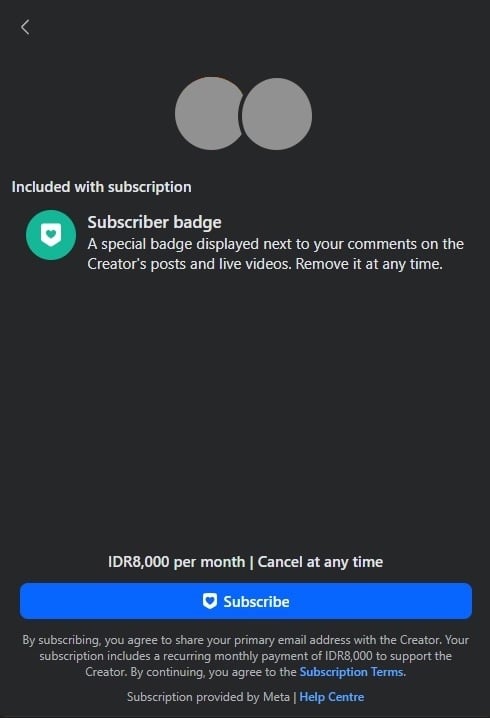
Fans subscribe because they want a deeper connection with you or access to content that casual followers don’t see, which makes them feel more exclusive. In return for their monthly fee, you can offer perks like:
- Exclusive content. Behind-the-scenes videos, polls, or posts visible only to subscribers.
- Subscriber badge. A visual badge next to their name in comments and live streams, signaling their status.
- Discounts. Special codes for your merchandise or products.
- Live videos. Private streams where you answer questions or hang out with just your subscriber community.
Note that this feature is only available for qualified creators. To be eligible, your Page typically needs to meet these strict criteria:
- Number of followers. Your Facebook Page must have at least 10,000 followers or 250 returning viewers.
- Engagement metrics. Content on your Page must amass either 50,000 post engagements or 180,000 watch minutes in the last 60 days.
- Compliance. You must be at least 18 years old and adhere to Facebook’s Partner Monetization Policies and Community Standards.
You can check whether you are eligible for enabling the fan subscription feature or other monetization methods from the Professional Dashboard. If you set up a Facebook Business Page or professional profile, this is where you will check all monetization metrics and engagement performance.
Facebook Fan Subscriptions is a great way to make money fast because you keep 100% of the subscription price, except for transactions done through App Store or Play Store, which incur a 15-30% fee. Payouts are issued monthly if your earnings meet the minimum threshold, which varies by payment method.
2. Sell products through a Facebook Shop
The Facebook Shop feature is an ecommerce feature built into your Facebook business page, where you can set up your own online store and sell products directly on the social media platform. It is best suited for brands and businesses that want to allow people to shop while socializing without switching platforms.
To sell products on Facebook Shop, use the Commerce Manager feature, which allows you to manually upload a catalog of products or sync it from Shopify or WooCommerce stores.
Note that Facebook Shop no longer offers in-app checkout, so you must redirect buyers to your website or other ecommerce platforms, or meet them in person for cash on delivery. While listing items on Facebook Shop is free, this means you get charged transaction fees on the platform where buyers complete their purchase.
The rate and additional fee policy depend on the platform. For example, Shopify charges payment fees that vary according to your payment method, type of credit card, and location where the card is registered.
In addition, there are several other downsides of using Facebook Shop, including:
- Lack of control. Since you do not own the platform, policy changes may affect your store and products. Unless explicitly allowed, you also have limited access to customers’ email addresses, names, and home addresses, making it difficult to establish a mailing list.
- Limited branding. You are limited by Facebook’s layout and design, making it challenging to build a unique brand identity. If you are building a business, using this platform isn’t a viable long-term solution.
- Algorithm dependency. Your online store’s discoverability and traffic depend on Facebook’s algorithm. On your own online store, you can market and optimize the website based on your needs.
Given the downside, Facebook Shop is more suitable as a marketing channel than the main platform for selling your products. In the long term, it’s better to start a website to sell your products using a simple website builder, where you can build a stronger reputation and brand.
With Hostinger AI Builder, you can easily create a custom online store using AI and an intuitive visual editor. You have full control over your ecommerce website, enabling you to design it however you want and optimize your website as needed. We also don’t charge a commission, so you can keep most of your profits.
3. Use Facebook Marketplace to sell products
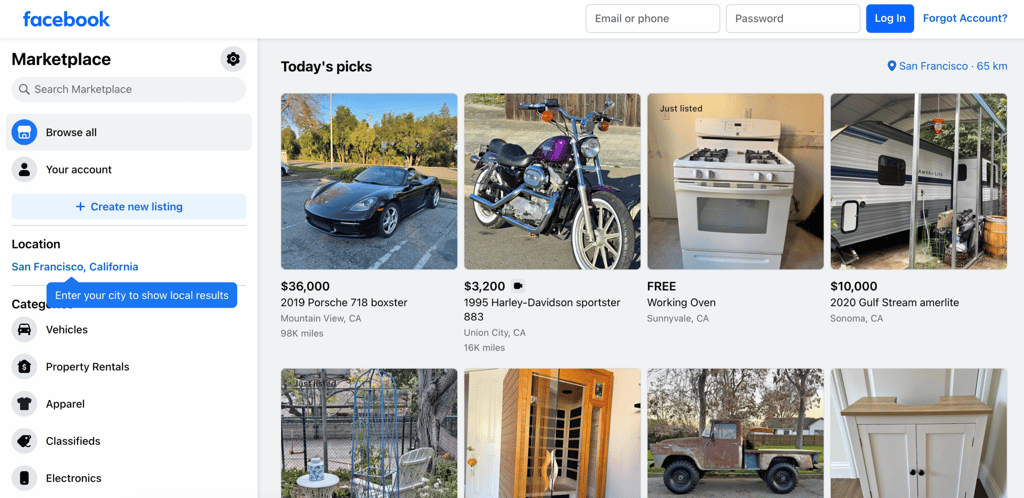
On Facebook, the Marketplace allows you to sell items directly to people in your local community. Unlike Facebook Shop, which is designed for businesses shipping inventory, Marketplace is more popular among individuals for selling secondhand products.
Listing an item is as simple as uploading a photo, adding a description, and setting a price. Communication occurs via Facebook Messenger, making the shopping process quite simple. You can then meet up with the buyers to complete the transaction.
Since Facebook Marketplace is quite popular, you need to be strategic to ensure your products stand out:
- Incorporate keywords into your listing. Write a keyword-rich, clear product title and description to improve discoverability, like “Full mesh black office chair – mint condition.” For tips on crafting compelling copy, read how to write a product description.
- Price products competitively. Research similar sold items and use their price as a reference. If you aren’t sure where to start, check this guide on how to price a product.
- Cross-post to local commerce groups. Join a local community or garage sale groups, then cross-post your listings there. This pushes your sold items into the main news feed of such groups’ members, who are more likely to make a purchase since they are closer to your locations.
- Reset the algorithm by relisting items if an item hasn’t sold after two weeks, delete the listing entirely, and create a fresh one. This forces the Facebook algorithm to treat it as brand-new inventory, often giving it a significant “new listing” visibility boost in the local feed.
Clear communication is vital. Write detailed descriptions that answer common questions upfront. You can even use Marketplace to sell digital products online if you frame them correctly within the allowed categories.
4. Monetize your videos with in-stream ads
In-stream ads in Facebook videos appear as short breaks before, during, or after your content. If you livestream or post videos on this social media platform, it is one of the most scalable ways to earn money because the revenue is generated passively based on views.
While this is an excellent way to monetize your video content, Facebook enforces strict requirements for eligible creators:
- Number of audiences. Your Facebook fan Page should at least have 10,000 followers.
- Total view time. Your video content on your Page must have a total of 600,000 eligible minutes viewed in the last 60 days.
- Number of content. At least 5 videos are active on your Page.
If you think you meet the requirements, check your eligibility for in-stream ads from Meta Business Suite. If you are qualified, enable this feature on the Monetisation menu. Once enabled, you can set where to display the ads when starting your stream.
Your earnings from in-stream ads depend on your Cost Per Mille (CPM), which refers to the fee per 1,000 impressions. CPM varies a lot depending on your content topic and niche, but creators see CPMs of around $5.00 on average.
To maximize ad revenue, focus on longer videos of at least 3 minutes. This is because Facebook’s algorithm prioritizes content that keeps viewers watching past the one-minute mark, the point where the first ad slot becomes available.
5. Use affiliate marketing on Facebook
On Facebook, affiliate marketing involves sharing links to products or services and earning a commission when someone purchases through that link. It’s one of the most popular ways to earn money online, with the global affiliate marketing industry projected to reach $31.7 billion by 2031.
You can share affiliate links in different places on Facebook, including posts on your Facebook Page, posts in groups, or short-form content like Stories. Regardless of the medium, you need to disclose the existence of affiliate links using a disclaimer, as mandated by the Federal Trade Commission (FTC) and Facebook for transparency.
Important! Typically, adding a simple disclaimer like Paid promotion or Ad is sufficient for affiliate transparency. However, check Facebook’s policy first before posting any affiliate links to ensure you adhere to the guidelines.
Additionally, you must follow the best practices to ensure your affiliate marketing campaign is successful and brings the most value to your audience:
- Add links strategically. Since Facebook deprioritizes content containing links that direct users outside of the platform, avoid spamming links on your content and strategically include them on your page’s bio or comments instead.
- Implement a content-first strategy. Instead of blindly posting links, create helpful content, like tutorials, reviews, or comparisons, and include affiliate links as complementary resources.
- Create interactive content. Since the purpose of affiliate links is to prompt users to buy sponsored products, use short-form video or interactive content like quizzes to capture their attention.
- Include compelling reviews. Entice users to purchase the promoted products by writing a compelling product review.
- Scale your effort. Increase the number of promotional posts and consider creating an affiliate marketing website to tap into more potential customers.
- Monitor your earnings. Use tools like Google Analytics to track affiliate links so you know which Facebook posts are performing well.
6. Promote your online courses or services
Facebook can be an excellent platform for selling online courses or services, as it serves as a portfolio where you can showcase your expertise and share client stories. Whether you are a consultant, graphic designer, or fitness trainer, this social media can be a great platform to find potential clients.
To reach the right audience and potential clients, consider the following best practices:
- Optimize your Page. Your Facebook Page bio and cover photo should clearly state what you do and your contact details. While the profile customization options are limited, you can use our portfolio templates for design inspiration.
- Use Facebook Groups. Join groups where your ideal clients hang out and be helpful by answering questions without being salesly to soft promote your profile. When using this strategy, however, be careful because promotions are strictly prohibited in some groups.
- Leverage lead magnets. Offer a free mini-course or checklist in exchange for an email signup. This enables you to build a mailing list for promoting or upselling your paid service.
- Showcase your previous projects. Post your past projects, client stories, and sample works in your profile to build trust among potential clients. For example, if you make money blogging for other people’s websites, share the content on your Facebook Page.
Facebook also provides several features that can help you market your service more effectively, including:
- Professional Mode. On your Facebook profile, you can enable Professional Mode, which enables you to view content and audience insights. You’ll also gain access to enhanced safety features, including Moderation Assist and profile access limitation to help maintain your reputation.
- The Services tab. You can set up a Services tab on your business Pages from the customization menu. Setting up this dedicated area in your Page allows visitors to immediately know what your business offers.
- Appointment booking tools. Facebook includes a suite of appointment features that enable you to send automated messages to clients, set availability of your service, and sync your business with Google Calendar, which are accessible from your profile.
7. Get paid through Facebook Stars during livestreams
Facebook Stars are virtual items that viewers of your live stream can purchase and send to you to express appreciation or have their comments highlighted. Think of it like a tipping or donation system, but instead of money, it uses a virtual currency.
For every Star you receive, Facebook pays you $0.01. While the amount seems small, live stream viewers typically send stars in large quantities, up to tens of thousands. You can encourage viewers to send stars by:
- Acknowledging senders. Call out the names of people who send Stars live, as recognition encourages others to do the same. You can also read their chat aloud to give more acknowledgement.
- Setting goals. Use an on-screen counter and set a milestone for a specific number of Stars received to gamify the experience. For example, if you get 5,000 Stars, start a Q&A or do a request from viewers.
- Creating a top giver leaderboard. Another gamification strategy to encourage viewers’ participation is to create a leaderboard that recognizes and appreciates individuals who receive the most Stars.
In general, Stars are not as profitable as in-stream ads, especially if you are streaming to a smaller audience. However, it’s a great way to monetize your content if you are starting out because it’s relatively easy to get qualified. The conditions include:
- Number of followers. Your Page needs to have at least 500 followers for at least 30 consecutive days.
- Compliance with Community Standards. You have to accept Facebook’s policy to be eligible to receive Stars.
- Residence in an eligible country. You must be located in a qualified country for legal and regulatory purposes.
8. Run Facebook ads
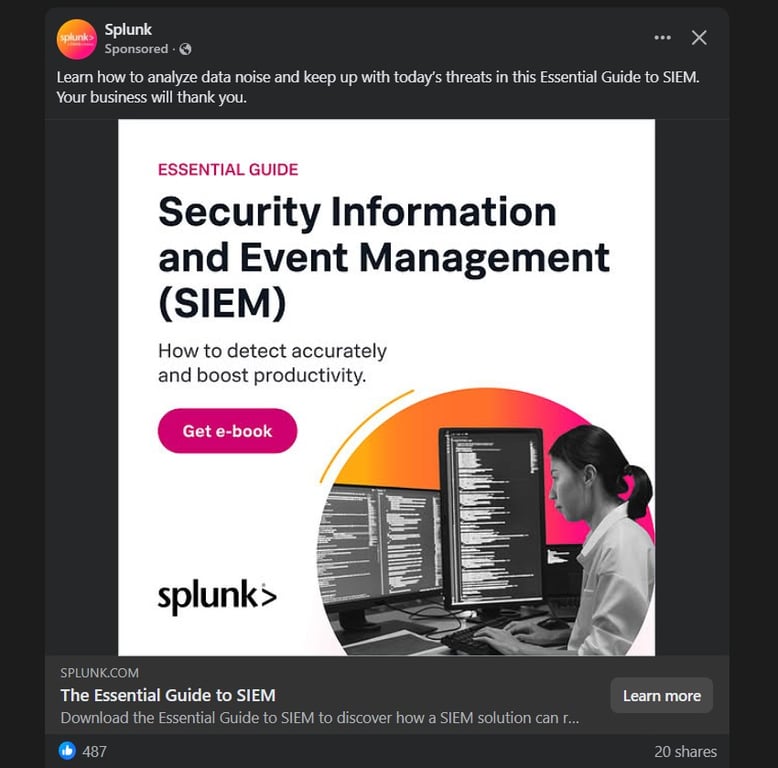
Facebook ads are paid promotional messages that businesses place in feeds, stories, and sidebars. Unlike the other methods on this list that aim to get income directly from Facebook, the goal of running Facebook ads is to promote your brand and ultimately make money from sales.
Paid ads are effective for generating traffic and leads for your business, as they are easily identifiable and adjustable to target specific demographics.
Typically, Facebook ads are used to promote online stores or businesses. However, you can also use them to increase awareness of your monetized website or other channels.
Running Facebook ads costs you some money, but the process is simple:
- Go to Facebook Ads Manager and create a new marketing campaign.
- Set the objective for your campaign, which can be traffic, reach, leads, or conversion.
- Determine a budget for your ad and decide whether it will run continuously until your budget is exhausted or based on a daily budget.
- Define the target audience for your campaign using Facebook’s targeting options, which can be based on factors such as location, age, interests, and more.
- Create your ad using images or videos in the format you prefer, such as links or carousel.
When starting your Facebook ads campaign, remember to set a small budget first, commonly $5 to $10 per day. Only when your ads begin to generate substantial traction should you scale up to reach a broader audience.
While ads are effective in drawing customers, creating a successful campaign requires dedication and long-term effort. For example, making a compelling ad design is time-consuming, and developing a successful campaign requires constant iteration. You’ll need to compare your ads to determine which version works better and monitor their performance regularly.
9. Drive traffic to other monetized platforms
Facebook can be a great entry point for driving traffic to other monetized platforms or your ecommerce website to increase online sales. This is an excellent method if you already have income from different channels and want to expand your reach to a larger audience.
Even if Facebook is the first platform you monetize, diversify your presence by starting a blog or building an account on other social media platforms. This is important because relying on Facebook alone to make money is risky. If your account gets banned or Meta changes its policy, you may lose your income.
Suggested reading 📚
Check out our other tutorial to learn how to monetize a website to diversify your online income sources for a more sustainable business.
Use Facebook as a funnel by posting engaging snippets, memes, or short videos that contain call-to-action elements, leading to your other platforms, such as a blog, YouTube channel, or email list.
Note that Facebook’s algorithm deprioritizes posts with outbound links that send people off the platform. To counter this, place a link in the first comment or in your Facebook Page’s bio and mention the existence of this link in your content.
What are the best tips for making money on Facebook?
Successfully making money on Facebook is a long-term effort that requires consistency. Here are several tips to get started:
- Check your Professional Dashboard. This dashboard displays various important metrics about your Page or professional profile’s monetization. Regularly checking it helps you gain insights into engagement performance, verify monetization status, and identify areas for improvement to qualify for monetization.
- Pay attention to community compliance. One violation of Facebook’s Community Standards can instantly demonetize your page. Be mindful of what you share on the platform, avoid engagement bait, and ensure all content is original as well as valuable.
- Post consistently. Since Facebook’s algorithm favors creators who keep users on the app, post content at least 3-5 times a week. Keeping your channel active and gathering interactions is also crucial to qualify for a partnership program, such as in-stream ads.
- Engage authentically. Avoid posting content without interacting with your audience. Replying to comments helps boost your post’s visibility, leading to more organic reach and higher earning potential.
How much money can I make on Facebook?
The amount of money you can make on Facebook depends on the method you use to generate income. For example, creators who monetize content directly on Facebook earn based on engagement metrics such as views, watch time, and audience location.
Commissions from Facebook vary, but there’s a ballpark for estimates. You can earn anywhere from $0.01 to $0.03 per eligible view through in-stream ads, while a Facebook star gives you $0.01.
However, Facebook’s commission rate varies significantly based on factors like the audience’s location and the category of your content. If you stream five times a week to 1,000 viewers, you can easily earn between $200 and $800 per month, excluding Stars and other donations.
Find more ways to make money online with AI
Making money on Facebook requires human labour, whether it’s for creating content or a product to sell. With AI tools, however, you can scale output without significantly increasing your workload, resulting in a higher return on investment.
AI can help you automate video editing for Reels, generate ad copy variations quickly, or even develop entirely new digital products to sell. To dive deeper into these opportunities, read our guide on how to make money with AI.
Note that this AI approach won’t work for all creators, as some content, such as live streams, requires constant interaction with your audience.
Moreover, remember to use AI strategically, rather than focusing on creating as many outputs as possible. This is because converting content is what gives the most value to your audience.
This article is a localized version of How to make money on Facebook, originally published in English.
All of the tutorial content on this website is subject to Hostinger's rigorous editorial standards and values.

Aris is a Content Writer specializing in Linux and WordPress development. He has a passion for networking, front-end web development, and server administration. By combining his IT and writing experience, Aris creates content that helps people easily understand complex technical topics to start their online journey. Follow him on LinkedIn.