How to make money on Pinterest in 10 steps
Mar 18, 2026
/
Ksenija
/
16 min Read
Making money on Pinterest involves using the platform to turn visual content into traffic, product sales, affiliate commissions, and brand partnerships.
Pinterest monetization typically happens when users discover a Pin in search, click through to a product or page, and complete an action such as buying a product, signing up for a list, or following a recommendation.
Creators generate income through five main models: affiliate marketing, driving traffic to a blog or website, selling digital products, print-on-demand merchandise, and sponsored content.
These methods all rely on publishing searchable Pins that attract users already looking for ideas, products, or solutions.
Switching to a business account unlocks analytics, advertising tools, and website verification, which make it possible to track performance and connect Pins to real revenue sources.
Successful creators optimize their Pins for Pinterest search using relevant keywords, design vertical images with the recommended 2:3 aspect ratio, and monitor performance data to refine what works.
Follower growth also plays a role. Creators start earning affiliate commissions once they reach around 1,000 followers, while accounts with 10,000+ followers often attract brand partnerships and sponsored collaborations.
Still, Pinterest behaves more like a search engine than a social network, so strong Pins can generate traffic even from smaller accounts.
The steps below explain how to make money on Pinterest and build a system that turns Pins into consistent traffic and revenue:
- Set up a Pinterest Business account for monetization
- Identify high-demand niches using Pinterest Trends
- Optimize Pins so they appear in Pinterest search
- Create vertical Pin designs that encourage clicks
- Maintain a consistent publishing schedule
- Promote products through affiliate partnerships
- Send Pinterest traffic to a website or blog
- Offer digital products to your audience
- Sell physical products using print-on-demand
- Monitor Pin performance and refine your strategy
1. Switch to a Pinterest business account
A Pinterest Business account is required for monetization because it unlocks the tools that connect your Pins to traffic, performance data, and revenue.
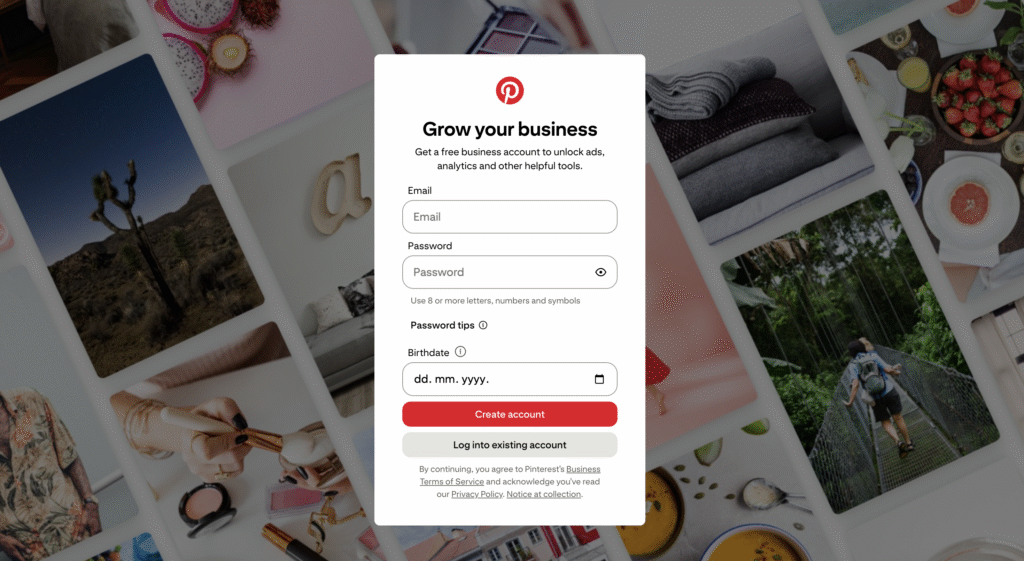
The most important feature is Pinterest Analytics. Analytics shows impressions, saves, outbound clicks, and audience insights for every Pin.
This data reveals which topics attract search traffic and which Pins generate clicks that lead to conversions. Without analytics, it is impossible to measure what drives income.
A business account also provides access to Pinterest Ads Manager. Ads Manager allows you to promote high-performing Pins and run traffic or conversion campaigns. This becomes important once a Pin proves it can drive clicks, because paid promotion can scale that result.
Another key feature is Rich Pins. Rich Pins automatically pull information from your website into the Pin itself. Article Pins display the headline and description from a blog post, while product Pins can show pricing and product details. This creates a stronger context and improves click-through rates.
A business account also allows website verification, also known as claiming your website. Verifying a domain connects your site to your Pinterest profile and unlocks analytics for Pins created from that website. It also signals to Pinterest that your account is a legitimate content source.
Affiliate links, product catalogs, advertising campaigns, and brand partnerships all depend on the tracking and integrations that come with a business account.
The difference between account types is simple. A personal account is built for saving ideas and organizing inspiration into boards. You can still publish Pins, but you get very little data and no marketing tools.
A Pinterest Business account is built for creators and businesses that want results. It includes analytics, advertising tools, website integration, and the features needed to turn Pinterest traffic into real ways to make money online.
Switching to a business account turns Pinterest from a place to collect ideas into a platform that can drive traffic and revenue.
2. Research profitable niches with Pinterest Trends
Researching profitable niches with the Pinterest Trends tool shows what people are actively searching for on the platform. The tool reveals demand by displaying keyword search volume, rising topics, and seasonal patterns across Pinterest.
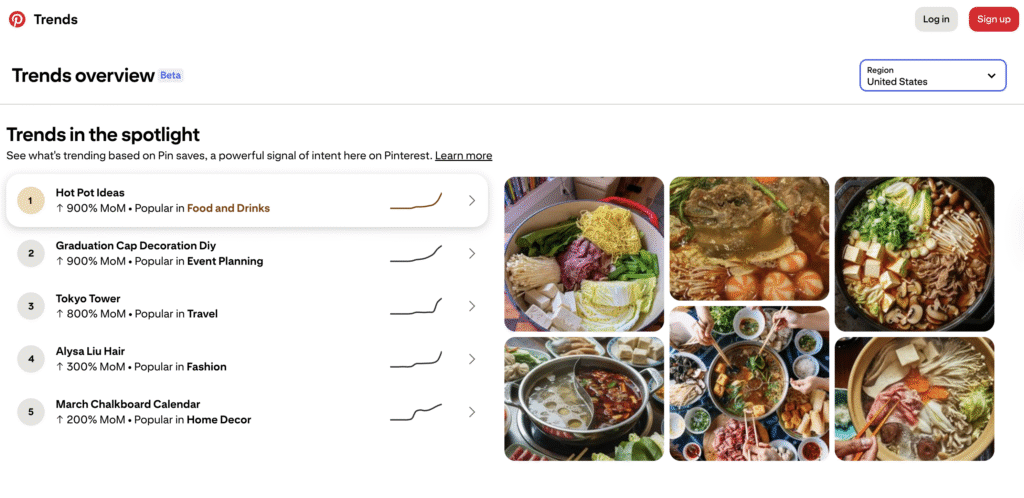
Start by identifying high-volume keywords. These are topics people search for regularly on Pinterest. For example, niches such as home decor, recipes, fitness plans, budgeting tips, and digital planners attract steady traffic because users keep searching for them throughout the year.
Pinterest Trends also highlights seasonal trends. Many searches spike at predictable times of the year, such as holiday recipes, back-to-school organization, or summer travel ideas.
For instance, searches for “Christmas gift ideas” begin climbing as early as October, while “summer travel outfits” spike months before the season starts. Publishing Pins before these peaks helps your content gain traction when search demand rises.
Next, map search intent. Pinterest users search with a clear goal in mind, such as learning how to do something, finding inspiration, or buying a product. Understanding that intent helps you create content that matches what users expect to see.
Board research provides another signal. Search Pinterest for your niche keywords and study the boards that rank first. Look at how they organize topics, which Pins receive the most saves, and which formats attract clicks.
You should also perform competitor analysis. Identify creators in your niche and review their highest-performing Pins. Pay attention to the topics they cover, the style of their Pins, and the keywords they use in titles and descriptions.
Choosing a profitable blog niche determines how easily you can monetize your Pinterest traffic. Niches with strong search demand and clear buying intent generate more opportunities for affiliate links, digital products, print-on-demand items, and sponsored collaborations.
3. Create SEO-optimized Pinterest pins
Creating SEO-optimized Pinterest Pins means adding the right keywords to your content so it appears in Pinterest search results. Pinterest works as a visual search engine, so the platform reads text signals from your Pins to decide when they should appear in search.
This requires implementing the best on-site SEO strategies.
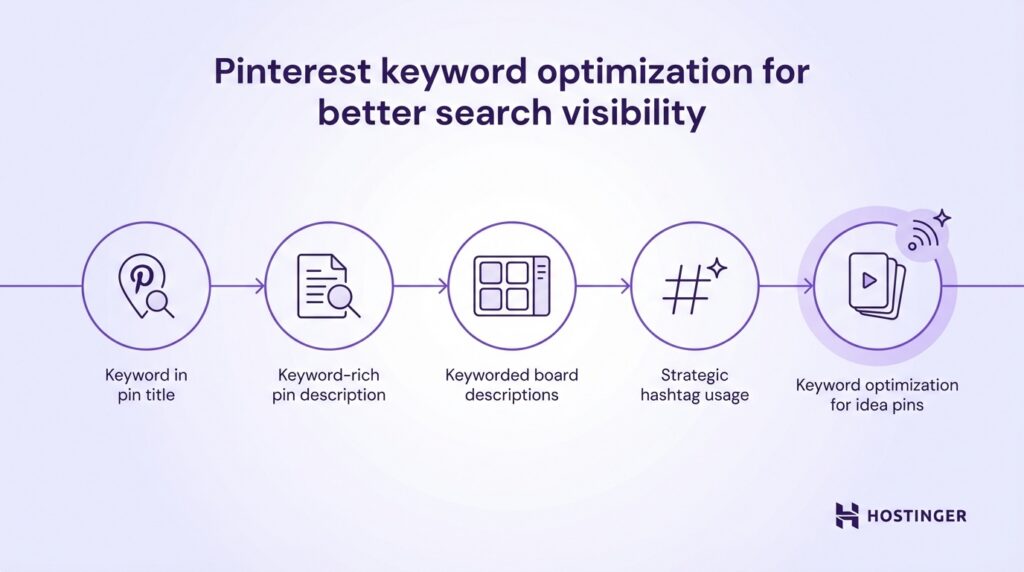
Start with keyword placement in Pin titles. The title is one of the strongest ranking signals on Pinterest. Include your main keyword naturally so Pinterest understands what the Pin is about.
Next, write a keyword-rich Pin description. The description gives Pinterest more context about the content behind the Pin. Use clear phrases people would actually search for and explain what users will find when they click.
Your board descriptions also influence search visibility. Boards organize your Pins by topic, so adding relevant keywords helps Pinterest understand the theme of the content you publish.
You can also include hashtags to reinforce the topic of a Pin. Hashtags act as additional search signals and help categorize content, especially for newer Pins that are still gaining traction.
Idea Pins should follow the same keyword strategy. Use keywords in the title, overlay text, and description so Pinterest can index the content and match it with relevant searches.
Pinterest search works differently from Google search. Google ranks pages based on backlinks, authority, and technical SEO factors. Pinterest focuses more on keywords, visual relevance, and engagement signals such as saves and clicks.
This means clear keyword targeting and visually strong Pins play a larger role in Pinterest Search engine optimization (SEO) visibility than traditional website ranking factors.
4. Design vertical pins that drive clicks
Designing vertical Pins improves visibility and click-through rates because Pinterest’s feed is built for tall images that take up more space on the screen. Pins with the correct layout stand out as users scroll, increasing the chance that someone stops and clicks.
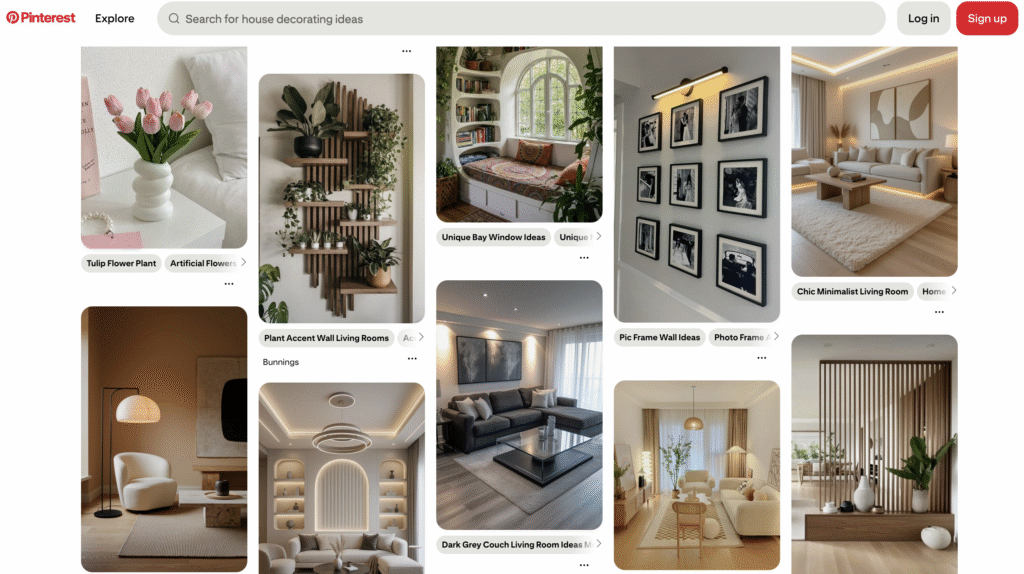
Start with the correct Pinterest 2:3 aspect ratio. The recommended Pinterest pin size is 1000 × 1500 pixels, which keeps the image clear while fitting perfectly in the feed. Pins that are too wide or incorrectly sized get cropped or perform poorly in search and discovery.
Many creators design Pins using Canva because it provides ready-made Pinterest templates. These templates already follow the correct dimensions and make it easy to create multiple designs quickly.
Strong Pins also rely on high-contrast visuals. Use colors that stand out against each other so the Pin remains easy to read on both desktop and mobile screens. Clear contrast helps users immediately understand the content as they scroll.
Add clear text overlays that explain what the Pin offers. The text should highlight the main idea of the content, such as a tutorial, guide, or checklist. Short, readable text performs better than long headlines.
Maintain consistent branding across your Pins. Using the same color palette, fonts, and visual style helps users recognize your content as they see more of your Pins.
Finally, include a simple call to action. Phrases like “learn more,” “get the checklist,” or “read the guide” encourage users to click and view the full content.
5. Publish consistently to grow your audience
Publishing consistently grows your Pinterest audience as the platform rewards accounts that regularly create fresh content and favors new Pins that match current search activity and user engagement.
Start by creating fresh Pins regularly. Fresh Pins are new images or designs that link to your content. Even when linking to the same blog post or product, changing the design creates a new Pin that Pinterest can distribute in search and discovery feeds.
Many creators follow a 3 to 5 Pins per day benchmark. This pace keeps your account active without overwhelming your audience. Consistent publishing also increases the number of keywords and topics your content can rank for in Pinterest search.
Scheduling tools make this process easier. Instead of posting manually every day, you can plan Pins in advance and spread them throughout the week. This keeps your account active while maintaining a steady publishing rhythm.
Consistency also strengthens engagement signals. Saves, clicks, and comments tell Pinterest that users find your content useful. Pins that receive engagement early often gain more distribution in search results and home feeds.
These signals influence Pinterest’s algorithm behavior. The algorithm favors fresh, relevant content from active accounts. When you publish consistently, Pinterest has more opportunities to test your Pins with new audiences, increasing the chances of generating traffic and followers.
How many followers do you need to make money on Pinterest?
You can start making money on Pinterest with around 1,000 followers, but engagement and traffic matter more than the follower count itself.
Accounts with 1,000+ followers often begin generating income through affiliate marketing. At this stage, Pins can attract consistent search traffic, creating opportunities to earn commissions through affiliate links and product recommendations.
Reaching 10,000+ followers opens the door to brand partnerships and sponsored content. Brands look for creators who can reach a targeted audience, and accounts at this level usually have enough content and engagement history to demonstrate consistent performance.
Follower count alone does not determine income on Pinterest. The platform works as a search engine, so high-quality Pins that rank well can drive traffic even from smaller accounts. A Pin that receives strong engagement signals, such as saves and clicks, can continue driving traffic for months.
For this reason, creators should focus on engagement and search visibility first. Pins that attract saves, clicks, and consistent search traffic create far more monetization opportunities than simply increasing follower numbers.
6. Make money with affiliate marketing on Pinterest
Starting affiliate marketing is one of the most common ways to make money on Pinterest because it allows you to earn a commission when someone buys a product through your link.
This model works by sharing Pins that promote a product or service. For example, a Pin featuring a “minimalist home office setup” could link to the desk, chair, or lighting used in the design. When a user clicks the Pin and completes a purchase through your affiliate link, you receive a percentage of the sale.
You can place direct affiliate links in your Pins. Instead of sending users to a blog post, the Pin links directly to the product page through your affiliate tracking URL. This makes the path from discovery to purchase shorter.
Idea Pins can also support affiliate strategies. While Idea Pins do not always allow direct external links, they help build visibility and engagement around a topic. You can use them to demonstrate products, share tutorials, or explain how something works, then guide users to related Pins or your profile for the affiliate link.
Affiliate marketing on Pinterest requires clear disclosure. The Federal Trade Commission (FTC) requires creators to tell users when a link is an affiliate link. Simple disclosures such as “affiliate link” or “#ad” in the Pin description make the relationship clear to users.
Affiliate programs provide tracking links that record clicks and purchases. These links identify which sales come from your Pins and ensure commissions are credited to your account.
Commission rates vary by program, but most affiliate offers fall between 5% and 30% per sale. Products with higher prices or recurring subscriptions often generate higher earnings from fewer conversions.
Successful affiliate Pins focus on useful content, clear product recommendations, and search-friendly keywords. When the Pin matches what users are already searching for, it can continue generating traffic and commissions long after it is published.
Can you post affiliate links directly on Pinterest?
Yes, you can post affiliate links directly on Pinterest, but you must follow the platform’s policies and disclose the affiliate relationship.
Pinterest allows creators to include direct affiliate links in Pins. This means the Pin can link directly to a product page via your affiliate tracking link, rather than sending users to a blog post first.
You must clearly disclose the affiliate relationship in the Pin description. Simple labels such as “affiliate link” or “#ad” inform users that you may earn a commission if they make a purchase.
It is also important to use approved affiliate networks and programs. Most established affiliate platforms provide tracking links designed for marketing channels like Pinterest, which helps ensure clicks and sales are recorded correctly.
Common examples of approved affiliate networks and programs include:
- Amazon Associates – one of the largest affiliate programs. You can promote millions of products and earn commissions when users buy through your link.
- ShareASale – a large affiliate marketplace that connects creators with thousands of brands across categories like home decor, fashion, and digital tools.
- CJ Affiliate (Commission Junction) – used by many well-known brands and retailers. It offers detailed tracking and reporting tools.
- Impact – a platform used by major companies and SaaS brands for affiliate partnerships.
- Rakuten Advertising – another large affiliate network with global brands and product partnerships.
Many individual companies also run their own affiliate programs outside of networks. Examples include software companies, course platforms, and digital product marketplaces.
The key requirement is that the program provides a unique tracking link. This link records when someone clicks your Pin and completes a purchase, which ensures the sale is credited to your account and the commission is paid correctly.
Finally, avoid spam behavior. Posting the same affiliate link repeatedly, creating low-quality Pins, or flooding Pinterest with promotional content can reduce reach or lead to account restrictions. Focus on useful content and relevant product recommendations so your Pins match what users are searching for.
7. Drive traffic to a blog or website
Driving traffic to your website from Pinterest turns your Pins into entry points for multiple revenue streams. Instead of linking directly to a product, the Pin sends users to a page where you control the content, the offer, and the conversion process.
The visitor might first read a guide, then join your email list for a checklist, and later return to buy a product you recommend.
One common model is blog monetization. After starting a blog, creators use Pinterest Pins to send readers to helpful articles that contain affiliate links, products, or email sign-ups.
Once readers arrive on the page, the blog can generate revenue through affiliate links, product recommendations, or digital product sales.
Many blogs also earn through ad networks. Advertising platforms place display ads on the page and pay the site owner based on impressions or clicks. As Pinterest traffic grows, ad revenue can increase because more visitors see the ads.
Traffic can also feed email funnels. A blog post can offer a checklist, template, or guide in exchange for an email address. Once someone joins the email list, you can recommend products, share new content, or promote offers through email campaigns.
Another approach is sending users to product landing pages. These pages focus on a single offer such as a digital product, course, or service. The page explains the value of the product and guides visitors toward making a purchase.
This strategy relies on conversion optimization. The page should make it clear what the visitor should do next, whether that means subscribing to a list, reading more content, or buying a product. Clear headlines, simple layouts, and strong calls to action help convert Pinterest traffic into subscribers, customers, and revenue.
If you want to use this strategy but do not have a site yet, start with our tutorial on how to create a website and set up the foundation for monetizing your Pinterest traffic.
If you want to get started faster, you can use AI to create a modern website for blogging with Hostinger’s website builder.

Can you make money on Pinterest without a blog?
Yes, you can make money on Pinterest without a blog by promoting affiliate products or selling digital products directly from your Pins.
One option is affiliate marketing. A Pin can link directly to a product using an affiliate tracking link. When a user clicks the Pin and makes a purchase, you earn a commission from the sale.
Another option is selling digital products. Many creators use Pinterest to promote templates, planners, guides, or printables. The Pin sends users to a product page where they can purchase and download the item.
While these methods work without a website, a blog improves long-term revenue stability. A blog gives you a place to publish content, build an email list, and combine multiple monetization methods such as ads, affiliate links, and product sales.
Pinterest traffic can still generate income without a blog, but having your own site creates more control over your content, audience, and revenue streams.
8. Sell digital products on Pinterest
Instead of sending users to affiliate offers, your Pins lead to a page where visitors can buy and download your own digital product.
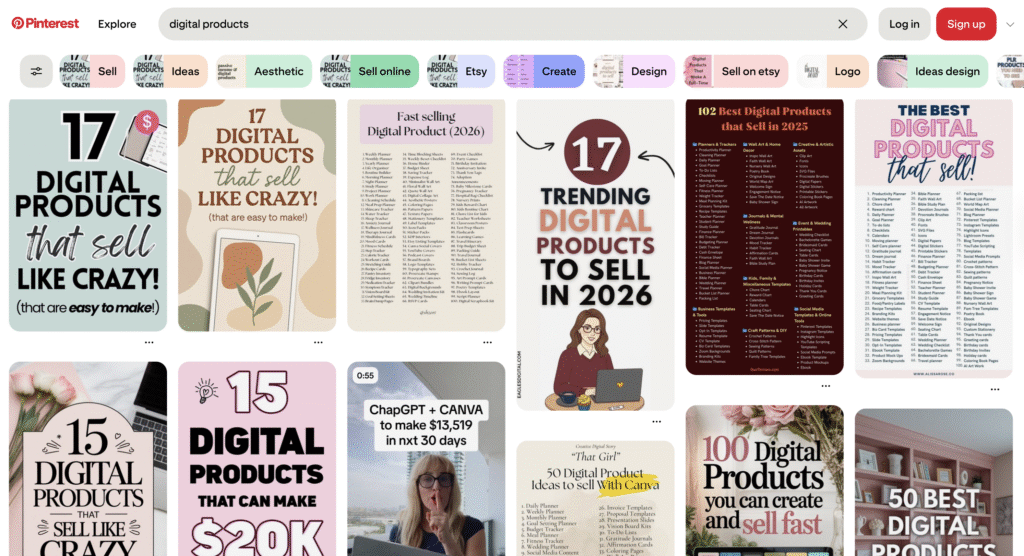
Common digital products include templates, planners, checklists, and printables. These products solve a specific problem, such as organizing tasks, planning meals, managing finances, or creating social media content.
A Pin showcases the product visually and sends users to the page where they can purchase it.
You can use Canva when creating digital products. The platform makes it easy to design templates, worksheets, and printables without advanced design skills.
Digital products often gain traction on Pinterest within four to eight weeks. This timeframe allows the platform to index new Pins, test them in search results, and distribute them to users searching for related topics.
Creators usually sell these products through platforms such as Gumroad or Etsy. These platforms host the product, process payments, and deliver the file automatically after purchase. The Pin then links directly to the product page, where users can complete the transaction.
This model works well on Pinterest because users actively search for tools, templates, and printable resources to solve practical problems. Pinterest also works well for marketing your digital products because Pins continue to appear in search results long after you forget you published them.
If you plan to use Pinterest to sell templates, planners, or printables, start with our guide on how to sell digital products.
9. Use print-on-demand to sell physical products
Print-on-demand (POD) allows you to sell physical products on Pinterest without managing inventory or shipping. A Pin promotes the product, and when someone places an order, the print-on-demand provider produces and ships the item automatically.
Many creators use platforms such as Printful when starting a print-on-demand business. The platform connects with online stores and handles production, packaging, and delivery.
You can create custom merchandise such as t-shirts, mugs, tote bags, notebooks, and posters. You design the product, choose the price, and earn a margin on every sale.
Use trend-based designs to increase your chances of making sales. Pinterest search trends reveal the topics and styles people are currently interested in, helping you design products that match existing demand.
Pinterest supports product Pins, which display product details directly in the Pin. These Pins make selling on Pinterest easier because users can view product information and click directly to the product page.
Connect your store using catalog integration. This feature syncs products from your store to Pinterest and automatically creates product Pins for each item.
Users on Pinterest frequently search for inspiration, gifts, and lifestyle products. When your Pins match those searches, they can continue driving sales and help you make money with a POD business.
10. Track performance with Pinterest analytics
Tracking performance with Pinterest Analytics shows which Pins drive traffic, engagement, and revenue. The data reveals what works so you can improve your content and focus on strategies that generate results.
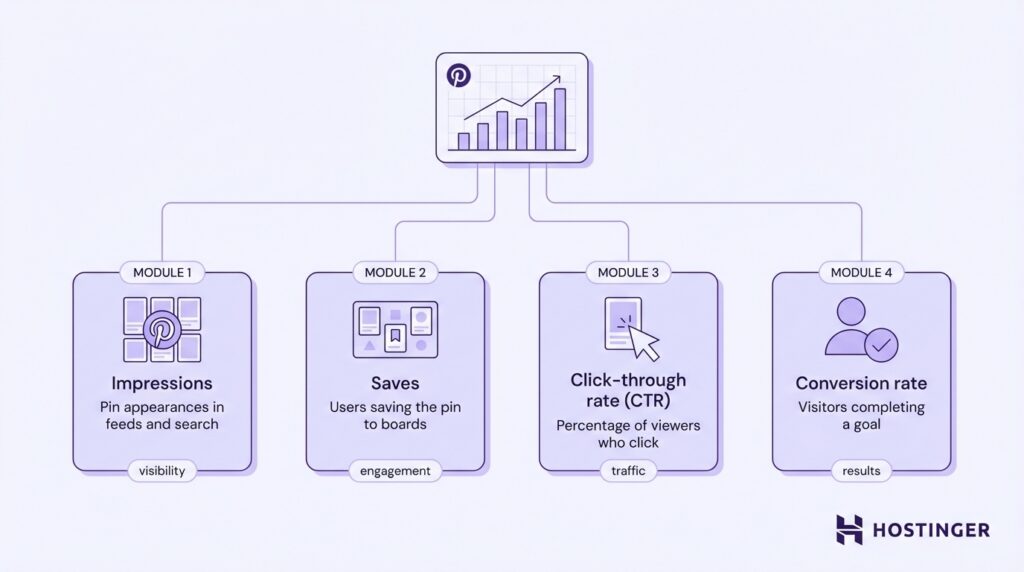
Start by monitoring the core performance metrics:
- Impressions – how many times your Pin appears in search results, home feeds, or category pages.
- Saves – how often users save your Pin to their boards.
- Click-through rate (CTR) – the percentage of users who click the Pin after seeing it.
- Conversion rate – how many visitors complete an action after clicking the Pin, such as purchasing a product, signing up for an email list, or downloading a digital product.
You can improve these metrics through A/B testing Pins. Create multiple versions of the same Pin with different images, headlines, or colors to see which design generates more clicks and engagement.
Once a Pin performs well, focus on scaling winning content. Create additional Pins targeting the same topic or keyword and promote the same product or article. This approach increases the chances of reaching more users searching for that content.
How Pinterest monetization works
Pinterest monetization works by turning search traffic into clicks and conversions that generate revenue. Every Pin acts like a small doorway, leading a user from inspiration to action.
The ecosystem works like this:
- User searches for an idea, product, or solution on Pinterest.
- The platform shows relevant Pins in the search results or home feed.
- The user sees a Pin that matches their intent and clicks it.
- The click leads to a blog post, product page, or landing page.
- The visitor completes an action such as purchasing a product or signing up for a list.
- That action generates revenue through affiliate commissions, product sales, ads, or services.
Pinterest traffic comes from two main sources: organic traffic and paid traffic.
Organic traffic comes from Pins appearing in search results or recommendations. This traffic grows when you publish optimized Pins that match what users are searching for.
Paid traffic comes from Pinterest ads. Creators and businesses promote Pins to reach a larger audience or send more visitors to a product or landing page.
Pinterest also works differently from traditional social media platforms. Most social networks focus on social feeds, where content disappears quickly as new posts appear.
Pinterest operates as a search-based platform. Users actively search for ideas, products, and solutions, which means Pins can continue appearing in search results long after they are published.
This search behavior creates another important advantage: the long lifespan of a Pin. A well-optimized Pin can generate impressions, clicks, and sales for months or even years.
How much money can you make on Pinterest?
Most creators earn between $100 and $10,000+ per month, depending on how effectively they turn Pinterest traffic into sales or commissions.
A simple way to understand the income potential is to look at typical earnings at different stages:
- Beginner: $100–$500 per month
- Intermediate: $1,000–$5,000 per month
- Advanced creators: $10,000+ per month
At the beginner stage, income usually comes from affiliate commissions. Many affiliate programs offer commissions between 5% and 30% per sale, depending on the product category.
As traffic grows, creators often add digital products. Digital items such as templates, planners, or guides usually have high margins because there are no production or shipping costs. For example, selling a $15 template with a $12 profit margin can generate steady revenue when Pinterest traffic converts consistently.
Advanced creators often combine multiple income streams, including sponsored content. Brands pay creators to promote products through Pins or content campaigns. Sponsored pin rates range from $100 to $1,000+ per campaign, depending on audience size, engagement, and niche.
The key factor behind higher Pinterest income is consistent traffic and conversion optimization. When Pins rank in search and drive steady clicks to affiliate offers, products, or landing pages, Pinterest can become a reliable source of monthly income.
What are some of the common mistakes to avoid when making money on Pinterest?
Common mistakes to avoid when making money on Pinterest include:
- Ignoring Pinterest SEO – Pinterest works as a search engine, so Pins need clear keywords in the title, description, and board name. Without keyword optimization, Pinterest may show the Pin to fewer users.
- Posting low-quality images – Pinterest is a visual platform, and Pins compete for attention in search results. Blurry graphics, cluttered layouts, or unclear text overlays reduce the chances that users will click or save the Pin.
- Inconsistent pinning – Publishing Pins irregularly makes it harder for the Pinterest algorithm to distribute your content. Consistent publishing helps the platform index your Pins and test them in search results.
- Violating Pinterest policies – Spam behavior, misleading links, or undisclosed affiliate links can lead to reduced reach or account restrictions. Following Pinterest guidelines helps protect your account.
- Not tracking performance – Without reviewing analytics data, it becomes difficult to identify which Pins drive clicks, saves, or conversions. Monitoring performance metrics helps you refine your strategy.
Tools for making money on Pinterest
Using the right tools helps you design Pins, schedule content, track performance, and sell products more efficiently. These tools simplify the workflow behind creating, publishing, and monetizing Pinterest content.
1. Canva
Canva provides templates in the 2:3 Pinterest format, making it easy to create visually consistent Pins. Many creators use it to produce dozens of Pin variations from a single design.
You can use Canva to design:
- Pinterest graphics
- Digital product templates
- Printables
- Marketing visuals
The drag-and-drop interface allows you to create professional designs even without design experience.
2. Tailwind
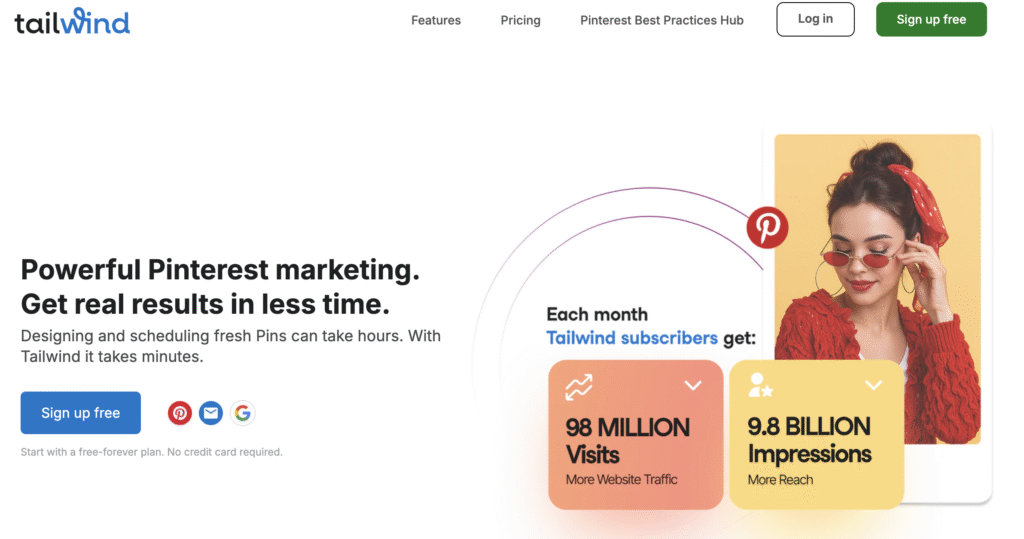
Tailwind is a scheduling tool that helps you publish Pins consistently. Instead of posting manually every day, you can schedule multiple Pins in advance.
This tool allows you to:
- Schedule Pins automatically
- Maintain consistent posting
- Plan content calendars
3. Pinterest Analytics
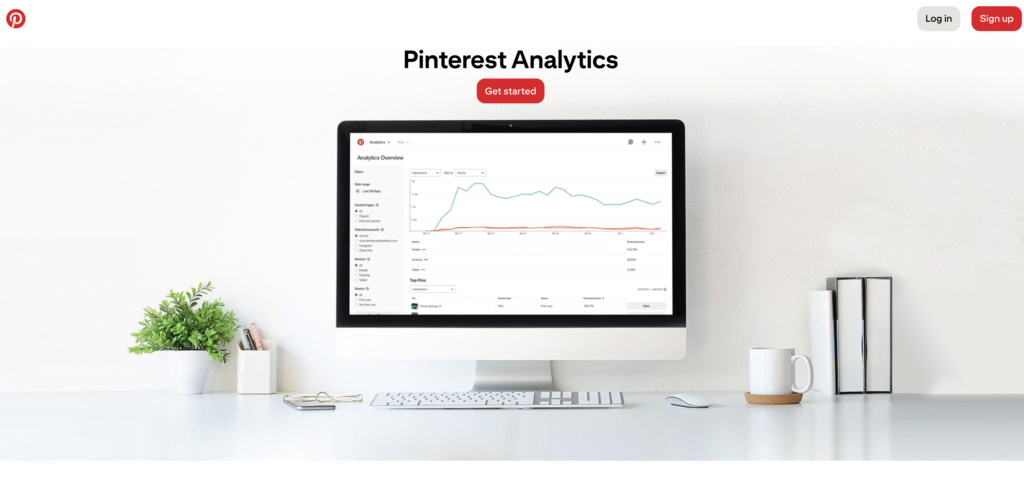
Pinterest Analytics provides data about how your Pins perform on the platform. The dashboard shows which content drives impressions, saves, and clicks.
You can use Pinterest Analytics to track:
- Impressions
- Saves
- Click-through rate
- Audience engagement
These insights help you identify which Pins generate traffic and revenue.
4. Printful
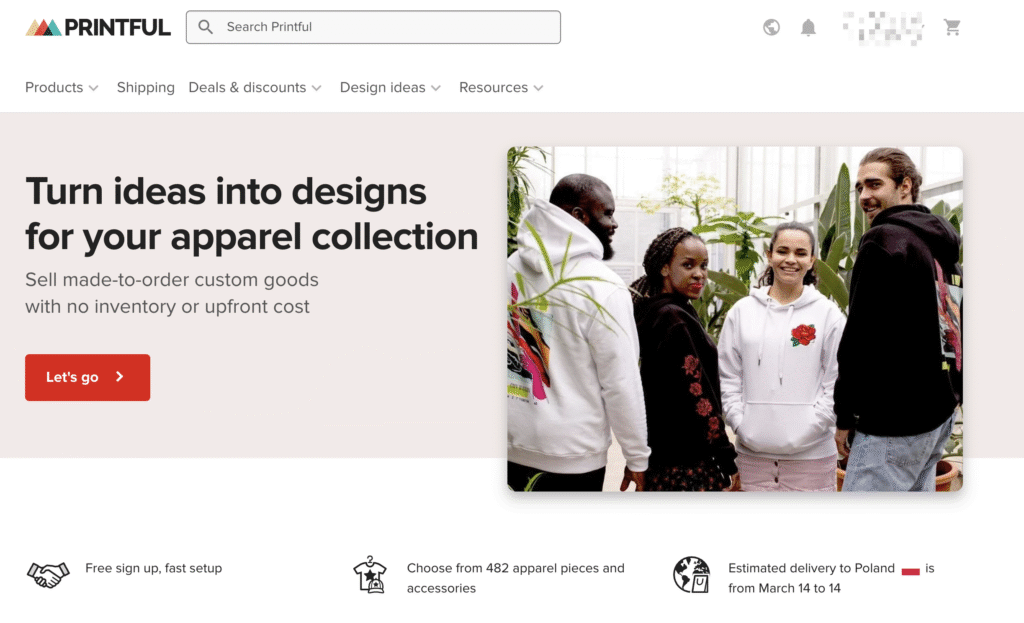
Printful is a print-on-demand platform that allows you to sell physical products without holding inventory. When a customer places an order, the platform prints the design and ships the product directly to the buyer.
Common products include:
- T-shirts
- Mugs
- Posters
- Tote bags
- Notebooks
Printful integrates with online stores and allows you to promote these products through Pinterest Pins.
How to scale your Pinterest income
Scaling your Pinterest income requires expanding your monetization methods and building systems that increase traffic, conversions, and revenue over time.
Focus on these practical steps:
- Diversify your revenue streams – Combine affiliate links, digital products, print-on-demand products, and sponsored content so your income does not depend on a single source.
- Build an email list – Offer a free resource, such as a checklist, template, or guide, to collect email subscribers from your Pinterest traffic.
- Launch an online course – Turn your expertise into a structured course that solves a specific problem, then create Pins that drive traffic to the course page.
- Run Pinterest ads – Promote Pins that already perform well organically to reach a larger audience and increase traffic to your products or website.
- Automate your workflow – Use scheduling tools, reusable design templates, and automated email funnels to reduce manual work and scale content publishing.
Over time, these steps help you build a long-term online income system. Instead of relying on a few Pins, you create a structure of content, products, and marketing channels that generate revenue consistently. With the right systems in place, you can build an online business powered by Pinterest traffic.
All of the tutorial content on this website is subject to Hostinger's rigorous editorial standards and values.

Ksenija is a digital marketing enthusiast with extensive expertise in content creation and website optimization. Specializing in WordPress, she enjoys writing about the platform’s nuances, from design to functionality, and sharing her insights with others. When she’s not perfecting her trade, you’ll find her on the local basketball court or at home enjoying a crime story. Follow her on LinkedIn.