5 Best Code Website Builder Options For Additional Customization Using Code Editing
Feb 19, 2025
/
Prasasti P.
/
8 min Read
One of the best qualities of website builders is that they help users build websites with no learning curve. Those without technical skills and experience can still launch their sites using builder tools without needing to type a single line of code.
However, there are some situations where you need a code-based website builder that lets you take the building process to the next level. Since there are many options, finding the best website builder for coding beginners can be confusing.
In this article, we will present an overview of the top five code-based website builders based on our prior research to assist you in selecting the best option for your requirements.

Top 5 Code Website Builders
With so many website builders with code editor features out there today, it’s easier than ever to build your unique site. Understanding what each solution offers is essential to decide on the best choice for your online journey.
This section will cover each builder’s essential features, pricing plans, and code-editing capabilities to help you choose.
Suggested Reading
Learn the differences between opting for a website builder vs custom website.
1. Webflow
- Best for: Professional-grade websites with advanced customization
- Price: Starts at $14/month
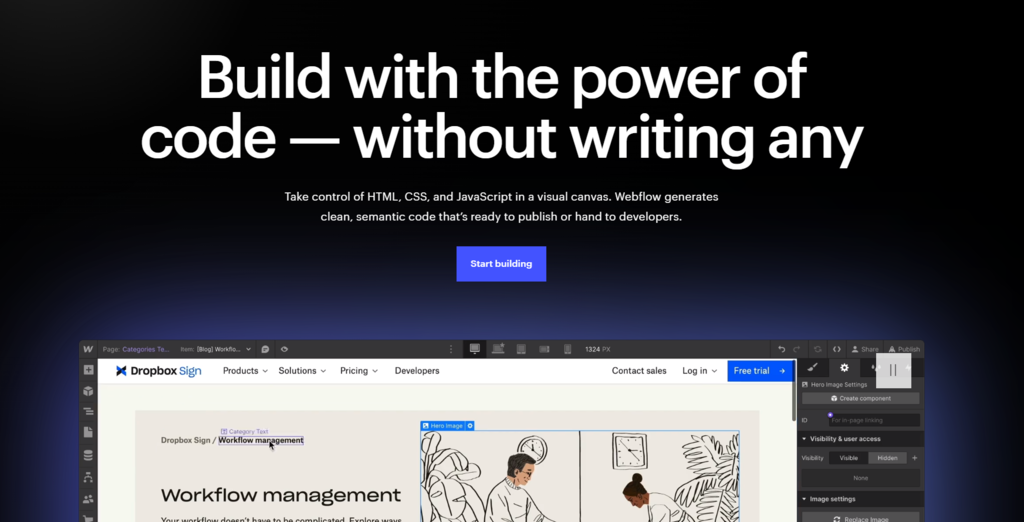
Webflow is a professional-grade website maker that combines a visual design interface with advanced customization capabilities. It offers a platform for creating visually stunning and highly functional websites with a low learning curve.
This custom website builder platform caters to developers, designers, and entrepreneurs looking to create unique and interactive experiences with its intuitive interface and extensive features.
You can start building by selecting a template from Webflow’s library or building the website from scratch. Like most website builders, Webflow offers a visual interface to create and customize your web design, typography, and animations.
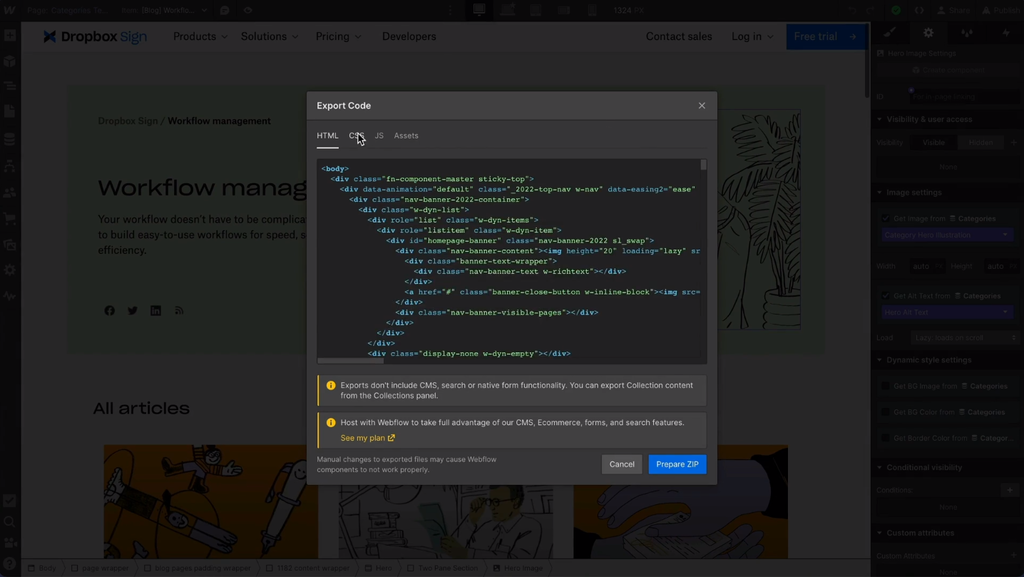
Access Webflow’s code editor to modify the underlying HTML, CSS, and JavaScript for advanced customization. This feature lets you fine-tune and customize your website’s code to meet your requirements.
Users can also use Webflow’s built-in CMS for dynamic content management. Once your site is ready, you can publish it using Webflow’s hosting or export the code to use third-party web hosting plan.
Webflow offers various pricing plans, starting at $14/month for the basic plan. Higher-tier plans unlock additional features such as CMS and eCommerce functionality.
Key Features:
- Visual design interface – Webflow provides a visual drag-and-drop website editor that lets users make a visually-appealing web design.
- Advanced customization – Webflow offers extensive styling options, including custom animations, transitions, and interactions.
- Responsive design – websites created with Webflow are automatically responsive, making it easy to create a mobile-friendly site.
- Code editing and export – Webflow provides code-based website development tools, allowing users to access and modify the underlying HTML, CSS, and JavaScript. Users can also export their projects to customize and host their websites elsewhere.
2. Hostinger Website Builder

- Best for: Value for money and AI tools
- Price: Starts at RM16.99/month
Hostinger’s drag-and-drop website builder is an excellent solution for creating a professional site quickly and easily. It helps beginners with no coding skills and experienced users who want to minimize their development time to launch and establish their online presence.
Users can build landing pages, personal portfolios, or mobile-friendly eCommerce websites from start to finish using the intuitive visual editor page templates. However, technically-adept users can also customize their websites further using code.
You can use the Embed Code feature to add third-party elements, features, and integrations and make your site more unique and feature-rich. The menu is easily accessible through the site editor’s side panel.
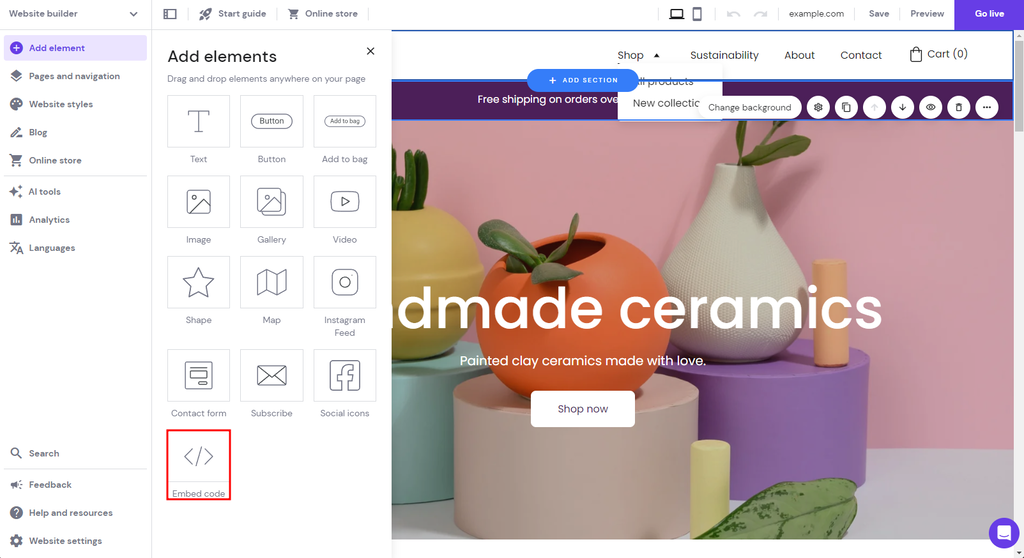
Our website maker gives you more control over the custom element, where you can duplicate, change the visibility, or resize the element to fit your preference.
Additionally, you can customize your site’s appearance by adding custom CSS to the <head></head> part of your website’s code.
Suggested Reading
Follow along our tutorial if you want to learn how to edit your website with Hostinger Website Builder in more detail.
This intuitive site-building platform is available in all of Hostinger’s plans. The Premium hosting plan that starts at RM9.99/month is great for personal and business sites.
You’ll get other extra features like advanced AI tools and robust eCommerce capabilities for RM16.99/month, making this platform the best website builder for your budget.
You can easily upgrade to higher plans like cloud-based web hosting once your site grows and need to handle more traffic. Hostinger also offers a free demo for those who want to try out the features.
Key Features:
- Advanced AI tools – Hostinger Website Builder comes with advanced AI tools, letting users build websites more easily. These tools include the AI logo maker, AI writer, and AI heatmap.
- AI builder – lets users skip the technical learning curve and utilize AI for building websites in minutes. Simply describe your brand and industry, and the AI will generate a custom template that you can fine-tune using the site editor.
- eCommerce features – all users get access to Hostinger’s in-house eCommerce solution. You can list up to 500 different products, enable more than 20 payment options, and manage fulfillment using robust shipping options.
- Third-party integrations – this site maker is compatible with popular third-party software like Google Analytics, Hotjar, Whatsapp, and Google AdSense. These integration options let you grow your online business more efficiently.

3. WordPress with Beaver Builder
- Best for: Flexibility
- Price: Freemium
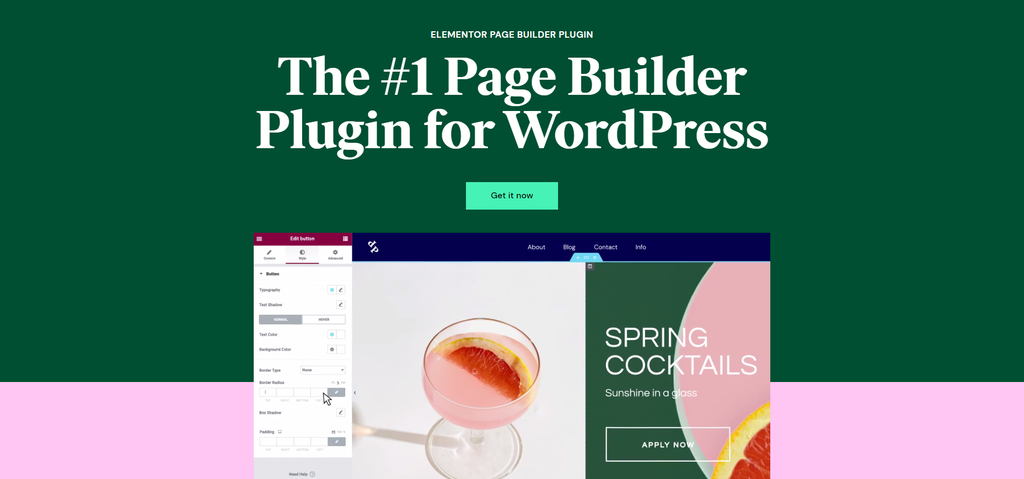
WordPress and Beaver Builder is an excellent combination of an intuitive drag-and-drop website builder with code editor features. This solution lets users create highly customizable sites without sacrificing the ability to access and edit code.
It offers a flexible platform for both beginners and experienced users with coding skills to design and customize their sites to their exact specifications.
To use WordPress with Beaver Builder, install WordPress and the Beaver Builder plugin. Then, create a new page in WordPress and click Launch Beaver Builder to use the builder.
Use the drag-and-drop interface to add elements and arrange them visually. To modify your front end using custom code, click the Currently Editing Page option at the top left and choose Layout CSS & Javascript.
This feature makes WordPress with Beaver Builder plugin an excellent choice if you want a website builder with Javascript and CSS editing capabilities.
Keep in mind that WordPress has a steeper learning curve compared to other website builders in this list. You may have to spend more time familiarizing yourself with the platform and finding the right WordPress web hosting solution to ensure the site works at its best.
However, you don’t need to worry since numerous WordPress tutorials provide the necessary information for this content management system (CMS).
With its extensive features and open-source nature, WordPress with Beaver Builder is a great website builder for tech-savvy entrepreneurs.
The basic version of Beaver Builder is free to use. However, advanced customization features and premium templates are only available in the pro plan, starting at $99/year.
Key Features:
- Visual drag-and-drop interface – Beaver Builder offers a seamless visual editing experience, allowing users to create and customize their websites by simply dragging and dropping elements onto the page.
- Extensive widget library – Beaver Builder provides a rich collection of pre-designed widgets and templates that can be easily customized and added to the site.
- Responsive design – websites created with WordPress and Beaver Builder are automatically responsive, ensuring they look great on various devices.
- WooCommerce integration – Beaver Builder integrates well with WooCommerce, the popular eCommerce plugin for WordPress, allowing users to easily create and customize online stores.

4. Shopify

- Best for: eCommerce websites
- Price: Starts at $39/month
Shopify is a popular eCommerce platform that offers a website builder with advanced coding options. It provides a comprehensive solution for users creating and managing online stores with a minimum learning curve.
With its user-friendly interface and robust features, Shopify empowers businesses of all sizes to establish and grow their online presence effectively. It offers a drag-and-drop website builder solution while still letting users modify HTML and CSS files.
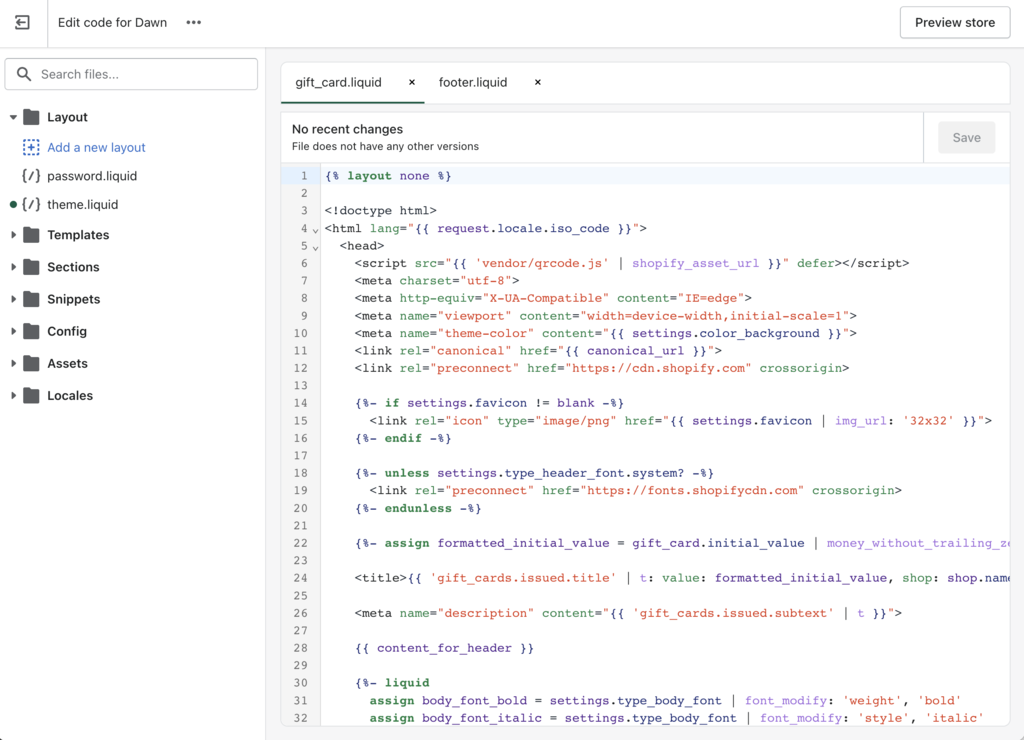
In addition to its visual editor, the code editor feature gives more control to tech-savvy users when customizing their sites’ templates. This feature lets you access the theme’s directory and modify the code to make more advanced changes.
Shopify offers different pricing plans to accommodate businesses of all sizes. The plans start at $39/month for the Basic Shopify plan. You can opt for higher-tier plans for extra features and benefits like advanced shipping options and store reports.
Key Features:
- eCommerce focus – Shopify is specifically designed to build and manage online stores, providing builder tools tailored to eCommerce needs.
- Extensive app store – Shopify offers an extensive app store with various plugins and integrations to enhance your store’s functionality.
- Mobile responsiveness – all Shopify themes are optimized for mobile devices, helping users to build websites that work well on smartphones and tablets.
- SEO and marketing tools – Shopify provides built-in search engine optimization (SEO) features and marketing tools to help optimize your store for search engines and promote your products effectively.
5. Squarespace

- Best for: Stylish and visually appealing websites
- Price: Starts at $16/month
Squarespace is another website builder with custom templates and code-editing capabilities. It is known for its stylish designs, allowing users to build landing pages, business sites, or online portfolios with attractive appearances.
This solution is suitable for users who want to combine the convenience of a site builder with the ability to make advanced customizations through code. It is an excellent website builder for developers and designers working with clients.
Squarespace offers some code-editing features, enabling users to access and edit the underlying code of their websites. There are different options to add and modify code on your site.
The code block lets users add code to a specific page to change its layout or web design. The basic version supports CSS, HTML, and Markdown, while the advanced version adds iframes and JavaScript.
Other options include code injection to add code that affects the entire site or a single page and the CSS editor to change fonts, colors, and backgrounds.
The most advanced option is the Squarespace Developer Platform. This feature lets users access and edit HTML, CSS, and JavaScript code. You can create custom themes, add advanced functionality, and integrate with external services more freely.
However, this will involve a big learning curve since it is designed for more advanced users. Remember that some code editor features are only available on certain packages.
Squarespace offers different pricing plans, starting at $16/month for a personal site. This plan will include the basic code block, CSS editor, and embed block. Higher-tier plans like the Business and Commerce plans will give you access to more code-editor features.
Key Features:
- Beautiful templates – Squarespace offers a collection of modern and customizable templates to fit various industries and design preferences.
- Intuitive visual editor – the intuitive drag-and-drop editor makes creating and arranging content elements on your site easy.
- Built-in features – Squarespace provides built-in features, including blogging tools, eCommerce functionality, SEO optimization, analytics, and social media integration, to enhance the functionality of your site.
- Developer platform – Squarespace Developer Platform provides advanced editing options with greater flexibility, suitable for advanced users.
Suggested Reading
Learn how to become a professional developer by reading our tutorials:
Creating a Site Using a Site Builder vs Web Developer
How to Become a Web Developer
How to Become a Web Designer
Conclusion
Deciding between using a website builder and coding from scratch can be a tough choice. Fortunately, there are a variety of website builders with code-editing capabilities to help you create and customize your site with little to no learning curve. Here are five top solutions based on our research and testing.
- Hostinger Website Builder – best for its advanced AI tools
- WordPress with Beaver Builder – best for its versatility
- Webflow – best for professional-grade websites with advanced customization
- Shopify – best for eCommerce websites
- Squarespace – best for its stylish and visually appealing designs
Consider the features of each of these five platforms carefully, and pick the one that works best for you and your project.
Code Website Builder FAQ
In this section, we will answer some of the most frequently asked questions about code website builders.
What Is a Code Website Builder?
A code site builder is a platform that lets its users create a site using code and a visual editor. This combination lets customers build a site freely according to their preferences, regardless of their coding skills.
How Does a Code Website Builder Work?
Most website builders combine the visual editor interface with a code-editing feature. Users can use the code editor to embed third-party elements, change the web design, or add more features depending on the provider.
The code editor typically offers more advanced customization options but with a bigger learning curve since users must understand programming languages rather than relying on a drag-and-drop website editing interface.
What Programming Languages Can I Use With a Code Website Builder?
The programming language you can use will differ depending on your chosen platform. Some of the most typical ones include HTML, CSS, and JavaScript code. Make sure the platform supports your preferred programming language before choosing it as your solution.
All of the tutorial content on this website is subject to Hostinger's rigorous editorial standards and values.

Pras has a background in IT education and experience as a website administrator, he hopes to share his knowledge with other tech enthusiasts. In his free time, Pras likes to play video games.