13 Best WordPress Redirect Plugin Options for SEO and Best Practices to Redirect URLs
Mar 10, 2026
/
Jordana A.
/
10 min Read
A website redirect sends visitors from the URL they typed to a different web page. Website admins usually create URL redirects to maintain user experience when fixing broken links, moving to a new domain, or migrating from HTTP to HTTPS.
The easiest way to create redirects for websites hosted on WordPress is to use a plugin, specifically a WordPress redirect plugin. Besides streamlining the creation process, a redirect plugin can help you find broken links and automatically redirect them to your target URLs.
Having too many plugins can hurt your website’s performance and security, so choosing the right plugin is vital. This article lists the 13 best WordPress redirect plugins to narrow your search. We will also provide tips for choosing a redirect plugin that best fits your needs.
Top 13 WordPress Redirection Plugins
We compiled the following list of the best WordPress redirect plugins based on their key features, PHP and WordPress compatibility, and credibility. These tools will help you create both temporary and permanent 301 redirects in WordPress.
As this list isn’t in any particular order, we recommend evaluating each plugin carefully before installing it.
Pro Tip
For optimal website performance, consider pairing your chosen redirect plugin with other top WordPress plugins.
1. 301 Redirects & 404 Error Log

Plugin Stats:
- Rating: 4.6/5
- Best for: setting up custom redirects
- Price: freemium
301 Redirects & 404 Error Log lets you create temporary and permanent redirects to new URLs. It stores all the redirect rules and active redirects on your WordPress database, allowing you to import and export them if needed.
This plugin can also track and log 404 error codes, ensuring you are still driving traffic to the website when visitors click on broken links.
301 Redirects offers premium lifetime licenses starting at $49/website, which include priority support and a white-label mode.
Key Features
- Custom destination URL
- One-click refresh cache
- Straightforward redirection
- GDPR compatibility
- Remote website stats and logs (premium)
[DOWNLOAD]
Pro Tip
Check out our article on how to install a WordPress plugin to learn different installation methods.
2. Redirection

Plugin Stats:
- Rating: 4.4/5
- Best for: website owners looking for a free yet robust redirect plugin
- Price: free
Redirection is one of the best redirect plugins to consider if you are looking for a free option. It offers a redirect manager to create redirect rules with query parameters. Setting up and modifying redirects in bulk is also easy.
Additionally, this plugin supports conditional redirects based on various conditions, such as browser, referrer, and IP address. It keeps a log of all redirects on your site, including those not set up by Redirection, for better management of 301 redirects in WordPress.
The fine-grained permissions feature lets you customize the plugin’s functionality for different users, which is useful for WordPress multisites. With built-in NGINX and Apache support, you can create redirects on both web servers without coding.
Key Features
- Redirection logs
- HTTP headers
- Query parameter handling
- Apache and NGINX support
- Bulk redirect creation and modification
[DOWNLOAD]
3. SEO Redirection

Plugin Stats:
- Rating: 4.2/5
- Best for: setting up wildcard and REGEX redirects
- Price: freemium
SEO Redirection makes setting up 301 permanent redirect, 302 found, and 307 temporary redirect rules on your WordPress site easy. Despite its name, the plugin also resolves 404 and soft 404 errors that prevent search engines’ crawlers from indexing your pages.
You can configure this WordPress plugin to automatically create a 301 redirect any time a post’s URL changes, regardless of its status. It can also redirect folders and their content based on default or custom redirect rules.
With wildcard and regular expression (REGEX) redirects, drive traffic from any URL that matches a certain search string pattern to your WordPress site. Multiple redirection methods are available to create redirects based on different conditions, such as visitors’ login status and the referrer.
Key Features
- Support to wildcard and regular expression redirects
- Full logging
- Manual and automatic 301 redirect creation
- 404 error detection and correction
- WPML support for multilingual sites
[DOWNLOAD]
4. Safe Redirect Manager

Plugin Stats:
- Rating: 4.7/5
- Best for: setting up redirects inside posts
- Price: free
Unlike other plugins on this list, Safe Redirect Manager lets you set up a redirect when creating a page or a post. It saves redirects as custom post types, making them easier to organize and adapt to different projects.
Despite being free, it is versatile enough to handle high traffic volumes. With wildcard and REGEX redirect support, this WordPress redirect plugin lets you automate redirection based on specific paths.
Safe Redirect Manager allows up to 1,000 redirects by default. However, you can use the srm_max_redirects PHP filter to increase the limit.
Key Features
- Wildcard and regular expression support
- Stores redirects as a custom post type
- Redirection cache using the Transients API
- Possible to create 1,000+ redirects
- Bulk import and export redirects via WP-CLI and CSV files
[DOWNLOAD]
5. Yoast SEO (Redirect Manager)

Plugin Stats:
- Rating: 4.8/5
- Best for: improving SEO elements, including creating redirects for moved or deleted pages
- Price: from $99/year
Yoast SEO isn’t a WordPress redirect plugin, but it has a redirection feature to create 301, 302, and 307 redirects. It also lets you use 410 content deleted and 451 content unavailable for legal reasons HTTP status codes when deleting web pages permanently.
The redirect manager feature automatically creates a redirect and sends a notification when you move an existing page to a new URL. If you remove the page permanently, the WordPress plugin will recommend redirecting it to a new destination URL or displaying an HTTP status code.
All redirects will be accessible from your WordPress admin dashboard. Disabling the automatic redirect and notifications takes a few clicks.
Note that the redirect manager is a premium feature, so you must purchase the plugin’s premium version to use it.
Key Features
- Automatic redirects
- REGEX redirect support
- Import and export redirects in CSV files
- Apache and NGINX support
- SEO tools
[DOWNLOAD]
6. Rank Math SEO

Plugin Stats:
- Rating: 4.9/5
- Best for: streamlining SEO tasks, including managing redirects in bulk
- Price: from $59/year
Like Yoast SEO, Rank Math offers a redirection feature as part of its SEO toolkit. The advanced redirection manager supports 301, 302, 307, 410, and 451 redirects based on different conditions. Using the bulk redirect setting helps to streamline the process.
If you enable the 404 monitor setting, Rank Math SEO will automatically scan your WordPress website for 404 errors. This plugin for SEO keeps track of the number of visits to each page, allowing you to prioritize fixes based on their impact on the entire website.
Deactivating and reactivating redirects only takes a single click. You can also automate the process by setting start and end dates.
The redirection feature is only available in the paid plans, which start at $59/year.
Key Features
- Bulk and automatic redirect with start and end dates
- One-click disable button
- Apache and NGINX support
- Debug redirect
[DOWNLOAD]
7. 404 Solution

Plugin Stats:
- Rating: 5/5
- Best for: automating 404 error redirects on WooCommerce websites
- Price: free
404 Solution is one of the best redirect plugins for creating 404 error page redirects on WooCommerce. In addition to supporting REGEX, this free plugin can automatically create redirects and remove them once the target URL matches a new web page.
Thanks to its WooCommerce compatibility, 404 Solution lets you set up redirects based on pages, posts, products, and custom post types. It also supports permalink structure migration, which helps to reduce bounce rate and preserve existing internal links.
The plugin logs all visits to each 404 error page, including visitors’ IP addresses and referrer data. You can set a maximum file size to clear logs automatically and reduce disk usage.
Key Features
- 404 error detection, logging, and redirection
- REGEX redirect support
- WooCommerce support
- Support to permalink structure migration
- Automatic redirect deletion
[DOWNLOAD]
8. 404 to 301

Plugin Stats:
- Rating: 4.6/5
- Best for: web admins looking for a developer-friendly redirect plugin
- Price: free
404 to 301 makes creating custom redirects for 404 errors easy. It supports 301, 302, and 307 redirection methods, allowing you to choose the most fitting HTTP status for each path.
This WordPress redirect plugin monitors all errors and excludes certain paths from the log. The log manager has an email alert feature with different interval rules. You can set this feature for one or multiple recipients to minimize traffic loss.
Modify and scale the plugin based on your needs using WordPress hooks.
Key Features
- Multiple redirection methods
- 404 error logging
- Email alerts
- Path exclusion
- Translation-ready
[DOWNLOAD]
9. Easy HTTPS Redirection (SSL)

Plugin Stats:
- Rating: 4.2/5
- Best for: redirecting HTTP to HTTPS
- Price: free
Easy HTTPS Redirection forces search engines to index the HTTPS version of your WordPress installation. If you recently installed an SSL certificate, this WordPress redirect plugin will load static files using HTTPS URLs.
The automatic redirection feature applies to selected web pages or the whole domain, ensuring your website is SSL-compliant.
You can easily configure the plugin from your WordPress dashboard. It will store new settings in the .htaccess file of your root folder or the WordPress database.
Key Features
- Automatic redirect to HTTPS
- Force-load static files using HTTPS URLs
- Easy and free to use
[DOWNLOAD]
Pro Tip
Refer to our article on how to locate the .htaccess file if you need to manually edit it to debug an error.
10. LoginWP

Plugin Stats:
- Rating: 4.8/5
- Best for: setting up custom redirects based on various rules
- Price: freemium
LoginWP is one of the best redirect plugins in the WordPress directory due to its robust custom redirection feature. It lets you set redirect rules for specific users, user roles, and capabilities.
Upgrading to the premium version for $49/year unlocks integrations with popular plugins like MemberPress, Restrict Content Pro, and WPForms. Login redirection for creating custom user experiences is also available in this version.
Additional premium features include logout redirect, post-registration redirect, and redirect placeholders for building dynamic URLs.
Key Features
- Login, logout, and post-registration redirects
- Premium integrations
- Redirect placeholders
- Optimized for speed
[DOWNLOAD]
11. All In One SEO (Redirection Manager)

Plugin Stats:
- Rating: 4.7/5
- Best for: users looking for a redirect feature with a robust logging system
- Price: from $199.60/year
Among its SEO tools, All In One SEO (AIOSEO) offers a redirection manager to handle 404 errors. It lets you choose from various redirect types and HTTP statuses. HTTPS redirection is also available, ensuring your website uses a secure connection.
Add and manage temporary redirects from posts for easier setup. You can also import and export redirections from other plugins.
This plugin’s logging system is one of the best on this list due to its multiple modes. Besides keeping track of internal redirects, this feature lets you set the log retention period, monitor external redirects, and disable IP logging for GDPR compliance.
Unfortunately, the redirection manager is only available on the Pro and Elite plans, which cost $199.60/year and $299.60/year, respectively.
Key Features
- Automatic 404 error redirection and correction
- External redirect logging
- Full HTTP to HTTPS redirection
- One-click clear redirect logs
[DOWNLOAD]
12. Simple 301 Redirects
Plugin Stats:
- Rating: 3.9/5
- Best for: bloggers and small website owners looking for a simple redirect plugin
- Price: free
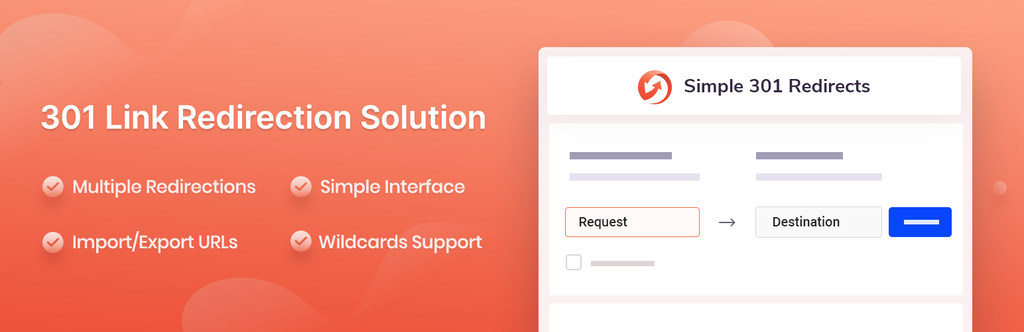
Simple 301 Redirects caters to users who want a simple redirection solution. Its interface is extremely easy to use, even for beginners. The redirect creation, import, and export processes only take a few clicks.
Despite its simplicity, this plugin supports wildcard redirects to help ease the domain migration process or consolidate multiple domains into one website.
Key Features
- Easy and free to use
- Simple interface
- One-click redirect creation
- One-click import and export redirects
[DOWNLOAD]
13. All 404 Redirect to Homepage

Plugin Stats:
- Rating: 4.2/5
- Best for: creating 404 error redirects in bulk
- Price: free
Developed by the same team behind SEO Redirection, All 404 Redirect to Homepage sets up bulk 404 error redirects with a single destination URL. It’s the best WordPress redirect plugin for beginners who don’t need or want to create custom redirects for individual broken links.
The logging feature tracks all the redirects’ dates and creation times for easier management. Its interface is simple enough to understand, even if you have limited technical knowledge.
Key Features
- Easy and free to use
- Global 404 redirects
- 404 error logging
Other Plugins to Redirect URLs
This section covers plugins that complement the functionality of WordPress redirect plugins. While these plugins can’t set up redirects, they make the redirection process easier.
1. Broken Link Checker
Broken Link Checker detects internal and external broken links across your WordPress website, including those in comments and custom fields. It has a filter function that narrows search results based on parameters like URL and anchor text.
The plugin lets you fix, remove, and unmark broken links from the plugin’s page instead of updating each post manually. Dashboard and email notifications keep you updated on the links’ health. The exclusion list feature prevents the plugin from checking URLs containing your chosen keywords.
2. Link Whisper
Link Whisper suggests internal links relevant to your content. It integrates with the WordPress editor, allowing you to add links as you write. You can also set the plugin to open internal links in a new tab and avoid making certain keywords into anchor texts.
The plugin offers a reporting feature that tracks internal and external links from each post. Find orphan posts and pages and add internal links for better SEO.
3. Pretty Links
Pretty Links’ main functionality is to shorten URLs using your domain name instead of a third-party service. It can track each link’s clicks and source.
Set an expiration date on your shortened links to redirect visitors to a new page after it. Pretty Links support 301, 302, and 307 redirects to cover various needs.
The plugin also has a customizable reporting feature, generating click charts based on a specific link, date range, or unique links per day. You can download the reports in a CSV format.
Best Practices When Choosing a WordPress Redirection Plugin
Consider the following aspects when choosing the right redirection plugin for WordPress:
- Functionality ‒ pick a plugin with various redirect types, such as a 301 redirect or HTTPS redirect, to create temporary and permanent redirects.
- Update frequency ‒ regular updates indicate that the developer is still maintaining and improving the plugin. It also helps to minimize security vulnerabilities.
- Support and documentation ‒ the plugin should provide enough information or assistance to help you perform basic tasks like installation, configuration, and troubleshooting.
- Pricing ‒ some plugins reserve their redirection features for premium users, so make sure the tool fits your budget.
- Credibility ‒ a reputable plugin usually has good reviews and many active installations.
- Ease of use ‒ pick a plugin that best suits your technical abilities. Ideally, you should be able to use it without hiring a developer.
Conclusion
Creating redirects helps to improve your website’s user experience and ranking in search engine results pages. With a WordPress redirect plugin, you can streamline the redirection process – no need for coding.
We have covered the 13 best WordPress redirect plugins and three extra plugins to improve the redirection process. Here are our top five recommendations based on their key features:
- Redirection ‒ a free yet versatile plugin for creating conditional redirects.
- Yoast SEO ‒ best for improving various SEO elements and handling broken links.
- AIOSEO ‒ offers the most robust redirect logging system.
- 404 Solution ‒ supports permalink structure migration.
- All 404 Redirect to Homepage ‒ the easiest plugin for creating bulk 404 error redirects.
Alternatively, if you’re looking to redirect a few URLs, depending on your web host you might be able to setup 301 redirects through your control panel. Check out our support article to see how to set up a redirect on Hostinger’s hPanel.

WordPress Redirect Plugin FAQ
This section will answer several frequently asked questions about WordPress redirect plugins.
Can I Redirect a Page Without a Redirection Plugin?
Yes, you can manually redirect a web page to a new URL by editing the .htaccess. file. However, the process requires knowledge of website architecture and coding. Furthermore, it gets tedious if you have multiple URLs to redirect to since you have to set them up individually.
What Are the Benefits of Using a WordPress Redirect Plugin?
A redirect plugin eliminates the need to code when creating redirects in WordPress. Many WordPress redirection plugins also offer additional features, such as setting up redirects from HTTP to HTTPS and importing them from one application to another. They help you save time and streamline the process.
Is It Safe to Use Multiple Redirection Plugins?
We don’t recommend using multiple redirection plugins as it can potentially create conflicts on the site. None of the plugins will work properly, which may hurt your website’s user experience and search rankings.

Jordana is a Senior Content Writer with a background in Information Systems. She has over five years of experience in WordPress and is casually dabbling with PHP and MySQL. Her passion for writing and technology drives her to create tutorials for anyone wanting to build their online presence. Follow her on LinkedIn.


