WordPress menu icons: 2 methods on adding icons to menu for easy navigation
Dec 02, 2025
/
Jordana A.
/
4 min Read
One of the advantages of having a WordPress website is that you’re free to customize it as needed. That includes, but isn’t limited to, improving your navigation menus’ appearance with image icons.
Adding icons to the WordPress navigation menu can make it look more appealing, accessible, and easily recognizable. Menu icons also help communicate your menu structure to an international audience.
There are two ways to add icons to your WordPress website ‒ coding them manually or using a menu icon plugin. The first method offers flexibility in achieving your ideal design but requires CSS knowledge. If you’re not confident in your coding skills, we recommend using the second method.
Keep reading to understand how each method works to choose the best one for your needs.
Download all-in-one WordPress cheat sheet
Method 1. Add Menu Icons Using CSS
This method involves adding an icon type from a library to your WordPress website using custom CSS. Various icon types are available to use, meaning you don’t have to design them from scratch, such as Dashicons, Elusive Icons, Foundation Icons, and Font Awesome.
For this tutorial, we’ll be using the Font Awesome icon library. Here’s how to add WordPress menu icons using CSS:
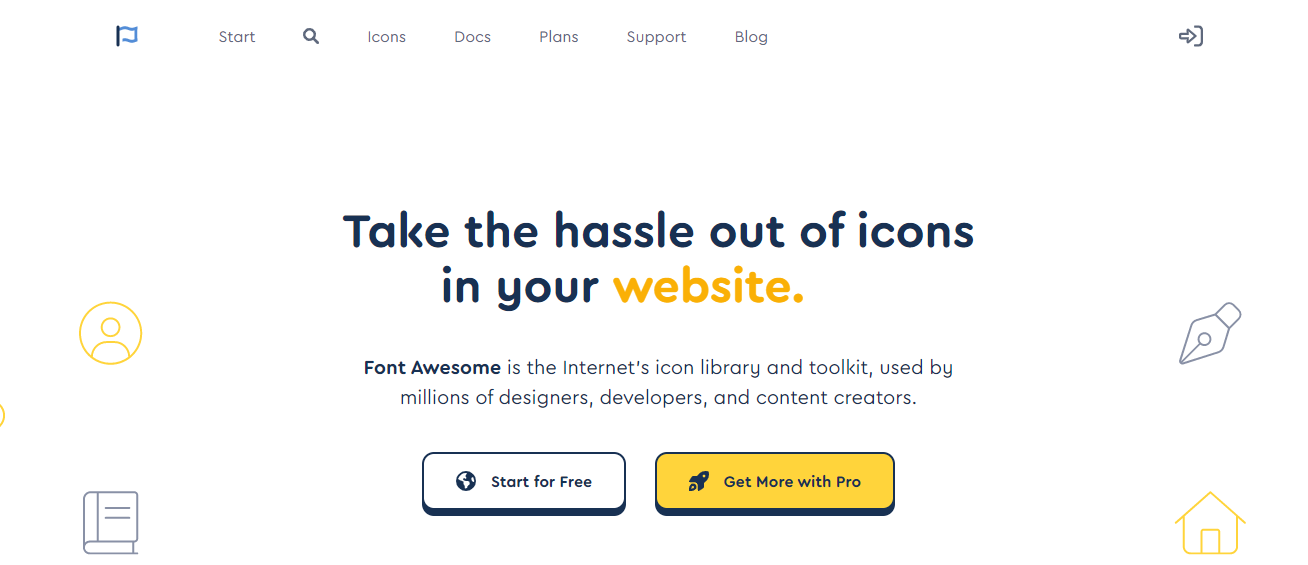
- Go to the Font Awesome homepage and select Start for Free.
- Enter your email to get the free Kit code, which lets you retrieve Font Awesome icons from their library. Here’s what the library’s Kit code should look like:

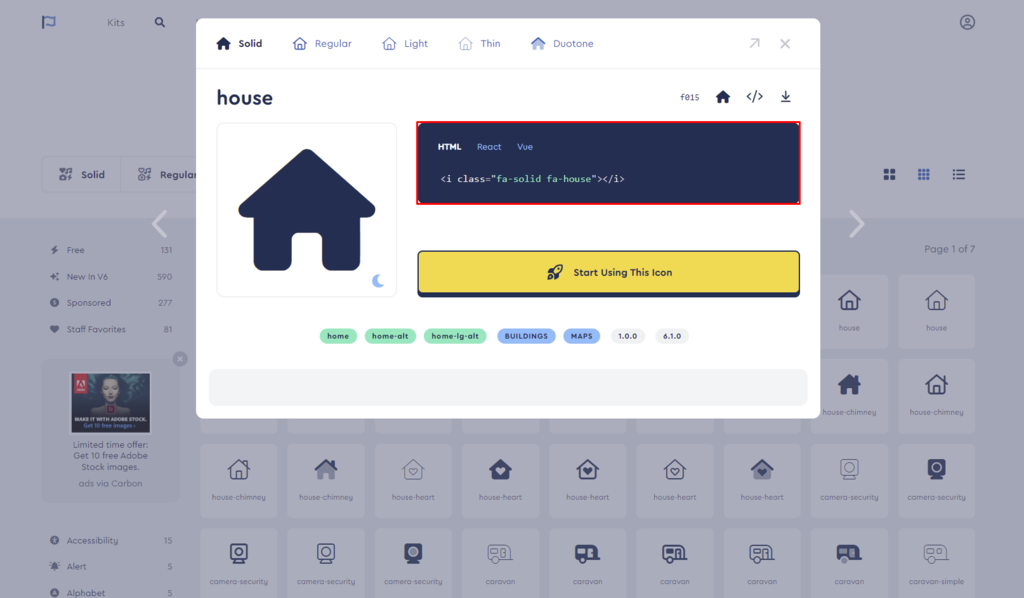
- Now that you have the library’s code, the next step is to obtain the CSS class of Font Awesome icons you want to use. Go to Font Awesome’s search page and save the ones that fit your needs. For this example, we’ll use the “house” icon for our homepage.
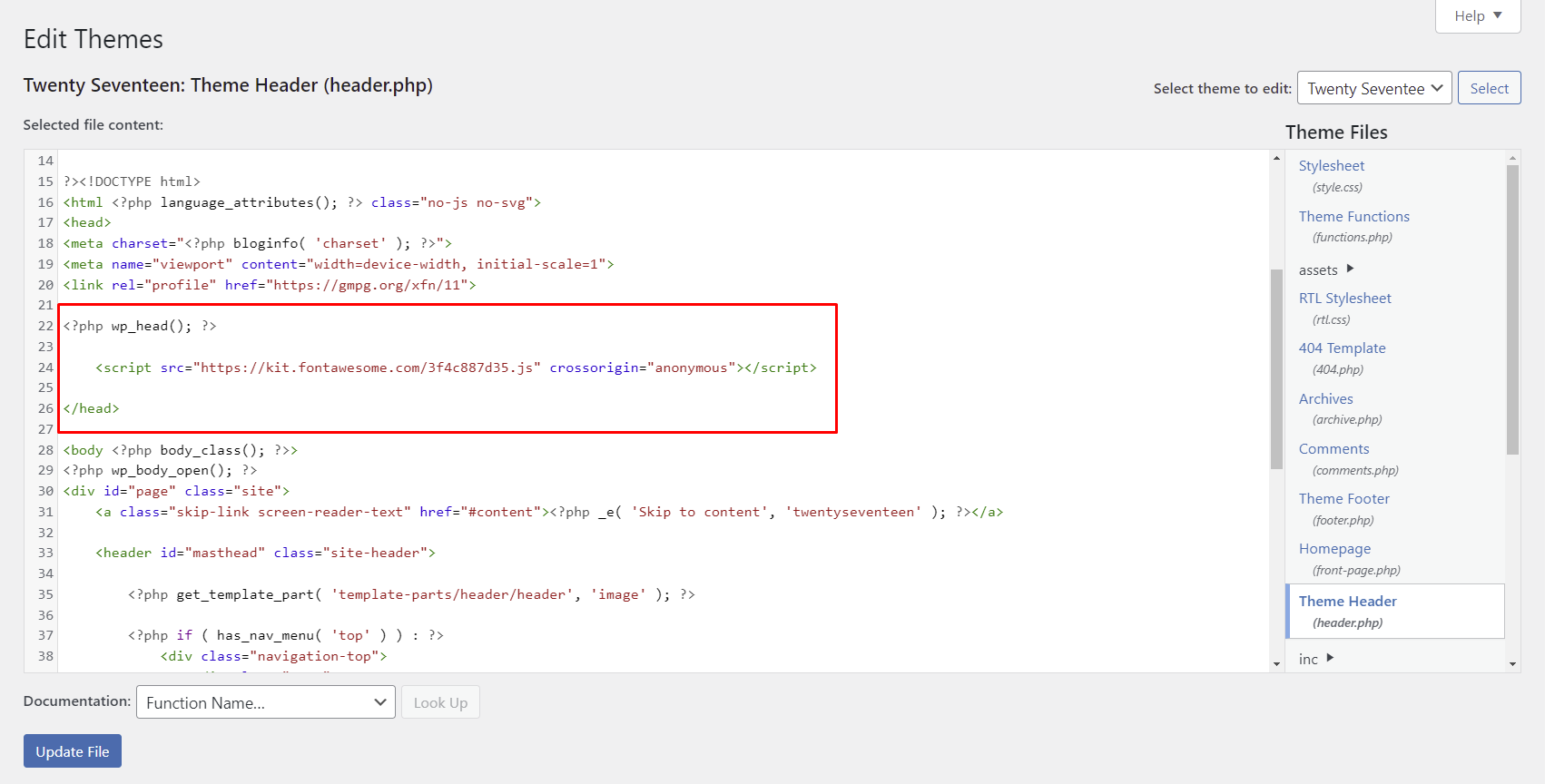
- Access your WordPress admin dashboard and go to Appearance -> Theme File Editor.
- Open the header.php file and add the Kit code above the </head> line. Click Update File.
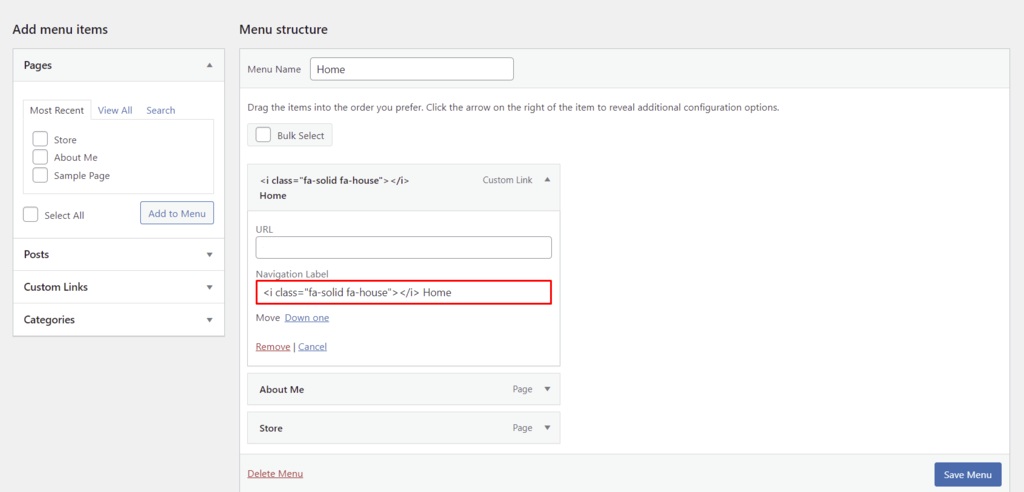
- Navigate to Appearance -> Menus and expand the menu item you want to customize. Add the CSS class you obtained in the third step to the Navigational Label textbox within the Menu Structure section. Keep the current menu text if you want to display it next to the image icon.
- Repeat the third and sixth steps to add more icons to other menu items, then click on the Save Menu button.
- If the process is successful, your menu will look like this:

The steps to add WordPress menu icons vary depending on the icon types. For example, you can use the Dashicons library without editing the theme’s file because it’s the official WordPress admin font since version 3.8. Some libraries use CSS classes to implement image icons in WordPress menu items.
Method 2. Add Menu Icons Using a Plugin
Many plugins simplify the process of customizing your navigation menu with great menu icons. We recommend the following plugins:
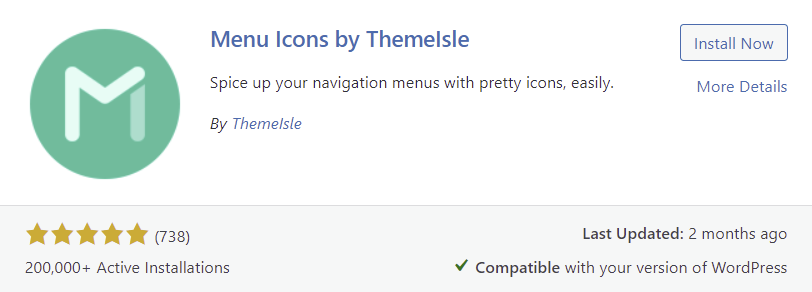
- Menu Icons by ThemeIsle ‒ a free plugin that supports different icon types, including Font Awesome, Dashicons, and SVG.
- Menu Image ‒ a freemium plugin that can convert menu items into call-to-action buttons.
- WP Menu Icons ‒ another free plugin that supports multiple icon types and provides various customization options, including the icon’s position and color.
- Max Mega Menu ‒ a plugin that allows you to create a WordPress mega menu and add icons from different platforms.
The following tutorial will show you how to add icons using the Menu Icons by ThemeIsle plugin:
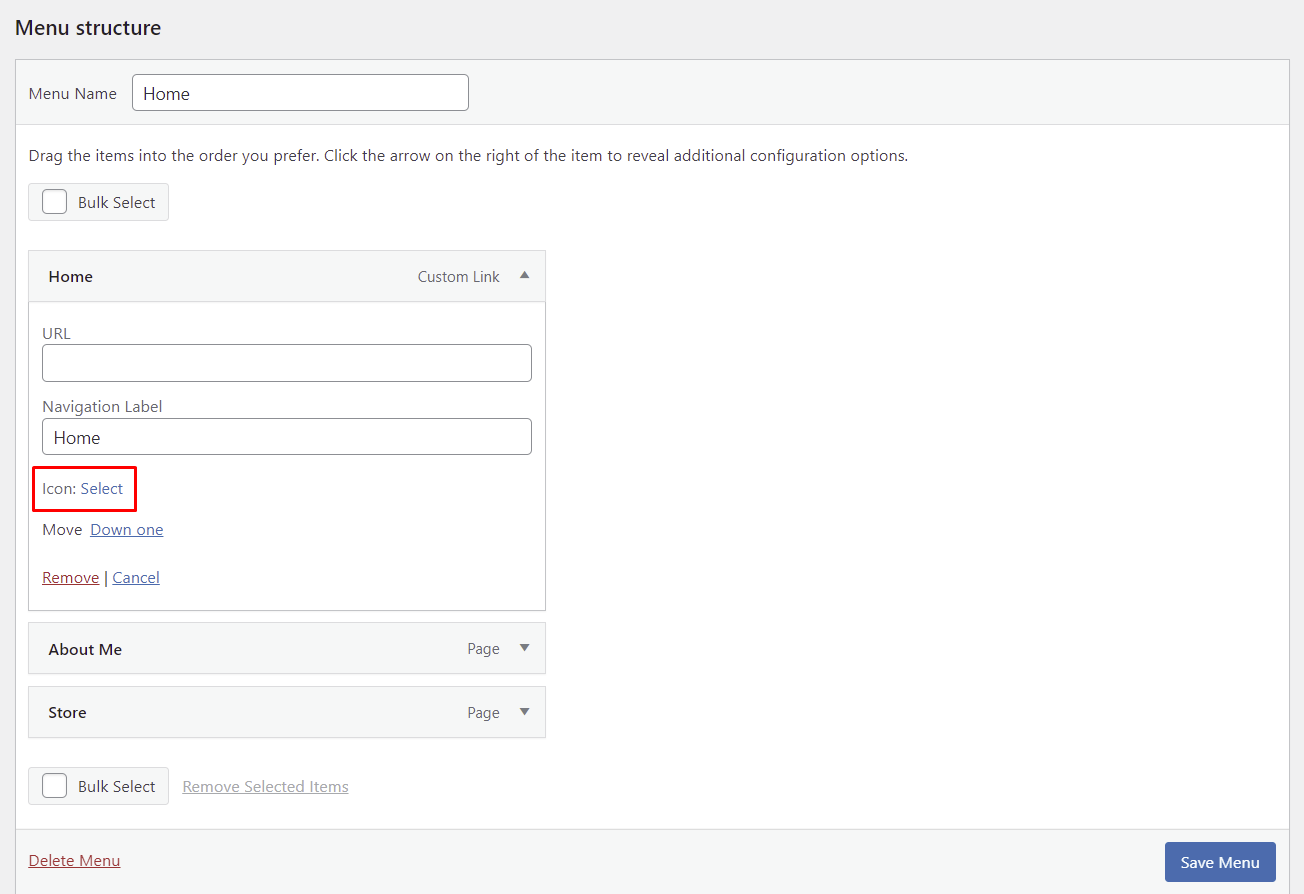
- Go to Appearance -> Menus and expand the menu item you want to customize. You will see a new menu item called Icon: Select below the Navigation Label textbox.
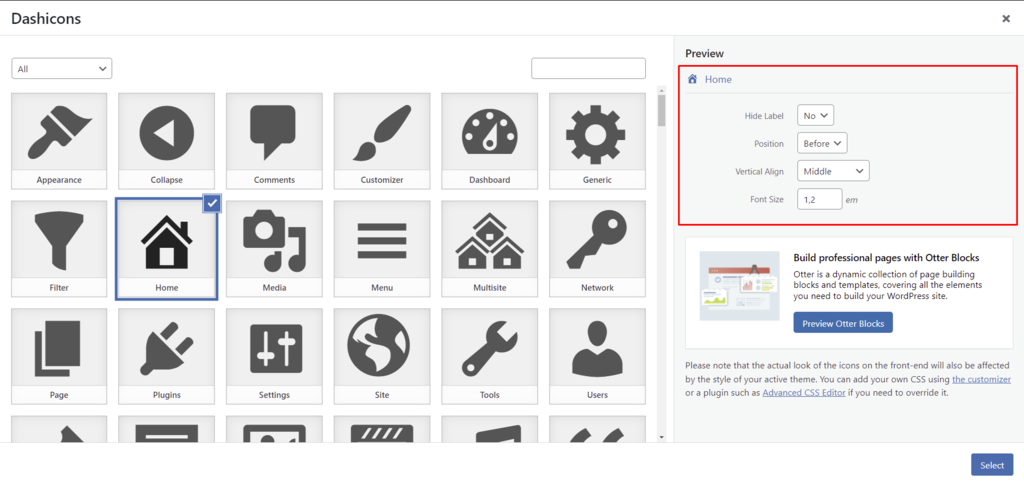
- Click Select and pick a Dashicons icon from the popup menu. Customize the new icon’s visibility, position, vertical alignment, and font size via the menu icon settings on the right. Once done, press the Select button.
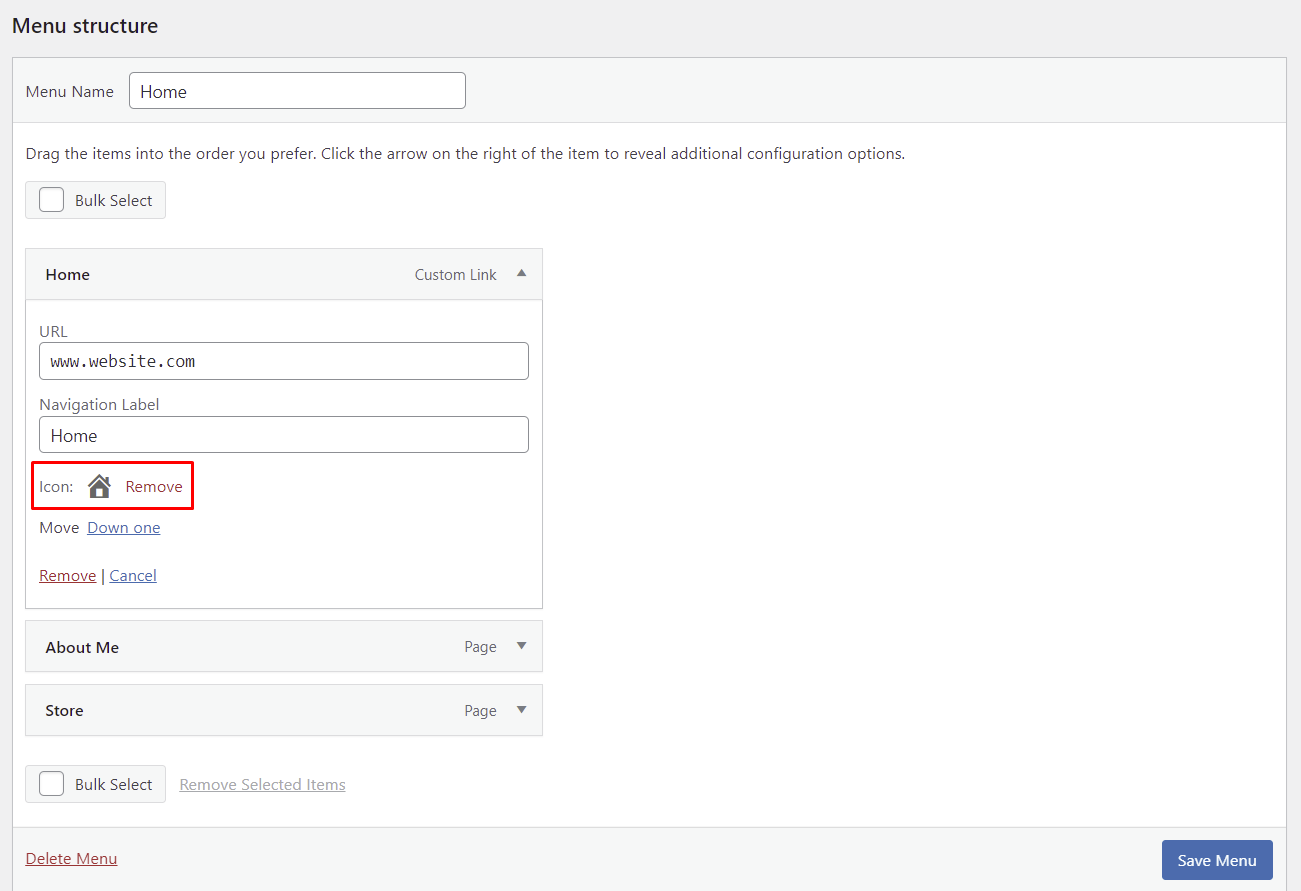
- The chosen new icon should appear inside the Menu Structure section. Repeat the same process to other menu items, and click Save Menu.
- Here’s an example of a WordPress menu with a Dashicons default icon added using the plugin:

Conclusion
Adding menu icons to your WordPress website is an excellent way to improve its navigation and aesthetics. The modification is relatively easy, so anyone can do it without the help of WordPress experts.
Through this article, you have learned two methods on how to add menu icons to WordPress’s navigation menu:
- Coding it manually – this way gives you more flexibility but requires some CSS knowledge.
- Using a menu icon plugin – a more beginner-friendly method but remember that using too many plugins can slow down your WordPress website.
Which method do you prefer? Let us know in the comments section below.
Learn What Else You Can Do With WordPress
How to Create a WordPress Dropdown Menu
What is WordPress Sidebar
What is WordPress
How to Delete All Comments in WordPress
How to Undo Changes in WordPress
How to Embed a Video in WordPress
Guide to WordPress Security
How to Setup WordPress Auto-Update
Guide to WordPress Private Pages and Posts
WordPress Menu Icons FAQ
If you still have questions about how to add icons to your WordPress menu items, the following section might have the answers you’re looking for.
Can I Add SVG Icons to WordPress Menus?
Yes, you can upload an SVG file to WordPress. However, since WordPress doesn’t have built-in SVG support, you have to enable it manually using an SVG plugin or by editing the functions.php file. Regardless of your chosen method, limit SVG upload permissions and sanitize SVG files before uploading them to reduce security risks.
Are There WordPress Themes That Include Menu Icons?
Yes, they are tons of free and premium WordPress themes that come with icon fonts. Developers usually list this feature in the theme description, so look for them when looking for new themes on the marketplaces.

Jordana is a Senior Content Writer with a background in Information Systems. She has over five years of experience in WordPress and is casually dabbling with PHP and MySQL. Her passion for writing and technology drives her to create tutorials for anyone wanting to build their online presence. Follow her on LinkedIn.


