10 Best WordPress Knowledge Base Plugin Options
Dec 02, 2025
/
Ariffud M.
/
10 min Read

Choosing a suitable WordPress knowledge base plugin can transform how you manage and present vital information on your website. In this article, we explore the best WordPress knowledge base plugins to boost your site’s support and documentation capabilities.
We have tested each plugin on the list to assess its functionality, user-friendliness, and unique features. Additionally, we have verified that these plugins are regularly updated, ensuring compatibility with the latest version of WordPress.
Whether you’re seeking more comprehensive solutions or essential functionalities, we will help you find the ideal knowledge base plugin for your WordPress site.
Top 10 WordPress Knowledge Base Plugins
Let’s explore the best knowledge base plugins for WordPress, each carefully chosen to enhance your website’s ability to handle customer inquiries and issues.
These WordPress plugins help organize information effectively and improve the user experience, ensuring that your customers find the help they need quickly and efficiently.

1. Heroic KB

Heroic KB Stats:
- Best for: websites seeking a modern, user-friendly knowledge base solution
- Price: starts at $149.50/year
Heroic KB is one of the best WordPress knowledge base plugins due to its modern and sleek design. It offers extensive customization options, enabling you to tailor the knowledge base’s appearance to match your website’s aesthetics.
As a premium WordPress plugin, Heroic KB facilitates the creation of an organized and efficient knowledge base. It features category organization with icons and an instant search function that displays suggestions as users type, enhancing the user experience.
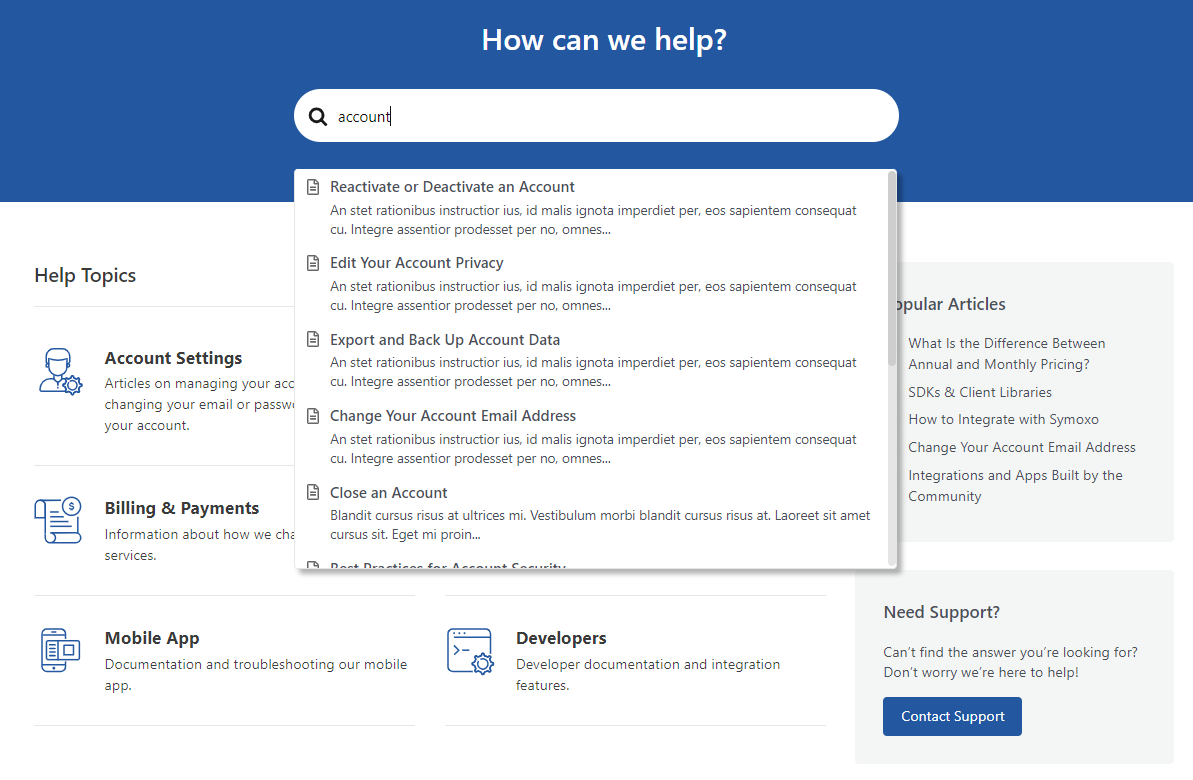
What sets the Heroic Knowledge Base plugin apart is its focus on user-friendliness with advanced features. It excels in providing instant feedback and relevant suggestions, aiding users in quickly finding the information they need.
Key Features
- Modern design with extensive customization options.
- Enhanced category organization using icons.
- Instant search with real-time suggestions.
- User feedback analytics with simple thumbs up and thumbs down buttons.
- Display of popular knowledge base articles.
- Related articles feature for an enriched user experience.
Drawbacks
- Limited pagination options, with only next and previous buttons.
- The annual subscription price of $149.50 is costly, especially since it’s not a lifetime license.
Suggested Reading
New to WordPress? Read our in-depth WordPress tutorial. It covers everything from installation and creating posts and pages to optimizing and securing your WordPress site.
2. BetterDocs
BetterDocs Stats:
- Rating: 4.8/5
- Best for: users seeking comprehensive, multilingual knowledge base solutions
- Price: freemium (paid plans start at $55)
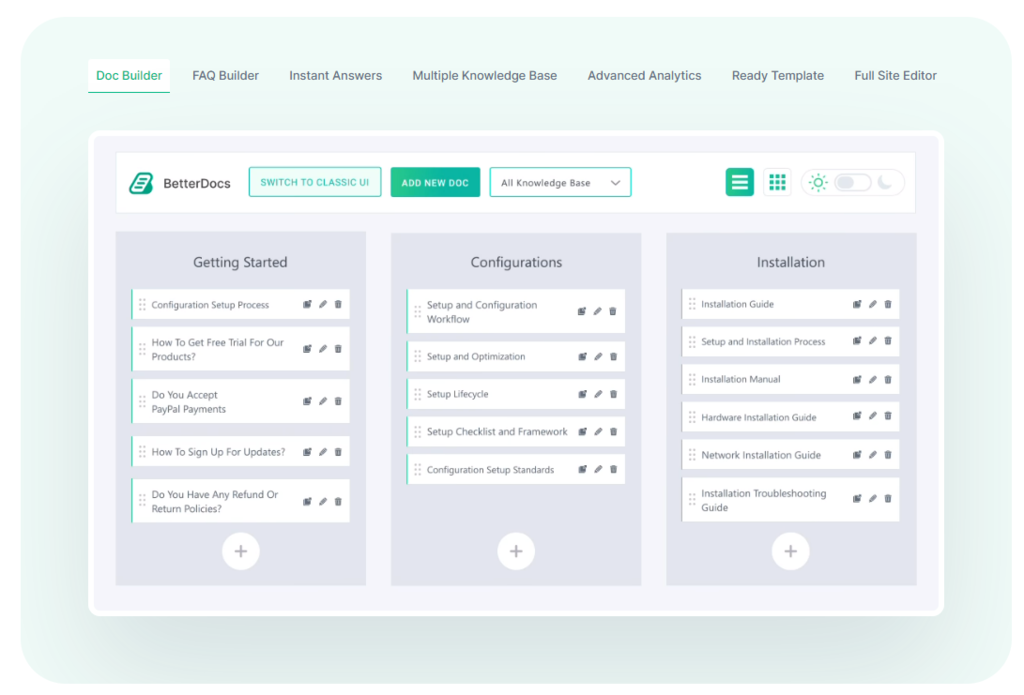
BetterDocs is renowned in the WordPress community for its versatility and ease of use. It provides ready-made templates, significantly reducing the time spent on design. The plugin features an advanced search function and an automatic table of contents, enabling users to navigate and find information within articles quickly.

A unique aspect of BetterDocs is its AI writer feature, which assists in efficiently creating documentation. The plugin’s support for multiple languages makes it ideal for a global audience, setting it apart from competitors.
BetterDocs integrates seamlessly with the WordPress Gutenberg editor, further enhancing the user experience. You can install the plugin for free via the WordPress repository, while a premium version is offered on its website.
Key Features
- Various knowledge base capabilities for comprehensive documentation.
- Ready-made templates for quick and easy setup.
- Email-based reports for search analytics, providing valuable user insights.
- Extensive multilingual documentation support.
- User-friendly setup wizard for creating dedicated knowledge base pages.
Drawbacks
- The AI writer requires an additional OpenAI API key, which may be a barrier for some users.
- Higher plans are necessary to access lifetime support and updates.
3. Echo Knowledge Base

Echo Knowledge Base Stats:
- Rating: 5/5
- Best for: advanced users needing comprehensive categorization and robust customization options
- Price: freemium (paid plans start at $46/website/year)
Echo Knowledge Base is a versatile WordPress plugin for creating a searchable and well-organized knowledge base. Its compatibility with popular page builders like Beaver Builder, Divi, and Visual Composer makes it highly favored among advanced users.
The plugin features a front-end style editor, allowing for extensive customization, including adjustments to templates, typography, colors, images, and sidebars.

Setting itself apart as one of the best WordPress plugins, Echo Knowledge Base excels in depth of categorization and hierarchical documentation, supporting up to five levels. Its robust customization options provide a more tailored user experience compared to many competitors.
Key Features
- Advanced view search analytics, such as popular searches and the number of search results.
- Article ordering options, including alphabetical and chronological.
- Detailed customization with a front-end style editor.
- Access manager for a private knowledge base to control and restrict access.
- Article view counter and commenting functionality.
- Five-star grading system for user feedback.
- Ability to link articles to various content types, including PDFs and external websites.
Drawbacks
- The extensive customization options for each article may be overwhelming for some users.
- The lack of a flat subscription model could lead to higher costs upon renewal.
4. BasePress
BasePress Stats:
- Rating: 4.9/5
- Best for: developers and users seeking SEO-friendly knowledge base solutions
- Price: freemium (paid plans start at $79/website)
BasePress is an open-source WordPress knowledge base plugin with developer-friendly features and insightful statistics. It’s SEO-friendly, aided by a comprehensive setup wizard that guides users through creating efficient knowledge base pages.
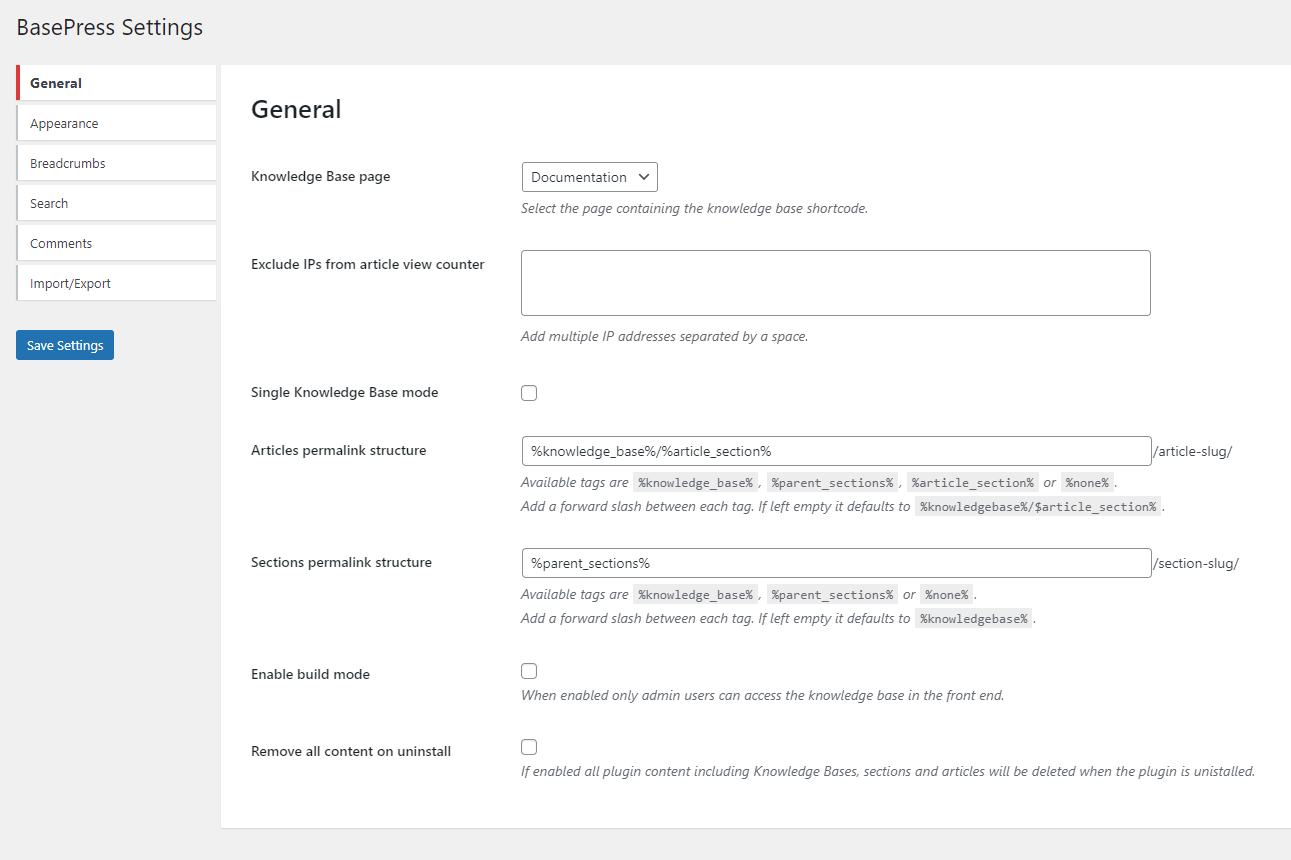
This plugin stands out for offering detailed statistics and a built-in translation feature. Plus, its open-source nature and dedicated icon manager provide unique customization opportunities.
Key Features
- Open-source code, offering extensive customization possibilities for developers.
- Article voting with both a five-grade system and thumbs up/down feedback options.
- Advanced statistics for deeper insights compared to other plugins.
- Icon manager for adding unique icons to each knowledge base article.
- Organizes articles in categories, sections, and tags for easy navigation.
Drawbacks
- The design output may be too simplistic for some users’ preferences.
- The interface can appear too similar to other knowledge base plugins, with a lack of distinctive customization options.
5. EazyDocs

EazyDocs Stats:
- Rating: 4.8/5
- Best for: beginners seeking a user-friendly, feature-rich knowledge base solution
- Price: freemium (paid plans start at $49/year)
EazyDocs is a WordPress documentation plugin known for its beginner-friendly interface and innovative features. The plugin offers a unique graphical line display for managing and receiving feedback on knowledge base articles.
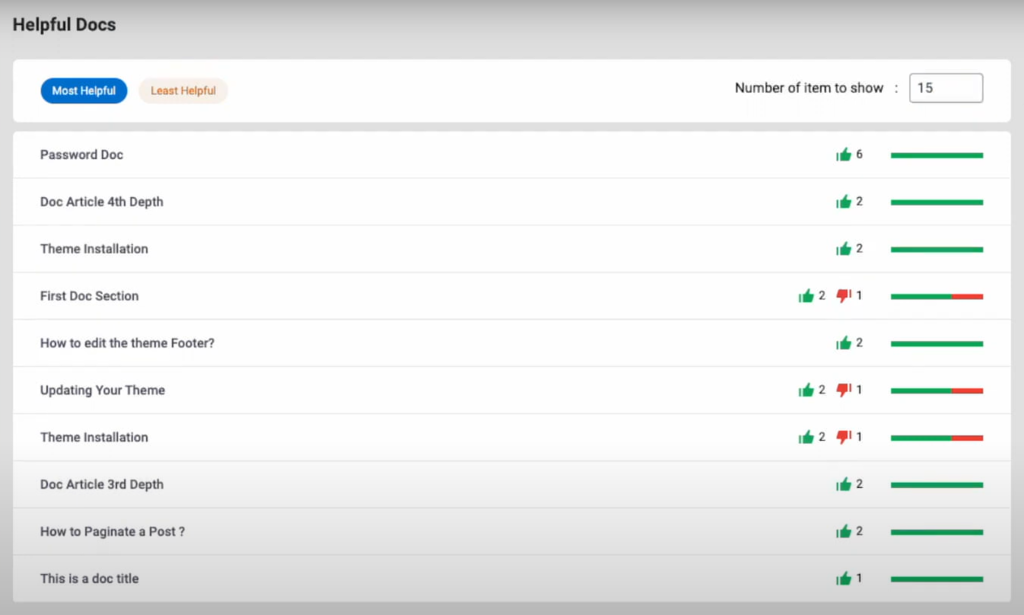
EazyDocs features unique aspects like OnePage Documentation. Its focus on the user experience is evident in its intuitive UI, providing a fresh alternative to more generic interfaces.
Additionally, the Document Assistant feature and drag-and-drop method greatly simplify organization and editing for knowledge base content.
Key Features
- Front-end editing with contributor management.
- OnePage Documentation for comprehensive, full-page previews.
- User-friendly analytics, ideal for beginners.
- Extensive documentation support available on the official site.
- Footnote creation capability for detailed documentation.
Drawbacks
- Advanced features like OnePage Documentation and user feedback analytics are exclusive to the premium version.
- Analytics insights might lack depth for more advanced users.
6. weDocs
weDocs Stats:
- Rating: 4.7/5
- Best for: users seeking a user-friendly, versatile knowledge base with unique layout options
- Price: freemium (paid plans start at $47/year)
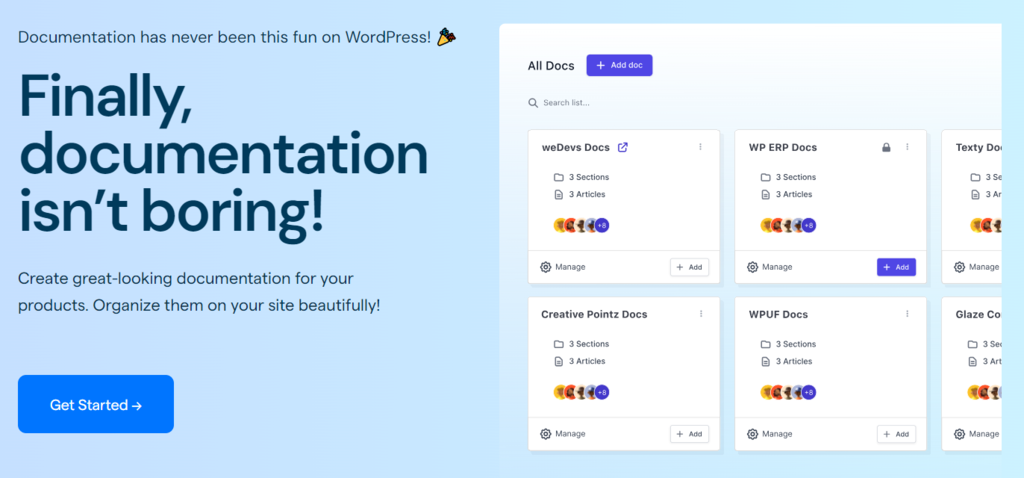
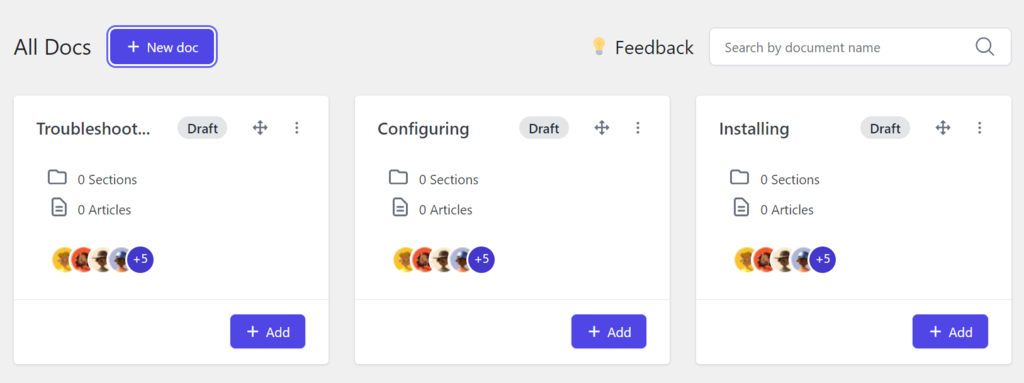
weDocs, a WordPress wiki plugin, introduces a refreshing grid layout for knowledge bases. Its drag-and-drop interface significantly improves article organization and nesting, making it a popular choice for addressing disorganized support documentation.
The free version features AJAX live search, a notable addition often reserved for premium versions in other plugins. Additionally, its compatibility with popular SEO and language plugins makes it an adaptable choice for a diverse range of WordPress sites.
Key Features
- Refreshing grid layout for a unique visual experience.
- Compatibility with Weglot for seamless multilingual documentation.
- Integration with major SEO plugins like Yoast SEO and RankMath.
- Global Doc permissions feature with custom role management.
- Access control for public and private documentation.
- AI-powered instant answer bot widget for each knowledge base article.
- Extensive color customization, including the creation of custom colors.
Drawbacks
- Permissions management, AI features, and custom styles and layouts are exclusive to the premium version.
- The process of creating documentation can be complex, requiring the initial setup of categories and slugs.
7. DocsPress

DocsPress Stats:
- Rating: 4.3/5
- Best for: users needing a cost-effective solution for creating a simple knowledge base
- Price: free
DocsPress is a plugin designed for those looking to set up a simple knowledge base. While it may not have the complexity of more advanced plugins, it offers essential customization options through custom CSS and JS.
Building on the foundation of weDocs, DocsPress provides a familiar environment for users transitioning from that platform. Migrating from weDocs to DocsPress is possible, eliminating the need to recreate documents and categories.

Key Features
- Basic article feedback system with a simple yes/no helpfulness query.
- Customization options like AJAX, custom CSS, and JS.
- Streamlined organization with merged categories and tags.
- Compatibility with weDocs for retaining knowledge base articles and categories.
Drawbacks
- The user interface lacks intuitiveness and clear guidance for editing documentation.
- A single merged system for categories and tags might limit detailed organization.
8. BWL Knowledge Base Manager

BWL Knowledge Base Manager Stats:
- Rating: 4.5/5
- Best for: users seeking a feature-rich, user-friendly knowledge base solution with extended support
- Price: starts at $49
BWL Knowledge Base Manager is a powerful plugin offering a comprehensive knowledge base solution. With a user interface similar to WordPress’s posts and pages section, it is highly intuitive, especially for beginners.
This plugin features an advanced search with auto-suggestions, a responsive grid layout, and full Bootstrap compatibility, ensuring smooth integration with your website’s design.
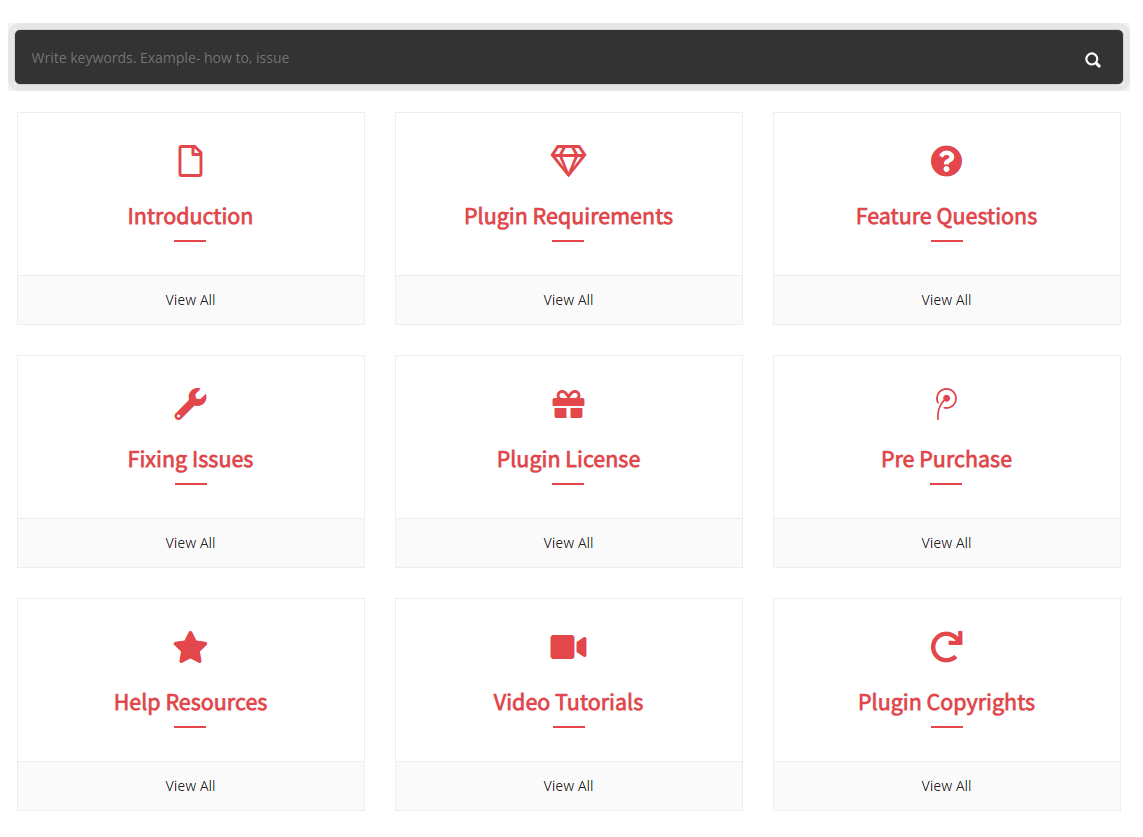
BWL Knowledge Base Manager stands out with unique display options for knowledge base articles and a dedicated panel for managing negatively received content. Its regular updates and responsive customer support significantly enhance its value.
Key Features
- Advanced search with auto-suggestions for efficient navigation.
- Responsive grid layout and Bootstrap compatibility.
- Unique display options for Popular, Featured, and Recent knowledge base posts.
- Dedicated panel for managing negatively received articles.
- Comprehensive post details, including author, category, views, and last edited date information.
- Email notifications for new knowledge base questions or feedback.
- SEO-friendly with customizable slugs for wiki pages, categories, and tags.
Drawbacks
- A single knowledge base article view may become cluttered with all the features enabled.
- Additional costs for extended support.
9. WPHelpere Knowledge Base
WPHelpere Knowledge Base Stats:
- Rating: 5/5
- Best for: users seeking a comprehensive, customizable knowledge base platform with solid SEO and design features
- Price: starts at $29
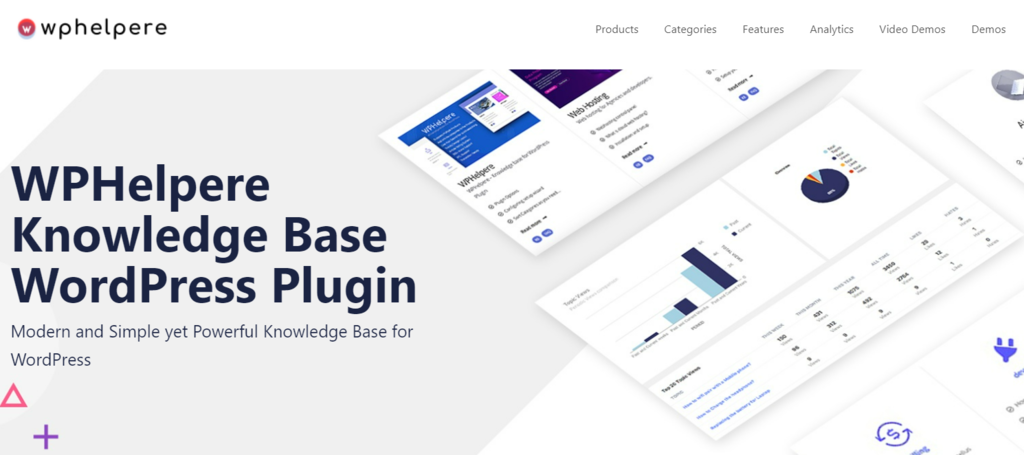
WPHelpere Knowledge Base is a premium WordPress plugin optimized for better search engine rankings with its efficient URL structure and content system. It features an optimized AJAX live search function, delivering instant results without requiring coding knowledge.
WPHelpere stands out with its search engine-optimized codebase and support for various knowledge base types. Its user-friendly setup wizard and dedicated category customization options provide detailed control not commonly found in other plugins.
Key Features
- Compatibility with popular WordPress themes like Astra and Twenty Twenty-One.
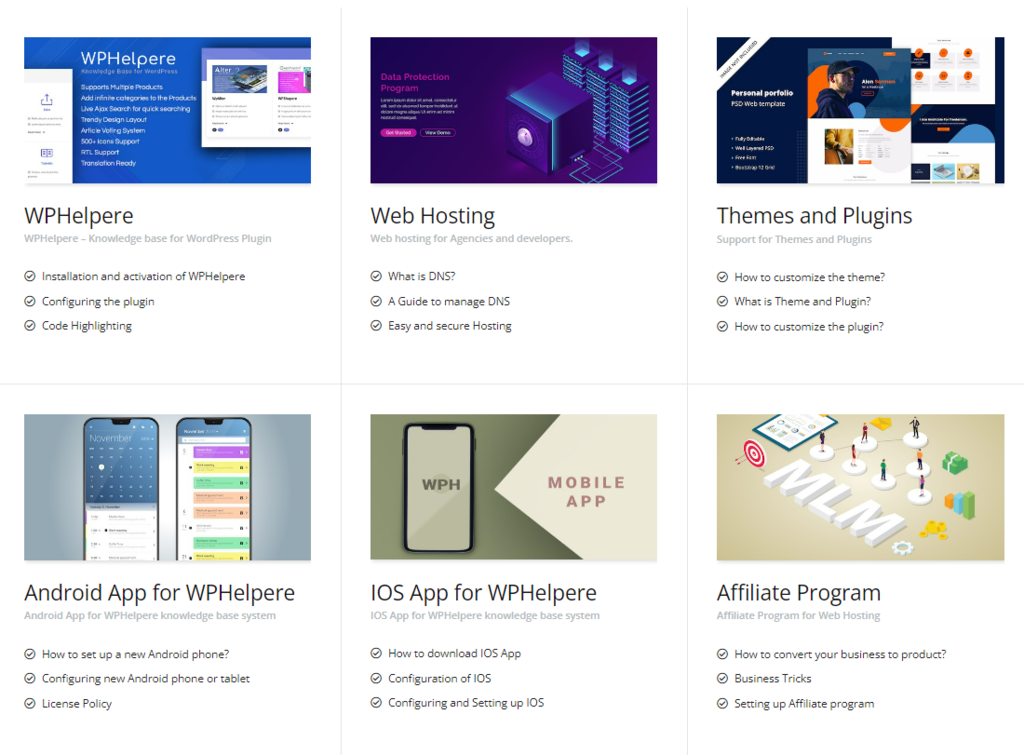
- Unlimited creation of knowledge bases, categories, tags, and FAQs.
- Drag-and-drop interface for easy article and category sorting.
- Supports RTL and WPML for global accessibility.
- Various knowledge base types with extensive customization.
- Quick setup wizard for easy configuration.
- Dedicated icon manager and custom image display for each category.
Drawbacks
- It still uses the old classic editor by default for creating knowledge base articles and category pages, though users can switch to Gutenberg.
10. VS Knowledge Base

VS Knowledge Base Stats:
- Rating: 4.8/5
- Best for: users looking for a lightweight, shortcode-based knowledge base solution
- Price: free
Very Simple Knowledge Base is the most lightweight WordPress knowledge base plugin on this list, prioritizing simplicity and efficiency. It primarily uses shortcodes for functionality, offering a basic yet practical approach to knowledge base management.
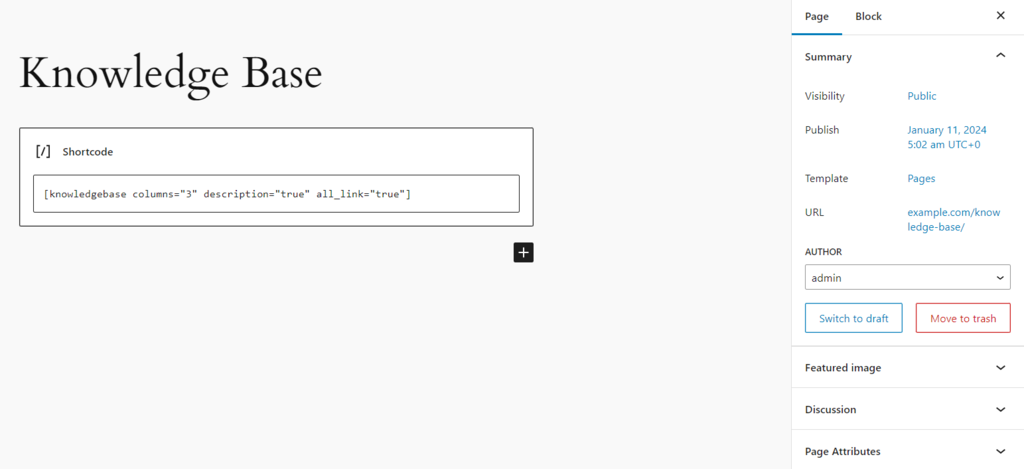
Users can create documentation pages and insert shortcodes to display categories and posts. This free plugin also permits customization for a new custom post type through additional attributes, including CSS classes, providing flexibility for those comfortable with shortcodes.
Key Features
- Shortcode-based display for categories and tags.
- Customizable attributes in shortcodes and widgets, including the addition of CSS classes.
- Capability to display categories and posts from custom post types, like WooCommerce product categories.
- Open-source software, enabling further customization for developers.
Drawbacks
- Heavy reliance on shortcodes makes it potentially challenging for beginners.
- The basic layout may be better suited for internal rather than public-facing knowledge bases.
- Lacks a dedicated menu in the dashboard, requiring manual WordPress page creation and shortcode implementation.
- Limited widget use, which may not be ideal for block theme users.
How to Choose the Right WordPress Knowledge Base Plugin?
Selecting the ideal WordPress knowledge base plugin requires careful consideration of your specific needs and objectives. Let’s explore how to make the right choice.
Consider Your Content Volume
When choosing the best WordPress knowledge base plugin, it’s crucial to consider the volume of your content. A knowledge base with a vast and complex structure demands a plugin that offers advanced categorization and tagging features.
This is vital to maintain an organized and accessible knowledge base, especially if you plan to host multiple knowledge bases. An auto-linking feature to other wiki pages can also enhance navigation, making it easier for users to find related content.
Look for a Good Search Functionality
Practical search functionality is a vital aspect of a powerful knowledge base plugin for WordPress. It significantly enhances the user experience by allowing users to find the information they need quickly.
Advanced search features are more commonly found in dedicated WordPress search plugins. However, you may look for capabilities like AJAX search for real-time results as the user types, filtering options to narrow down search results, and predictive text to guide users toward relevant content.
These features not only boost user satisfaction but also increase the efficiency of finding information within the knowledge base.
Additionally, advanced search analytics can provide valuable insights into what users are looking for, supporting continuous improvement of the knowledge base.
Customization Options
Customization options in a documentation plugin for WordPress are crucial for aligning the knowledge base’s styling with your main website, ensuring consistent branding and design.
Look for plugins that offer a range of customization features, such as sidebar layouts, drag-and-drop ordering, and the ability to use an existing post type.
These options enable you to tailor the look and feel of your knowledge base to match your website’s design, creating a seamless user experience.
Multilingual Support
For multilingual WordPress sites, choosing a WordPress knowledge base plugin with multiple language support is essential. This feature ensures that your knowledge base can be easily translated into different languages, making it accessible to a broader audience.
It helps maintain a consistent user experience across various locales and enhances the effectiveness of your site’s support posts. Multilingual capabilities in your knowledge base not only improve user engagement but also demonstrate inclusivity for global audiences.
Conclusion
Selecting an ideal WordPress knowledge base plugin rests on understanding your specific needs, such as content volume, search functionality, customization options, or multilingual support. Each plugin offers unique strengths, catering to different requirements.
Among the various options reviewed, here are our top picks:
- Echo Knowledge Base – offers extensive categorization and customization, ideal for detailed and structured knowledge bases.
- EazyDocs – known for its beginner-friendly interface, it’s perfect for newcomers to knowledge base creation.
- weDocs – stands out for its unique grid layout and seamless integration with page builders, making it a versatile choice.
- WPHelpere Knowledge Base – an SEO-tailored option with an efficient URL structure, offering a comprehensive premium solution for knowledge base management.
These WordPress knowledge base plugins help enhance the functionality of your website and significantly contribute to customer satisfaction and support team efficiency. Ultimately, the best choice should align closely with your specific goals and the nature of your site.
WordPress Knowledge Base Plugin FAQ
This section will answer the most common questions about WordPress knowledge base plugins.
What Is a WordPress Knowledge Base Plugin?
A WordPress knowledge base plugin is a tool designed to help create, organize, and manage a dedicated knowledge base page on a WordPress website. It helps in structuring and presenting information in an accessible way, enhancing customer support and the user experience.
How Does a Knowledge Base Plugin Improve Customer Support?
A knowledge base plugin enhances customer support by providing easily accessible support pages and resources. It allows users to find answers quickly, reducing the need for a support ticket management system. Well-organized support content leads to higher satisfaction and more efficient problem resolution.
Is WordPress Good for Knowledge Base?
Yes, WordPress is highly suitable for creating a knowledge base. Its flexibility allows for the integration of various knowledge base plugins, transforming existing posts and content types into a structured, searchable knowledge base.
How Do I Create a Knowledge Base in WordPress?
To create a knowledge base, first, choose the best knowledge base plugin for WordPress that fits your needs. These plugins enable you to create unlimited knowledge bases on your site. Once installed, you can organize your content into categories, add articles, and control access to your knowledge base articles.

Ariffud is a Technical Content Writer with an educational background in Informatics. He has extensive expertise in Linux and VPS, authoring over 200 articles on server management and web development. Follow him on LinkedIn.


