Dec 22, 2025
Aris S.
5min Read
Plesk is a web hosting control panel for virtual private or dedicated servers offering a user-friendly interface and automation tools. These comprehensive and time-saving tools make Plesk a popular option for web professionals.
Web hosting companies provide this control panel on Windows or Linux servers. For example, it is available in Hostinger’s Plesk VPS hosting plans for CentOS and Ubuntu operating system templates.
In this article, we will explain Plesk’s benefits and key features to help you determine if it is the right control panel for you. In addition, you will learn how Plesk’s versions differ and their pricing.
Plesk is a hosting control panel for dedicated and virtual private servers with an intuitive graphical user interface. It lets users easily manage the hosted services on their server, including websites, databases, and emails. As for compatibility, it works with Windows and most Linux distributions, including Debian and CentOS.
In this section, we will explain the main benefits of using Plesk for your dedicated or virtual private servers.

Simplifies Website Management
Plesk offers various features that help users manage their domains, databases, and email accounts with a single tool. For instance, it has a built-in file management feature, allowing a server administrator to modify website files without a file transfer protocol (FTP) client.
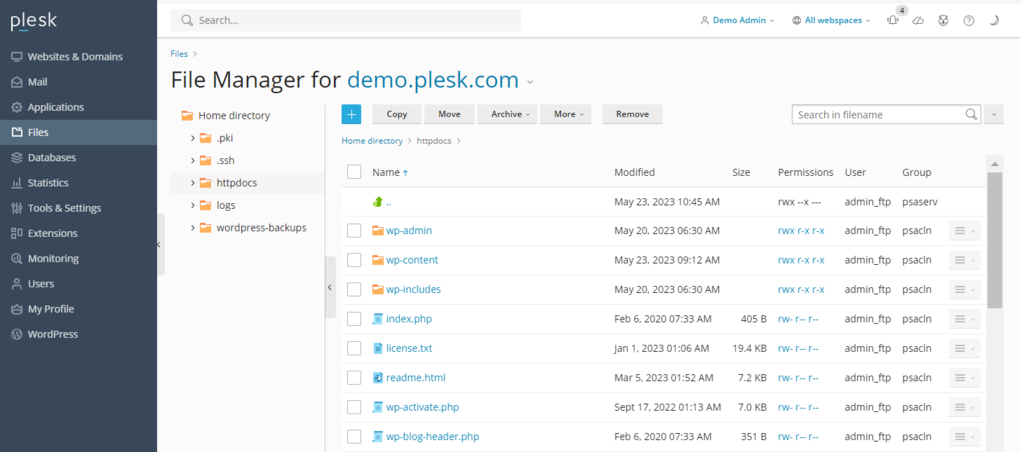
Moreover, it lets users manage multiple virtual hosts with a single control panel. This capability makes Plesk suitable for web hosting companies, resellers, or users with many websites.
Improves Efficiency
Plesk’s automation feature enables you to manage your websites or web applications more efficiently. You can schedule a command execution, PHP script runtime, and URL fetching.

Using it saves time and effort, especially for automating recurrent tasks like updating. Moreover, Plesk offers many extensions, like a built-in HTML code editor, that can help simplify various tasks.
Provides Flexibility and Scalability
Plesk lets you access your server using SSH for more control and customization options. For example, you can change server access permissions to prevent malicious users from modifying your servers.
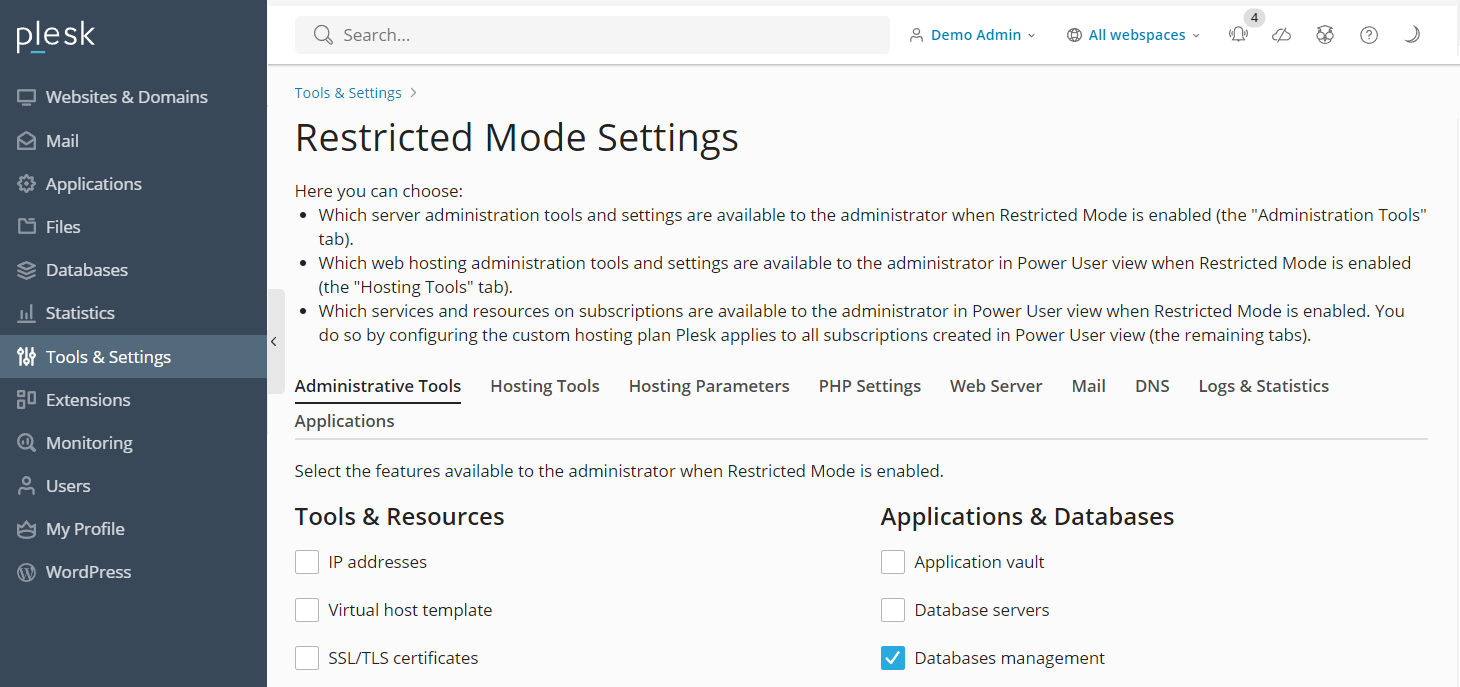
Plesk server also offers flexibility in managing computing resources, making it scalable for high traffic. Moreover, it has a built-in NGINX caching feature that improves your website performance.
In this section, you will learn about Plesk’s key features for enhancing your server management workflow. Remember, they may be specific to its newest version.
Plesk includes an optimized web stack, allowing you to quickly deploy a website on your VPS. Its stack consists of the following:
When managed poorly, a virtual private server is prone to security and performance issues. To ensure optimal VPS security, Plesk comes pre-configured with various security features:
Plesk provides all the web stacks and functions that help streamlines users’ web project lifecycle. It lets users plan, develop, deploy, and maintain their web applications or sites with a single tool.
Its redesigned user interface (UI) allows users to easily manage multiple websites via one dashboard. Moreover, it offers advanced notification systems that help you quickly address server maintenance needs.
Plesk lets you create a space-efficient, cloud-based backup of your account configuration and hosted services’ data, including the content of your website, email, or domain.
You can also schedule an automatic backup to ensure your data is safe from potential cyber attacks. To restore the data, simply upload the backup to your Plesk control panel.
Users can easily add, remove, or move domains to another web hosting platform on a single screen. In addition, you can change your domain names, hosting types, statuses, and root folder directories.
This control panel also has an email autodiscovery feature that lets users automatically configure their email clients to speed up the setup process.
If you use a custom domain, refer to our guide on how to point the domain name to the VPS.
Plesk WordPress toolkit simplifies the following tasks of managing CMS-based websites:
While the toolkit is only available for WordPress, Plesk also supports other popular content management systems (CMSs) like Joomla and Drupal.
Currently, there are two main versions of Plesk, the legacy Onyx and the newest Obsidian. While some web hosting providers may still offer the end-of-life Onyx, Hostinger’s VPS plans use Plesk Obsidian.
If you have purchased the Plesk Onyx license, you don’t need another license to upgrade to Obsidian.
Since Plesk is license-based, purchase the control panel before installing it into your VPS. At Hostinger, you can install and buy the control panel license directly from your VPS operating system configuration menu.
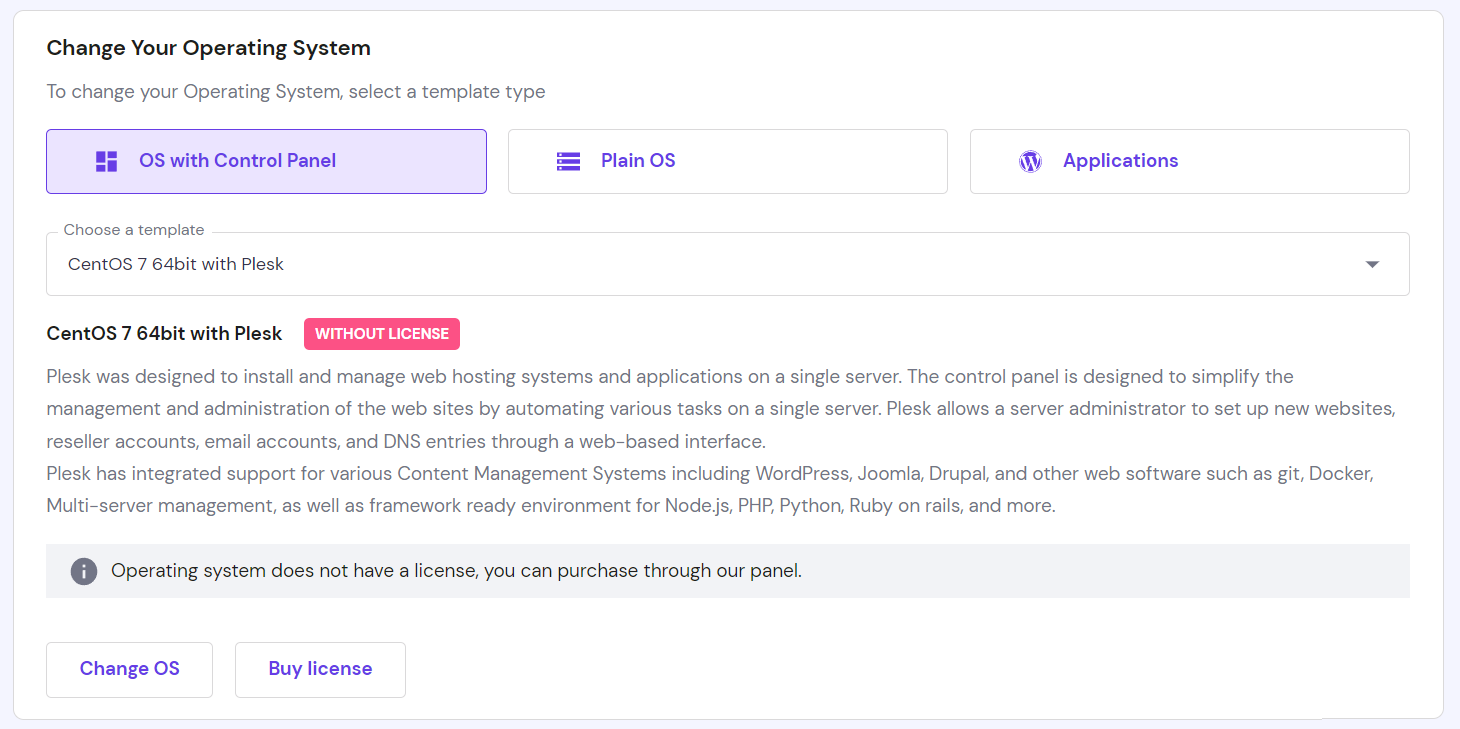
If you purchase a Plesk license directly through Hostinger, you can later confirm whether it’s been added using Kodee, our AI assistant. Simply ask something like, “I just bought a Plesk license from Hostinger, can you check if it’s active?”
To help you choose, here’s a comparison table of Plesk plans, pricing, and key features:
| Web Admin Edition | Web Pro Edition | Web Host Edition | Business Plans |
| Starting at $12.38/month | Starting at $18.79/month | Starting at $32.54/month for VPS and $53.63/mo for the dedicated license. | Starting at $250/month |
| 10 Domains | 30 domains | Unlimited domains | All Plesk editions and extensions |
| WordPress toolkit with limited features | WordPress toolkit | WordPress toolkit | Priority 24/7 support |
| Subscription and account management features | Subscription, account, and reseller management features | Dedicated account manager |
Plesk is a hosting control panel for dedicated or virtual private servers offering an intuitive graphical user interface. It is developer-friendly and compatible with different operating systems, including Windows Server and popular Linux distributions like Ubuntu.
The Plesk control panel is flexible and scalable. In addition, it offers various features that help simplify and improve your website management efficiency:
The Plesk control panel starts at $12.38/month and has two versions, the legacy Onyx and the new Obsidian. Hostinger’s VPS web hosting plans offer the new version in the CentOS and Ubuntu templates, which you can easily install via hPanel.

Aris is a Content Writer specializing in Linux and WordPress development. He has a passion for networking, front-end web development, and server administration. By combining his IT and writing experience, Aris creates content that helps people easily understand complex technical topics to start their online journey. Follow him on LinkedIn.

OpenClaw is an open-source AI agent platform that can connect to your messaging apps, run tasks on your server, and automate workflows across the...

OpenClaw best practices help you run AI agents safely in production environments by reducing risk, limiting unintended actions, and preventing your...

OpenClaw costs range from approximately $6 to $200+ per month, depending on how the system is deployed and how intensively it runs. While OpenClaw...