What are the VPS requirements for n8n?
May 20, 2026
/
Ariffud M.
/
6 min Read
Your server requires at least 1 vCPU core, 2 GB of RAM, and 20 GB of SSD storage to run n8n on a virtual private server (VPS). However, for optimal performance and scalability, we recommend starting with 2+ vCPU cores and 4+ GB of RAM.
Choosing the right server isn’t just about meeting the minimums. The ideal VPS specifications for your n8n instance depend on the complexity of your workflows, the frequency at which they run, and the volume of data they process.
Getting these factors right helps your automations run smoothly without overspending on resources you don’t need.
What are the minimum VPS requirements to run n8n?
The minimum requirements for n8n are 1 vCPU core, 2 GB of RAM, and 20 GB of SSD storage. This setup is a good starting point that lets you install the software, learn its interface, and build basic automations.
Here’s a breakdown of the essential resources:
- vCPU. A single-core processor (1 vCPU) is sufficient to handle the n8n application and execute simple workflows sequentially.
- RAM. You need at least 2 GB of RAM. While n8n can run on 1 GB, we don’t recommend it, as you can easily encounter memory errors, even with simple workflows.
- Storage. A minimum of 20 GB of SSD storage is necessary. This provides enough space for the operating system, Docker, n8n itself, and a small amount of workflow data and logs. SSDs are crucial for achieving faster read/write speeds, which improves overall performance.
- Operating system (OS). You need a Linux distribution. Ubuntu 24.04 long-term support (LTS) is an excellent choice due to its stability and extensive community support.
- Bandwidth. At least 1 TB of bandwidth provides a safe baseline for your workflows to communicate with external services and APIs without interruption.
This configuration is best for:
- Testing and development. If you’re new to n8n and want to explore its features.
- Personal projects. Automating a few simple tasks that run infrequently, like syncing calendar events or sending personal notifications.
- Low-volume workflows. Workflows that handle very little data and only trigger a few times a day.
If you’re looking for n8n hosting for these use cases, Hostinger’s KVM 1 plan – CA$ 9.09/month – provides a solid foundation.
With 1 vCPU core, 4 GB of RAM, 50 GB of NVMe storage, 4 TB of bandwidth, and the Ubuntu 24.04 OS, you get all the necessary resources to get started with n8n.
What are the recommended VPS requirements to run n8n?
For production or business-related use, we recommend a VPS with 2-4 vCPU cores, 4-8 GB of RAM, and 40-80 GB of NVMe SSD storage.
These specifications provide the power and stability needed to run multiple, more complex workflows reliably.
Here’s what we recommend for a stable n8n instance:
- vCPU. 2 to 4 vCPU cores are ideal. More cores enable n8n to handle concurrent workflow executions, allowing multiple automations to run simultaneously without slowing each other down.
- RAM. 4 GB to 8 GB of RAM is the sweet spot. According to n8n’s documentation, memory is often more critical than CPU. This amount of RAM provides enough headroom for processing larger datasets and handling more complex logic within your workflows.
- Storage. We recommend 40 GB to 80 GB of NVMe SSD storage. NVMe storage is significantly faster than standard SSD, which is beneficial for database operations and logging. This extra space means you won’t run out of room as your workflow execution history grows.
- Operating system (OS). A stable Linux distribution, like Ubuntu 24.04 LTS, remains the top choice.
- Bandwidth. 2 TB of bandwidth or more will support frequent API calls and data transfers common in business workflows.
This setup is best for:
- Small to medium-sized businesses. Automating core business processes like customer data syncing, order processing, and automated reporting.
- Production environments. Running mission-critical workflows that need to be reliable and performant.
- Complex or high-volume workflows. Handling automations with many steps, complex data transformations, or those that trigger frequently from webhooks.
Hostinger’s KVM 2 plan exceeds these recommendations, offering 2 vCPU cores, 8 GB of RAM, 100 GB of NVMe storage, and 8 TB of bandwidth for CA$ 12.59/month.
It provides an excellent balance of performance and scalability for growing automation needs.
How do I pick the right VPS specification for my n8n instance?
To choose the right VPS for n8n, identify your use case, assess your workflow complexity, and estimate how often your automations will run.
Considering these three factors helps you make an informed decision that strikes a balance between performance and cost.
1. Identify your use case
Your reason for using n8n is the most important consideration. Different use cases have vastly different resource demands.
- Personal use or testing. If you’re automating personal tasks or just learning n8n, the minimum requirements are likely all you need. Your workflows will be simple and run infrequently, consuming few resources.
- Small business automation. If you’re running workflows essential to your business operations, like syncing customer relationship management (CRM) data or processing orders, start with the recommended requirements. This provides the stability and performance needed for production use.
- Enterprise or high-volume agency. For heavy-duty automation, complex data processing, or serving multiple clients, you’ll need a setup that exceeds the recommended specs. Consider a VPS with 8+ vCPU cores and 16+ GB of RAM – like Hostinger’s KVM 8 plan – to handle the high load and maintain maximum uptime.
2. Assess workflow complexity
The complexity of your workflows directly impacts resource usage, especially RAM. A simple workflow that moves data from point A to B is very different from one that transforms large files.
A workflow with many nodes isn’t necessarily resource-intensive.
For example, a short workflow that loops through thousands of database records can consume more resources than a long one that only processes a single item at a time.
Similarly, a workflow using a Code node to process large binary files (like images or PDFs) can consume significant memory.
The official n8n documentation notes that these operations create multiple copies of the data, which can quickly exhaust available RAM on a low-spec server.
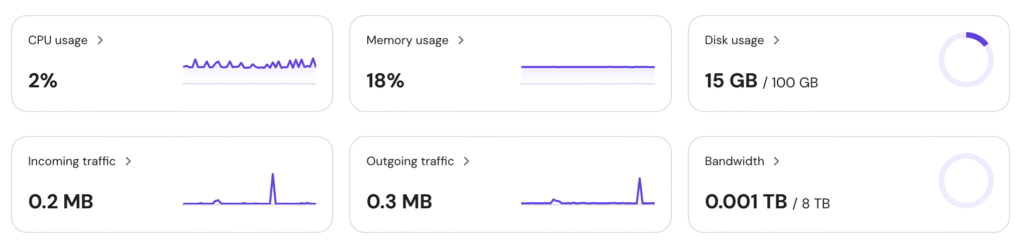
There’s no exact formula, but a good rule of thumb is to start with the recommended 4 GB of RAM and monitor your server’s resource usage as you build and run your workflows. If you notice memory usage consistently spiking above 75-80%, it’s time to upgrade.
3. Estimate execution frequency
The frequency at which your workflows run is another critical factor. A workflow that runs once a day has a very different impact than one that gets triggered by a webhook hundreds of times per hour.
- Low frequency (scheduled). Workflows that run on a schedule – like once every hour – have predictable resource needs. The minimum or recommended specs are often sufficient.
- High frequency (webhook-triggered). Workflows triggered by webhooks or events can execute many times in a short period. This requires more CPU cores to handle concurrent executions and more RAM to manage the active processes. If you expect high traffic, opt for a plan with at least 4 vCPU cores.
What are other considerations for self-hosted n8n?
Beyond hardware specifications, a successful self-hosted n8n setup involves three key considerations: operating system, containerization, and HTTPS.
These elements help keep your n8n instance secure, stable, and easy to manage.
Operating system
While n8n runs on various systems, a Linux-based OS is the standard for stability and performance.
Ubuntu 24.04 LTS is currently the most popular choice. It offers a balance of modern features and five years of security updates, making it a reliable foundation for your n8n instance.
Other solid options include Debian and CentOS.
Containerization
We highly recommend running n8n using containerization technology like Docker. While you can install n8n directly on the OS, Docker provides significant advantages:
- Simplified installation. Docker bundles n8n and all its dependencies into a single, isolated container, eliminating complex setup and configuration issues.
- Easy updates. Updating n8n is as simple as pulling a new Docker image, rather than manually managing package dependencies.
- Portability. You can easily move your entire n8n setup to another server without any compatibility issues.
For a step-by-step guide, see our tutorial on how to host n8n with Docker.
HTTPS protocol
Securing your n8n instance with HTTPS is not optional – it’s essential. Since n8n handles sensitive data, including API keys, passwords, and personal information, an unencrypted HTTP connection is a major security risk.
HTTPS encrypts all data transmitted between your browser and your n8n server, preventing anyone from intercepting it.
You can set up HTTPS for free using Let’s Encrypt, which often integrates with reverse proxy tools like NGINX or Traefik.
How do I install n8n on a VPS?
To install n8n on a VPS, you can use a VPS provider’s pre-configured template for quick setup, install it manually using Node Package Manager (npm), or deploy it as a Docker container.
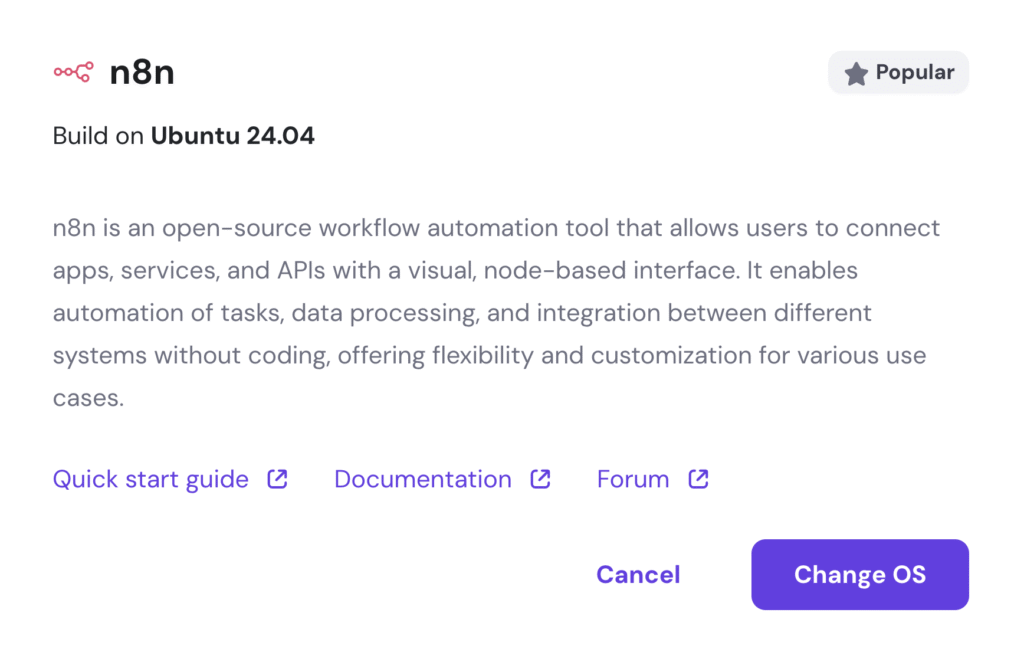
Hostinger lets you skip the manual setup entirely. The system automatically installs and configures n8n for you, so you can access your new automation platform in minutes.
Simply choose the n8n on Ubuntu 24.04 template when setting up a new VPS plan.
If you prefer a manual approach or are using a different provider, we recommend using npm or Docker for the most reliable results. For step-by-step guidance, refer to our detailed instructions on self-hosting n8n on a VPS.

Ariffud is a Technical Content Writer with an educational background in Informatics. He has extensive expertise in Linux and VPS, authoring over 200 articles on server management and web development. Follow him on LinkedIn.