Do you need hosting for WordPress? types of hosting for WordPress compared
Mar 10, 2026
/
Leonardus N. & Marco C.
/
10 min Read
People often get confused and wonder if they need to purchase web hosting for a WordPress site. That’s because there are two different types of WordPress – WordPress.org and WordPress.com.
WordPress.org is self-hosted, so it requires purchasing web hosting separately, while WordPress.com is hosted, meaning its plans already include hosting. However, that’s not the only difference between the two.
To help you understand which one is better for creating your site, we’ll compare both platforms. Additionally, this article will explain why you need a hosting service and how to choose the right one for your WordPress site.
Is WordPress a web host?
WordPress.org is not a web host, it is a content management system (CMS). Because of its flexibility, it suits any type of website and is one of the most popular choices among site owners. To understand the difference, feel free to read our article about what web hosting is.
While WordPress.com includes web hosting in its services, it’s not a web host either. It is a service that offers a custom version of the WordPress software.
Now, let’s take a deeper look at both types of WordPress.
WordPress.com vs WordPress.org
First of all, we’ll go over the key differences between WordPress.org and WordPress.com so you can pick the correct platform.
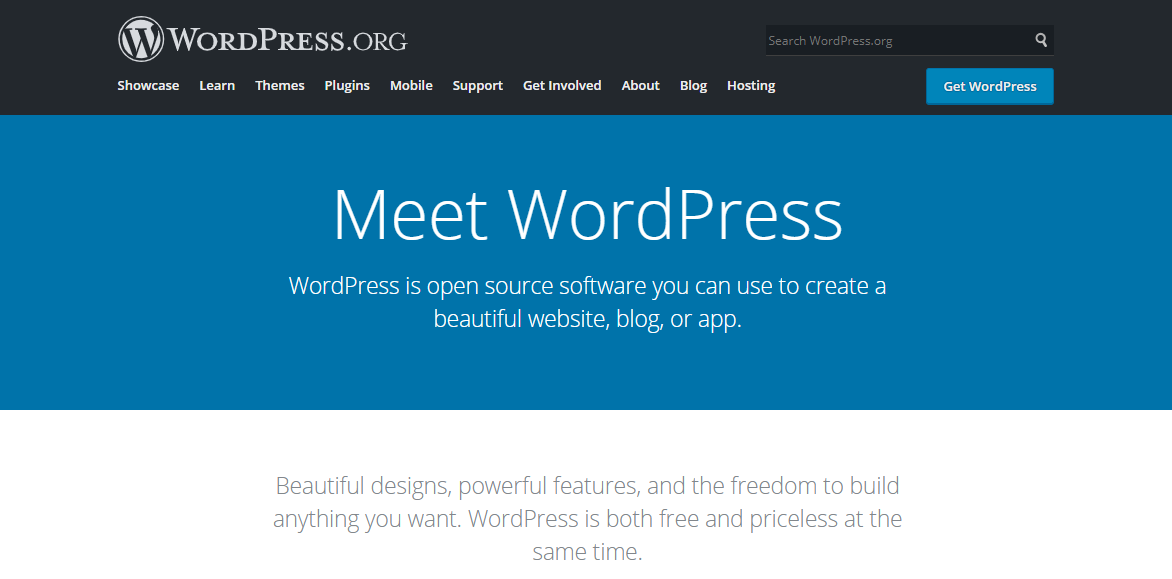
WordPress.org is a “self-hosted WordPress,” meaning you need hosting and a domain name before starting your WordPress site.
Using WordPress.org has several pros, such as:
- Highly customizable – install themes and plugins to create a website that looks and works the way you want.
- Custom domain – you have total control over your website address. You only need to perform a domain name search and register an available domain name.
- Monetization – it’s possible to place advertisements or use WordPress to create an online store.
- Better for SEO – WordPress SEO plugins help set up meta descriptions, meta titles, and focus keyphrases. Also, WordPress.org lets you create custom permalinks.
However, there are some cons of using WordPress.org:
- Steeper learning curve – with WordPress.org, beginners need to do some additional research beforehand to enjoy the platform’s full potential.
- Maintenance – you alone are responsible for managing updates for WordPress software, themes, and plugins. Plus, you also need to frequently back up the site to avoid future issues.
- Security – even though WordPress itself is secure, you have to perform due diligence before installing new tools on the site. Since anyone can develop plugins and themes, you may accidentally expose your website to malicious and unwanted files.
The WordPress software itself is free to download. However, the cost of using WordPress.org depends on the domain name, premium themes or plugins, and the hosting provider you choose.
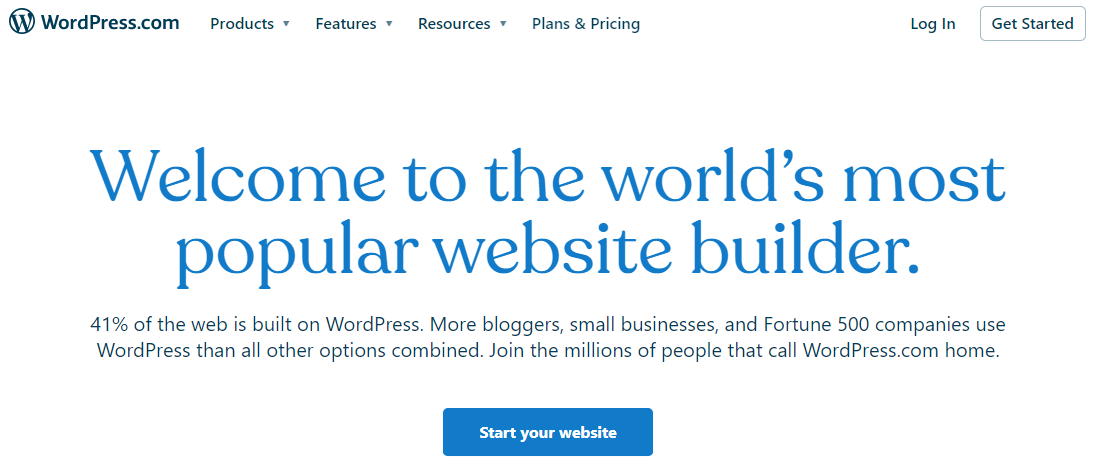
WordPress.com, on the other hand, is a hosted service operated by Automattic. It provides a platform for users to create a WordPress website with ease.
Users only need to subscribe to one of the available plans, choose a theme to design their site, and create content. It’s not necessary to get a hosting service separately to use it.
Here are the pros of using a free WordPress.com plan:
- Easy to set up – you only need to choose a plan and sign up to create your website.
- Beginner-friendly – the platform’s dashboard is straightforward and comes with several built-in features.
- Maintenance and security – WordPress.com takes care of the site’s hosting, WordPress updates, and security for you.
- Access to dozens of themes – WordPress.com provides a collection of themes, so you don’t have to look elsewhere.
Here are the cons of using a free WordPress.com plan:
- WordPress.com domain – your website address will have a WordPress.com subdomain, such as https://yourwebsite.wordpress.com.
- Advertisement – WordPress.com places ads on free sites. If you want to remove them, you need to upgrade to a paid plan.
- No monetization – you can’t place ads on your free site, and you don’t receive revenue from WordPress ads. Furthermore, the free site doesn’t come with eCommerce functionality.
- Less flexibility – you can’t use a custom plugin or theme on a free site. This limits your website functionality and customization options.
However, some of these limitations can be avoided by signing up for a WordPress.com paid plan, ranging from $5/month to $63/month.
Therefore, we only recommend free WordPress.com for personal blogs with a few pages. To create a full-fledged business site, we recommend using WordPress.org.
Types of hosting for WordPress
Choosing the right hosting plan is crucial. It will help your website handle more traffic, have better security, and maximize your website’s uptime. Most hosting companies offer plans that are compatible with WordPress.
It’s important to note that, to host a WordPress site, hosting companies should meet the following WordPress requirements:
- PHP version 7.4 or higher
- MySQL version 8.0 or MariaDB version 10.5 or greater
- HTTPS support
Usually, you find three common hosting solutions for WordPress within those requirements – shared, cloud, and managed WordPress hosting. Let’s take a look at what each of these options has to offer.
Shared Hosting
In shared hosting, websites share the resources of a single server. Since it’s not specifically built for WordPress, make sure you opt for a hosting provider that fulfills WordPress requirements.
In addition, most shared hosting plans provide one-click installations for WordPress to make using it even easier.
There are other pros of using shared hosting, such as:
- Affordability – shared hosting offers the lowest price of all types of hosting, starting at CA$ 4.19/month.
- Managed service – the hosting company will take care of the server configuration and maintenance, so you don’t have to worry about its technical aspects.
That said, shared hosting has a couple of drawbacks.
First, your site’s performance can be compromised by a traffic spike on another website. This is because the resources are shared for all websites on the server. Therefore, it’s not ideal for hosting a high-traffic website.
Second, the risk of security issues is higher on shared hosting. A security breach in one website can be a threat to other sites on the server.
Therefore, shared hosting is suitable to build a small WordPress website such as a personal blog or a small business site. A site with high traffic and high-security requirements will be better off using cloud hosting.

Managed WordPress Hosting
In managed WordPress hosting, the server configuration is optimized for WordPress. This includes features like compatibility with multiple PHP versions and unlimited MySQL databases.
In addition, managed WordPress hosting services provide automatic WordPress updates and backups so that users don’t have to do it manually.
Some managed WordPress web hosting plans also come with a bundle of pre-installed plugins for performance optimization, such as LiteSpeed Cache.
All-in-all, here are the pros of choosing WordPress hosting:
- Better performance – the hardware and server configuration on WordPress hosting are optimized for WordPress requirements so that the software runs efficiently. This helps to avoid performance issues and downtime.
- Easy installation – managed WordPress hosting providers include WordPress one-click installation. Some even have WordPress installed already to get you started quickly.
- Managed service – experts will take care of the server configuration. This is especially important for beginners and those who don’t have technical expertise.
- Excellent security – never miss important updates thanks to its automatic update feature. The provider also automates backups so you won’t lose data in case of errors.
Even though prices vary according to the provider, WordPress hosting is also an available option. Here at Hostinger, plans start at CA$ 4.19/month. In addition, you can always check Hostinger deals to get a discount on other plans.
Managed WordPress hosting is ideal for those who want to build a WordPress site with extra convenience and outstanding performance.

Cloud Hosting
Cloud based website hosting uses a cluster of servers to host your site. This ensures excellent uptime because if a server goes down, another server will take over to keep the website running.
It’s an excellent option for high-traffic websites, as a traffic spike will not slow down or break them. Here at Hostinger, you don’t share the server resources of our cloud hosting plans with other clients.
In addition, managing a cloud hosting account is as easy as shared hosting since web hosts manage the infrastructure for you.
Other pros of using cloud hosting are:
- High uptime and availability – all servers in the cloud infrastructure will have a copy of your website. If a server goes down, another will step in immediately without causing any downtime.
- Better security – a breach in one server won’t compromise your website data since you have copies on other servers.
- AI Website Builder for WordPress – at Hostinger, cloud hosting users will benefit from an AI Website Builder tool that can help you create a WordPress website in a minute.
Cloud hosting is a more expensive option than shared hosting and managed WordPress hosting, available from CA$ 11.19/month.
Given the price, cloud hosting is more suitable for larger websites and established businesses. eCommerce sites, in particular, will benefit from cloud hosting’s high uptime to ensure they don’t lose any sales opportunities.

What to look for in a web hosting service
Evaluate your website needs before choosing a website hosting. For example, how much traffic your website is expecting, how big your website will be, or your budget for website hosting.
To help you make a decision, look for the following aspects of your website hosting options.
Affordability
Web hosting services use a subscription model, so pick one that’s affordable in the long run. Also, take into consideration what the provider offers in addition to hosting.
For example, pick a hosting company that offers a free domain name to reduce the setup cost of your site. However, keep in mind that most domains are only free for the first year. After that, you’ll need to renew it at its regular price.
Another aspect to consider is the SSL certificate. Choose a hosting plan that includes free SSL certificates to help secure your website.
Luckily, several providers are offering that. All Hostinger’s plans, for example, start from CA$ 4.19/month with 30 GB of storage space and a free SSL certificate.
Ease of use
Find out how your chosen provider will guide you through the initial hosting setup. The ideal process for beginners should include a complete guide to installing WordPress and creating an admin account with minimal technical steps.
After purchasing a hosting plan at Hostinger, you will be redirected to complete an onboarding process. This includes WordPress installation and admin account creation, along with theme and plugin pre-selection.
With the Business or Cloud hosting plan, you can also choose to design a website using our AI Website Builder for WordPress during onboarding. Simply write a description of the website you want, and our AI tool will prepare it for you. Once finished, tweak the placeholder content and adjust the design as you want on the WordPress post and page editor as usual.

Other than that, the hosting control panel interface should be intuitive and user-friendly. This is where you do important hosting management tasks, such as managing SSL certificates, domain names and creating backups.
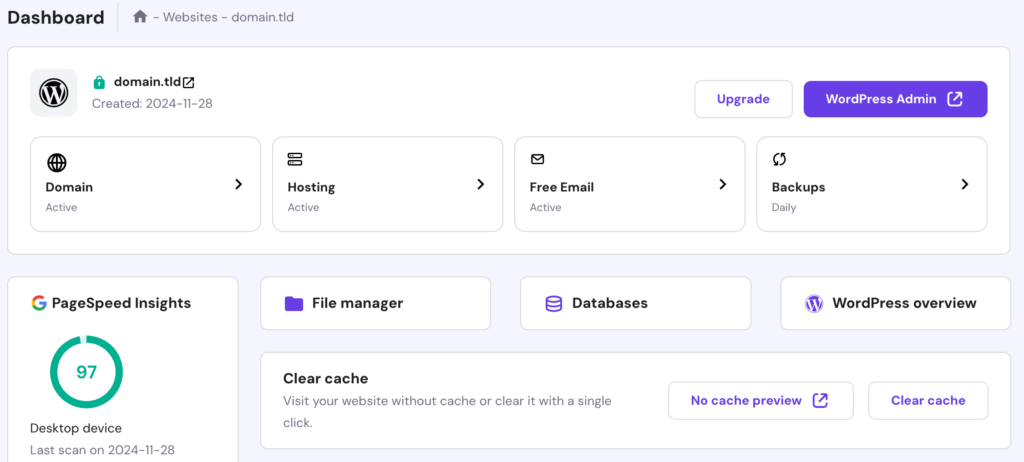
Hostinger’s hPanel has all these options located on the main page, making it easy to find what you need and navigate through the panel. It also has a dedicated WordPress section to manage your WordPress site.
Robust Features
A hosting plan that offers robust features will make it easier for you to start and help your WordPress site perform better. Compare the different hosting plan’s features and pick the one that suits you best.
Some of the features that you should pay attention to are:
Storage space
Pick a hosting plan with a storage space that matches your needs. For example, if your site will contain lots of videos and hundreds of pages, choose one that offers 100 GB or more.
On the other hand, small and medium sites will do just fine with around 30 GB.
Some web hosting companies may list “unlimited storage” or “unmetered storage,” but make sure to read the small print. In many cases, they may charge an extra fee or force you to upgrade your plan if you exceed the allowed space.
Bandwidth
It is the amount of data that your website can transfer in a certain amount of time. The more bandwidth your hosting plan offers, the more traffic the site can handle simultaneously.
The majority of hosting plans list the approximate amount of traffic they can handle. Use this as a rough guide and find a suitable plan for your expected traffic.
Just like storage space, hosting providers often list “unlimited bandwidth” or “unmetered bandwidth”. Check their terms and conditions and, if you choose a plan with this feature, be sure not to exceed the allowed bandwidth usage.
Email accounts
See how many email accounts the hosting plan provides. If you need dedicated emails for customer support, finance, or any other team, make sure that the hosting plan offers enough email accounts.
Also, check if the host provides you with an option to buy email hosting in case you need a dedicated business email service.
Staging environments
Many hosting providers offer tools for WordPress staging sites. These tools allow site owners to create a test site and make changes without affecting the live website.
Once they are happy with the updates and changes, the staging tool makes it easy to update the live website.
Extensive customer support
Having a customer support team available can make all the difference when you’re facing an issue.
Most companies offer support via phone, live chat, or ticket systems. Some hosting platforms also include support from WordPress experts for their managed WordPress hosting clients.
Also, it’s worth checking the web host’s knowledge base. It should contain informative articles to help you set up and manage your hosting account.
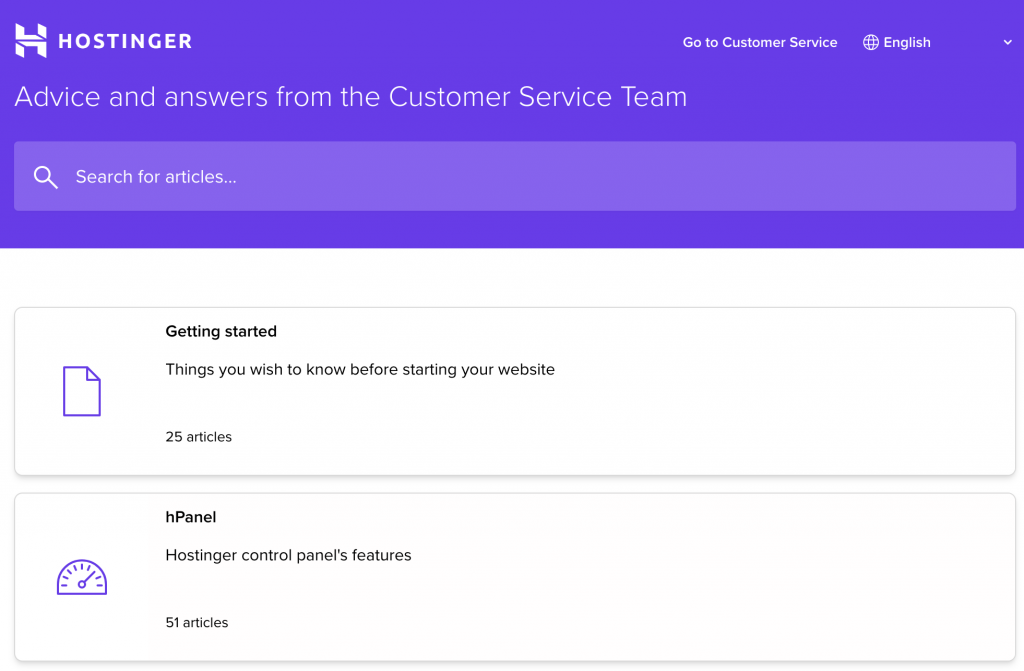
Hostinger offers 24/7 customer support via live chat and various informative articles on our knowledge base and tutorials page.
Optimal performance
High-performance hosting is crucial to provide a great user experience. Visitors will leave your website if it fails to load quickly. If your site goes down, then you lose more potential visitors.
Pick a web hosting provider that guarantees the highest uptime in their service level agreement. Also, read carefully to find out what’s the compensation if the provider fails to provide it.
Hostinger guarantees 99.9% of uptime. If the monthly uptime goes below 99.9%, you can request a credit of 5% of the monthly fee.
It’s also worth looking for a hosting plan that offers a content delivery network (CDN) to help your site achieve a faster loading speed, like Hostinger. Our WordPress hosting users also get the LiteSpeed Cache plugin.
Lastly, check where the data centers are located. Hosting your site on a nearby server helps improve your website speed. If you use one of our WordPress Hosting plans, you get to choose from seven different locations.
Managed WordPress Hosting vs Shared Hosting: Which is better?
Managed WordPress hosting is a better option if you want to build a WordPress site without having to worry about maintenance – the web host takes care of updates and backups for you.
In addition, managed WordPress hosting providers set up a firewall and run malware scans on your website to strengthen its security.
Overall, the hosting provider optimizes the WordPress hosting environment to offer the best website performance possible.
On the other hand, shared hosting is still a good option for WordPress sites, costing less than managed WordPress hosting.
However, you’ll need to do a few maintenance tasks yourself, such as updating the core software, conducting performance tests, and running malware scans.
Thus, shared hosting will require that you spend extra time managing the site’s technical aspects, while WordPress hosting allows you to focus on growing your business.
Check out our article on shared vs managed WordPress hosting for a deeper dive into their differences and pros and cons.
Conclusion
We need to understand the difference between WordPress.com and WordPress.org to answer the question of whether WordPress sites need web hosting.
WordPress.com is a hosted platform to create a WordPress site with ease. Its services include web hosting, and a free plan is available – with limited features.
However, we recommend using WordPress.org – a CMS that you install on your hosting account – as it gives you more control and flexibility over the website.
To use WordPress.org, you need to get hosting first. We recommend following these simple steps when choosing a web hosting for your WordPress site:
- Work out your website needs
- Decide on a suitable hosting type
- Compare prices and plans from several hosting providers
- Pick a hosting provider that fulfills your needs and offers the best value for money
In addition to that, several providers offer managed WordPress hosting services to help you easily maintain your website and optimize its performance.
Now that you know what’s necessary to get suitable hosting for your site, it’s time to start building your WordPress website. Best of luck!
Do you need hosting for WordPress? FAQ
Now that you understand the importance of hosting for WordPress, below are answers to some of the frequently asked questions.
Does WordPress Come With Hosting?
Not exactly if you are using WordPress.org instead of WordPress.com. Even though WordPress.com plans come with web hosting, they don’t give much freedom in terms of managing your hosting.
How Do I Start a WordPress Site Without Hosting?
Yes, it is possible to create a WordPress site without hosting. However, you will still need to get a web hosting plan when you want to go online. If you want to build a WordPress website without going online, then you can install WordPress locally.
Do I Have to Use WordPress Hosting to Create a WordPress Website?
No, you can use other types of hosting with WordPress, such as shared and cloud hosting. However, using a WordPress hosting often helps with the installation and setup process.

Leo is a Content SEO Specialist and WordPress contributor. Armed with his experience as a WordPress Release Co-Lead and Documentation Team Representative, he loves sharing his knowledge to help people build successful websites. Follow him on LinkedIn.

Marco Chiesi is the Head of WordPress at Hostinger, with over 20 years of experience as a software engineer in the web industry. He specializes in open-source technologies and the WordPress ecosystem, where he has contributed in different areas: Plugin Developer (with over 10 million downloads), WordCamp speaker and organizer, Meetup organizer, Translator, and Core Contributor. He is passionate about leading his team to create innovative solutions for Hostinger's web hosting product, which hosts over 5 million WordPress installations. Follow him on LinkedIn.



Comments
July 04 2022
Hello I just watched a tutorial on YouTube and it left me with a question. After purchasing a plan from Hostinger, do I still need to pay for a WordPress plan or can I just install and proceed?
July 08 2022
Hey! With our Shared, Cloud and WordPress plans you will be able to setup WordPress without any issues and without any additional payments! You can check this resource to understand the main differences between Web and WordPress hosting ?
March 03 2025
Hi. Do I need to download and install Wordpress.org for lauching my site?
March 06 2025
No, you don’t need to download and install WordPress.org manually. If you’re using Hostinger, you can easily install WordPress through hPanel with just a few clicks. This way, you can set up your website quickly without needing to handle manual installation ;)