Bitbucket vs GitHub: which code repository is the best choice
Dec 02, 2025
/
Nadia
/
11 min Read

If you’re a developer, choosing a code repository for your project can be challenging. You’ll want to find a platform that suits your team’s workflow and needs, enabling you to work as efficiently as possible. The two most popular choices are Bitbucket and GitHub.
In this article, we’ll go over the concept and differences between Bitbucket and GitHub, and you’ll be able to decide which one suits you best.
Download complete GIT cheat sheet
What’s the Difference Between Bitbucket and GitHub?
Bitbucket and GitHub are popular web-based hosting services for version control repositories. The main difference is that Bitbucket offers free plans for small teams and has a stronger focus on Mercurial repositories, while GitHub offers unlimited public repositories for free and has a wider range of third-party tool integrations.
What Is a Code Repository?
A code repository is a file archive and repository hosting facility that stores source code and technical documentation of development projects. It’s available for public and private access.
This tool is typically used by developers, software engineers, or programmers to work on software or website development projects. However, remote-working teams can also find this tool helpful since it enables everyone to check the project’s progress.
In addition to that, code repositories can act as a:
- Version control system. It provides the history of revisions and versions, helping to keep track of all the changes made in the project. If you alter the code and the project starts malfunctioning, simply revert to previous versions to fix mistakes.
- Coherent documentation for easy debugging. Review previous and current versions of a code simultaneously on the same page. This makes it easier to pinpoint any bugs before publishing the project.
- Collaborative development tool. It allows for collaboration on projects and modules, as well as coding from anywhere without relying on specific local storage. It’s a handy tool for those wanting to have several people contributing to the code’s improvement or start an open-source project.
- Digital portfolios for developers. Like a blog for a writer, a code repository can work as a portfolio for a developer. It displays their coding skills to potential clients and employers.
When we talk about version control systems (VCS), there are two types available – Centralized VCS (CVCS) and Distributed VCS (DVCS).
CVCS has a single central repository that developers share and can contribute to. To commit any changes, you need to have internet access, and the code should be on an internal server. Examples of CVCS include Subversion (SVN) and the Concurrent Version System (CSV).
Meanwhile, DVCS supports multiple repositories, allowing developers to have their own local repositories and work autonomously. It’s also possible to work on DVCS without an internet connection.
Examples of DVCS are Git and Mercurial, managed through code hosting platforms such as Bitbucket and GitHub.
What Is Bitbucket?
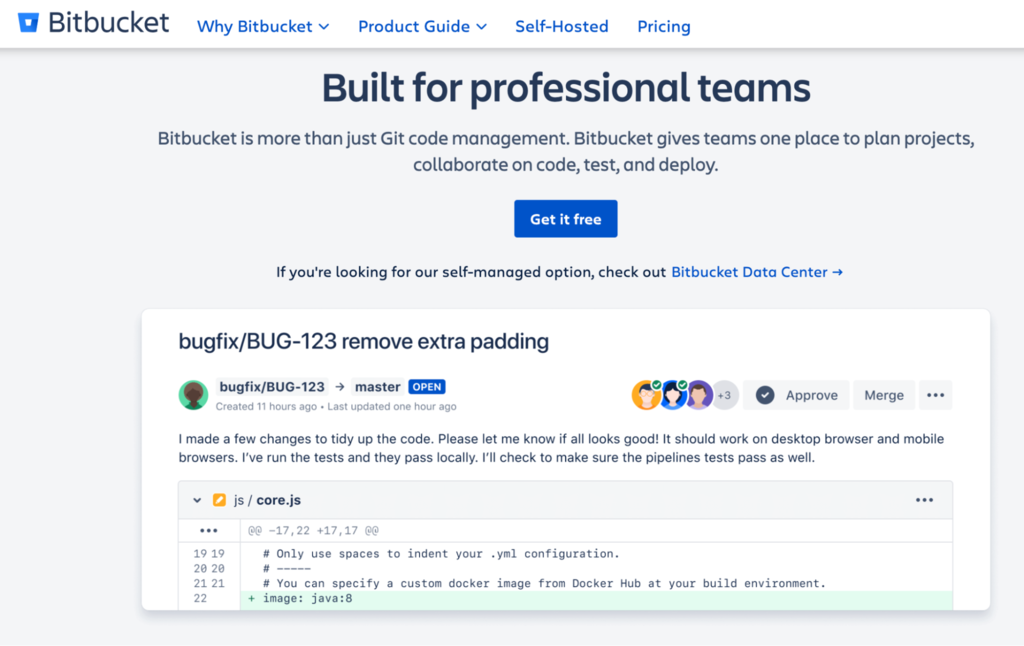
Bitbucket is one of the largest source code management services to host and manage your repositories, owned by Atlassian.
Currently, Bitbucket only supports Git. It used to support Mercurial, but it stopped in 2020 due to the steady decline of Mercurial usage among Bitbucket users.
All Bitbucket plans offer unlimited public and private repositories, but the free plan only allows a maximum of five users. The paid plans have no user limit.

What Is GitHub?
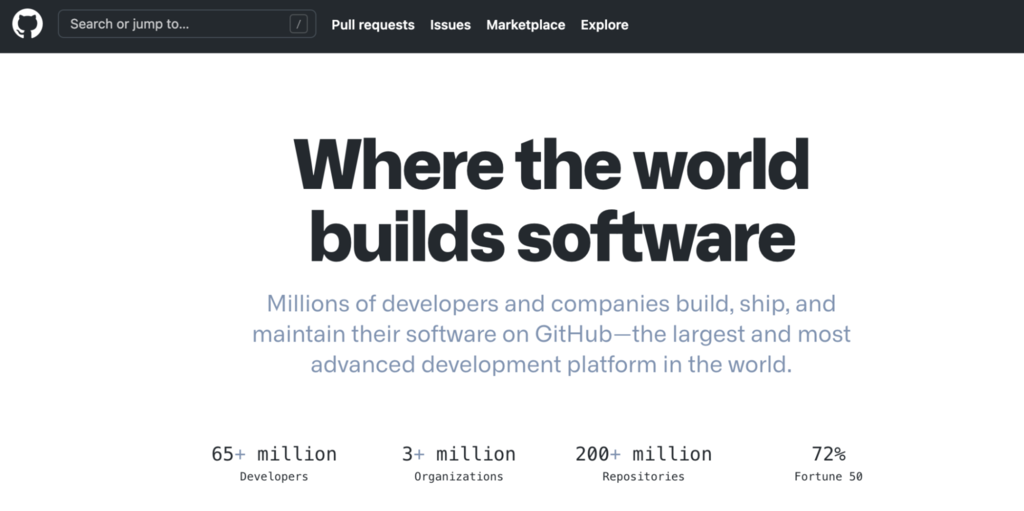
GitHub is a repository hosting service that lets you host, review, and manage development projects collaboratively from anywhere.
GitHub supports Git and SVN. It’s currently the largest code repository, with more than 100 million repositories within it.
It offers unlimited public and private repositories in all plans. GitHub also provides discounts for nonprofit organizations and charities, special plans for academic institutions, and the GitHub Sponsors program for supporting the open-source community.

What Should You Look For in a Code Repository?
When it comes to selecting a code repository hosting service, you need to consider the following factors:
- VCS compatibility. If your project uses Git, you’ll need to choose a repository service that supports Git.
- Built-in features. See if the repository service you chose has built-in features such as wikis and IP whitelisting. If not, it should provide a convenient way to add new tools or upgrade existing ones.
- Private or public repositories. Identify whether you need a private or public repository, and choose the platform accordingly.
- Ease of use. See if it’s easy to navigate, even for beginners.
- Team size limit and access distribution. Consider your teams’ size and your working dynamic – remote teams in different time zones may have different needs than on-site teams. Also, consider the level of access that your teams need within the repository service.
- Project size and data storage. If your projects require dealing with large data files such as animation or videos, you need to opt for a platform that works well with larger data.
- Speed. Check the service’s upload and download speed.
- SLA standards. Check the Service Level Agreements for uptime, downtime, and bandwidth.
- Customer support. The platform should provide extensive documentation, and the customer support team should be easy to reach.
- Security compliance. Make sure that the platform applies security best practices. It should also comply with relevant programs regarding information security management systems, such as ISO/IEC 27001 and ISO/IEC 27018.
- Third-party tool integrations. It should offer integrations with external tools that can improve your workflow. For example, task management and quality assurance tools to ensure a smooth workflow and high-quality code.
Bitbucket vs GitHub: Core Features
Bitbucket and GitHub provide several similar features, but each through their distinct services.
Bitbucket
- Unlimited private repositories. Bitbucket offers free unlimited private repositories for individuals or small teams with a maximum of five members. To scale up, choose the Standard plan at $3/user/month or the Premium plan at $6/user/month.
- Jira and Trello integration. Bitbucket integrates seamlessly with other Atlassian products, such as the issue tracking software Jira and project organization tool Trello to help your teams work more effectively.
- Code reviews. Bitbucket’s pull request feature helps to approve code reviews more efficiently. Assign approvers to a merge checklist and discuss the source code using the inline comment section.
- Bitbucket Pipelines. Build, test, and deploy your projects with built-in continuous integration and continuous delivery (CI/CD). This can reduce human error and allow your teams to focus on more critical tasks.
- Deployment history and visibility. The deployment summary allows you to check which version of your project you are running, all on the same page.
- Configuration as code. Bitbucket allows you to store and manage your build configuration in one .yml file, simplifying the configuration process.
- Git Large File Storage support. Bitbucket offers the Git Large File Storage (LFS) extension to replace large files with pointers and help you get shorter clone times.
- Extensive security features. Store your code with IP whitelisting and require users to enable 2-step verification. Bitbucket also encrypts data in transit, protecting it from unauthorized modification or disclosure.
There are also options to restrict access or grant branch permissions for specific users, allowing you to control their actions.
Bitbucket also complies with several important compliance programs, such as SOC II and SOC III, which means it has passed the security and privacy control audit.
GitHub
- Unlimited private and public repository. GitHub offers unlimited repositories and collaborators for all of its plans. The premium plans start from $4/user/month, with additional tiered benefits such as advanced security and auditing.
- Codespaces. Available in beta, it’s an integrated development environment (IDE) that allows you to develop entirely in the cloud. It features all you may need to develop a repository, including a text editor, bug tracking tools, and Git commands. It also facilitates the onboarding process when starting a new project, allowing new developers to start coding as soon as possible.
- Pull requests and code review. GitHub lets you assign up to 10 people to work on a given issue or pull request, enabling you to track who’s working on what. Use a pull request to discuss and review any changes before finally merging the modification into a repo.
- Automation with GitHub Actions. Automate everything – for example, CI/CD, approvals, and onboarding – with GitHub. It helps you standardize and scale the best practices for your entire organization.
- GraphQL API. Use it to create queries for your data within GitHub, precisely fetching the data you need.
- Encrypted secrets. Store sensitive information in your repository or repository environments.
- Workflow visualization. Check your project’s progress through a real-time graph. It helps you understand complex workflows and easily communicate with your team members about the project status.
- GitHub pages. Host and publish static websites through GitHub, making them open source. Use them to showcase your skills as a developer or invite other website or software development enthusiasts to contribute to your project.
- Extensive security. Its various security features include a security audit log for reviewing actions performed by your team members and code scanning to find vulnerabilities and prevent future issues. Also, GitHub complies with SOC I and SOC II.
- Client apps. Access GitHub on mobile devices, allowing you to work on your ideas anytime and anywhere.
Bitbucket vs GitHub: Ease of Use
If you’re a beginner, it may take time to familiarize yourself with a code repository. However, Bitbucket and GitHub are known for their easy-to-understand interface, so let’s compare each platform.
Bitbucket
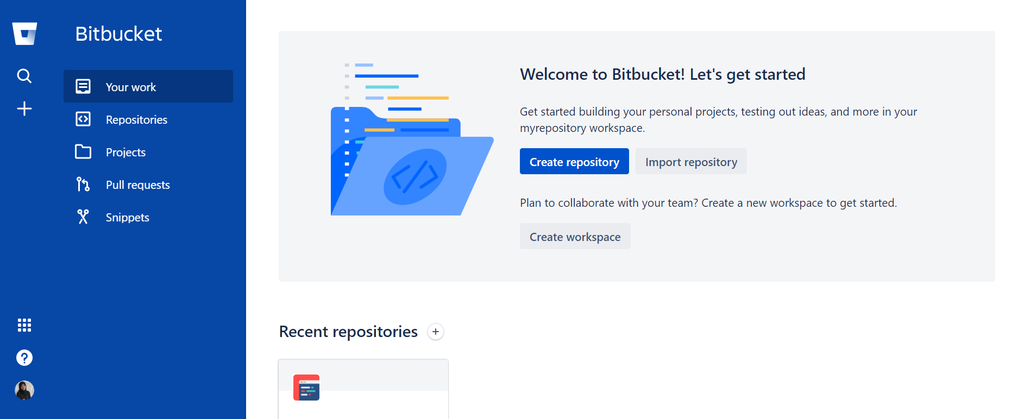
Bitbucket has a clean interface that makes it easy to find what you need. Its sidebar navigation helps check repository elements such as the projects, branches, and deployments.
The center of the Bitbucket interface is the Your Work dashboard. It provides easy access to your repositories and pull requests. It’s also capable of issue tracking and filtering your pull requests, allowing you to find specific items quickly.
Bitbucket also allows you to view your activity feed history and edit your code in the same window. It enables you to easily review and work on them without switching back and forth between tabs.
It’s also possible to view different code versions side-by-side, allowing you to check the latest changes.
GitHub
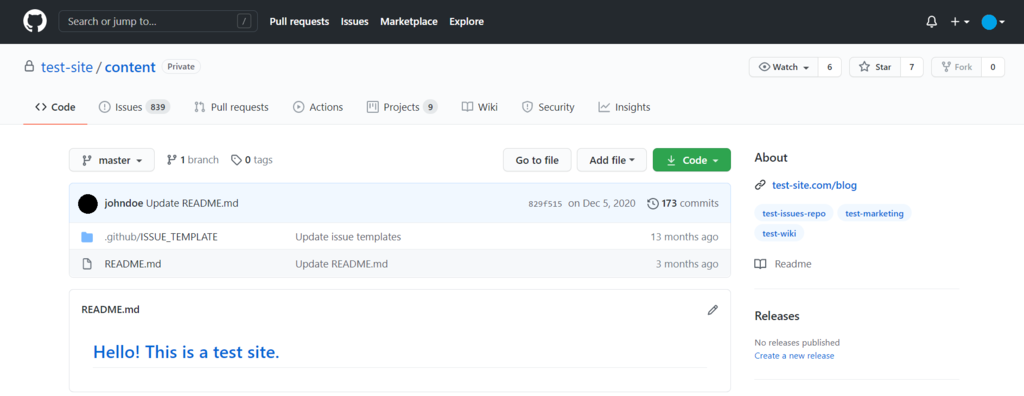
Its simple interface shows your repositories in the form of tabs, such as Code, Projects, and Insights. The tab format makes the layout look a bit cluttered at first, but you’ll find it easy to navigate once you’re familiar with its horizontal navigation.
GitHub is a tried-and-tested platform for collaborative code review. It enables you to track and review your collaborators’ commits to check the project’s improvement.
GitHub also provides client apps such as GitHub for Mobile and GitHub Desktop. The mobile app helps you work conveniently from your mobile device. Meanwhile, the desktop app is great for beginners since it simplifies the development workflow using a Graphical User Interface (GUI).
GitHub Desktop also provides a split diffs feature, which allows you to check code changes in a side-by-side view. It will highlight the changes, making it a lot easier to check what’s new.
Bitbucket vs GitHub: Privacy and Access
Team access is one of the essential aspects to consider when choosing a code repository. Let’s take a look at what Bitbucket and GitHub have to offer.
Bitbucket
If you get Bitbucket’s free plan, you’ll have unlimited private repositories accessible by up to five people. On the other hand, users of its paid plans get unlimited repositories with no user limit.
The Jira integration lets you see which repositories your team members are working on and which projects are ready to release, ensuring transparency in the workflow.
Set up branch permissions to enforce specific workflows and prevent errors, such as accidental deletion. Assign who can write or merge to any branch, while other people in the team must use a pull request to propose a merge.
In addition to that, premium users get the IP whitelisting feature to help ensure that team members always access the projects from a safe IP address.
GitHub
GitHub provides unlimited private and public repositories for an unlimited number of users in all of its plans.
Its code review allows your team members to comment, approve, or request the proposed changes in a pull request before merging it with the base branch.
In terms of branch permissions, GitHub provides branch protection rules to enforce specified workflows. For example, set a rule that any pull request should be approved or passed status checks before being merged to a branch. This protects your work from potential mistakes, such as a colleague accidentally deleting a branch.
Like Bitbucket, GitHub also offers an IP whitelist feature.
Bitbucket vs GitHub: Third-Party Integrations
Third-party extensions and apps help extend the functionality of your code repository. Both Bitbucket and GitHub provide various third-party integrations, so let’s see what they offer.
Bitbucket
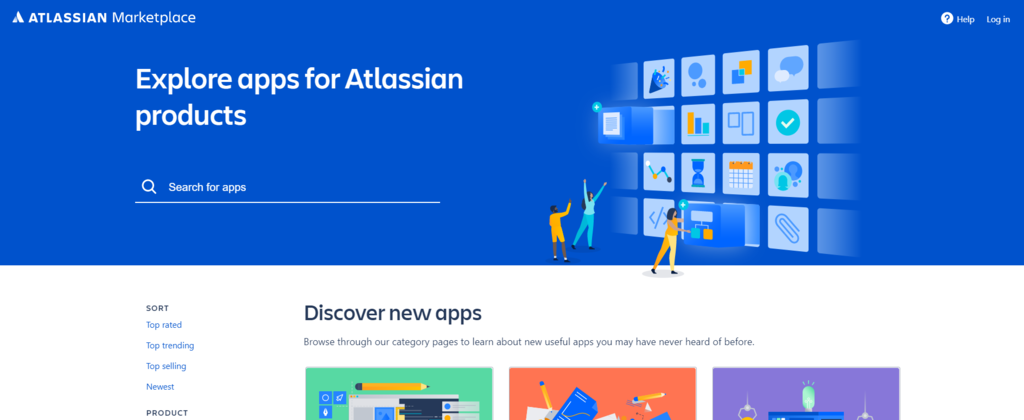
As one of the Atlassian tools, Bitbucket integrates seamlessly with other Atlassian software. There are also thousands of apps available in the Atlassian Marketplace.
Here are some of the apps that you can integrate with Bitbucket:
- Bamboo – Bamboo server enables you to tie automated builds, tests, and releases in a single workflow. It also helps you quickly detect issues.
- Opsgenie – It helps troubleshoot errors and resolve CI/CD deployment issues as they arise. Opsgenie notifies you about the services impacted, so you can immediately investigate and correct the incident.
- Webhook to Jenkins – It integrates Bitbucket to Jenkins to set up and manage triggers and commits, and configure different build jobs for distinct branches.
GitHub
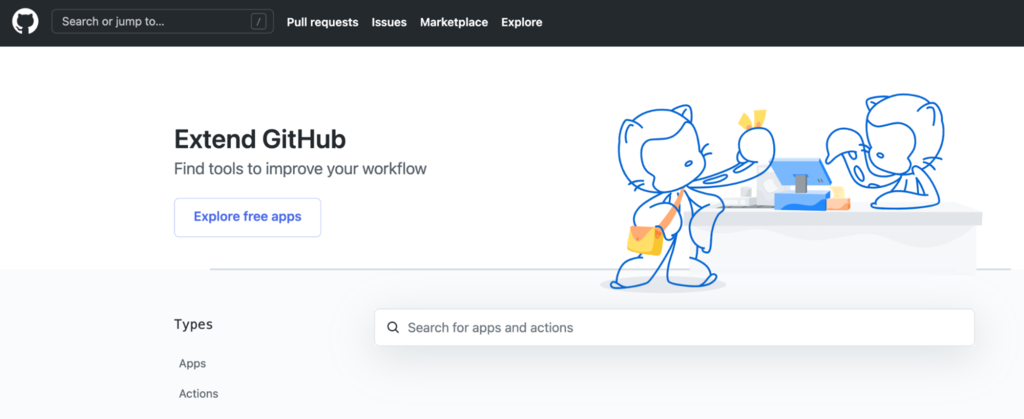
Most integrations offered on GitHub Marketplace are GitHub-exclusive. That means it will provide you with tools that are uniquely available for GitHub users. Some of them are:
- ZenHub – A project management tool that integrates with the GitHub user interface. Visualize and track the project’s progress for better planning and collaborating.
- Azure Pipelines – Cloud-hosted CI/CD pipelines for building open-source projects on multiple operating systems in parallel. It simplifies your hardware and virtual machine management, advancing the workflow.
Bitbucket vs GitHub: Data Storage
Both GitHub and Bitbucket offer unlimited repositories in their plans, but each has a different storage limit. Let’s check the differences between the platforms.
Bitbucket
Bitbucket provides support for Git Large File Storage (LFS). It will keep your large files in parallel storage to your code and store the lightweight references in your Git repository.
Bitbucket’s free plan provides 1 GB storage for LFS files, while the Standard and Premium plans provide 5 and 10 GB, respectively. Get an additional 100 GB of LFS storage for $10/month if you want to scale up.
Bitbucket also offers the Bitbucket Data Center for organizations or enterprises that need larger storage solutions.
It starts at $2,300/year for 25 users. It includes features like smart mirroring for saving cloning time and disaster recovery that helps you resume operations in an alternate data center.
GitHub
GitHub provides 500 MB of GitHub Package storage with its free plan. The Team plan gets 2 GB, while GitHub One and GitHub Enterprise customers get 50 GB.
It also offers 1 GB of free storage and 1 GB of free bandwidth per month for Git Large File Storage users.
Additional storage and bandwidth are available for purchase in a single data pack, which costs $5/month. It will provide you with 50 GB of bandwidth and storage for one month.
GitHub allows you to buy as many data packs as you need, so if you need 250 GB of storage, buy five data packs.
Bitbucket vs GitHub: Wikis and Community Support
A wiki is a knowledge database that is developed collaboratively by multiple contributors. Anyone who has access to the wiki page can add and edit its content.
It works like your project’s homepage – it allows you to include long-form explanations of your project’s core principles, allowing everyone to understand and contribute to it.
Bitbucket
Bitbucket provides wikis for its Bitbucket Cloud users. To make any edits on private wikis, a user should have write or admin access to the wiki’s repository.
However, Bitbucket Cloud users can view, edit, or clone a public wiki even if the repository is private. Meanwhile, public wikis are fully editable, even for users who don’t have a Bitbucket account.
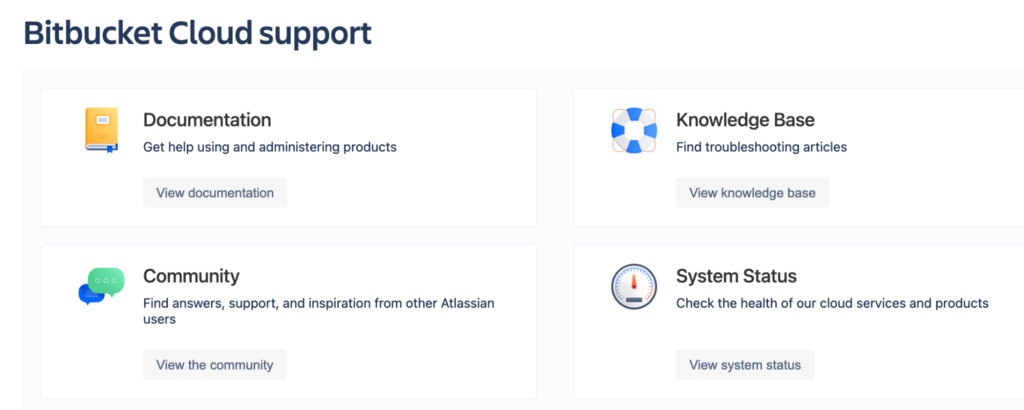
Bitbucket users predominantly use this platform for its private repositories. Even though GitHub has a larger community, Bitbucket provides numerous webinars, tutorials, documentation, and online support to help its users navigate the platform easily.
GitHub
GitHub provides wikis in private and public repositories for all of its plans, except the free plan, which only provides wikis in public repositories.
It’s possible to edit wikis directly on the platform or edit the files locally on your computer with GitHub. By its default setting, anyone with write access to the repository can make changes to wikis.
However, GitHub allows you to let anyone on GitHub contribute to a wiki in a public repository.
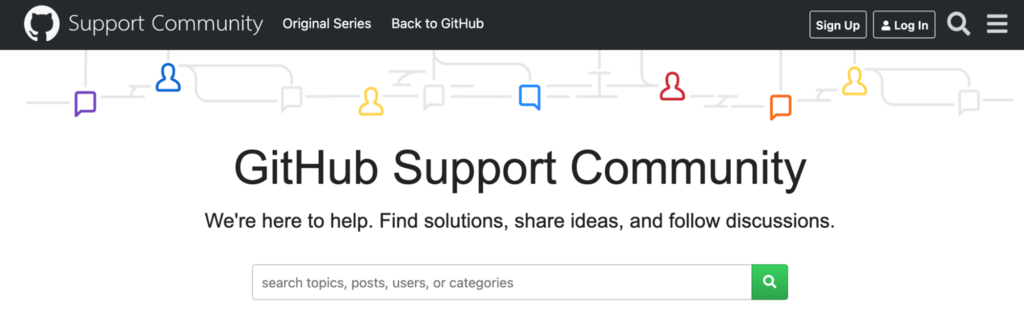
In terms of community support, GitHub is largely known for its huge open source community. Here, people are encouraged to join discussions, interact with other developers, or open issues.
Bitbucket vs GitHub: Differences
The main difference between Bitbucket and GitHub is that Bitbucket is focused on private repositories and allows to have 5 collaborators for free, while GitHub is a better fit for public repositories. On private repositories, GitHub only allows 3 collaborators for free.
There are some key differences between GitHub and Bitbucket that may suit different organization needs:
- Bitbucket puts more focus on private repositories, while GitHub emphasizes its support for public repositories.
- GitHub provides access for unlimited users on its free plan. Bitbucket only provides access for up to five people on its free private repositories.
- GitHub offers client apps for mobile and desktop, while Bitbucket does not.
- GitHub supports Git and SVN. Bitbucket only supports Git.
- Regarding navigation, Bitbucket uses a sidebar, while GitHub uses horizontal tabs.
- GitHub has the Projects tab by default. With Bitbucket, you need to integrate Trello to have a dedicated section to check and review your projects.
However, Bitbucket and GitHub also share similar features, such as:
- Git support.
- Both provide tools to manage and track your project.
- Free unlimited private repositories.
- CI/CD integration – Bitbucket with its Bitbucket Pipelines and GitHub with GitHub Actions.
Which Code Repository Is the Best?
There’s no one-size-fits-all solution for this question since every organization has different needs.
In general, a good code repository should provide a tool to view your project development’s workflow. It should allow you and your team members to measure, monitor, discuss, and overall manage projects efficiently.
It should also offer various integrations, such as task management and quality assurance apps, to improve your workflow.
As for other aspects, it depends on your organization’s preferences. Here are our recommendations:
- Project size. If your team consists of up to five people and you only need private repositories, the Bitbucket free plan is a good choice. If you have larger teams that work on public or private repositories, go for GitHub’s free plan or GitHub and Bitbucket’s premium plans.
- Nonprofit or commercial. If your project is related to nonprofit or academic issues, or it’s open-source, GitHub offers special plans for projects in these fields. If your organization is commercial, both GitHub and Bitbucket provide great solutions.
- Third-party integrations. For Bitbucket, the Atlassian Marketplace provides over 2,300 apps, including other Atlassian software and continuous integration (CI) tools. Meanwhile, if you don’t need that many options, GitHub offers plenty of apps in the GitHub Marketplace. Most of them are available exclusively for GitHub.
Conclusion
Bitbucket and GitHub are two of the most widely-used code repositories. They help you manage your project’s source code and documentation.
Developers commonly use these platforms for software or website development, but it’s also possible to use them for other collective projects.
Both support Git and offer public and private repositories. However, Bitbucket users primarily use this platform to manage private repositories, while GitHub focuses heavily on public repositories.
Now that you know the main differences between Bitbucket and GitHub, you’ll be able to decide which code repository suits you best. Good luck with your development projects.


Maya is a Content Specialist and WordPress Contributor. With years of journalistic experience under her belt, her main goals are to help people understand complex processes in a simpler way, and tell the stories of people who thrive thanks to technology. When she’s not writing, you can find her watching sci-fi movies while eating ramen. Follow her on LinkedIn.